Access Equity Trading via Direct Connect

Access key features like Holdings, Orders, and more on Direct Connect Online Equity Trading.


Important information

We are continuously enhancing the platform, with more features coming soon.

How to access equity trading via Direct Connect

Desktop

laptop
login
login
login
login
login
login
login
login
login
login
login
login
1
Step 1
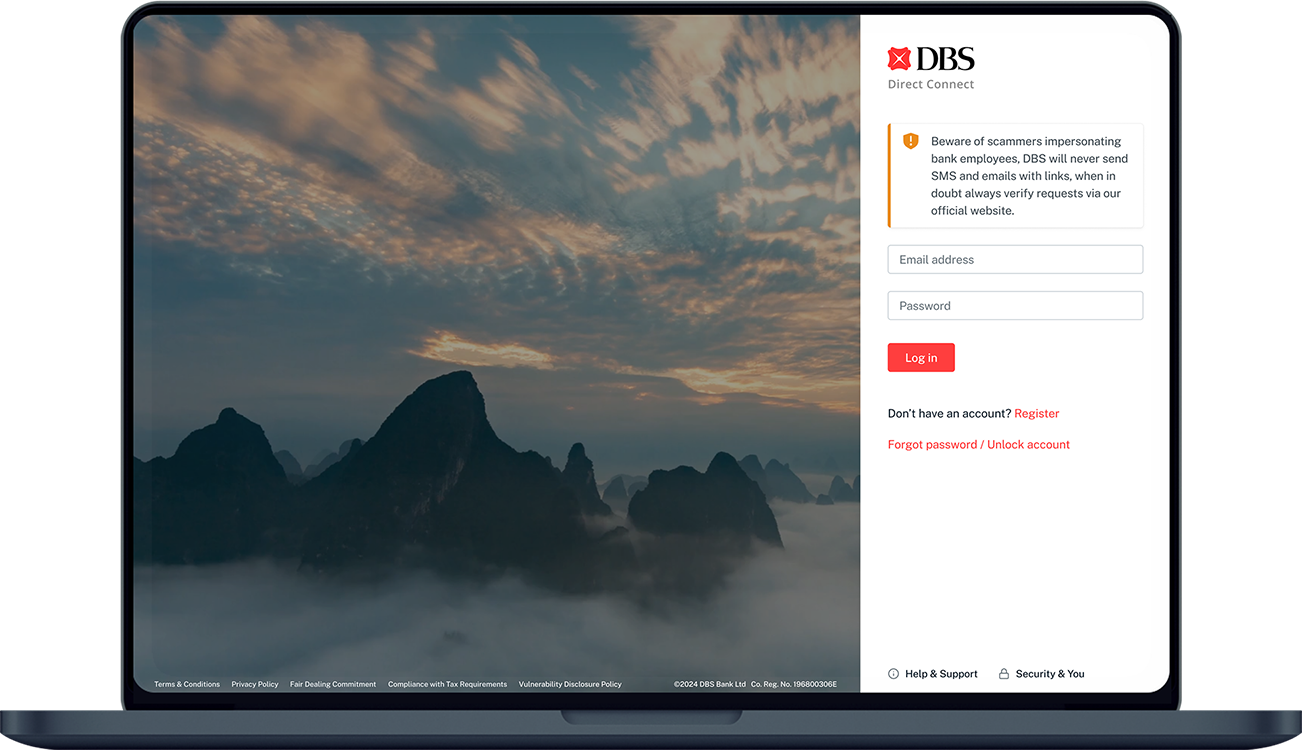
Log in to DBS Direct Connect with your User ID & PIN.
2
Step 2
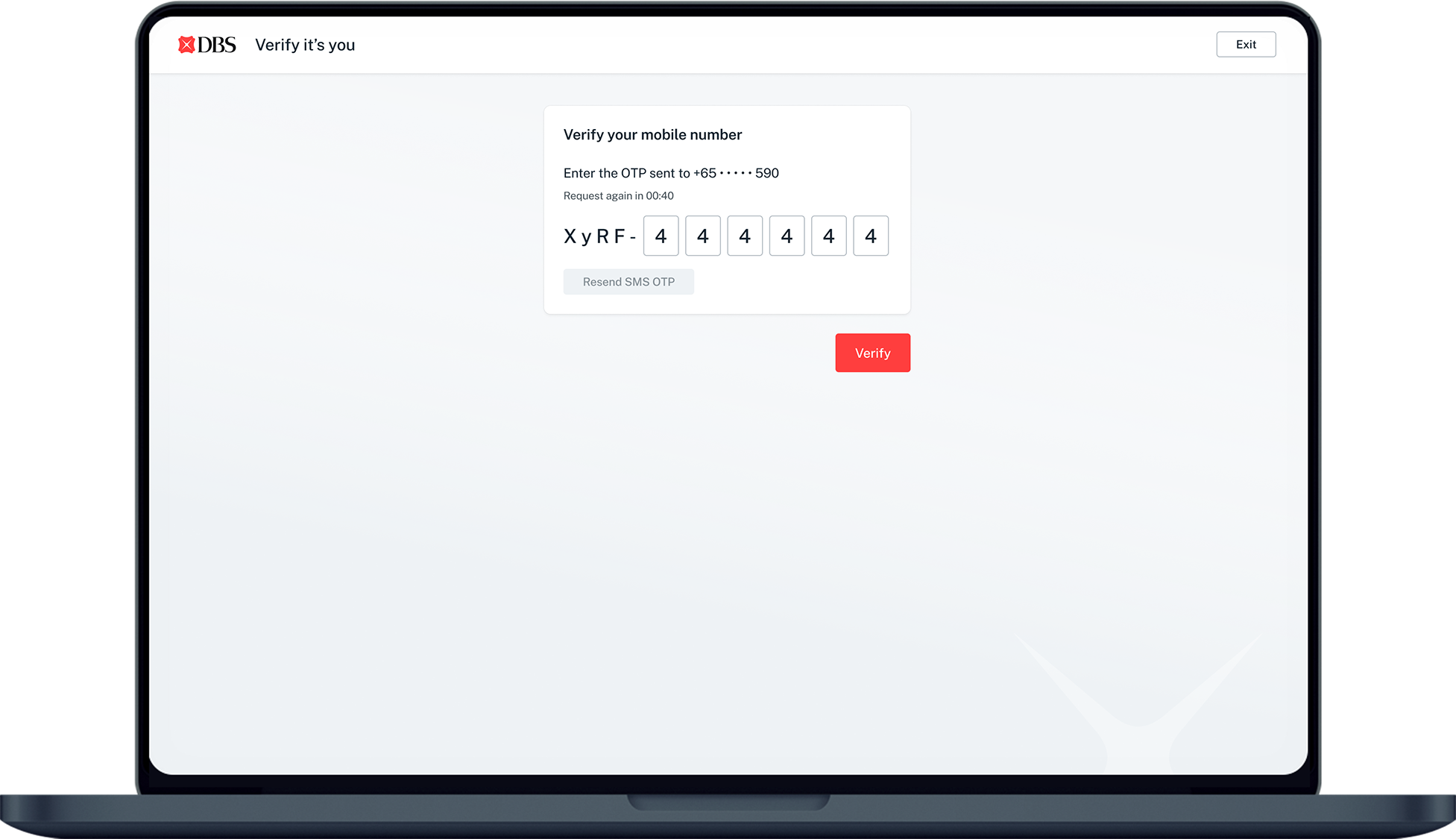
Enter the OTP sent to your email/SMS to complete your login, then click Verify.
3
Step 3
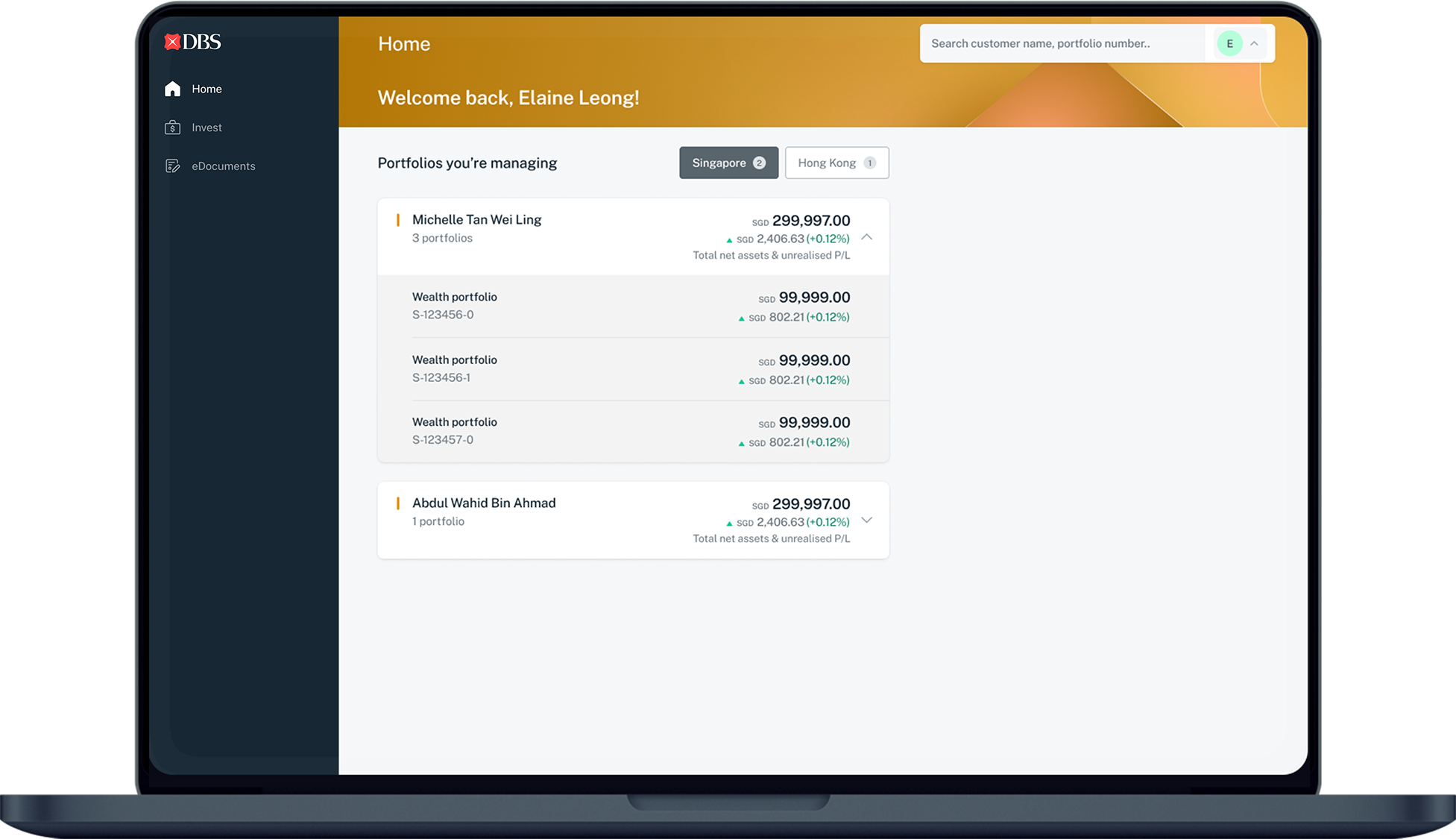
Once you are logged in, you will see the Direct Connect homepage.
4
Step 4
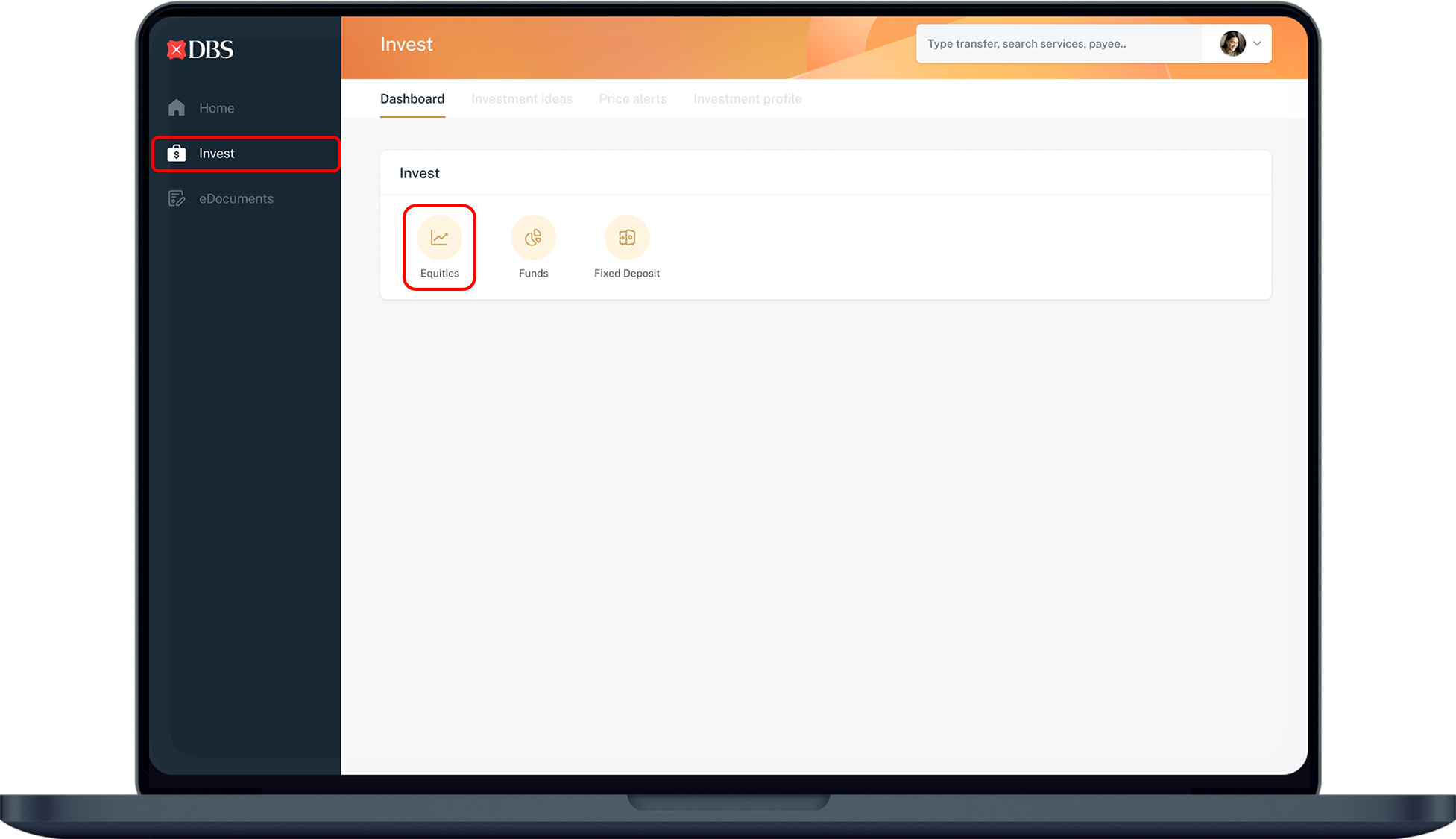
Click on Invest on the left navigation bar and click on Equities.
5
Step 5
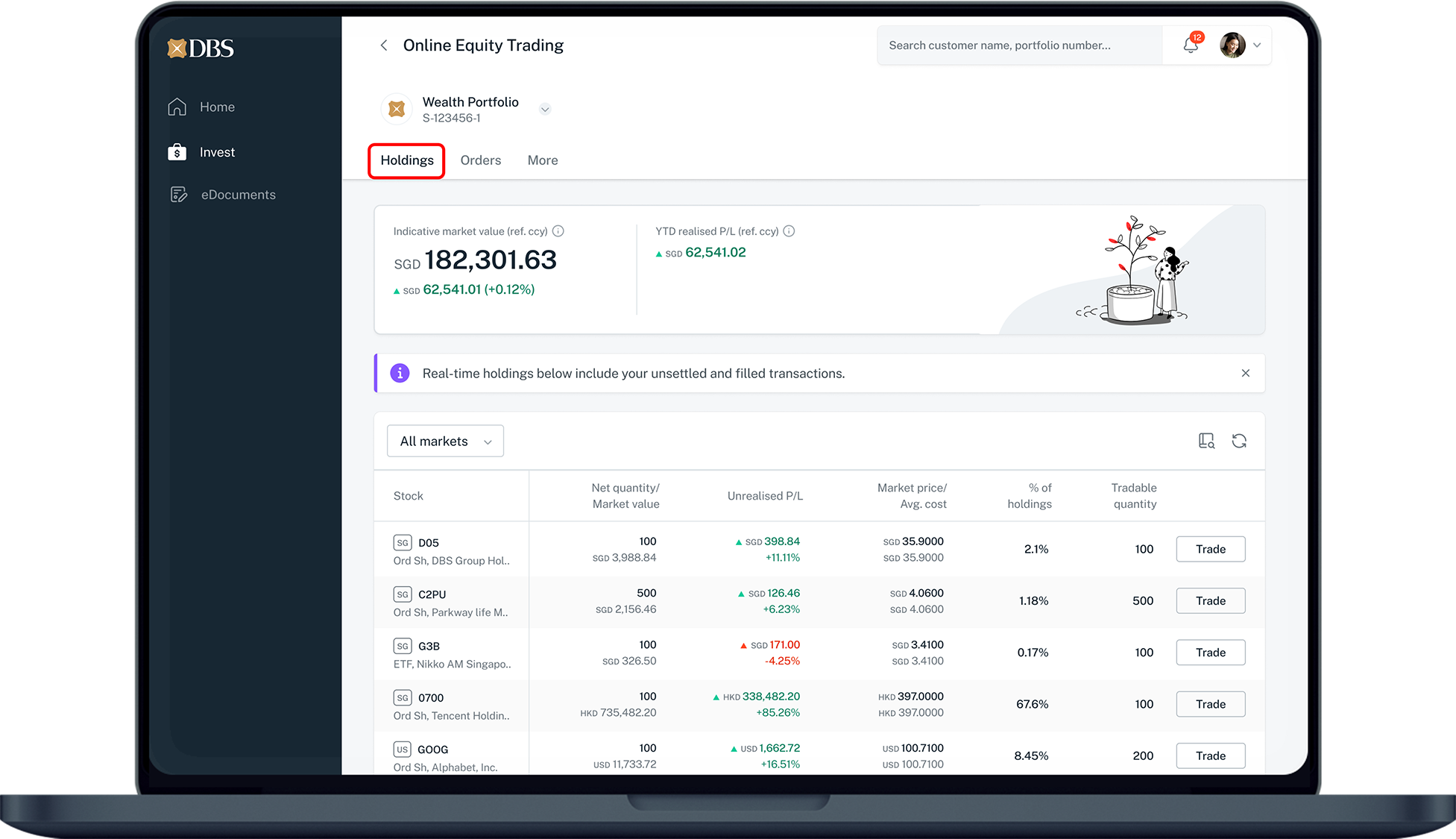
The Holdings page is the default landing page when you enter Online Equity Trading on Direct Connect.
It provides a concise overview of your equity-related information and quick access to key features, including:
  • Holdings
  • Stock search
  • Quick Trade
  • Indicative market value, YTD realised P/L of your equity holdings
  • Recent online orders status
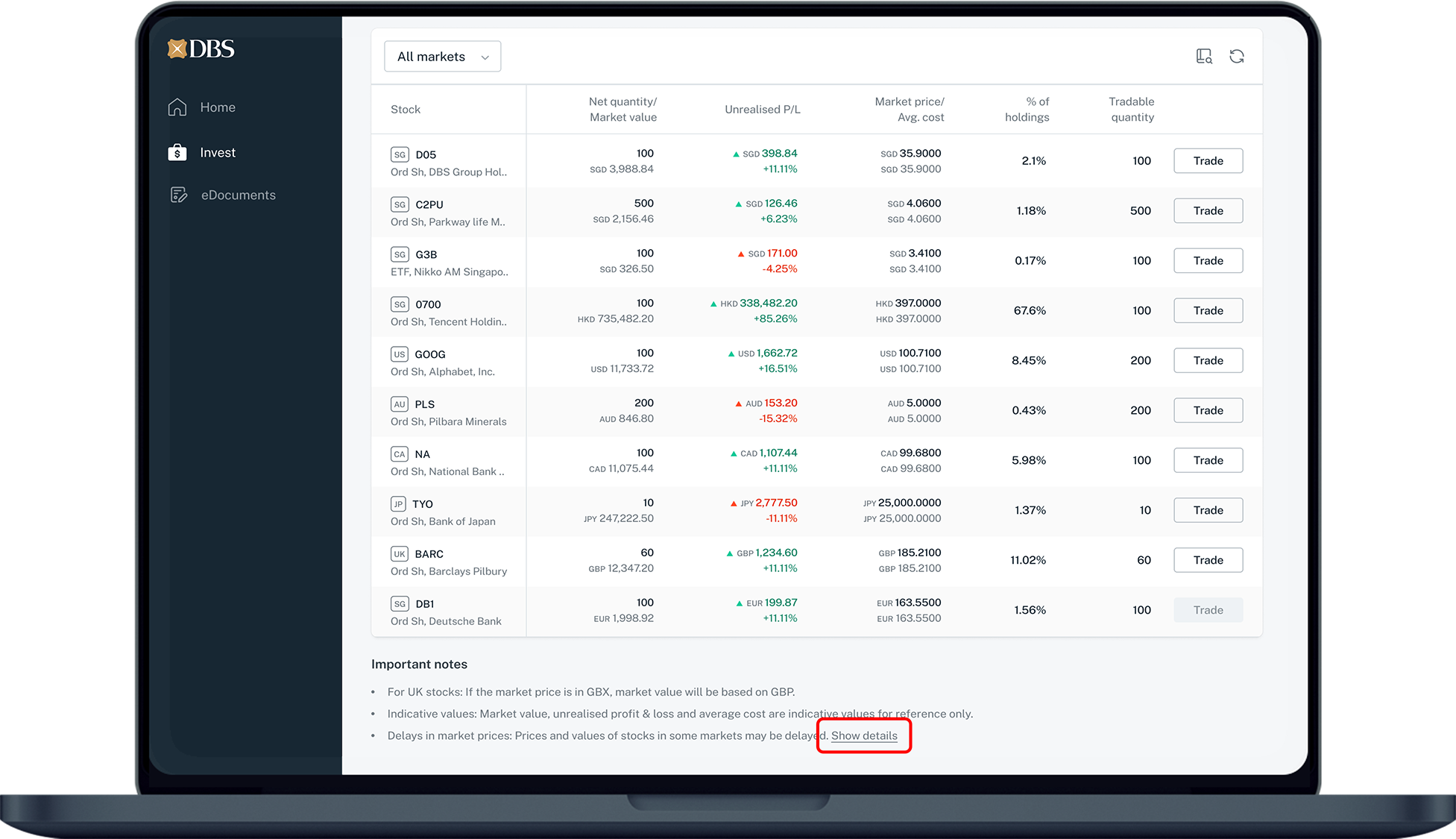
Prices and values of stocks in some markets may be delayed. Click on Show details under Important Notes to find out more.
6
Step 6
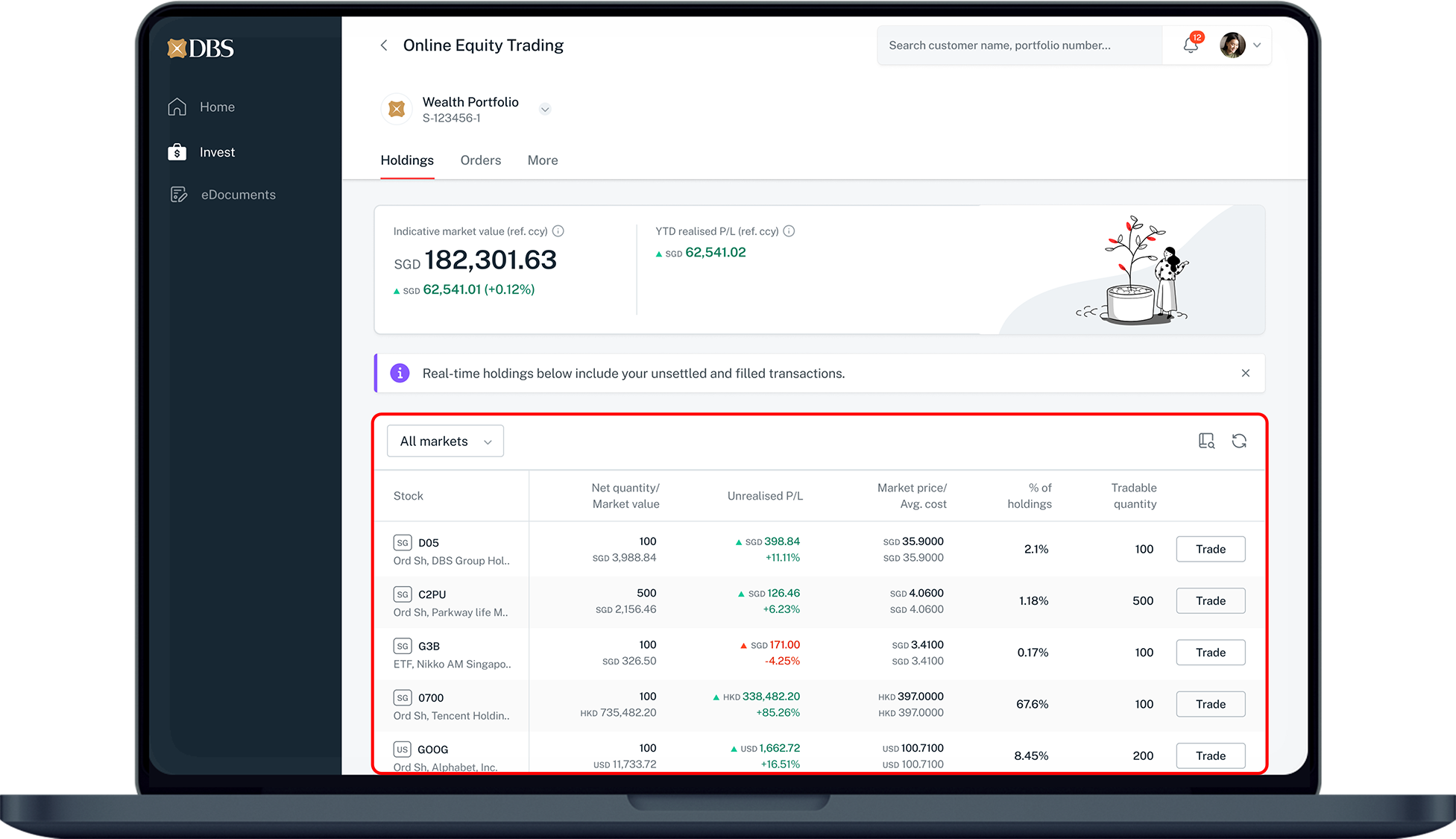
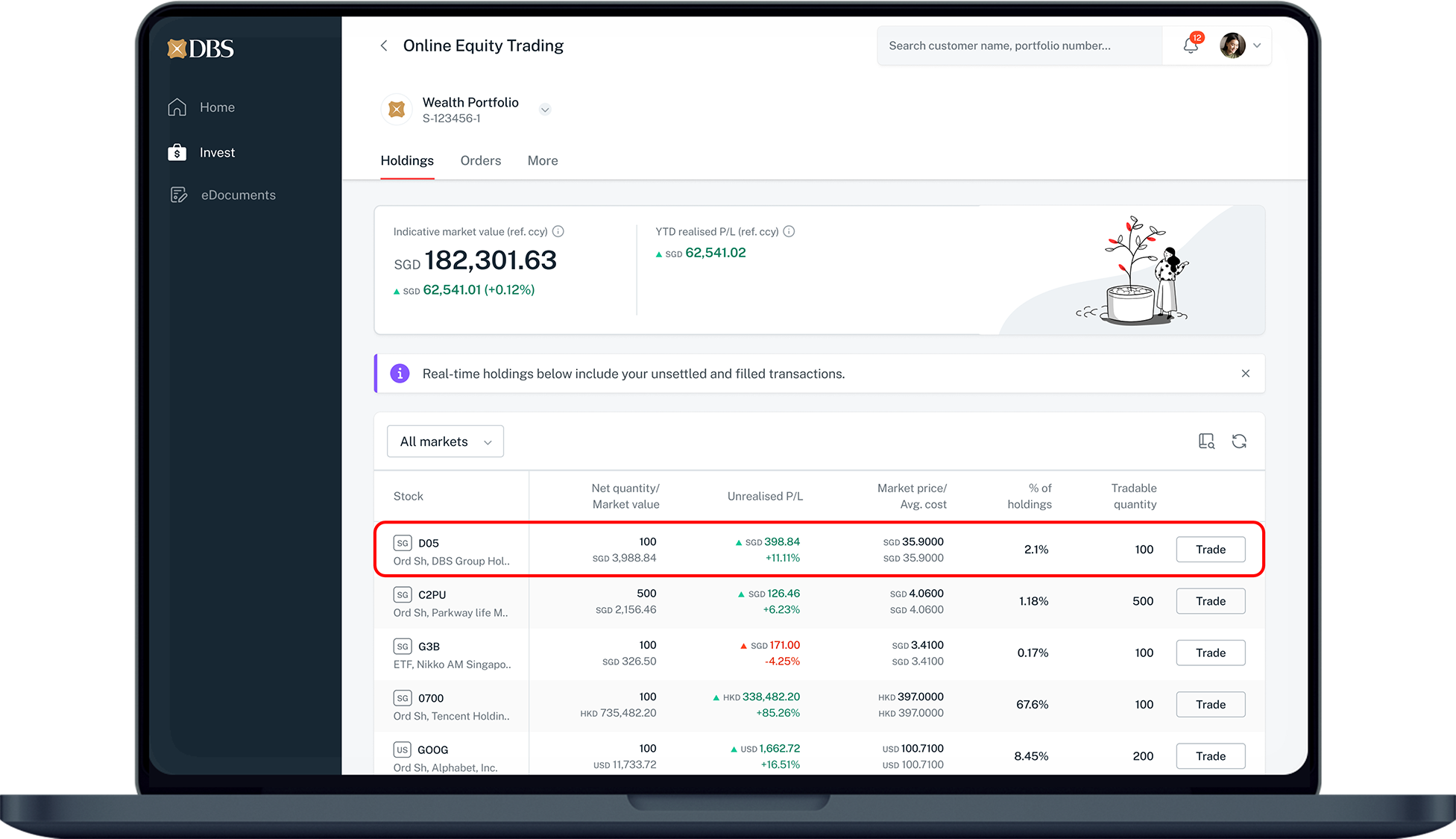
View the latest equity position for your selected portfolio here.
This page includes:
  1. The refreshed tradable shares for the 8 online markets.
  2. Offline shares (if any), which can only be traded via RM.
  3. Display of unblock shares only.
Shares blocked due to reasons such as corporate action events are not shown here.
Market data quotes and stock values on the OET holding page for some markets may be delayed.
7
Step 7
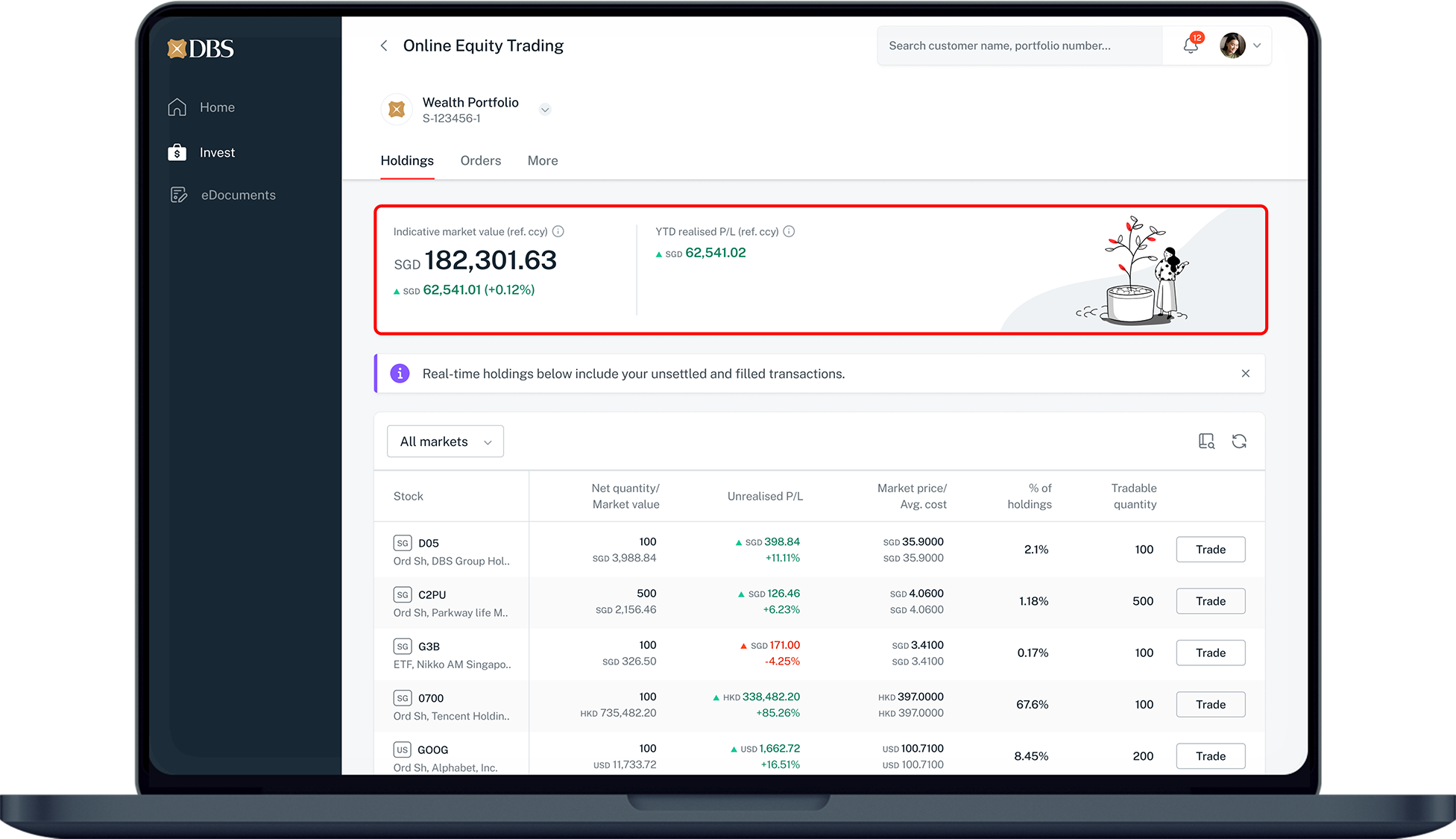
Indicative market value shows the total mark to market value of your holdings in your portfolio's reference currency.

YTD Realised P/L shows the actual profit or loss of your holdings, from the first day of the current calendar year, up to previous day.
8
Step 8
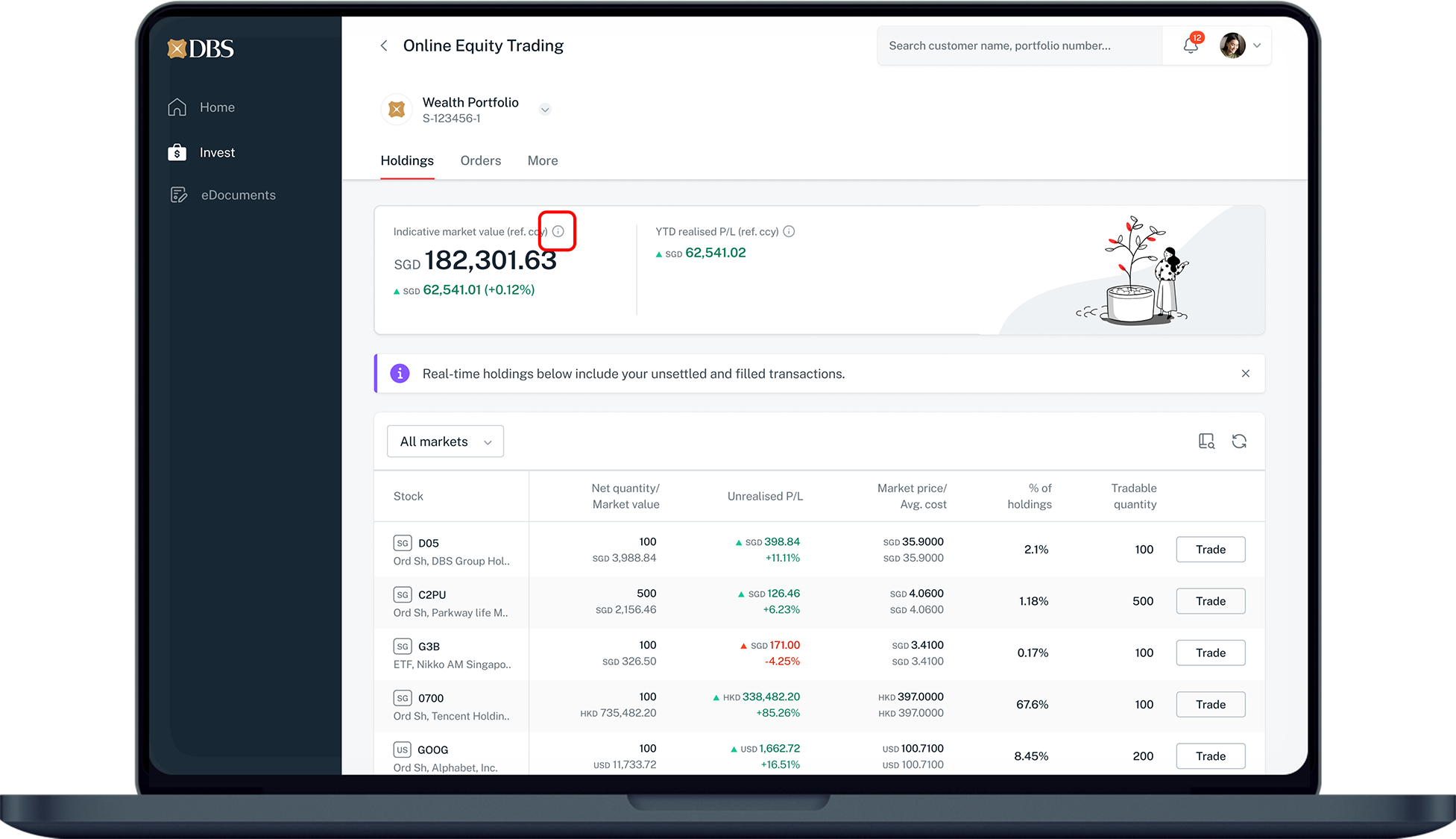
Hover over tooltip icon (🛈) to see the definition.
9
Step 9
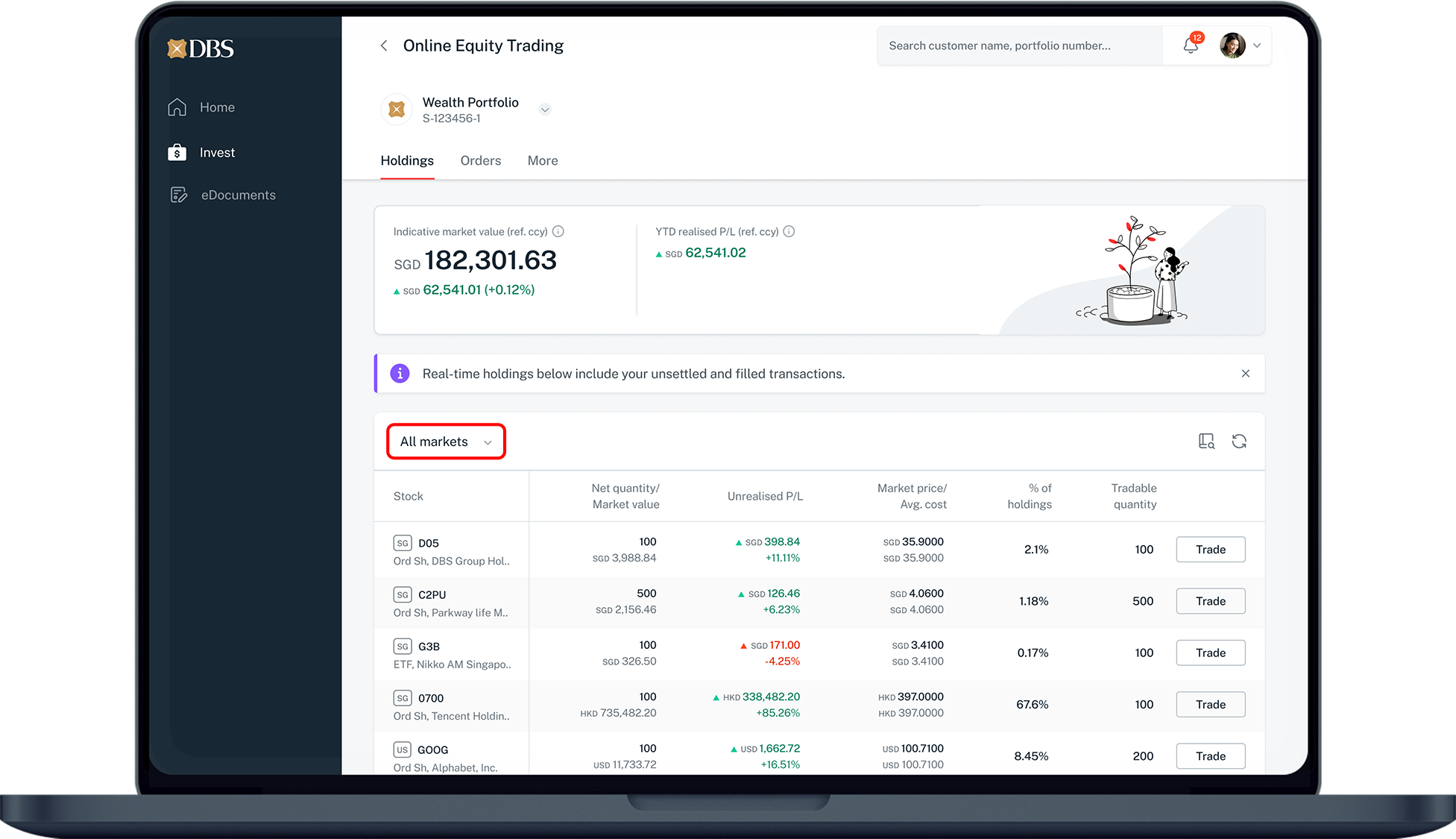
Select from the drop-down list and filter holdings according to your preferred market.
10
Step 10
Refreshed real time traded view on the tradable quantity and market price of 8 online markets. Refer to the market data to view your market entitlement.
11
Step 11
Prices and values of stocks in some markets may be delayed. Click on Show details to find out more.
12
Step 12
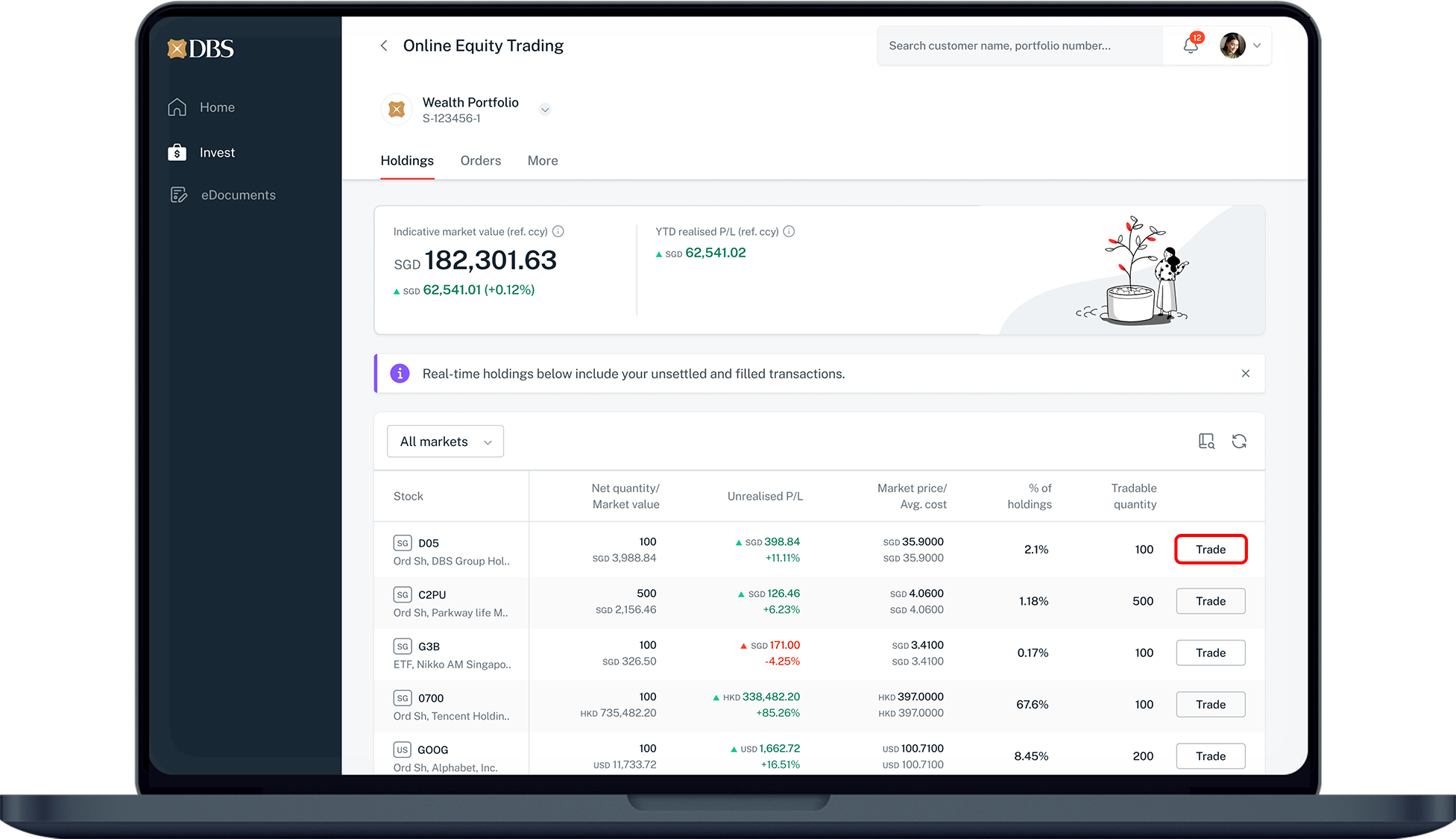
Click Trade for order placement.
Note: Trade button only be clickable for stocks that are eligible for trade..

More information

  • Online Equity Trading is available via digibank (desktop and mobile) and Direct Connect (desktop; mobile access coming soon).
  • Find out more from our DBS Online Equity Trading FAQs.


Disclaimer

The document is published by DBS Bank Ltd (“DBS Bank”) and is for information only. This document is intended for DBS Bank and its clients to whom it has been delivered, and may not be reproduced, transmitted or communicated to any other person without the prior written permission of DBS Bank. This document is not and does not constitute or form part of any offer, recommendation, invitation, or solicitation to subscribe to or to enter into considerations, any transaction, and should not be viewed as such. This document is not intended to provide, and should not be relied upon for accounting, legal or tax advice, or investment recommendations, and is not to be taken in substitution for the exercise of judgement by the reader, who should obtain separate legal or financial advice. DBS Bank does not act as an adviser and assumes no fiduciary responsibility or liability for any consequences, financial or otherwise.

Was this information useful?

We welcome your feedback

Information is easy to understand and find
Information is useful to answer your inquiries completely