Change Fixed Deposit Maturity Instructions
Learn how you can change maturity instructions for your DBS Fixed Deposit Account via digibank.
Important information
- Change of maturity instructions will not be allowed on the day of maturity. The principal and interest will be renewed automatically based on the same tenor at the prevailing interest rate, unless you provide us with other instructions at least 1 working day before the maturity via digibank.
- SGD Fixed Deposit interest rates for new placements and renewals will be computed based on the Total SGD Fixed Deposit Balances, instead of each placement and/or renewal.
Examples
- My Fixed Deposit account has 2 placements which sum up to S$100,000 (S$30,000 + S$70,000). What is the applicable interest rate for each renewal?
The total Fixed Deposit account balance is S$100,000 (S$30,000 + S$70,000). Hence, interest rate corresponding to the $100,000 - $249,999 range will apply.

-
I have an existing placement of S$50,000 in my single name Fixed Deposit account and another S$50,000 in a joint Fixed Deposit account. What is the applicable interest rate for each renewal?
The placements are in different SGD Fixed Deposit accounts. Hence, interest rate corresponding to the $50,000 - $99,999 range will apply for each renewal.

- My Fixed Deposit account has 2 placements which sum up to S$100,000 (S$30,000 + S$70,000). What is the applicable interest rate for each renewal?
- Foreign Currency Fixed Deposit interest rates for new placements and renewals will be based on prevailing interest rates.
- Learn more on the Fixed Deposit placement rates.
- For earmarked Fixed Deposits, visit any DBS/POSB branch to update your maturity instructions.
How to change Fixed Deposit maturity instructions
There are various channels which you may change Fixed Deposit maturity instructions with us. The most convenient method would be via digibank mobile.
digibank mobile

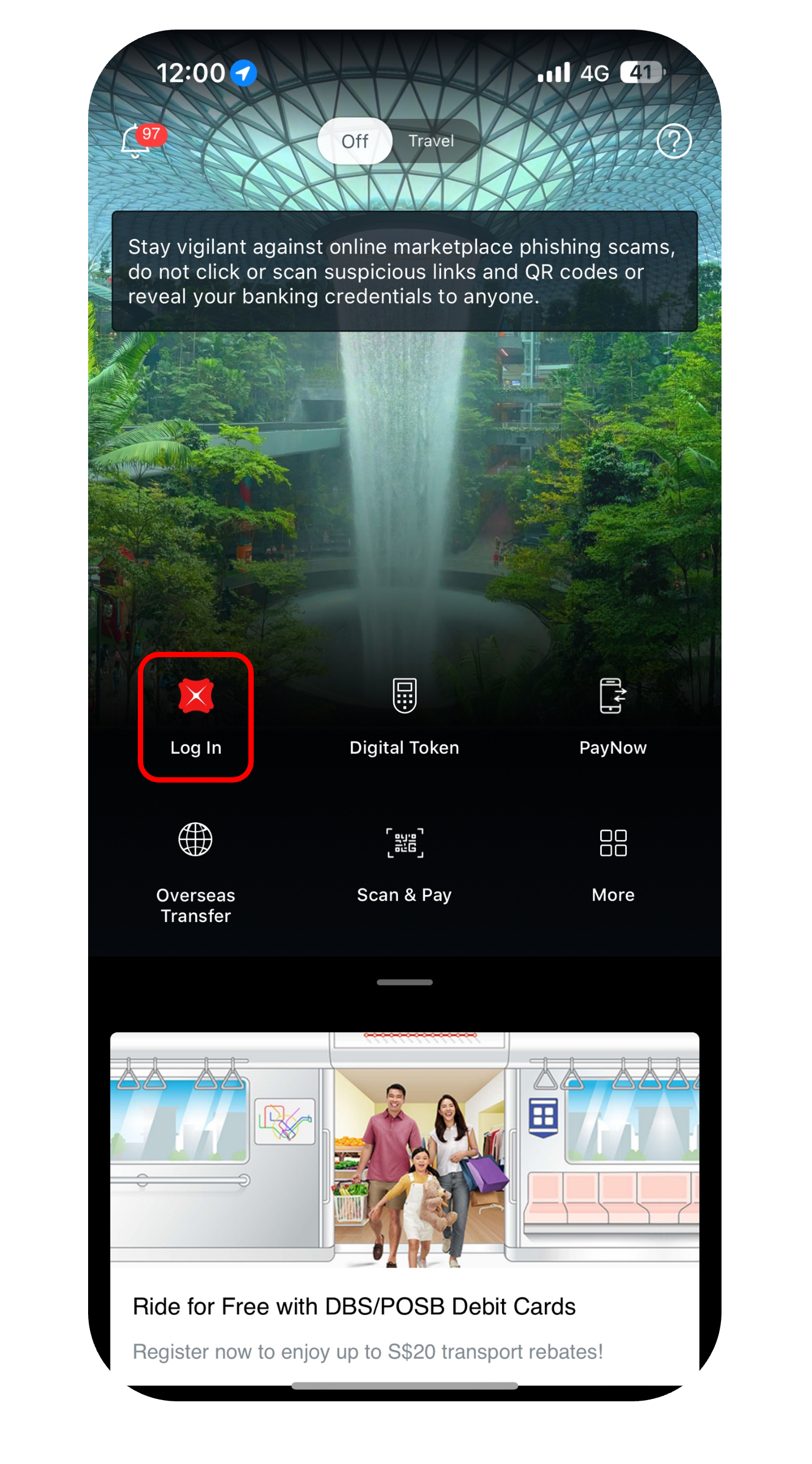
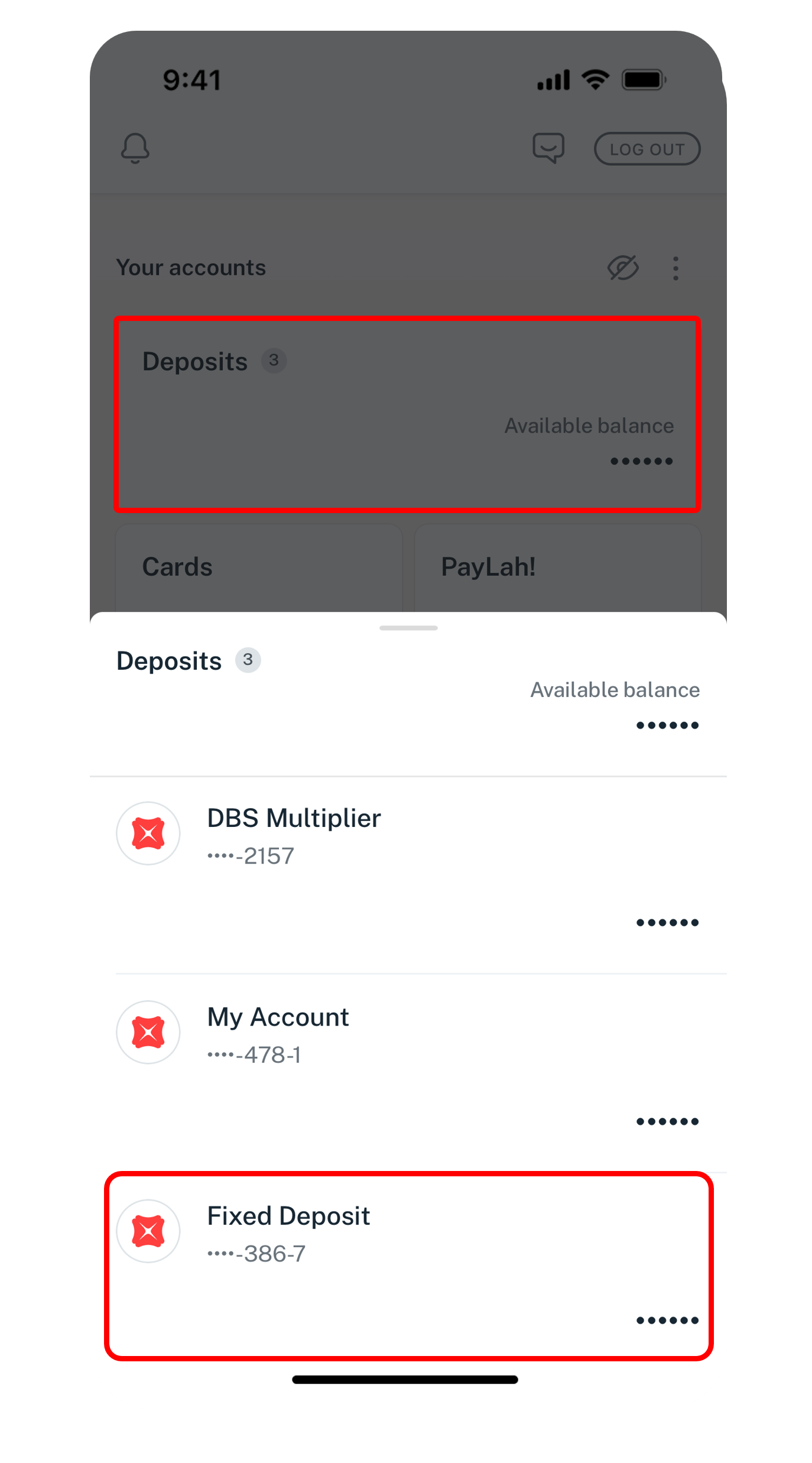
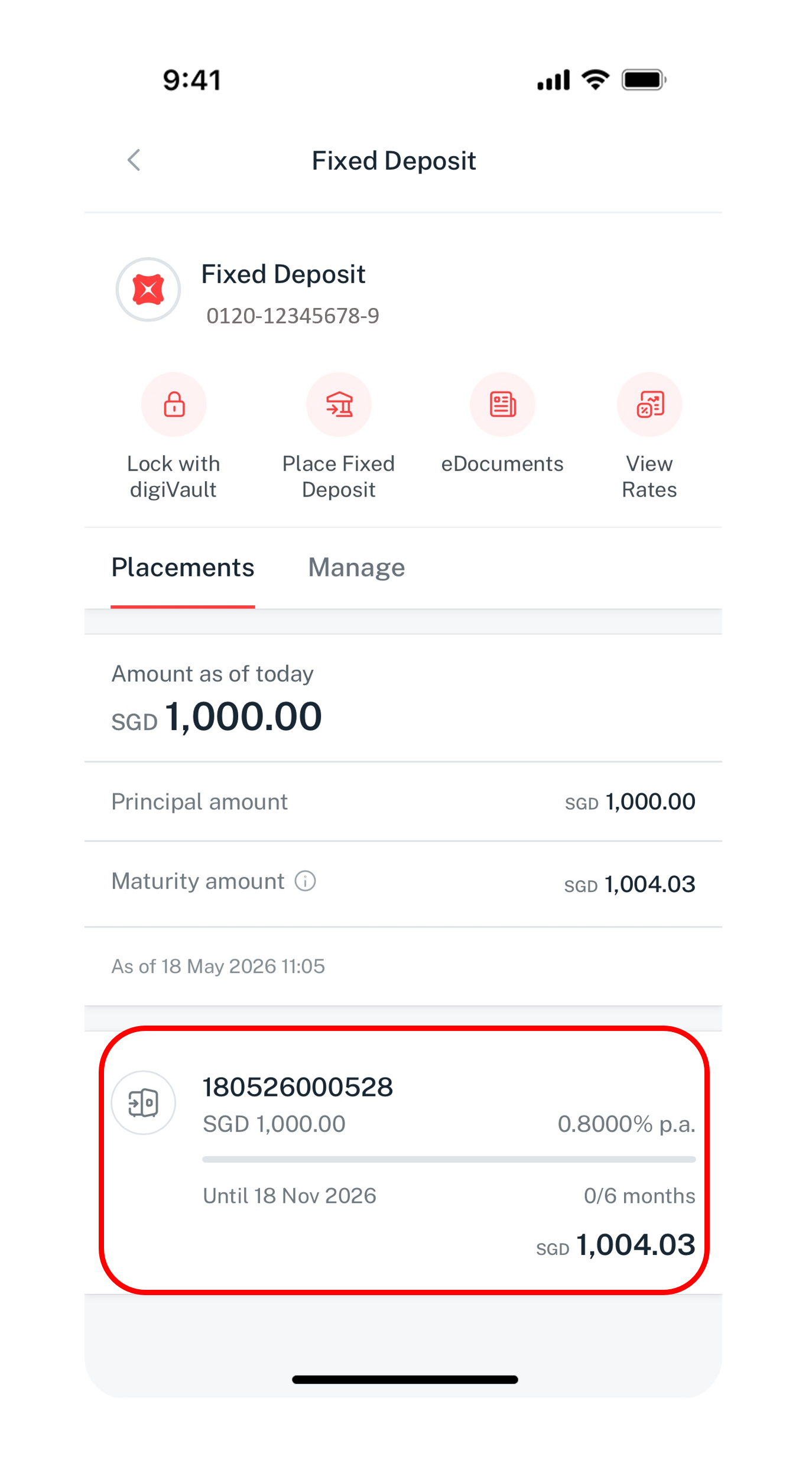
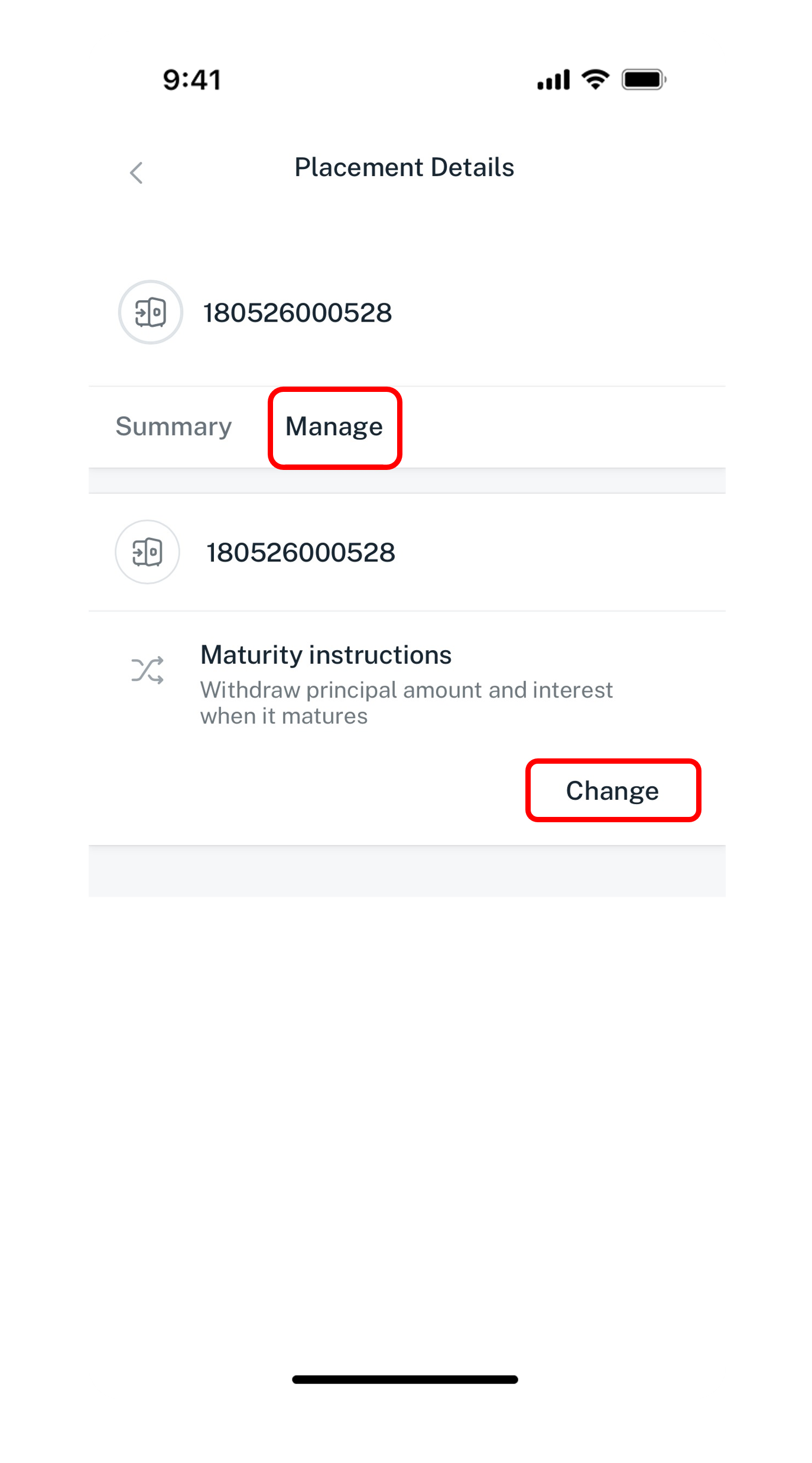
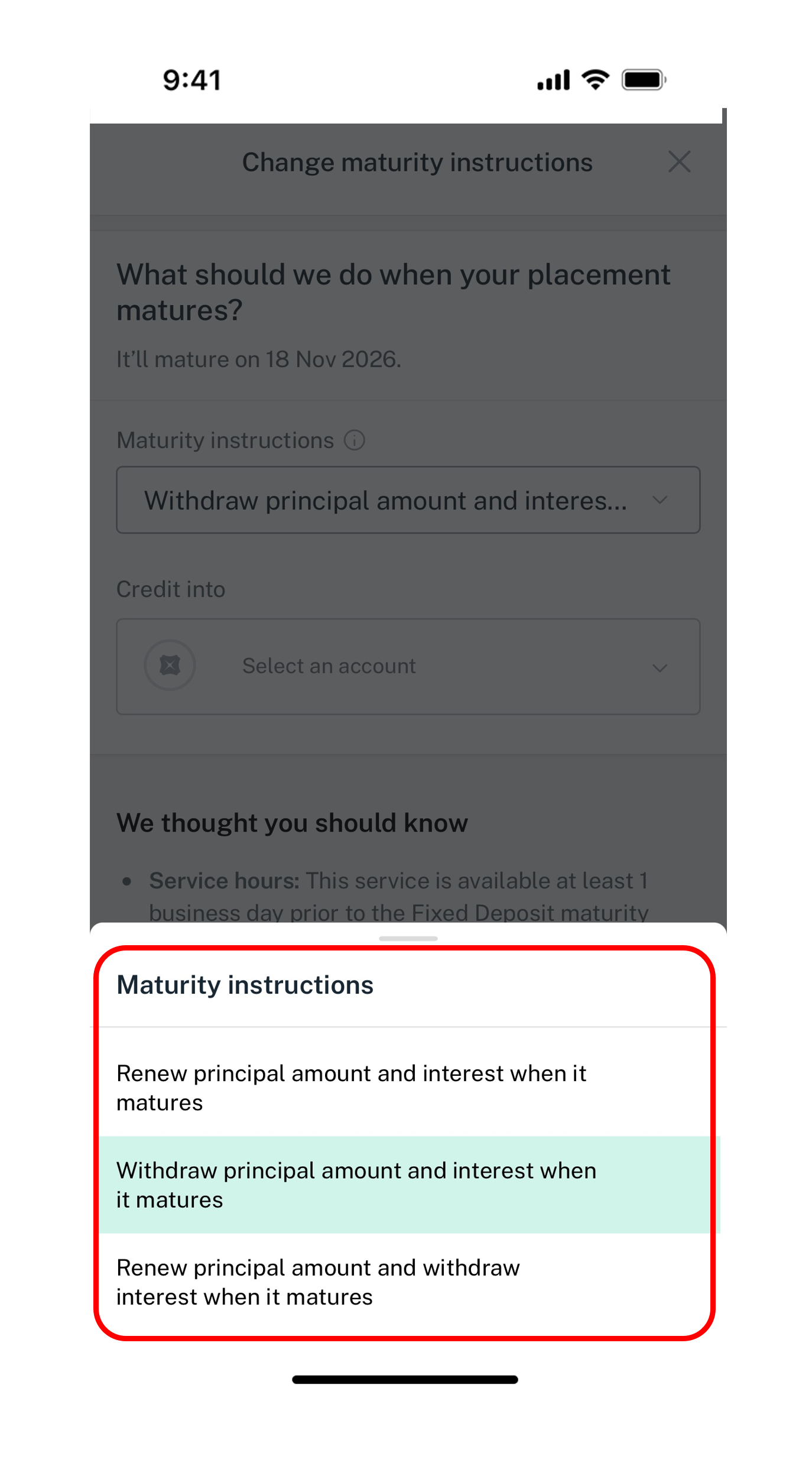
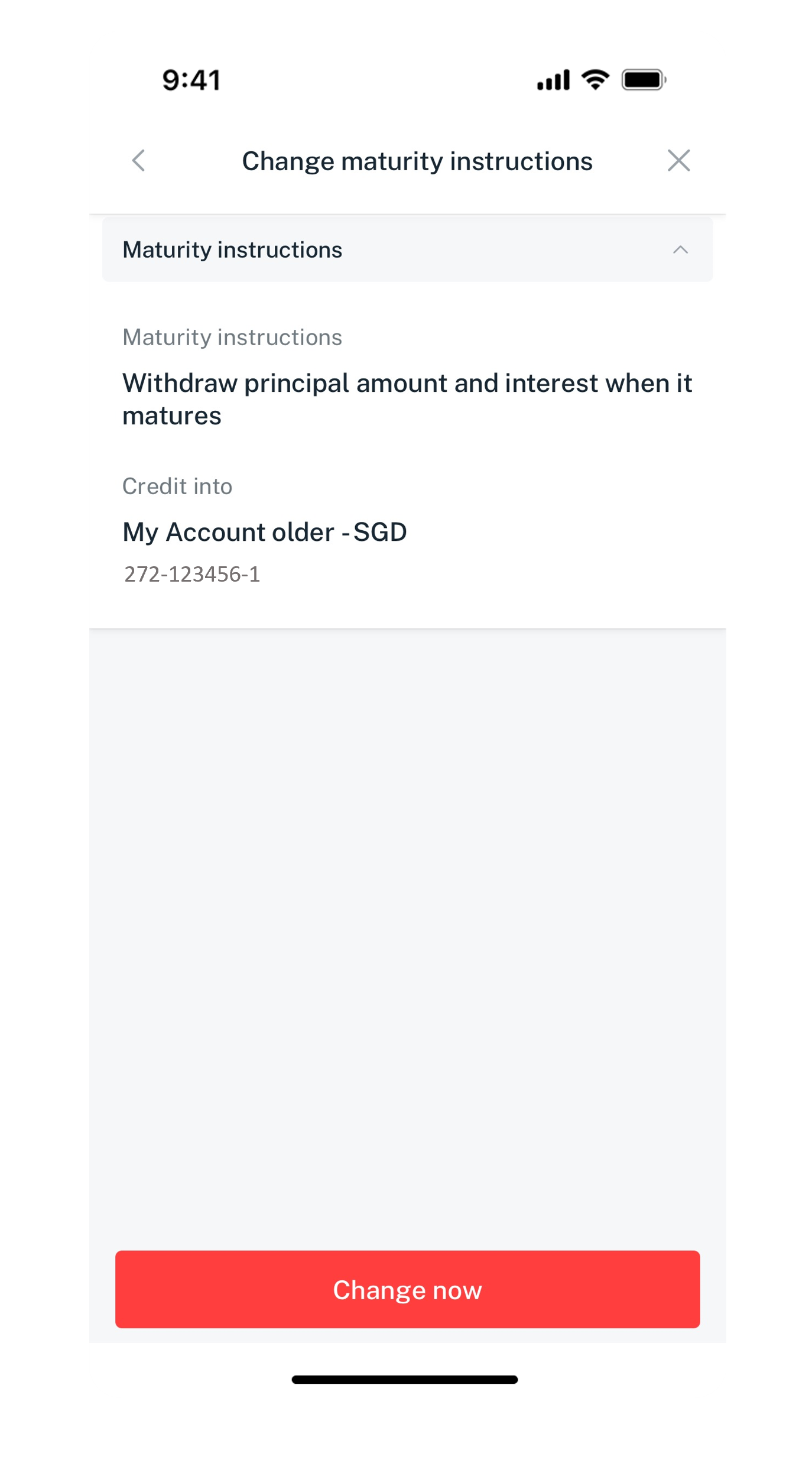
Get the latest DBS digibank mobile app now!



digibank online



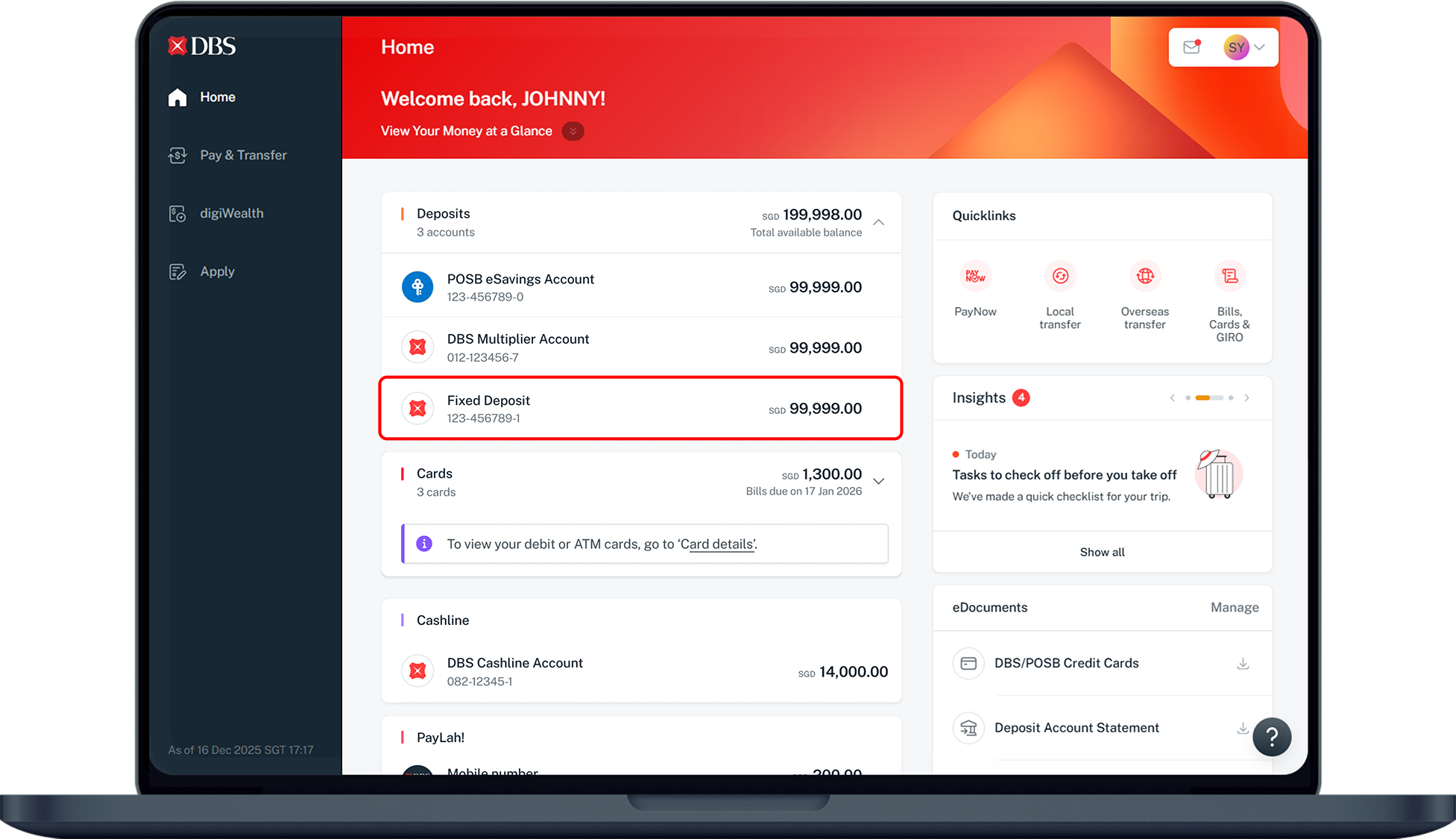
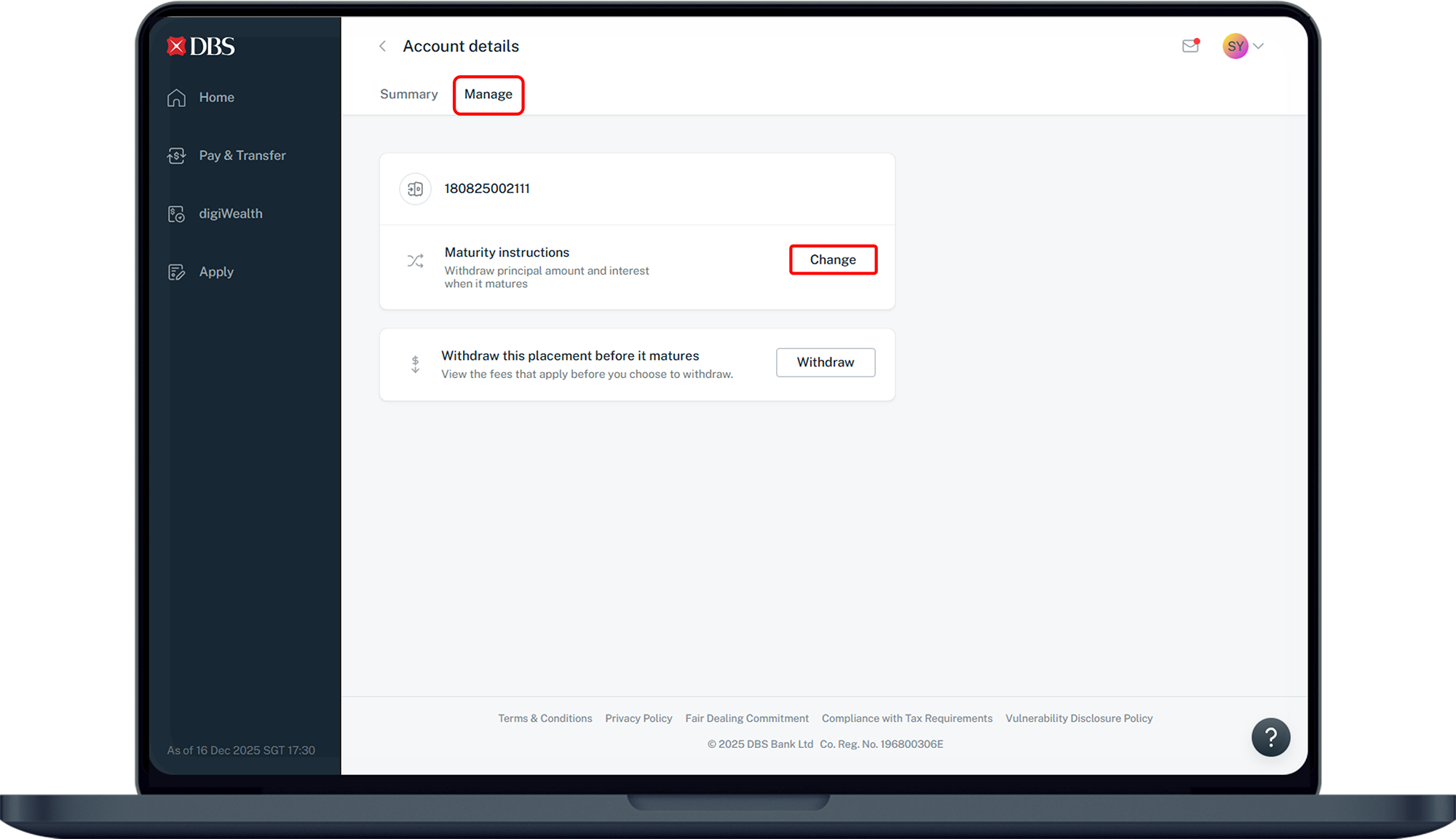
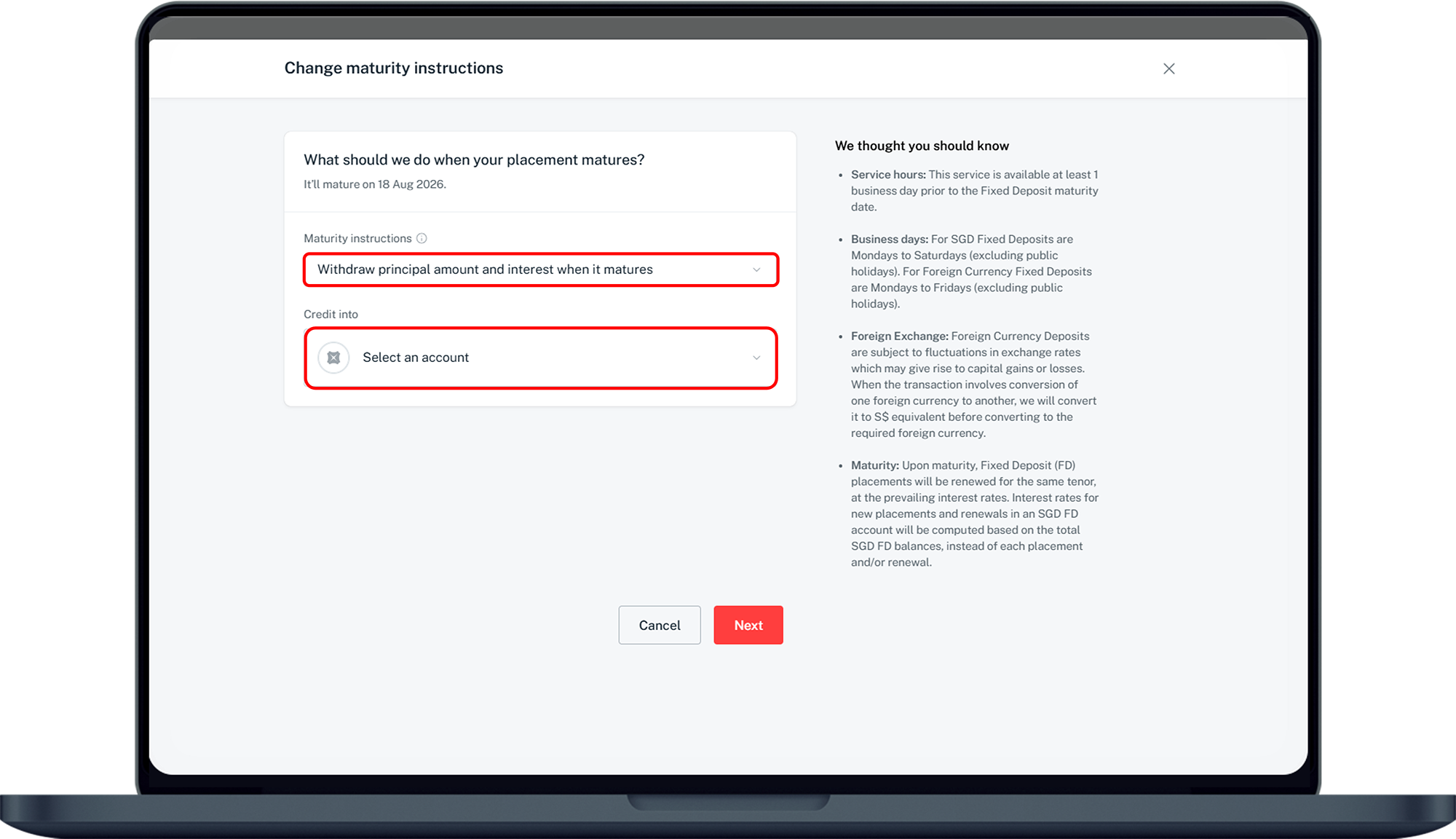
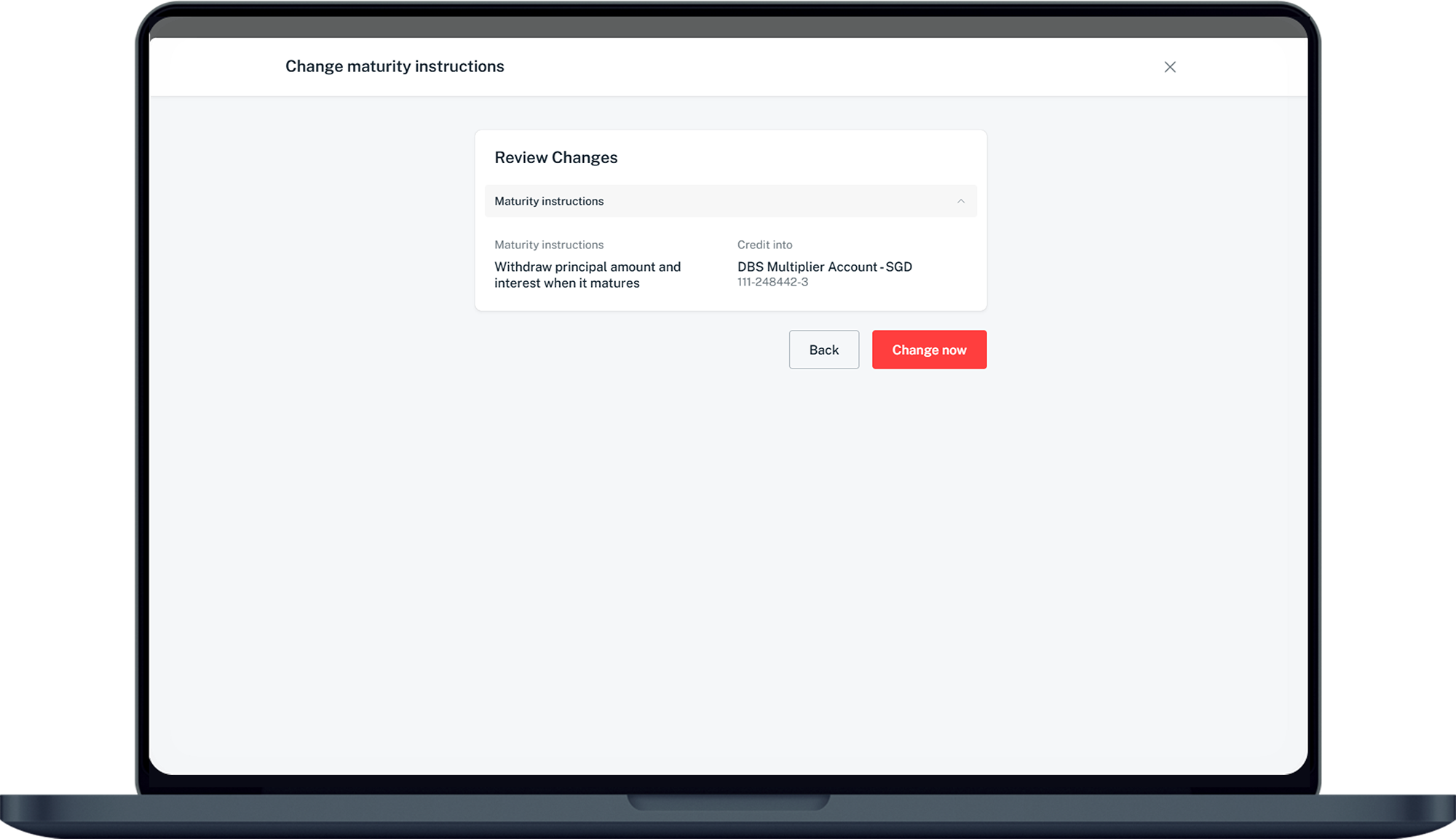
digibank mobile (Wealth)
- Log in to digibank mobile with your Touch / Face ID or digibank User ID & PIN.
- Under Home, tap on Investment Accounts.
- Under Summary, tap on Cash and Cash Investments.
- Select Deposit and tap on your Fixed Deposit account.
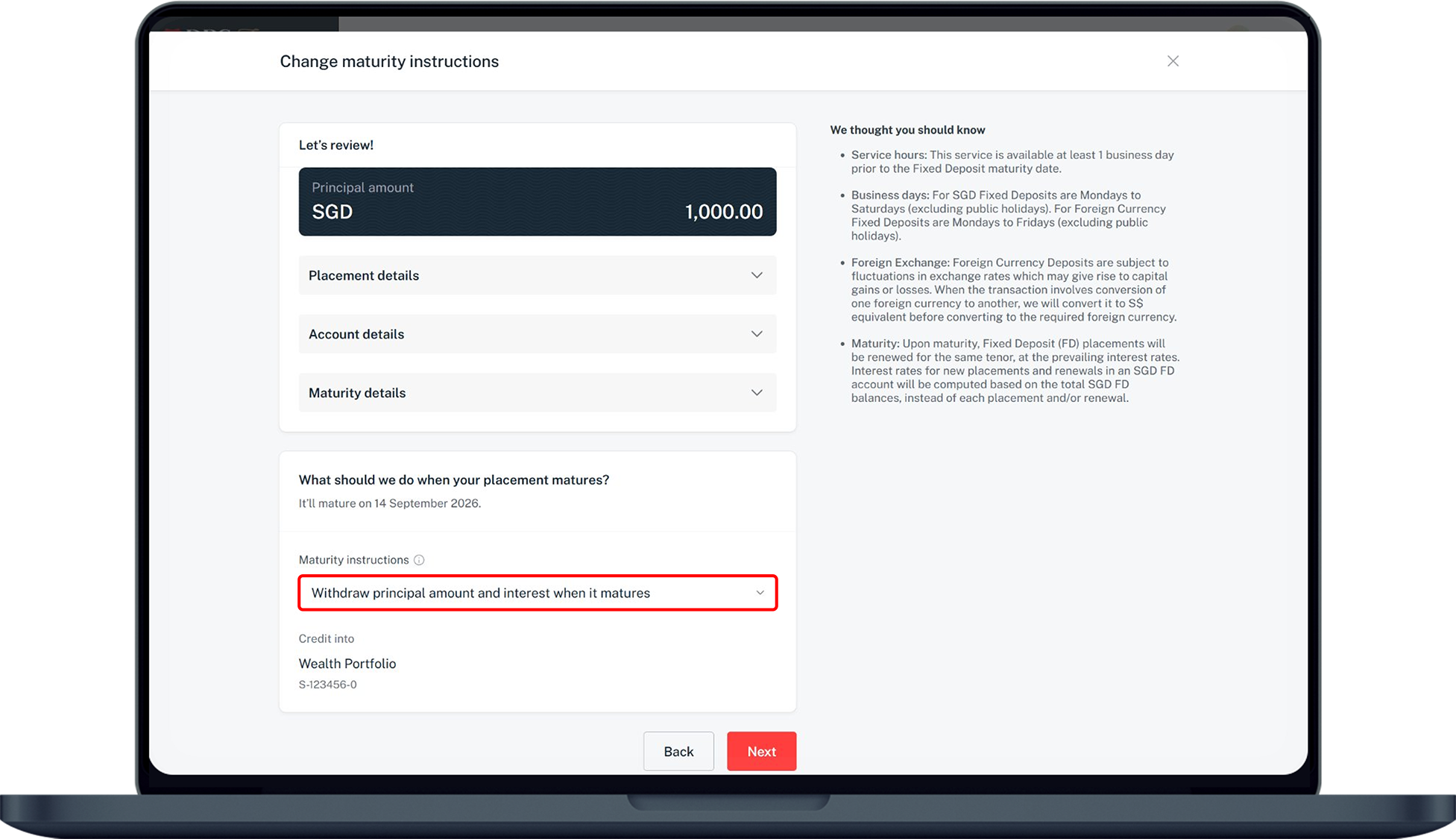
- Tap Change Maturity Instruction and select your preferred Maturity Instructions.
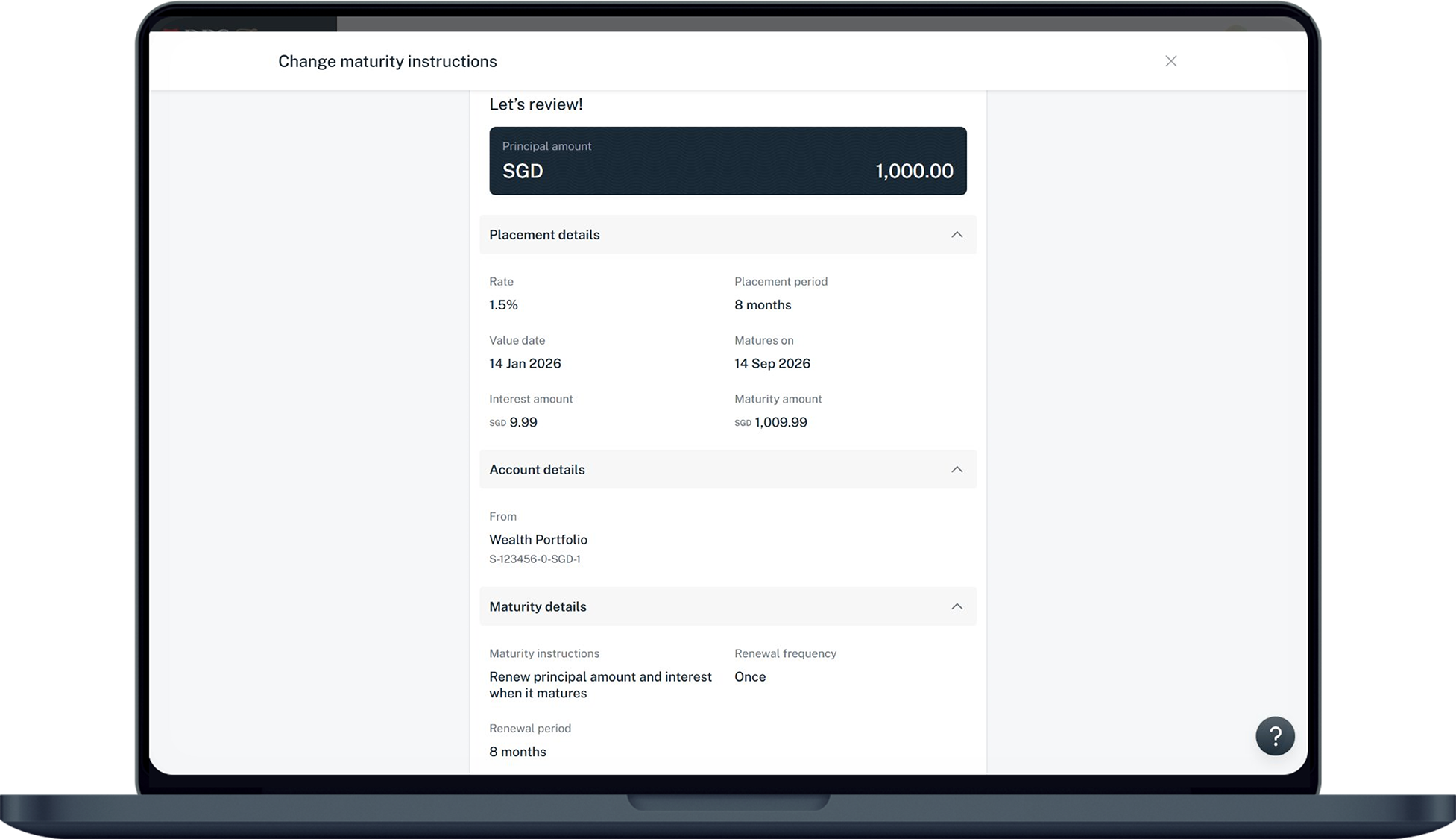
- Verify the details and tap Submit to update your new Fixed Deposit Maturity Instructions.
digibank online (Wealth)
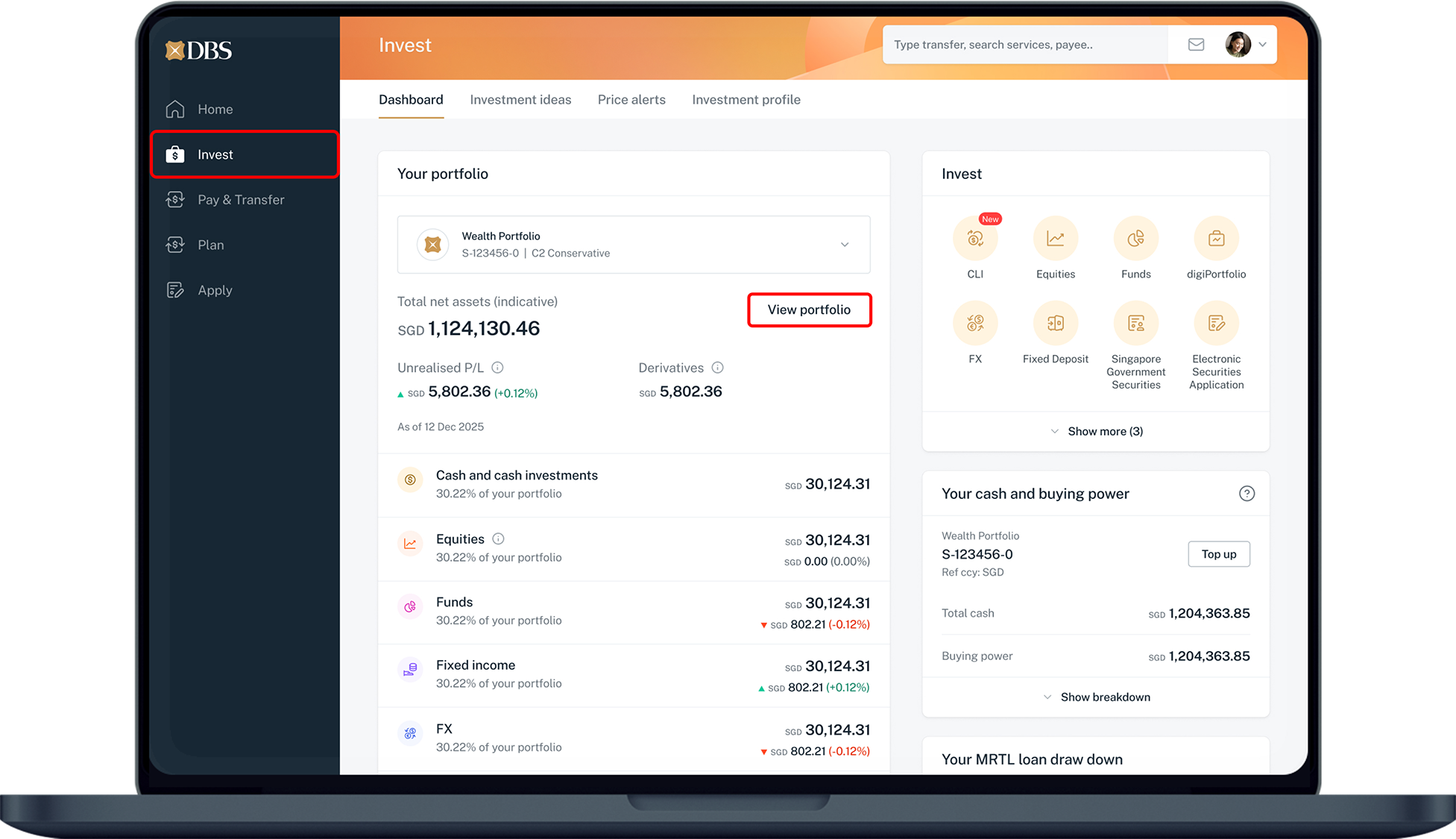
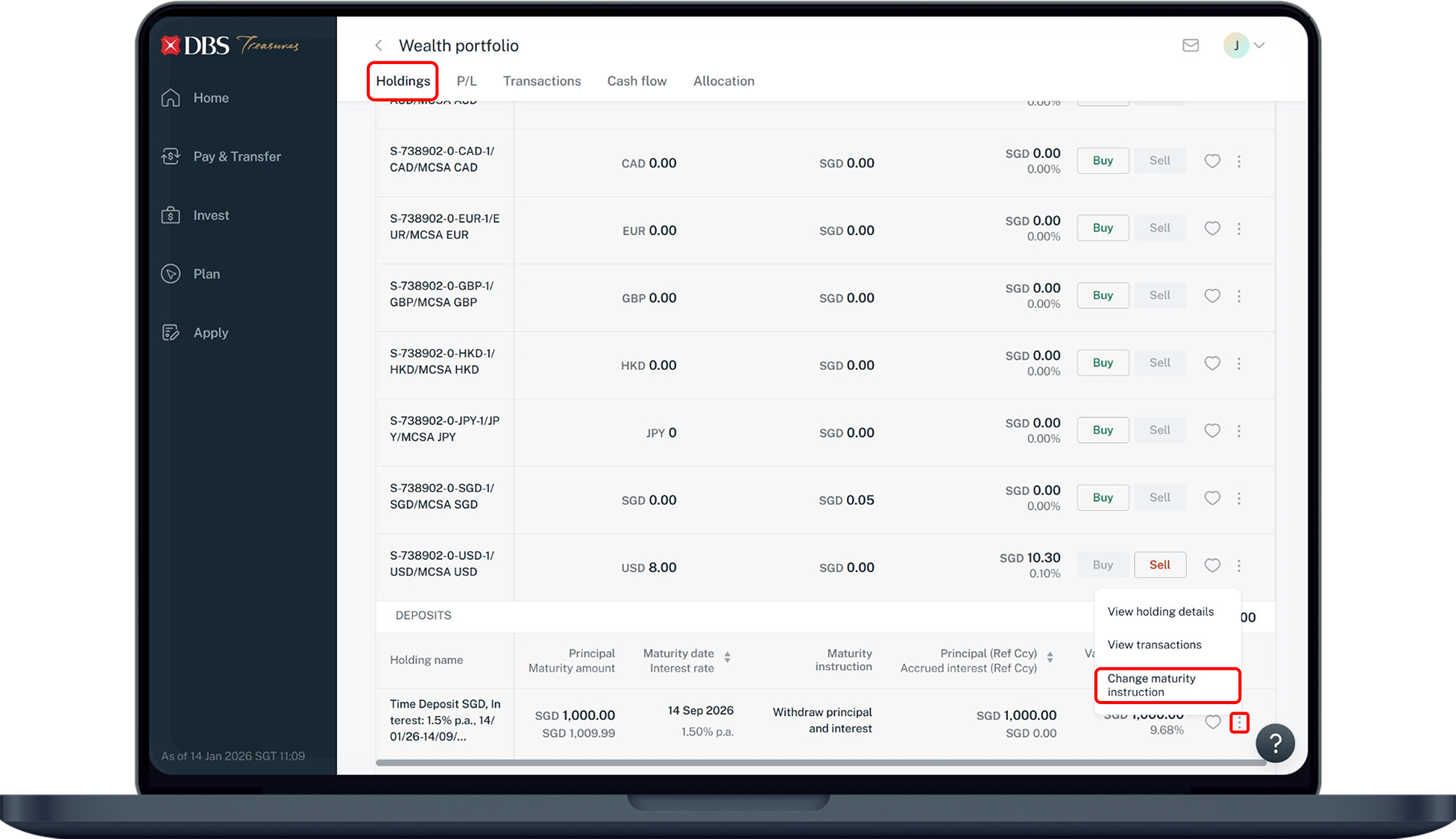
More information
- For matured fixed deposits, the principal and interest will be credited into your designated account on the date of maturity.
If the designated account is closed before/on the date of maturity, the principal and interest will renew with the same tenor at the prevailing interest rate at day end of the maturity date. - For Wealth Management Account (WMA) holders, the principal and interest amount will be credited to the source, MCSA (S-account) wallet upon maturity, according to your maturity instructions during placement.
Was this information useful?