Top Up Mobile Prepaid Number
Avoid the hassle of getting a prepaid top up card – simply top up your mobile prepaid number instantly via digibank.
How to top up mobile prepaid number
There are various channels which you may top up mobile prepaid number with us. The most convenient method would be via digibank mobile.
digibank mobile

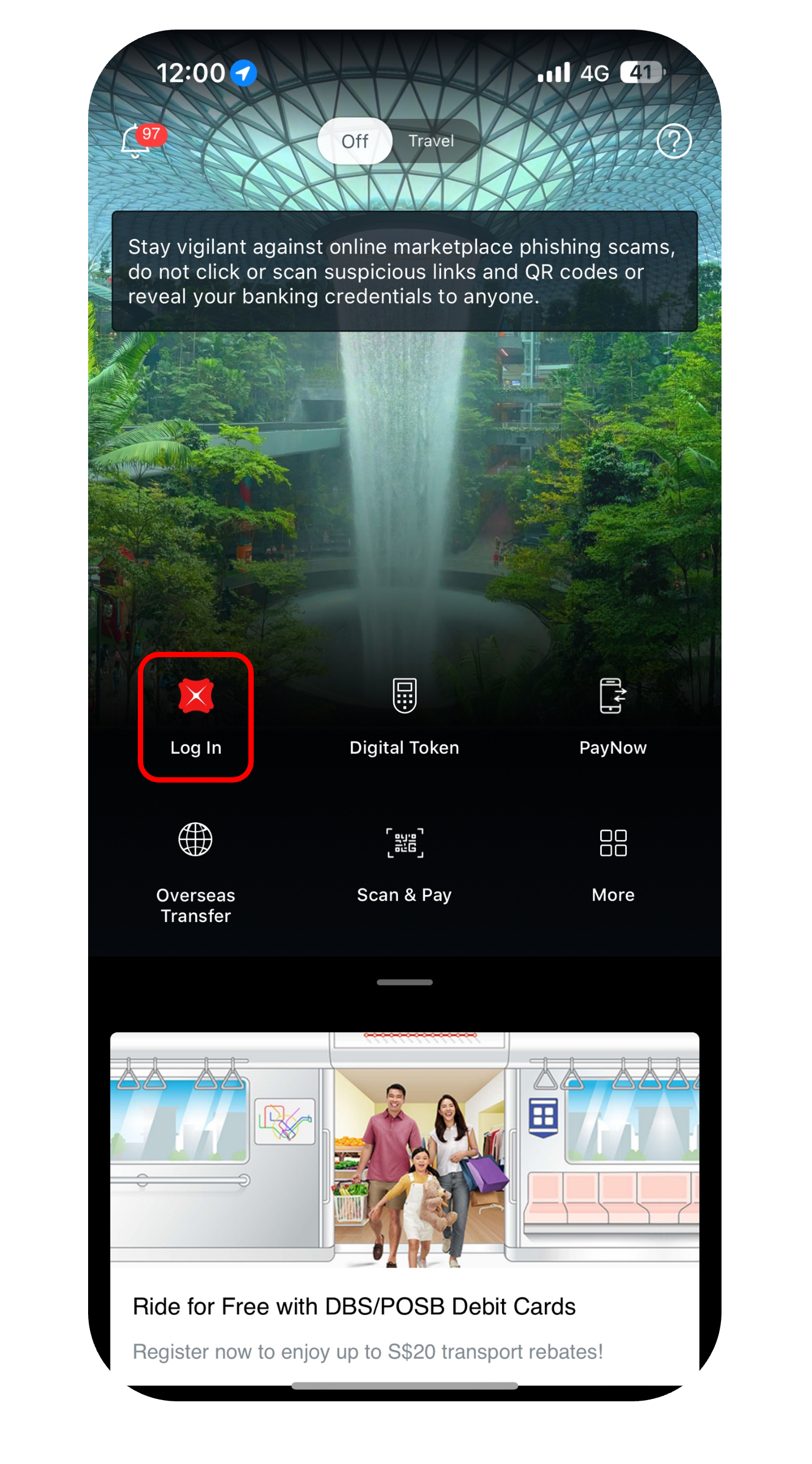
- Log in to digibank mobile with your Touch / Face ID or digibank User ID & PIN.
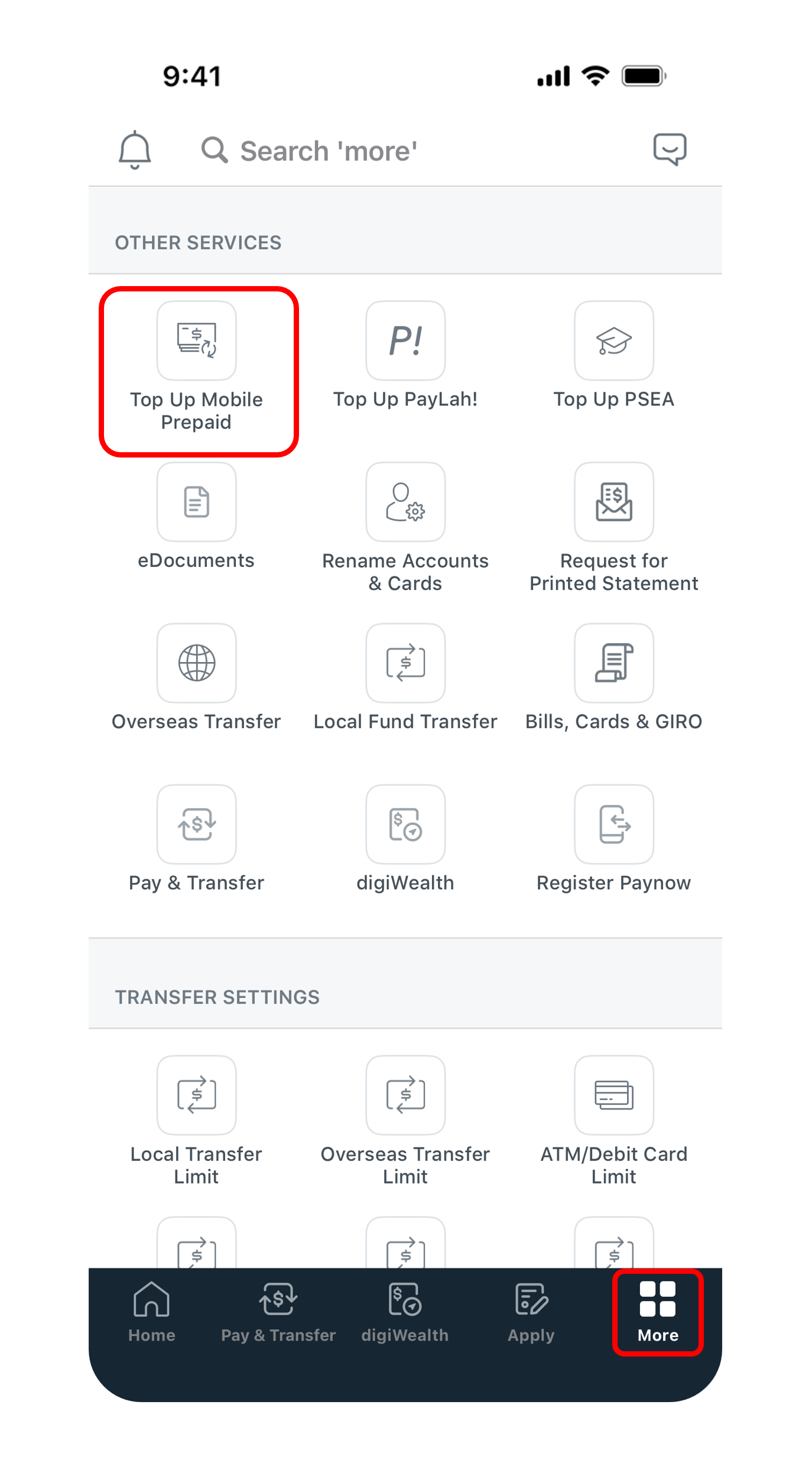
- Tap on More at the bottom, under Other Services select Top Up Mobile Prepaid.
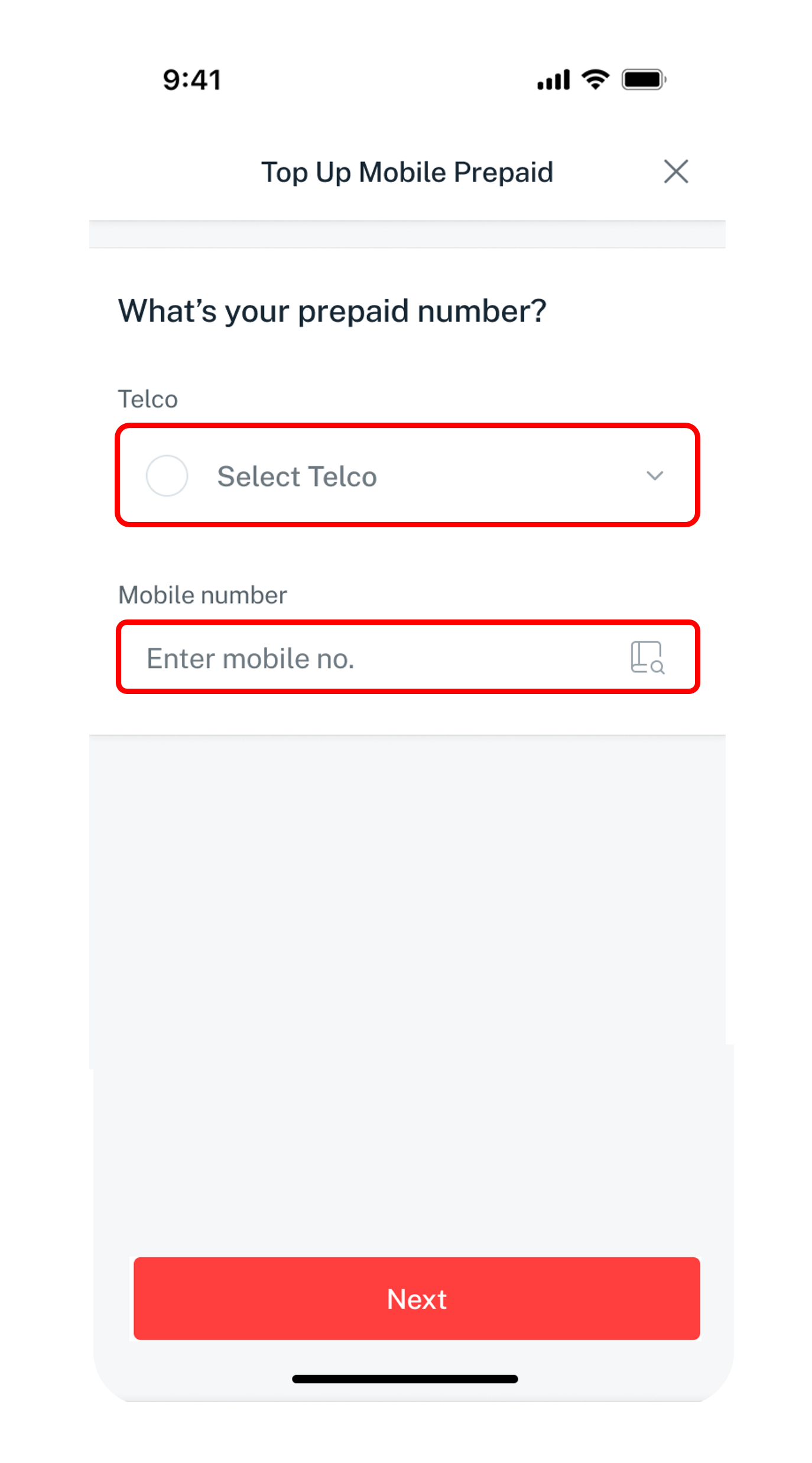
- Select the Telco (Service Provider), enter your mobile number and tap Next.
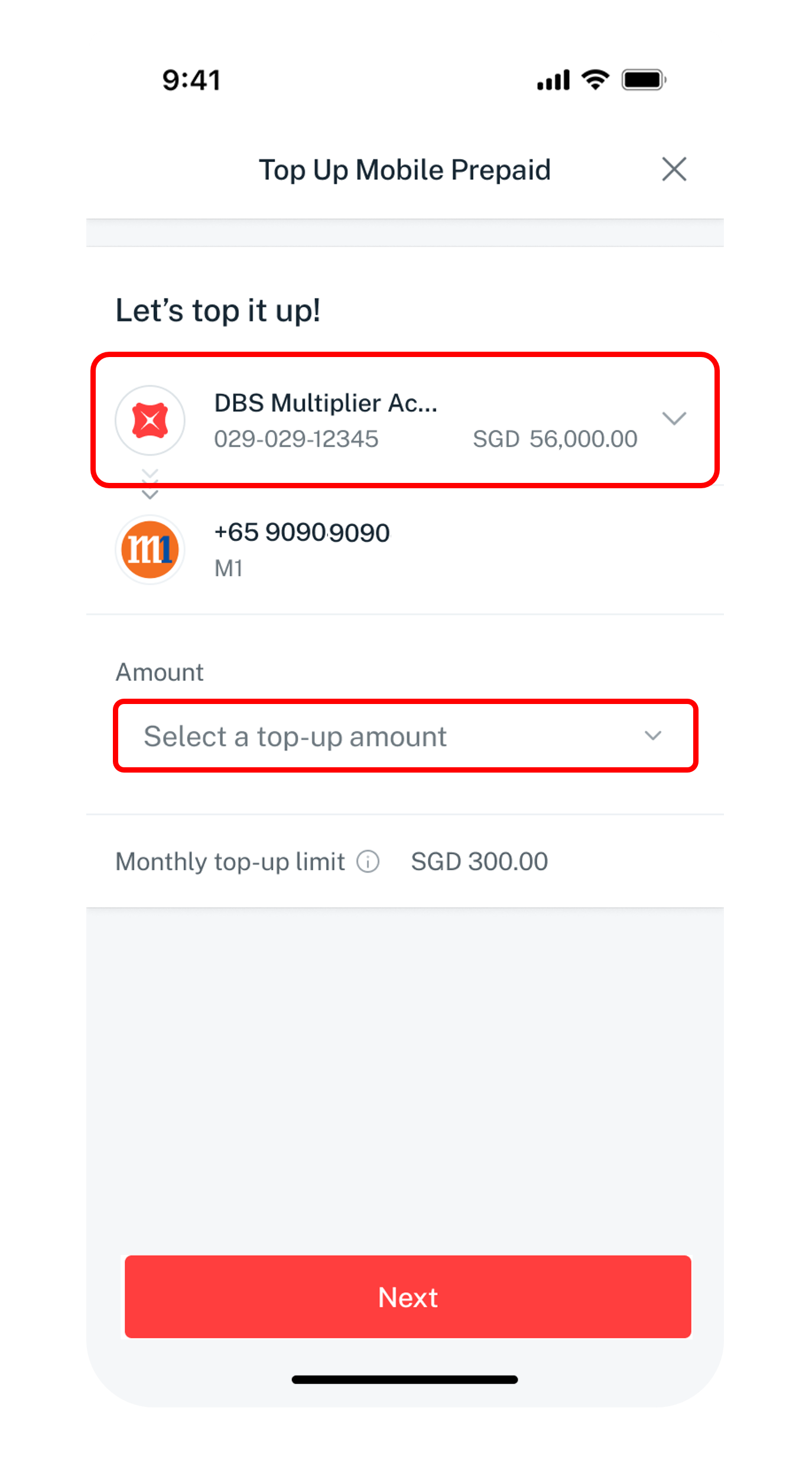
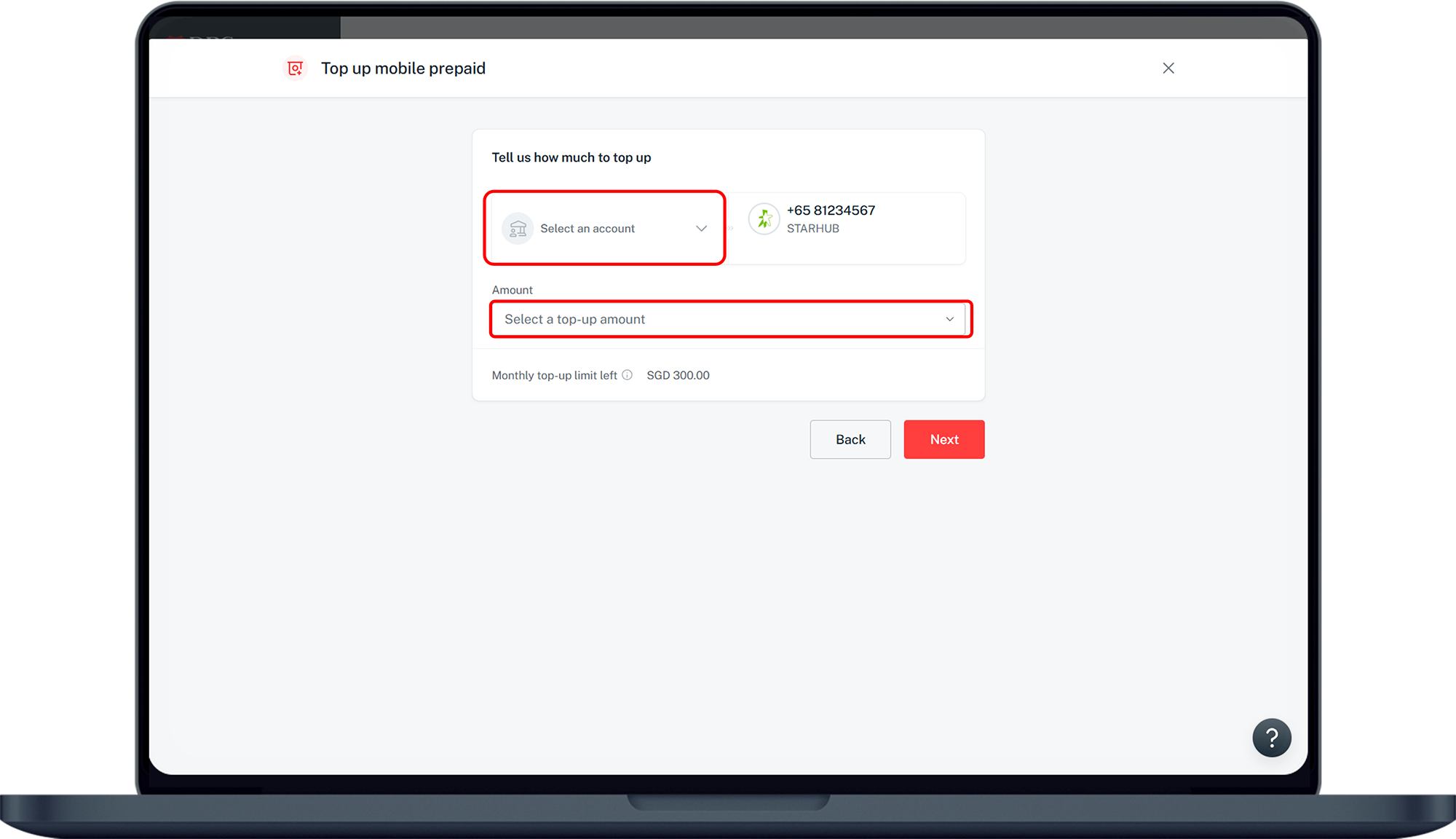
- Select your preferred Account to pay from, the Top up options and tap Next.
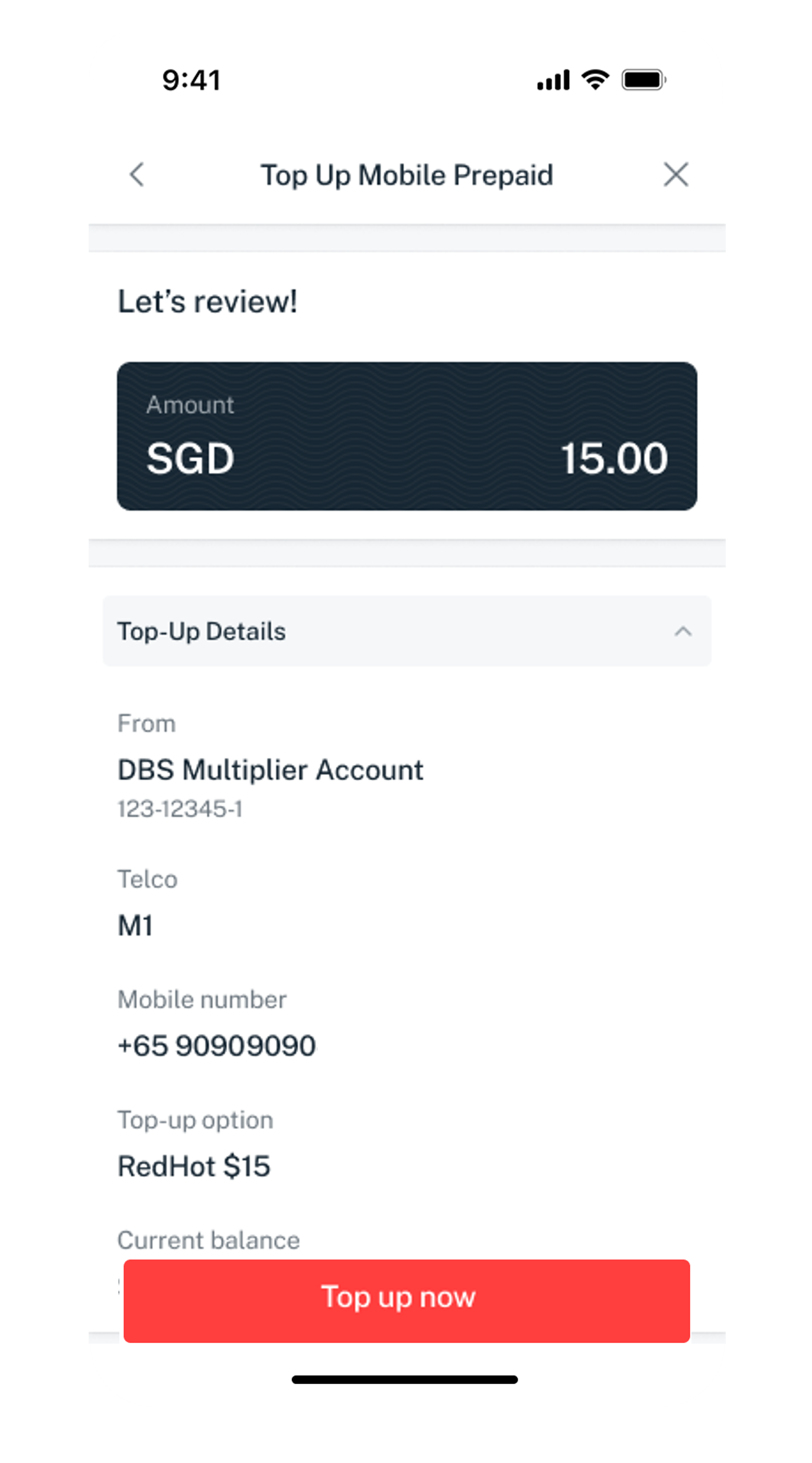
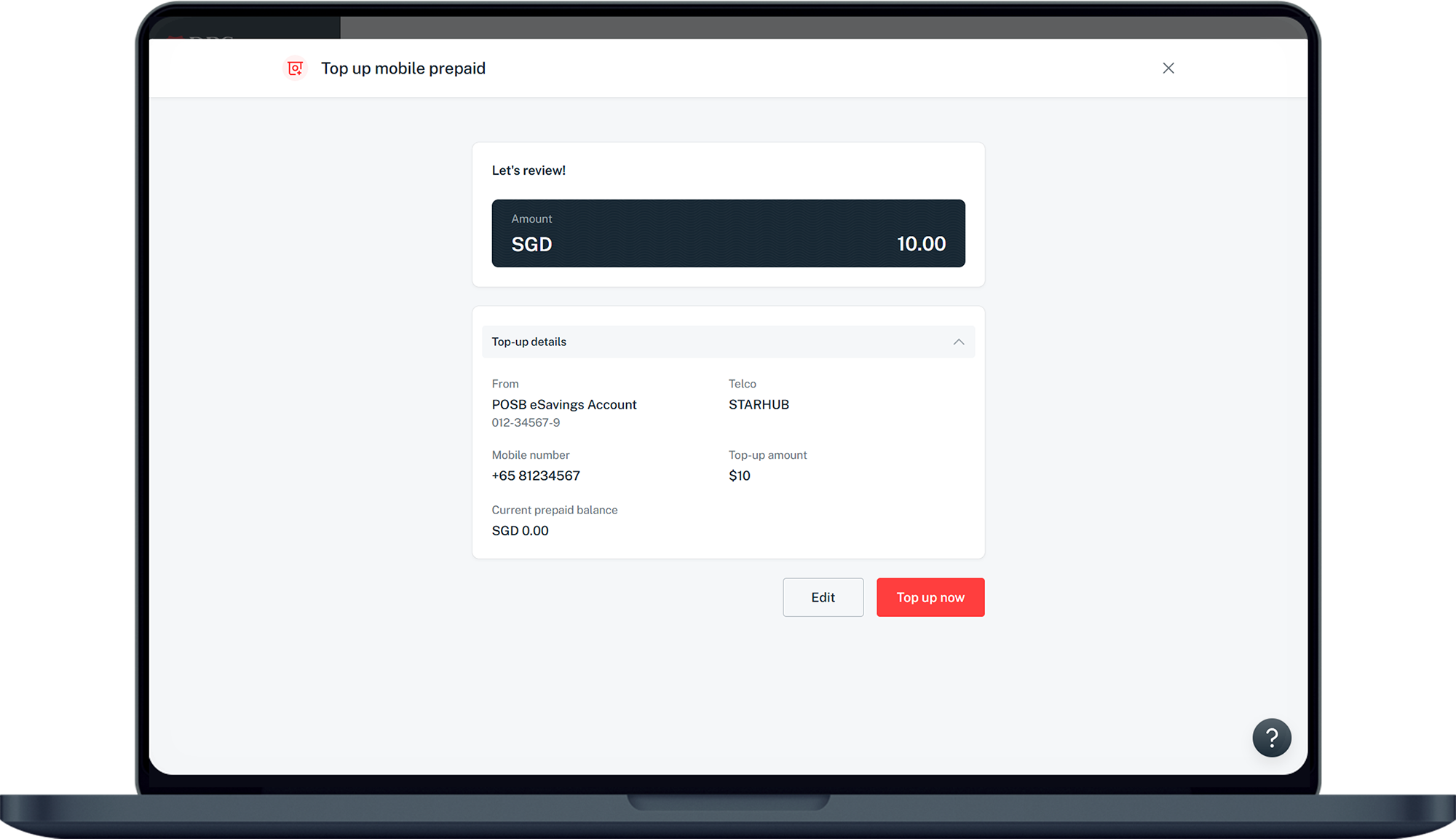
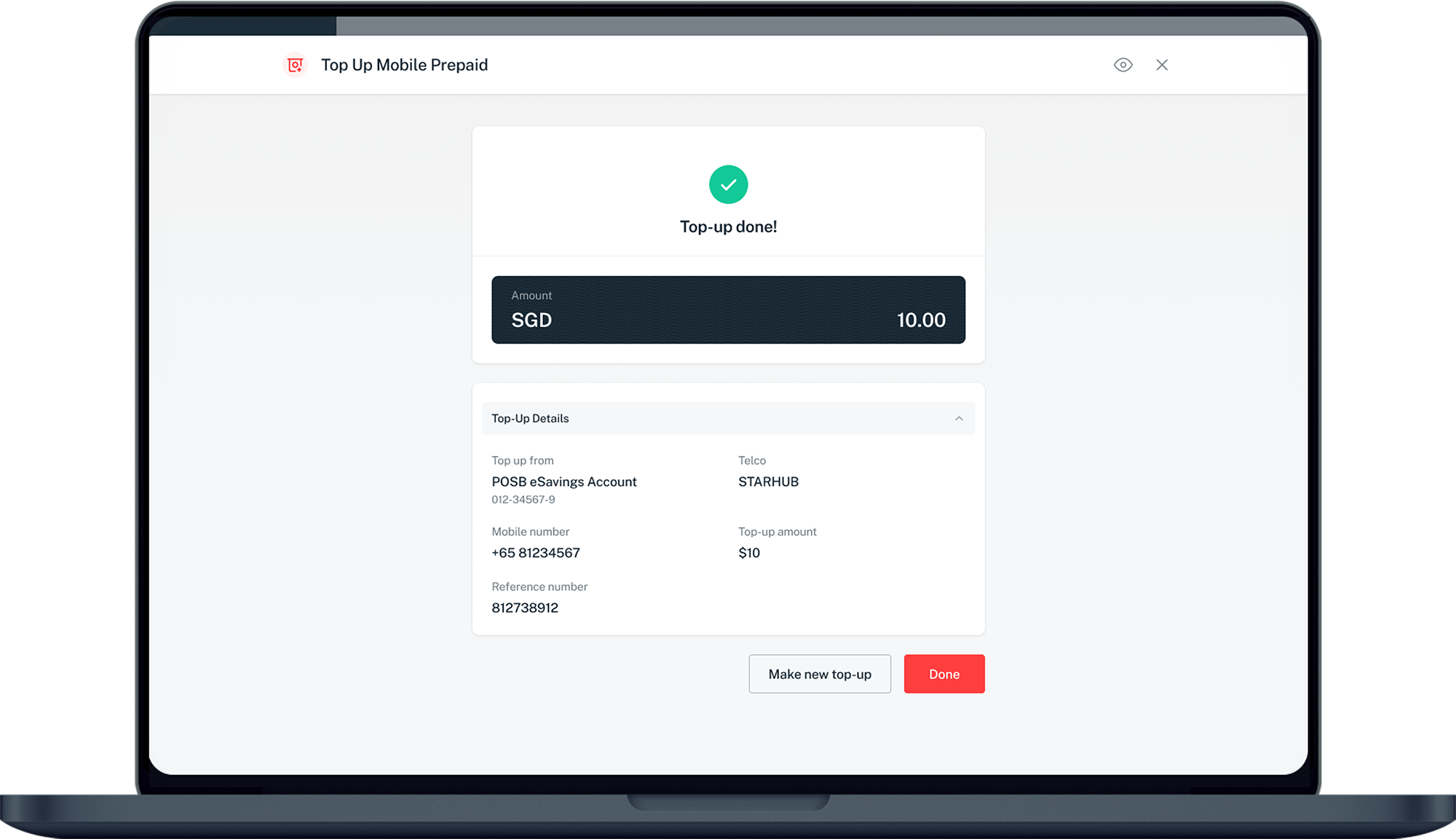
- Verify your details and tap Top up now to complete the top up request.
Don't have digibank?
Get the latest digibank mobile app now!
digibank online
- Login to digibank online with your User ID and PIN.
- Complete the Authentication Process.
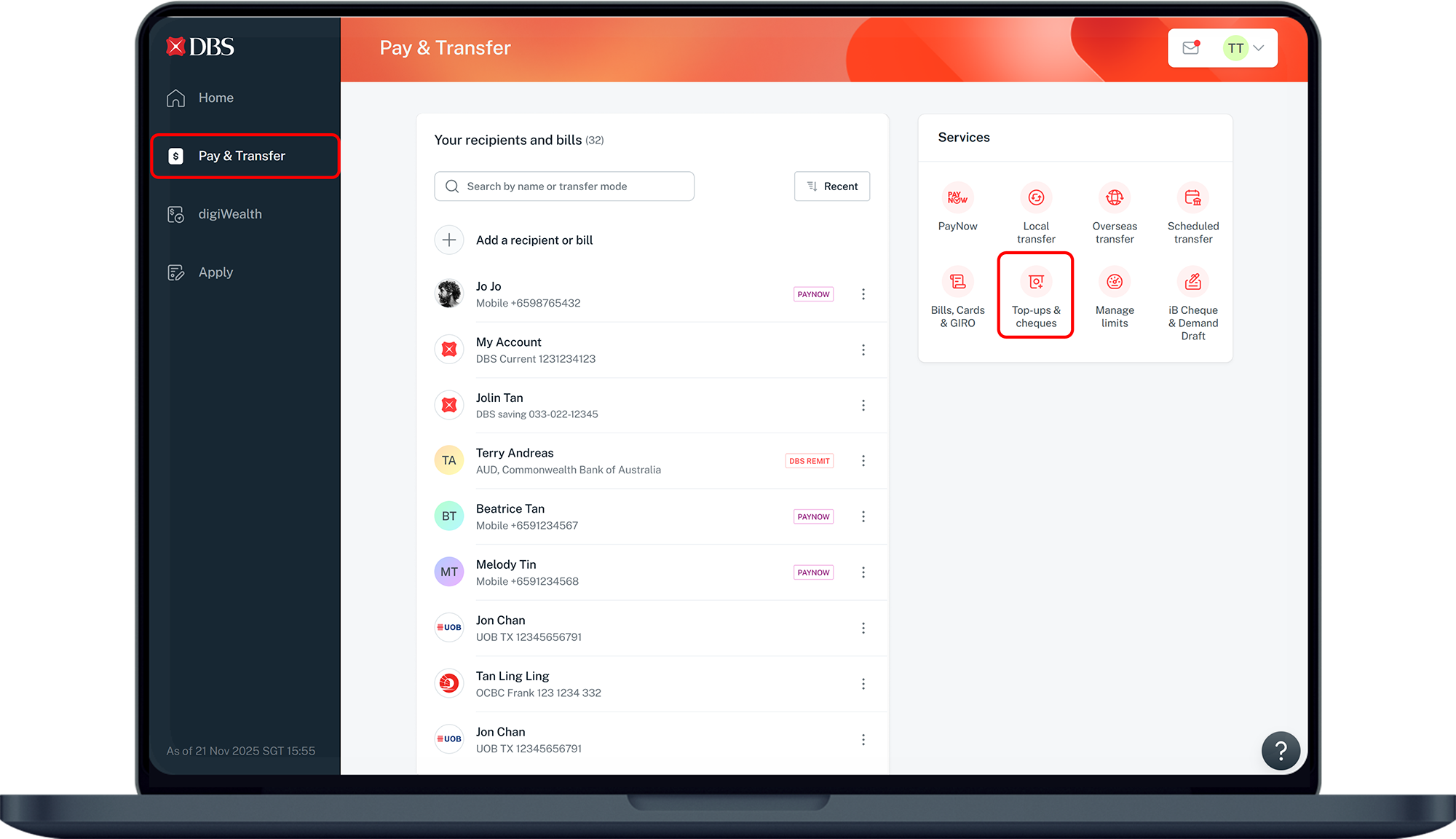
- Click Pay and transfer on the top menu and under Services, click on Top-ups & cheques.
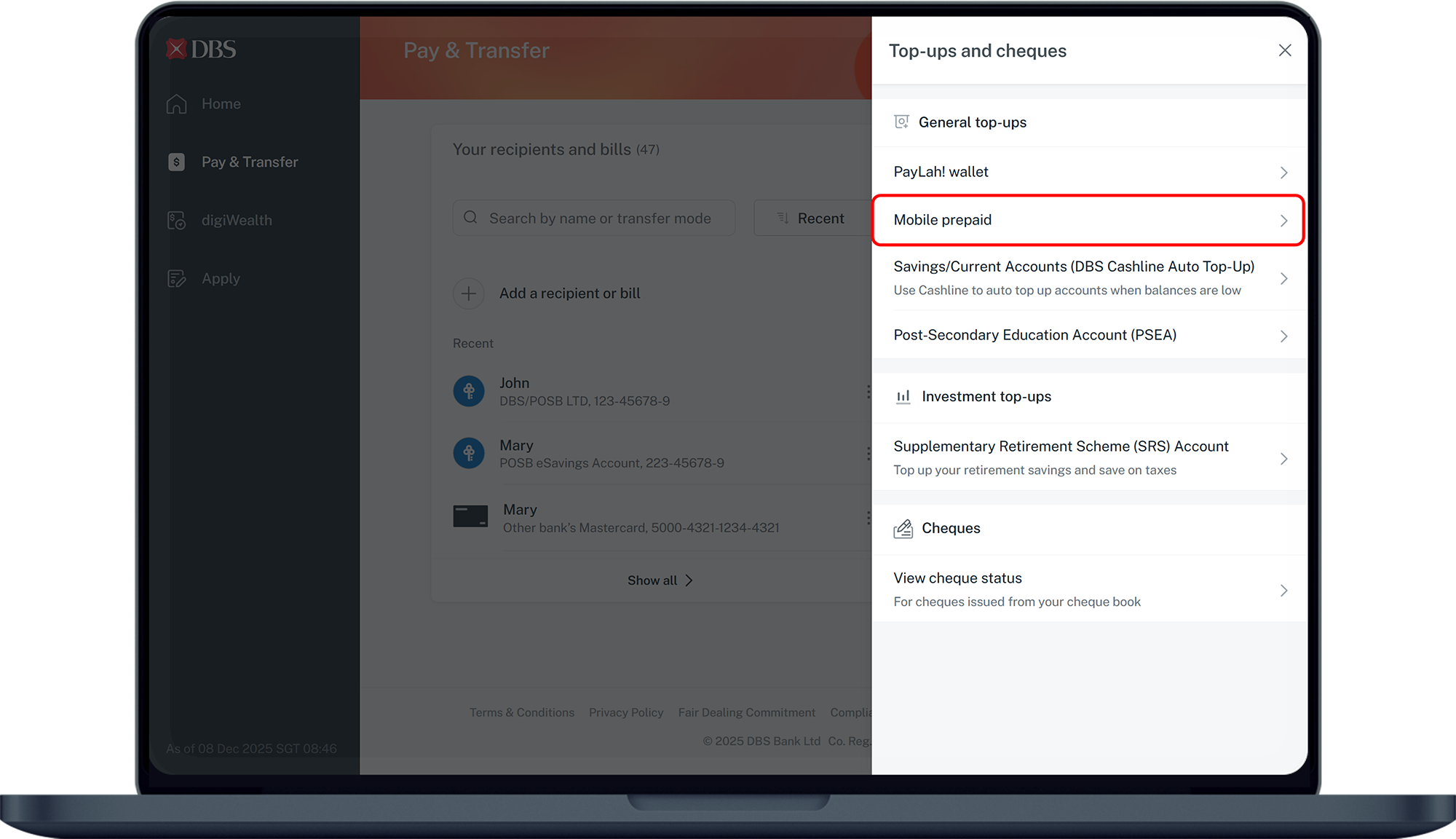
- Under General top-ups, click on Mobile prepaid.
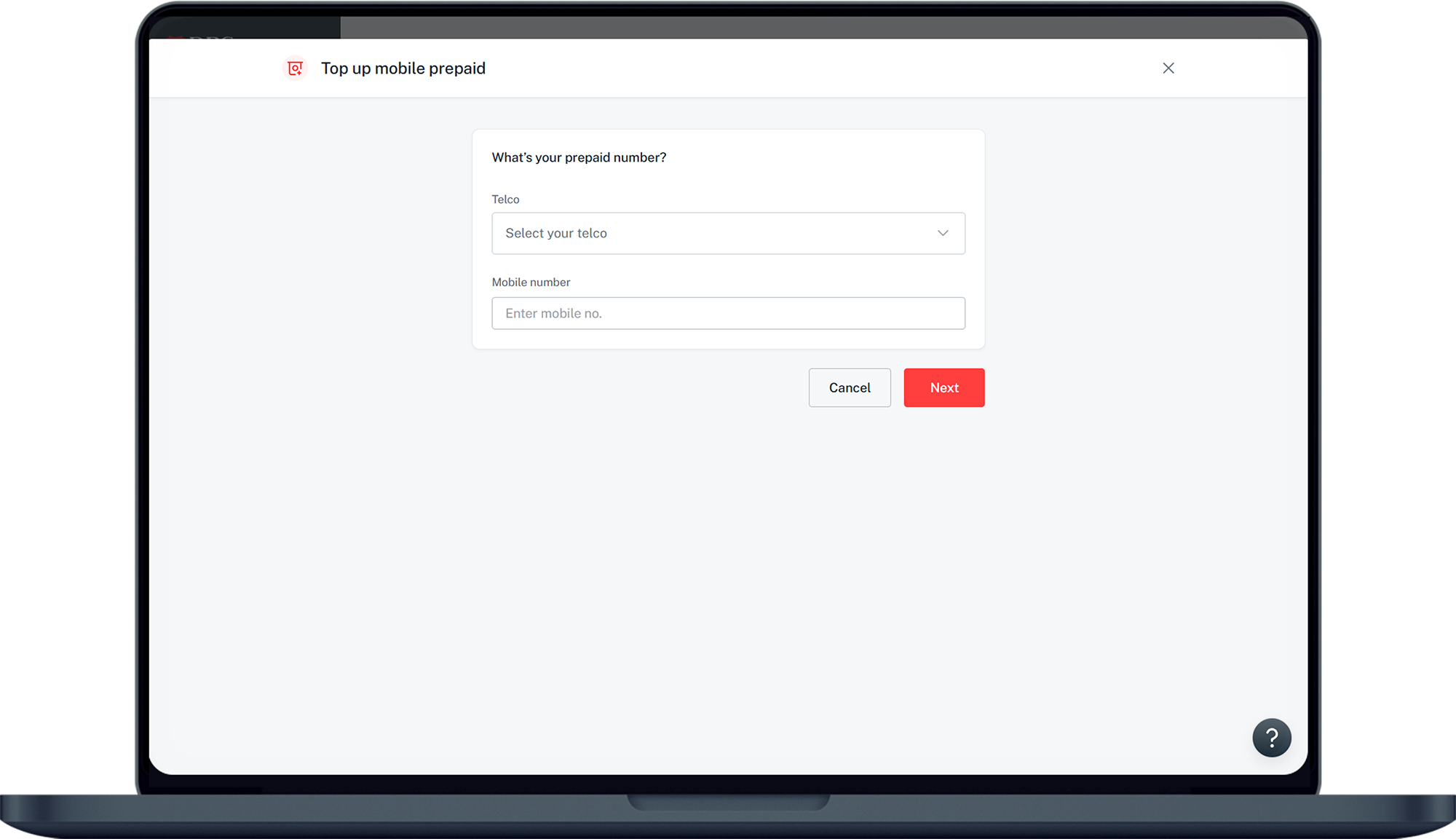
- Select the Telco (Service Provider), enter your mobile number and click Next.
- Select your preferred Account to pay from and the Top up options. Click Next.
- Verify your details and click Top up now to complete the top up request.
Note:
- Top up via digibank online is only available for Singtel, Starhub and M1.
More information
- You can top up a maximum of S$300 per month and it cannot be changed.
Was this information useful?