Transfer from CPFIS Account to CPF Ordinary Account

Perform a partial or full funds transfer to your CPF Ordinary account easily using digibank online.

Important information

  • There are no service charges for this request.
  • There is no minimum and maximum limit to the transfer amount, and you can transfer up to the available balance in your CPFIS account.
  • It will take 3 business days for the funds to be transferred to the CPF Ordinary account.
  • Cash balances in CPF Investment Account will automatically be credited back to CPF Ordinary Account at the end of the month if there are no investment transaction for 2 consecutive months.

How to transfer from CPFIS Account to CPF Ordinary Account

digibank online

laptop
slider
slider
slider
slider
slider
slider
slider
1
Step 1
Log in to digibank online with your User ID & PIN.
2
Step 2
Complete the Authentication Process.
3
Step 3
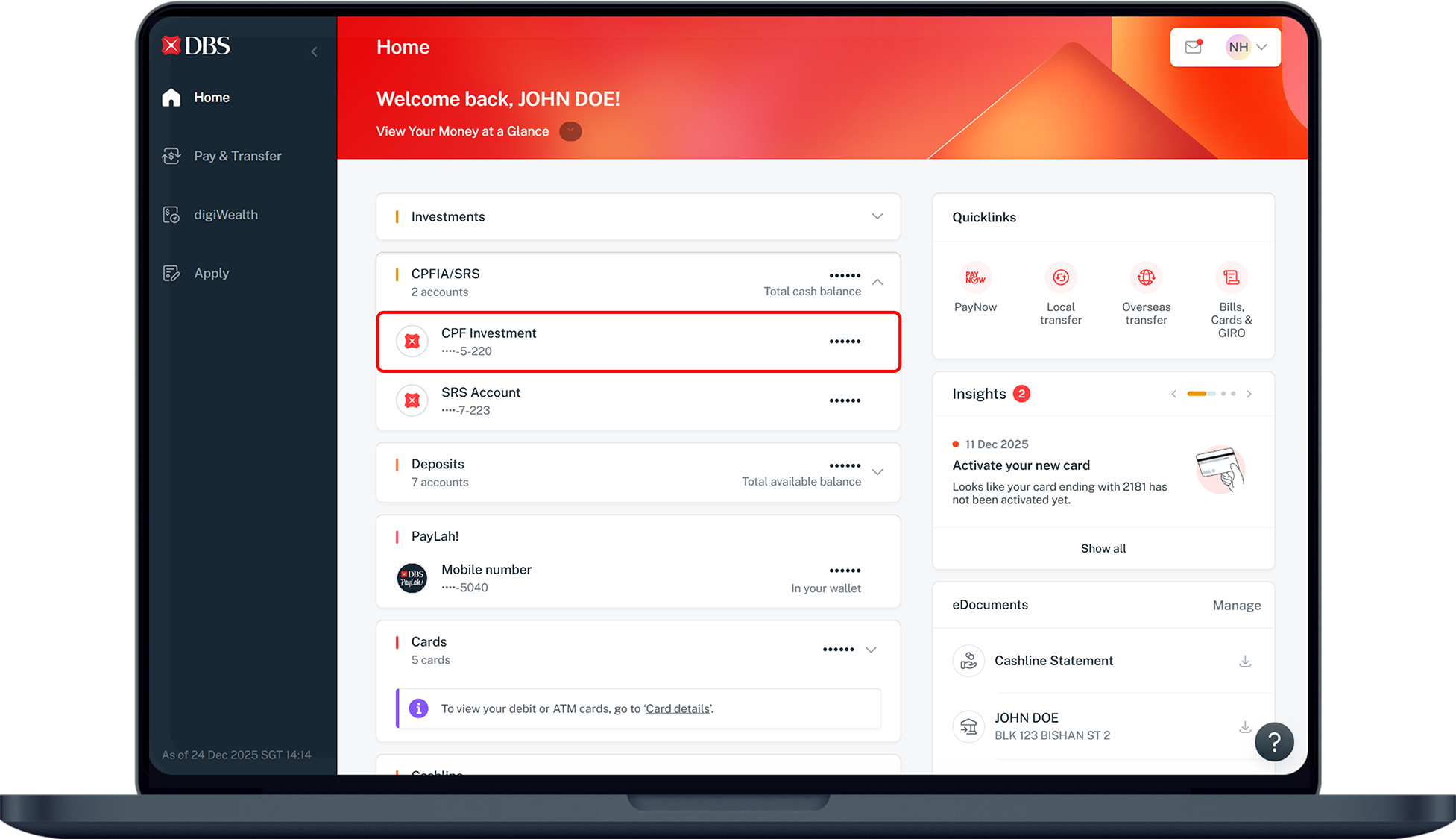
Under Home, click on CPFIA/SRS and select your CPF Investment account.
4
Step 4
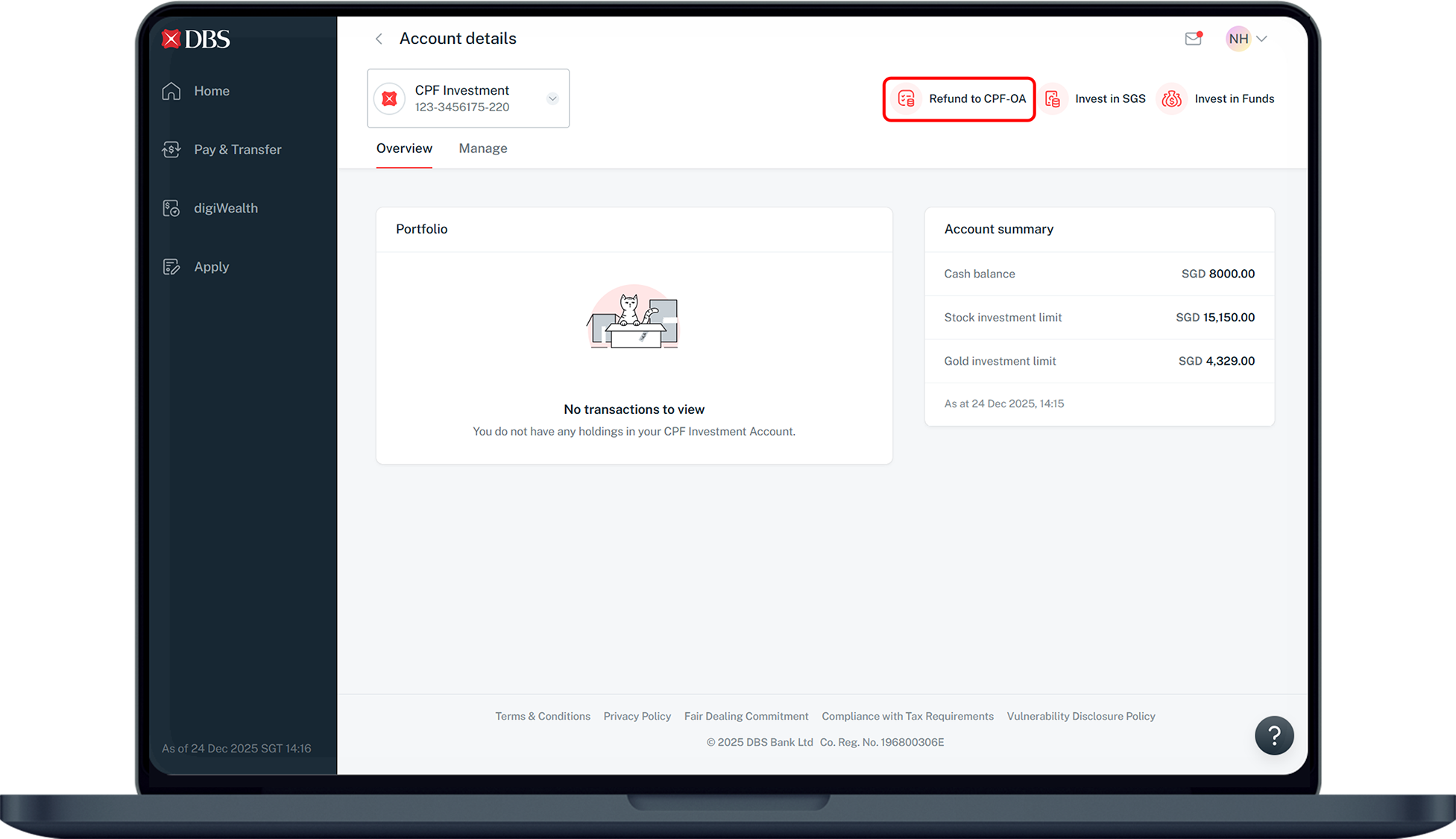
Under Overview, select Refund to CPF-OA on the top right.
5
Step 5
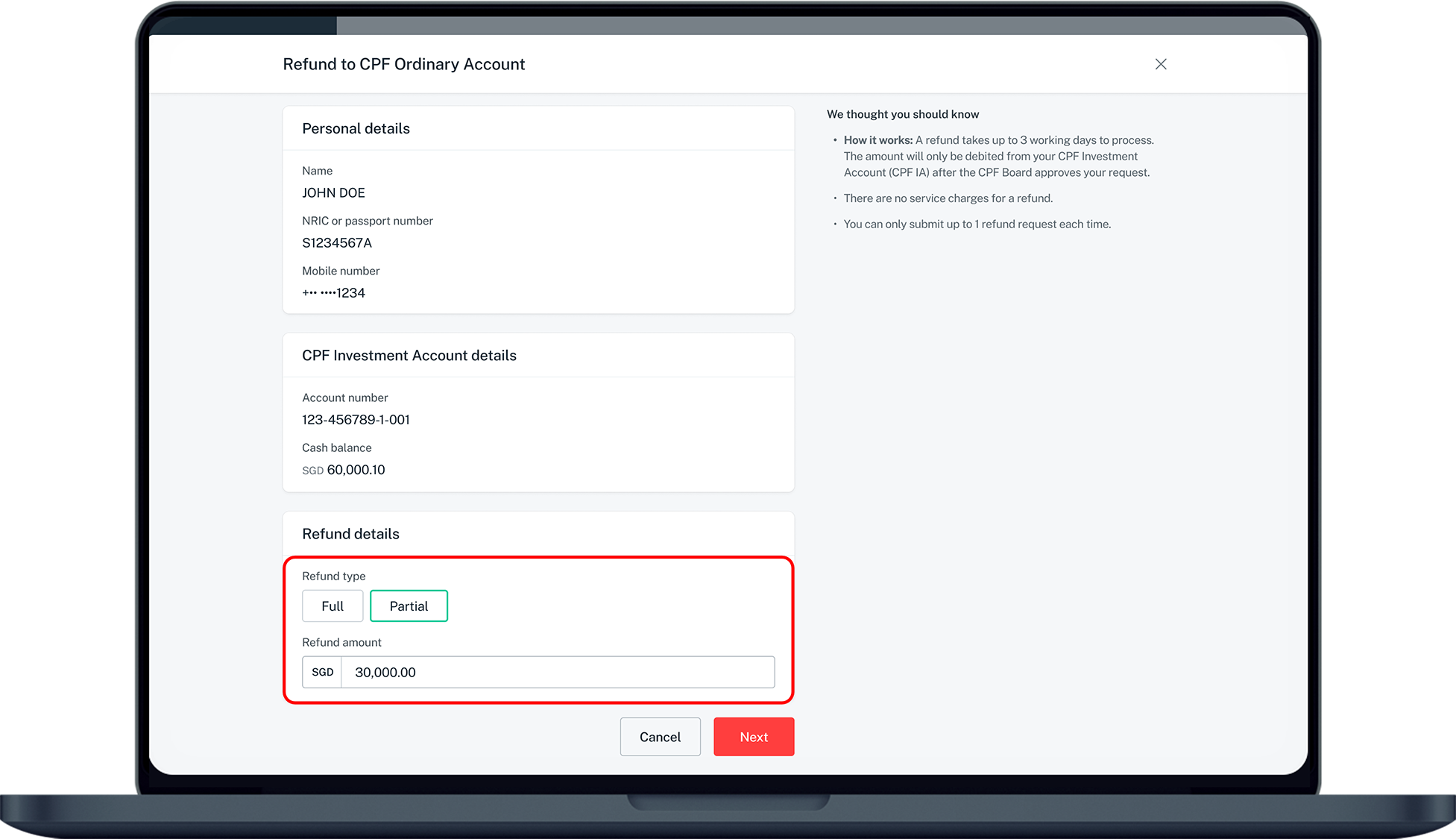
Under Refund details, select Full or Partial refund.
If you have selected Partial, enter the amount to be transferred.
6
Step 6
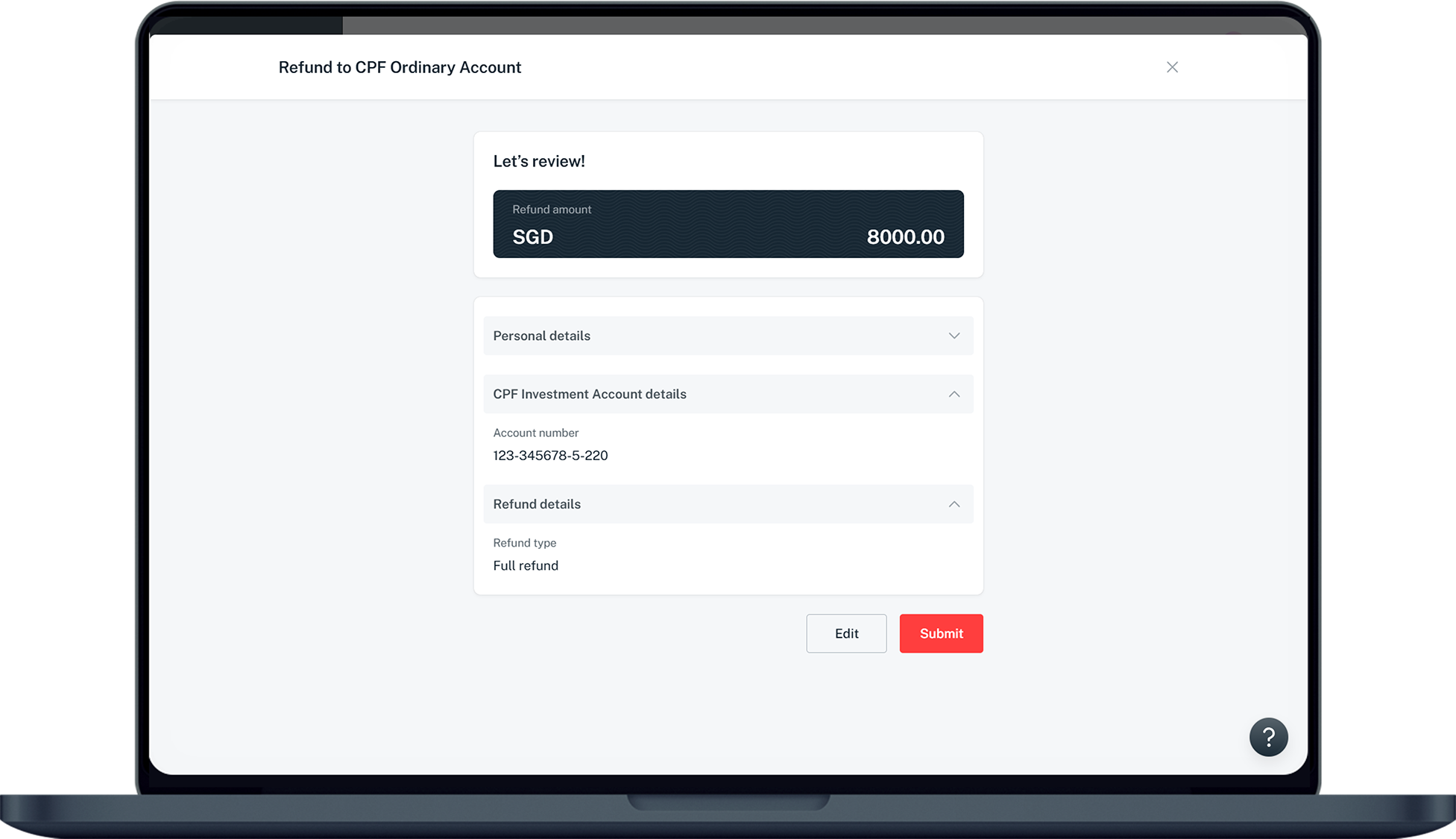
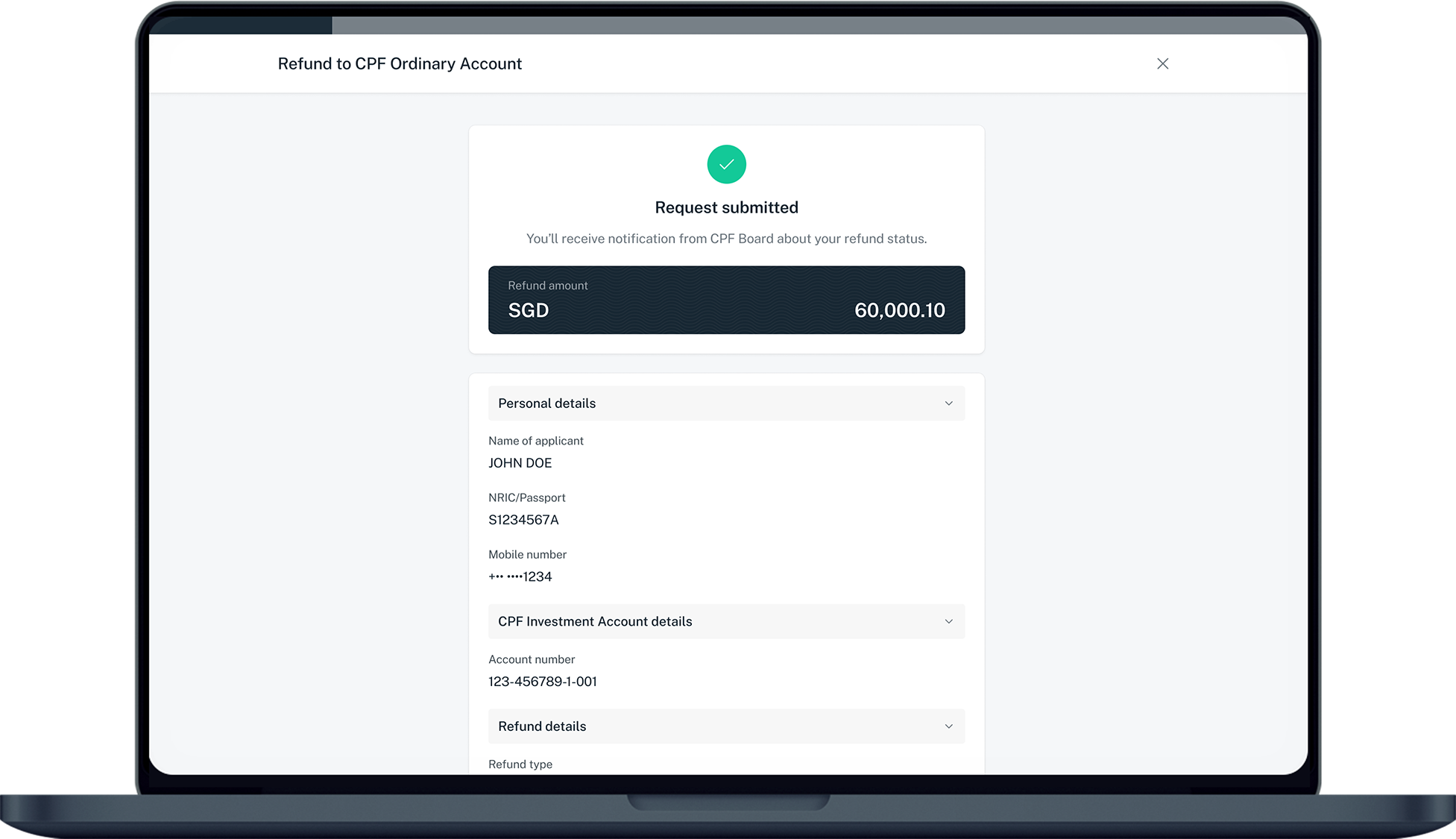
Verify that your details are correct and click Submit.
7
Step 7
You've successfully submitted a refund request. CPF Board will send you a notification about your refund status.
Was this information useful?

We welcome your feedback

Information is easy to understand and find
Information is useful to answer your inquiries completely