Update Investment Objectives Setting (IOS), and Investment Knowledge and Experience (IKE)

Learn how you can update your IOS and IKE via digibank.

Important information

  • IOS/IKE renewal services are available online for Single and Joint Accounts.
  • You will receive alert notifications 60 days prior to and on the day following your IOS expiry date. There will also be alerts during the IOS renewal flow.

How to update Investment Objectives Setting (IOS), and Investment Knowledge and Experience (IKE)

There are various channels which you may update IOS and IKE with us. The most convenient method would be via digibank mobile.

digibank mobile

phone frame
login
slider
slider
slider
slider
slider
slider
1
Step 1
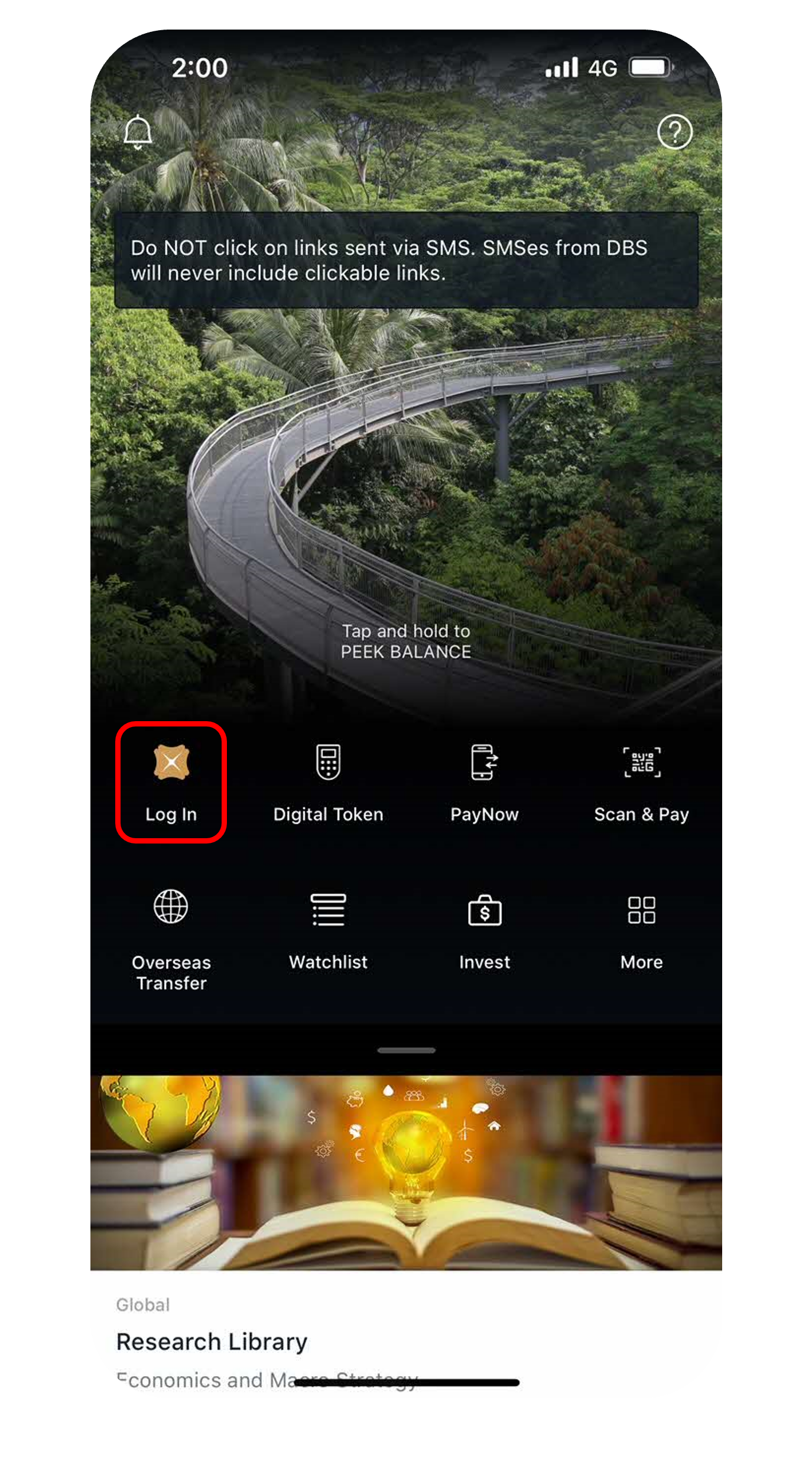
Log in to digibank mobile with your Touch / Face ID or digibank User ID & PIN.
2
Step 2
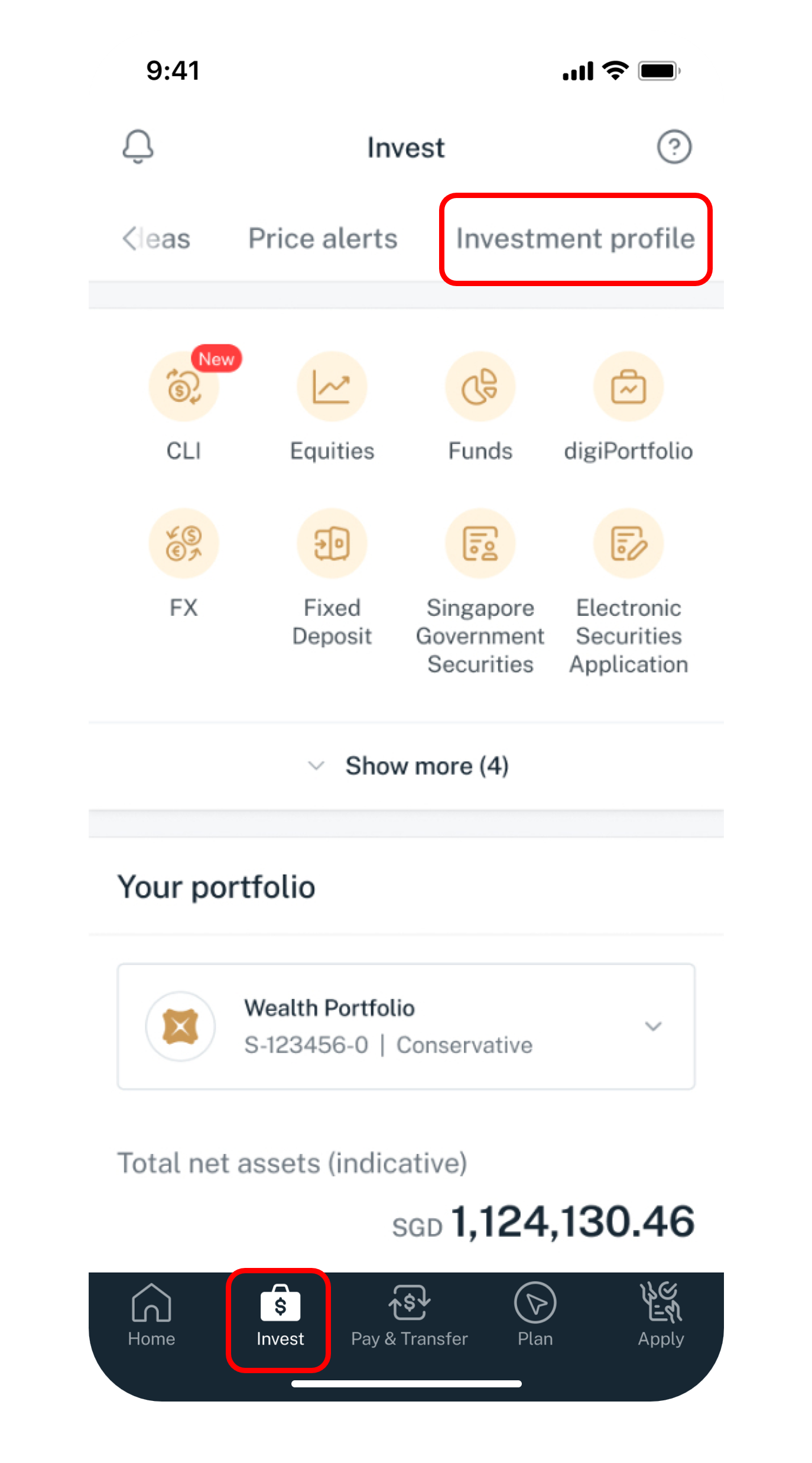
Tap on Invest at the bottom navigation, scroll to the right and select Investment profile.
3
Step 3
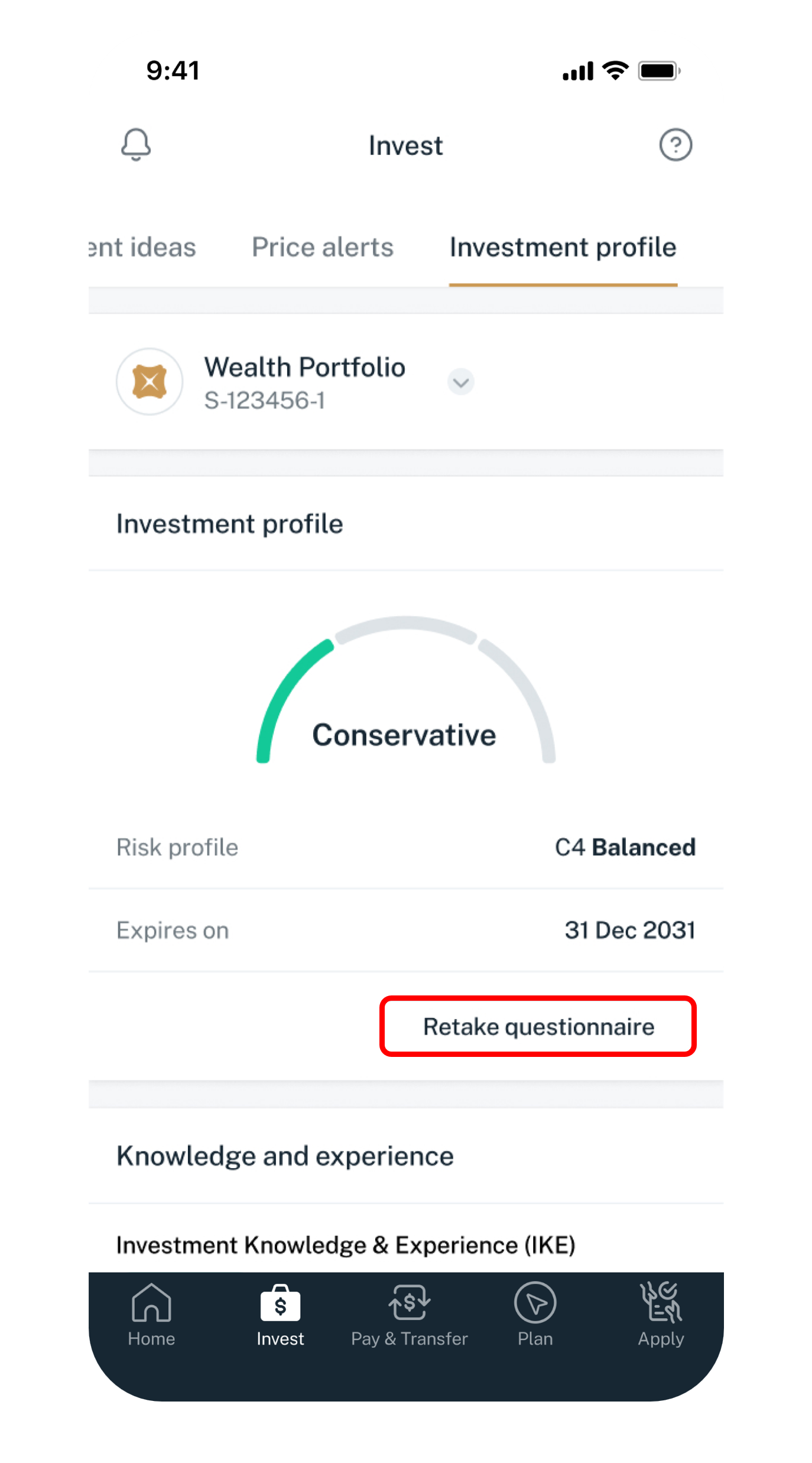
Under Investment profile, tap on Retake questionnaire.
4
Step 4
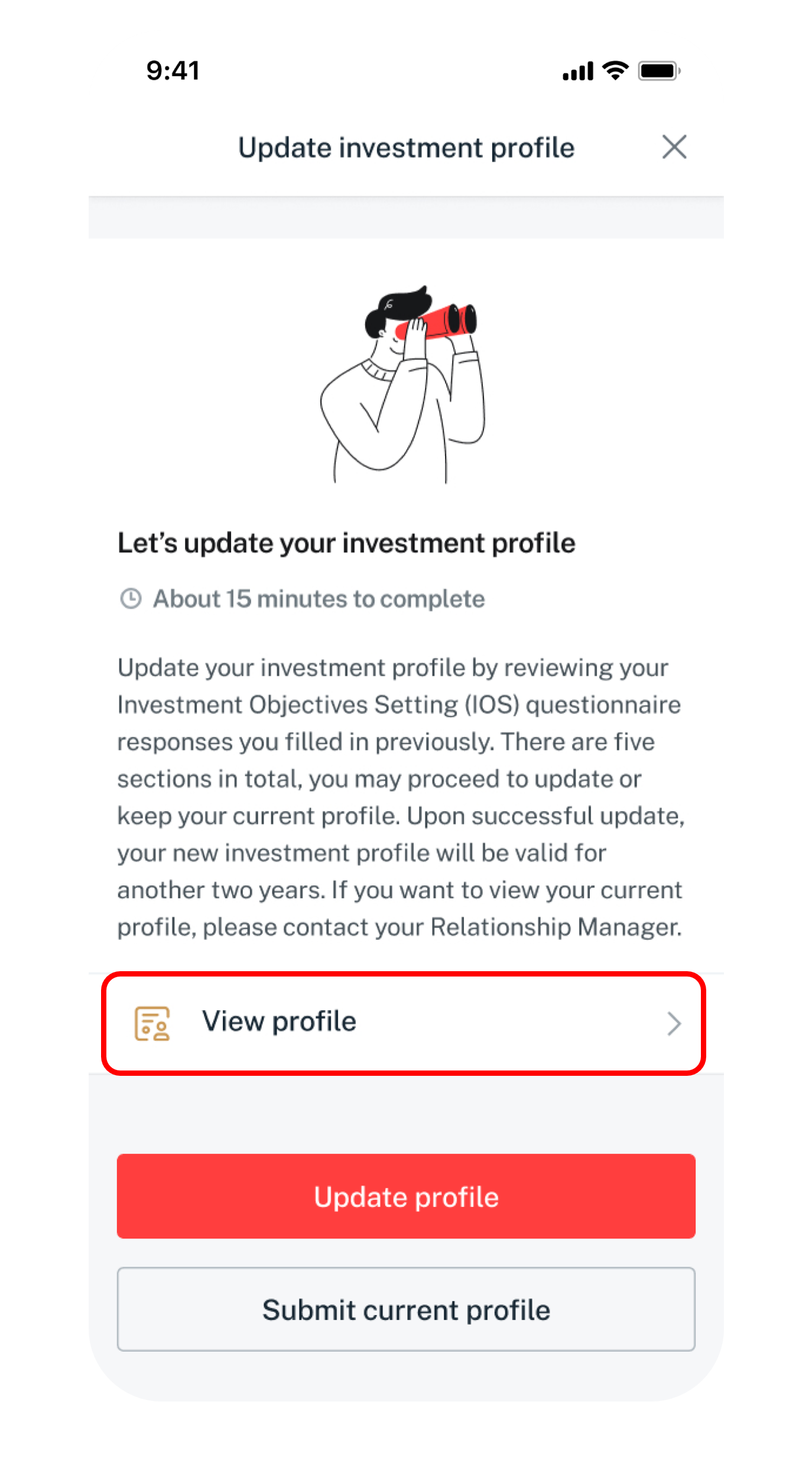
To review existing profile only, tap on View profile.
To renew with changes to profile, tap on Update profile.
To renew without change to existing profile, tap on Submit current profile.​
5
Step 5
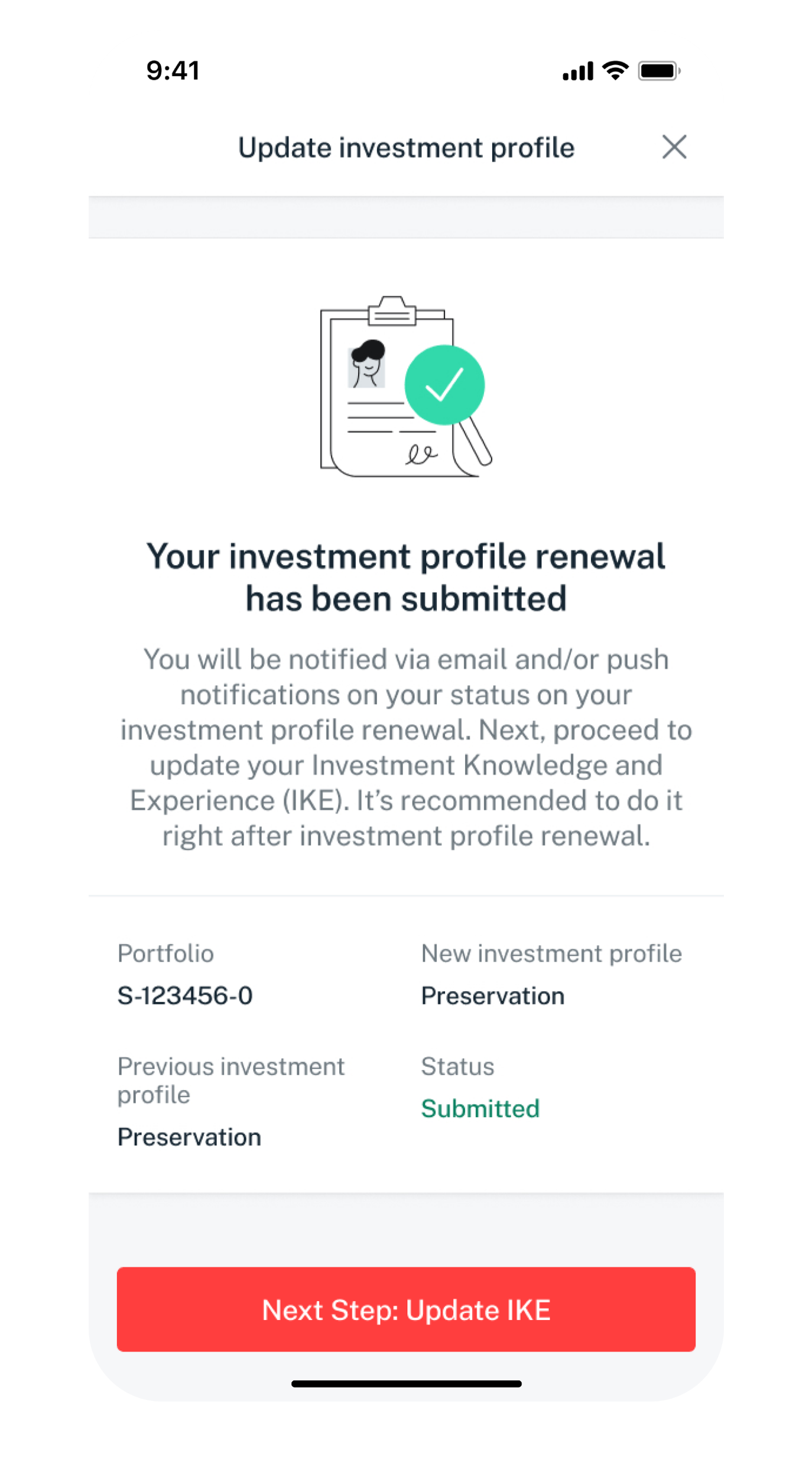
After the Investment Profile renewal request has been submitted, tap on Next Step: Update IKE.
6
Step 6
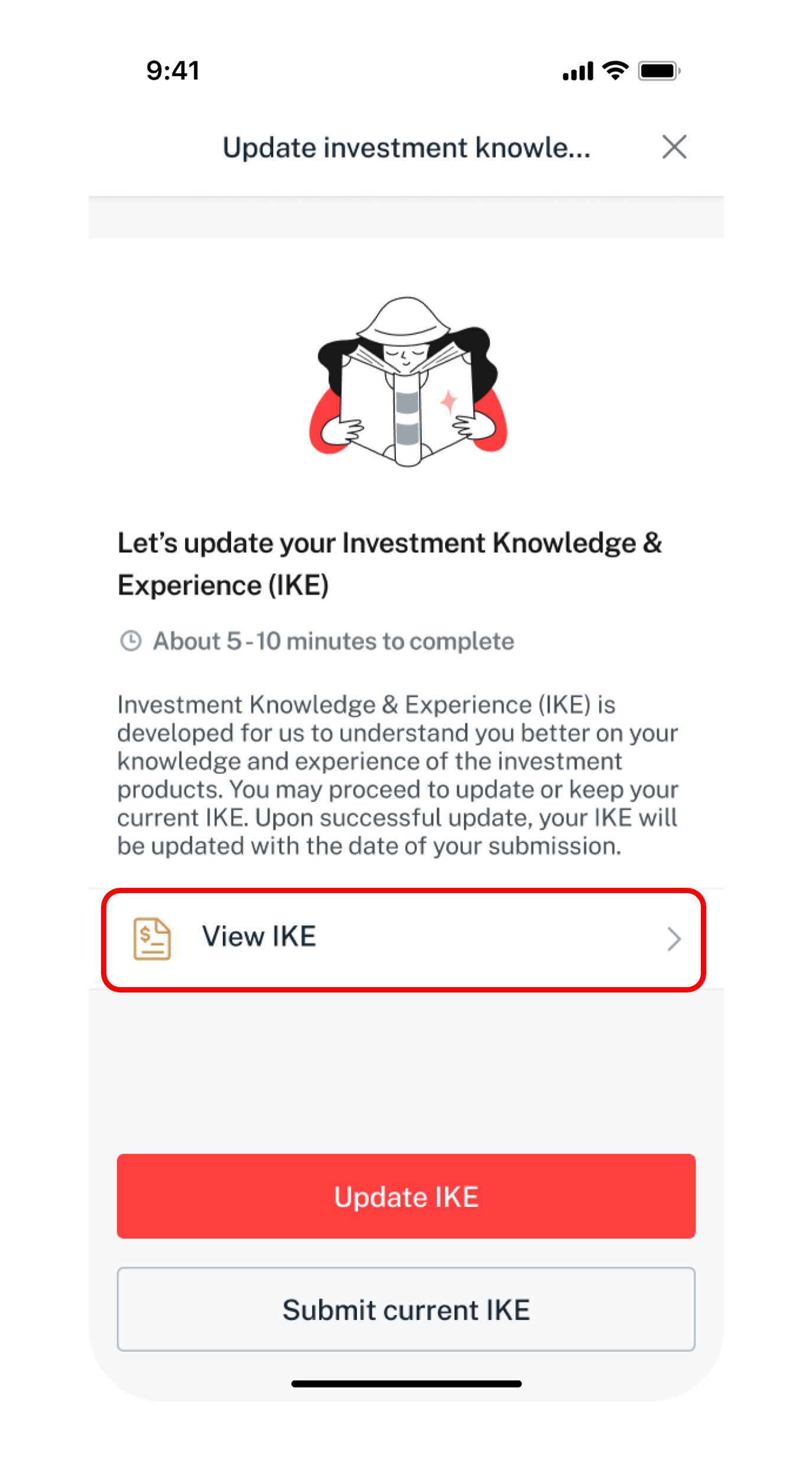
To review existing IKE only, tap on View IKE.
To renew with changes to IKE, tap on Update IKE.
To renew without change to existing IKE, tap on Submit current IKE.​
7
Step 7
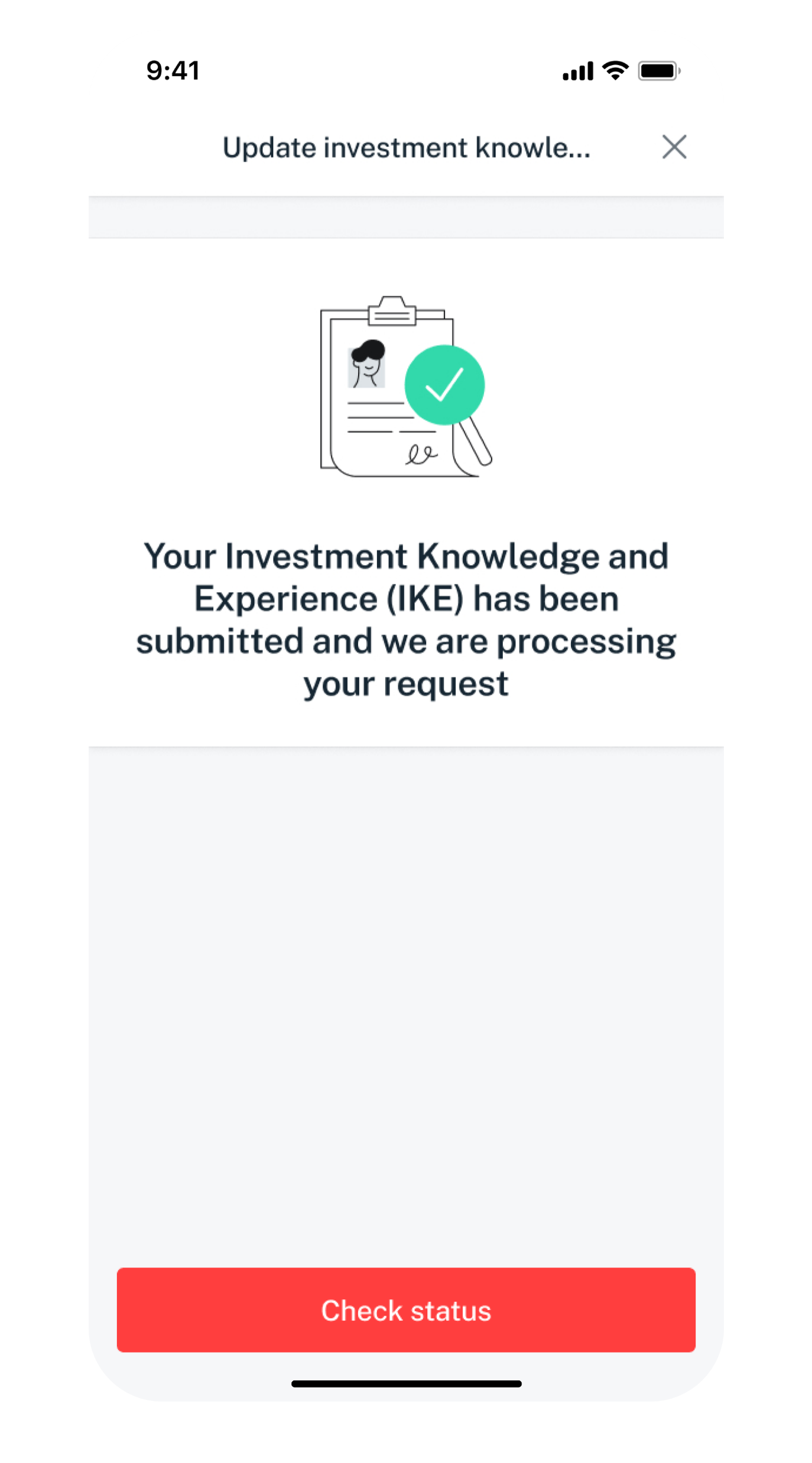
After the IKE renewal request has been processed, you can tap on Check status.
Get the latest DBS digibank(wealth) mobile app now!

laptop
slider
slider
slider
slider
slider
slider
slider
slider
1
Step 1
Log in to digibank online with your User ID & PIN.
2
Step 2
Complete the Authentication Process.
3
Step 3
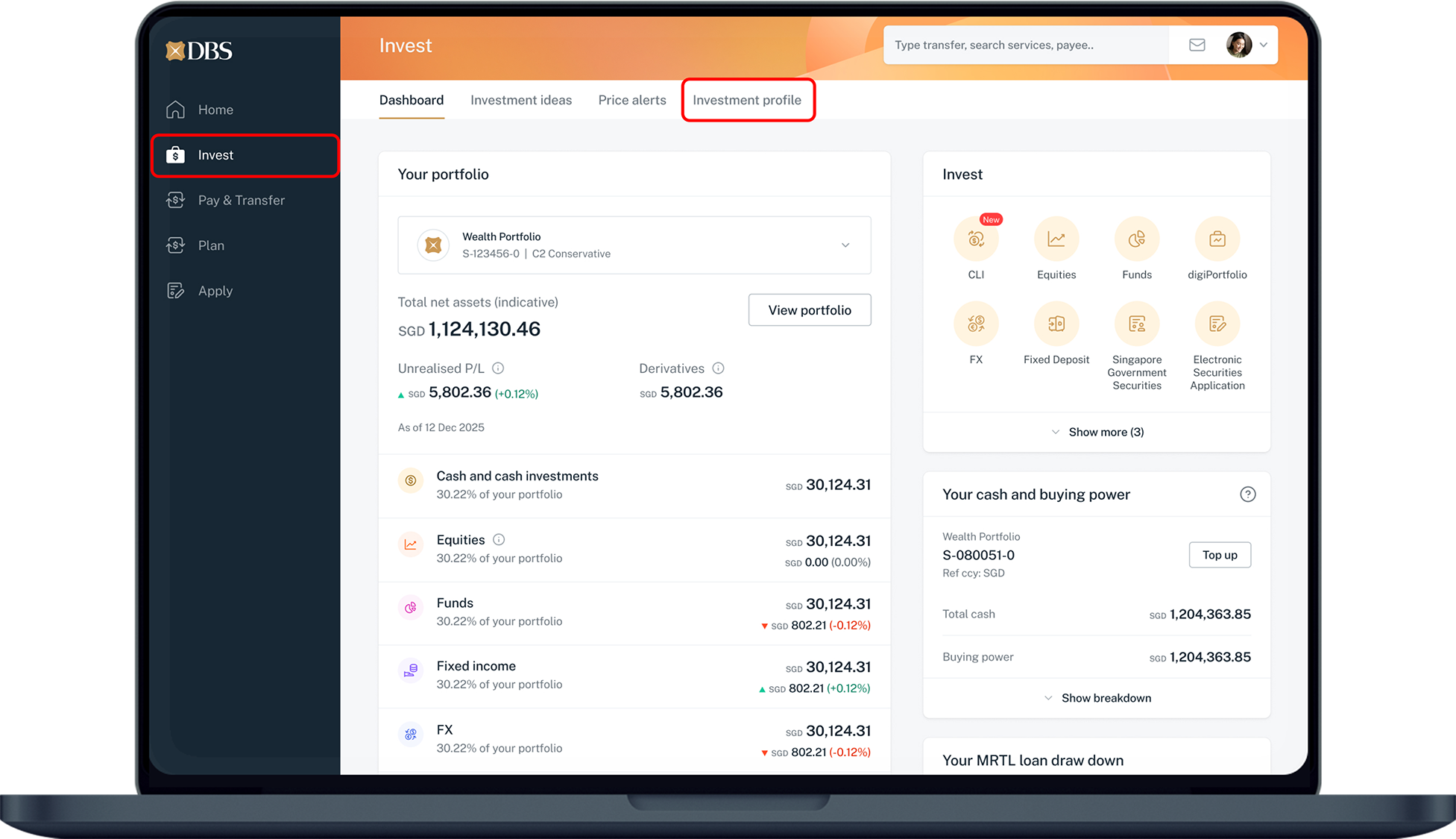
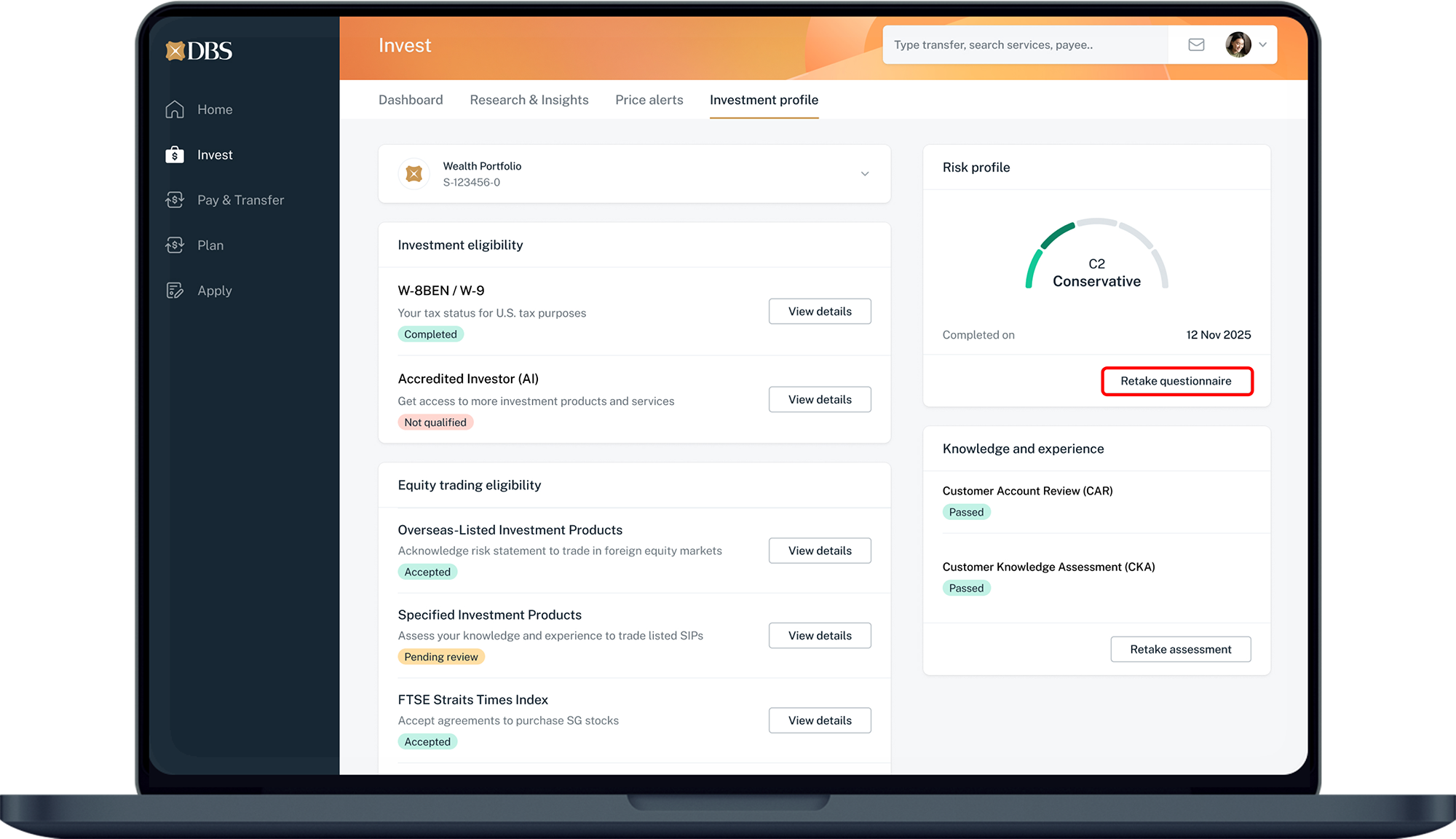
Click on Invest on the left menu and select Investment profile.
4
Step 4
Under Investment profile on the right, click on Retake questionnaire.
5
Step 5
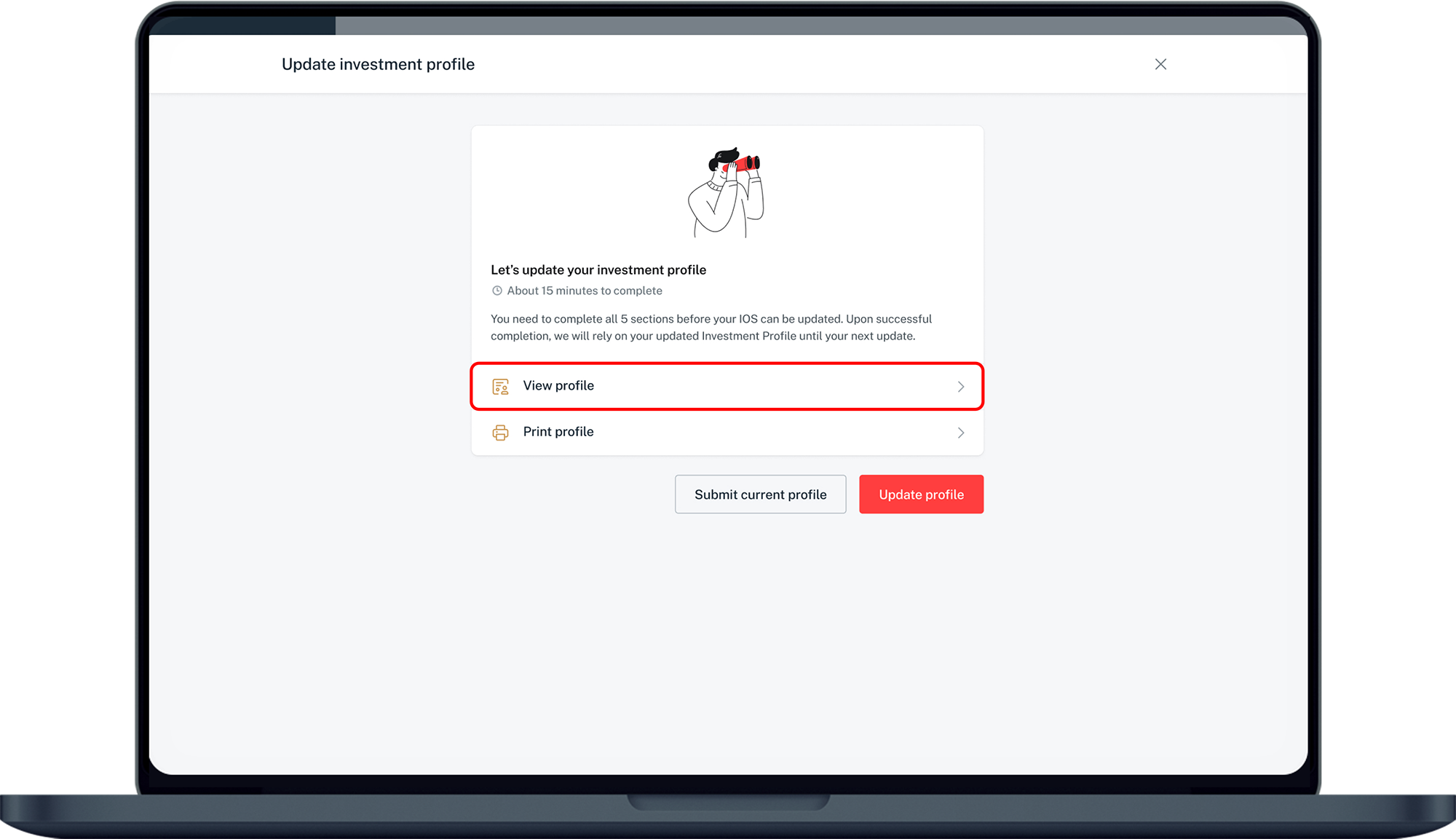
To review existing profile only, click on View profile.
To renew with changes to profile, click on Update profile.
To renew without change to existing profile, click on Submit current profile.​
6
Step 6
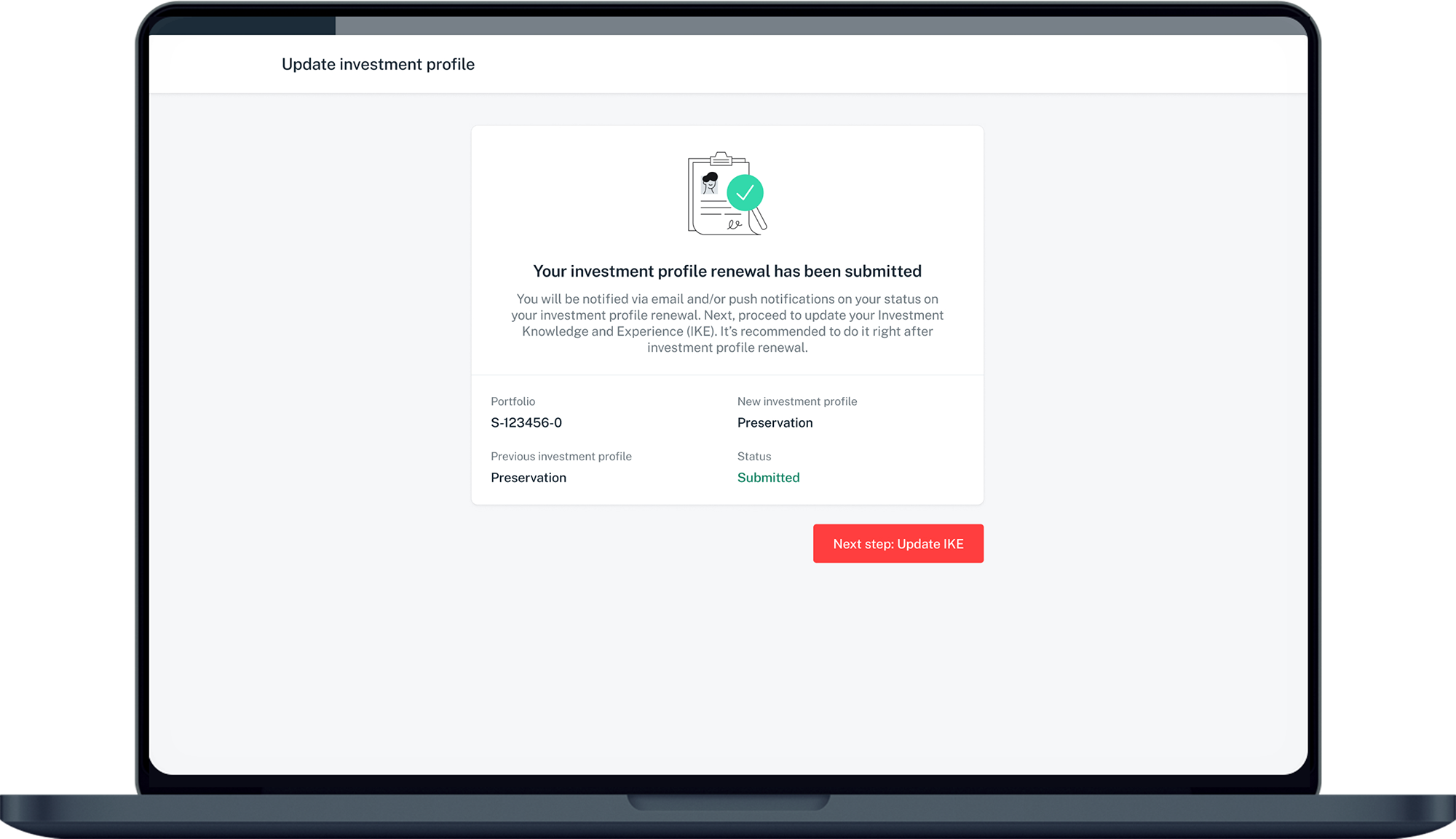
After the Investment Profile renewal request has been submitted, click Next Step: Update IKE.
7
Step 7
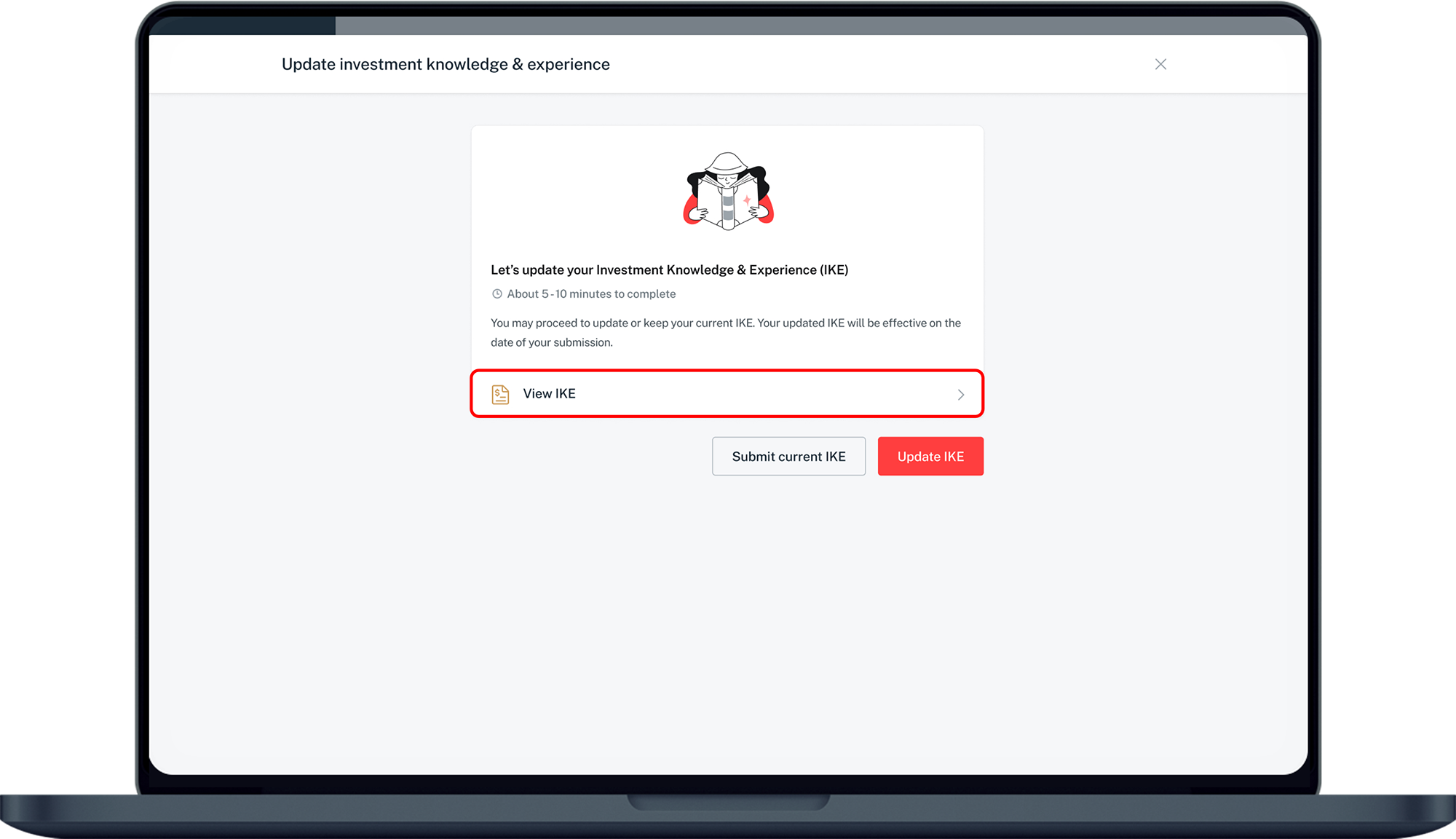
To review existing IKE only, click on View IKE.
To renew with changes to IKE, click on Update IKE.
To renew without change to existing IKE, click on Submit current IKE.​
8
Step 8
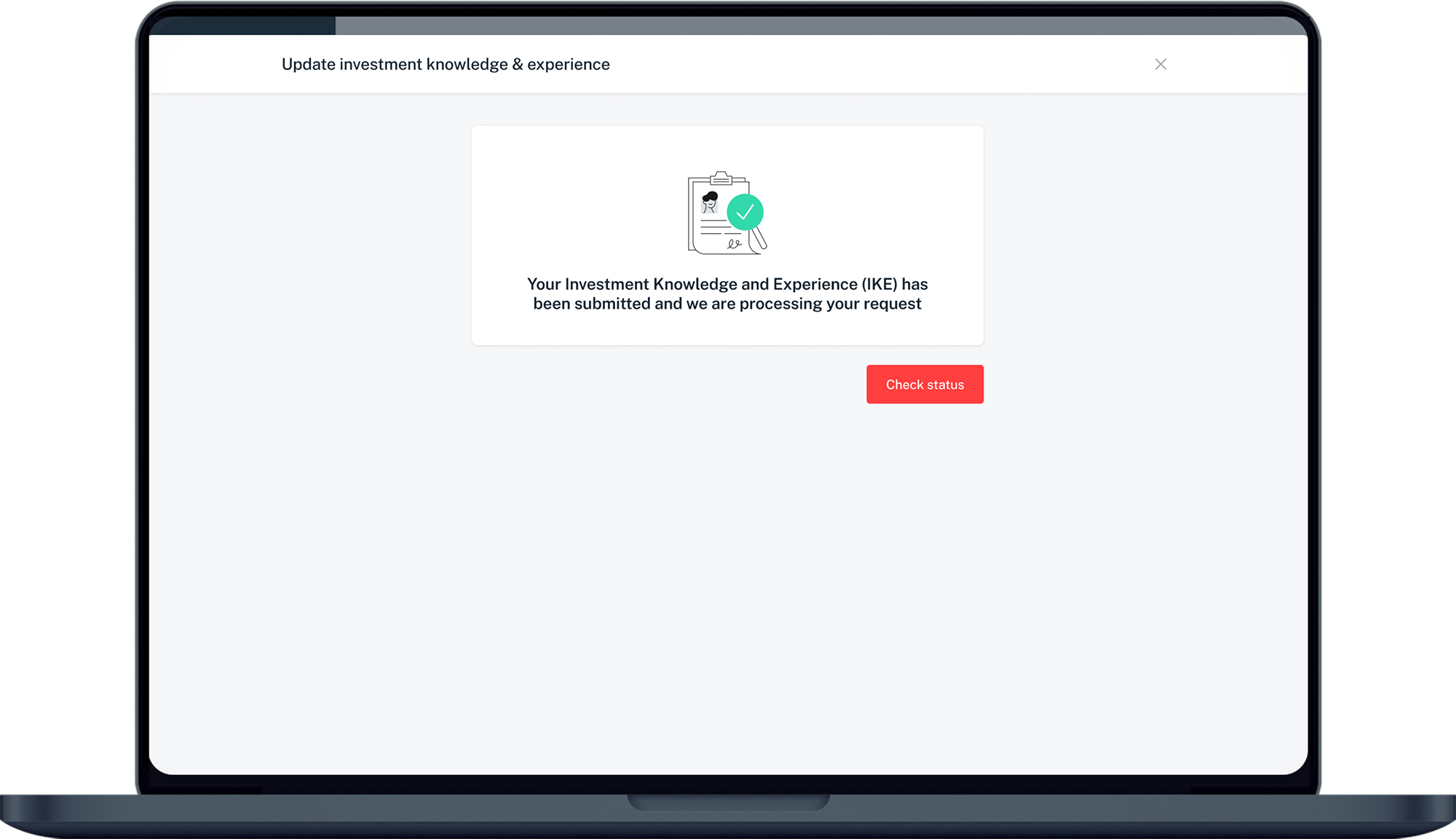
After the IKE renewal request has been processed, you can click on Check status.

More information

  • For Joint Accounts, the rest of the joint account holders will be notified to acknowledge Agree/Disagree to the IOS renewal details.
Was this information useful?

We welcome your feedback

Information is easy to understand and find
Information is useful to answer your inquiries completely