View order status

Monitor your working or submitted orders at a glance.

How to view order status

There are various channels which you may place an order with us. The most convenient method would be via desktop.

laptop
slider
slider
slider
slider
slider
slider
slider
slider
1
Step 1
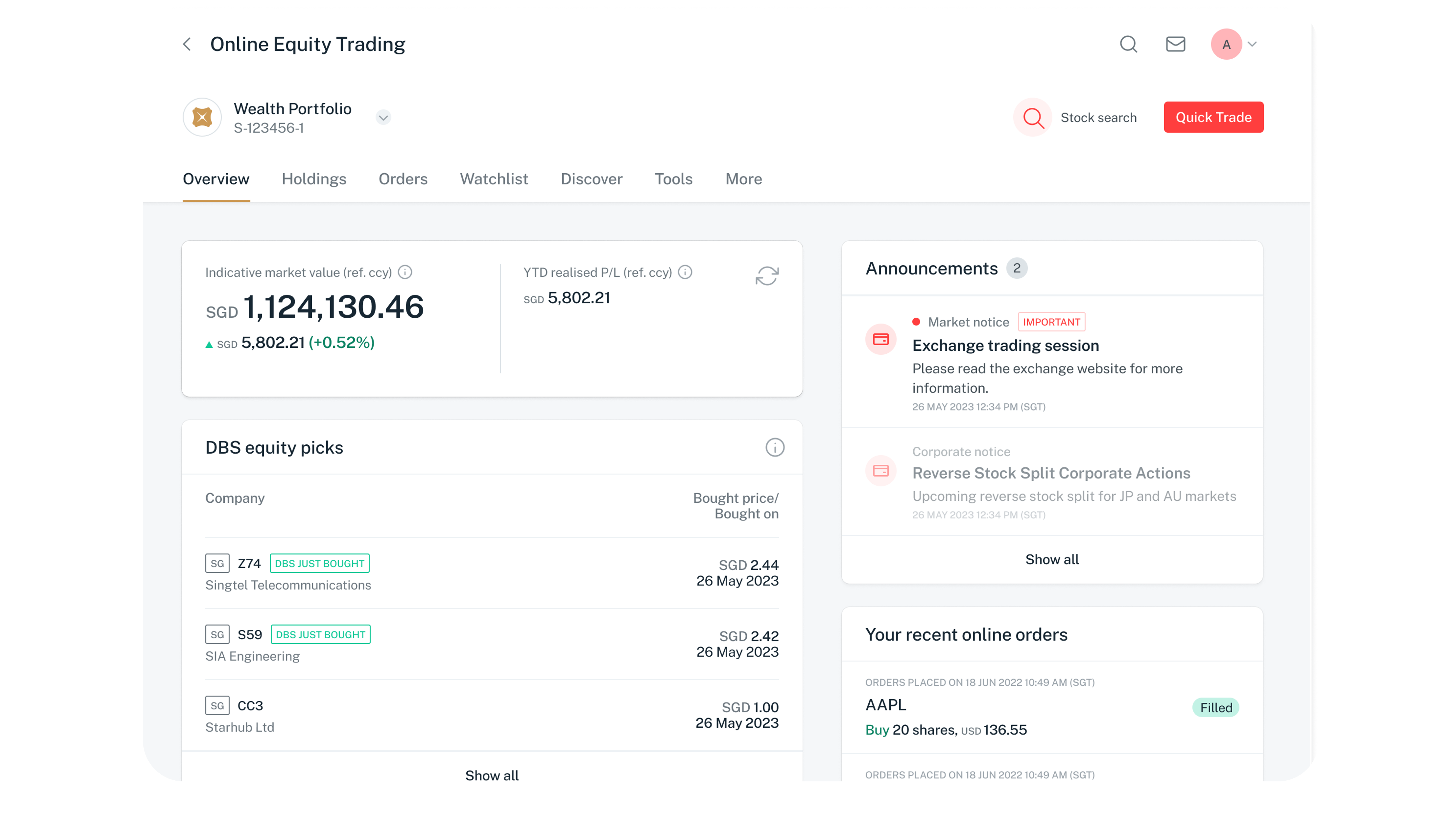
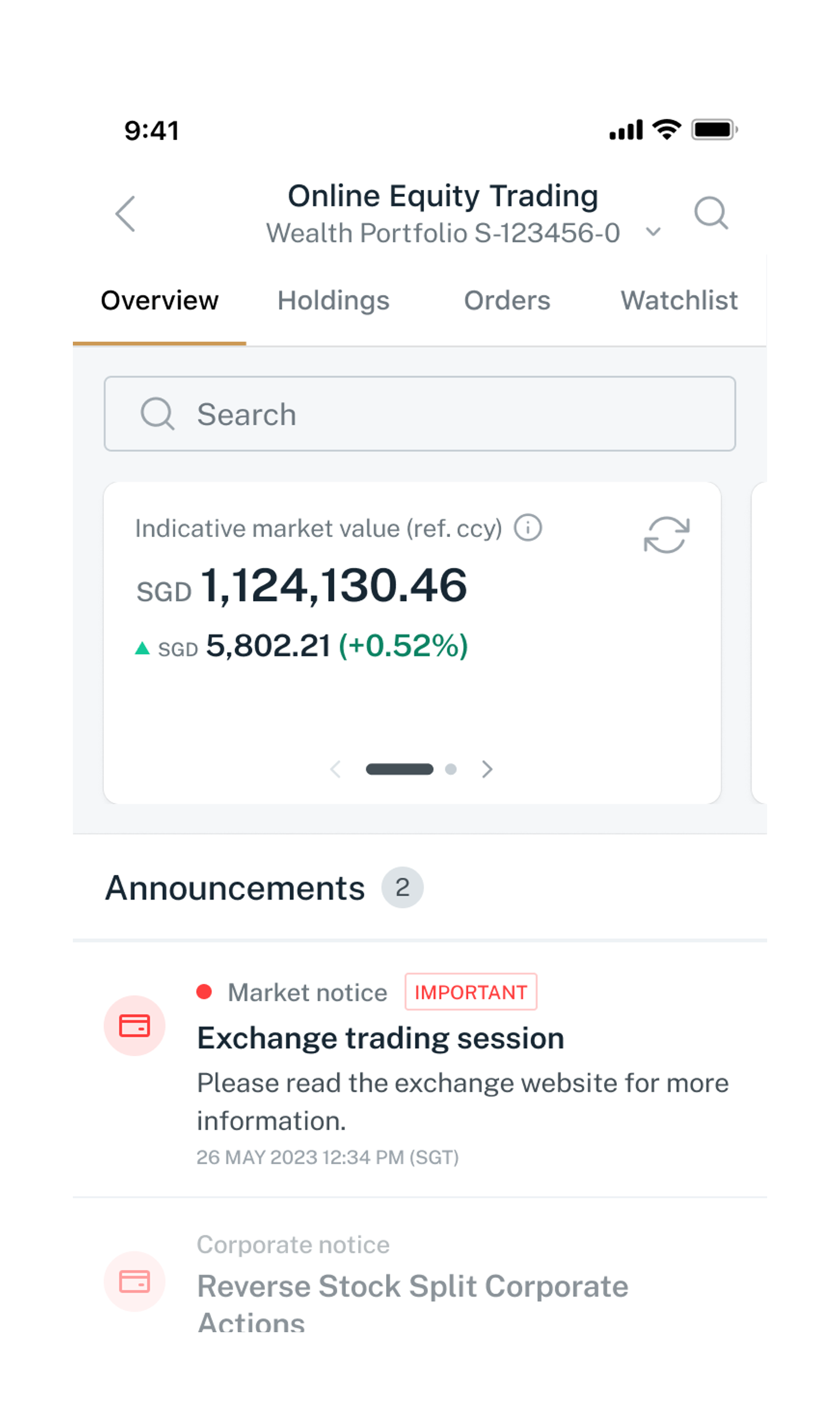
Refer to Online Equity Trading for more details on how to access the trading platforms.
2
Step 2
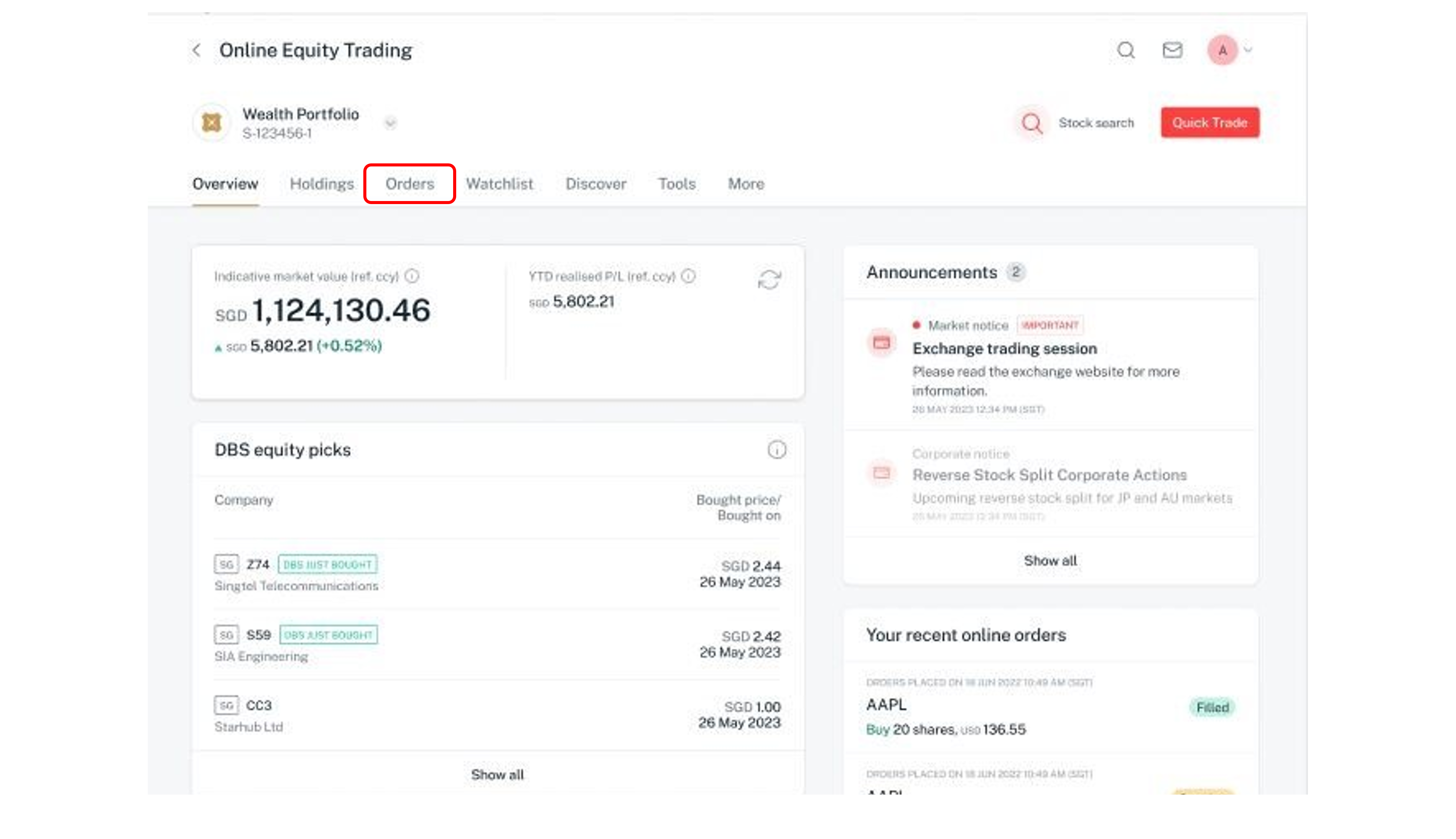
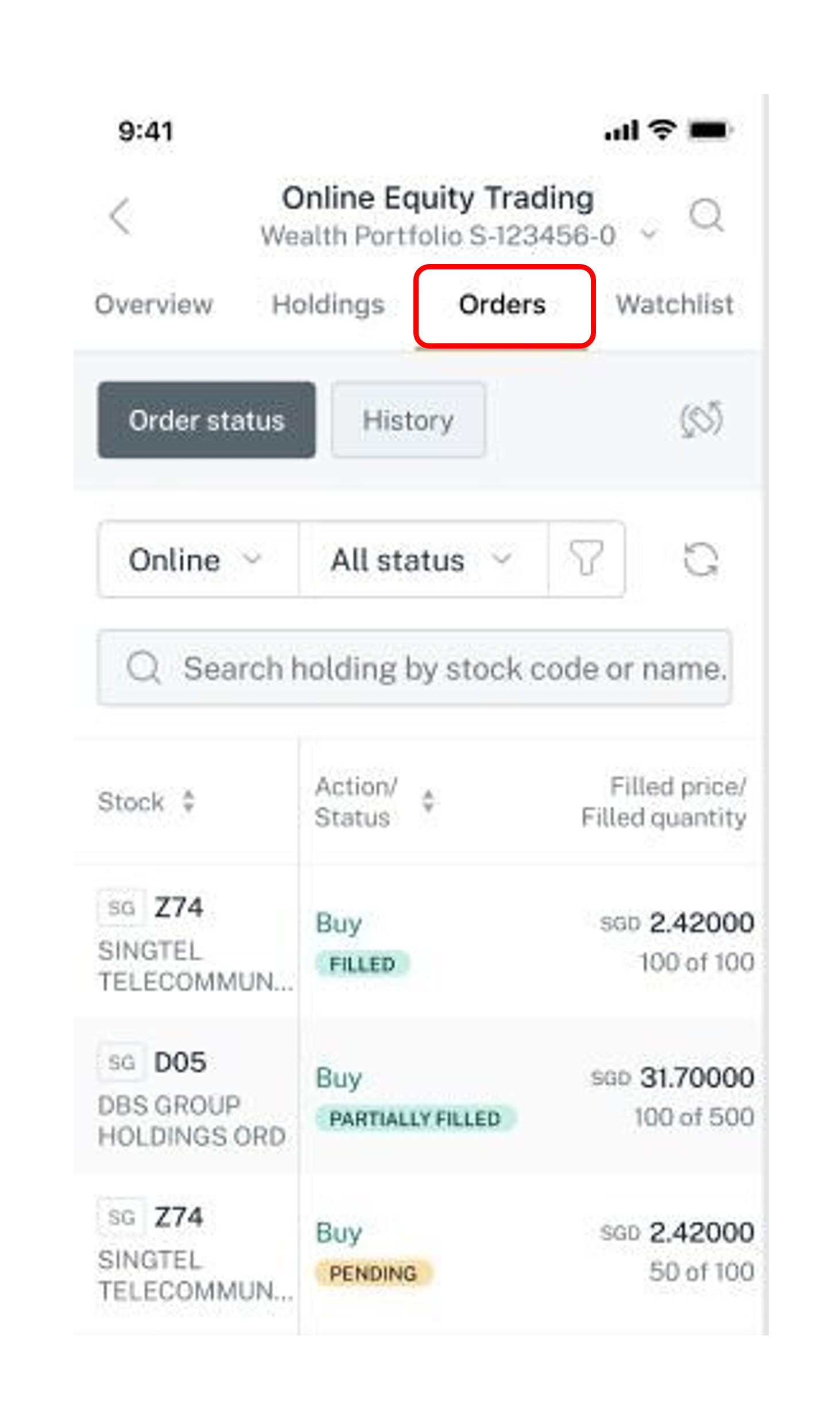
Click on Orders to access Order status page.
3
Step 3
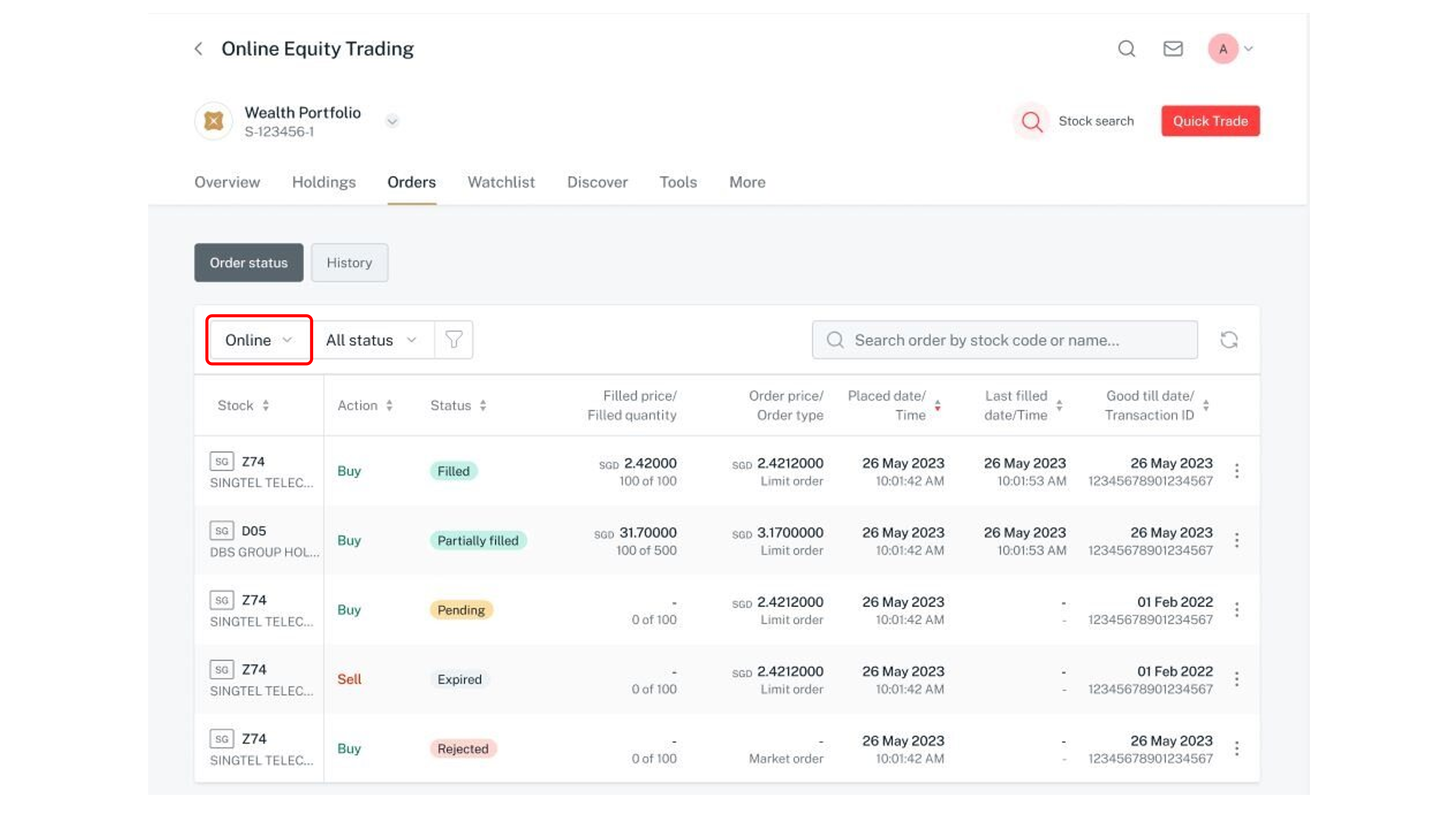
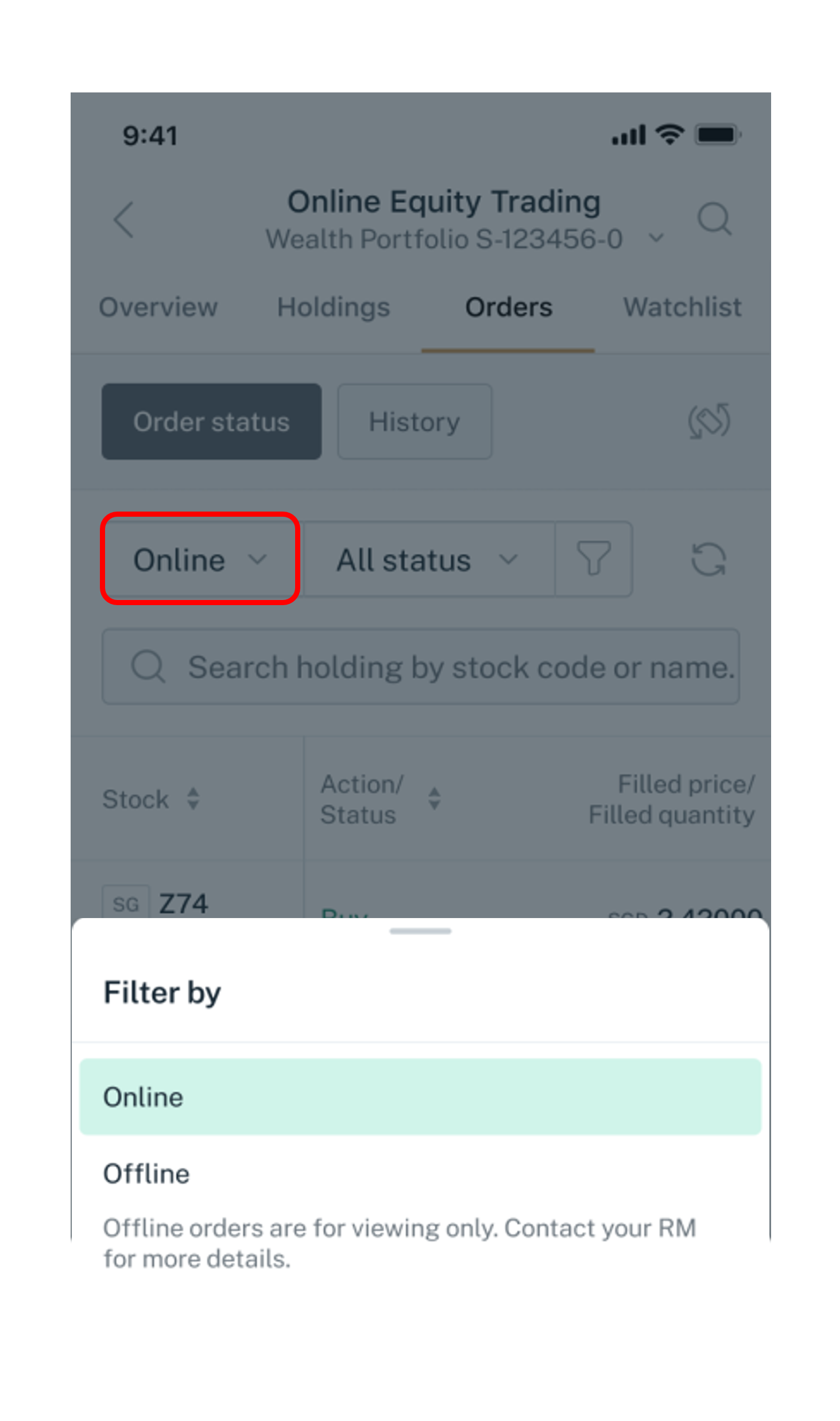
Click on the dropdown arrow to switch the view between Online and Offline working orders.

Note: Offline are orders placed through your Relationship Manager.
4
Step 4
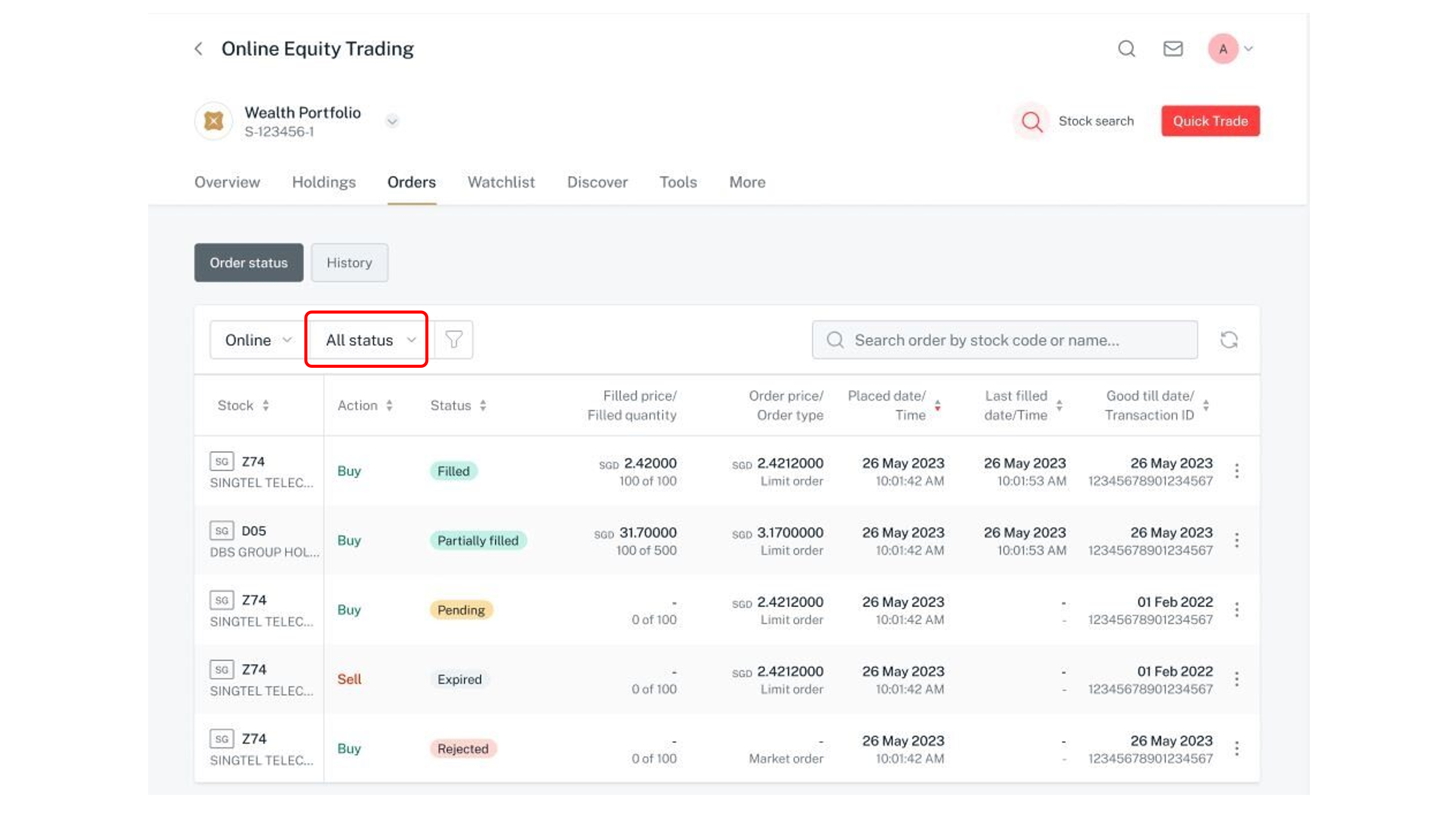
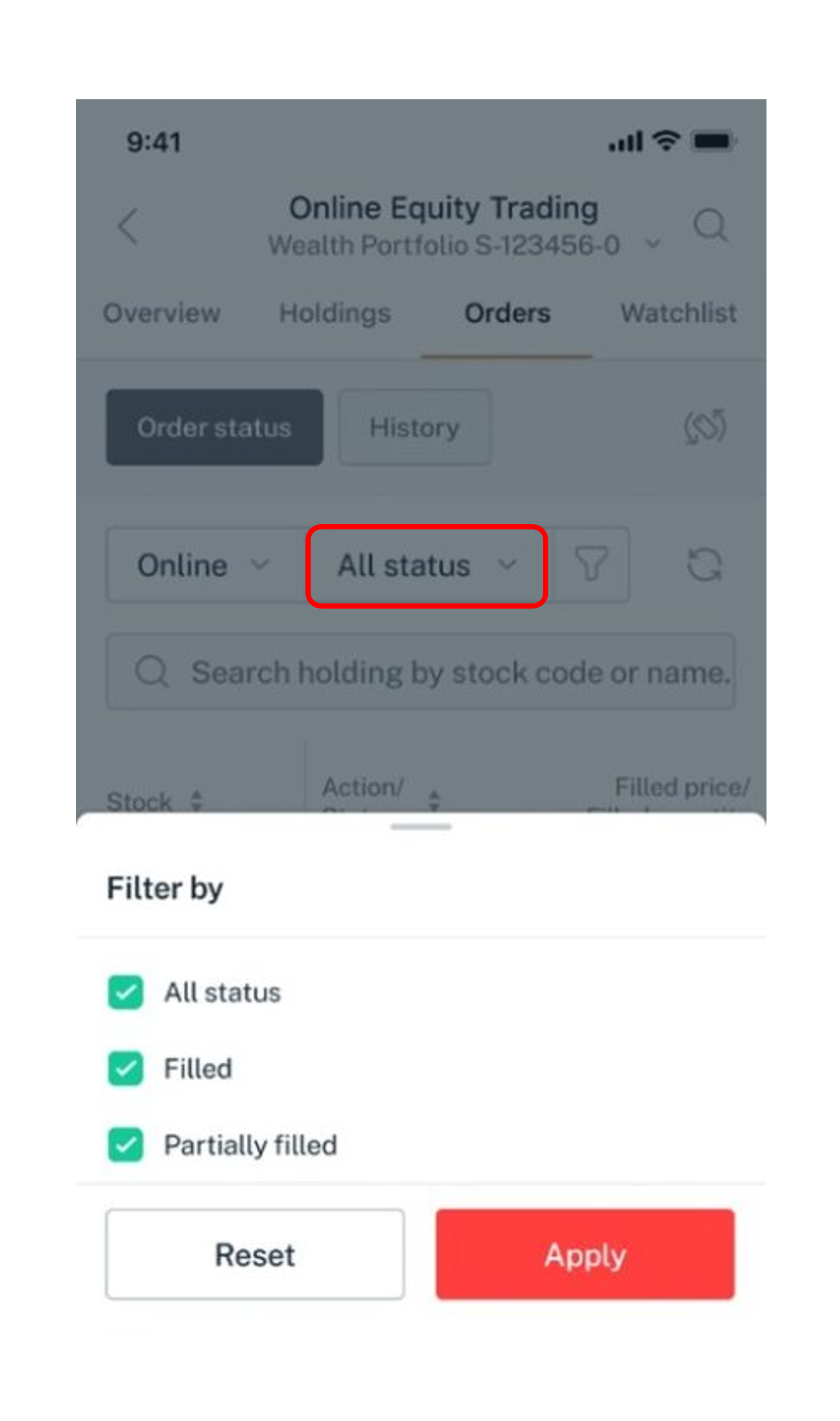
Click on the dropdown arrow and select the status to view the list of working orders for that status.
5
Step 5
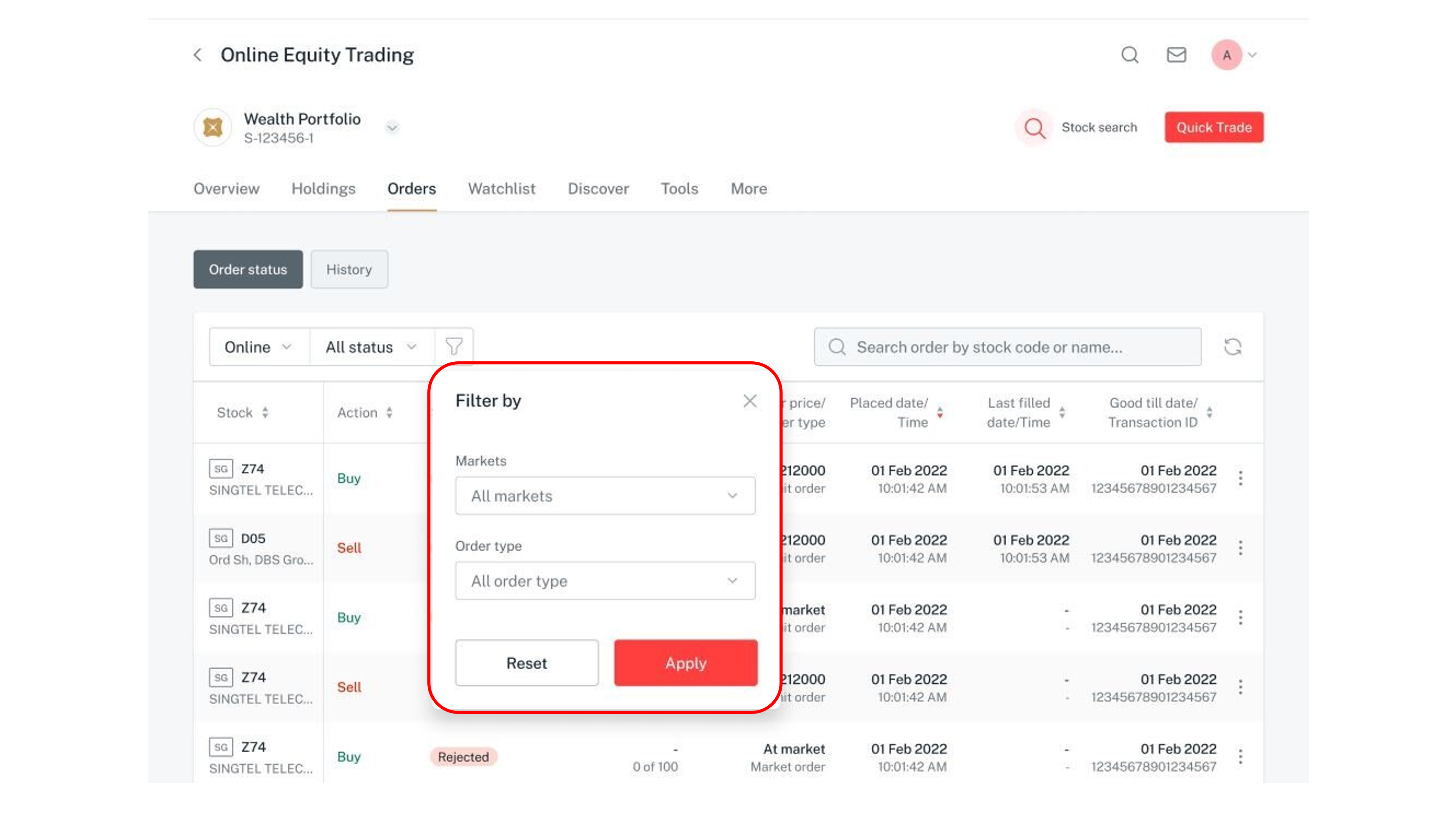
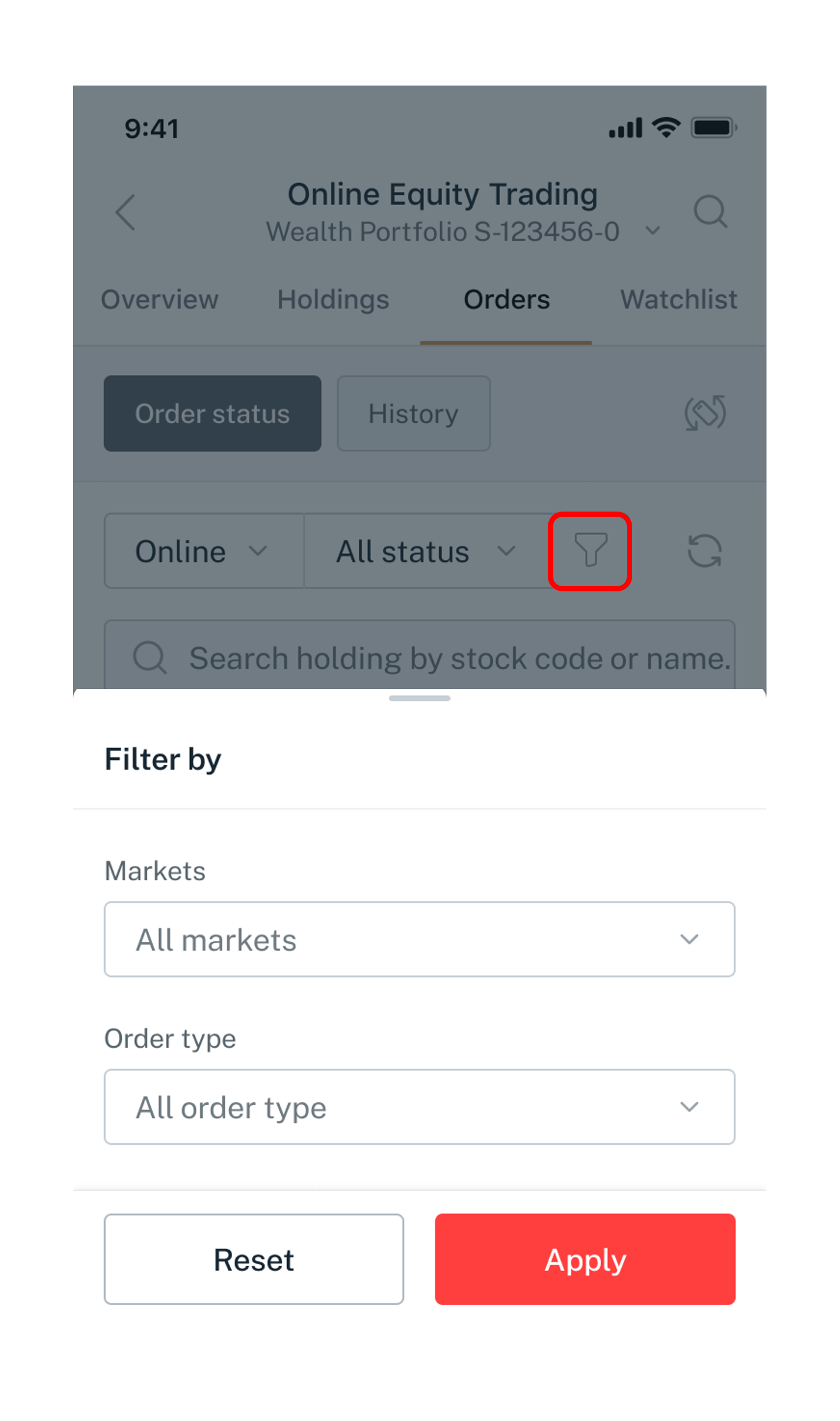
Click on the Icon to filter orders by market or order type.
6
Step 6
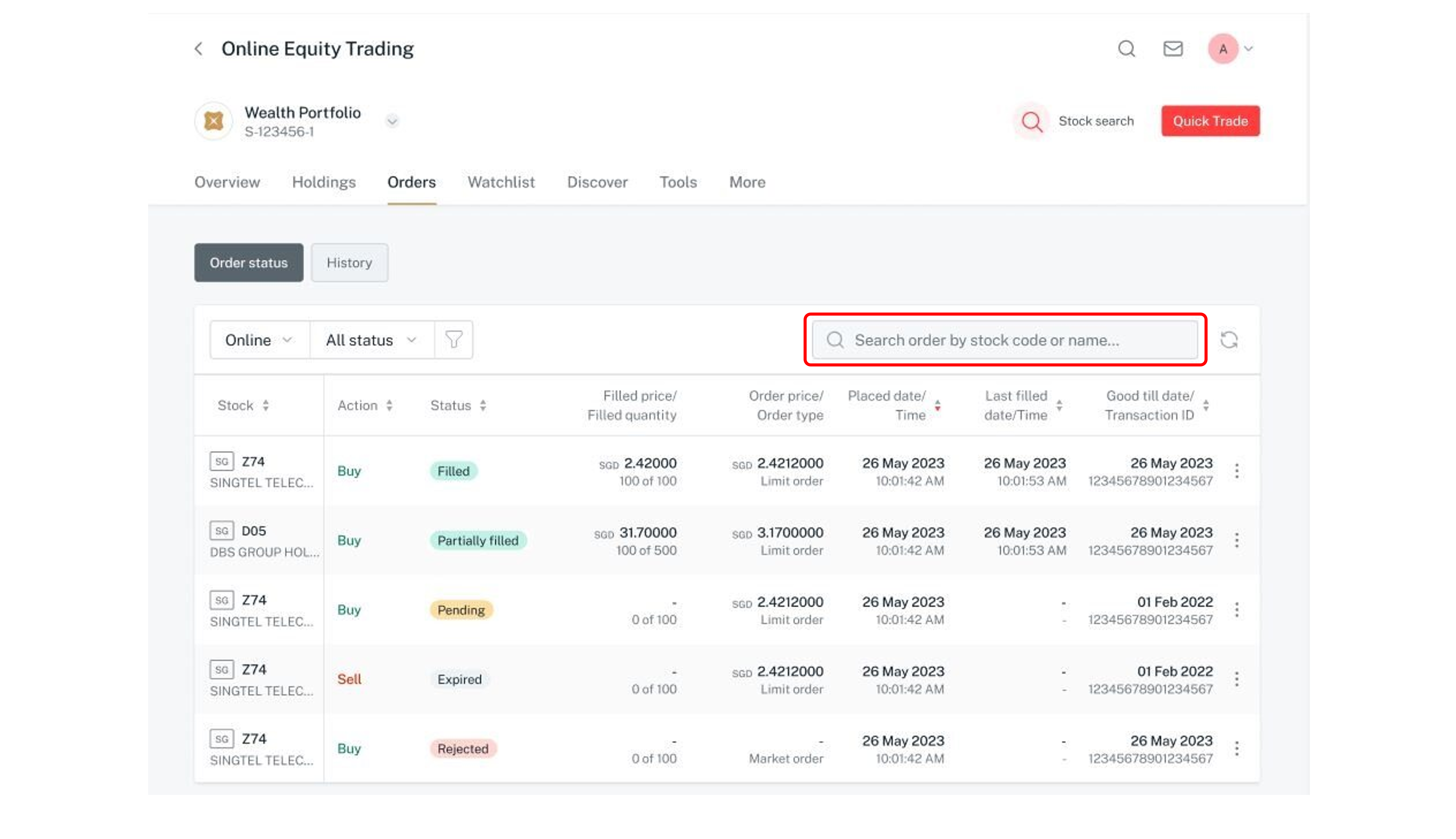
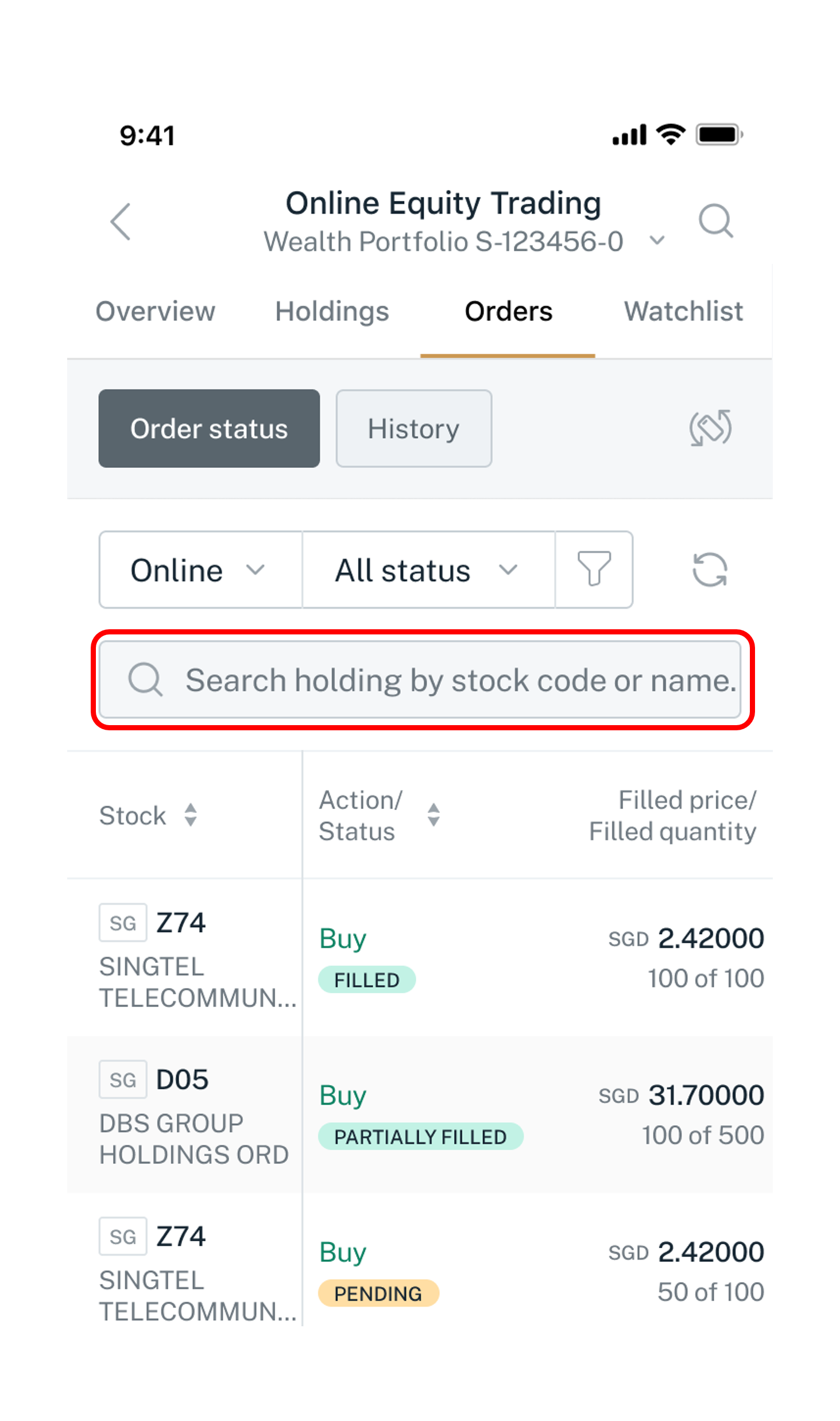
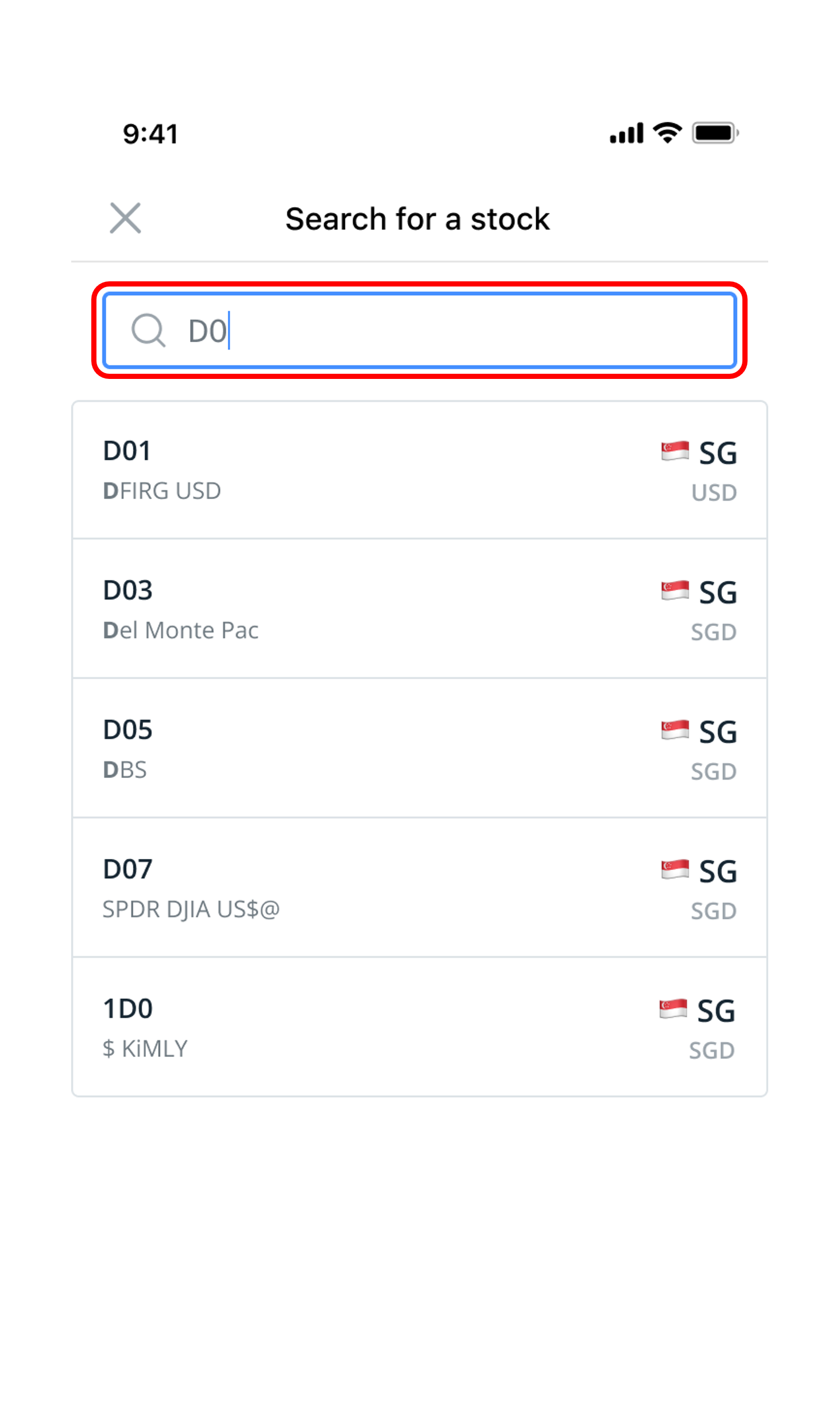
Enter the stock name or stock code in the Search bar to search for the list of orders of that stock.
7
Step 7
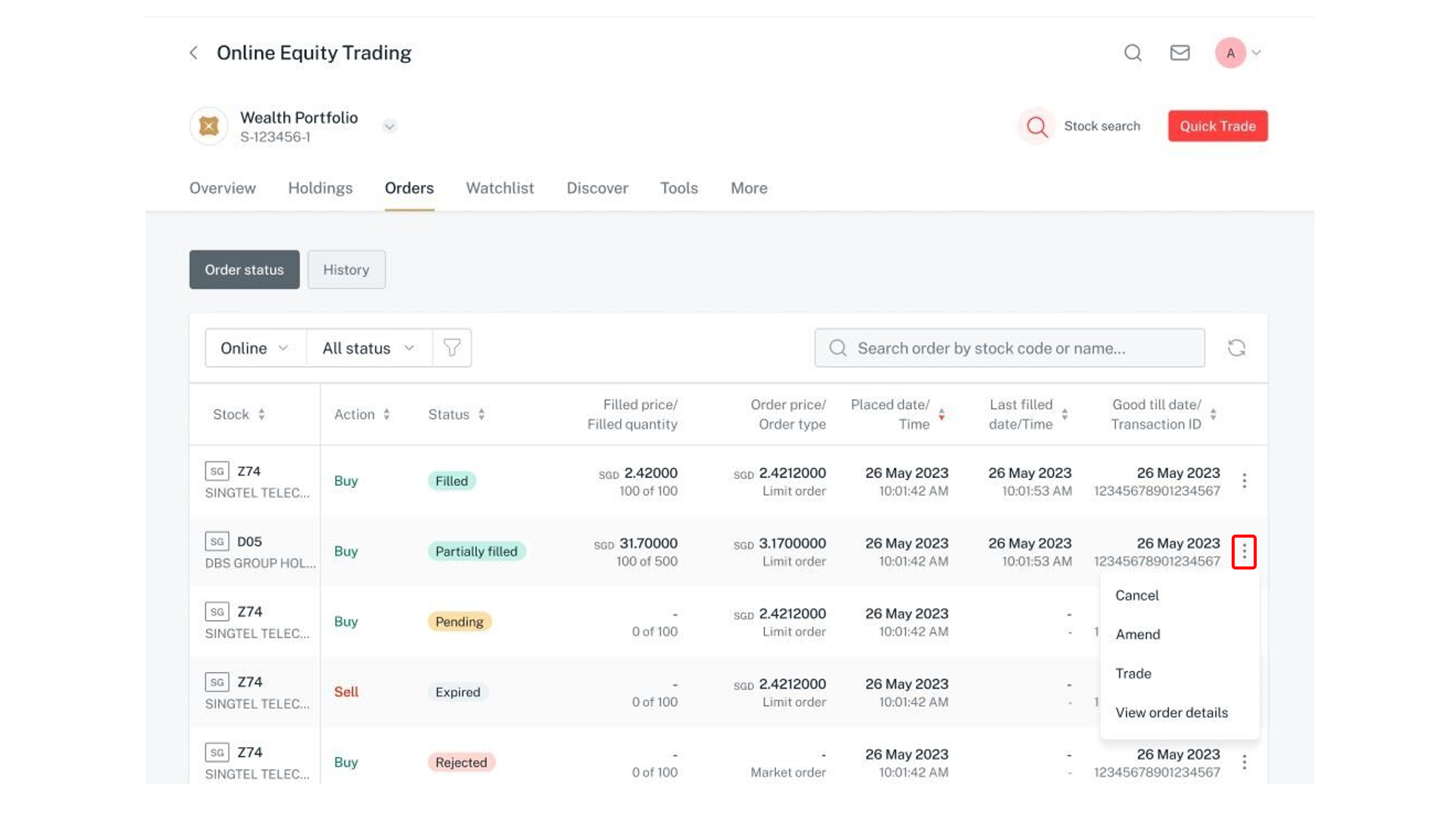
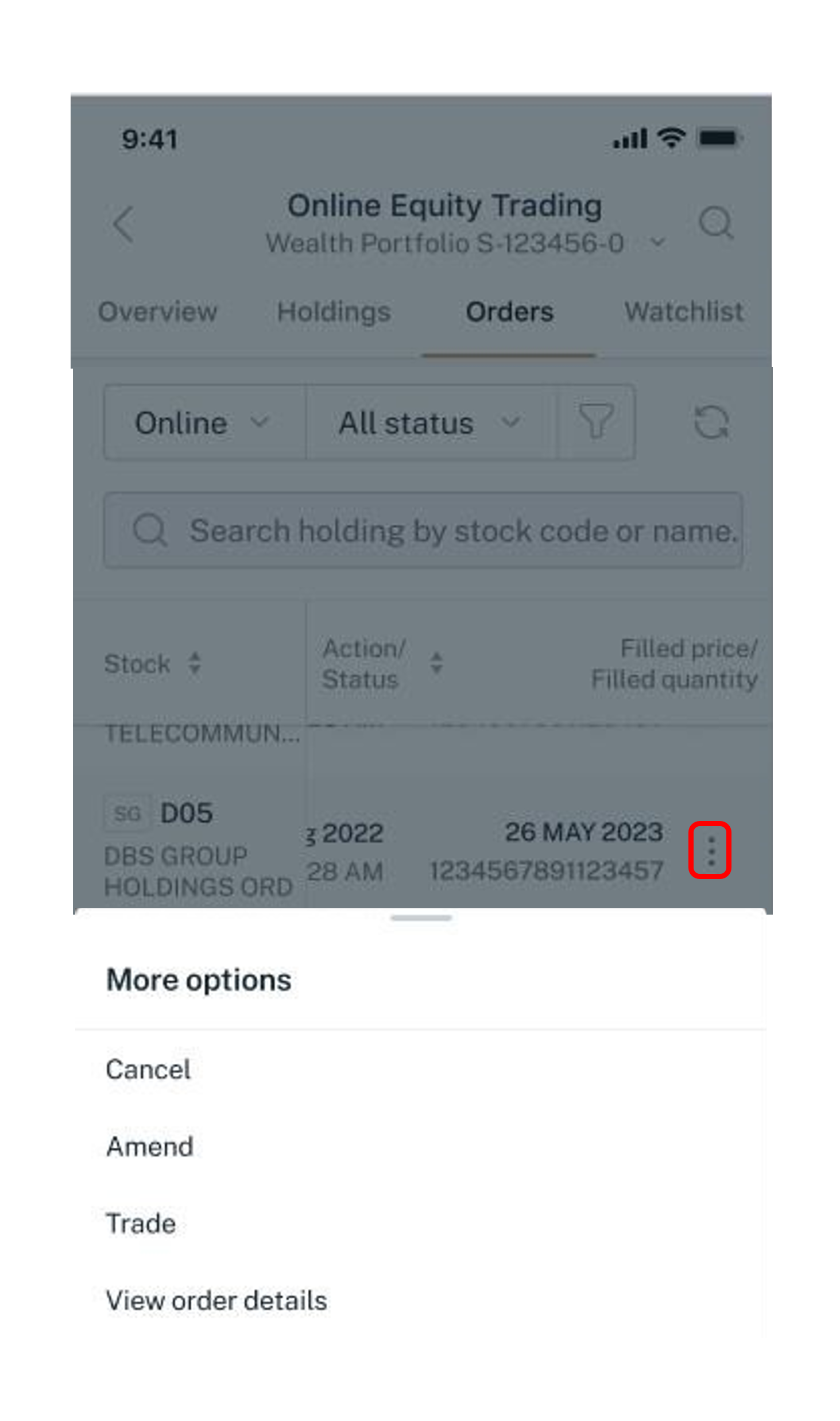
Click on the icon to see other available actions.
8
Step 8
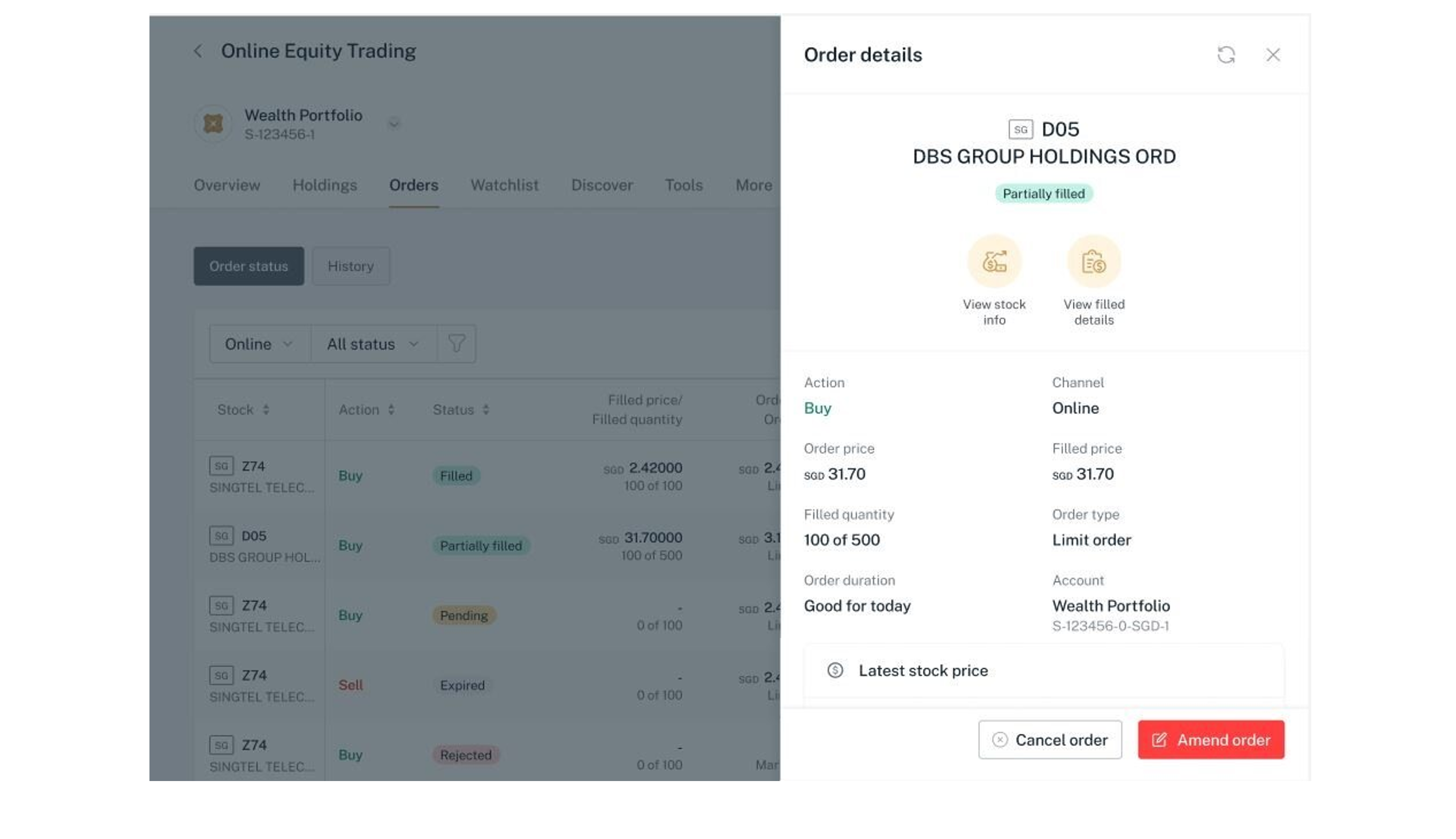
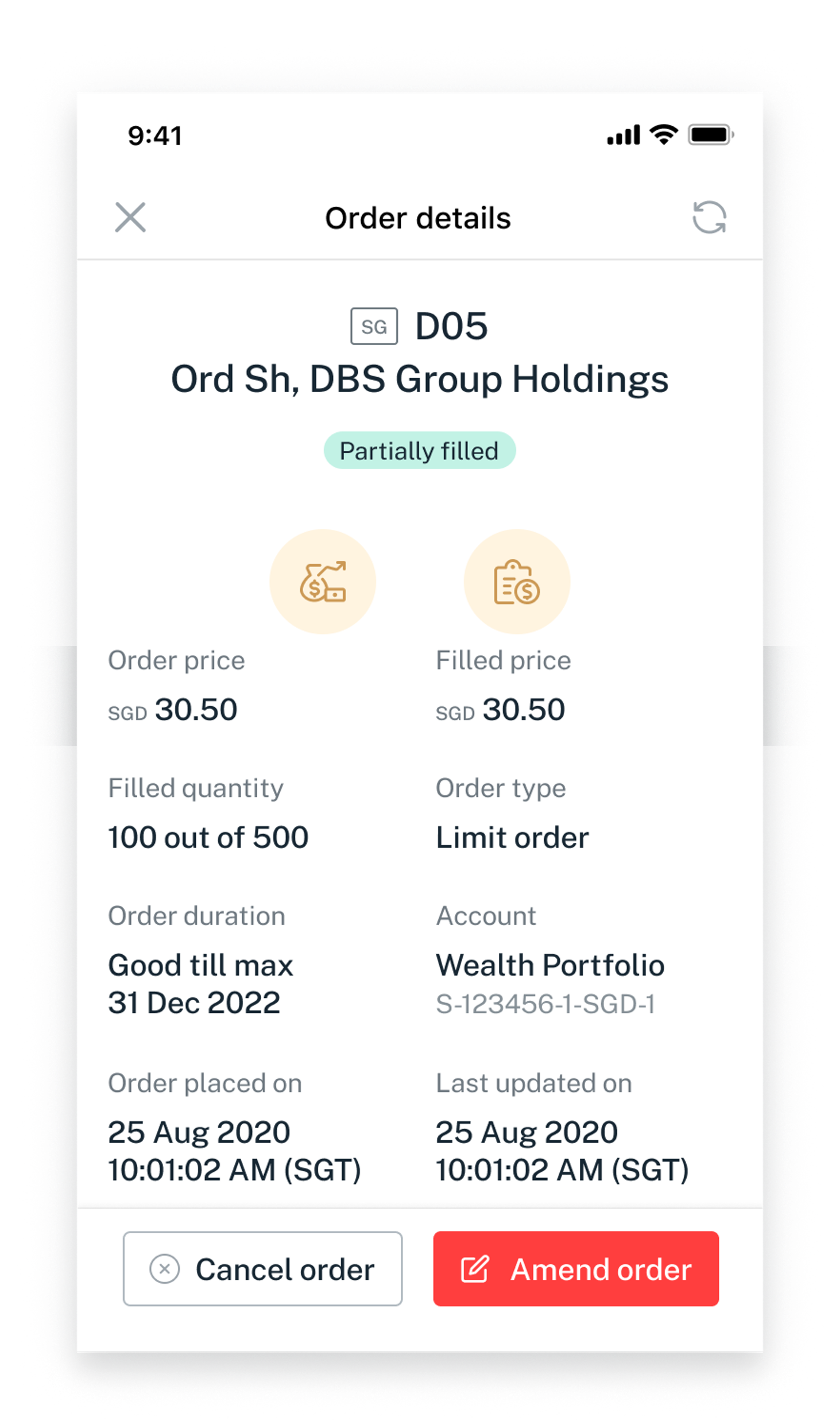
Select View more details to open the order details drawer.
phone frame
overview
order tab
rotate
online and offline type
select status
filter icon
search bar
enter stock name
more options
order details
1
Step 1
Refer to Online Equity Trading for more details on how to access the trading platforms.
2
Step 2
Select Orders to access Order status page.
3
Step 3
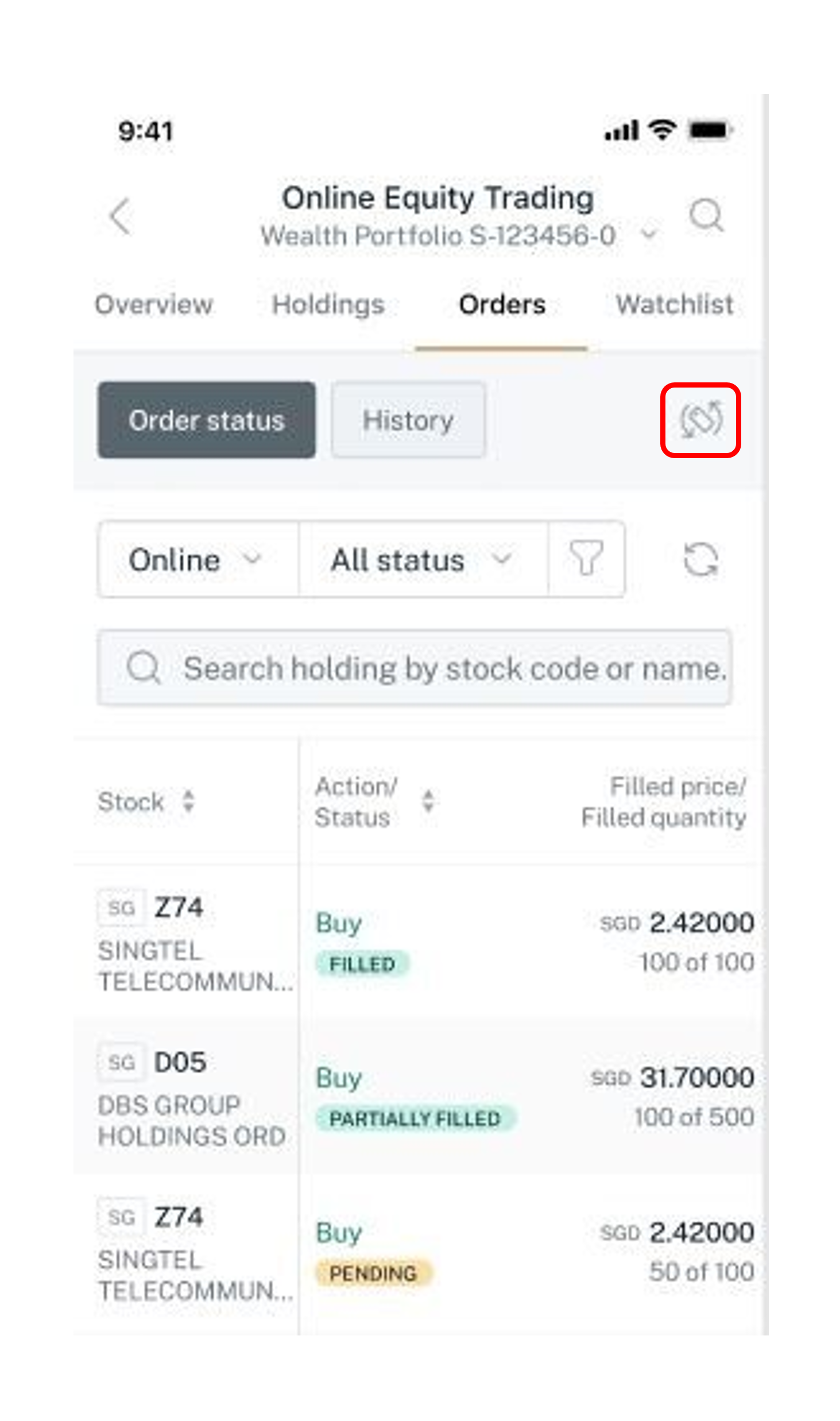
Tap to rotate the order status page to landscape view.
4
Step 4
Tap on the dropdown arrow to switch the view between Online and Offline working orders.

Note: Offline are orders placed through your Relationship Manager.
5
Step 5
Tap on the dropdown arrow and select the status to view the list of working orders for that status.
6
Step 6
Tap on the Icon to filter orders by Markets or Order type.
7
Step 7
Click on the Search Bar to filter according to preferred stock
8
Step 8
Enter the stock name or stock code in the Search bar to search for the list of orders of that stock.
9
Step 9
Tap the icon to see other available actions.
10
Step 10
Select View more details to open the order details drawer.
Get the latest DBS digibank mobile app now!

More information

  • Online Equity Trading is available via digibank (desktop and mobile) and Direct Connect (desktop; mobile access coming soon).
  • Find out more from our DBS Online Equity Trading FAQs.


Disclaimer

The document is published by DBS Bank Ltd (“DBS Bank”) and is for information only. This document is intended for DBS Bank and its clients to whom it has been delivered, and may not be reproduced, transmitted or communicated to any other person without the prior written permission of DBS Bank. This document is not and does not constitute or form part of any offer, recommendation, invitation, or solicitation to subscribe to or to enter into considerations, any transaction, and should not be viewed as such. This document is not intended to provide, and should not be relied upon for accounting, legal or tax advice, or investment recommendations, and is not to be taken in substitution for the exercise of judgement by the reader, who should obtain separate legal or financial advice. DBS Bank does not act as an adviser and assumes no fiduciary responsibility or liability for any consequences, financial or otherwise.

Was this information useful?

We welcome your feedback

Information is easy to understand and find
Information is useful to answer your inquiries completely