Remove Fund Transfer Recipient

Learn how you can remove a DBS/POSB or other banks' fund transfer recipient easily using digibank.

How to remove fund transfer recipient

There are various channels which you may remove fund transfer recipient with us. The most convenient method would be via digibank mobile.

digibank mobile

phone frame
login
pay and transfer menu
select recipient
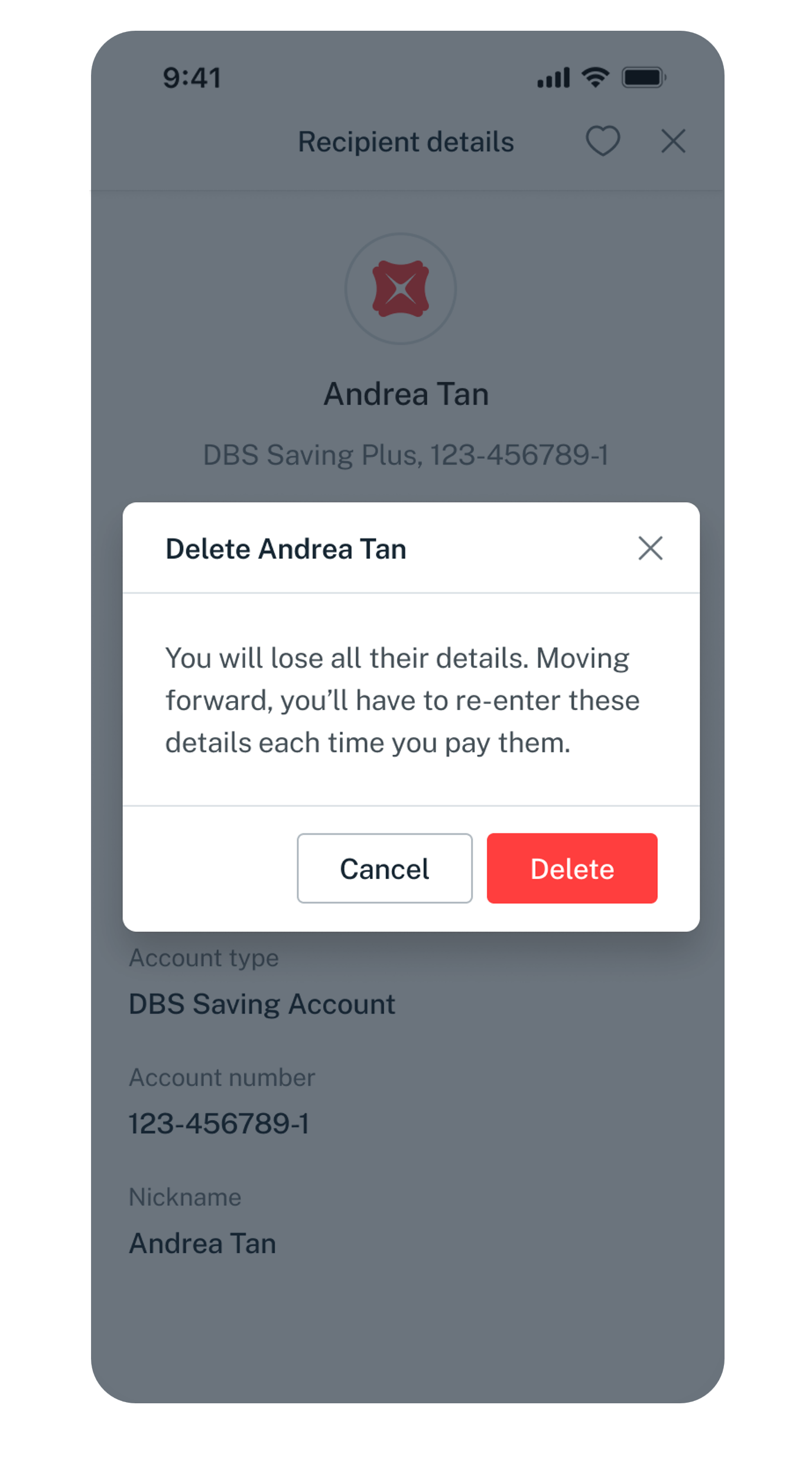
delete recipient
confirm deletion
1
Step 1
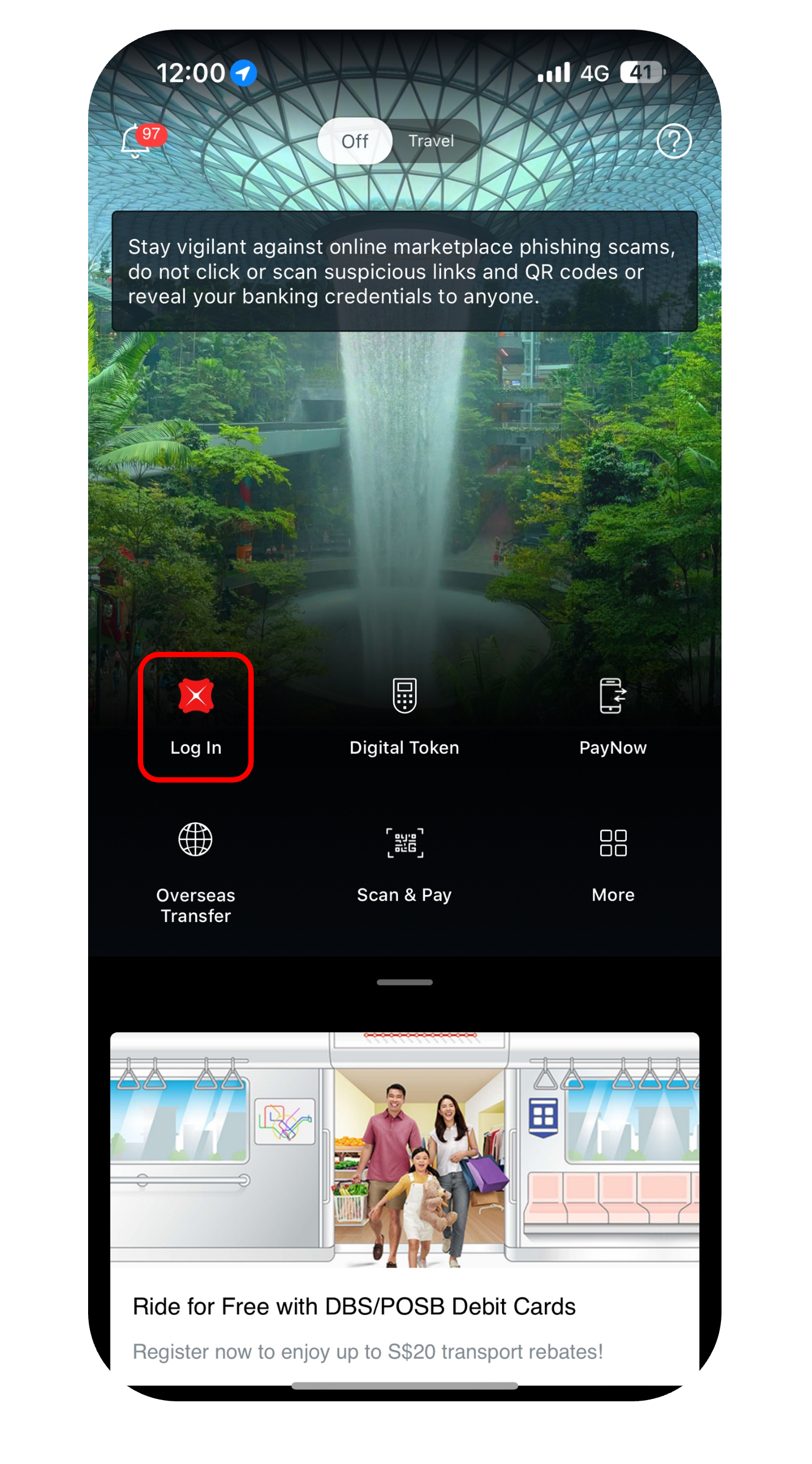
Log in to digibank mobile with your Touch / Face ID or digibank User ID & PIN.
2
Step 2
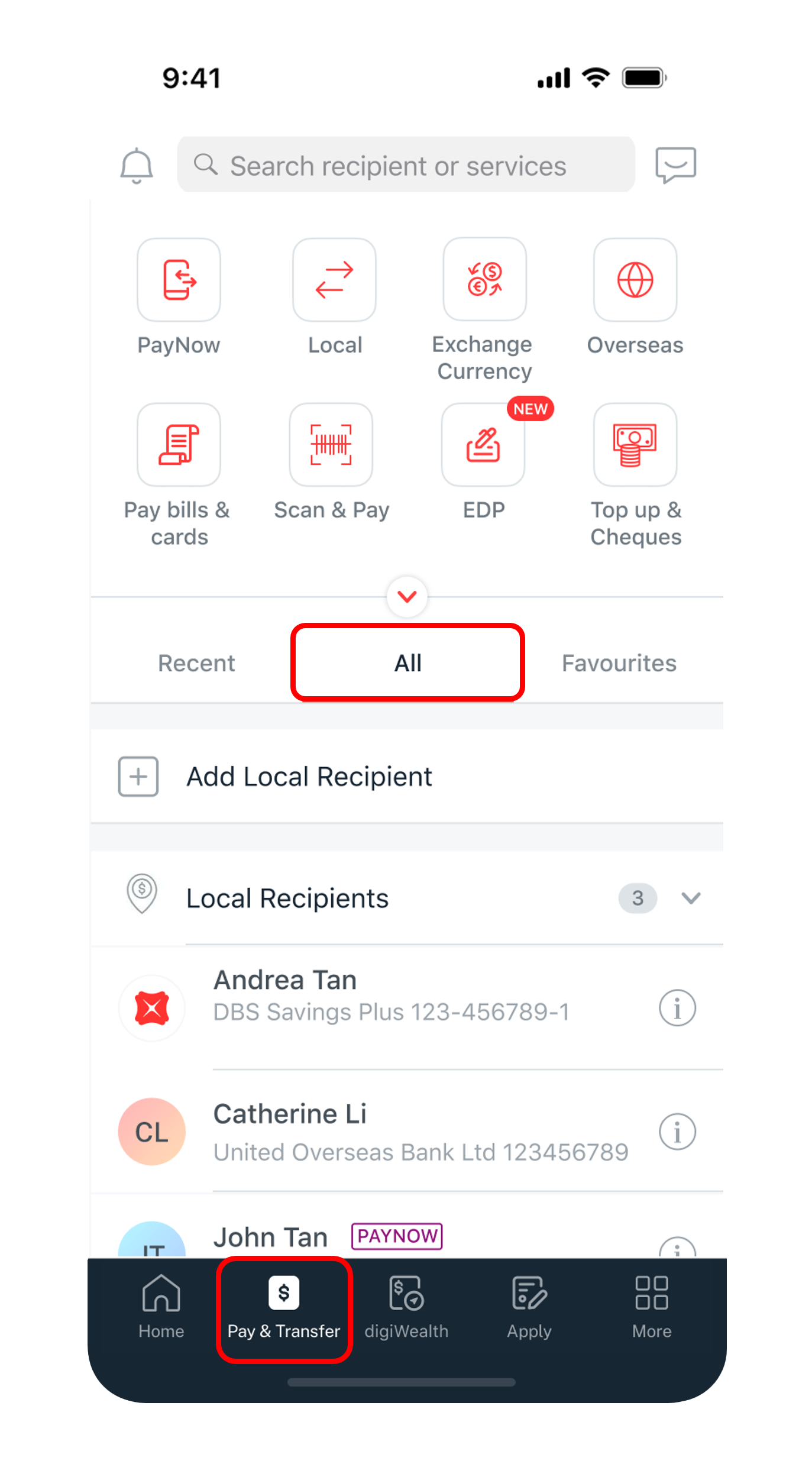
Tap on Pay & Transfer at the bottom and select All.
3
Step 3
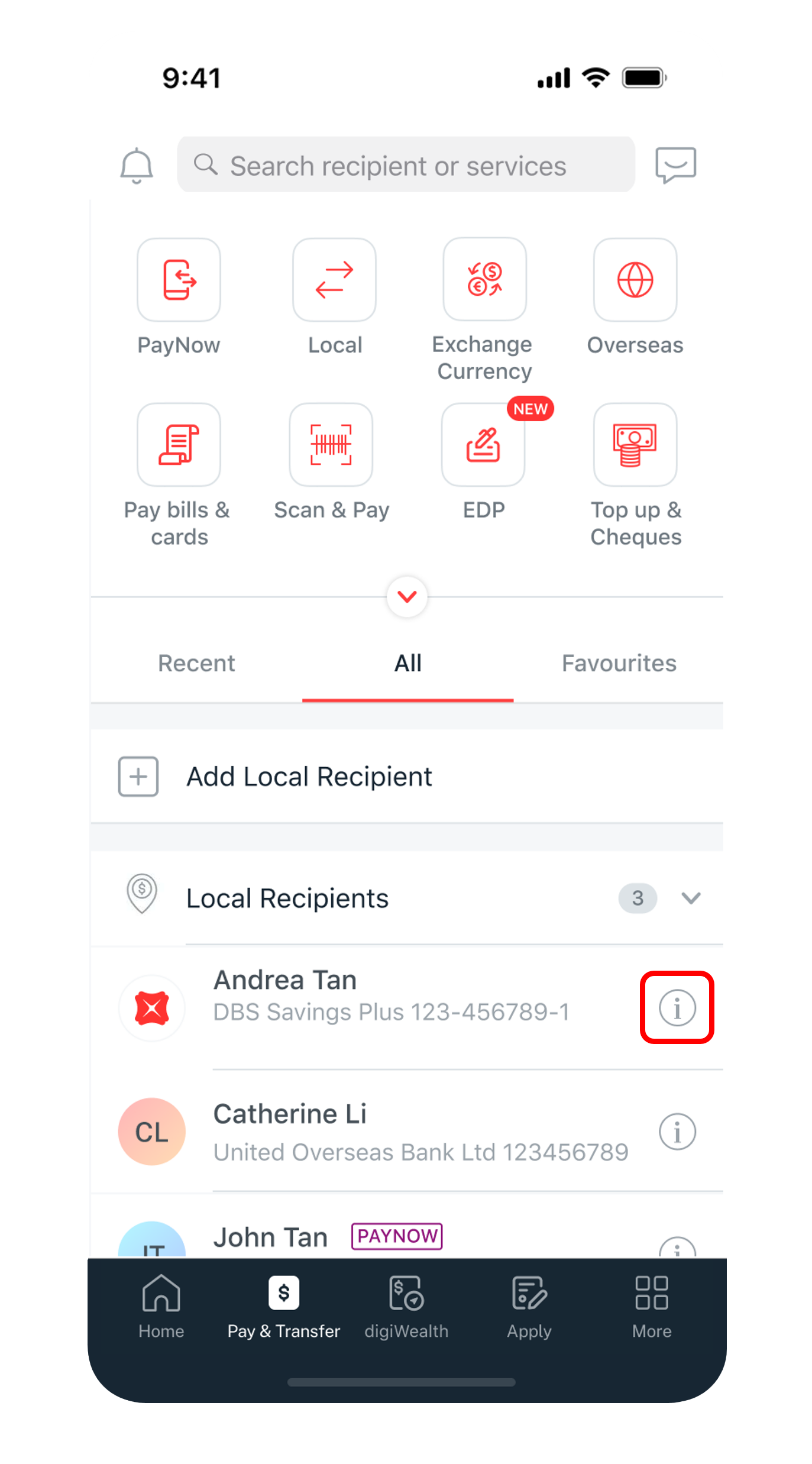
Look for the payee you wish to delete and tap on the icon on the right of the payee's name.
4
Step 4
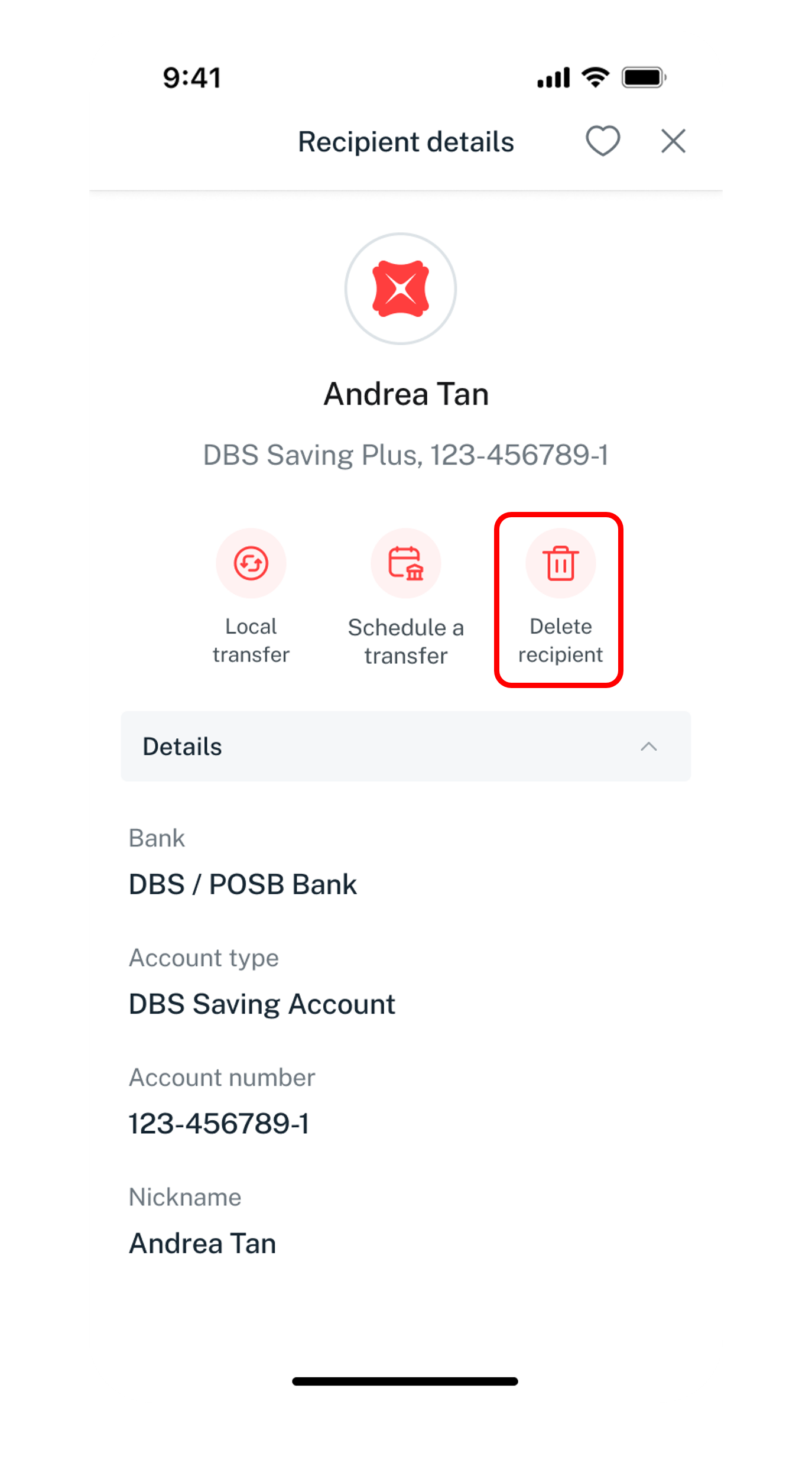
Tap on Delete recipient.
5
Step 5
Tap on Delete to confirm your deletion request.
Get the latest DBS digibank mobile app now!

laptop
slider
slider
slider
slider
slider
1
Step 1
Log in to digibank online with your User ID & PIN.
2
Step 2
Complete the Authentication Process.
3
Step 3
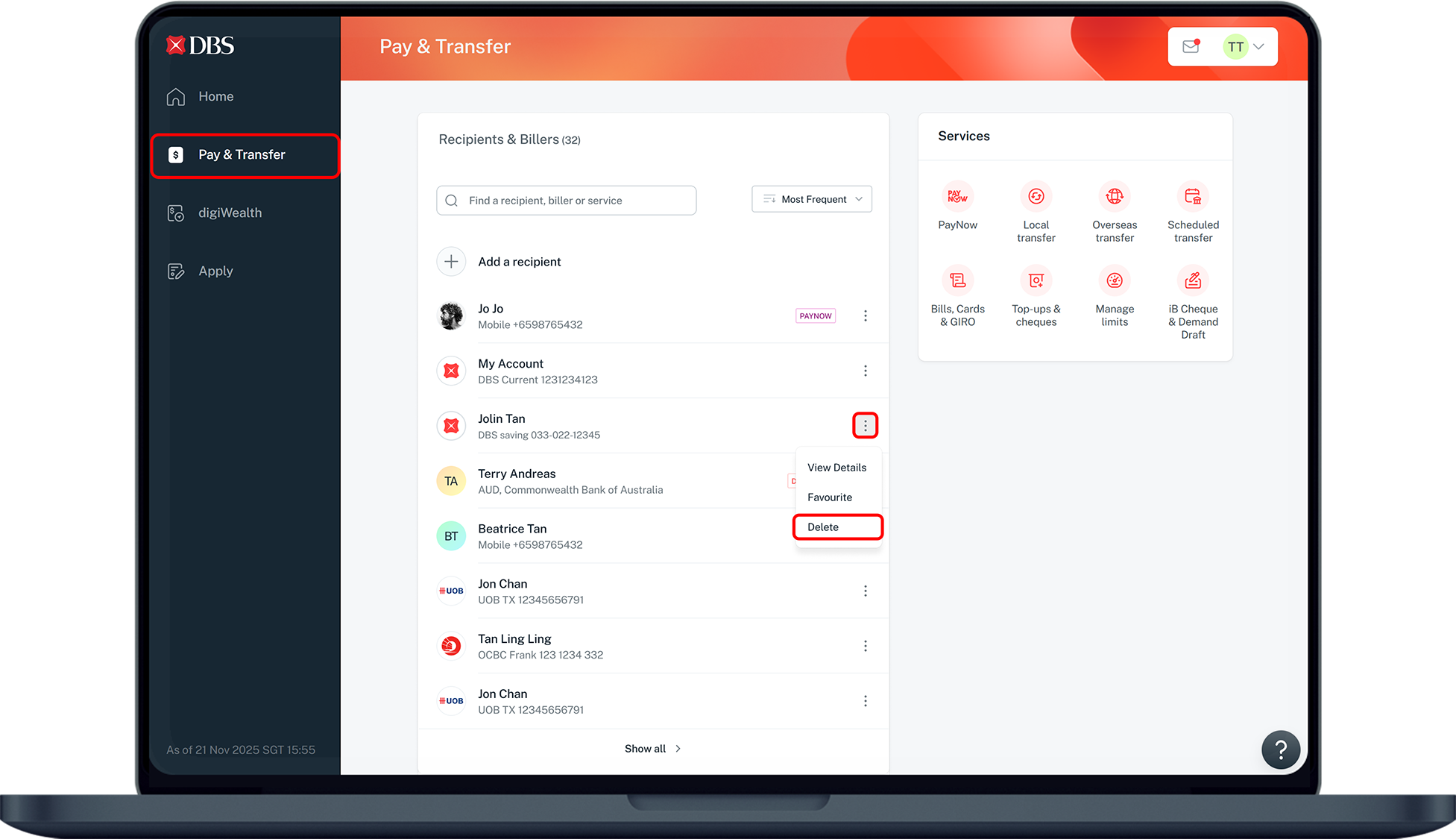
Click on Pay & Transfer on the left menu.
4
Step 4
Click on the () ellipsis icon of the recipient you wish to delete and select on Delete from the dropdown list.
5
Step 5
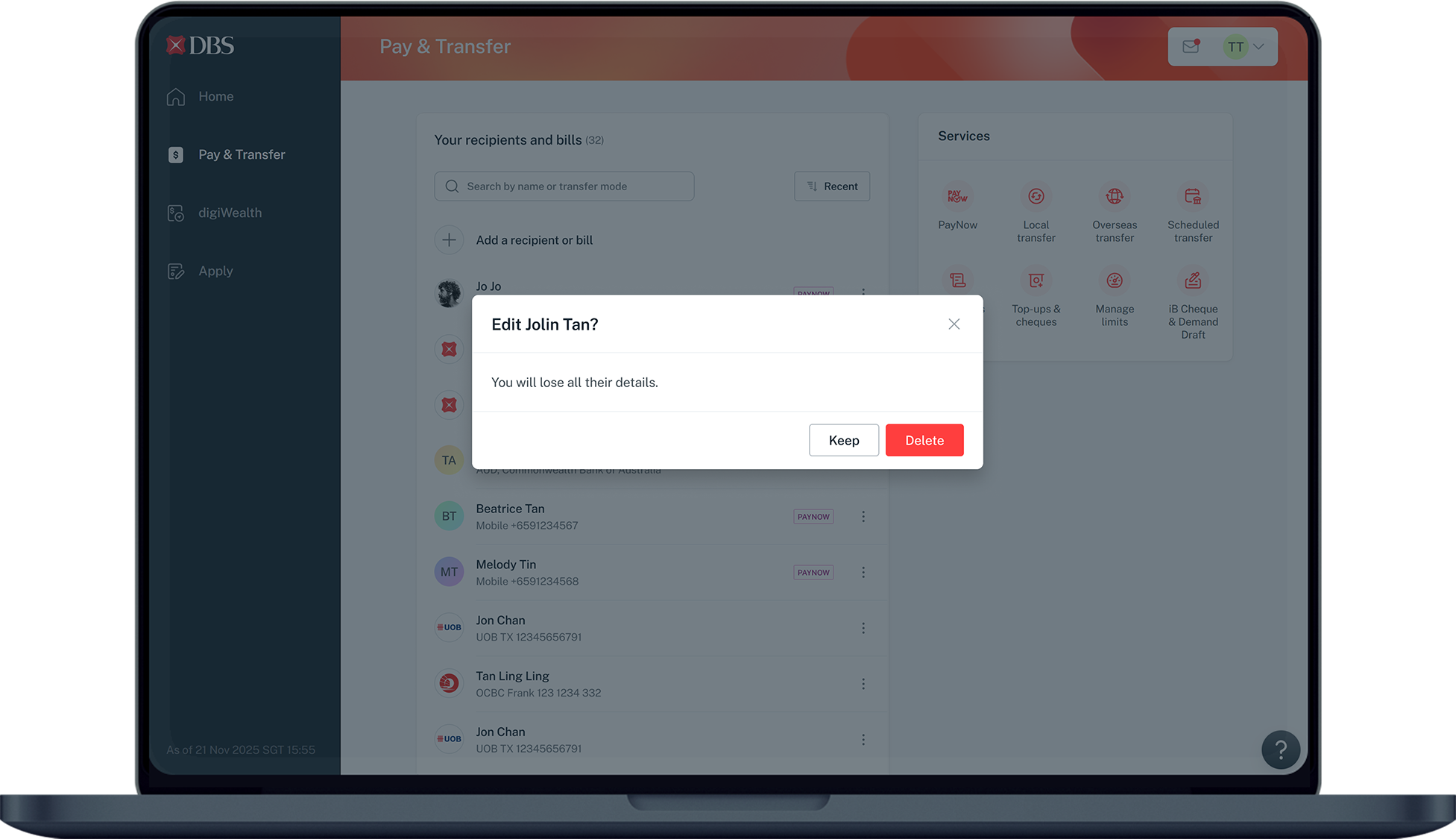
Click Delete in the pop-up to confirm the deletion.
Was this information useful?

We welcome your feedback

Information is easy to understand and find
Information is useful to answer your inquiries completely