Check your DBS Points, Daily$ & Safra$

Check your available DBS Points, Daily$ & Safra$ via DBS PayLah!, DBS digibot, digibank, your monthly statement, or DBS Rewards website.

Part of: Guides > Go Travel with DBS, Go Shopping with DBS

How to check your DBS Points, POSB Daily$ or Safra$

There are various channels for you to check your DBS Points, POSB Daily$ or Safra$. The most convenient method would be via DBS Paylah!.

DBS PayLah! (DBS Points or Daily$ only)

phone frame
slider
slider
slider
1
Step 1
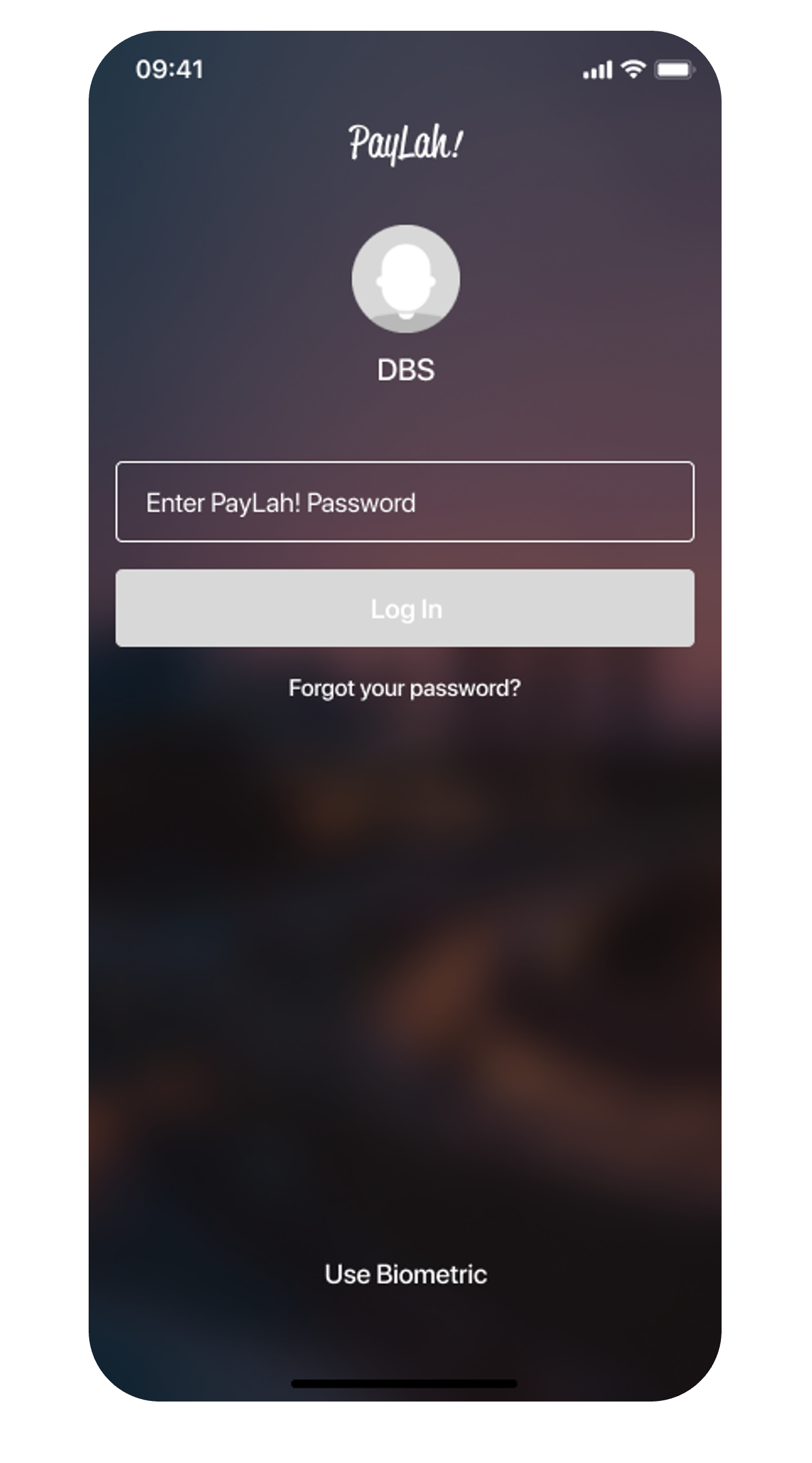
Log in to DBS PayLah! with your Touch / Face ID or PayLah! User ID & PIN.
2
Step 2
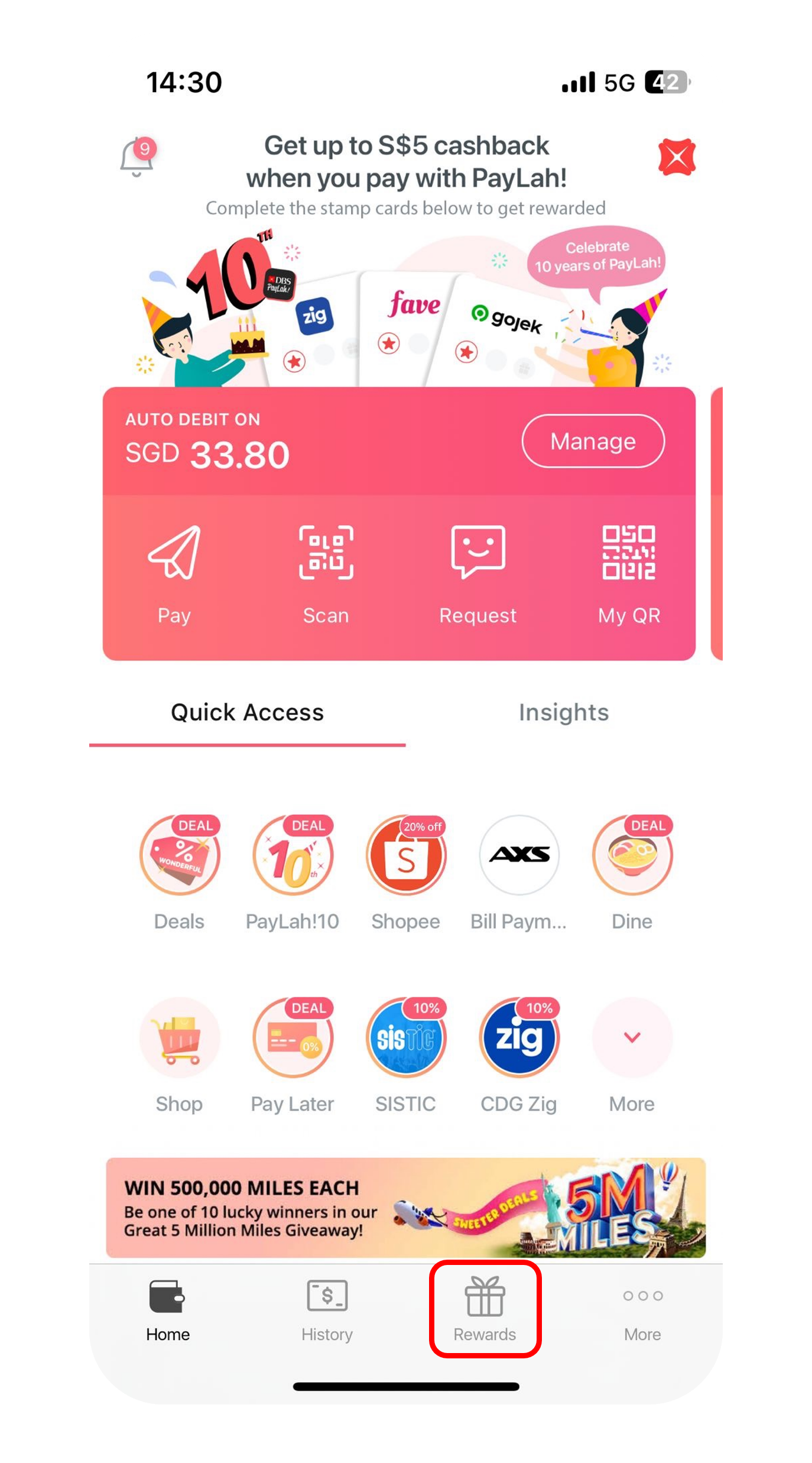
Tap Rewards at the bottom menu bar.
3
Step 3
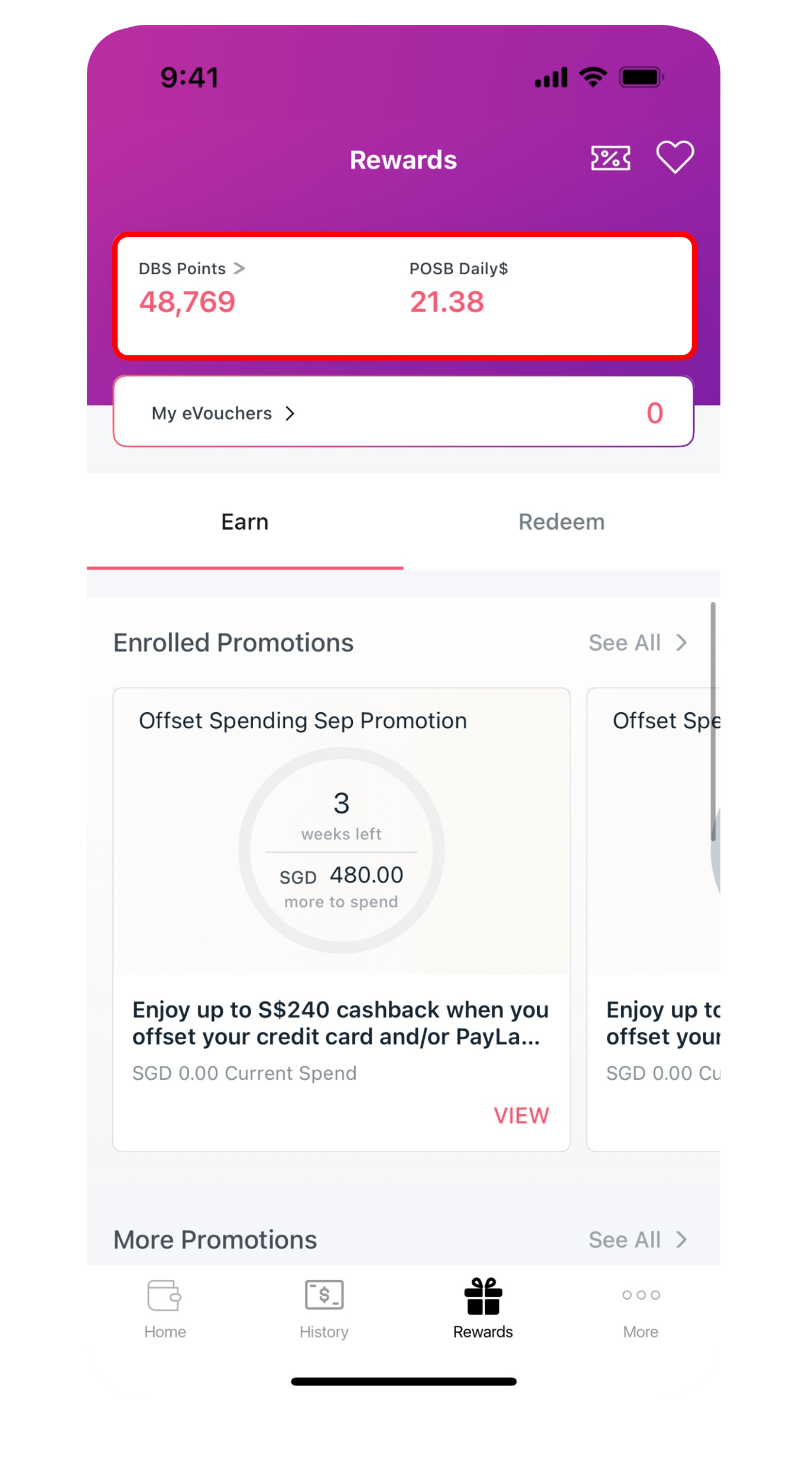
Your available DBS points/ Daily$ will be display at the top.
Download DBS Paylah! from App Store or Google Play or AppGallery.

phone frame
login
slider
slider
slider
1
Step 1
Log in to digibank mobile with your Touch / Face ID or digibank User ID & PIN.
2
Step 2
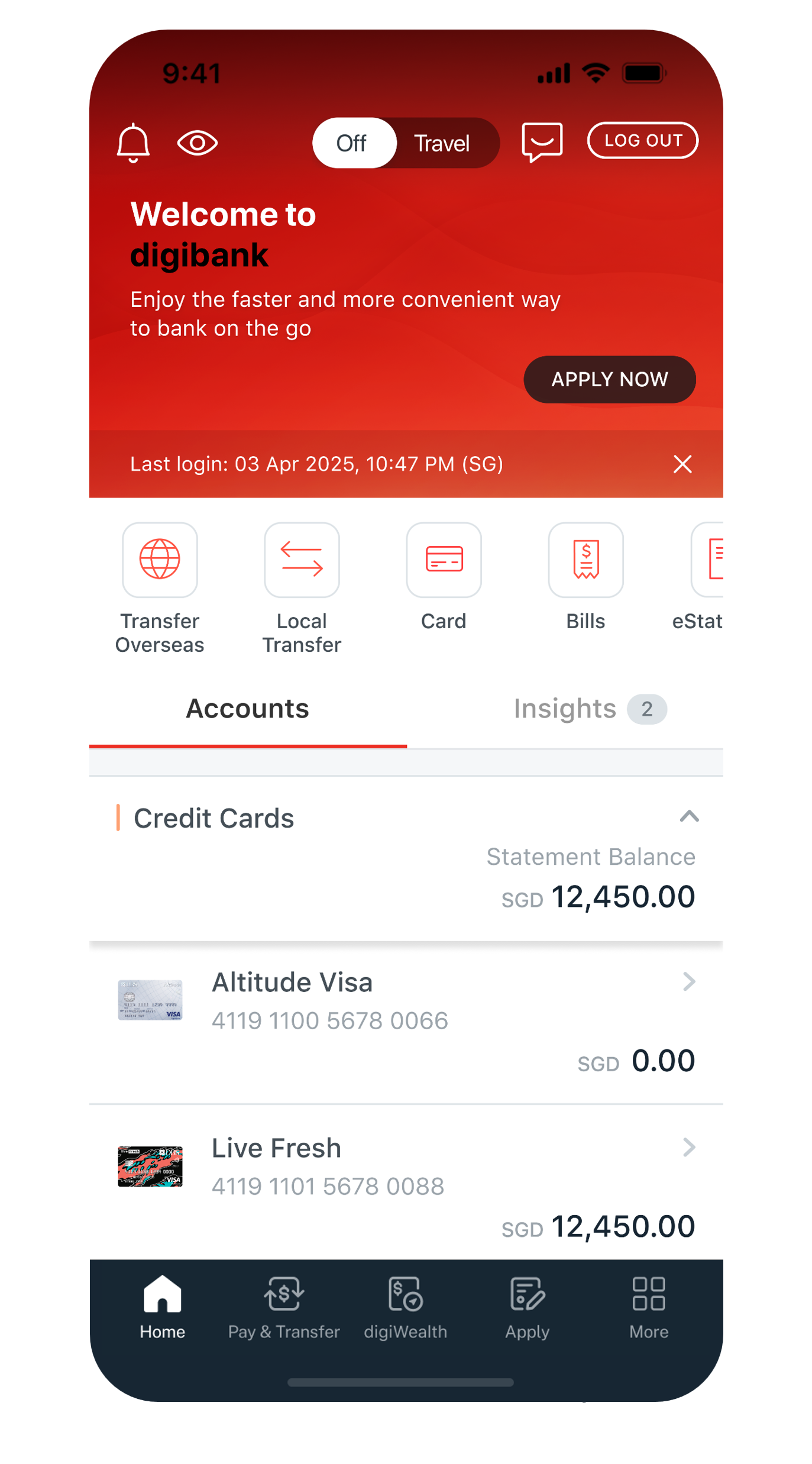
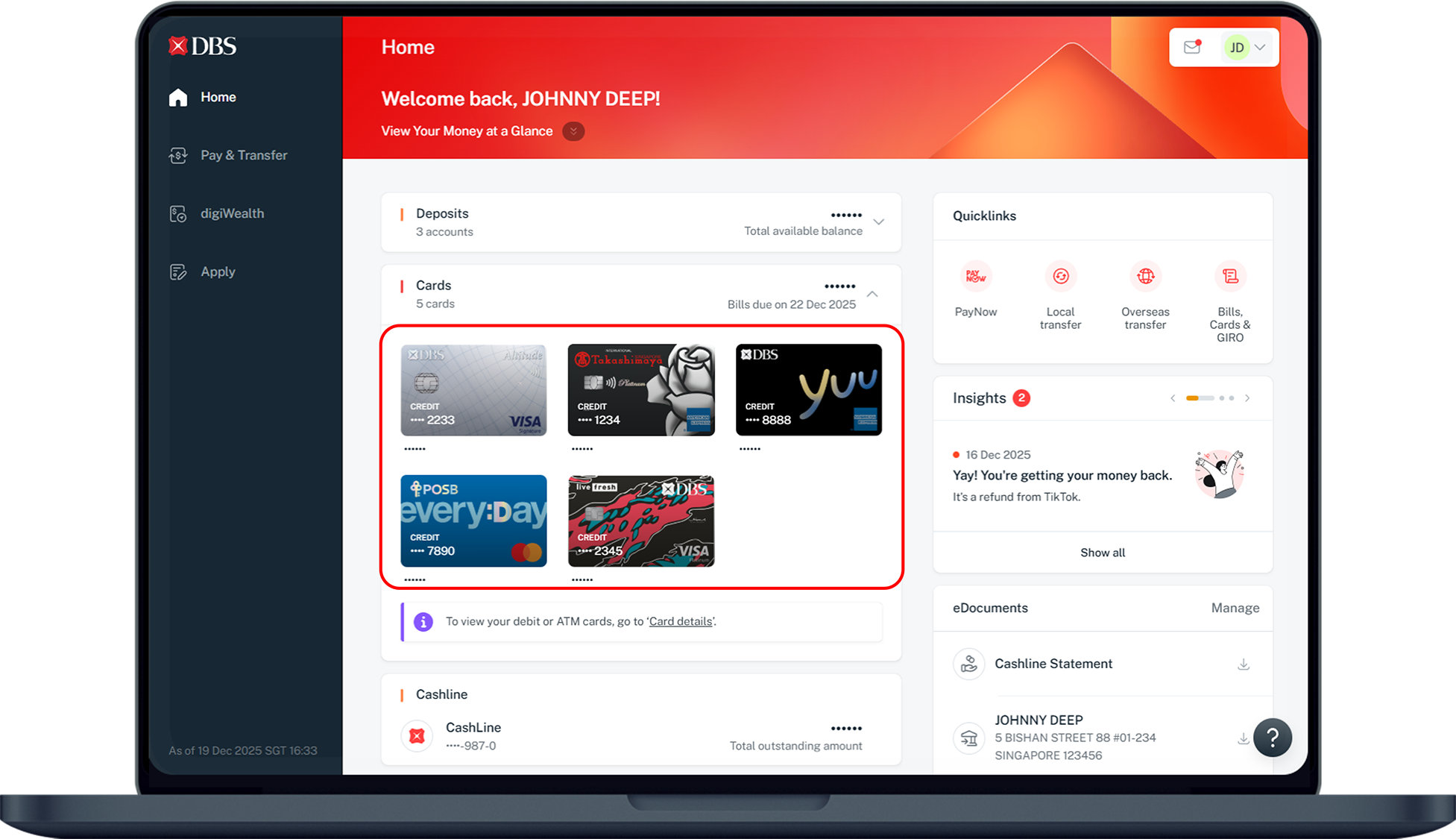
Under Home, tap on Cards and select the Card Number that you wish to check.
3
Step 3
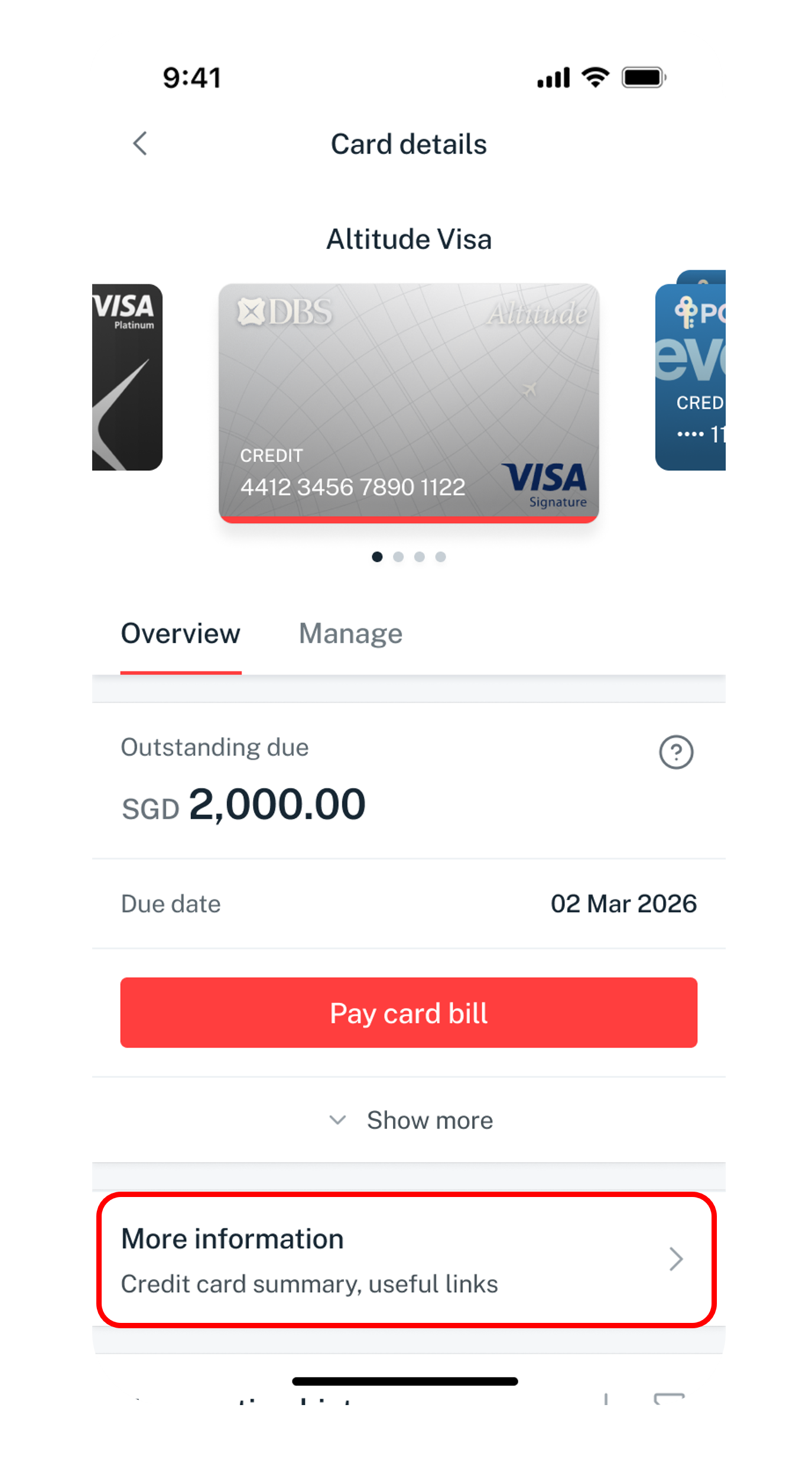
Tap on More information.
4
Step 4
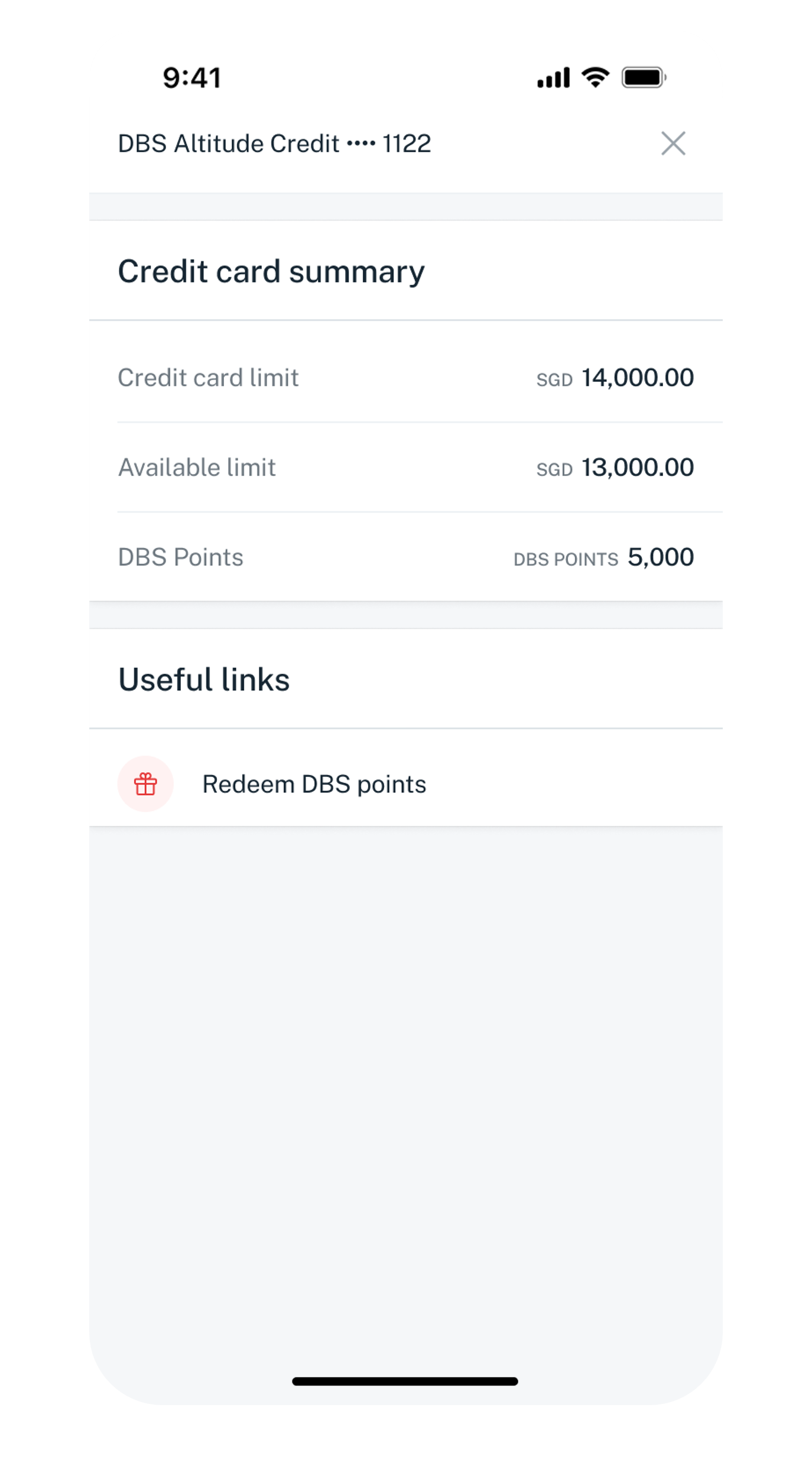
Your DBS Points will be displayed.
Get the latest DBS digibank mobile app now!
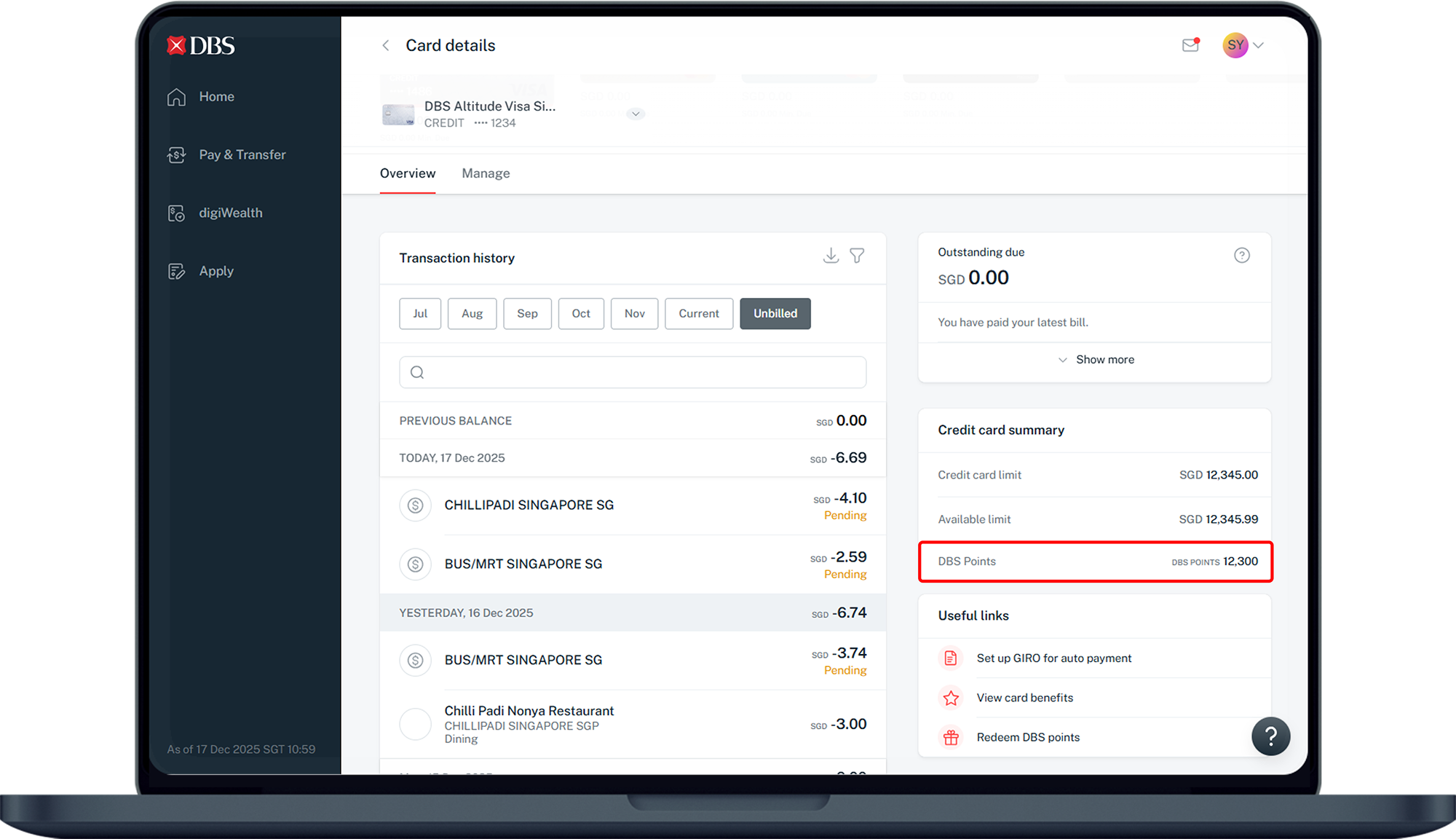
  • Log in to digibank online with your User ID and PIN.
  • Complete the Authentication Process.
  • Under Cards, click on Credit Card Summary.
  • Select the Card Account that you wish to check on.
  • Under Credit card summary, your DBS Points will be displayed. The points showing are as of the latest posted transaction(s).

Apply for digibank online

phone frame
slider
slider
slider
slider
slider
slider
1
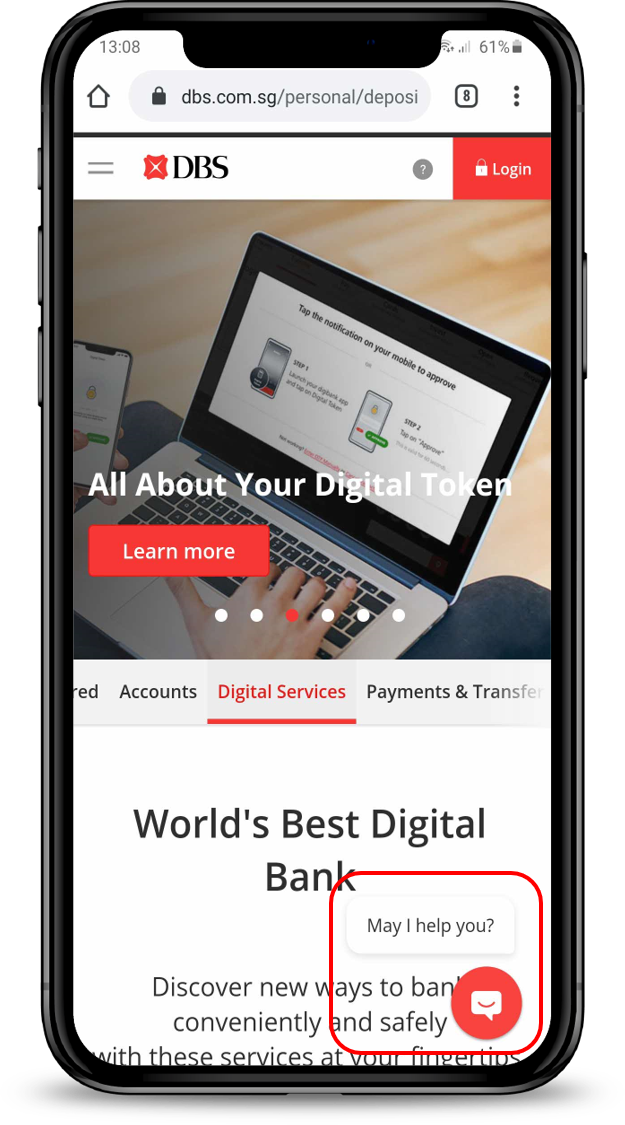
Step 1
Click on located at the bottom right.
2
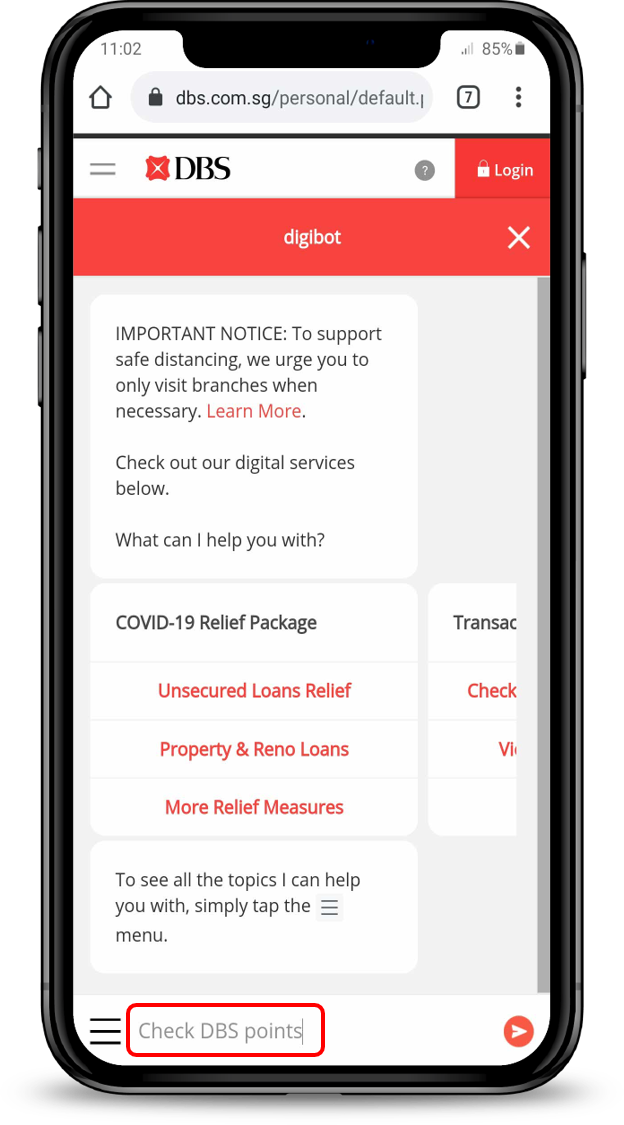
Step 2
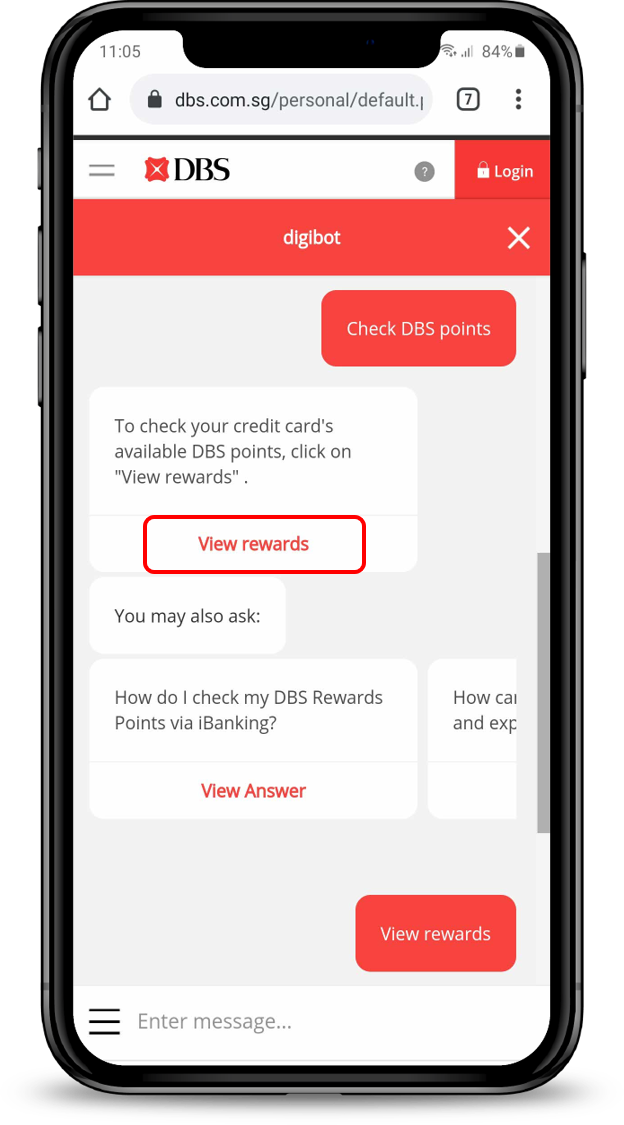
Type Check DBS Points into the chat.
3
Step 3
Click View Rewards to check your credit card's available DBS points.
4
Step 4
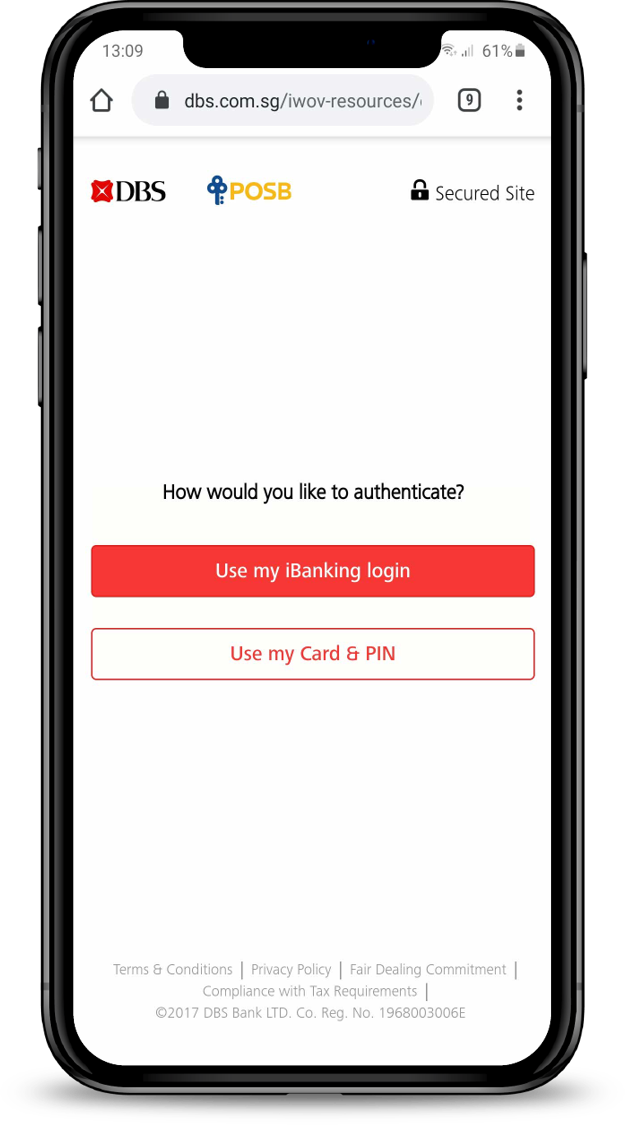
Click Authenticate me to complete the authentication using either your iBanking Login or Card & PIN.
5
Step 5
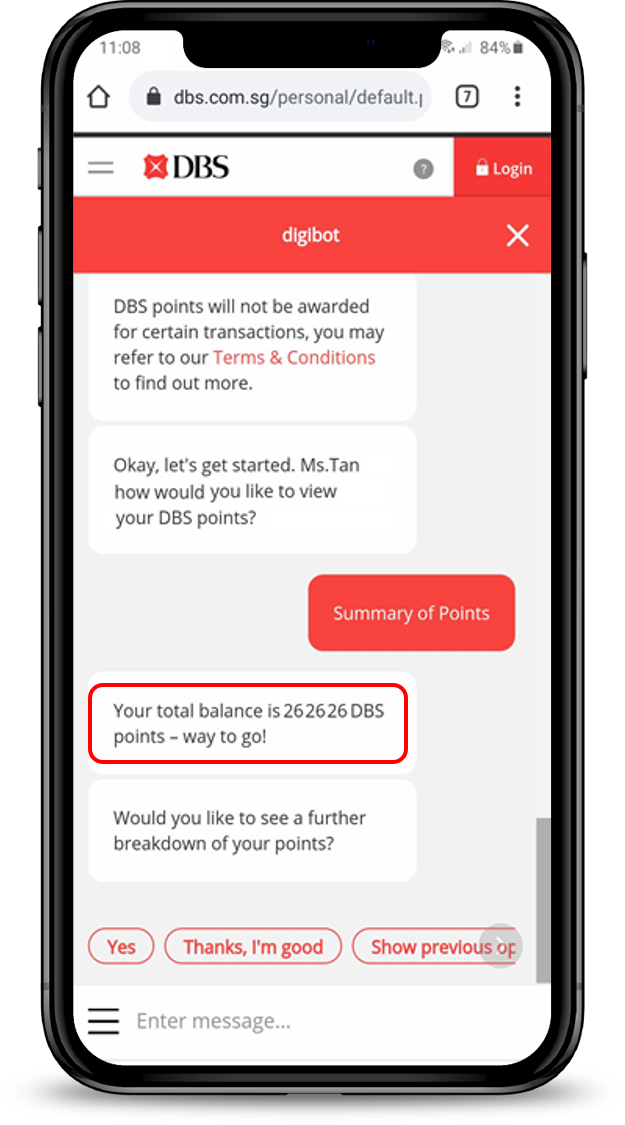
If you select Summary of Points, your total DBS points balance will be shown.
6
Step 6
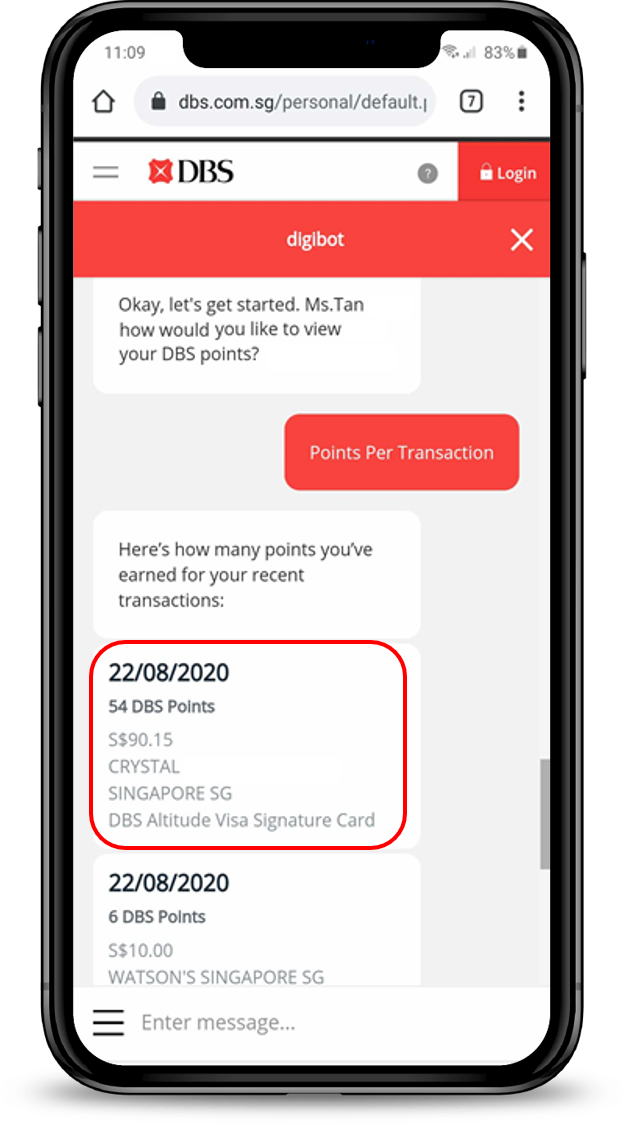
If you select Points Per Transaction, DBS points earned for your recent transactions will be shown.
laptop
login
authenticate
slider
1
Step 1
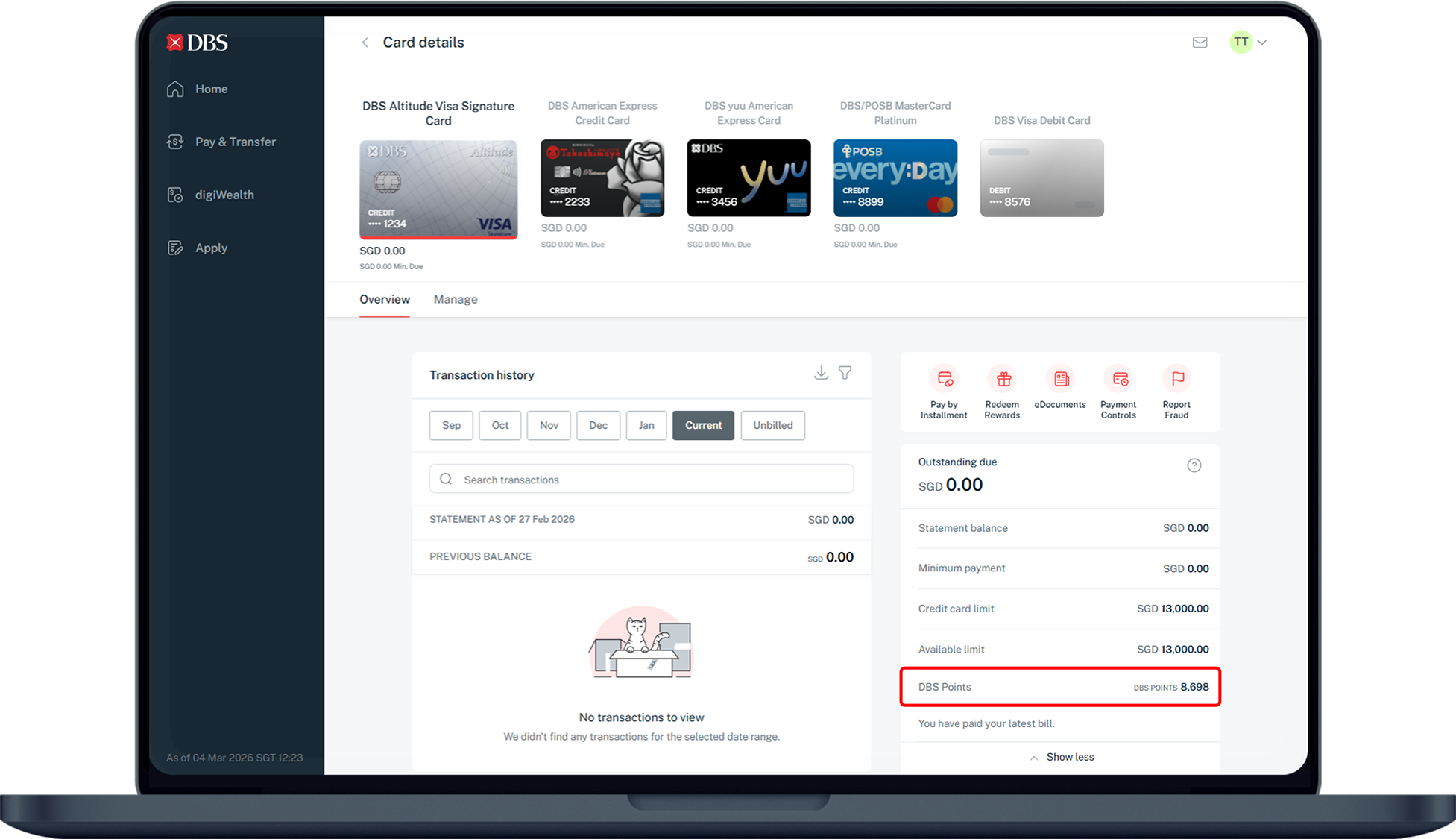
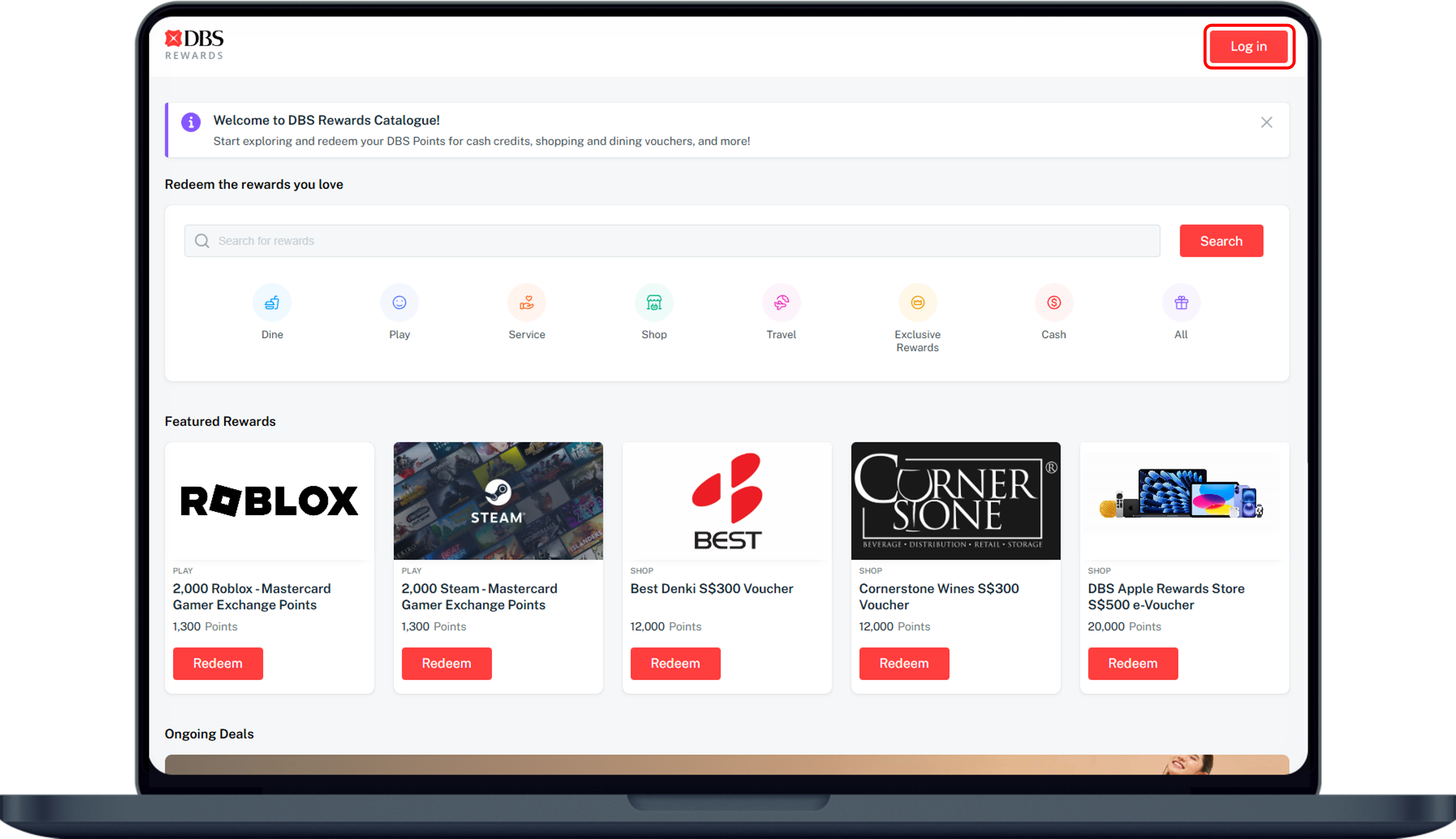
Log in to DBS Rewards website with your digibank User ID and PIN.
2
Step 2
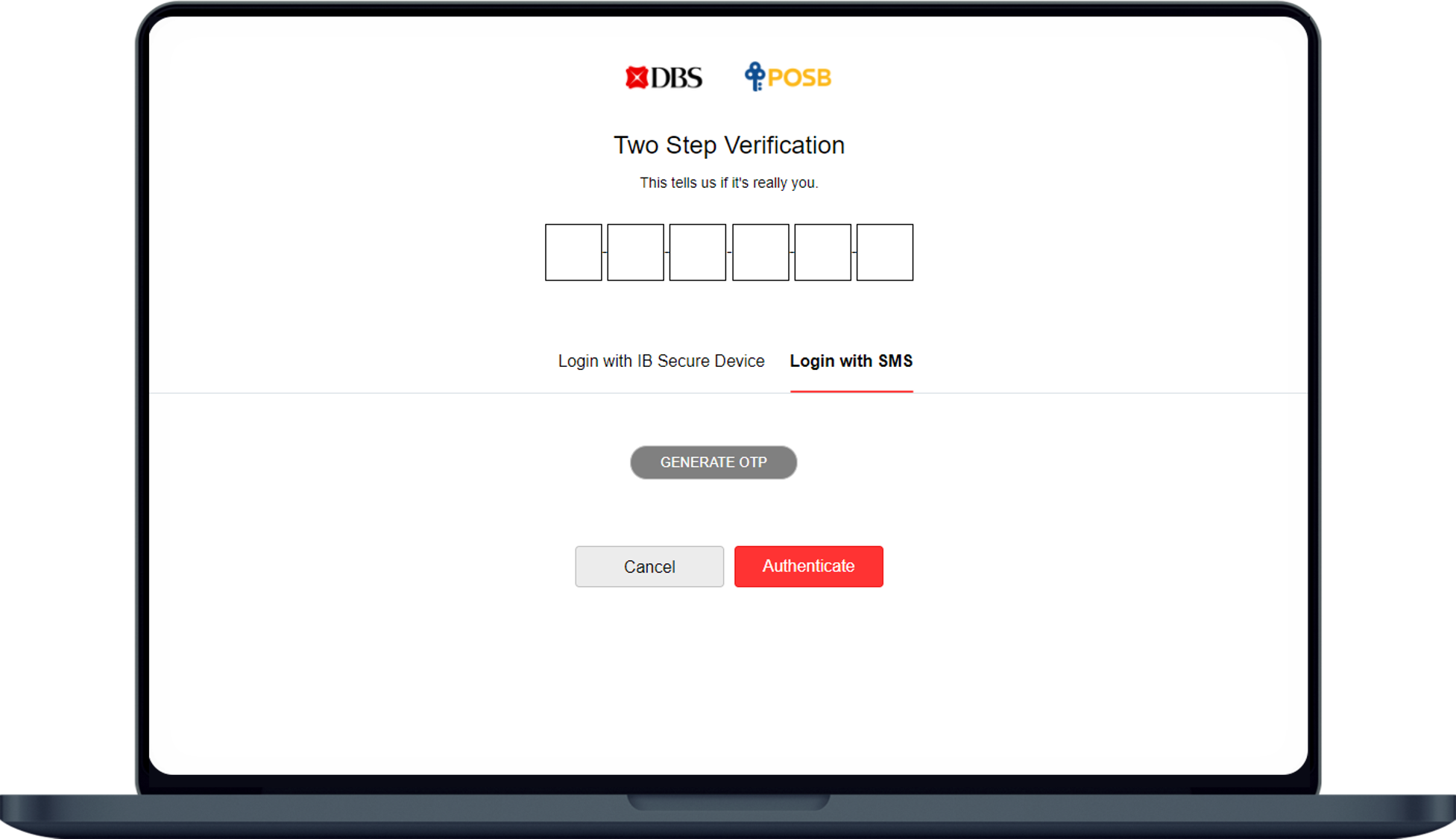
Complete the Authentication Process.
3
Step 3
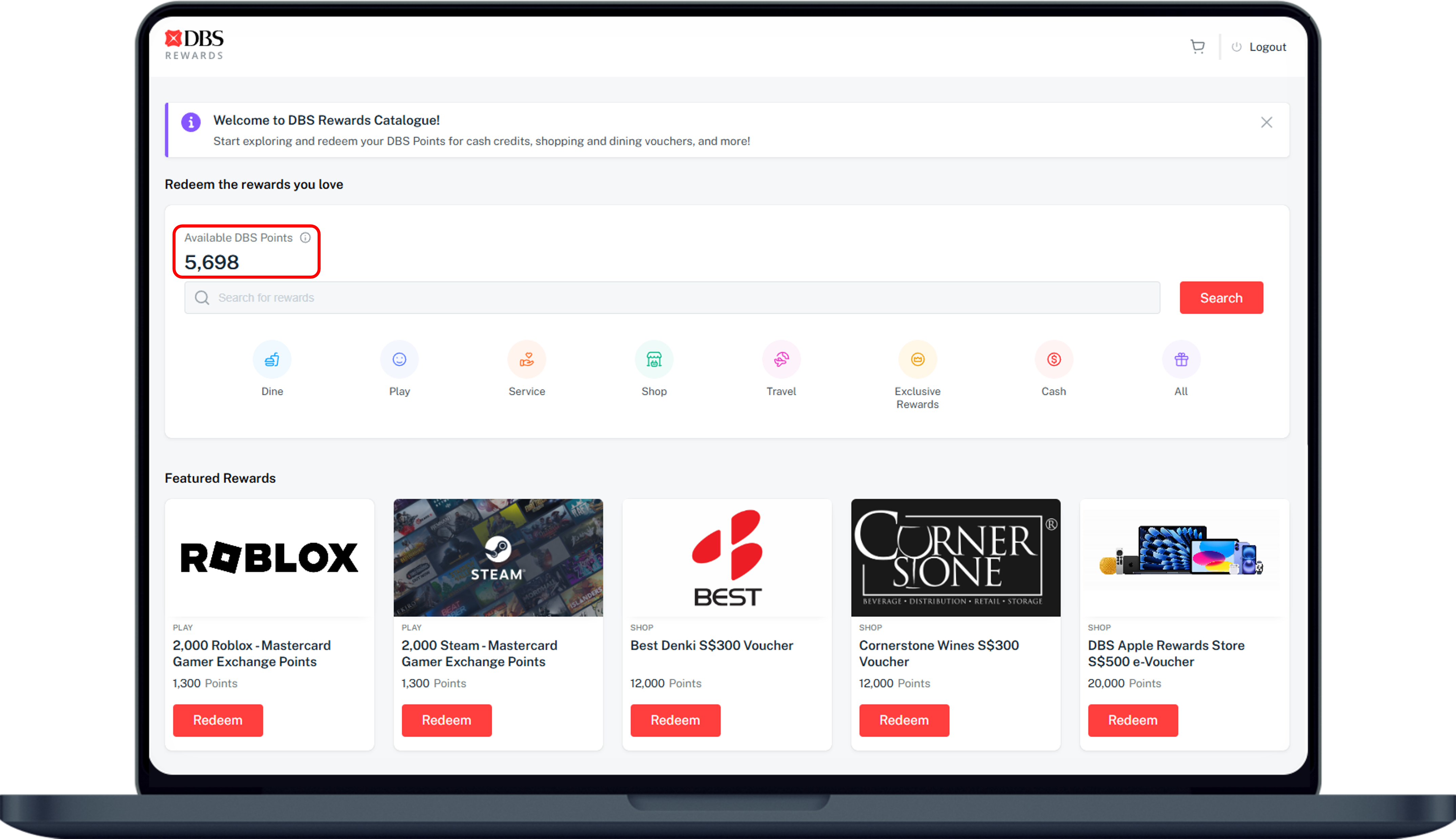
Your available DBS Points will be display.
You may view your DBS Points under the DBS points summary for all your credit card(s). Please note that the summary is as of the statement date only.

More information

  • There is no expiry date for earned Daily$.
  • SAFRA$ earned in the respective months will expire 12 calendar months from the date it was earned. All expired SAFRA$ will be forfeited.
Was this information useful?

We welcome your feedback

Information is easy to understand and find
Information is useful to answer your inquiries completely