Invest Currency-Linked Investment (CLI) Online

Learn how to explore rates and place your CLI investments.

Part of: Guides > Your Guide to DBS digibank (Wealth)

How to invest Currency-Linked Investment (CLI) online

There are various channels which you may invest Currency-Linked Investment (CLI) online with us. The most convenient method would be via digibank mobile.

digibank mobile

phone frame
login
invest tab
base currency
slider
slider
slider
1
Step 1
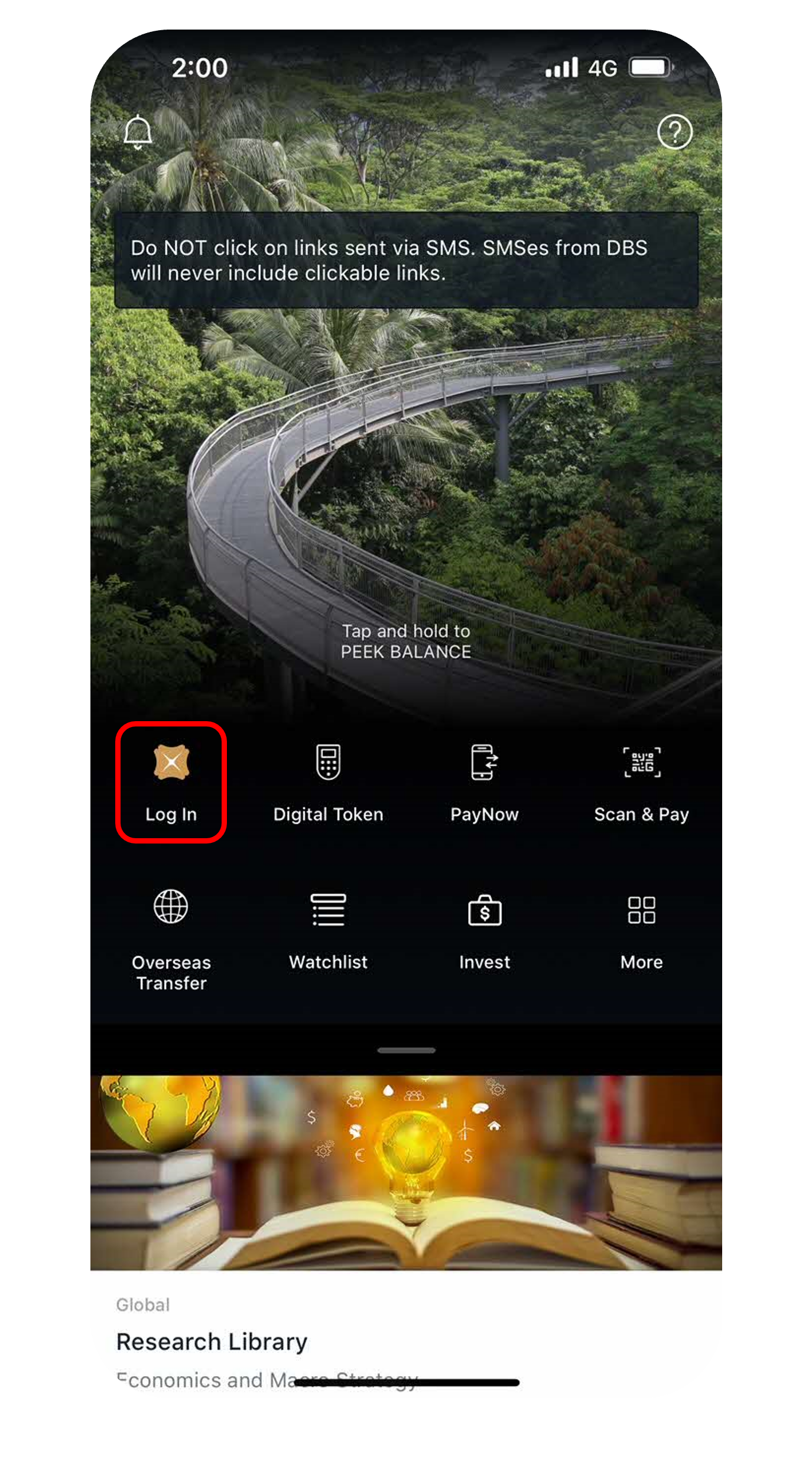
Log in to digibank mobile with your Touch / Face ID or digibank User ID & PIN.
2
Step 2
Tap on Invest at the bottom navigation and select CLI.
3
Step 3
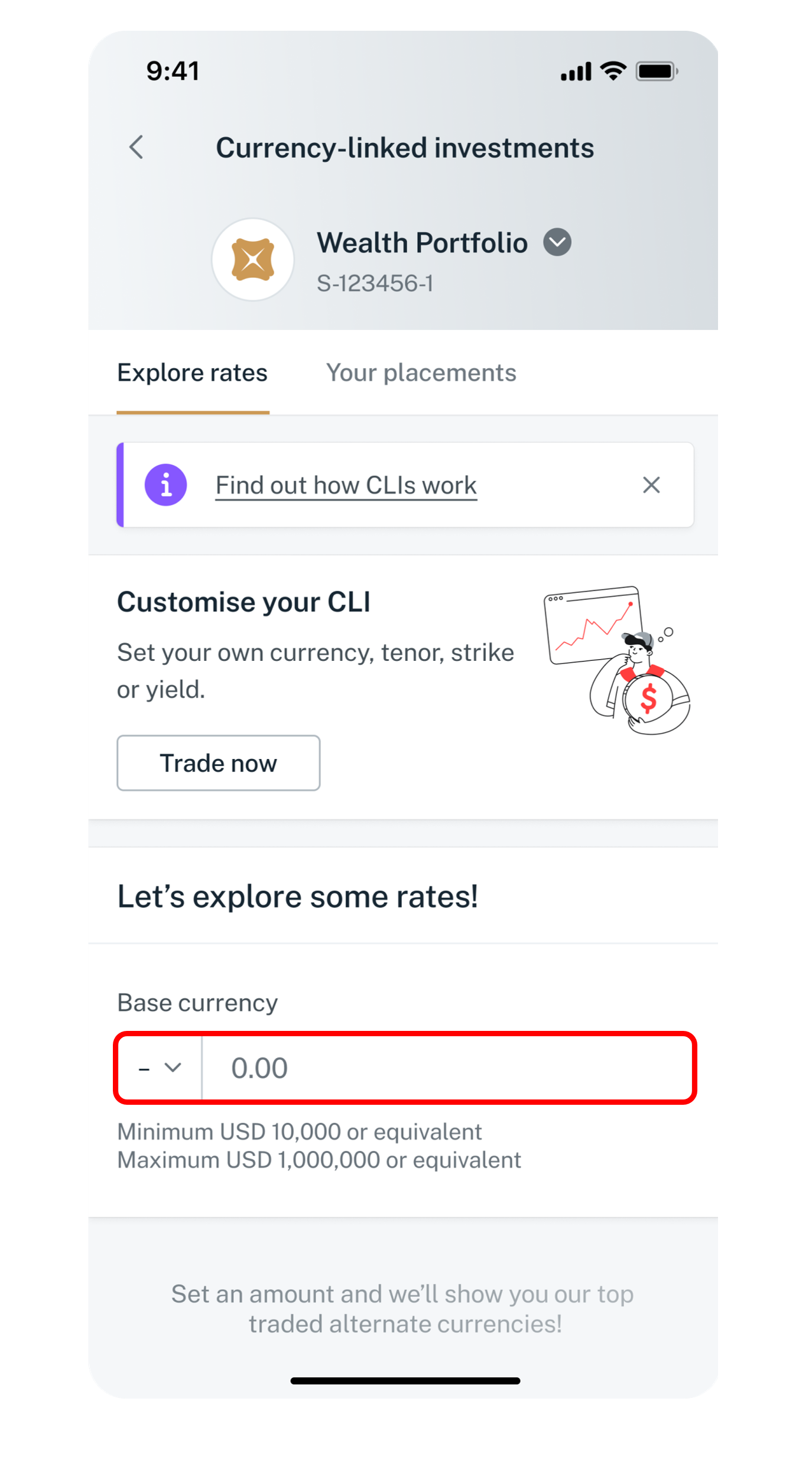
Set your investment amount in the base currency.
4
Step 4
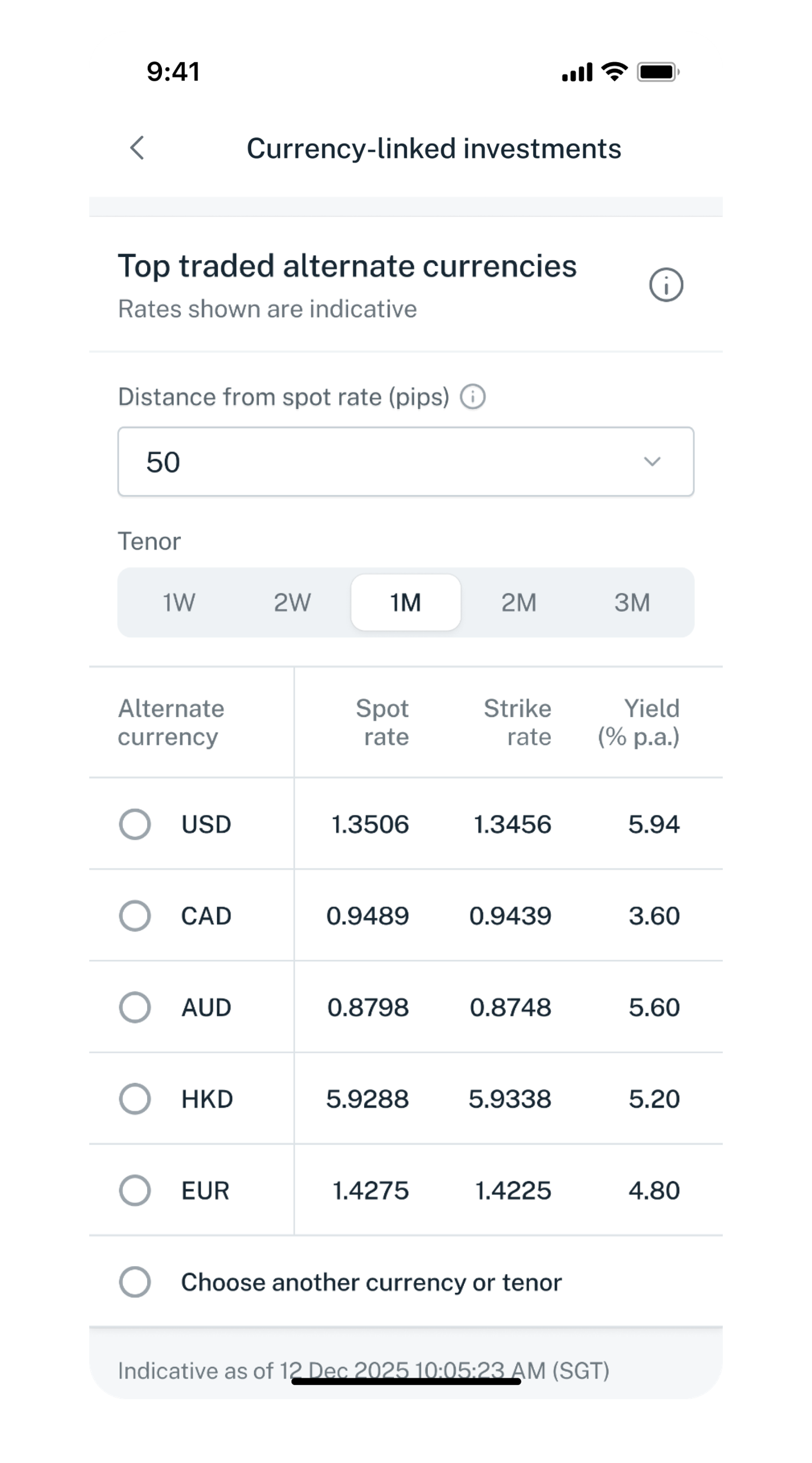
Decide on the Tenor and select from top traded alternate currencies, or choose another currency or tenor. Tap Next.
5
Step 5
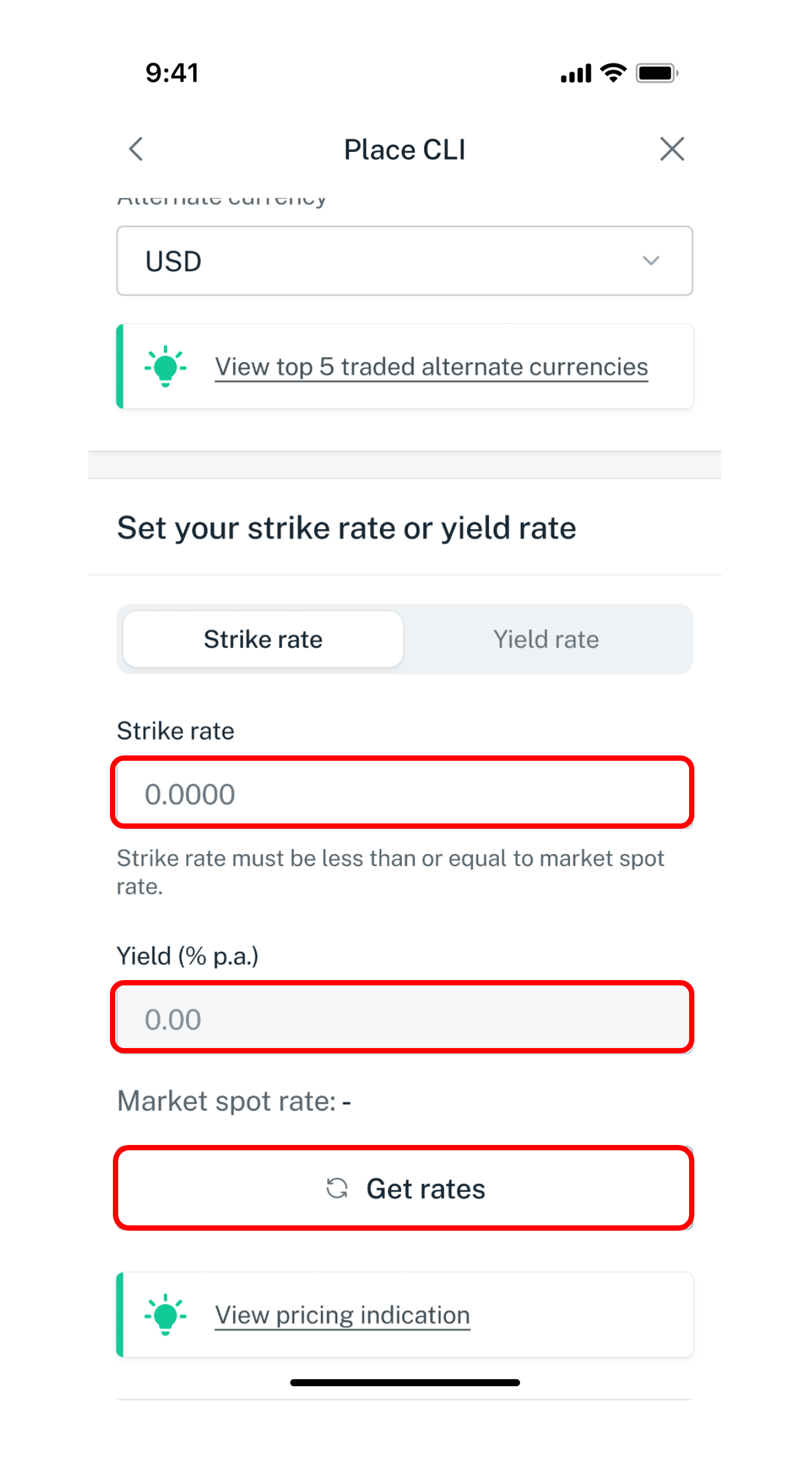
Adjust the Strike rate and Yield as desired. Tap on Get rates to refresh rates.
6
Step 6
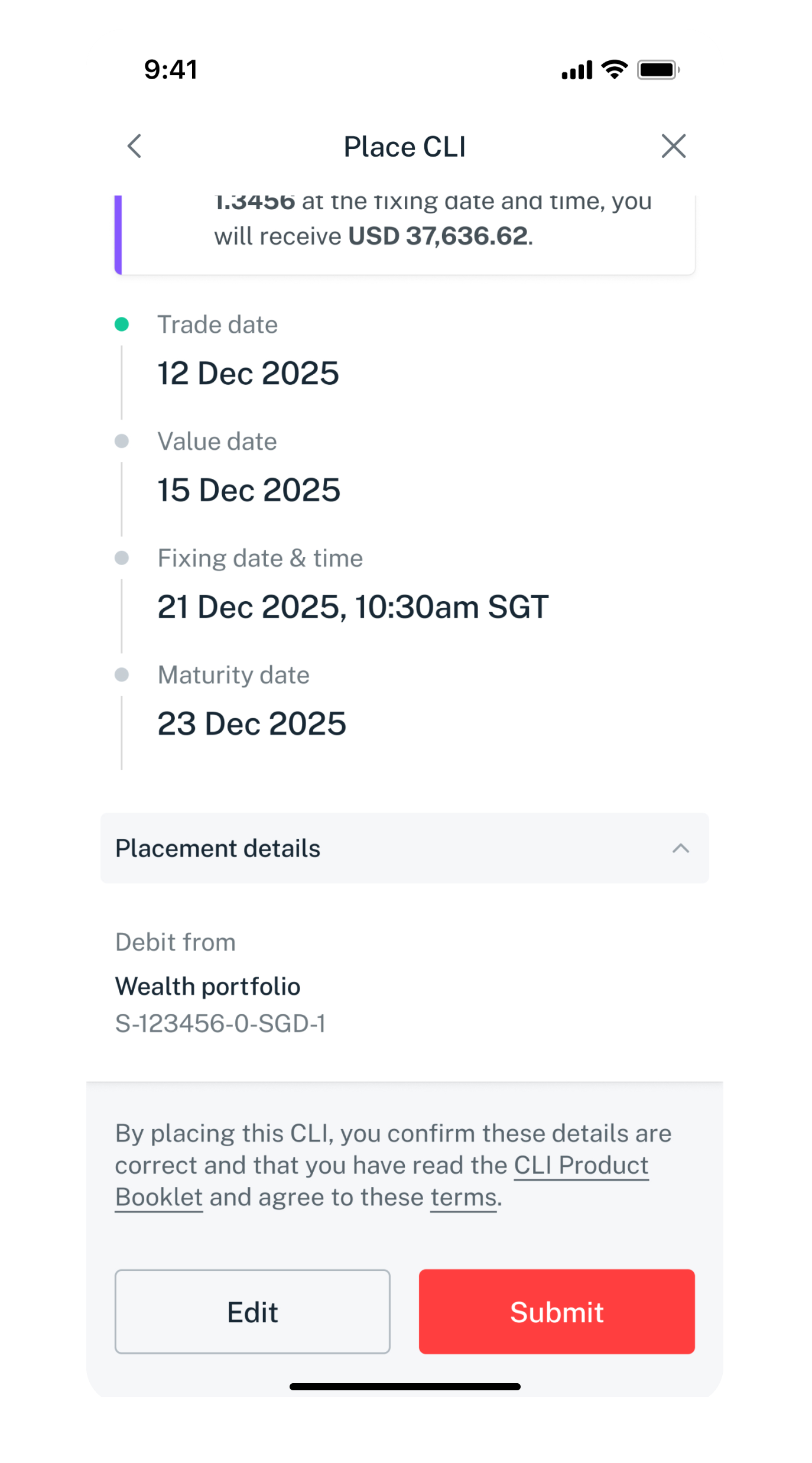
Verify your order details and tap Submit.
Get the latest DBS digibank mobile app now!

laptop
slider
slider
invest tab
base currency
base currency
base currency
base currency
1
Step 1
Log in to digibank online with your User ID & PIN.
2
Step 2
Complete the Authentication Process.
3
Step 3
Click on Invest on the left menu and select CLI.
4
Step 4
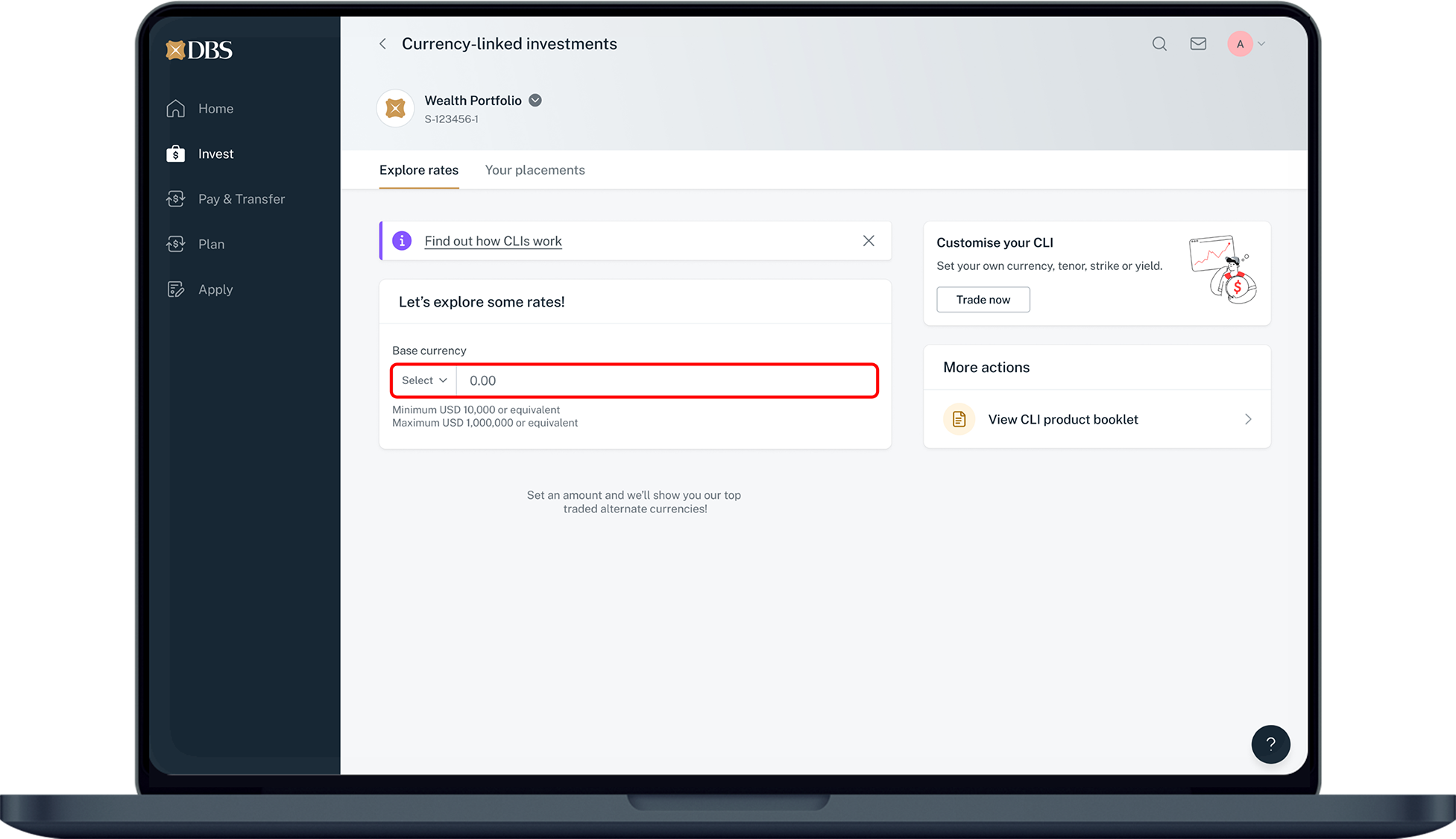
Set your investment amount in the base currency.
5
Step 5
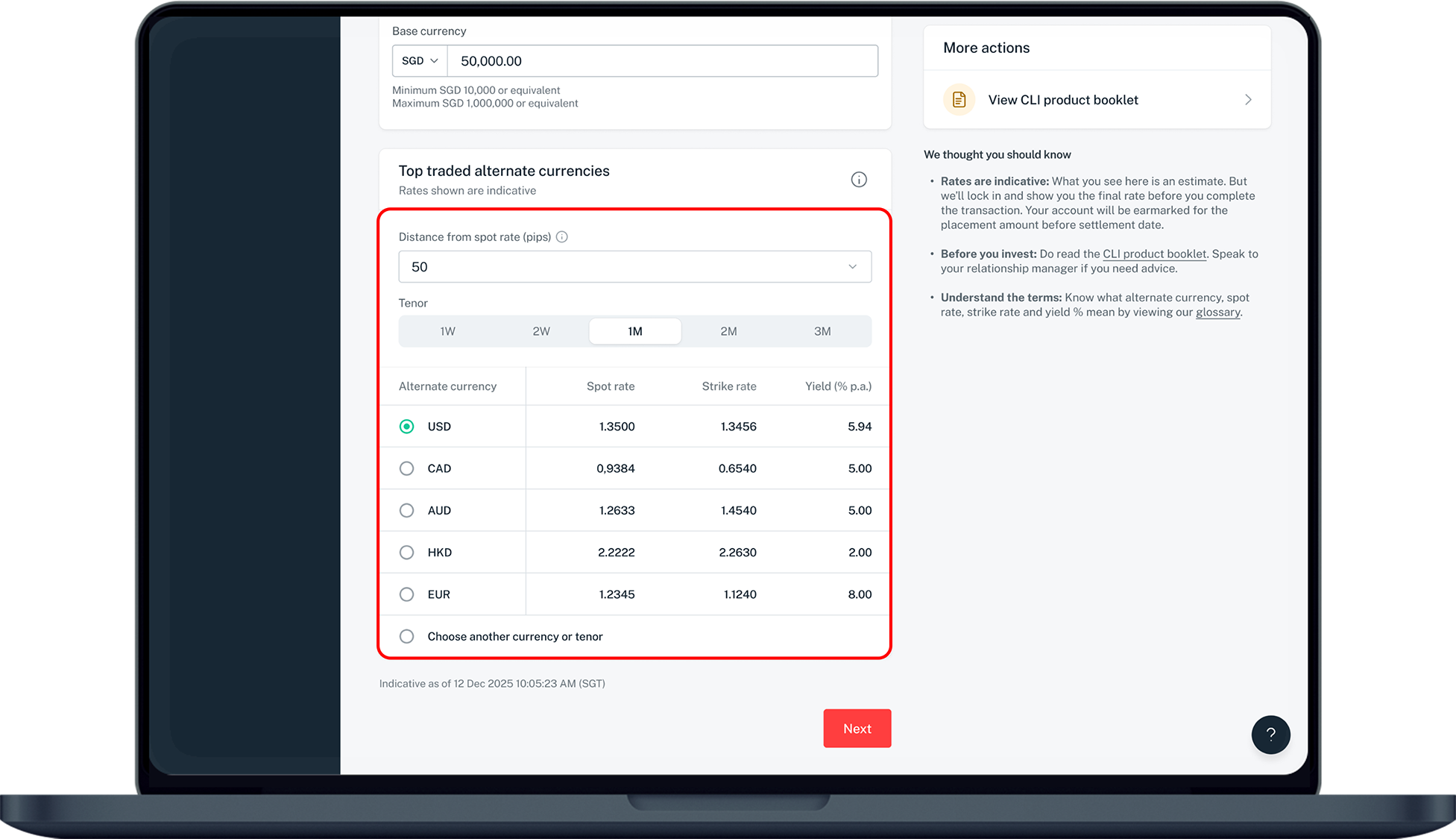
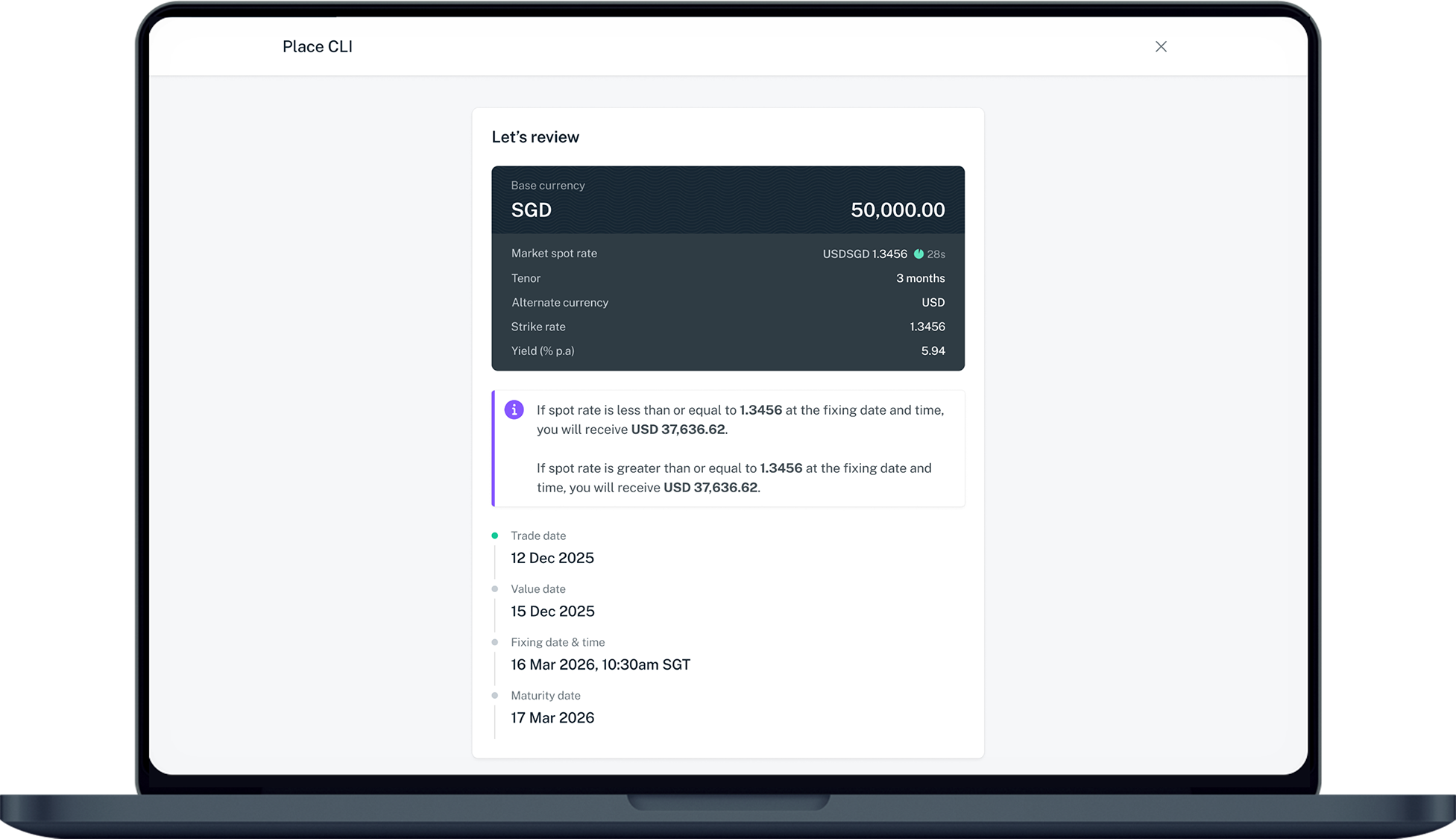
Decide on the Tenor and select from top traded alternate currencies, or choose another currency or tenor. Click Next.
6
Step 6
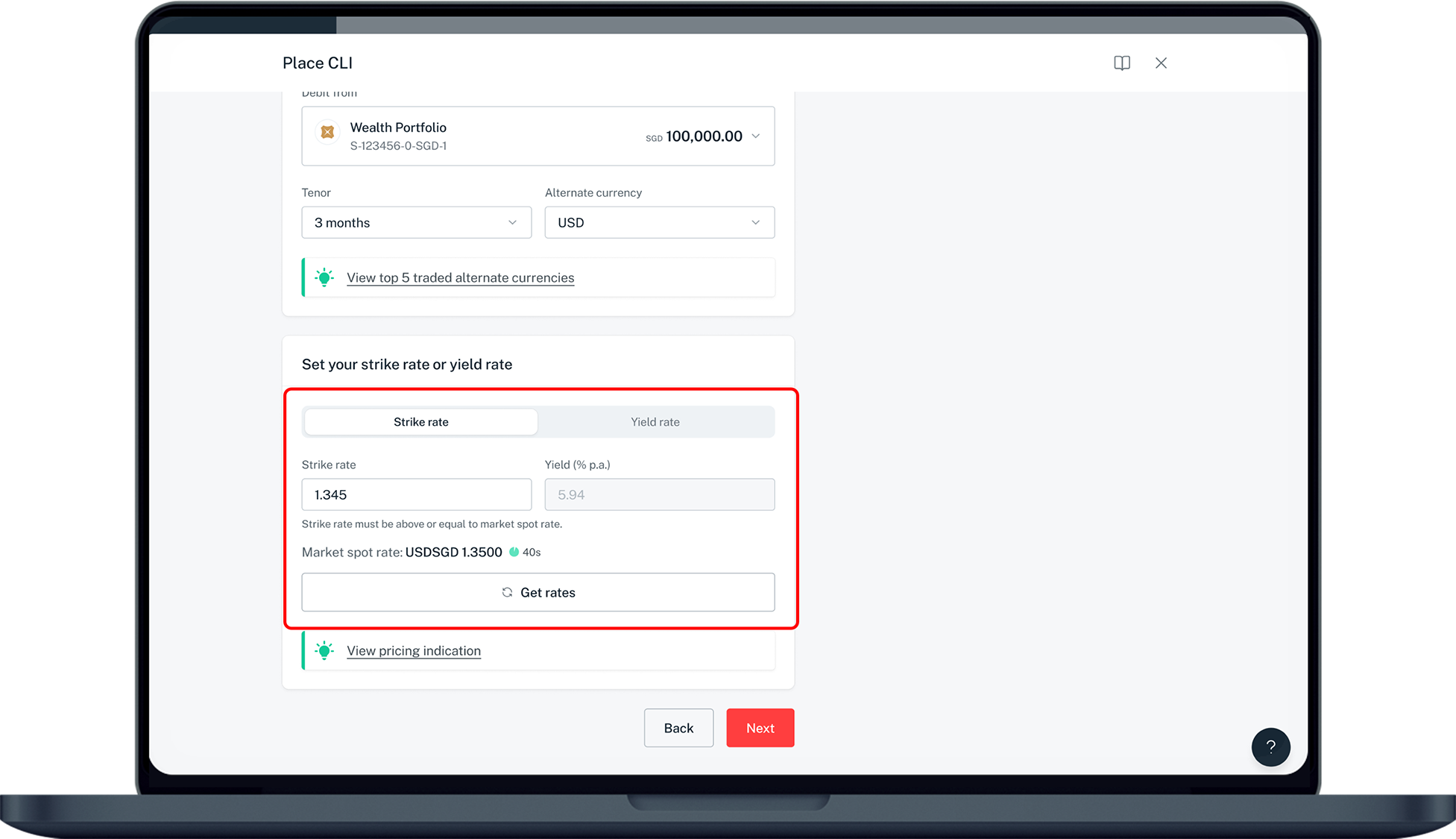
Adjust the Strike rate and Yield as desired. Click on Get rates to refresh rates.
7
Step 7
Verify your order details and click Submit.
Was this information useful?

We welcome your feedback

Information is easy to understand and find
Information is useful to answer your inquiries completely