Access Online Foreign Exchange (FX) Platform

Enjoy better rates on foreign currencies on-the-go with DBS digibank.

How to access online Foreign Exchange (FX) platform

There are various channels to access online Foreign Exchange (FX) platform with us. The most convenient method would be via digibank mobile.

digibank mobile

phone frame
login
wealth portfolio
edocuments
eadvice
actions
verify
1
Step 1
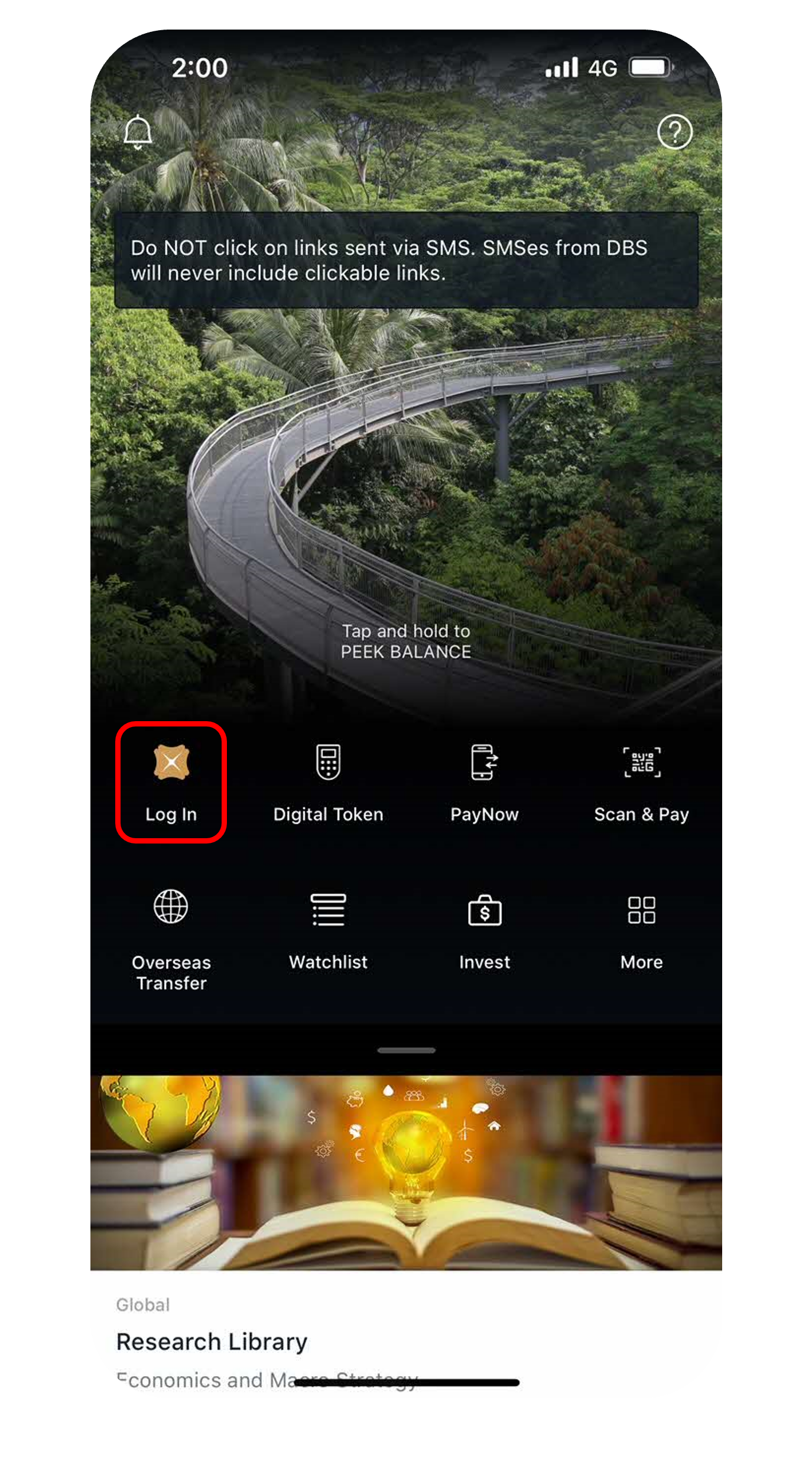
Log in to digibank mobile with your Touch / Face ID or digibank User ID & PIN.
2
Step 2
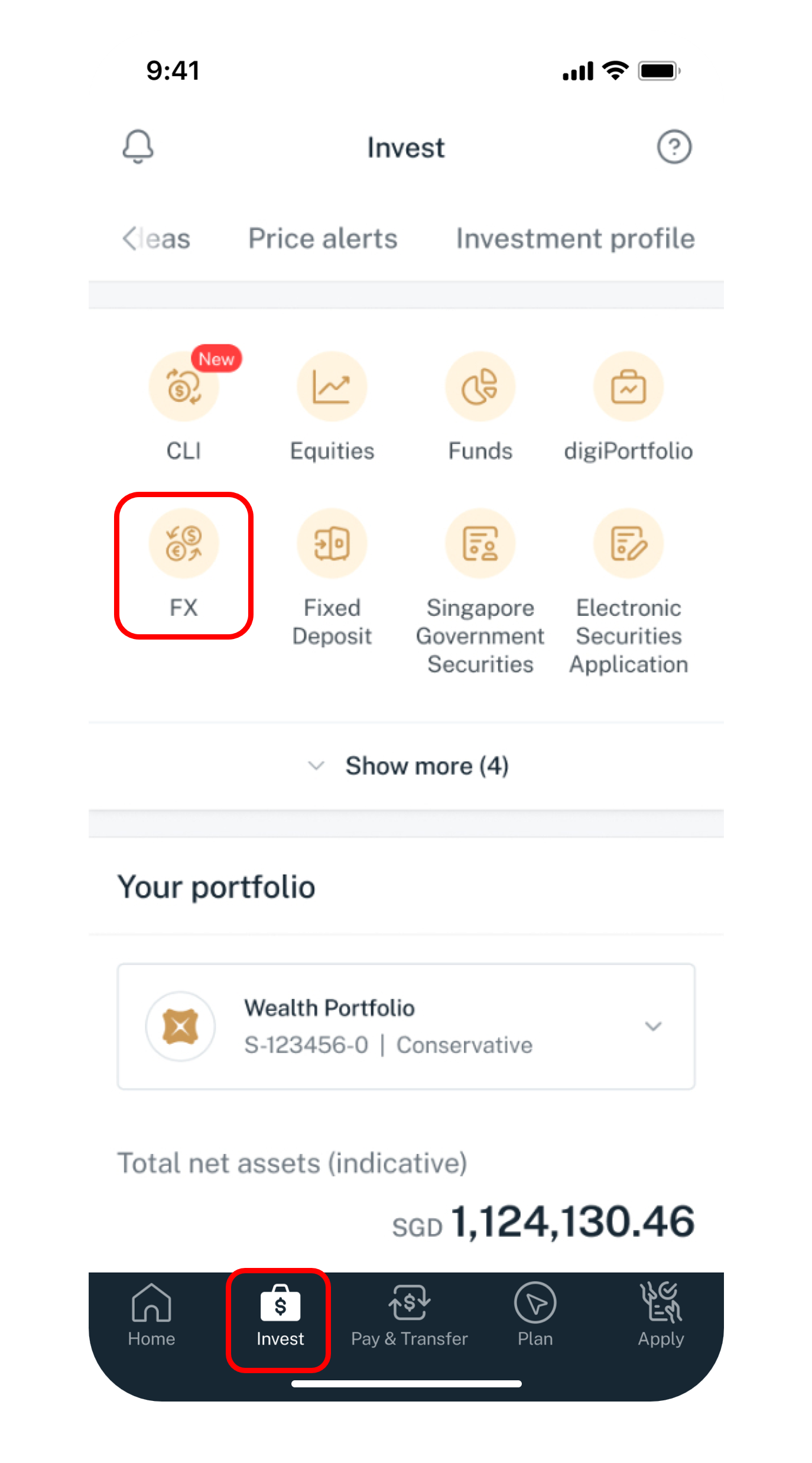
Tap on Invest at the bottom navigation and select FX.
3
Step 3
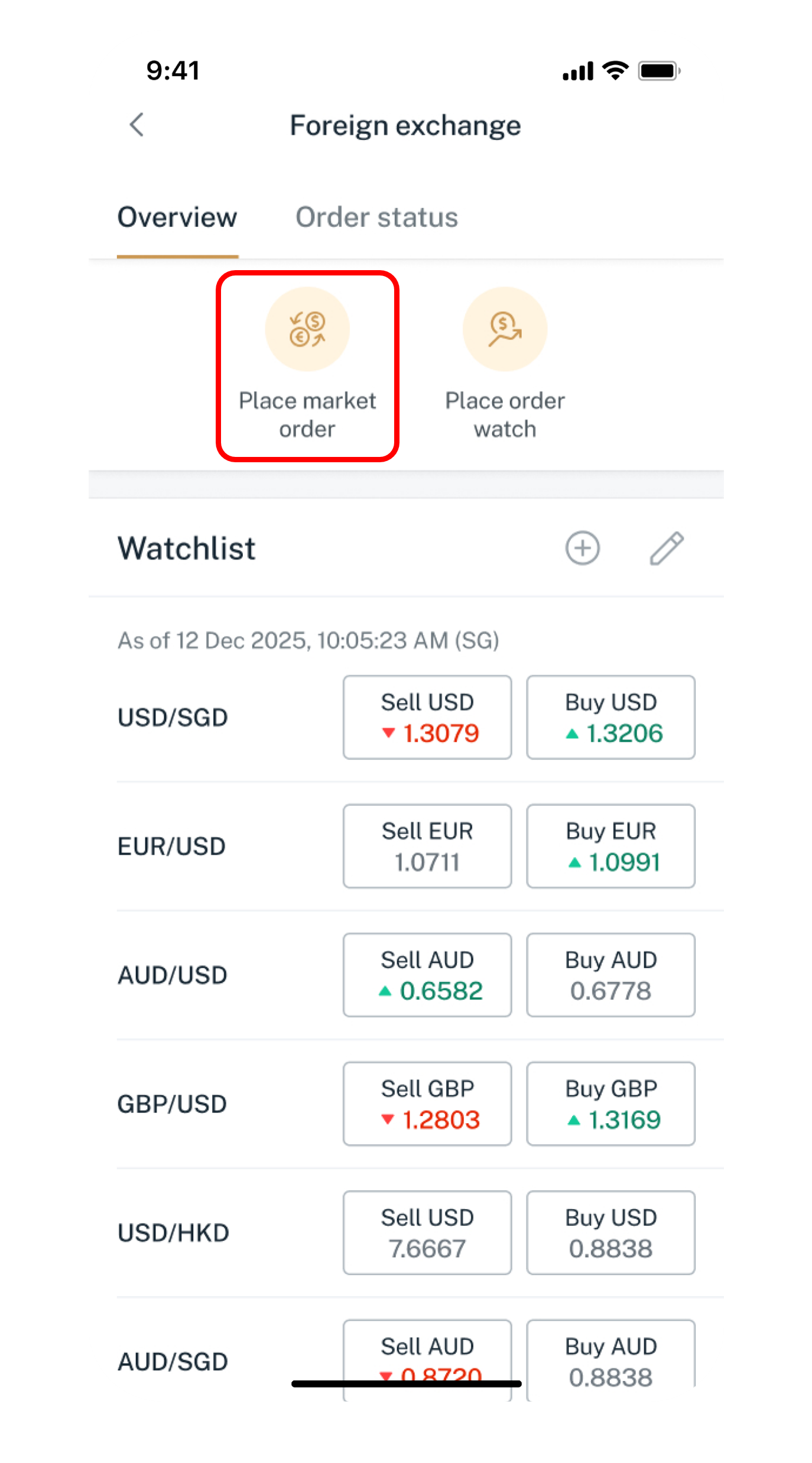
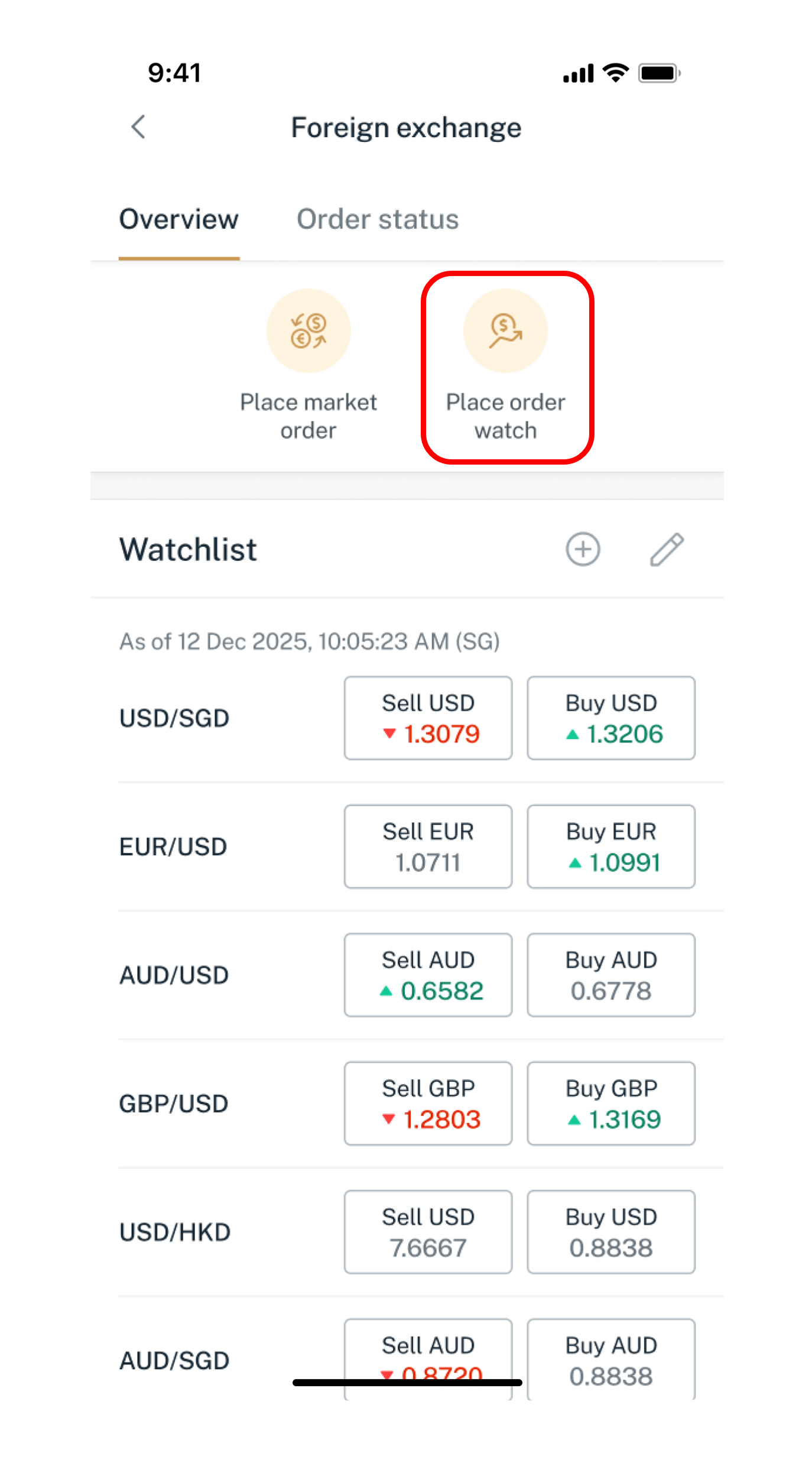
Tap on Place market order.
4
Step 4
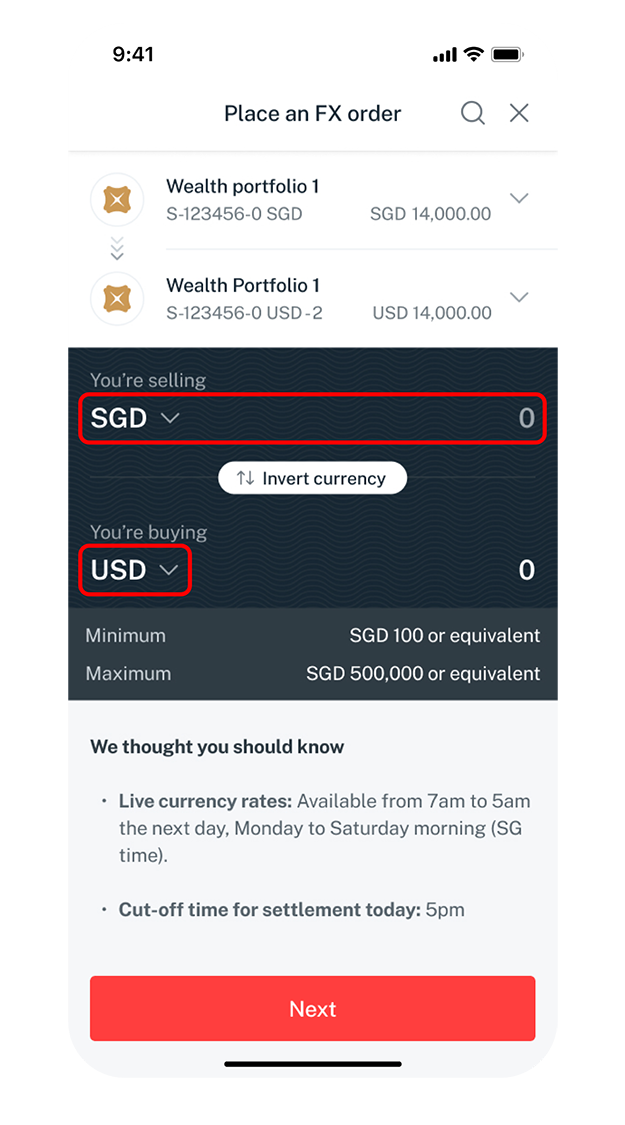
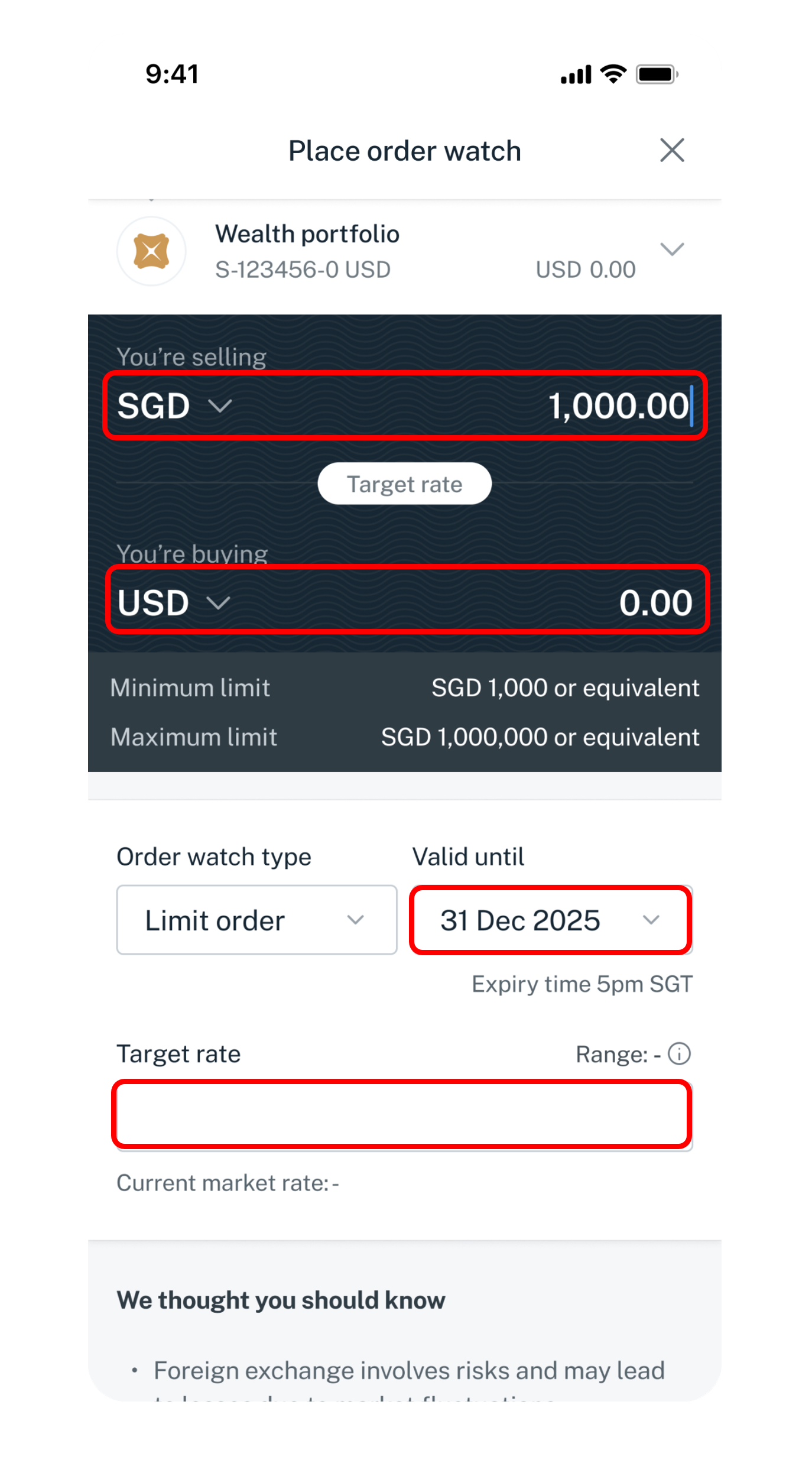
Enter the amount and select the currency you want to sell and buy. Tap Next.
5
Step 5
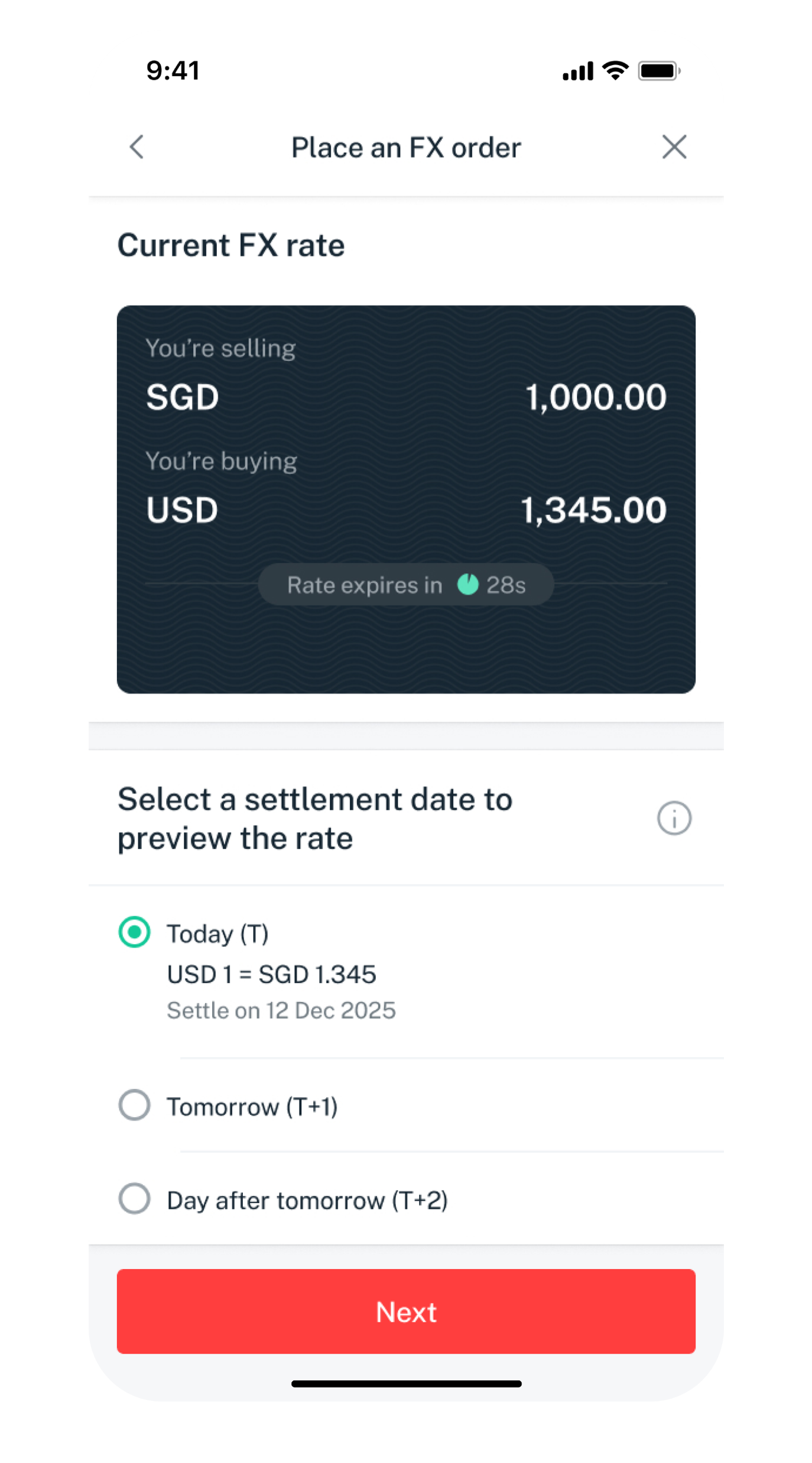
Select your preferred settlement date and tap Next.
6
Step 6
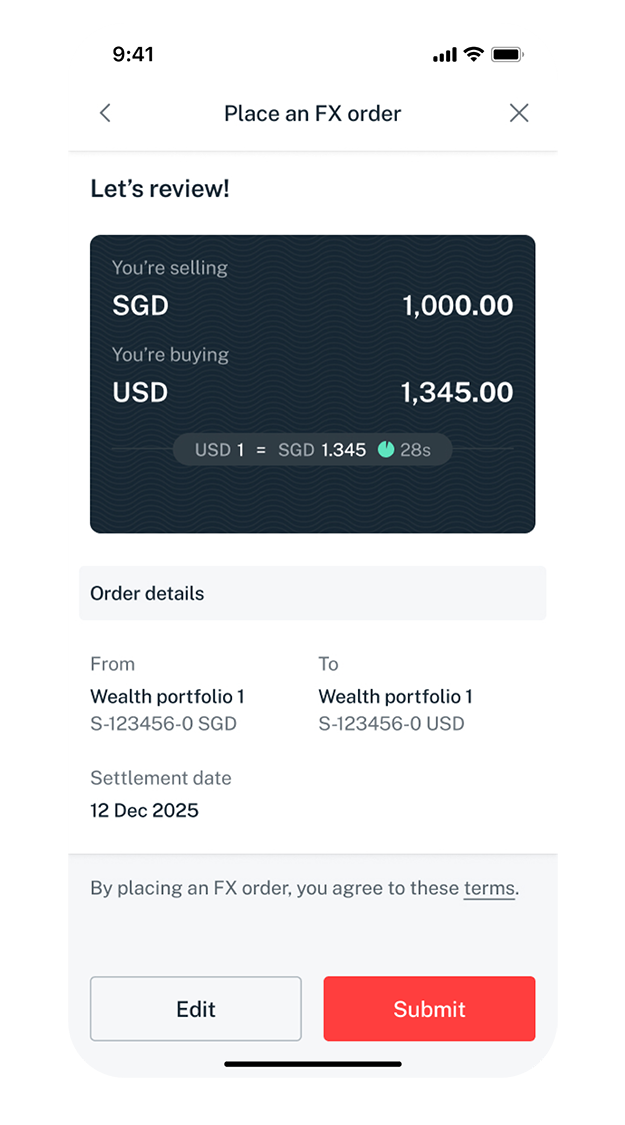
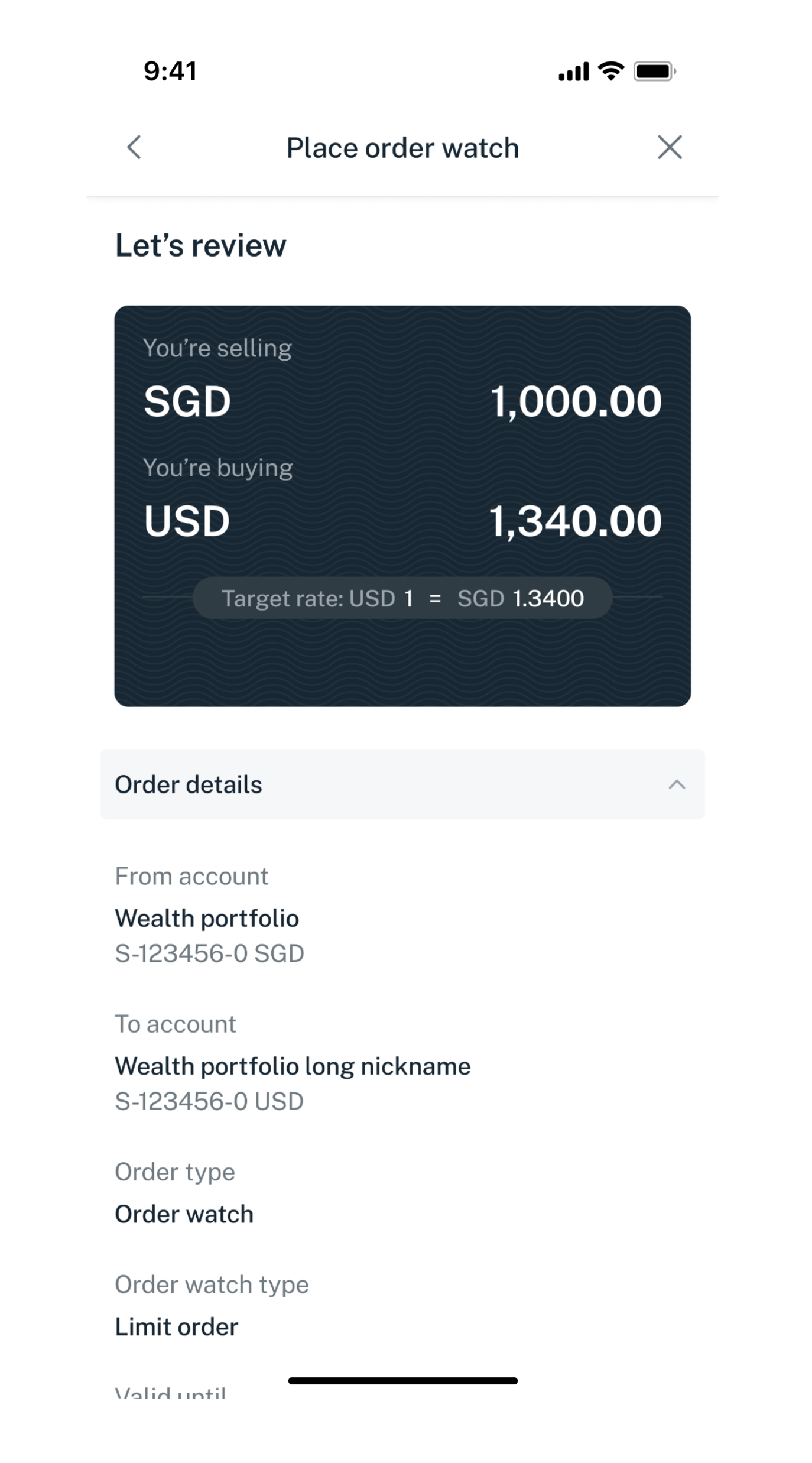
Verify your order details and tap Submit.
Get the latest DBS digibank(wealth) mobile app now!

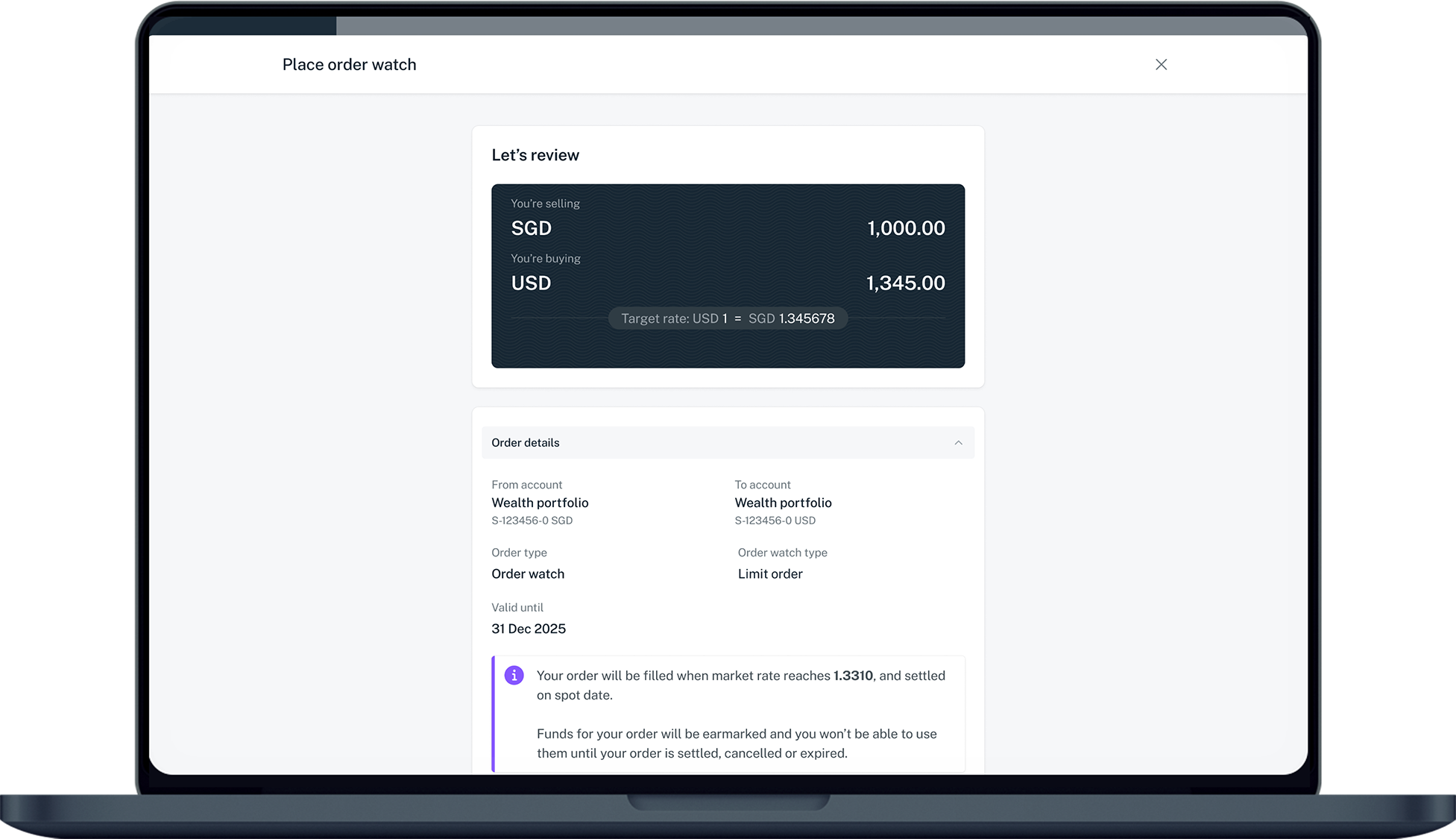
laptop
slider
slider
slider
slider
slider
slider
slider
1
Step 1
Log in to digibank online with your User ID & PIN.
2
Step 2
Complete the Authentication Process.
3
Step 3
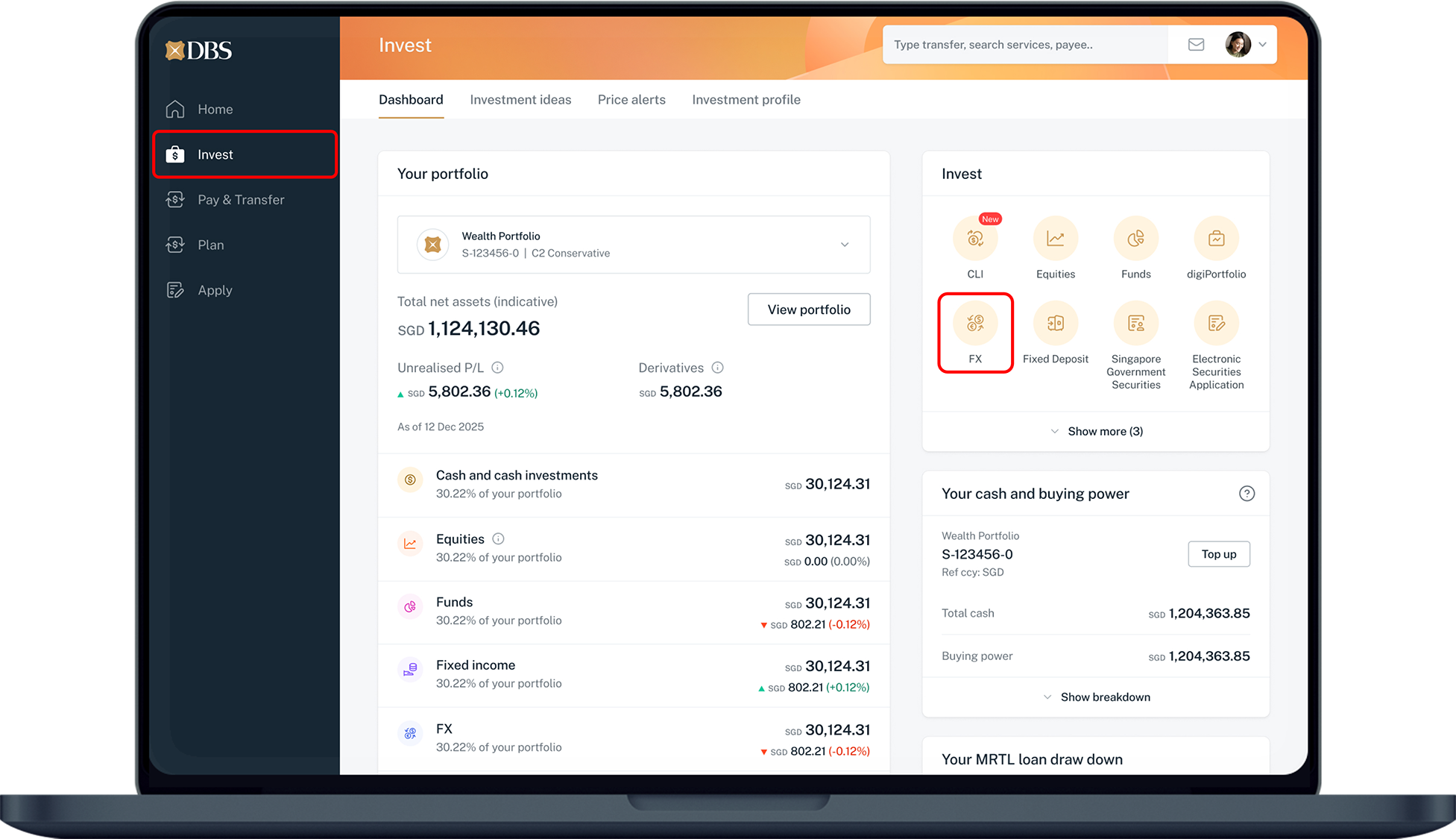
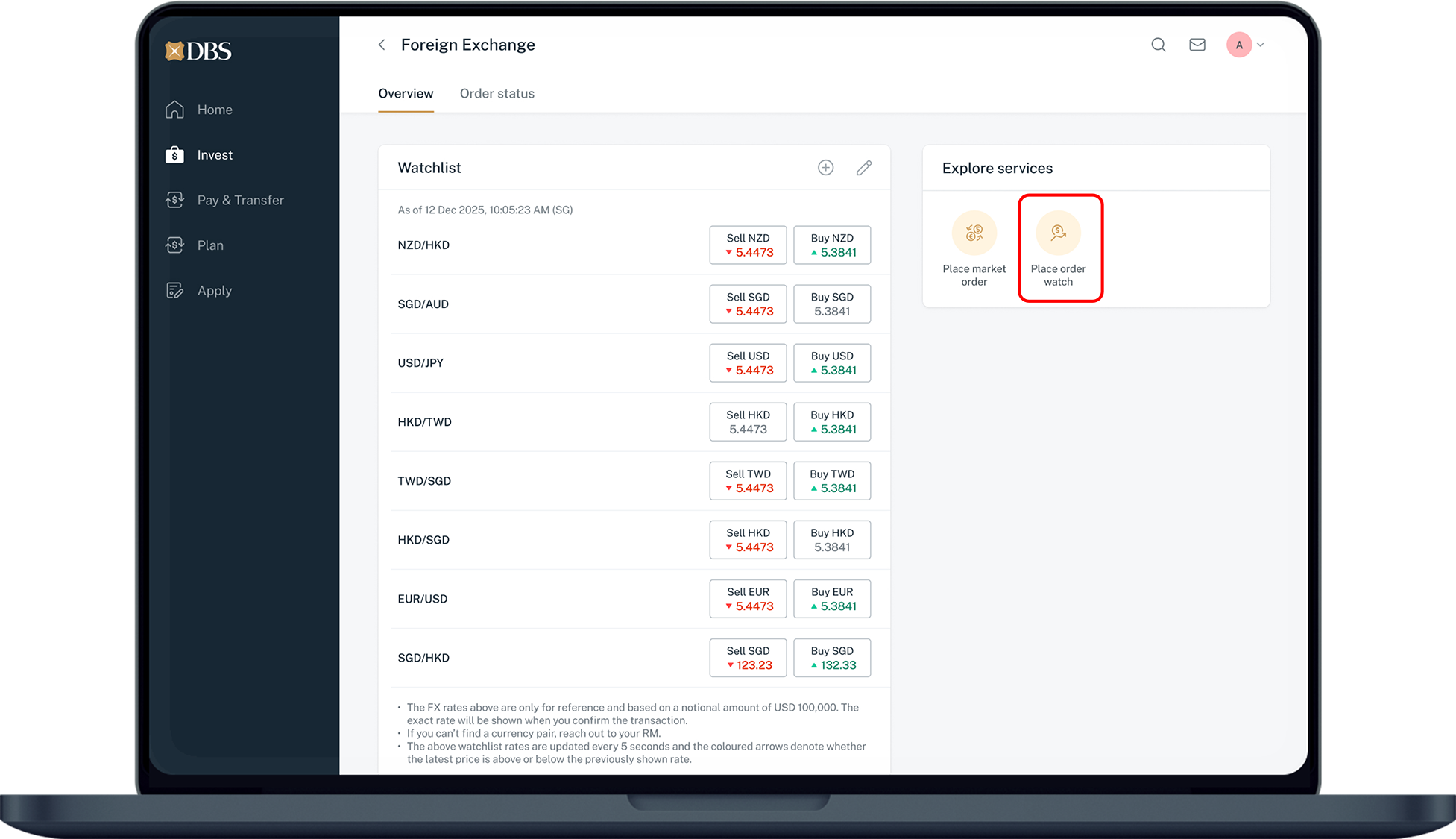
Click on Invest on the left menu and select FX.
4
Step 4
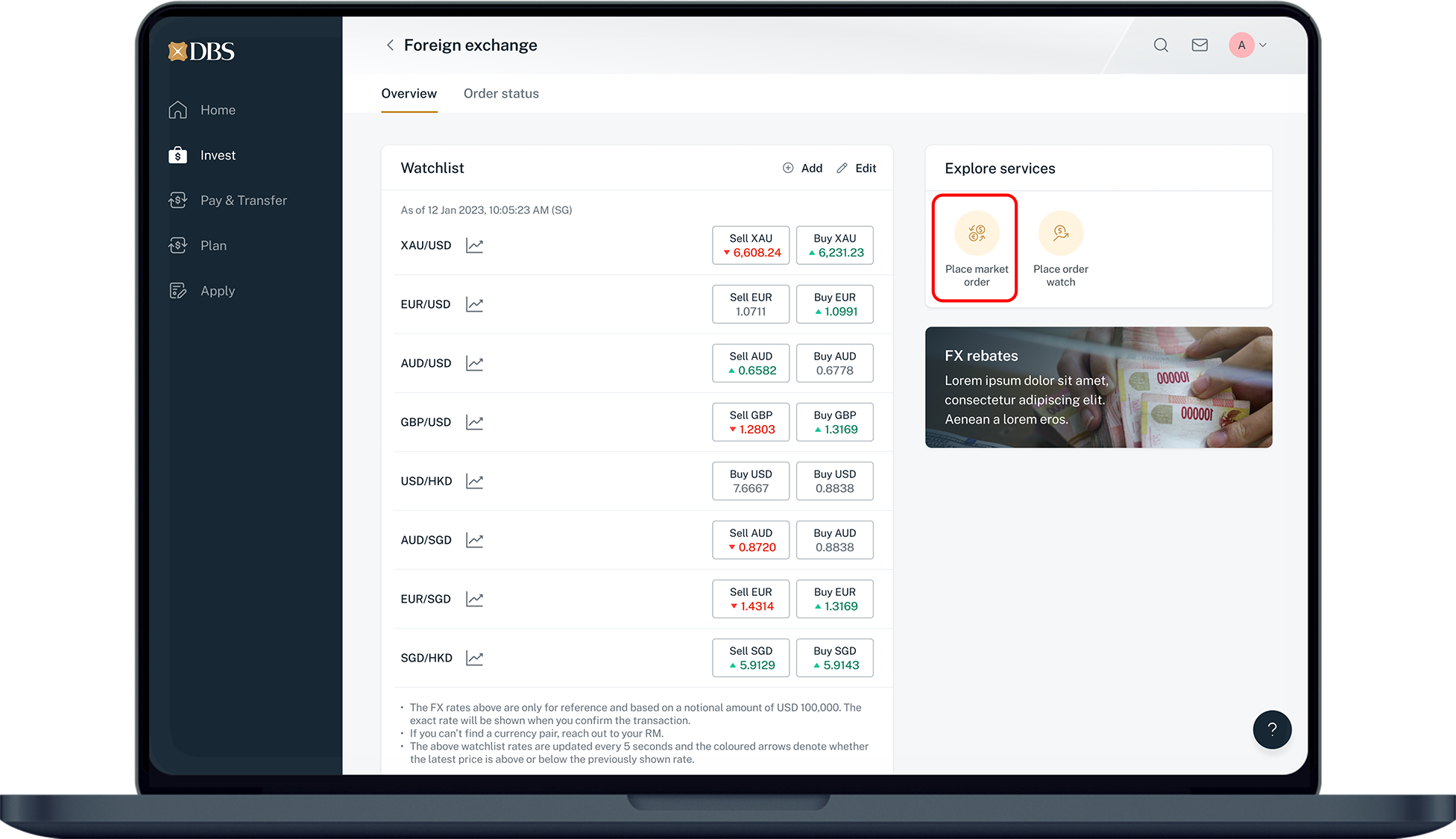
Click on Place market order.
5
Step 5
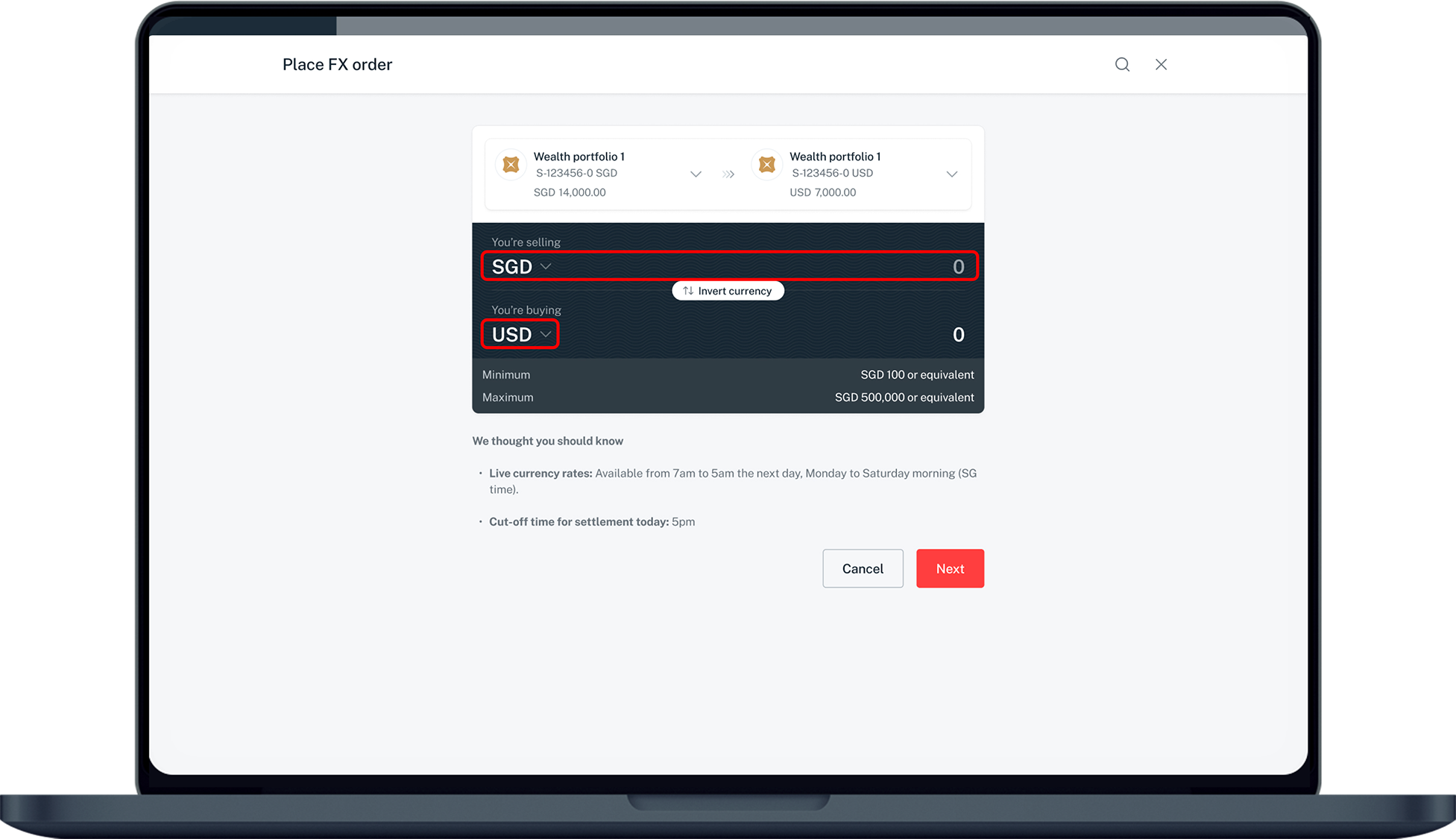
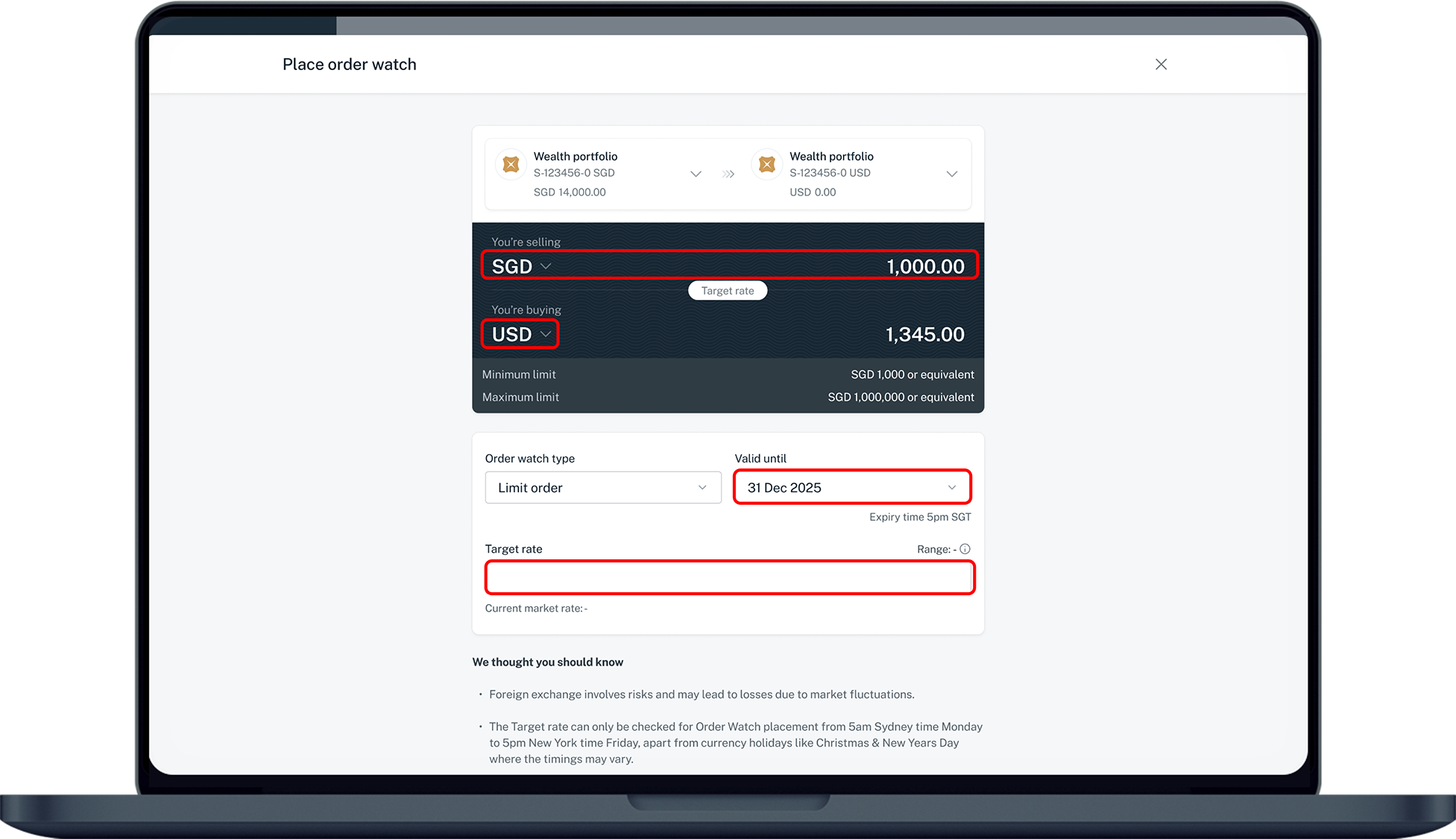
Enter the amount and select the currency you want to sell and buy. Click Next.
6
Step 6
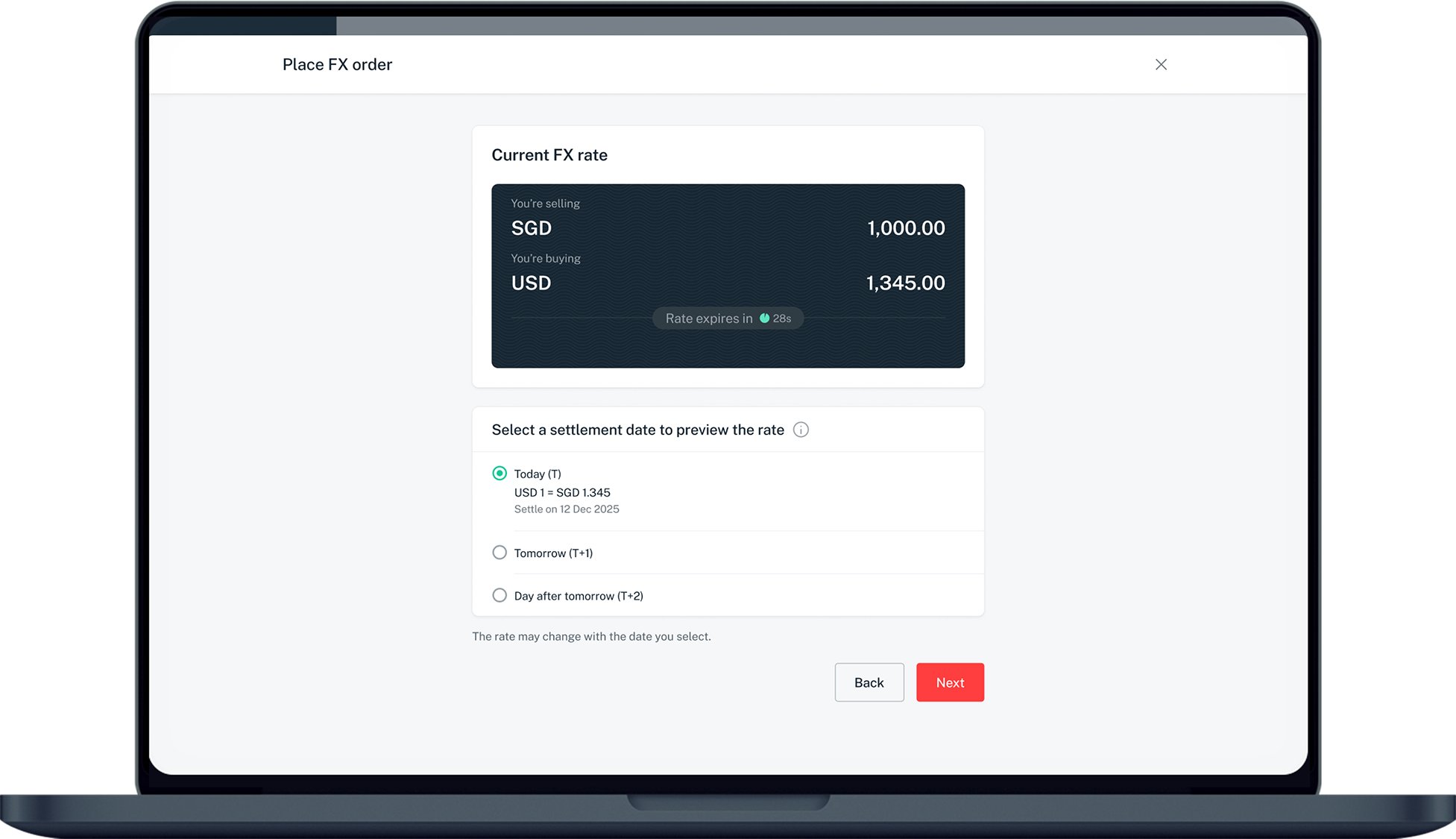
Select your preferred settlement date and click Next.
7
Step 7
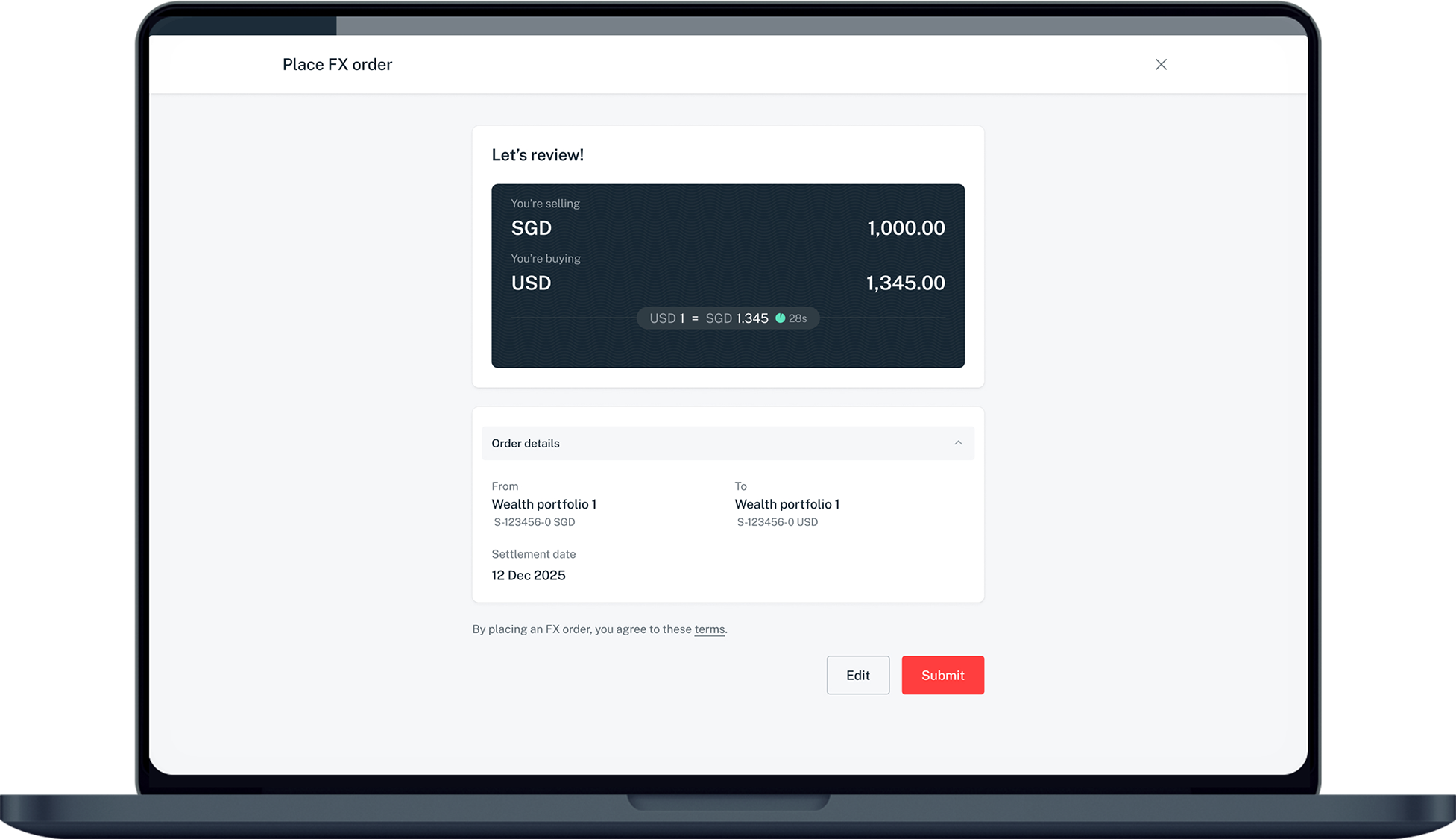
Verify your order details and click Submit.

More information

  • You can place FX trades from 7:00 AM to 5:00 AM (the next day), Monday to Friday.
  • If selection for Preferred Settlement date in digibank is Today, cut off time for trade is 5:00 PM.
  • The minimum and maximum amounts for Online FX are between SGD 100 and SGD 500K, or equivalent in other currencies.
Was this information useful?

We welcome your feedback

Information is easy to understand and find
Information is useful to answer your inquiries completely