View Portfolio Allocations

Keep track of your investments and how they are allocated across multiple currencies.

Part of: Guides > Your Guide to DBS digibank (Wealth)

How to view Portfolio allocations

There are various channels which you may view Portfolio holdings and allocations with us. The most convenient method would be via digibank mobile.

digibank mobile

phone frame
slider
wealth portfolio
slider
1
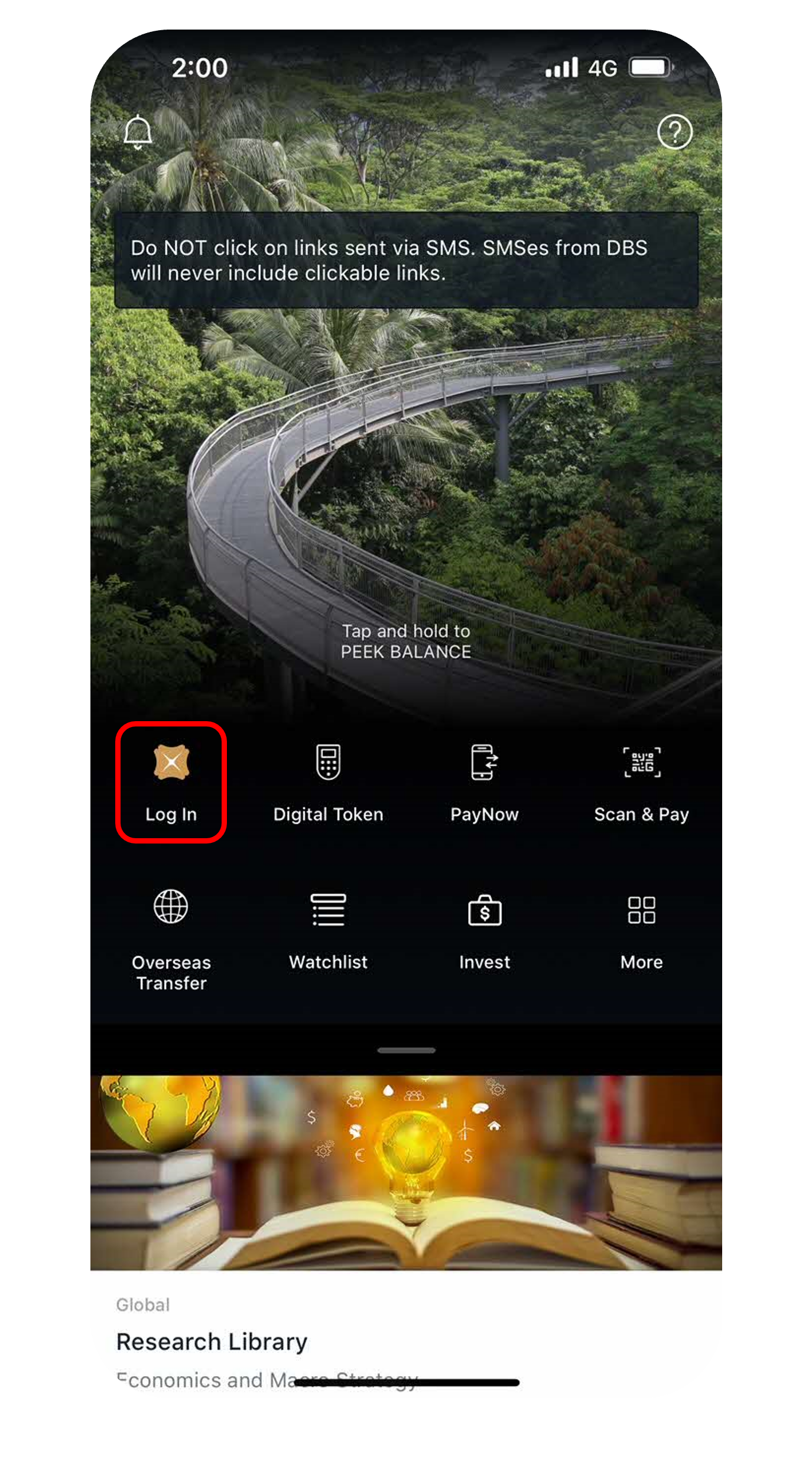
Step 1
Log in to digibank mobile with your Touch / Face ID or digibank User ID & PIN.
2
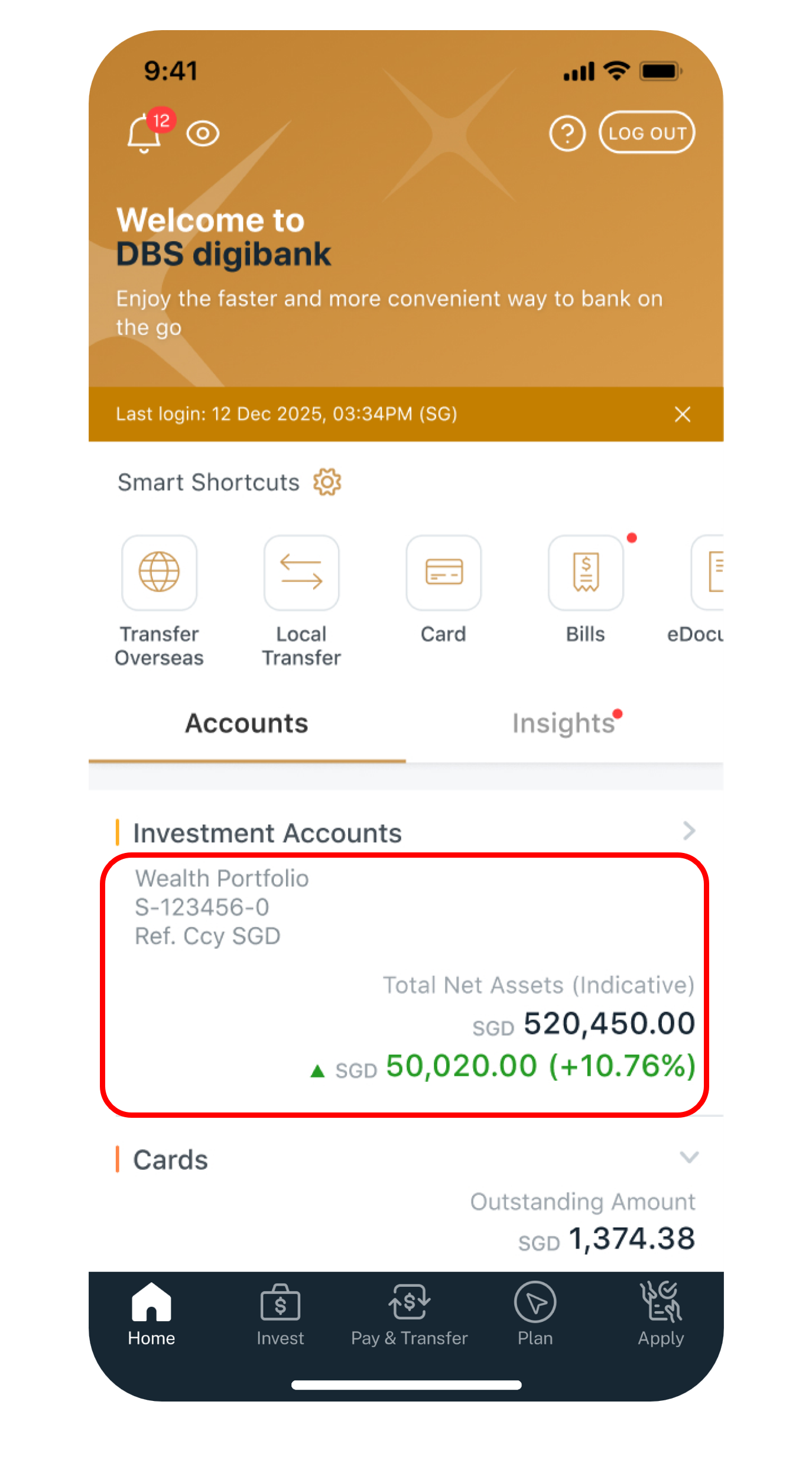
Step 2
Under Home, select the Wealth portfolio you would like to review.
3
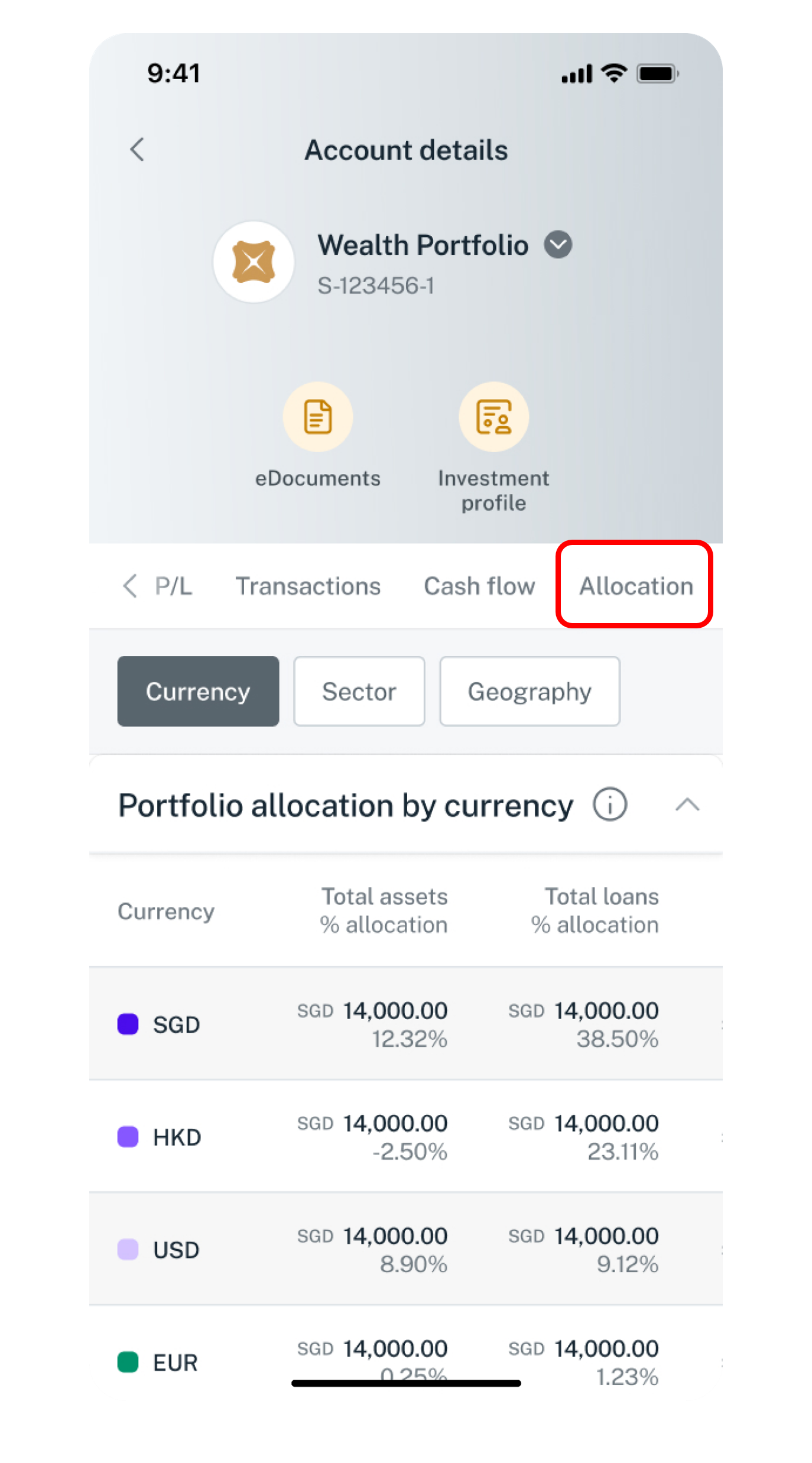
Step 3
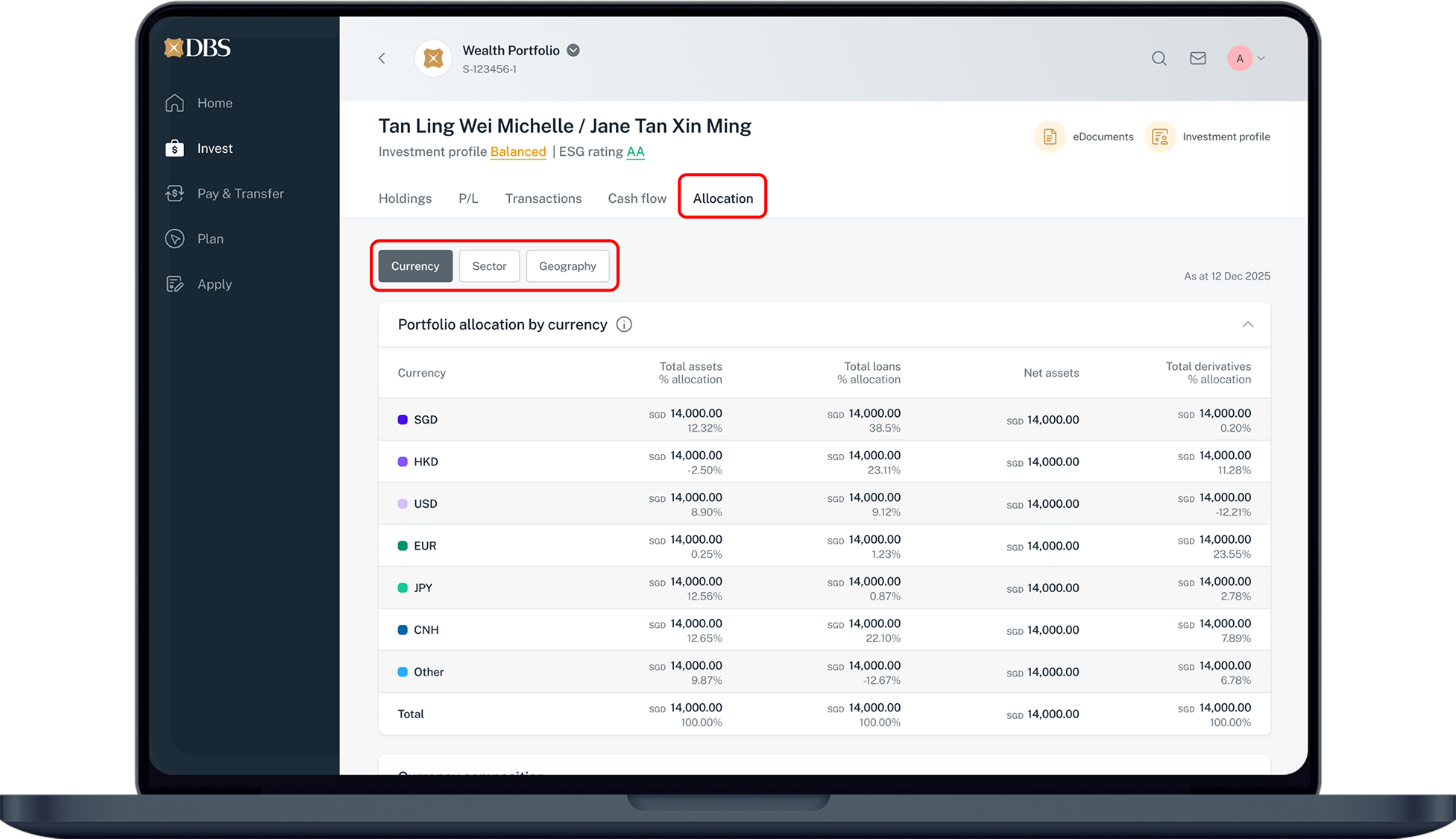
Swipe left to select Allocation and monitor your portfolio by currency, sector and geography
Get the latest DBS digibank(wealth) mobile app now!

laptop
login
authenticate
wealth portfolio
allocation
1
Step 1
Log in to digibank online with your User ID & PIN.
2
Step 2
Complete the Authentication Process.
3
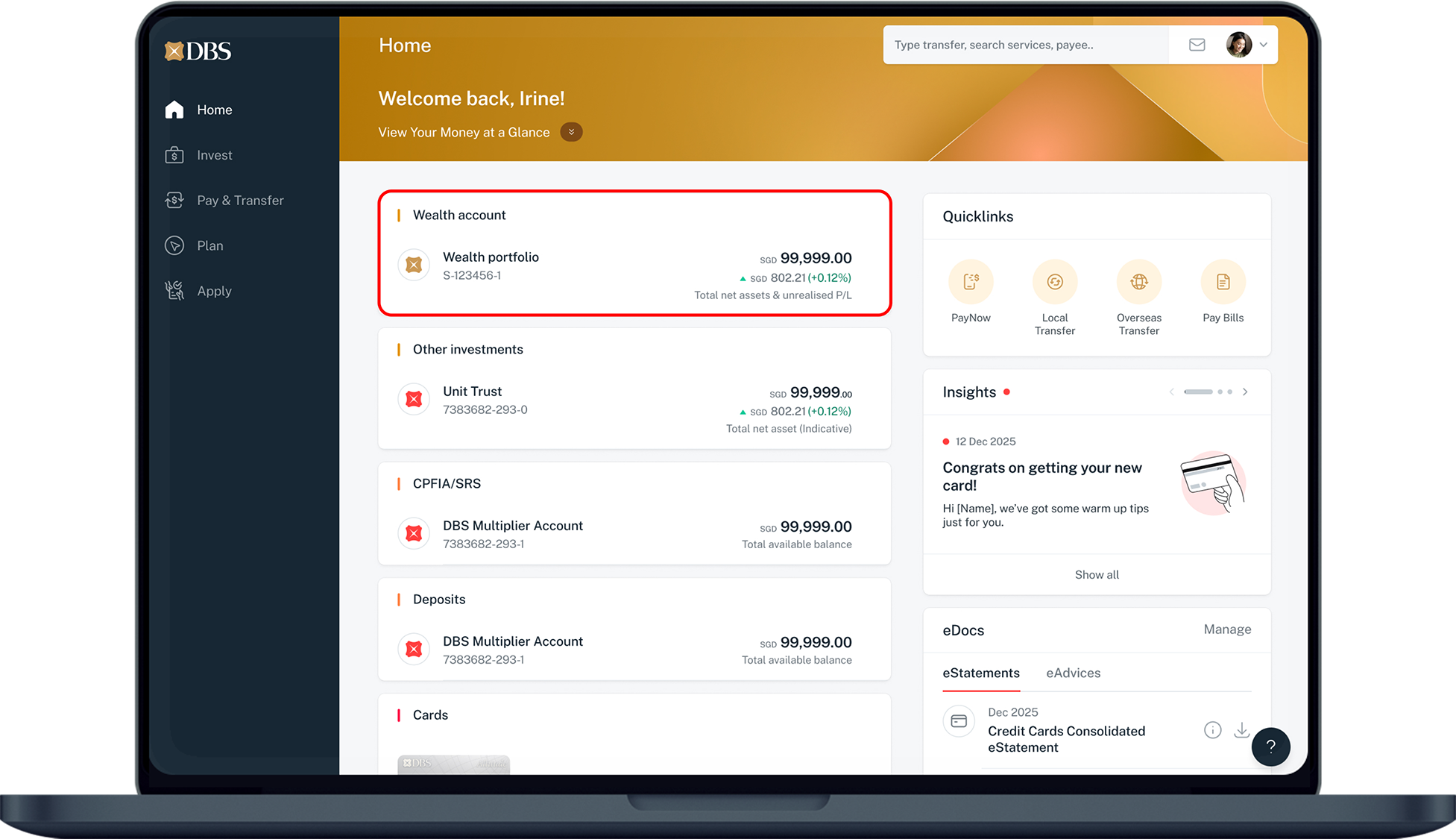
Step 3
Under Home, select Wealth portfolio.
4
Step 4
Click on Allocation and monitor your portfolio by currency, sector and geography
Was this information useful?

We welcome your feedback

Information is easy to understand and find
Information is useful to answer your inquiries completely