ETF Screener

Discover ETF investment opportunities through ready-made or customized screening criteria across multiple markets.

How to use dashboard features

There are various channels which you may use dashboard features with us. The most convenient method would be via desktop.

laptop
slider
slider
slider
slider
slider
slider
slider
slider
slider
1
Step 1
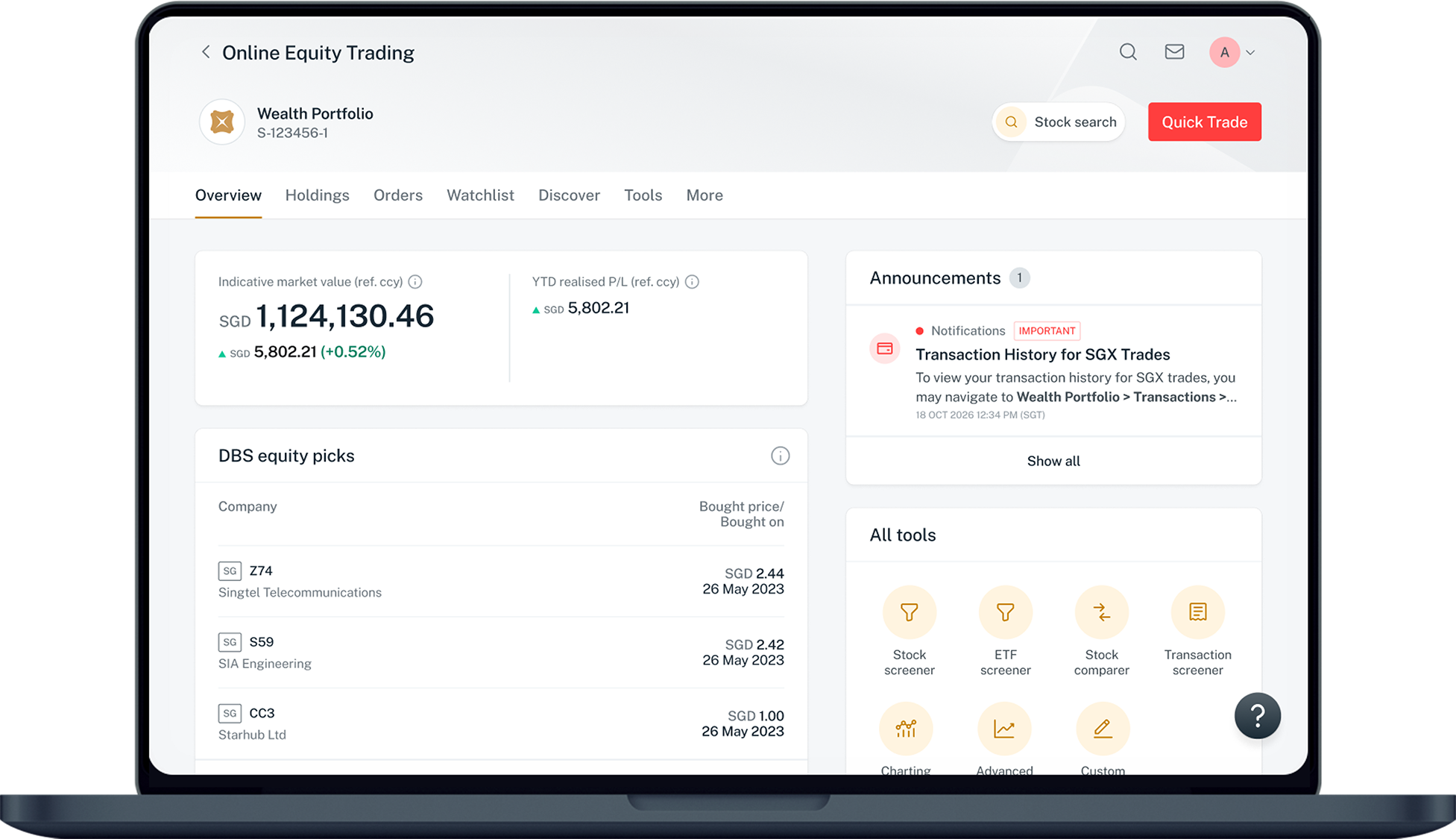
Refer to Online Equity Trading for more details on how to access the trading platforms.
2
Step 2
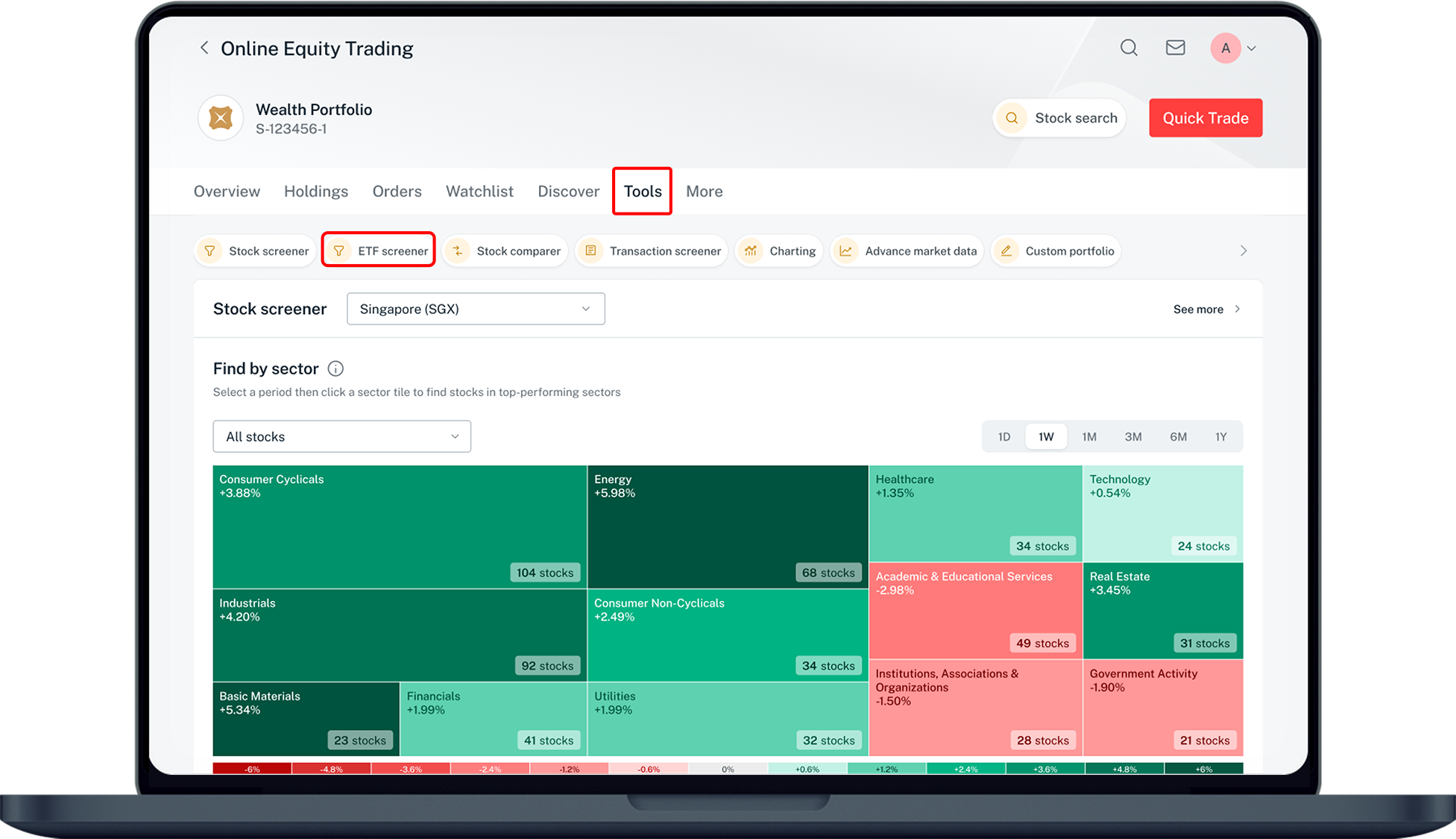
Click on ETF screener on the Tools tab.
3
Step 3
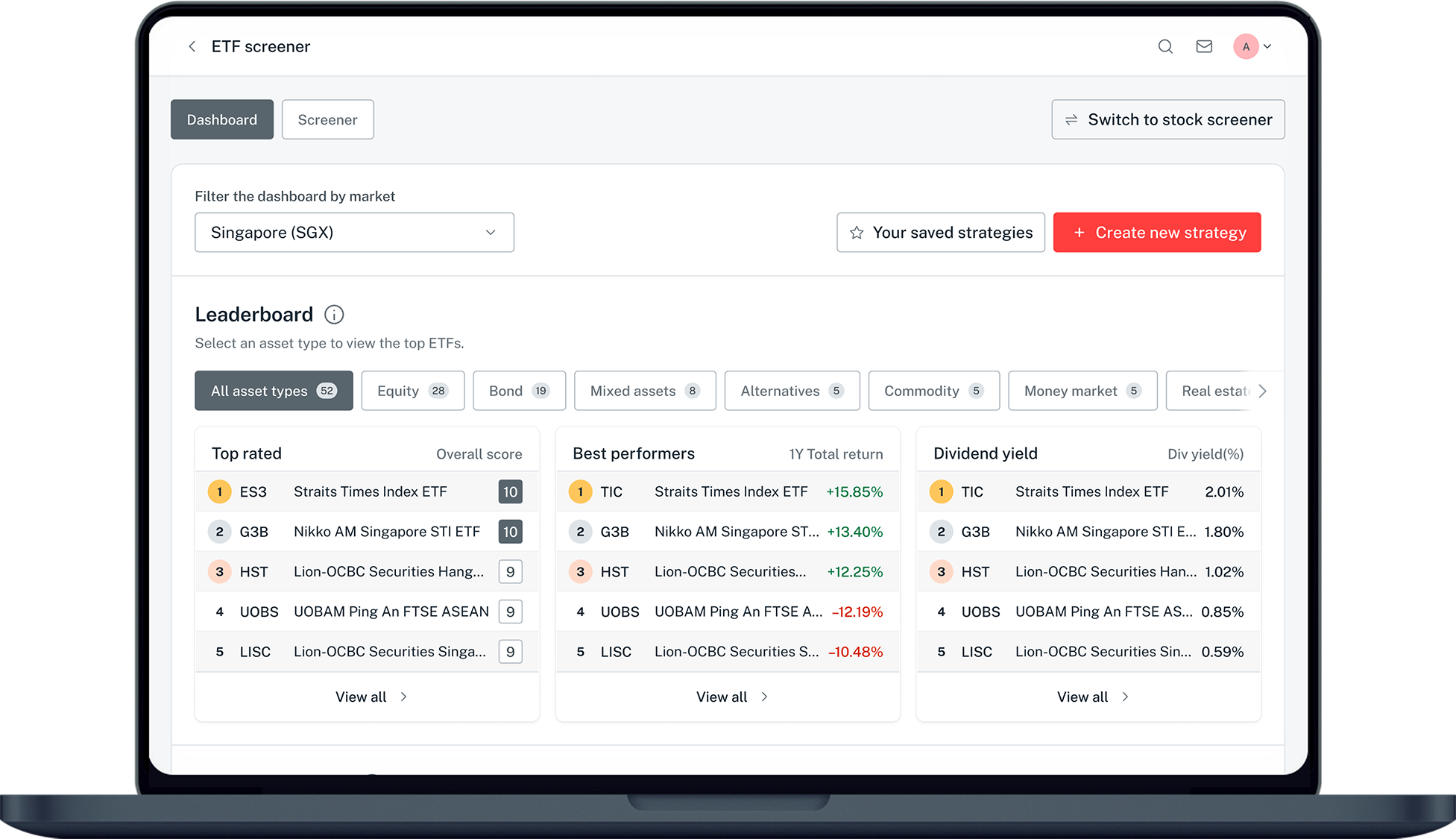
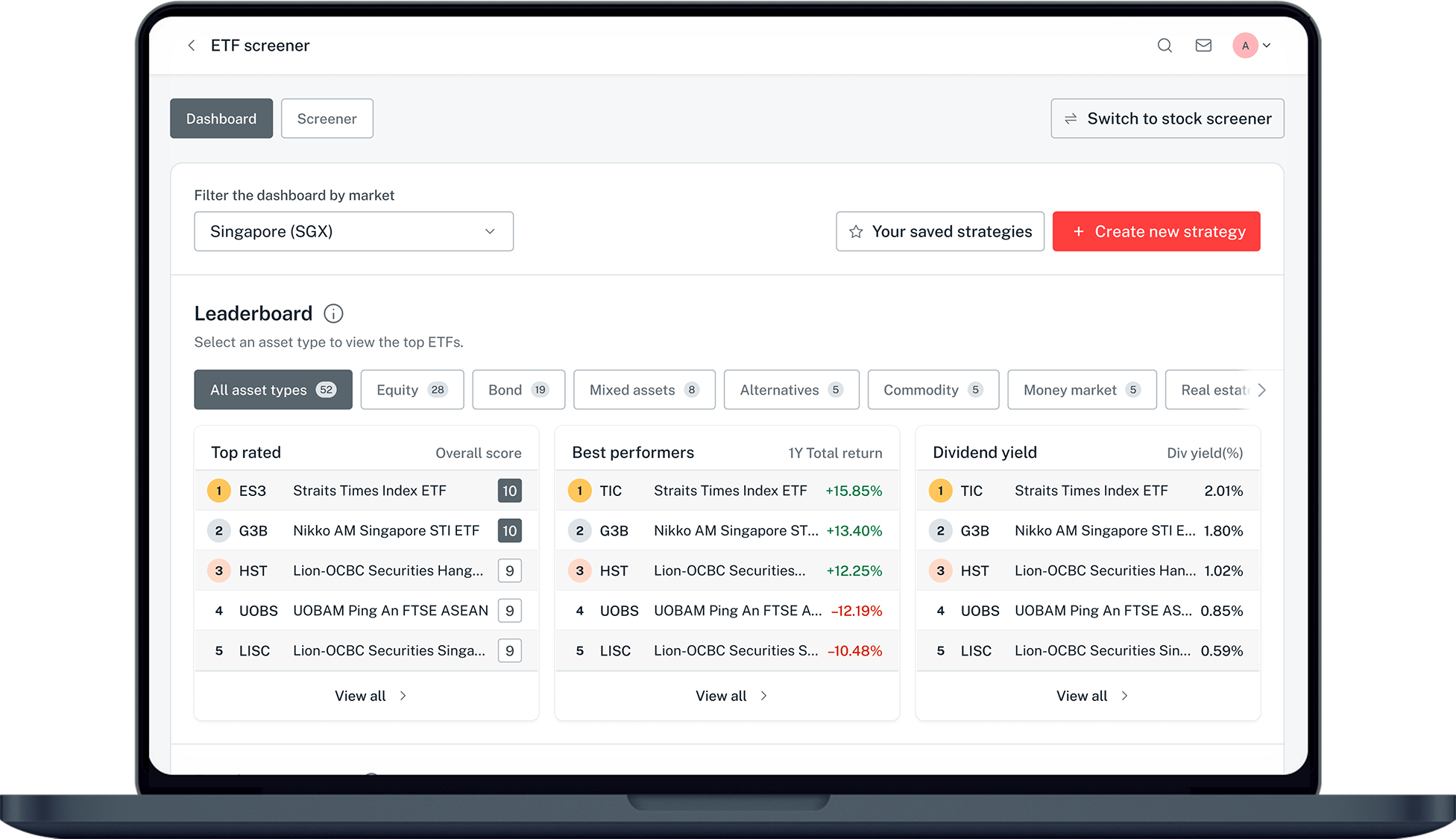
The Dashboard provides an overview of ETFs by ETF score, geographical focus and management style using charts and visual indicators.
4
Step 4
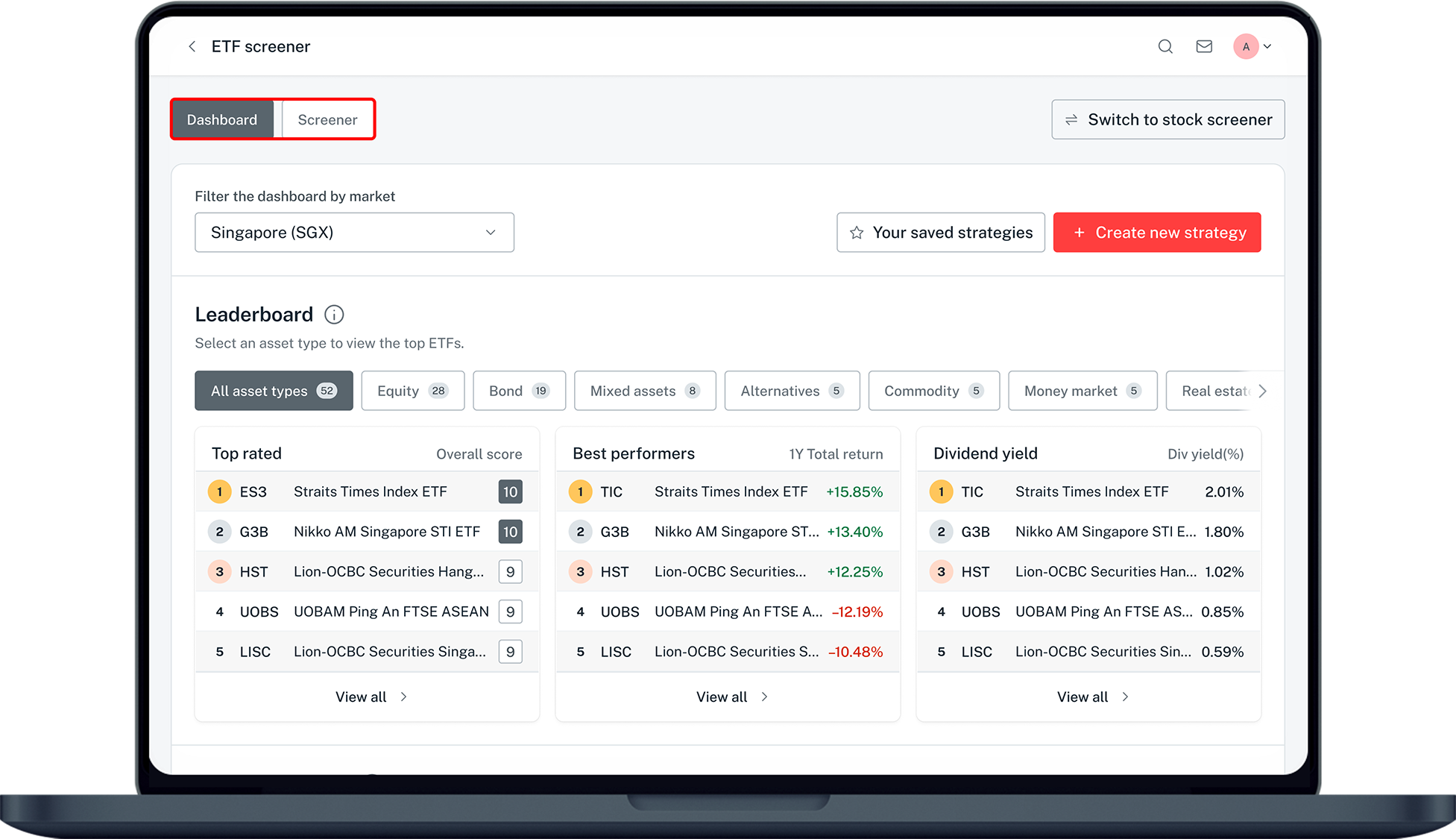
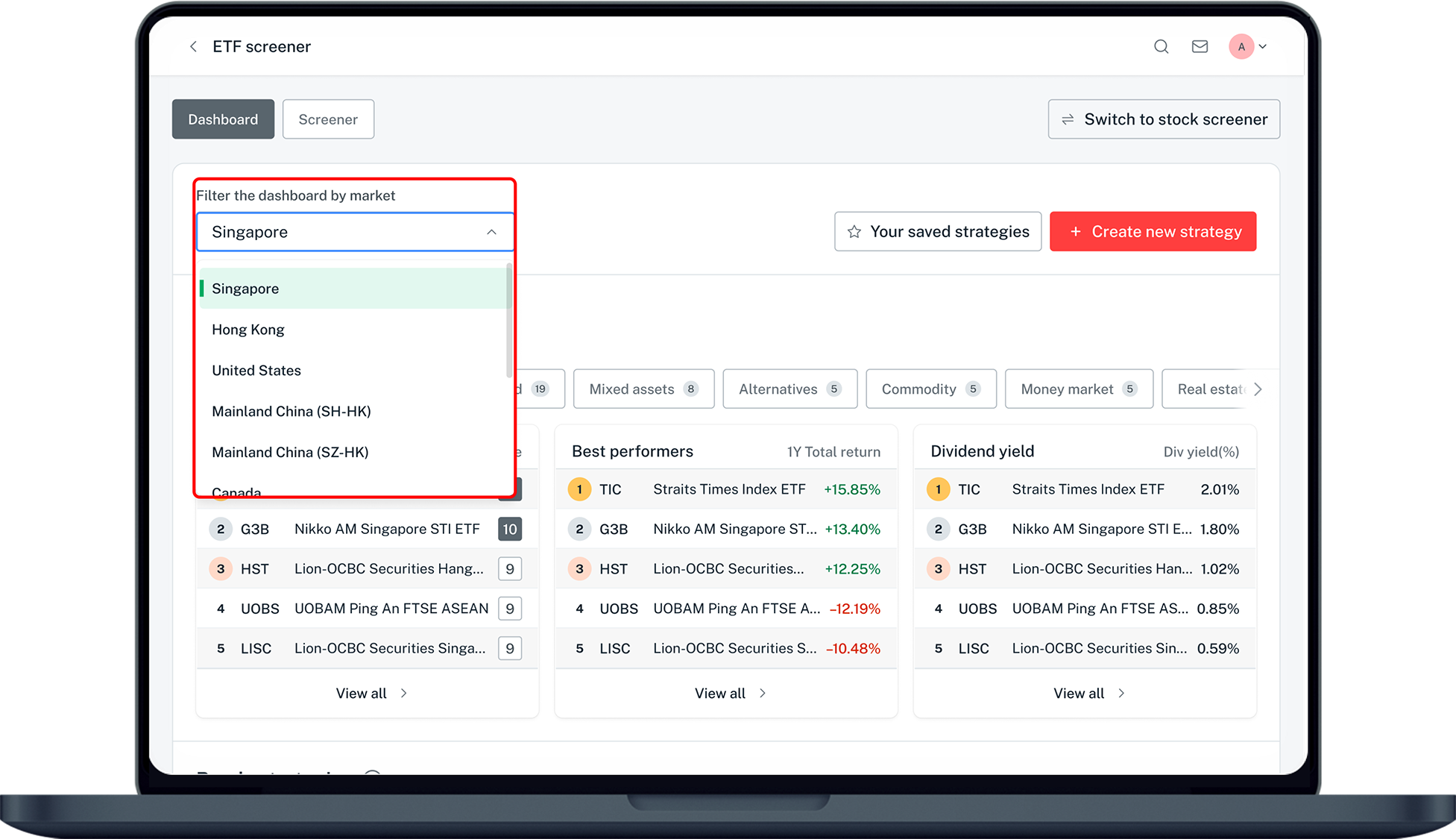
Select Dashboard or Screener to switch between the market overview and screening results.
5
Step 5
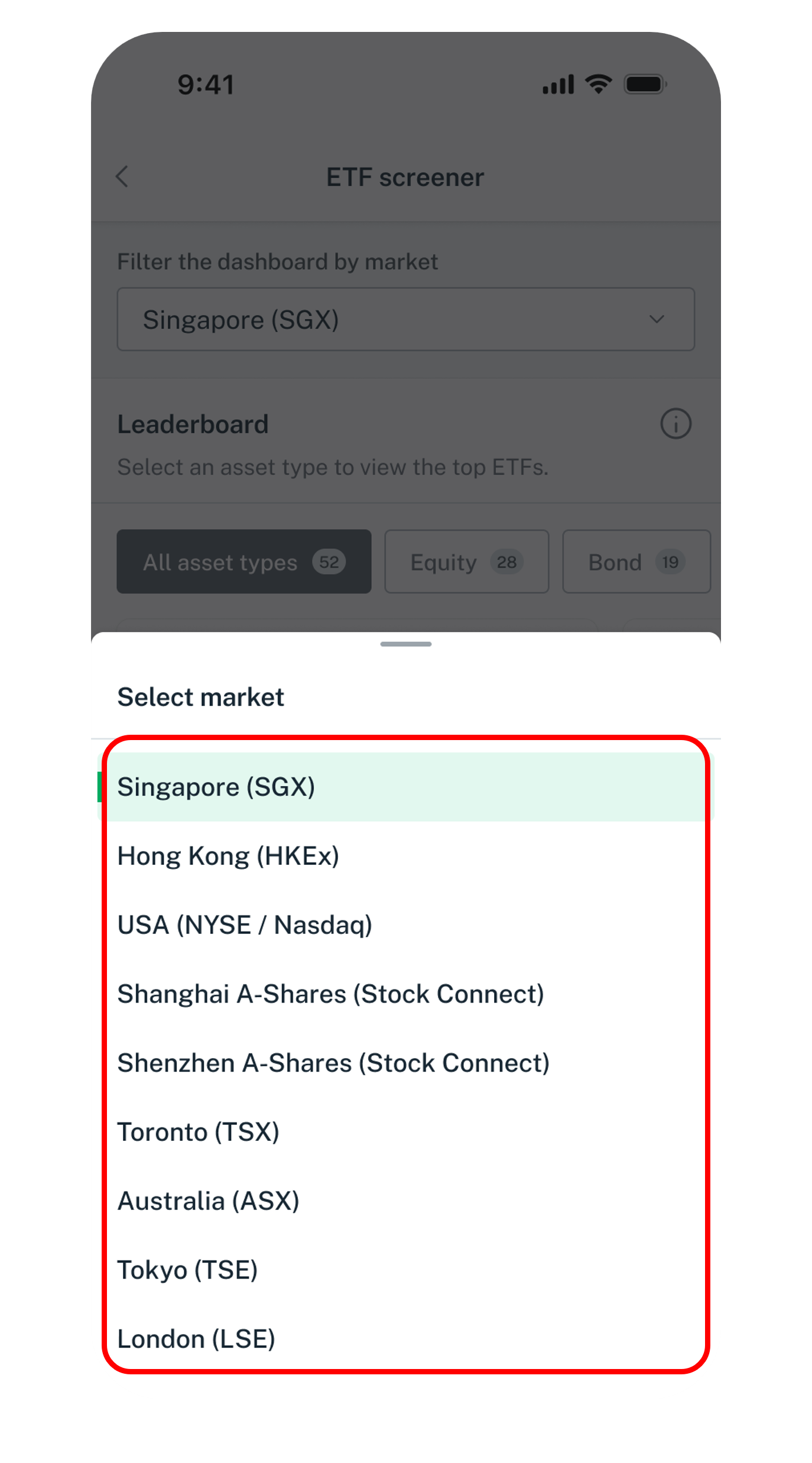
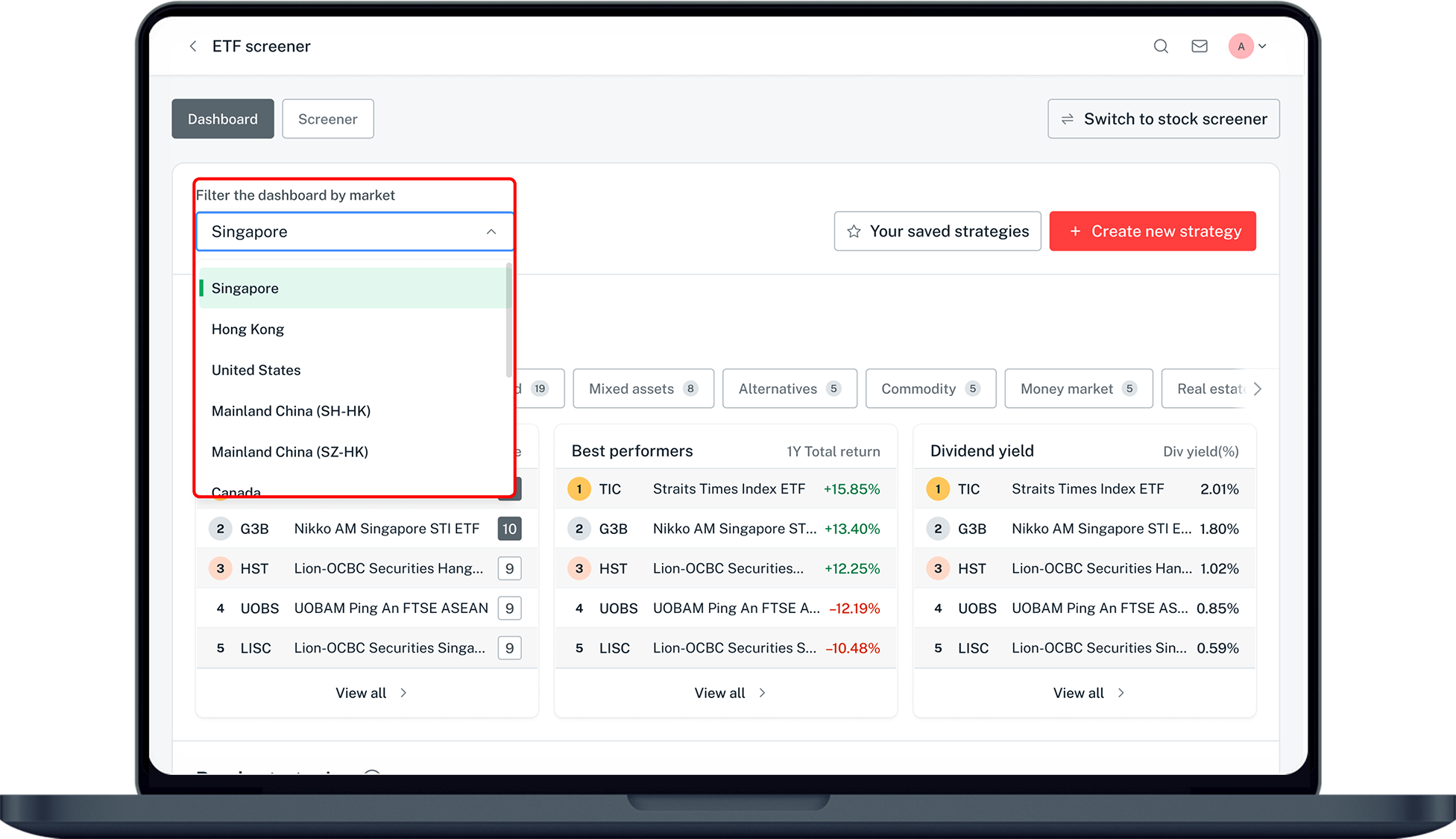
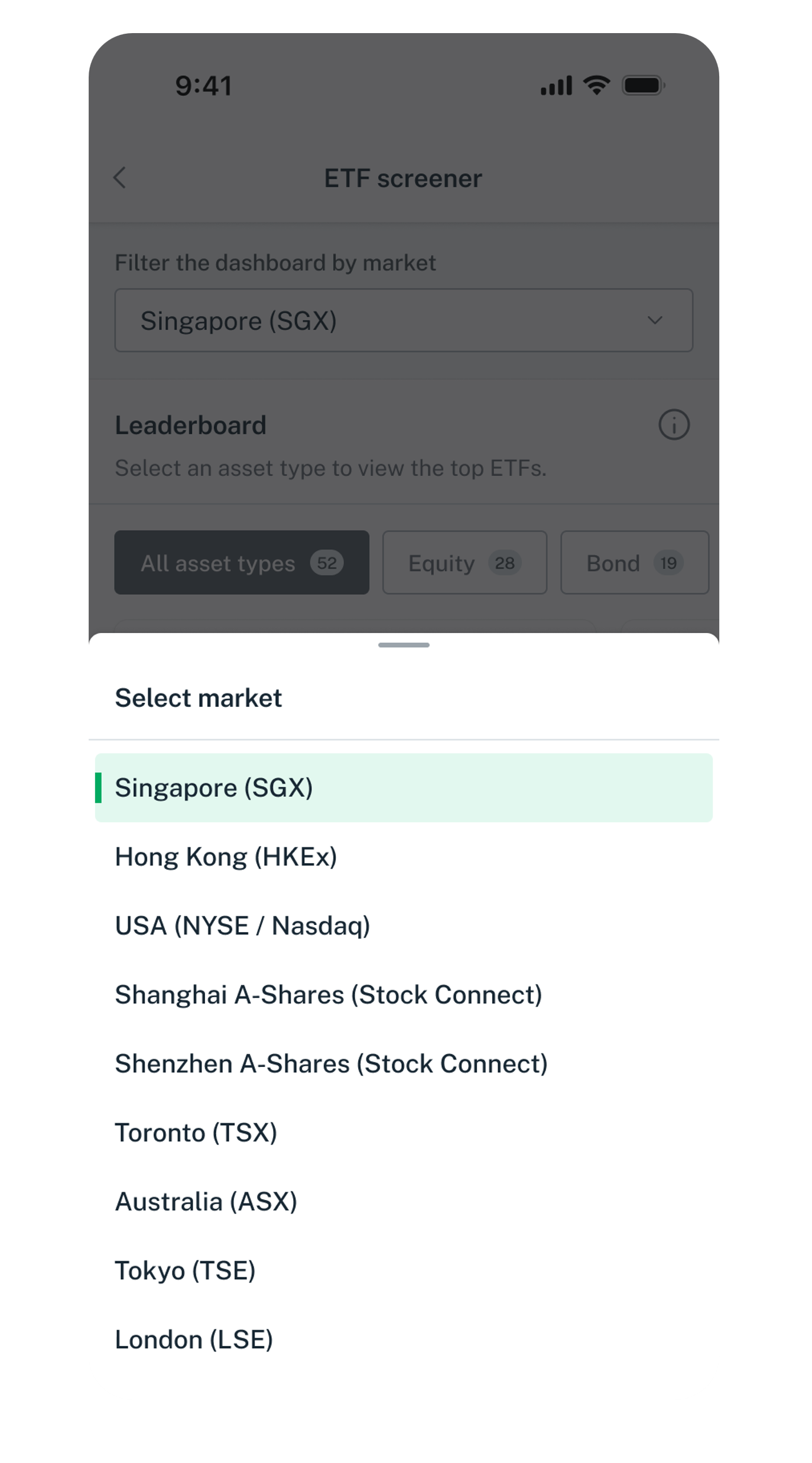
Select a market from the dropdown list to view ETFs available in that market.
6
Step 6
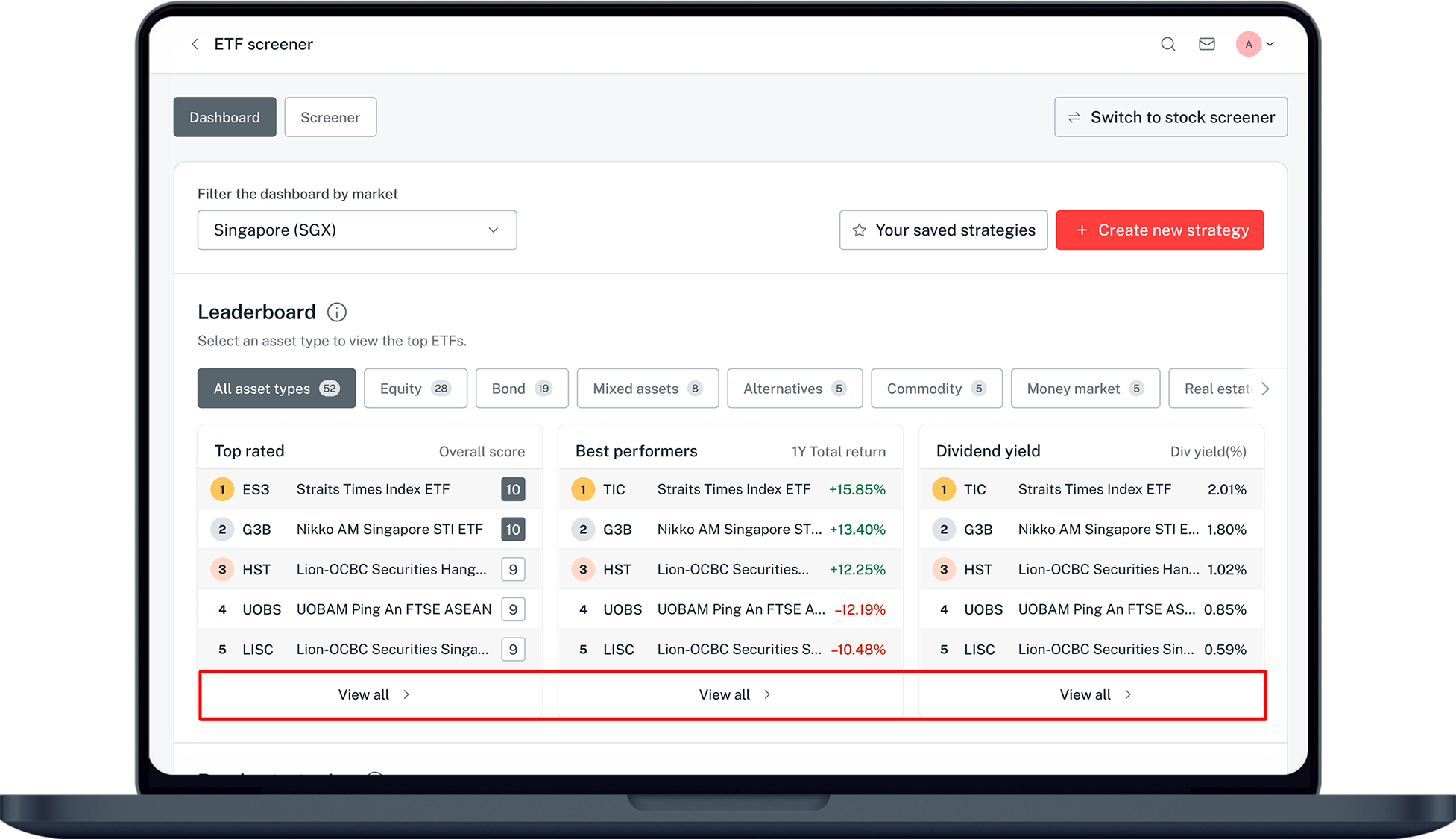
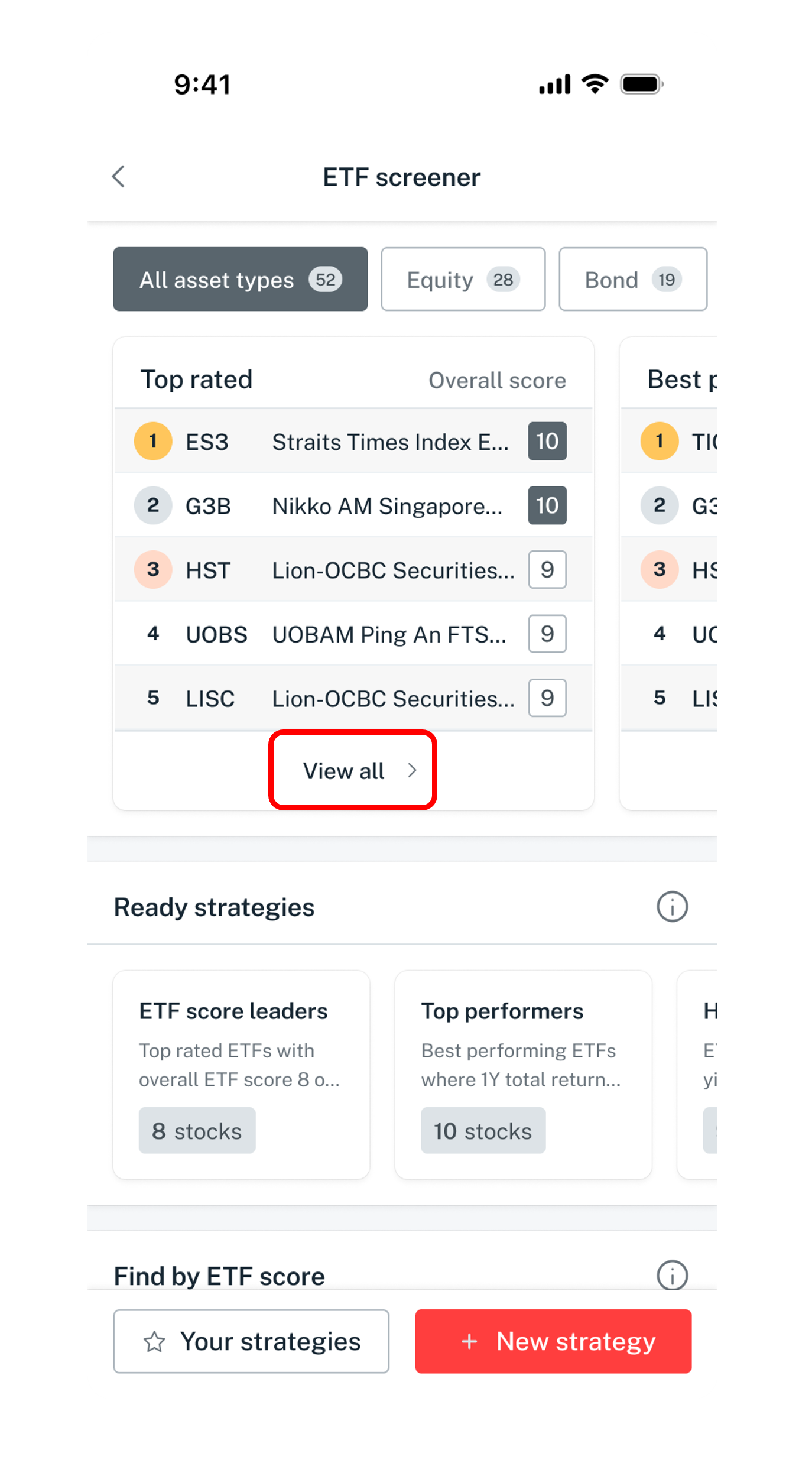
View the top ETFs by asset type based on key metrics. Select an ETF to view its details or select View all to see the full list in the Screener.
7
Step 7
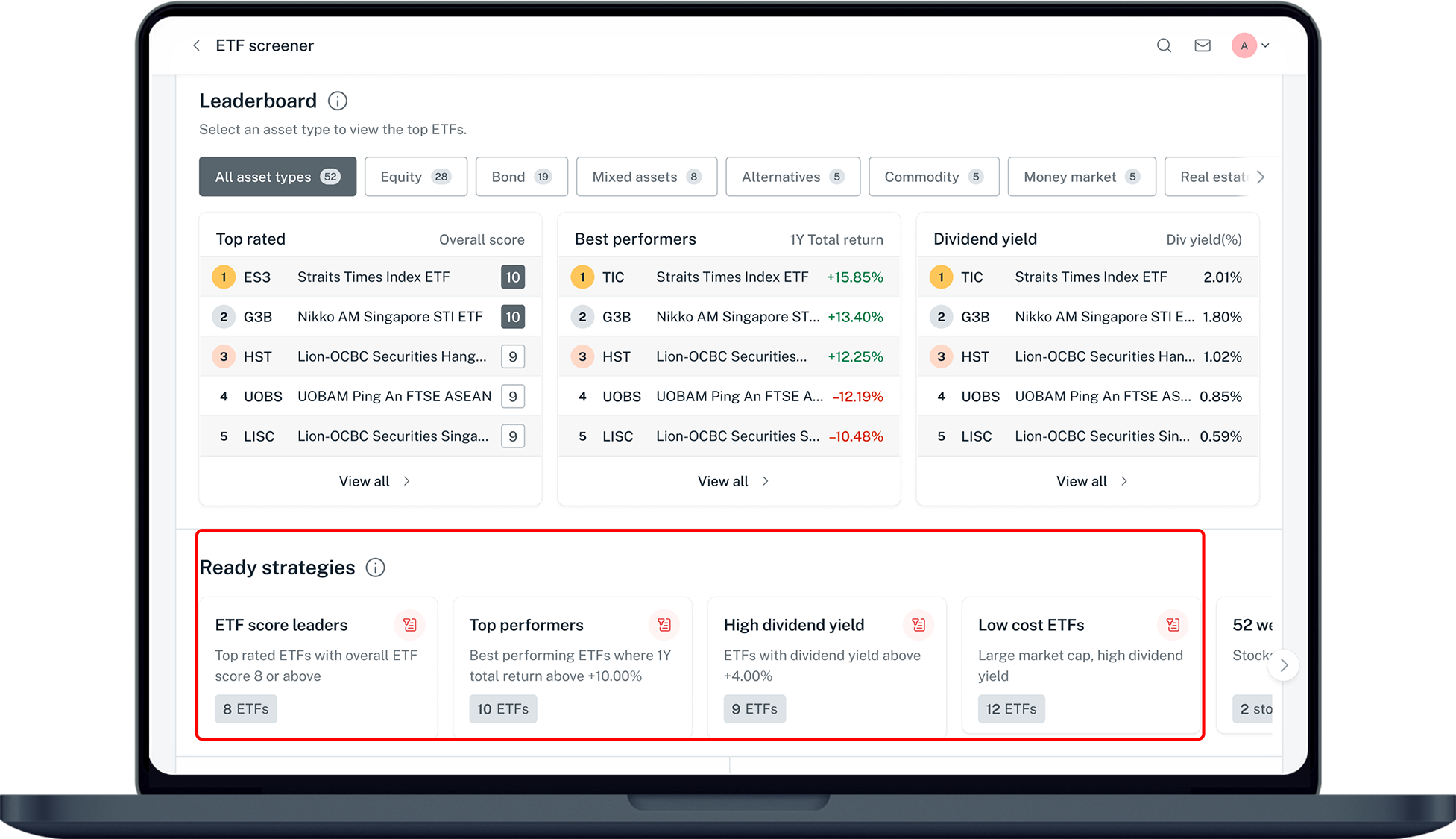
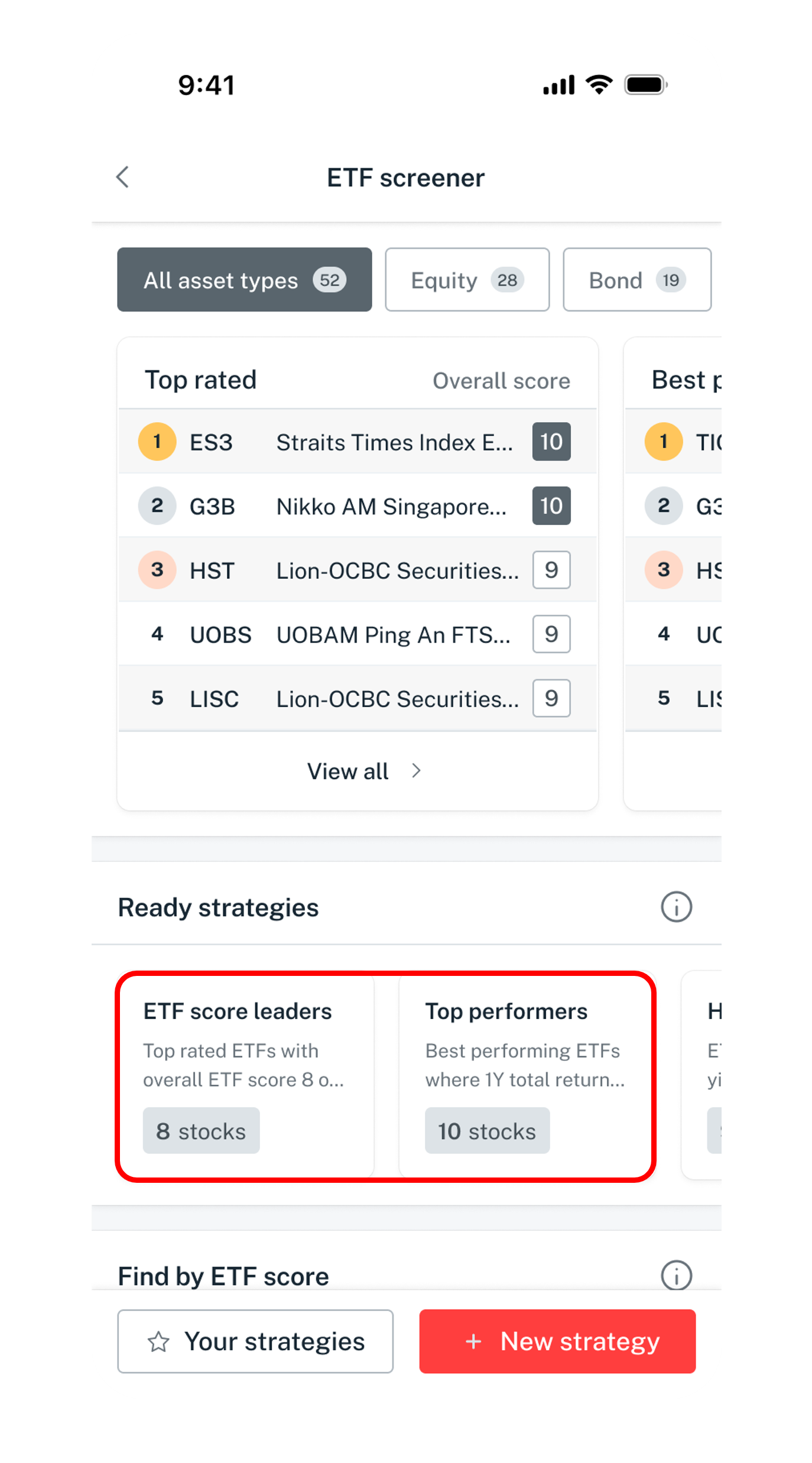
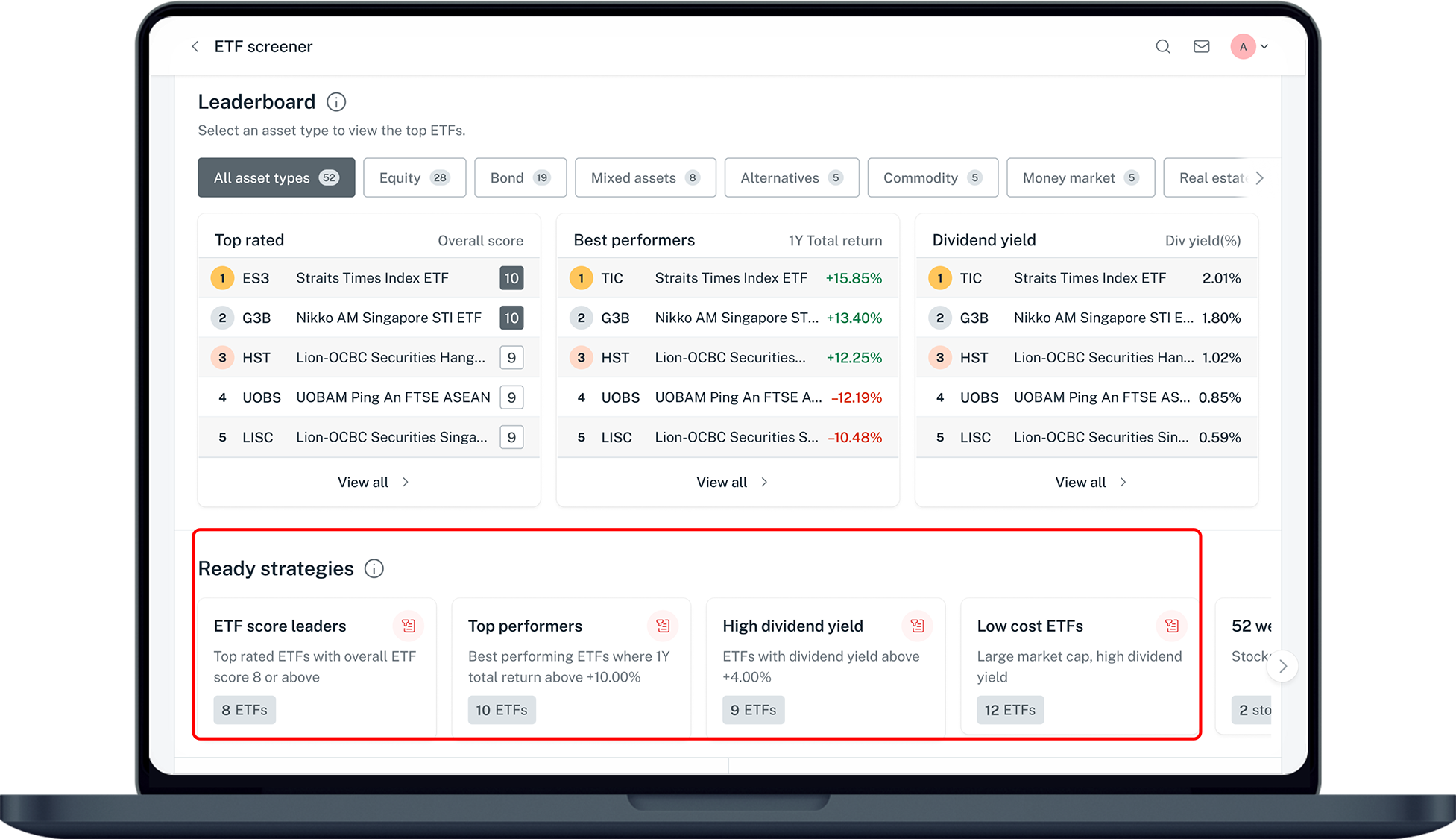
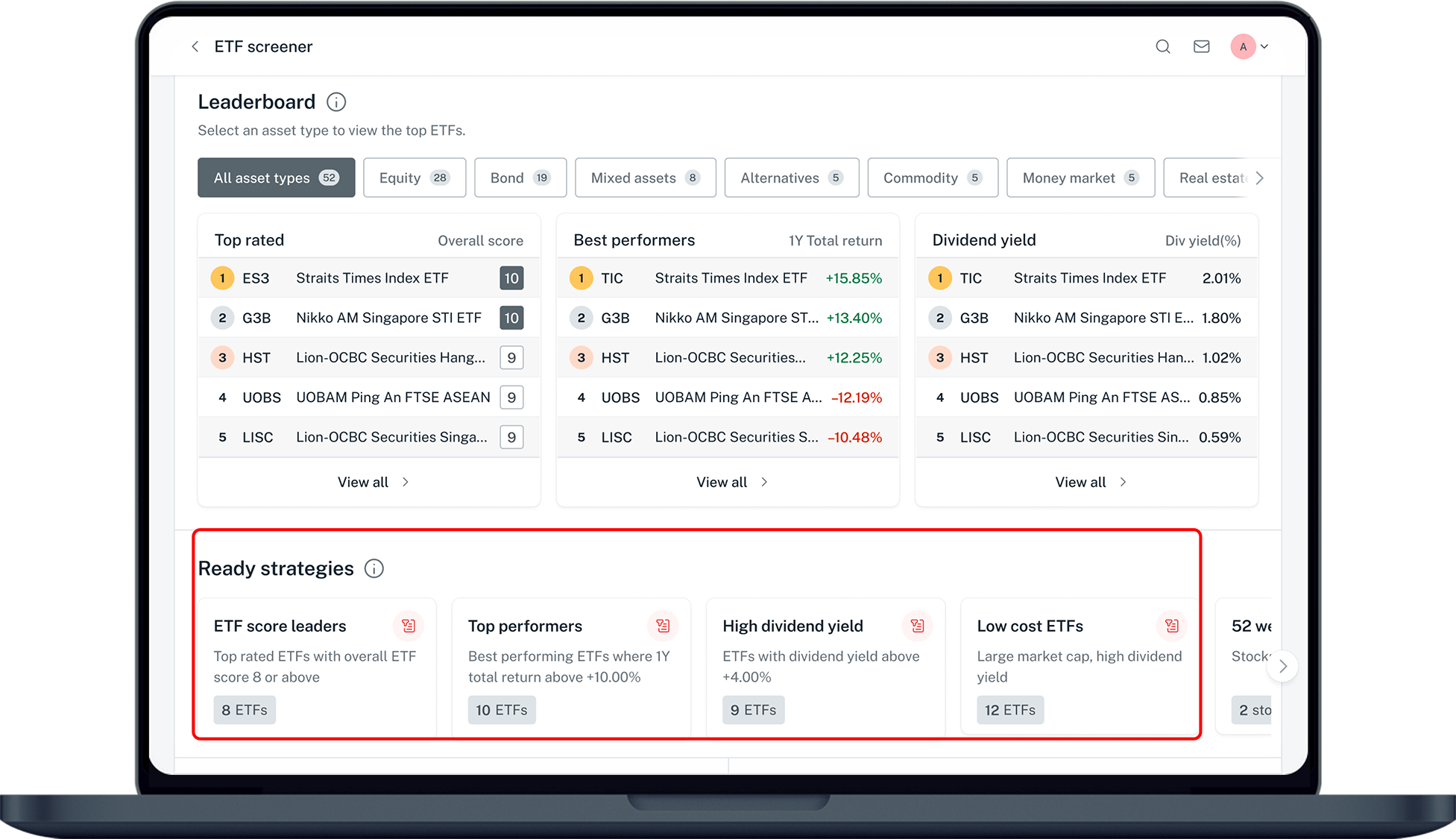
Select a Ready strategy to view ETFs that match the predefined screening criteria.
8
Step 8
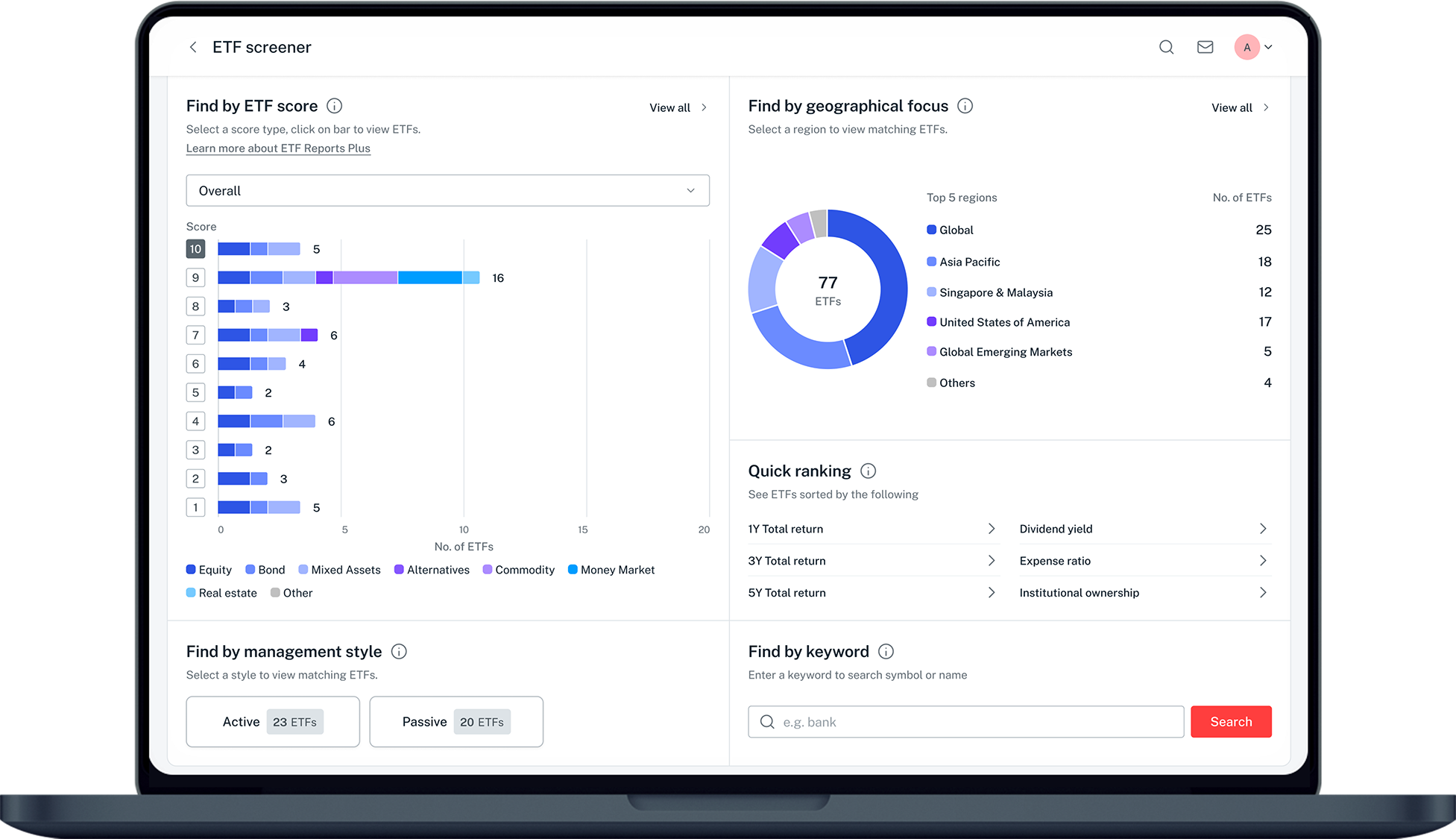
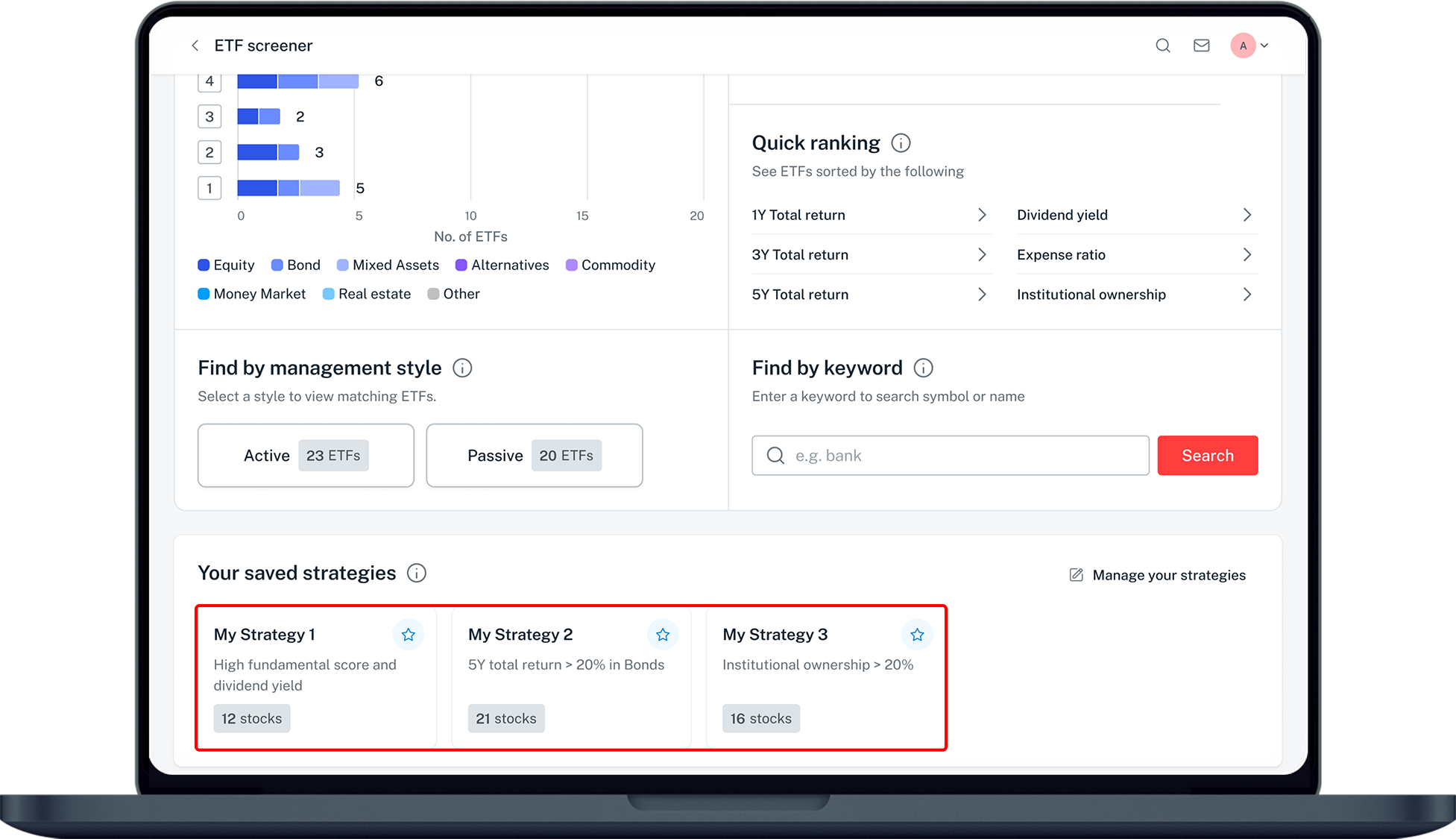
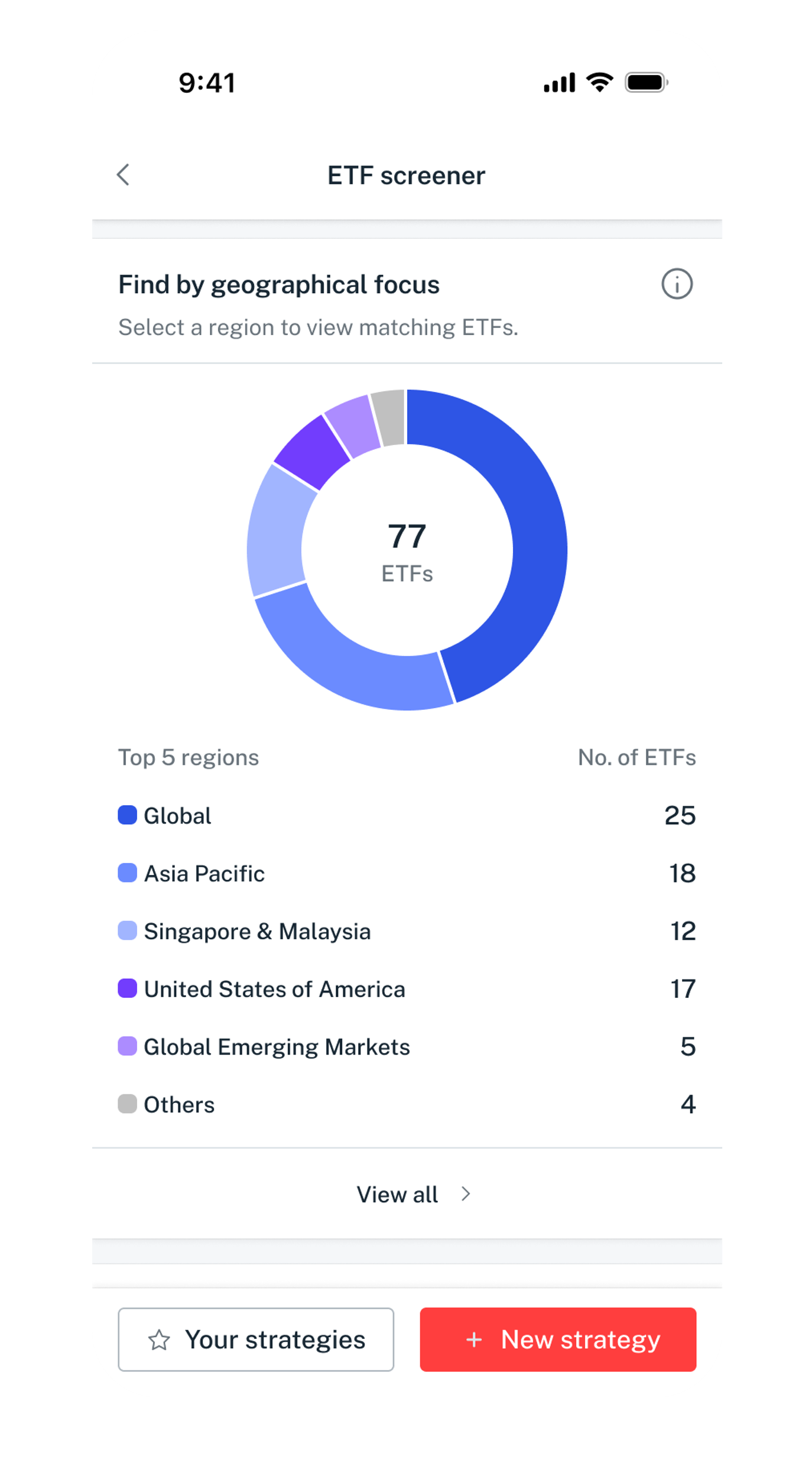
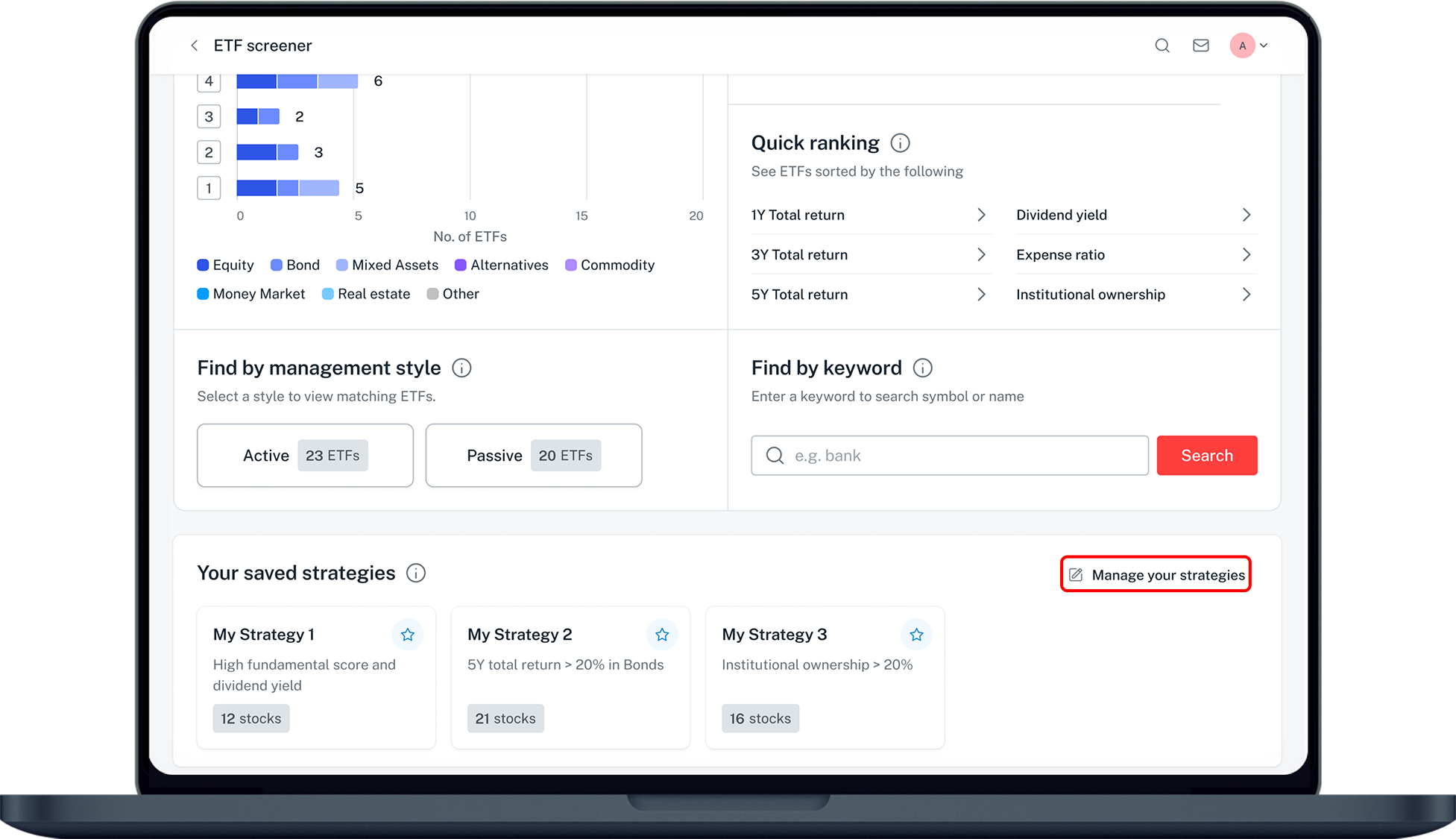
Explore our ready-to-use screening widgets, including ETF Score, Geographical Focus, Quick Ranking, Management Style and Keyword Search to identify ETFs that match your investment preferences.
9
Step 9
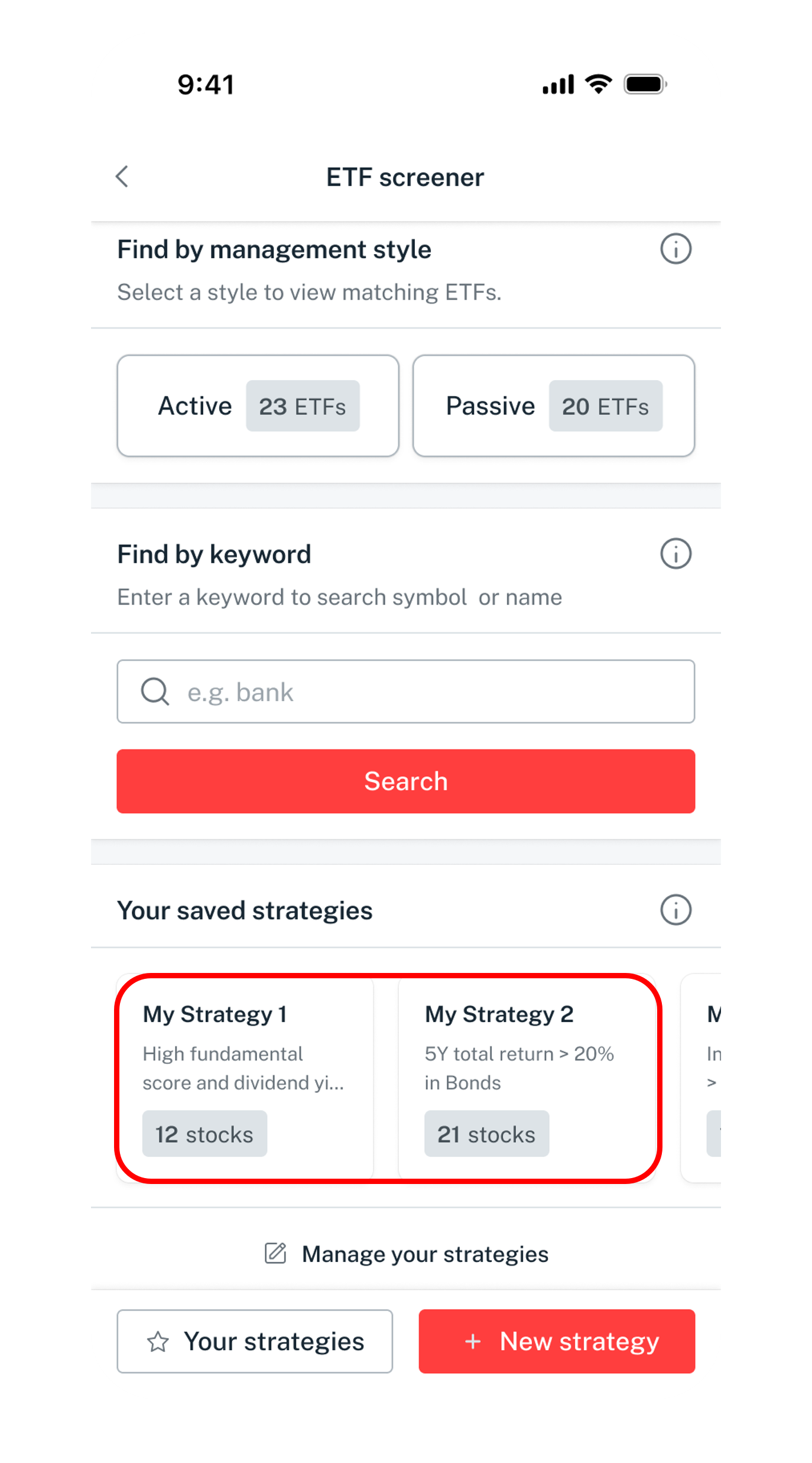
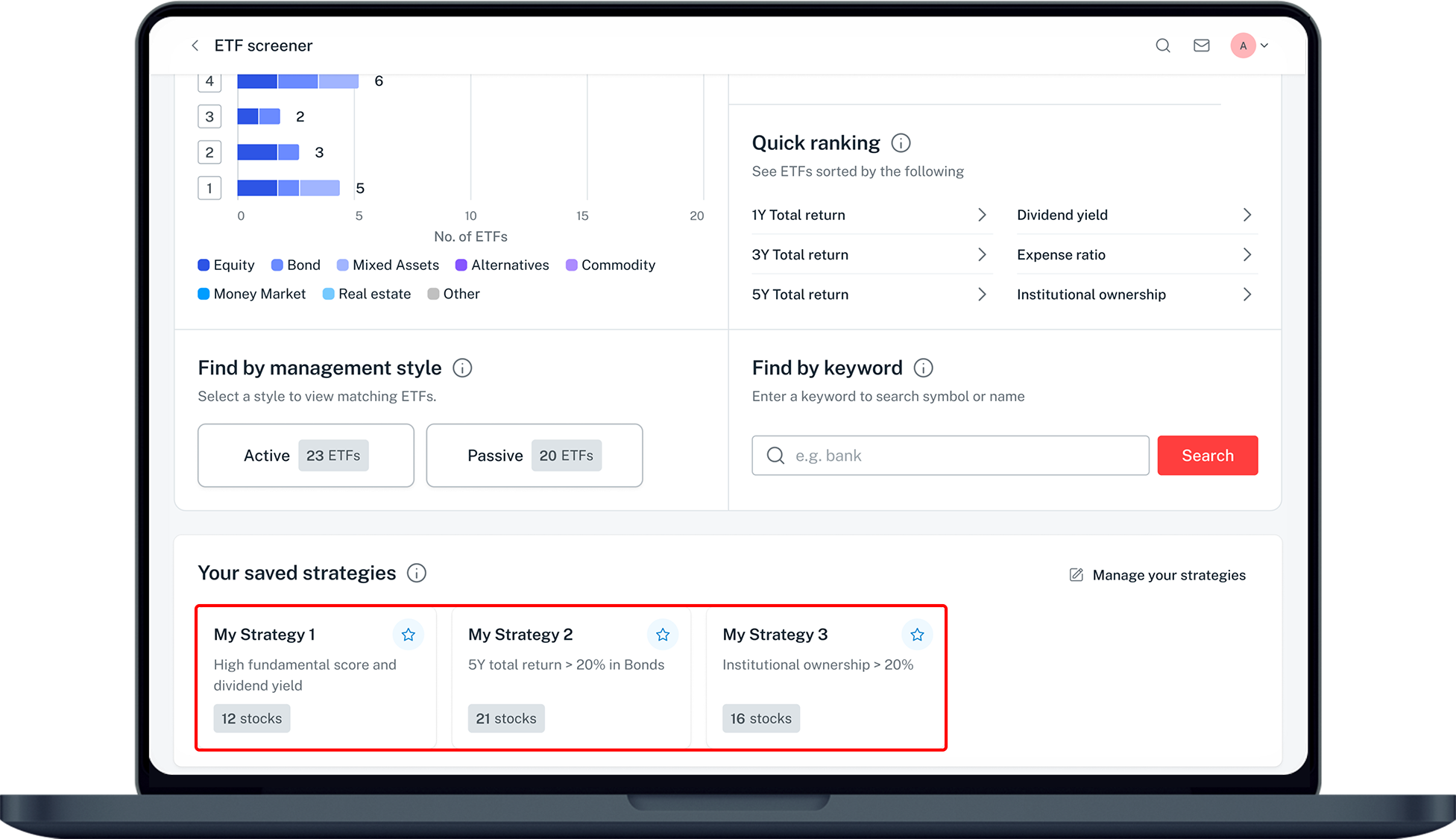
Access and manage your saved strategies to monitor stocks and update your screening criteria when needed.
phone frame
slider
slider
slider
slider
slider
slider
slider
slider
1
Step 1
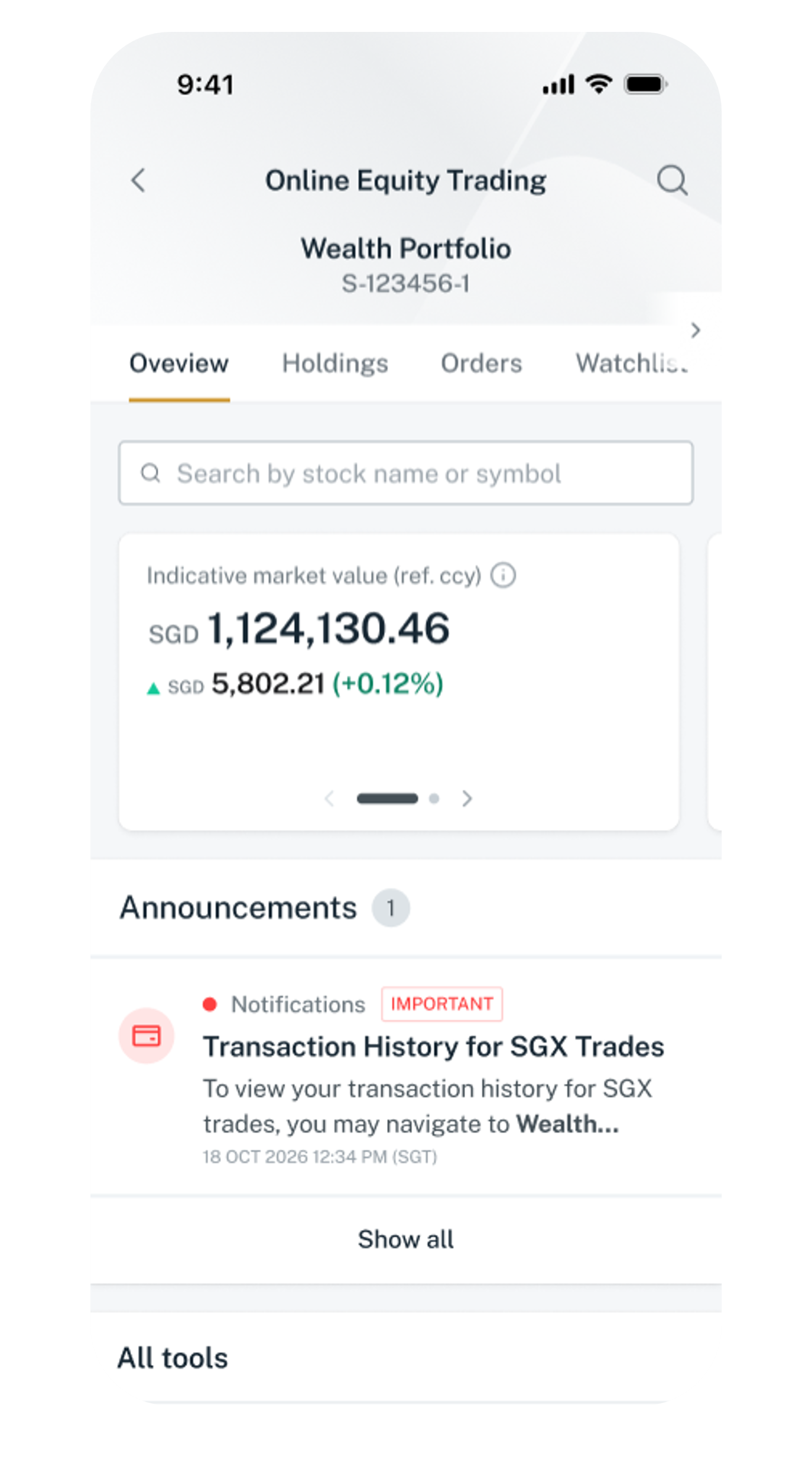
Refer to Online Equity Trading for more details on how to access the trading platforms.
2
Step 2
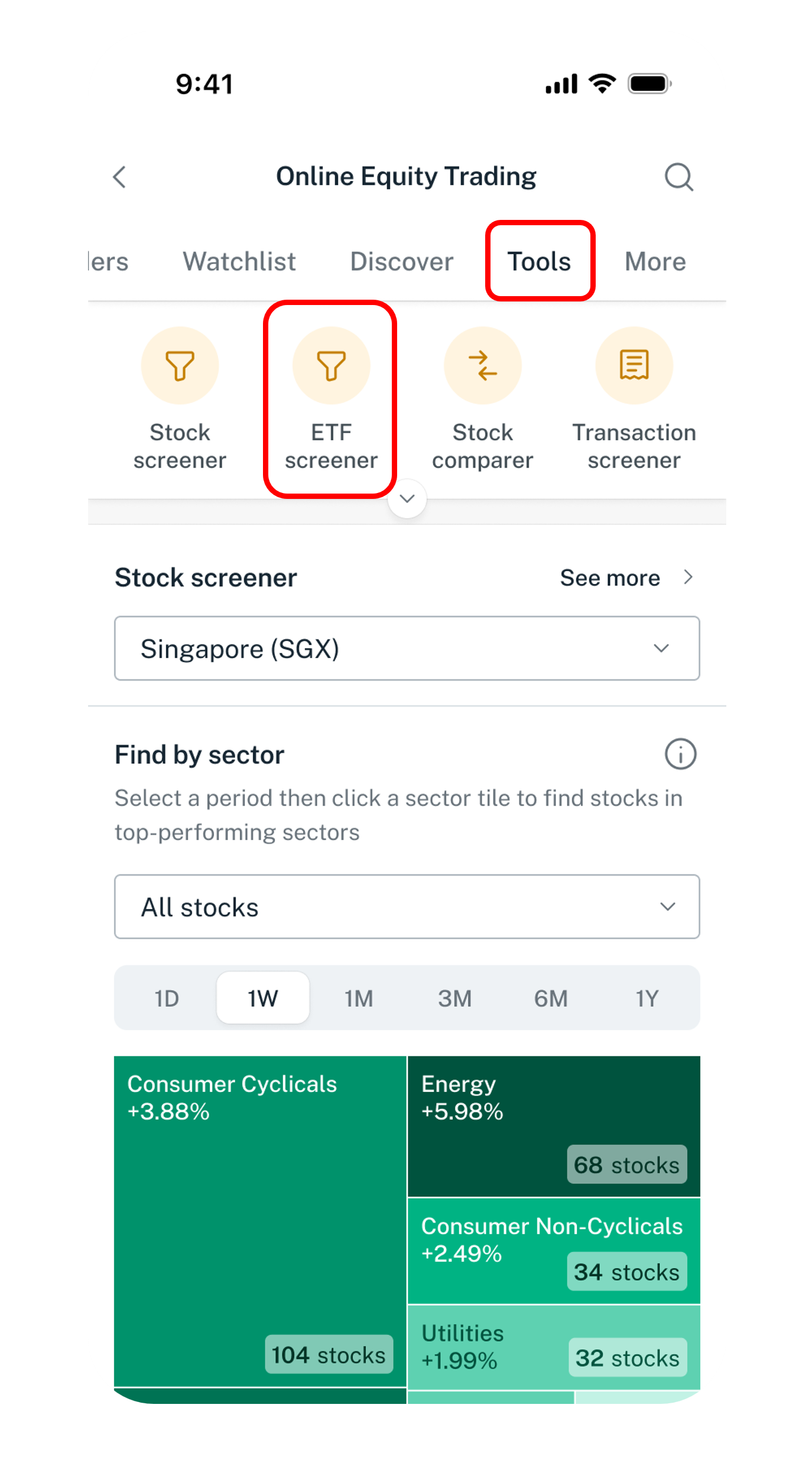
Tap on ETF screener on the Tools tab.
3
Step 3
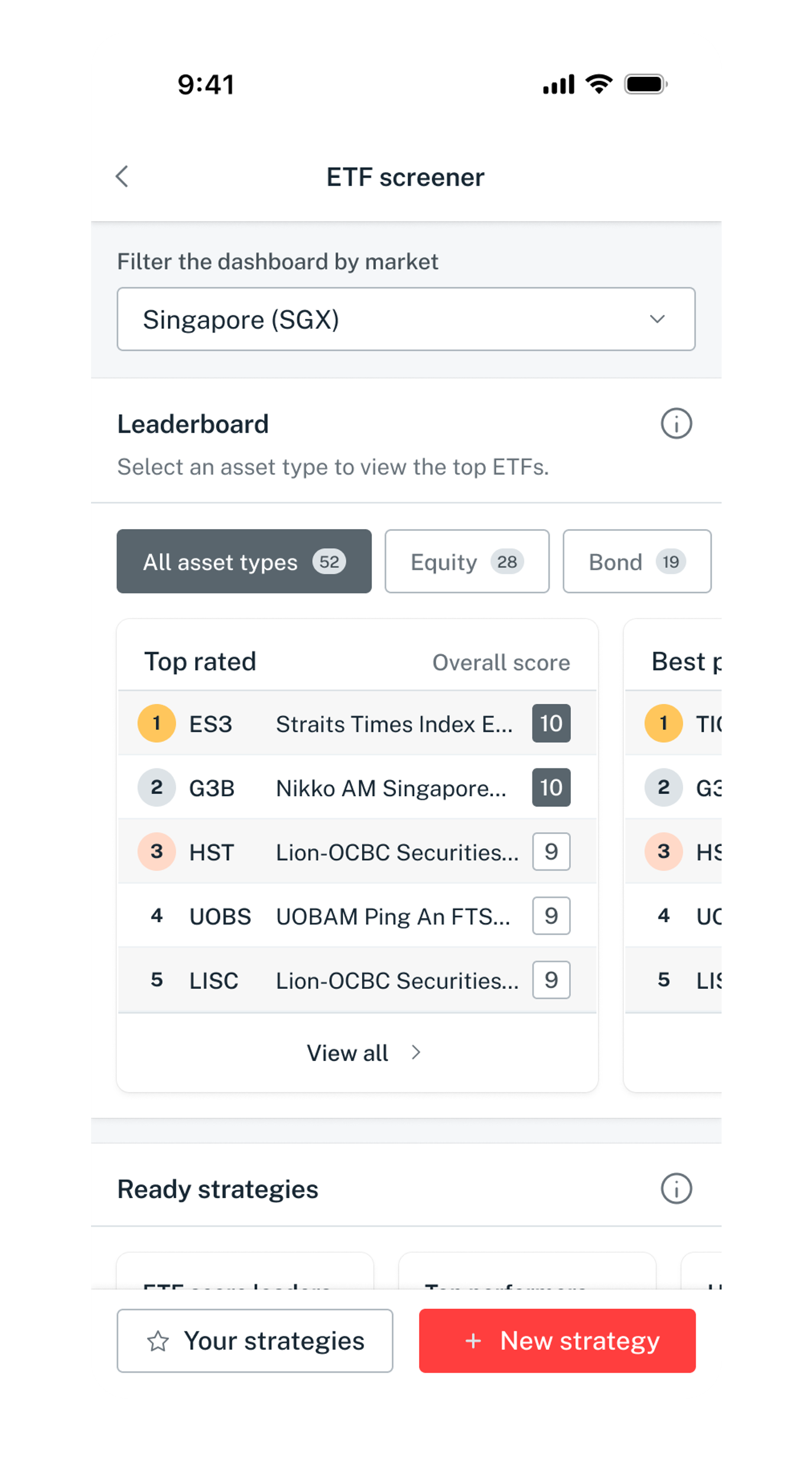
The Dashboard provides an overview of ETFs by ETF score, geographical focus and management style using charts and visual indicators.
4
Step 4
Select a market from the dropdown list to view ETFs available in that market.
5
Step 5
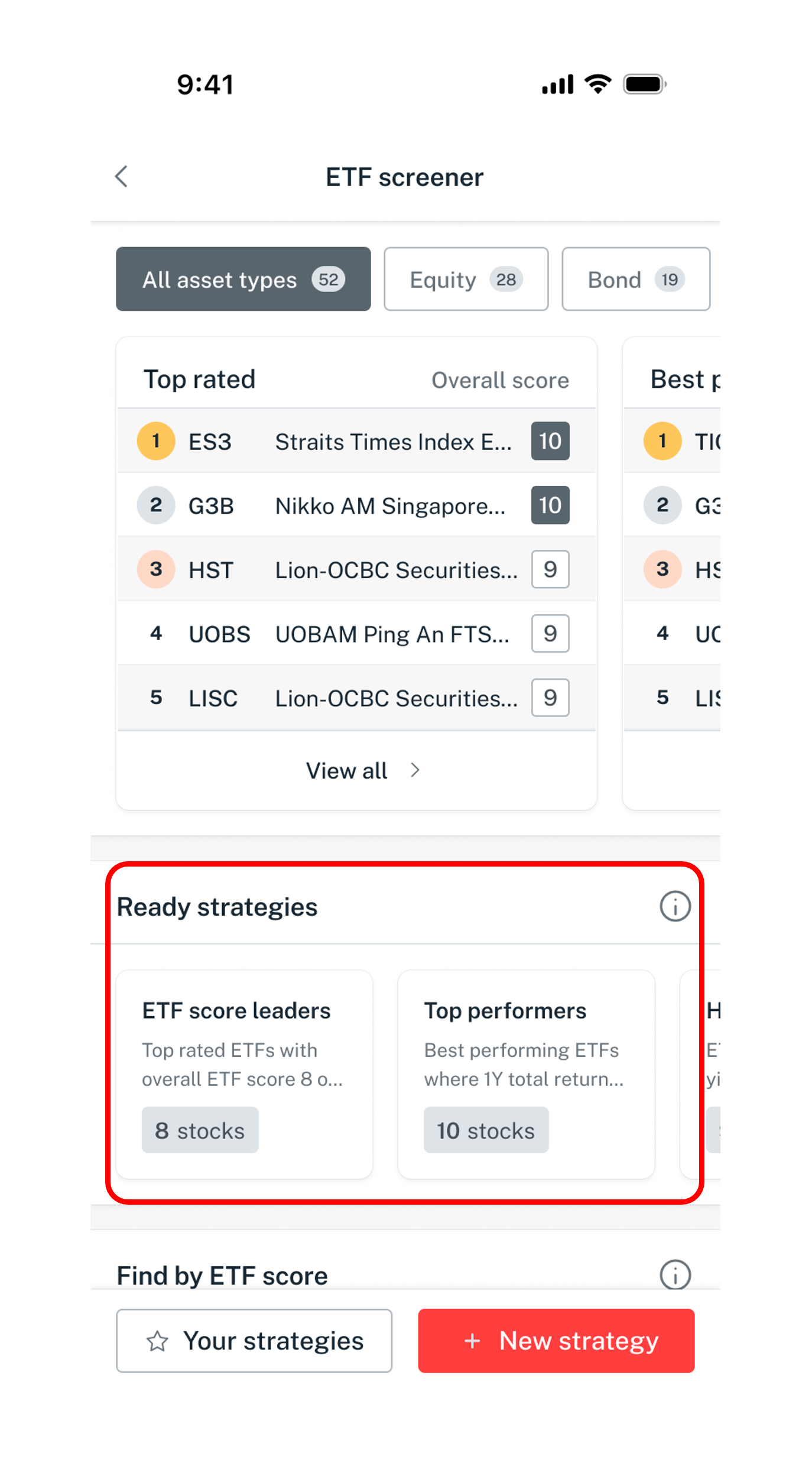
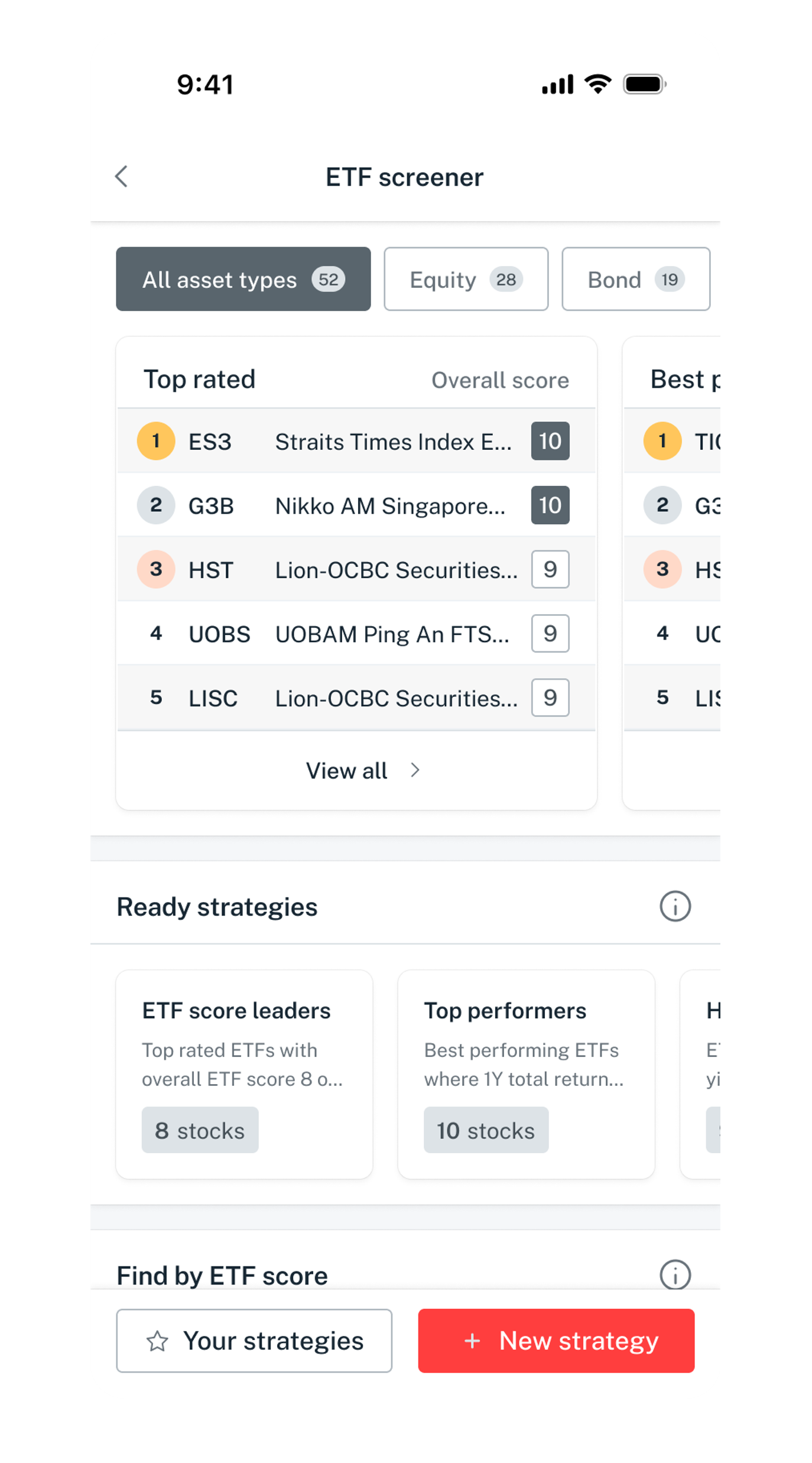
View the top ETFs by asset type based on key metrics. Select an ETF to view its details or select View all to see the full list in the Screener.
6
Step 6
Select a strategy under Ready strategies to view stocks that meet the selected criteria.
7
Step 7
Explore our ready-to-use screening widgets, including ETF Score, Geographical Focus, Quick Ranking, Management Style, Keyword Search, and Ready Strategies, to identify ETFs that match your investment preferences.
8
Step 8
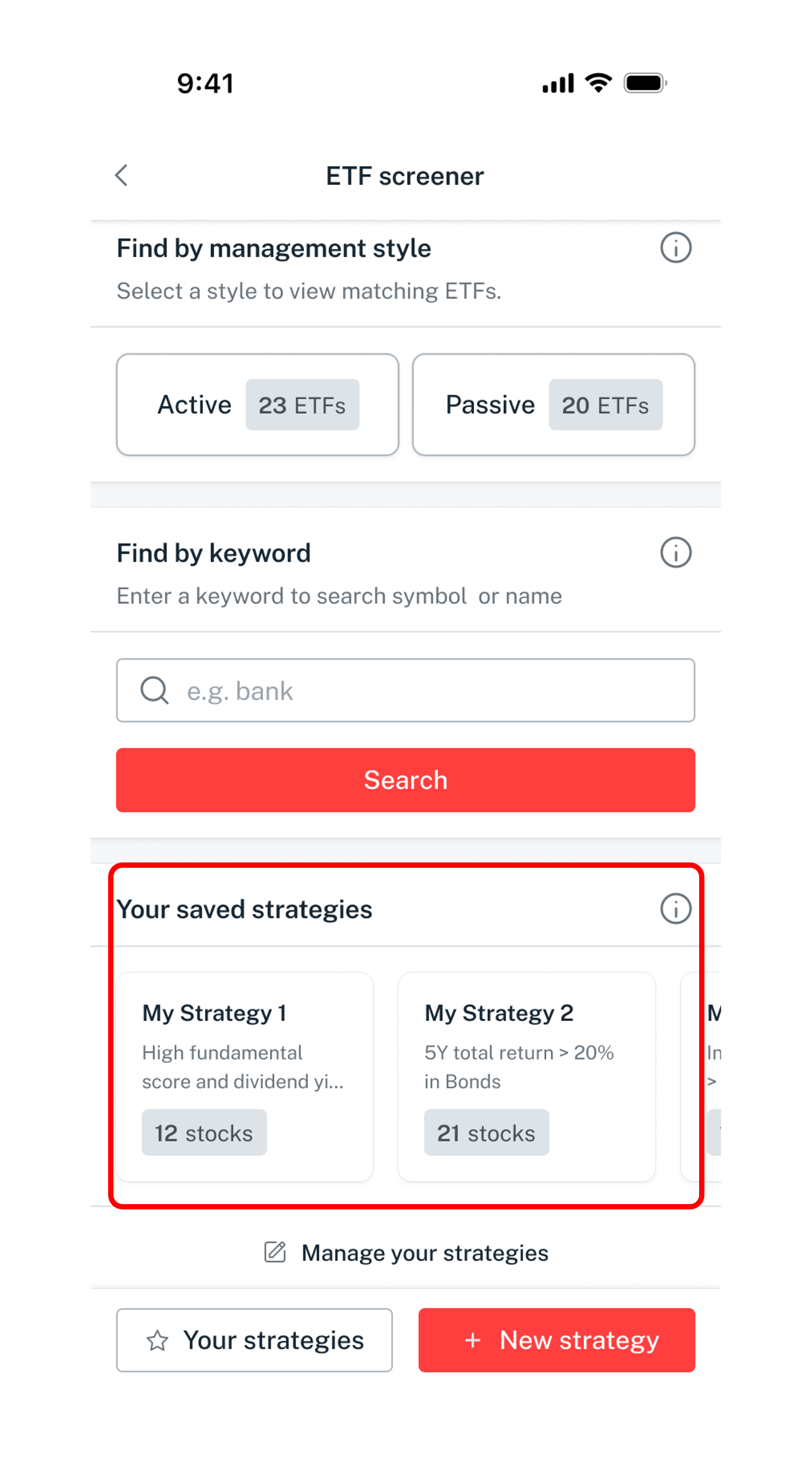
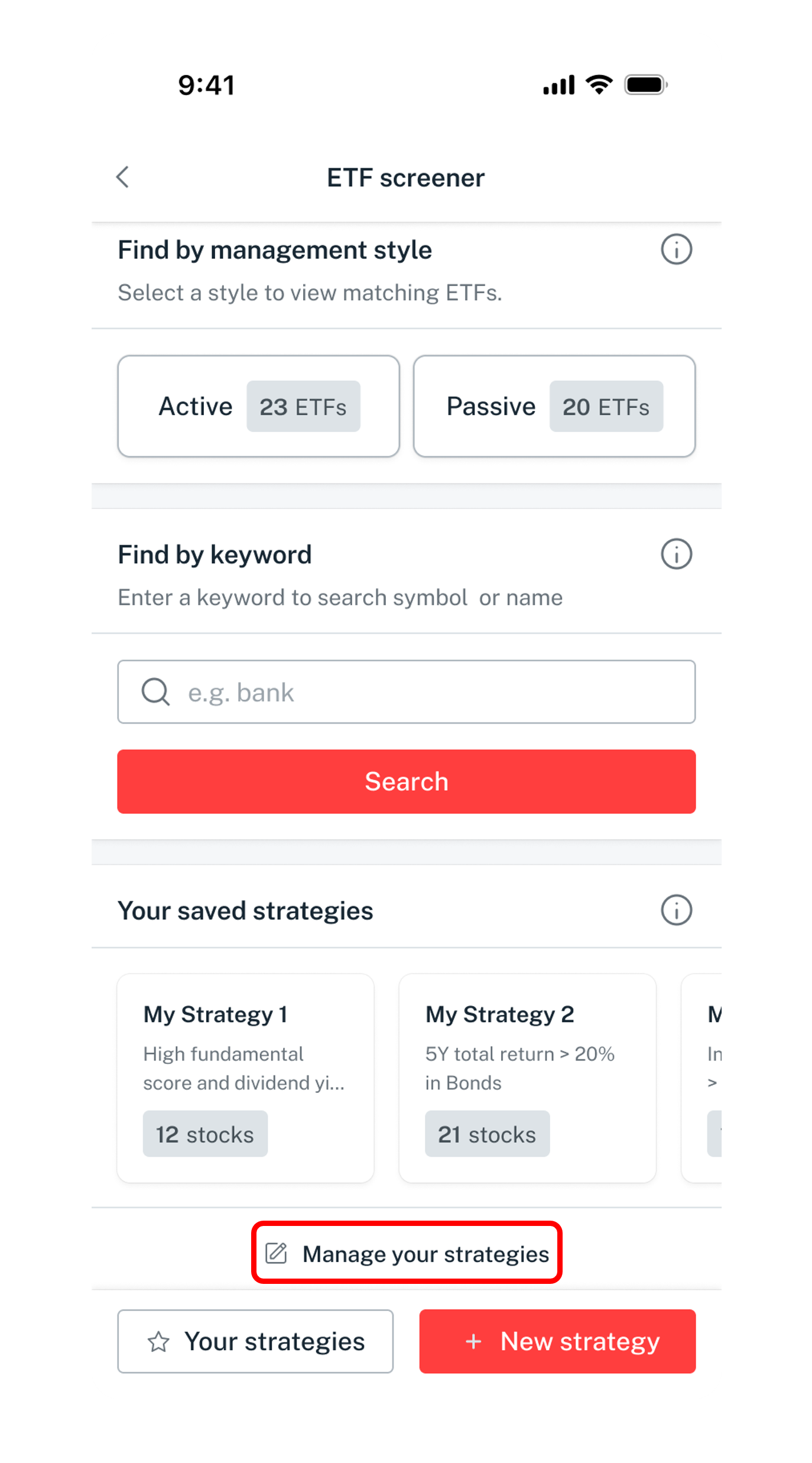
Access and manage your saved strategies to monitor ETFs and update your screening criteria when needed.
Get the latest DBS digibank mobile app now!

How to browse ready strategies

There are various channels which you may browse ready strategies with us. The most convenient method would be via desktop.

laptop
login
login
login
login
login
login
login
login
1
Step 1
Refer to Online Equity Trading for more details on how to access the trading platforms.
2
Step 2
Click on ETF screener on the Tools tab.
3
Step 3
Select an exchange to view the dashboard with the related ETFs information available in that market.
4
Step 4
Select a Ready strategy for your chosen market to view ETFs that match the selected screening criteria.
5
Step 5
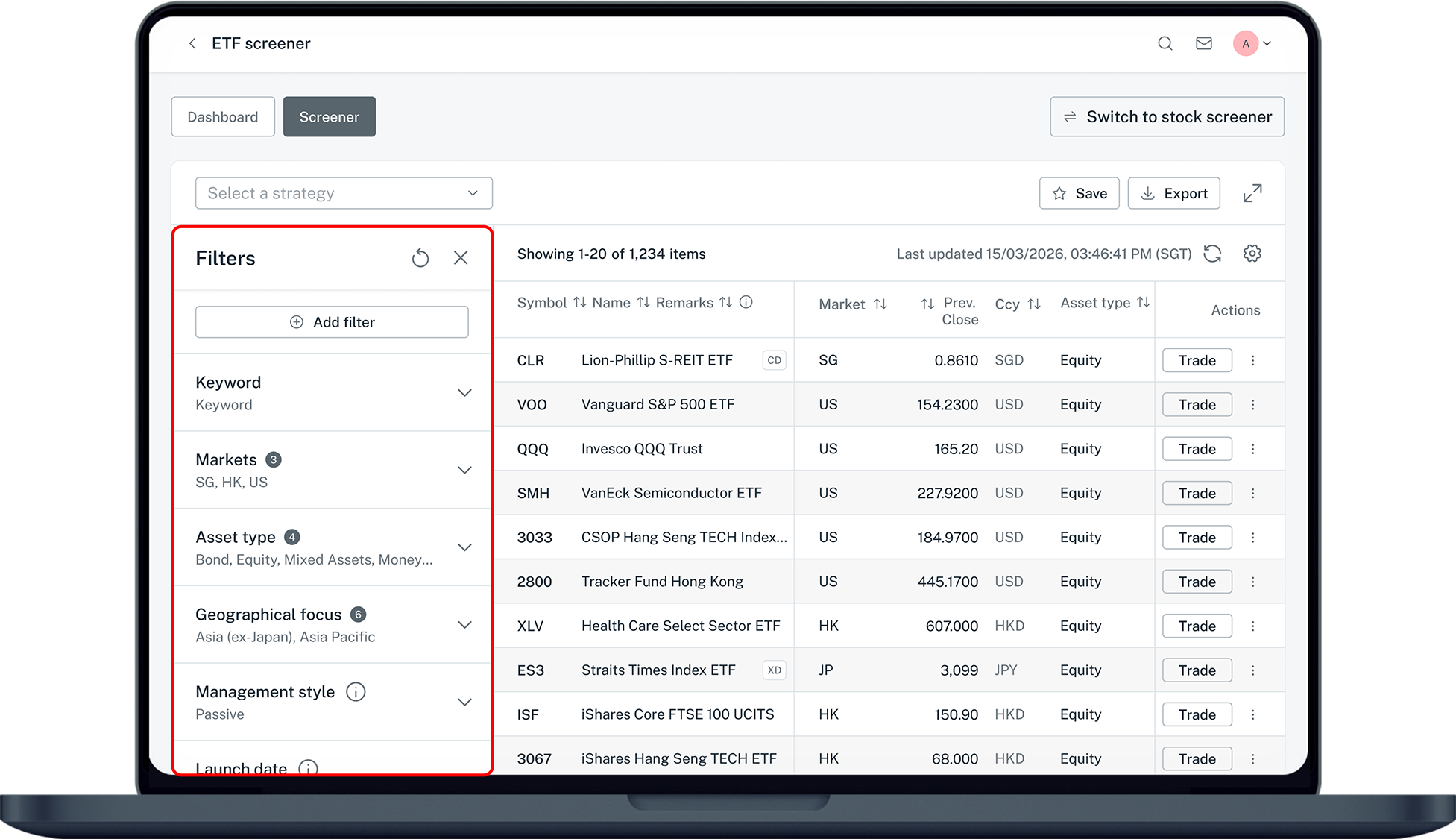
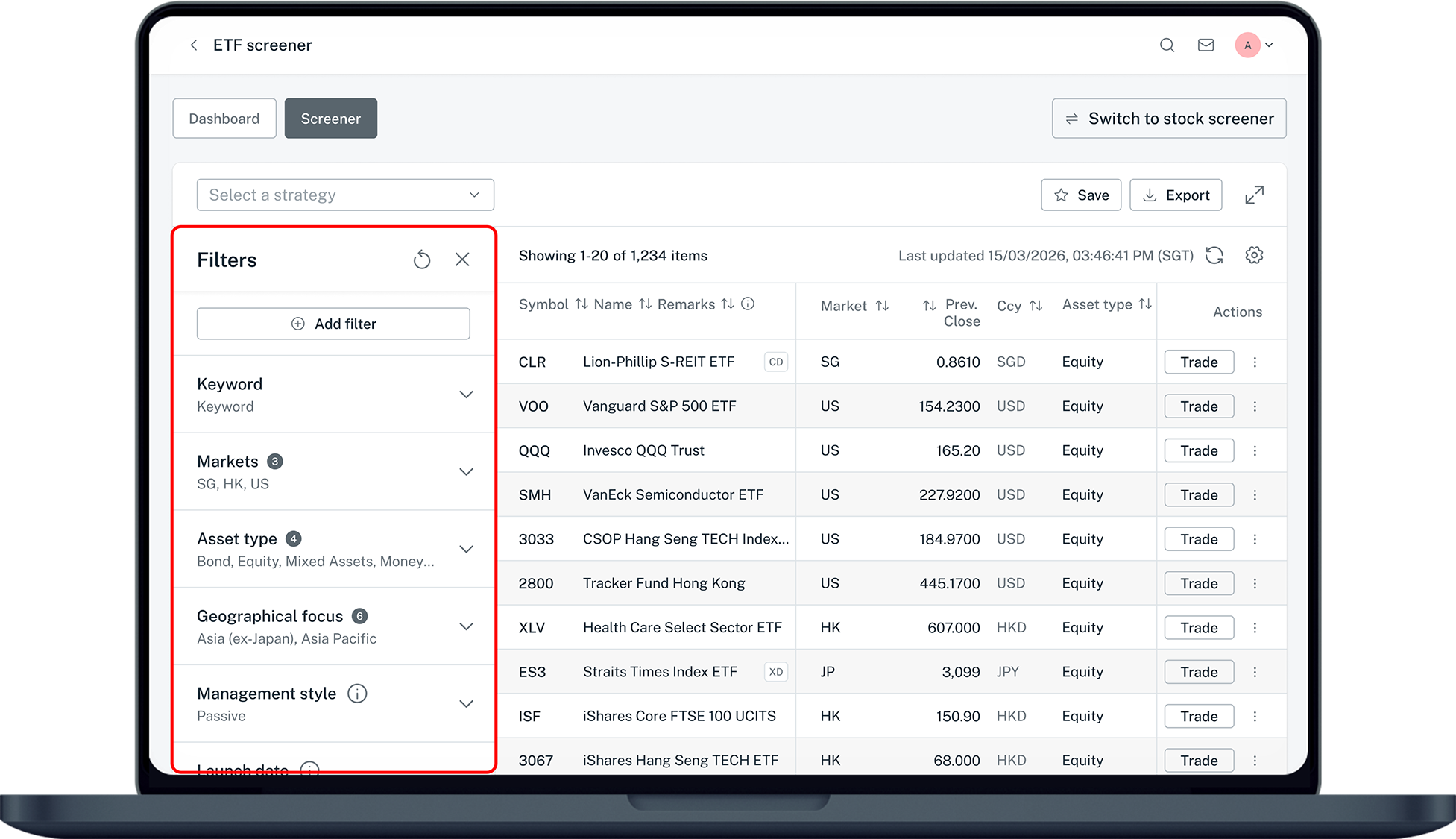
Apply filters to refine the screeners results.
6
Step 6
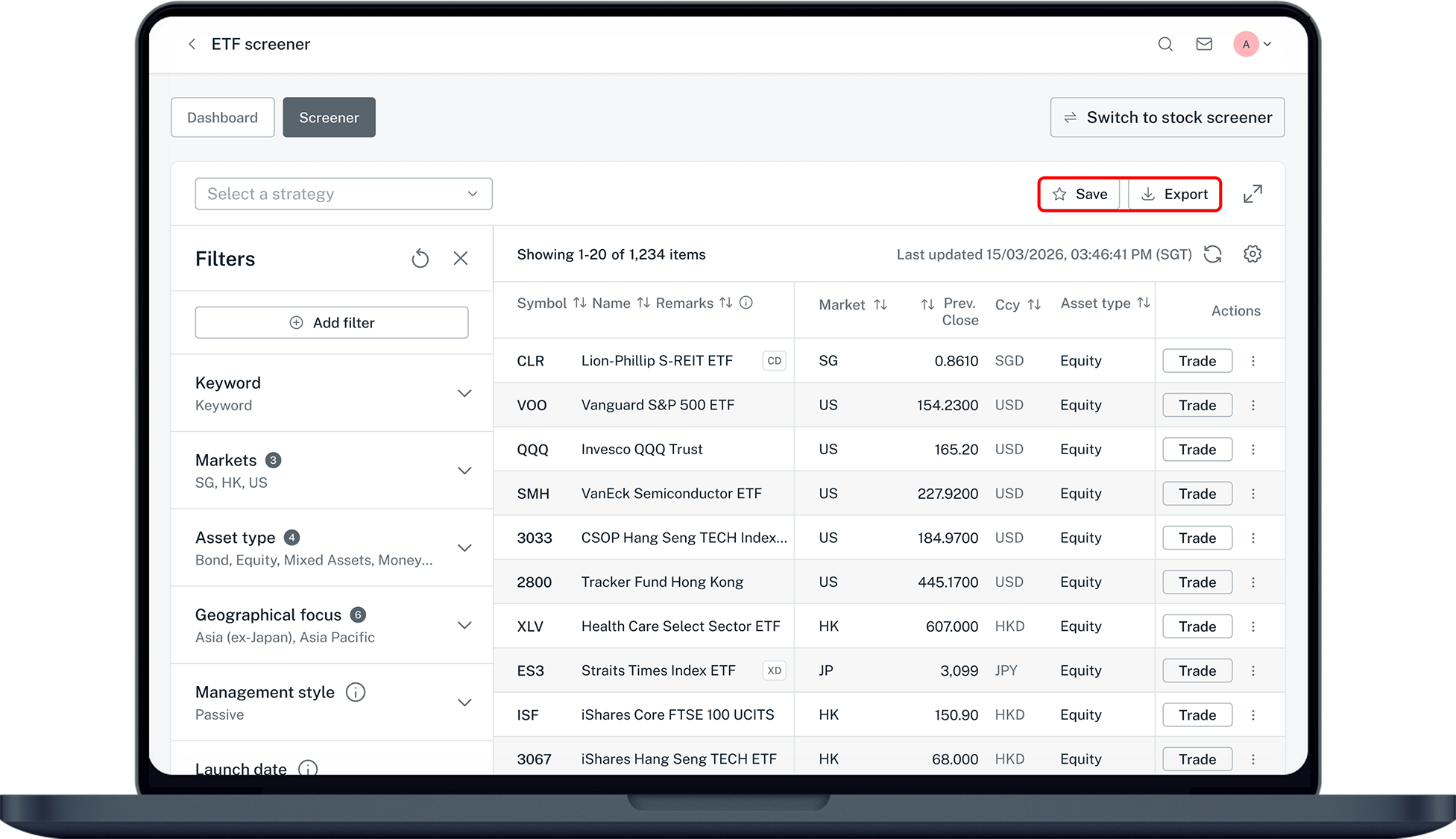
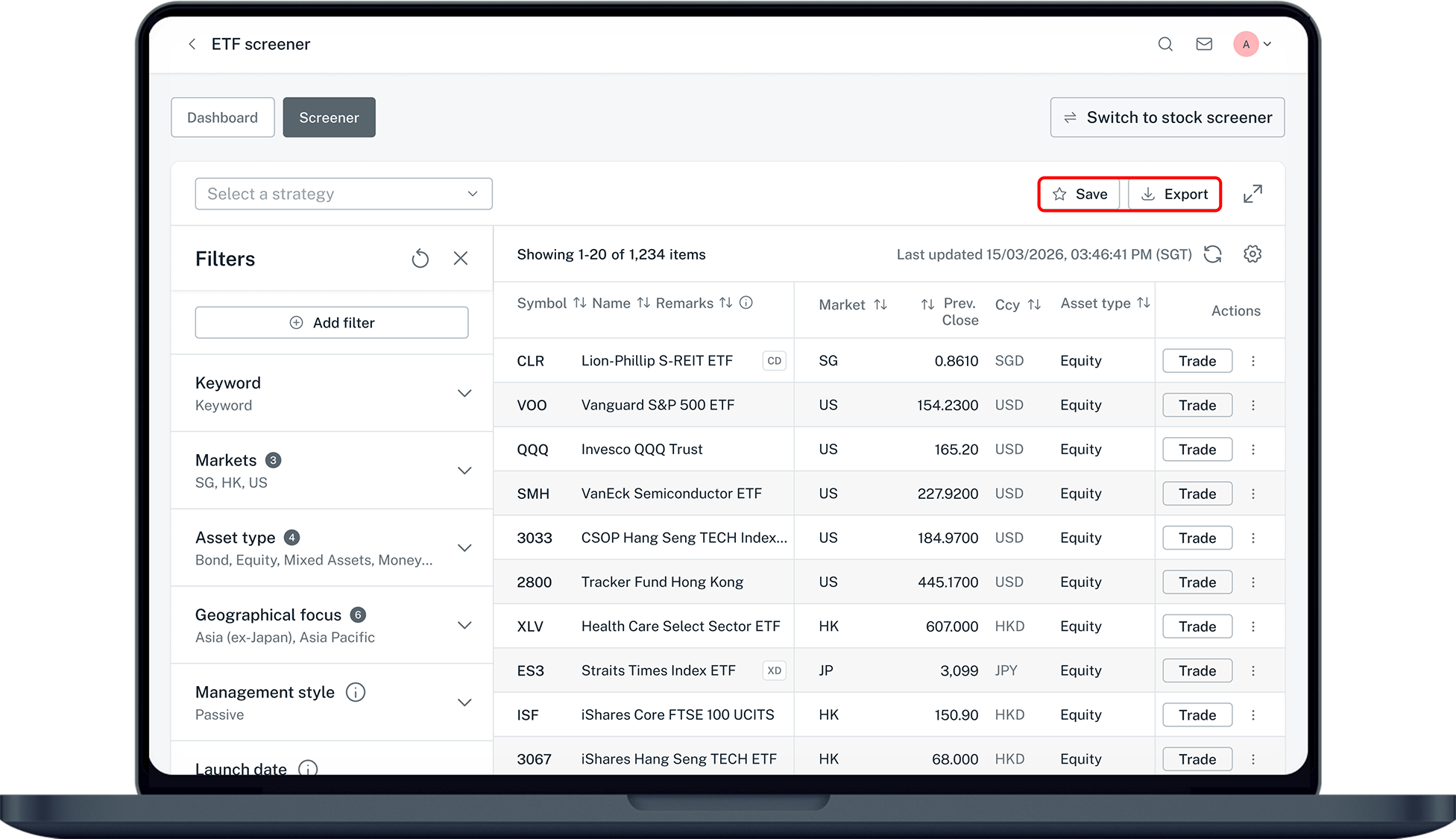
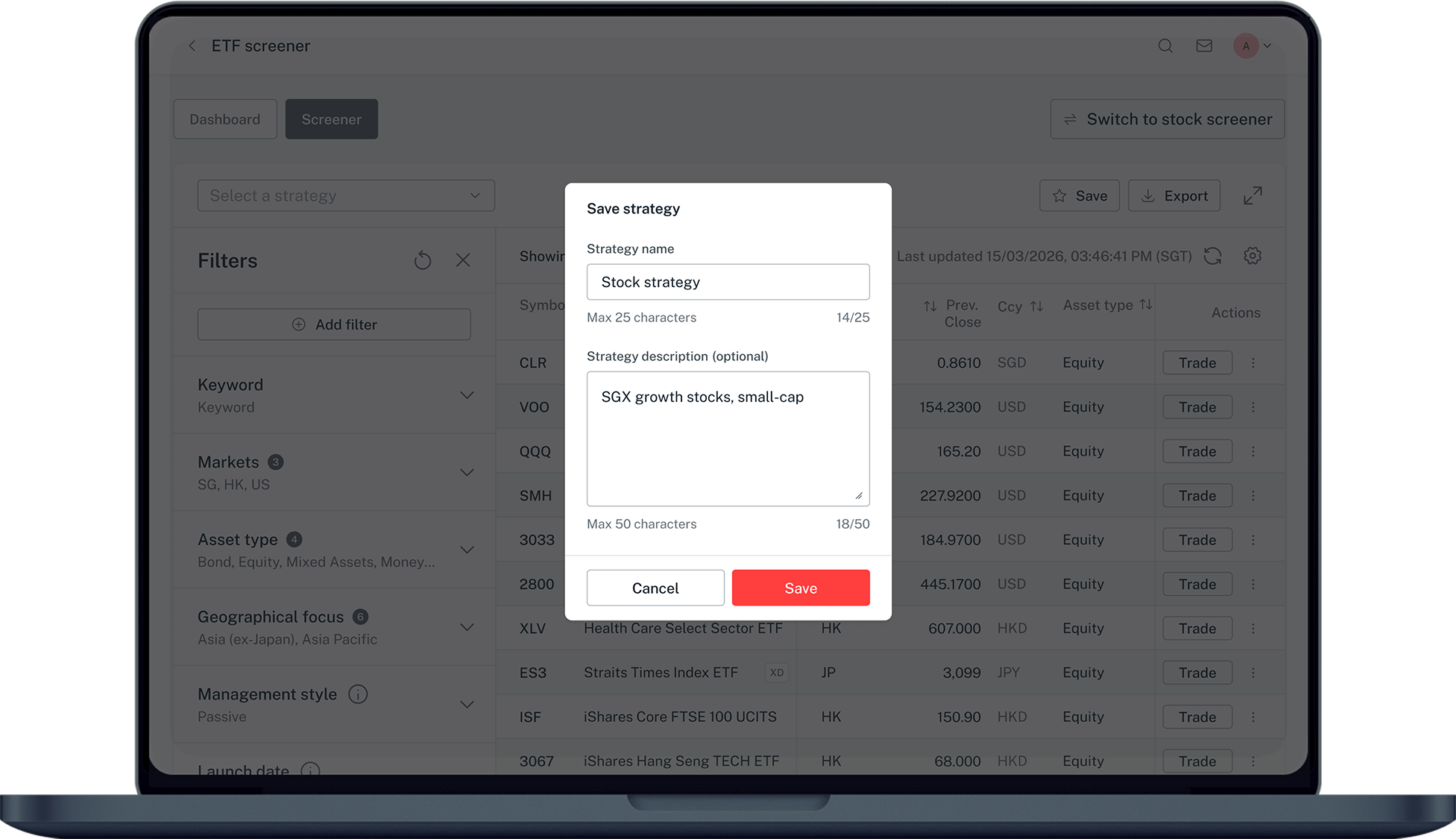
Click on Export to export the results to Excel or click Save to save the strategy for future use.
7
Step 7
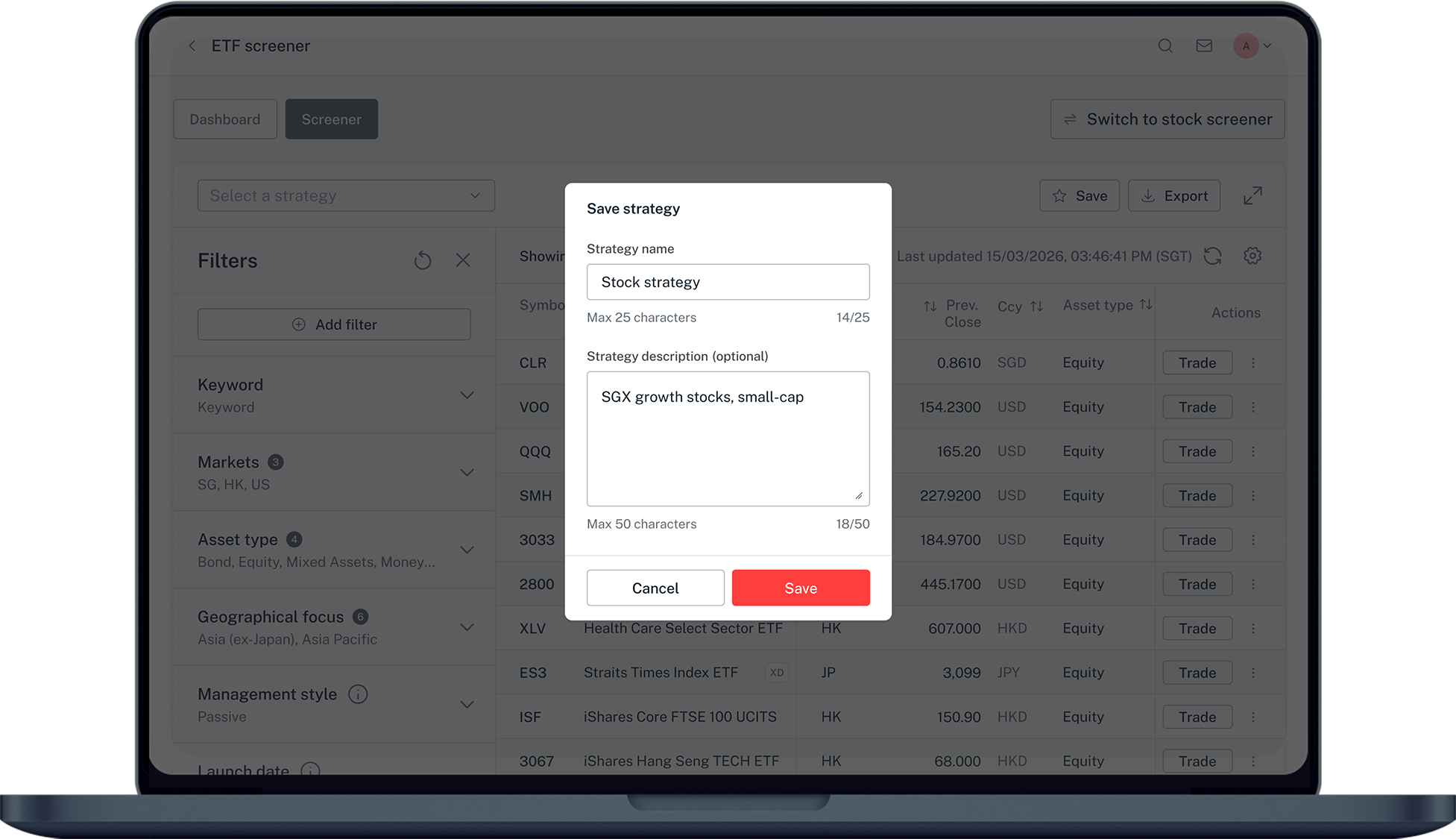
Input your preferred name and click Save for future reference.
8
Step 8
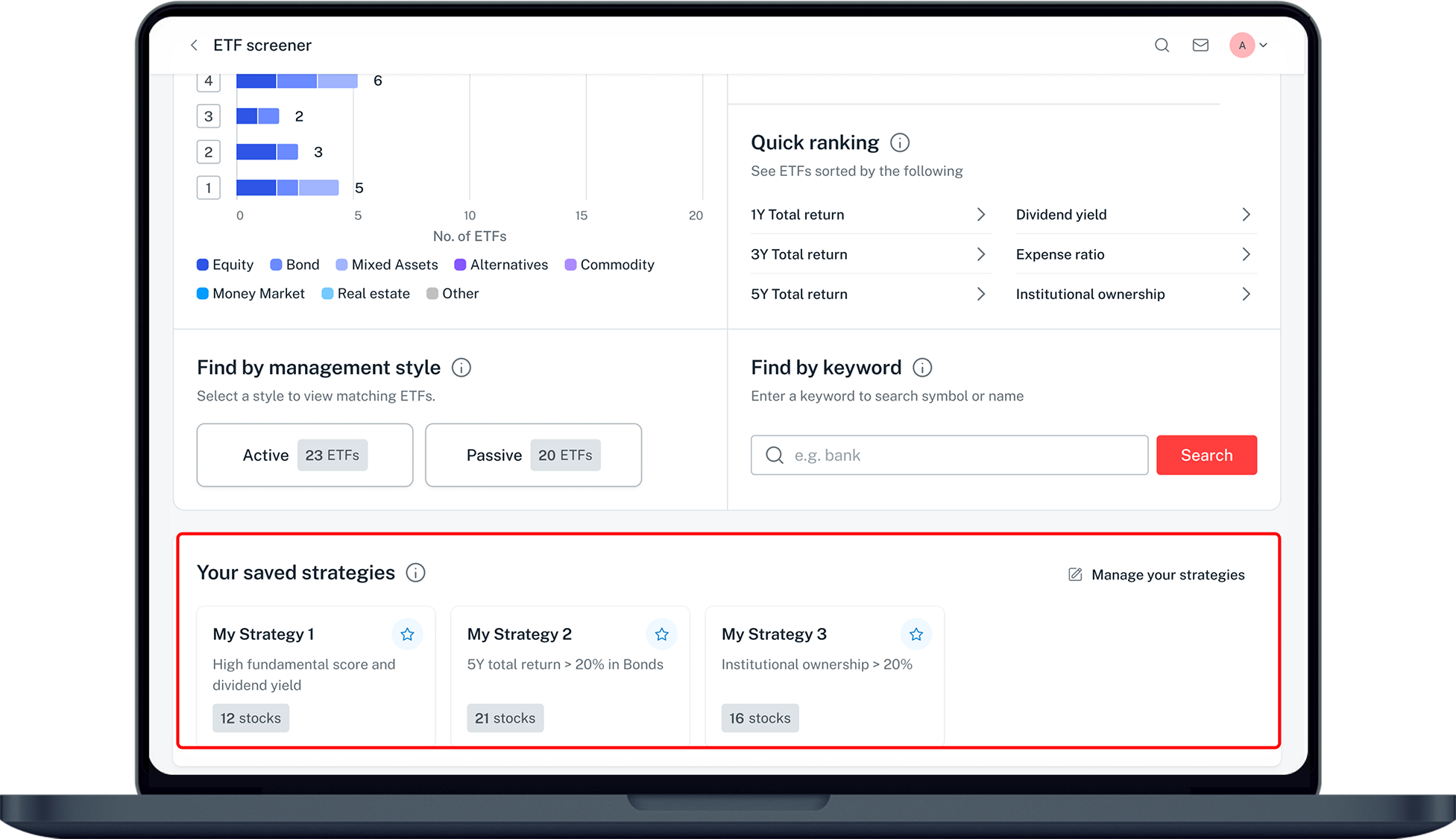
Access and manage your saved strategy anytime from Your saved strategies section.
phone frame
slider
slider
slider
slider
slider
slider
slider
slider
1
Step 1
Refer to Online Equity Trading for more details on how to access the trading platforms.
2
Step 2
Tap on ETF screener on the Tools tab.
3
Step 3
Select an exchange to view the dashboard with the related ETFs information available in that market.
4
Step 4
Select a Ready Strategy for your chosen market to view ETFs that match the selected screening criteria.
5
Step 5
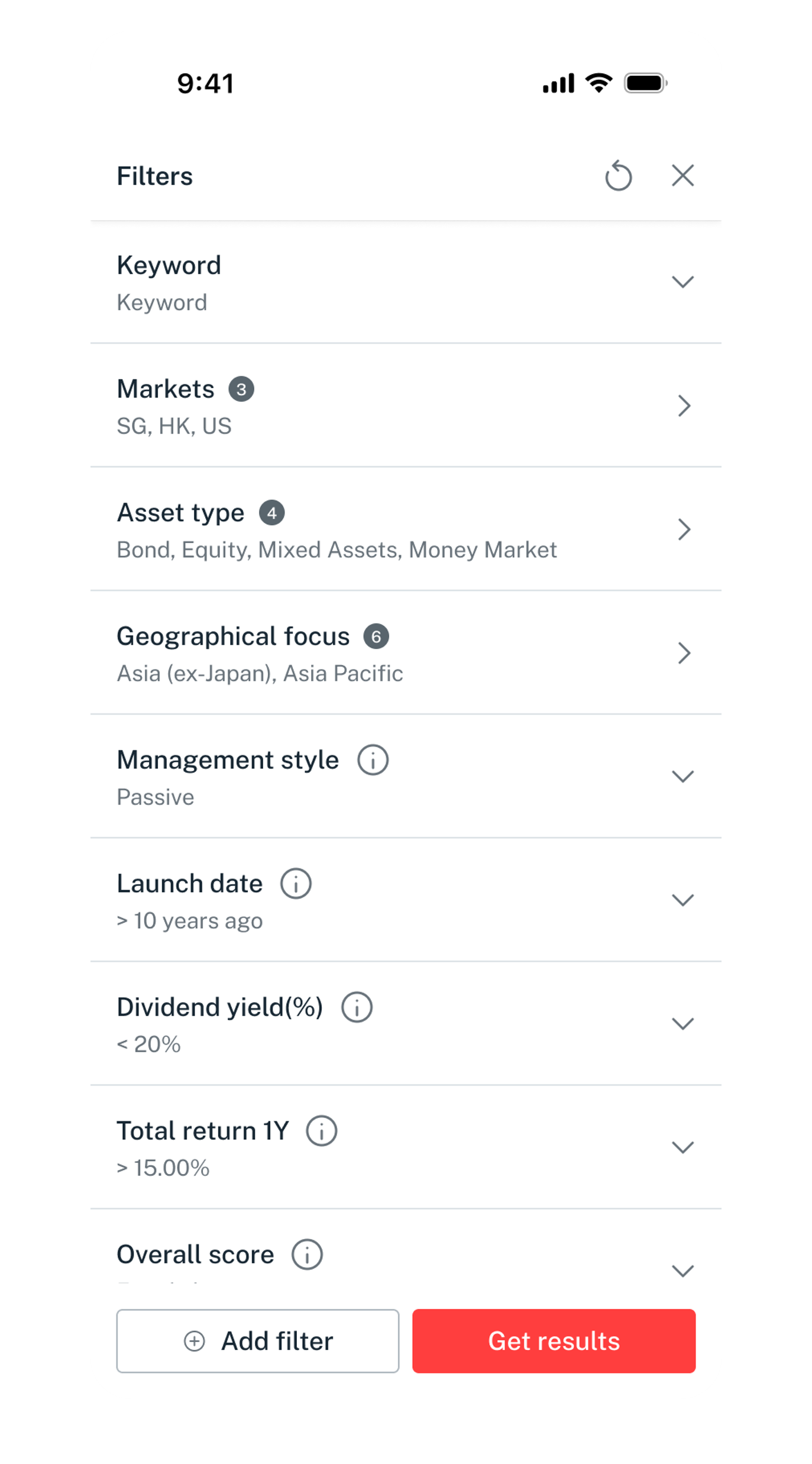
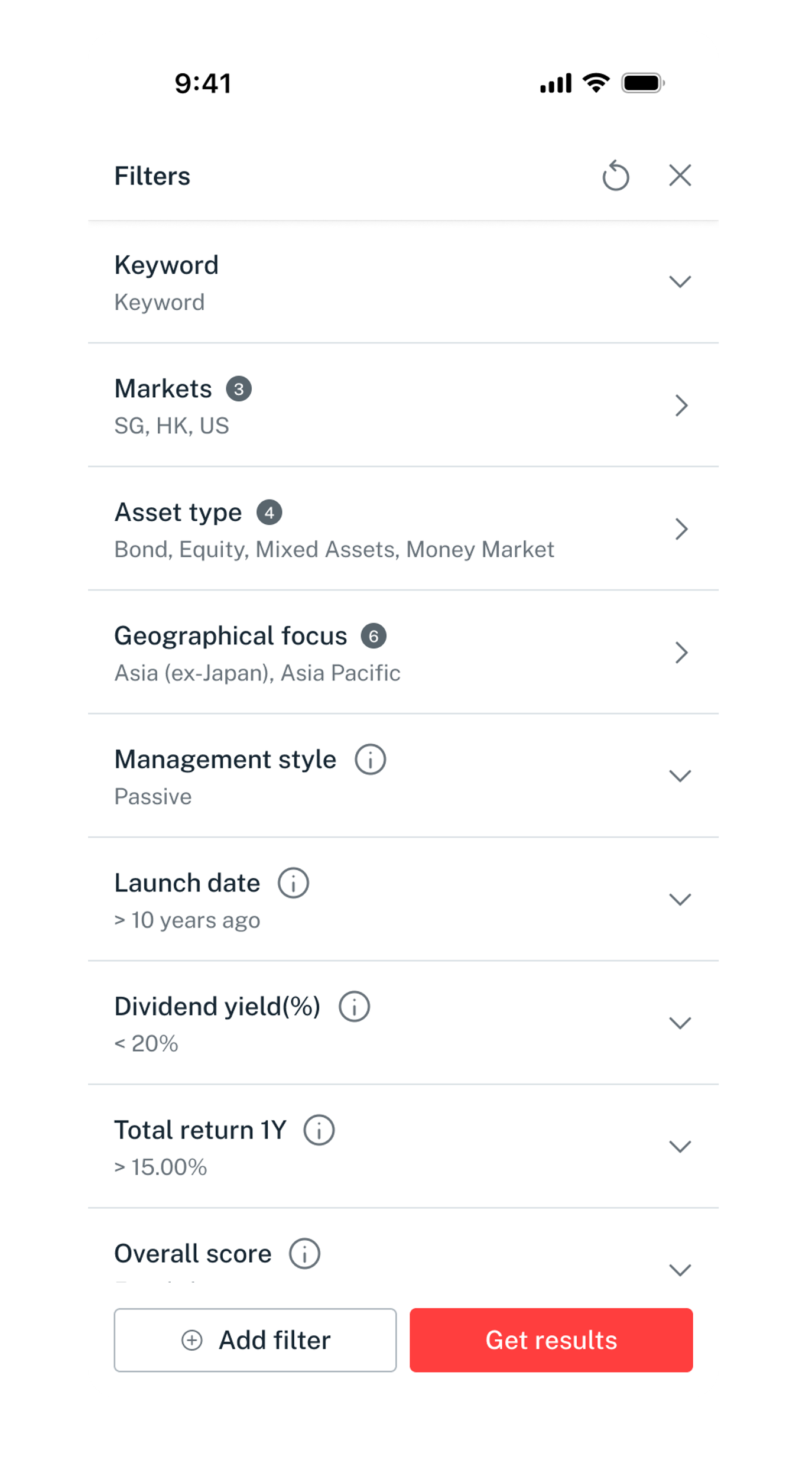
Apply filters to refine the screeners results.
6
Step 6
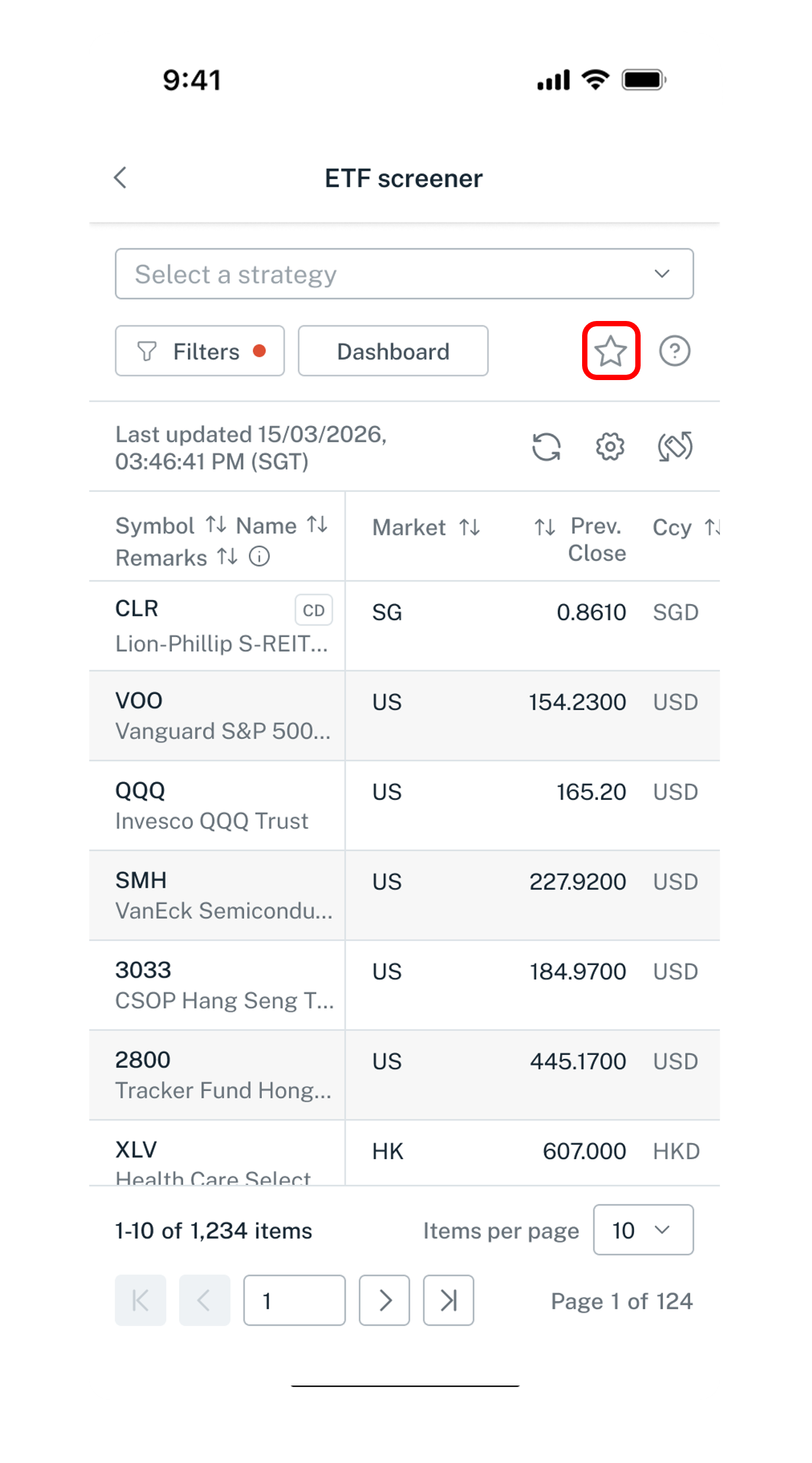
You can save the strategy for future use.
7
Step 7
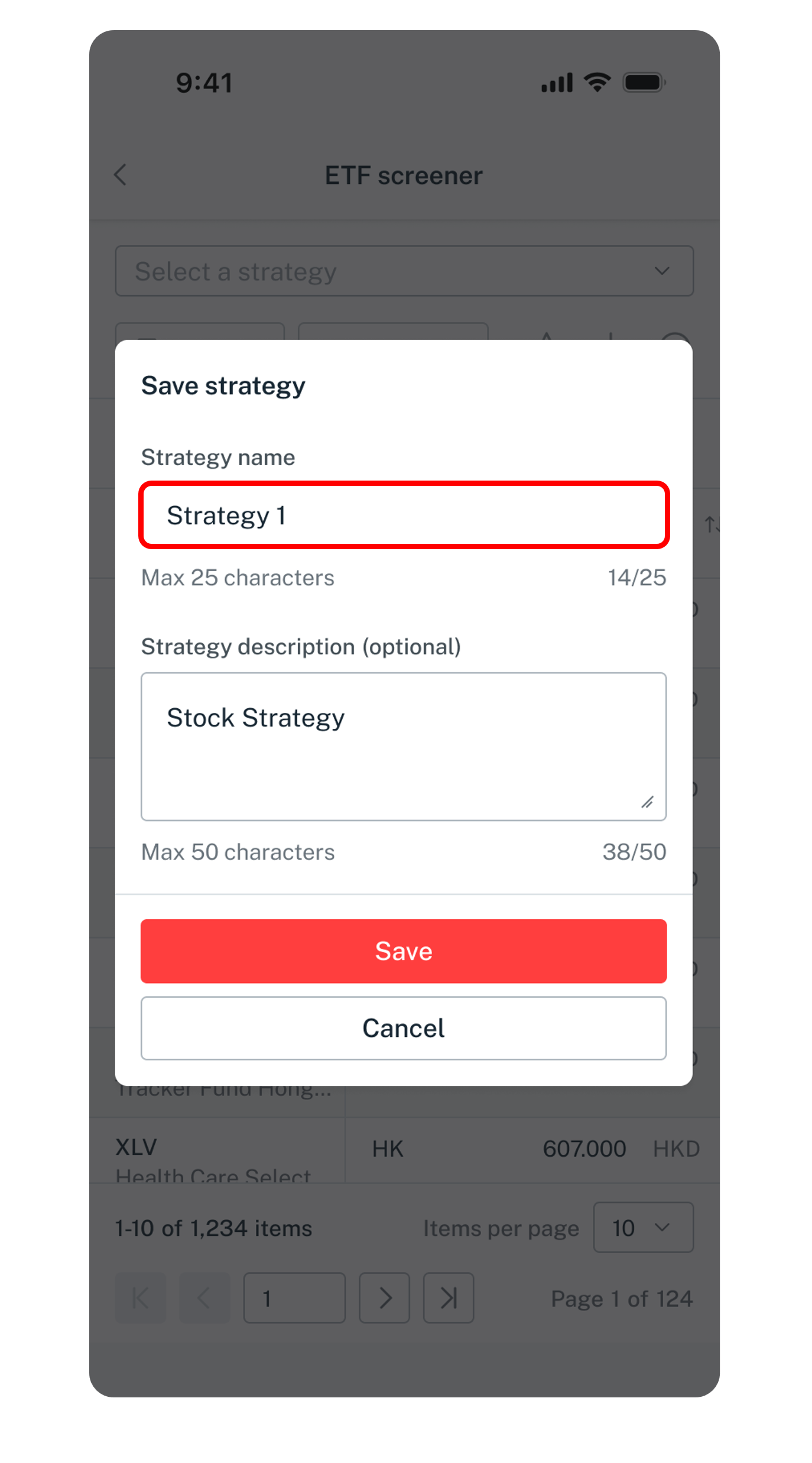
Input your preferred name and tap Save for future reference.
8
Step 8
Access and manage your saved strategy anytime from Your saved strategies section.
Get the latest DBS digibank mobile app now!

How to manage your strategies

There are various channels which you may manage your strategies with us. The most convenient method would be via desktop.

laptop
slider
slider
slider
slider
slider
slider
slider
slider
slider
slider
slider
1
Step 1
Refer to Online Equity Trading for more details on how to access the trading platforms.
2
Step 2
Click on ETF screener on the Tools tab.
3
Step 3
Click on + Create new strategy to define your own screening criteria and create a personalized strategy.
4
Step 4
Apply your preferred screening filters to refine the results.
5
Step 5
Click on Export to export the screening results or click Save to save your strategy for future reference.
6
Step 6
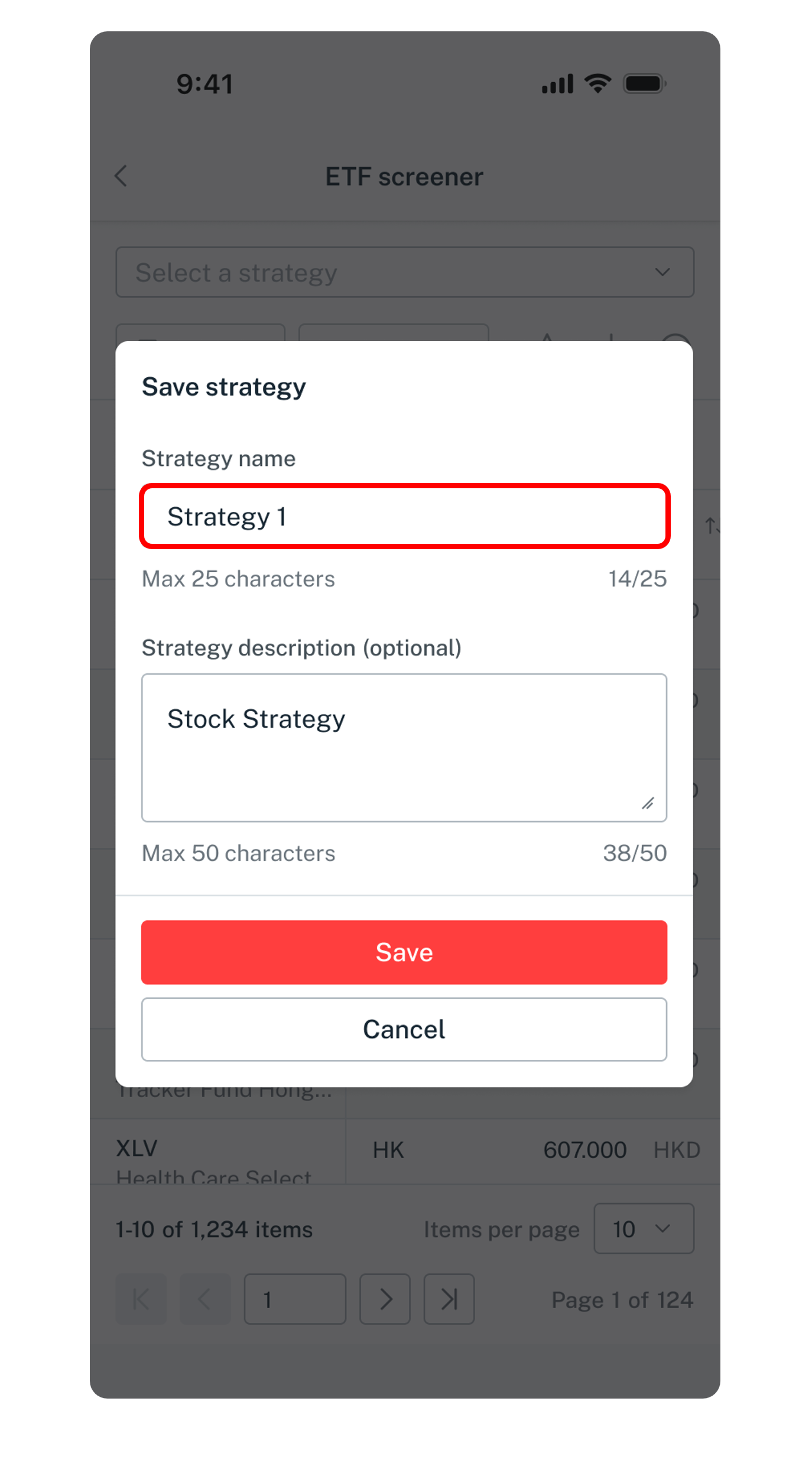
Name your strategy and click Save for future reference.
7
Step 7
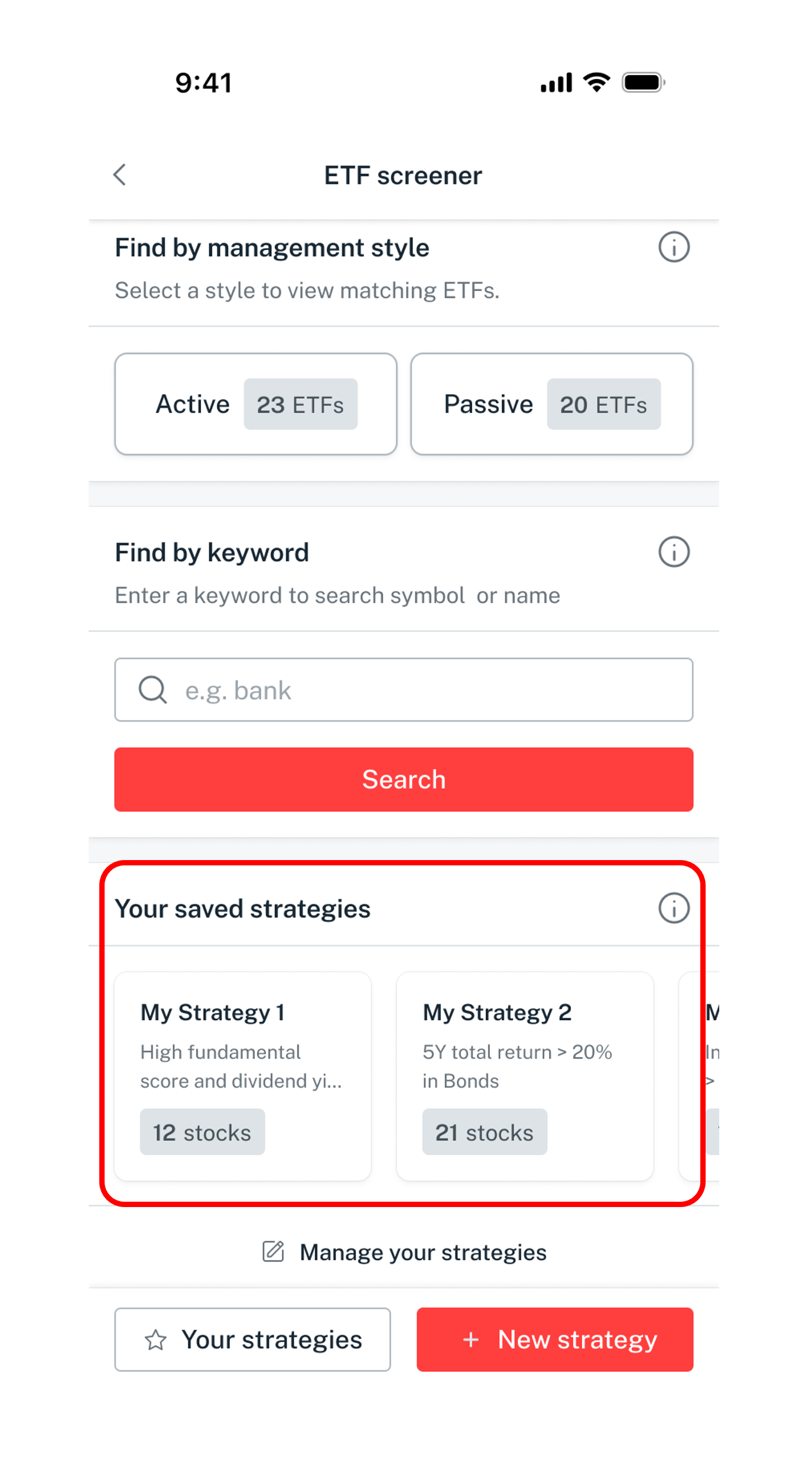
Access and manage your saved strategy anytime from Your saved strategies section.
8
Step 8
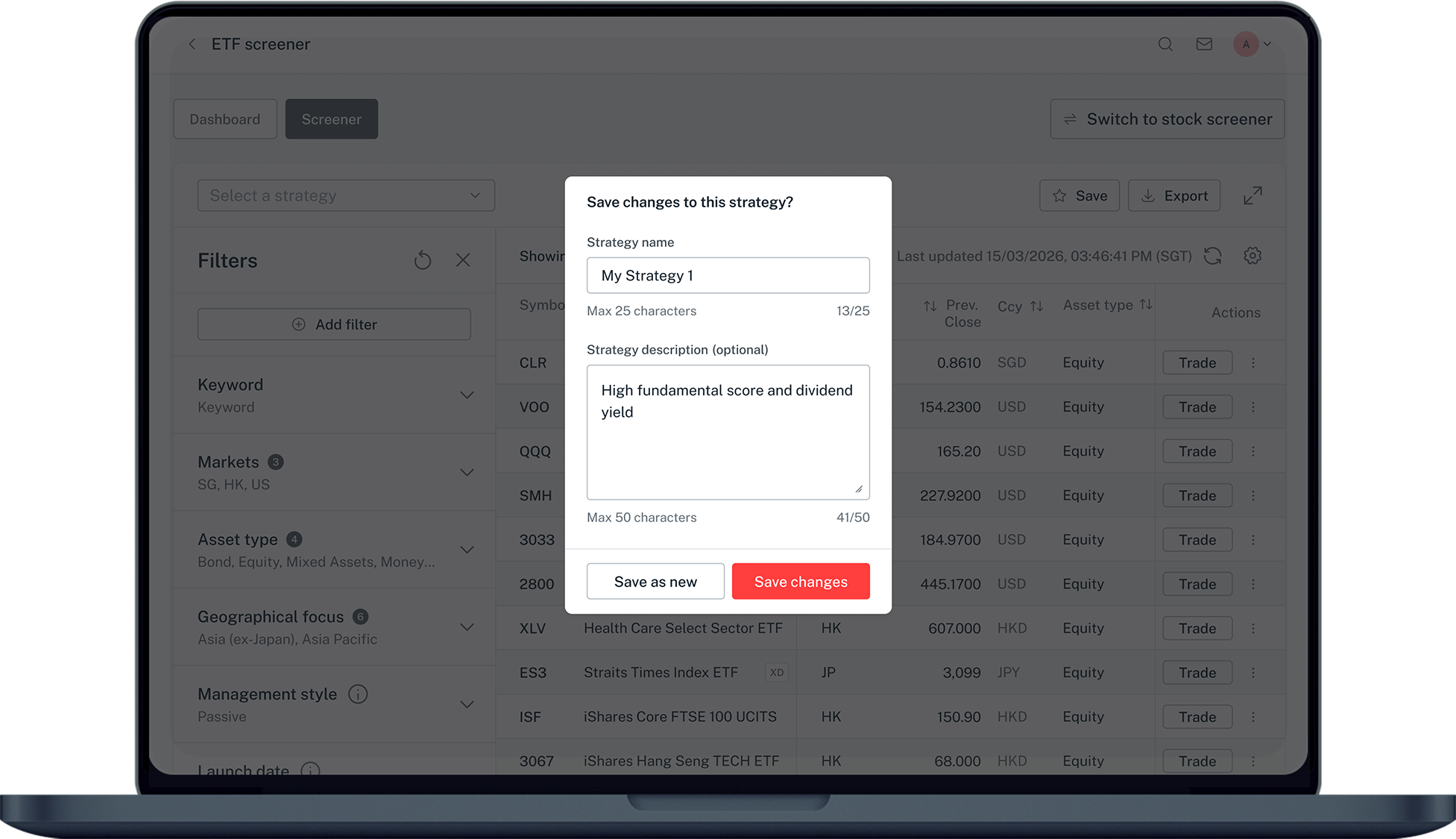
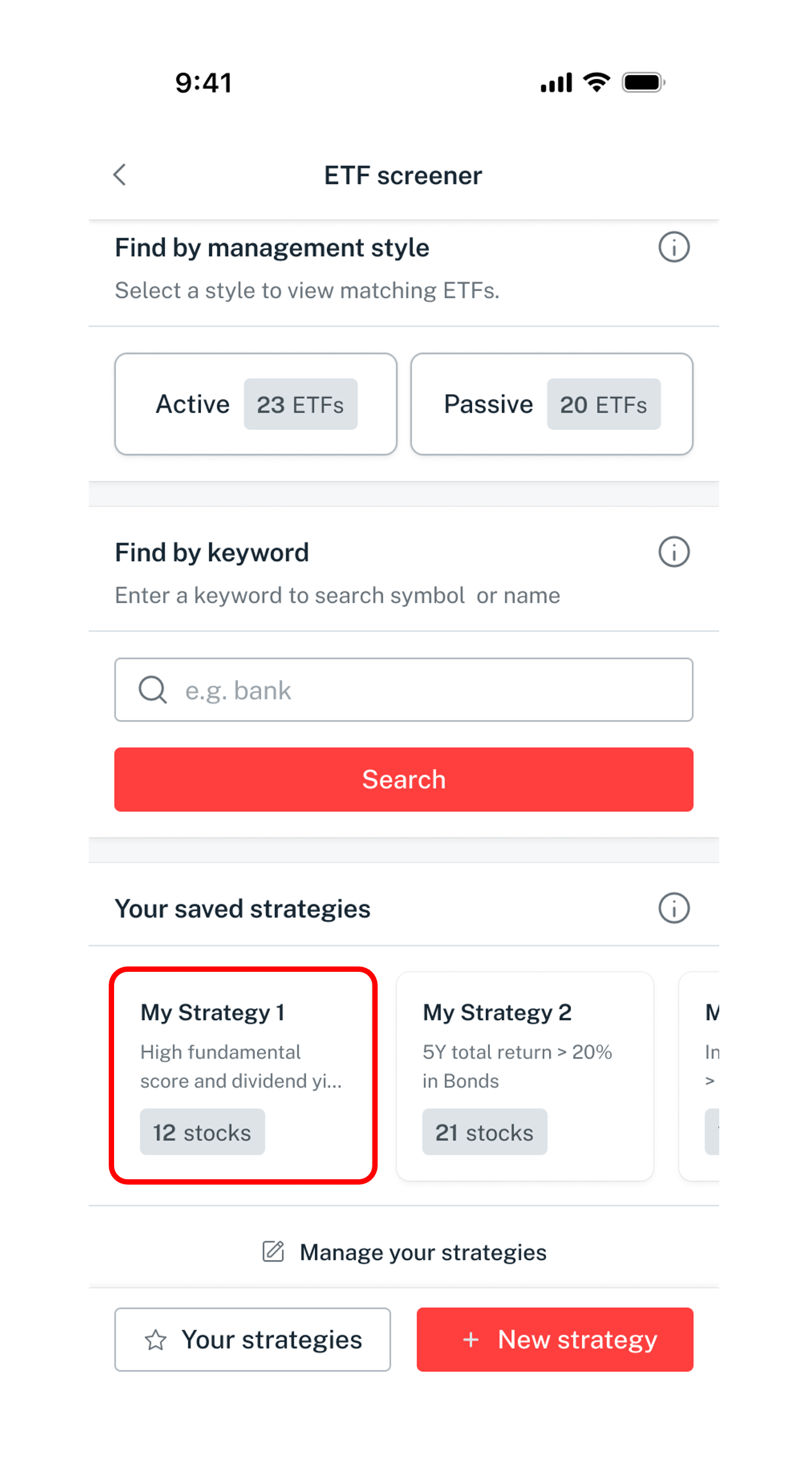
Choose any saved strategy to refine its screening criteria.
9
Step 9
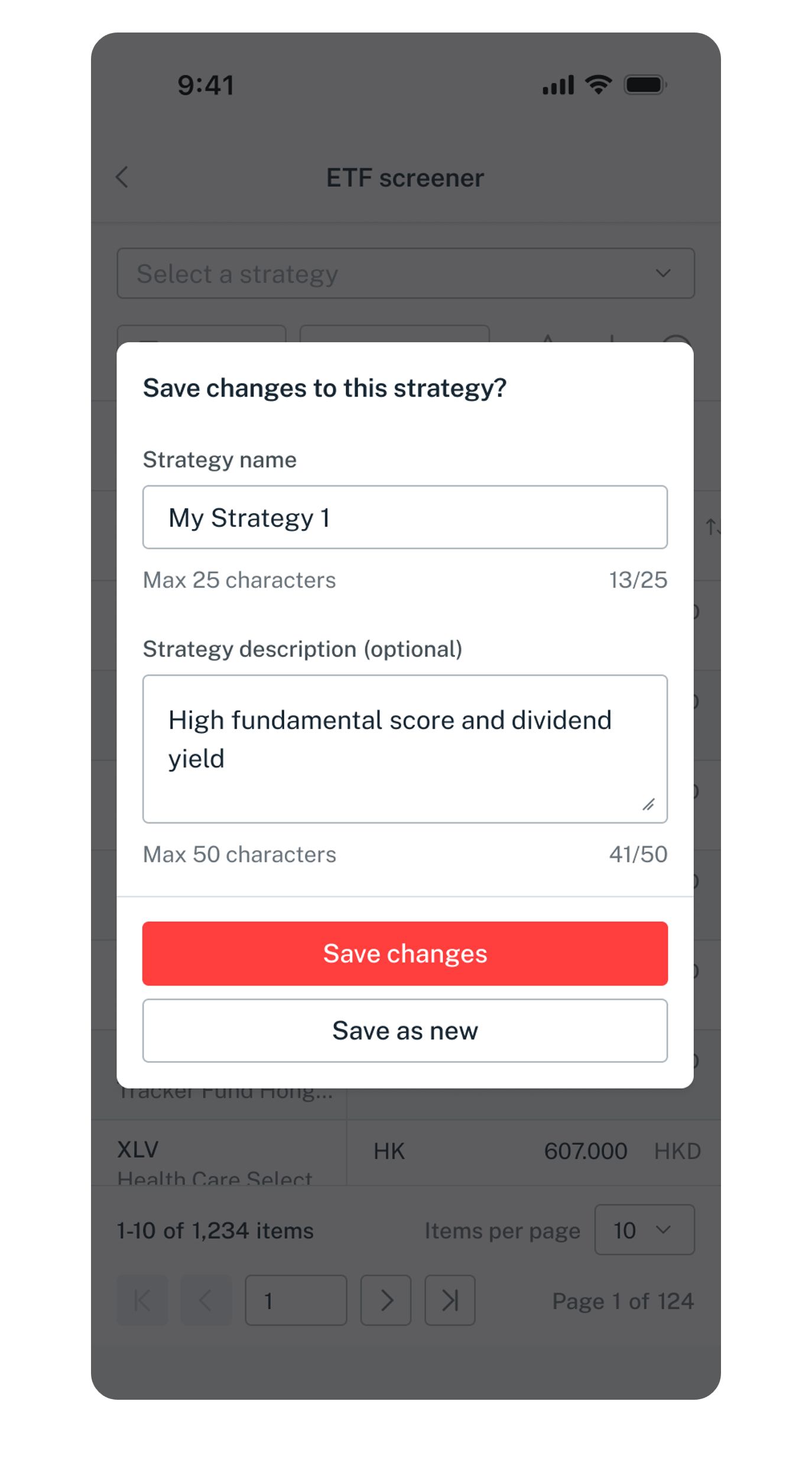
Click Save changes to overwrite the current strategy, or click Save as New to save the revised criteria as a separate strategy.
10
Step 10
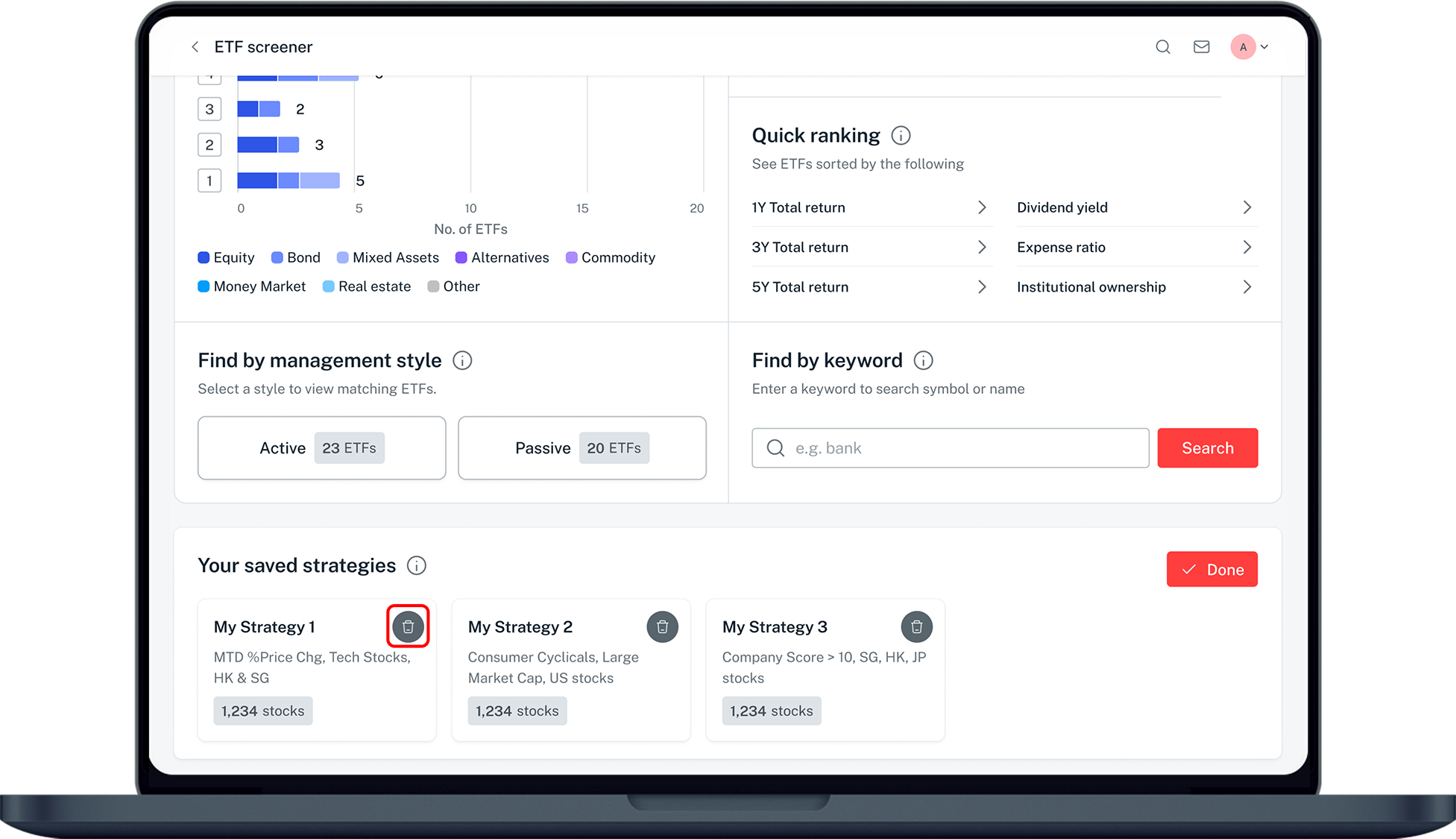
Click Manage your strategies to avail the delete function.
11
Step 11
To delete a saved strategy, click on the bin icon beside the corresponding strategy.
phone frame
slider
slider
slider
slider
slider
slider
slider
slider
slider
slider
1
Step 1
Refer to Online Equity Trading for more details on how to access the trading platforms.
2
Step 2
Tap on ETF screener on the Tools tab.
3
Step 3
Tap on + New strategy to define your own screening criteria and create a personalized strategy. 
4
Step 4
Apply your preferred screening filters to refine the results.
5
Step 5
Name your strategy and tap Save to save for future reference.
6
Step 6
Access and manage your saved strategy anytime from Your saved strategies section.
7
Step 7
Choose any saved strategy to refine its screening criteria.
8
Step 8
Tap Save changes to overwrite the current strategy or Save as new to save the revised criteria as a separate strategy.
9
Step 9
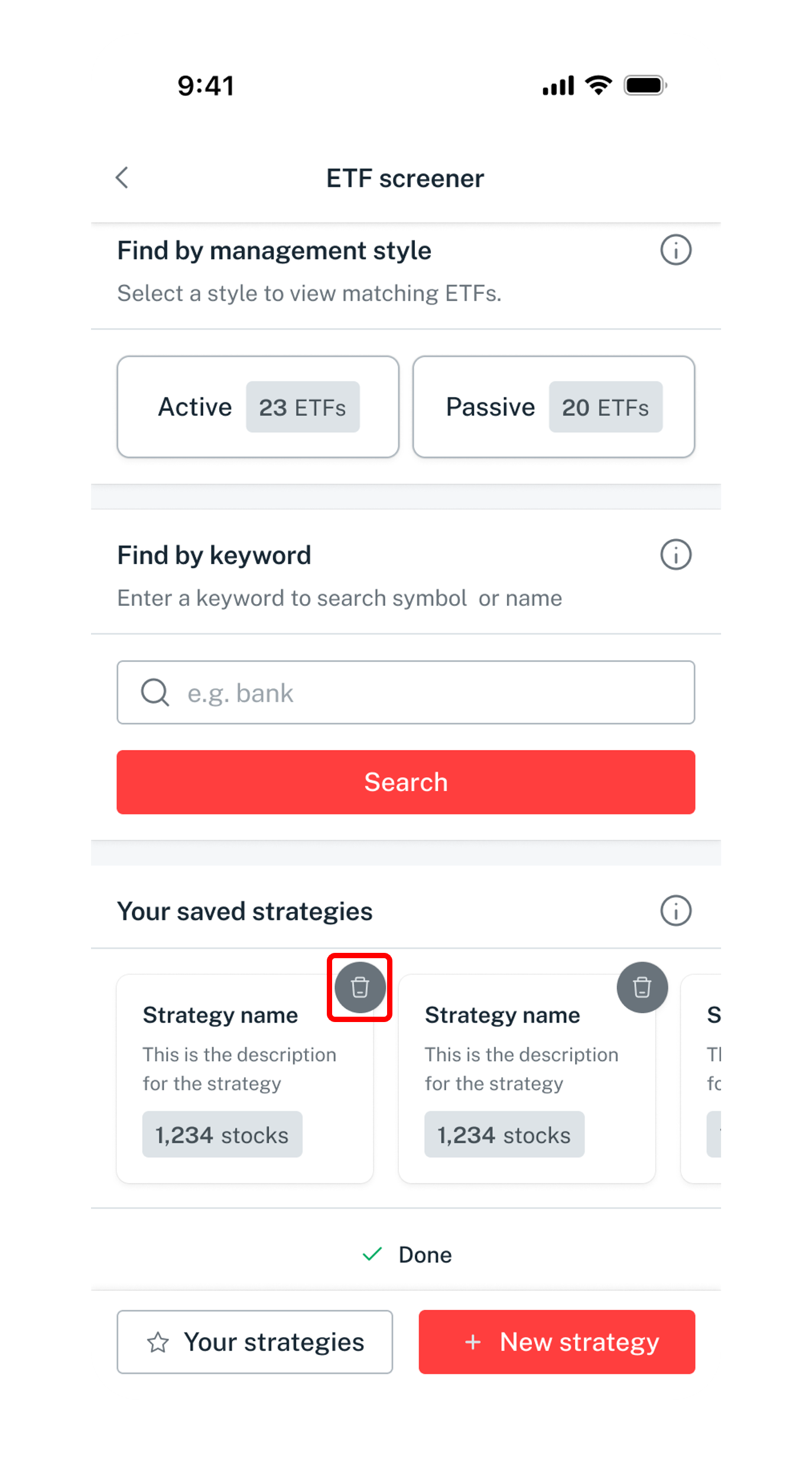
Tap on Manage your strategies to avail the delete function.
10
Step 10
To delete a saved strategy, tap on the bin icon beside the corresponding strategy.
Get the latest DBS digibank mobile app now!

More information

  • Online Equity Trading is available via digibank (desktop and mobile) and Direct Connect (desktop; mobile access coming soon).
  • Find out more from our DBS Online Equity Trading FAQs.


Disclaimer

The document is published by DBS Bank Ltd (“DBS Bank”) and is for information only. This document is intended for DBS Bank and its clients to whom it has been delivered, and may not be reproduced, transmitted or communicated to any other person without the prior written permission of DBS Bank. This document is not and does not constitute or form part of any offer, recommendation, invitation, or solicitation to subscribe to or to enter into considerations, any transaction, and should not be viewed as such. This document is not intended to provide, and should not be relied upon for accounting, legal or tax advice, or investment recommendations, and is not to be taken in substitution for the exercise of judgement by the reader, who should obtain separate legal or financial advice. DBS Bank does not act as an adviser and assumes no fiduciary responsibility or liability for any consequences, financial or otherwise.

Was this information useful?

We welcome your feedback

Information is easy to understand and find
Information is useful to answer your inquiries completely