Access to your Wealth Porfolio

Learn how you can manage your portfolio easily on DBS digibank.

How to access to your Wealth Porfolio

There are various channels which you may access to your Wealth Porfolio with us. The most convenient method would be via digibank mobile.

digibank mobile

phone frame
login
slider
slider
slider
slider
slider
slider
1
Step 1
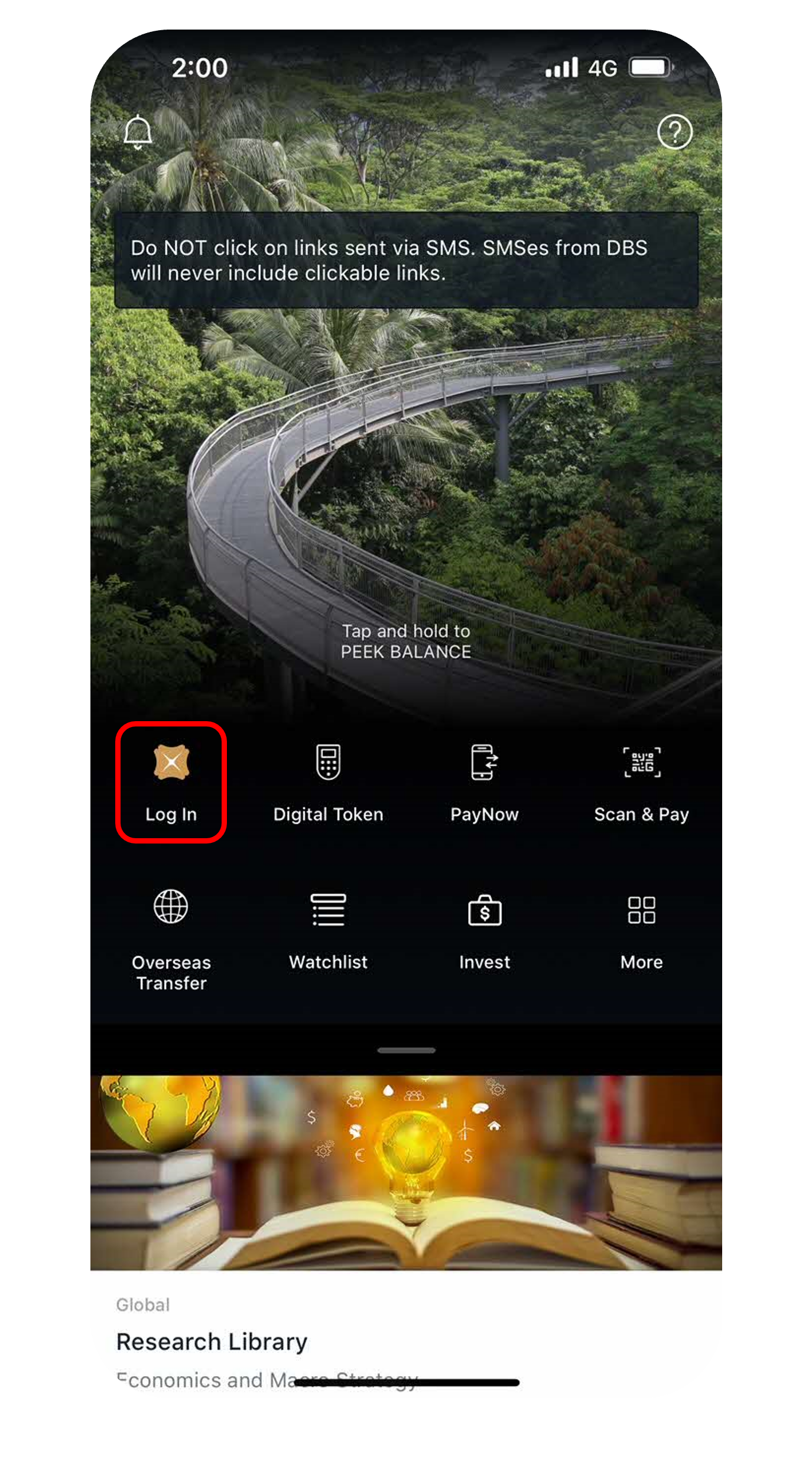
Log in to digibank mobile with your Touch / Face ID or digibank User ID & PIN.
2
Step 2
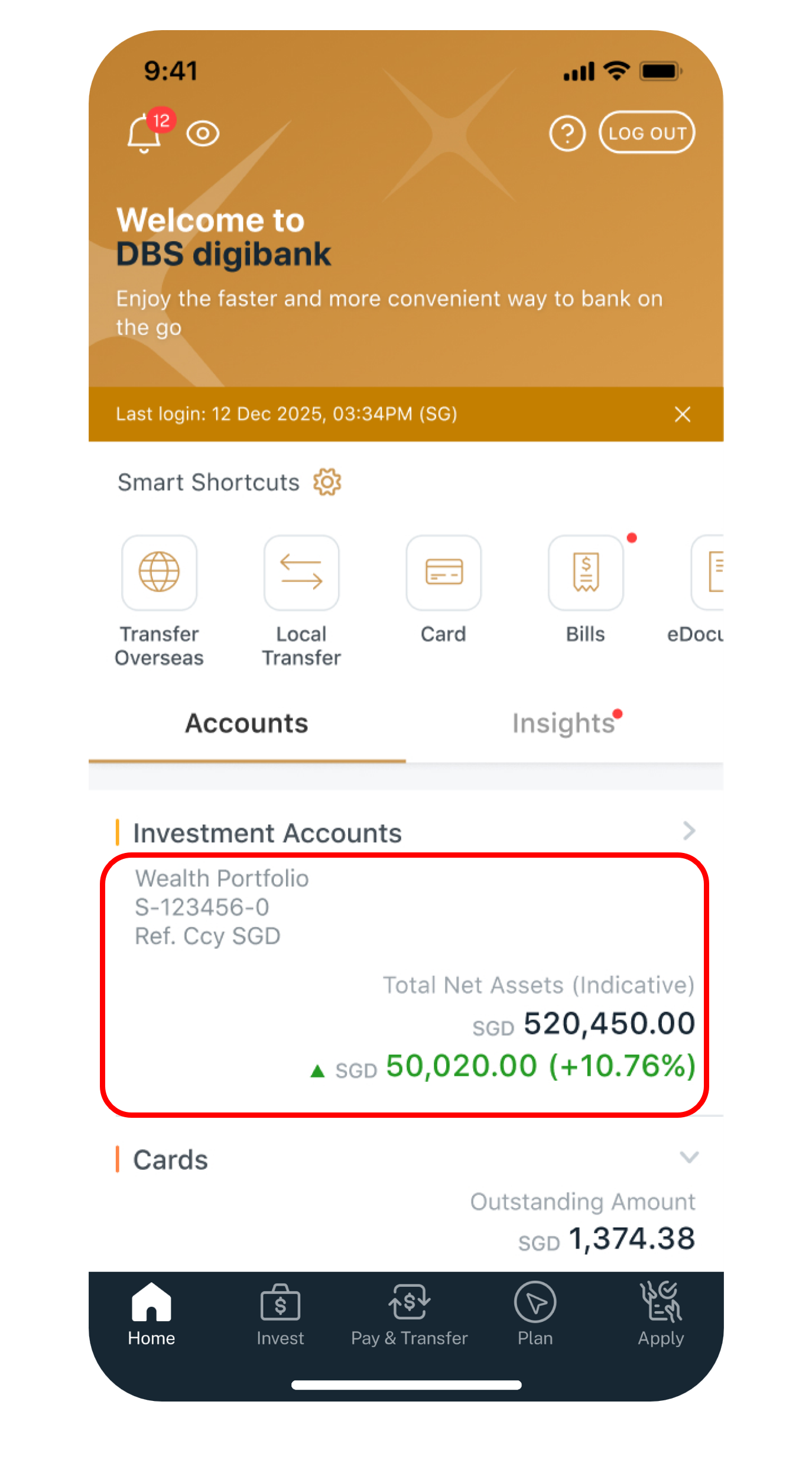
Under Home, select the portfolio you would like to review.​
3
Step 3
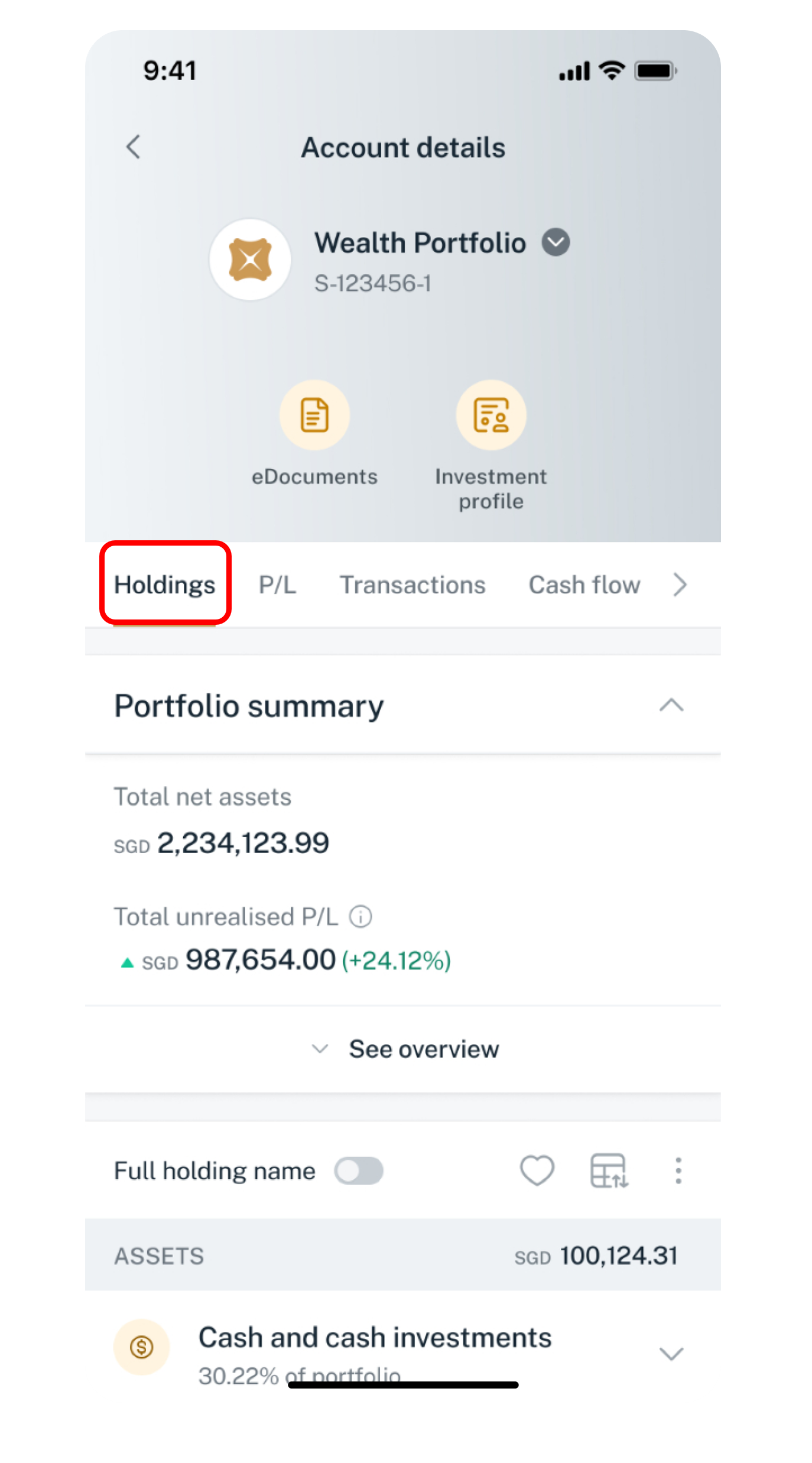
Tap on Holdings to see your portfolio summary and a detailed breakdown of your current holdings.
4
Step 4
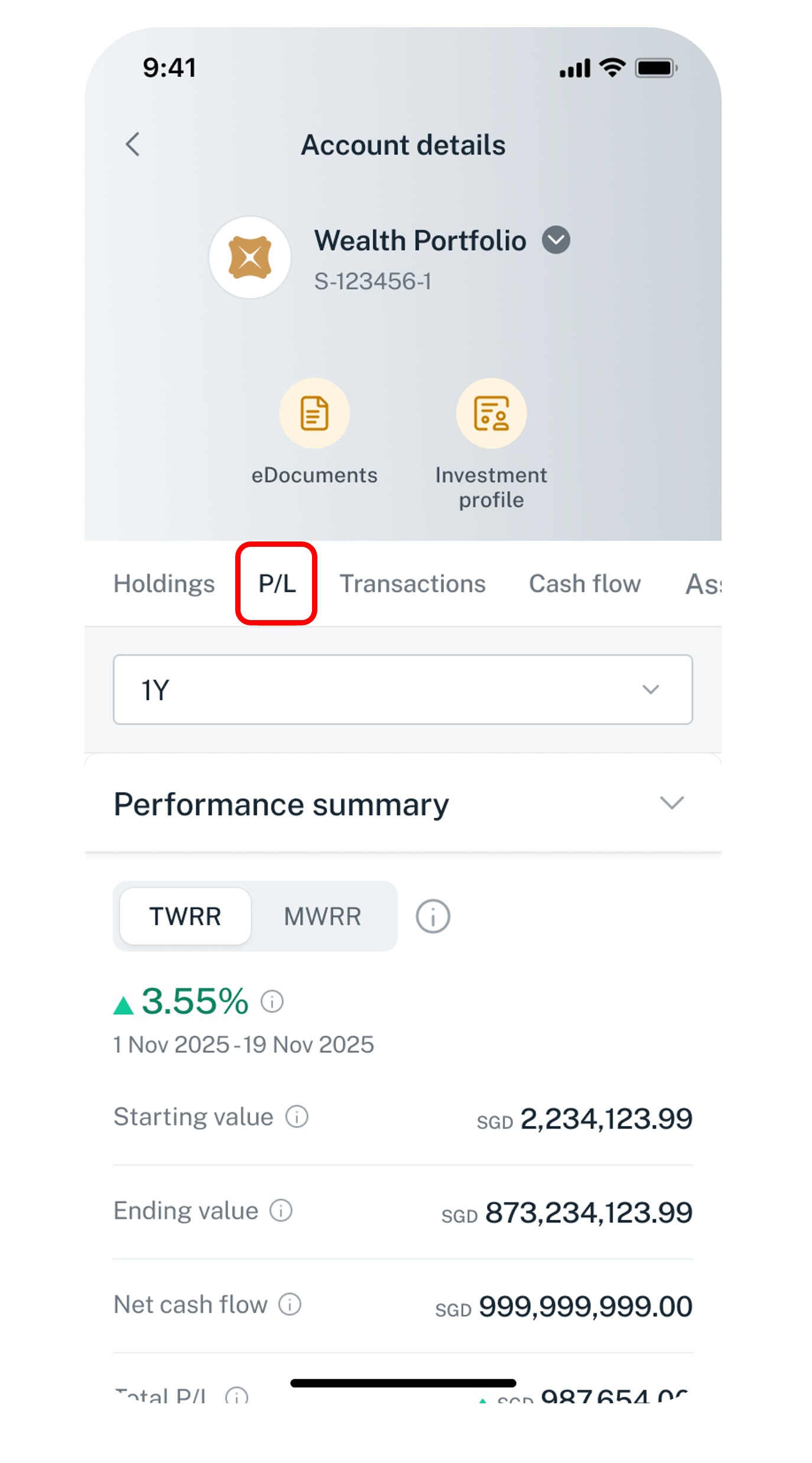
Tap on P/L to analyse your Wealth Portfolio performance across various metrics (e.g. MWRR, TWRR, Realised P&L, Unrealised P&L, Total P&L) and time ranges.
5
Step 5
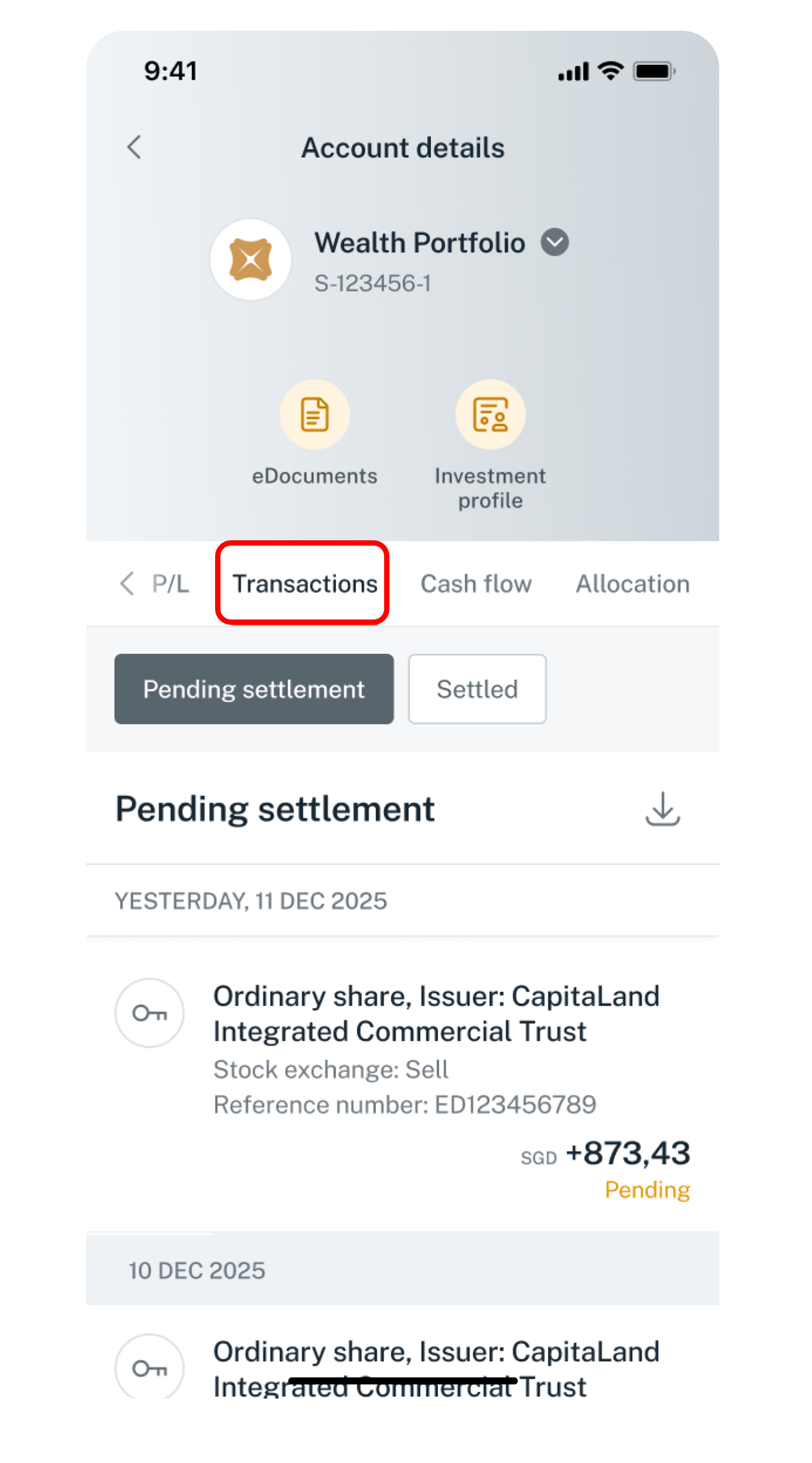
Tap on Transactions to access past investment transaction records.
6
Step 6
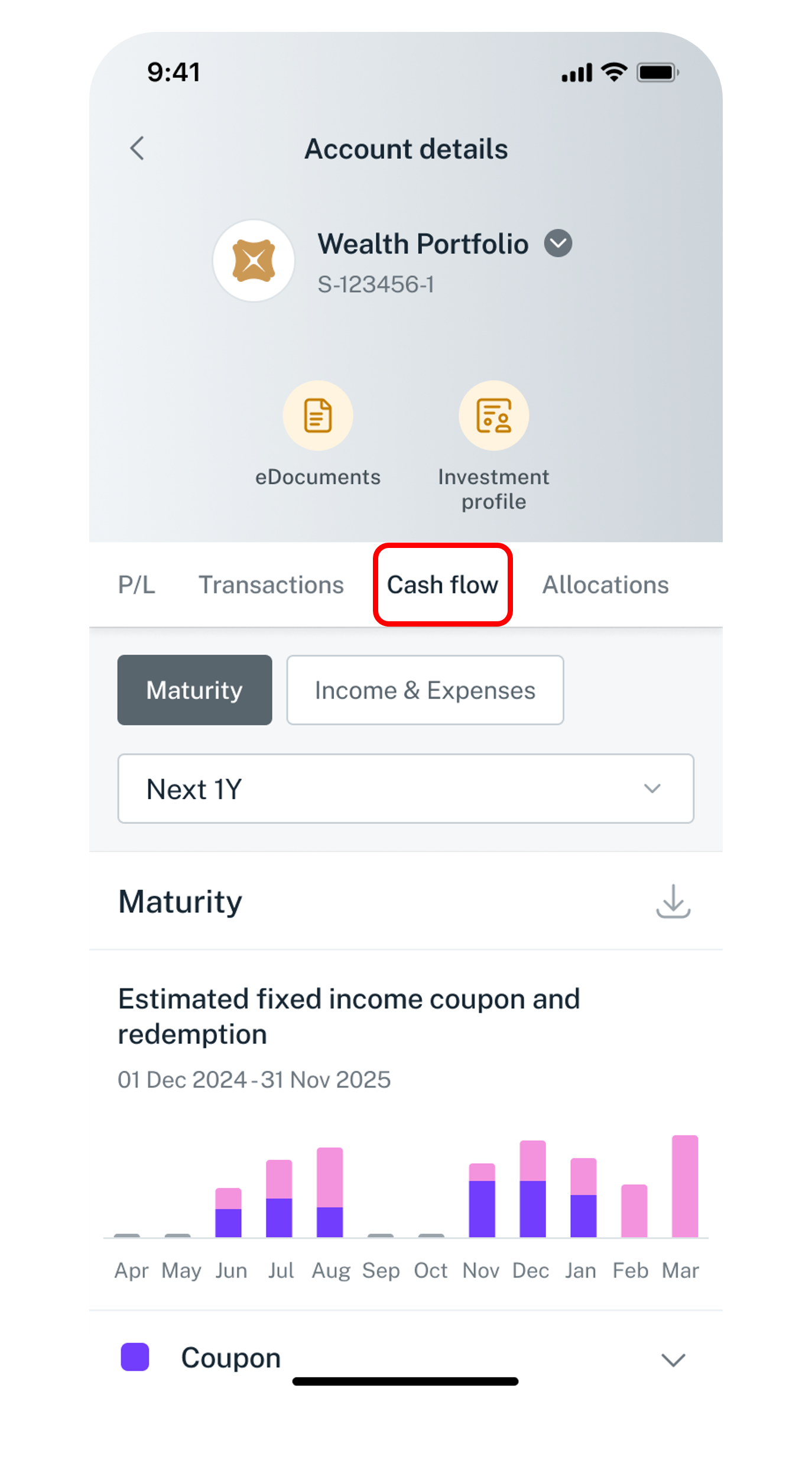
Tap on Cash flow to monitor your cash flow from dividends, interest received, coupons, redemptions as well as fees and interest paid via the Maturity and Income & Expense tools.
7
Step 7
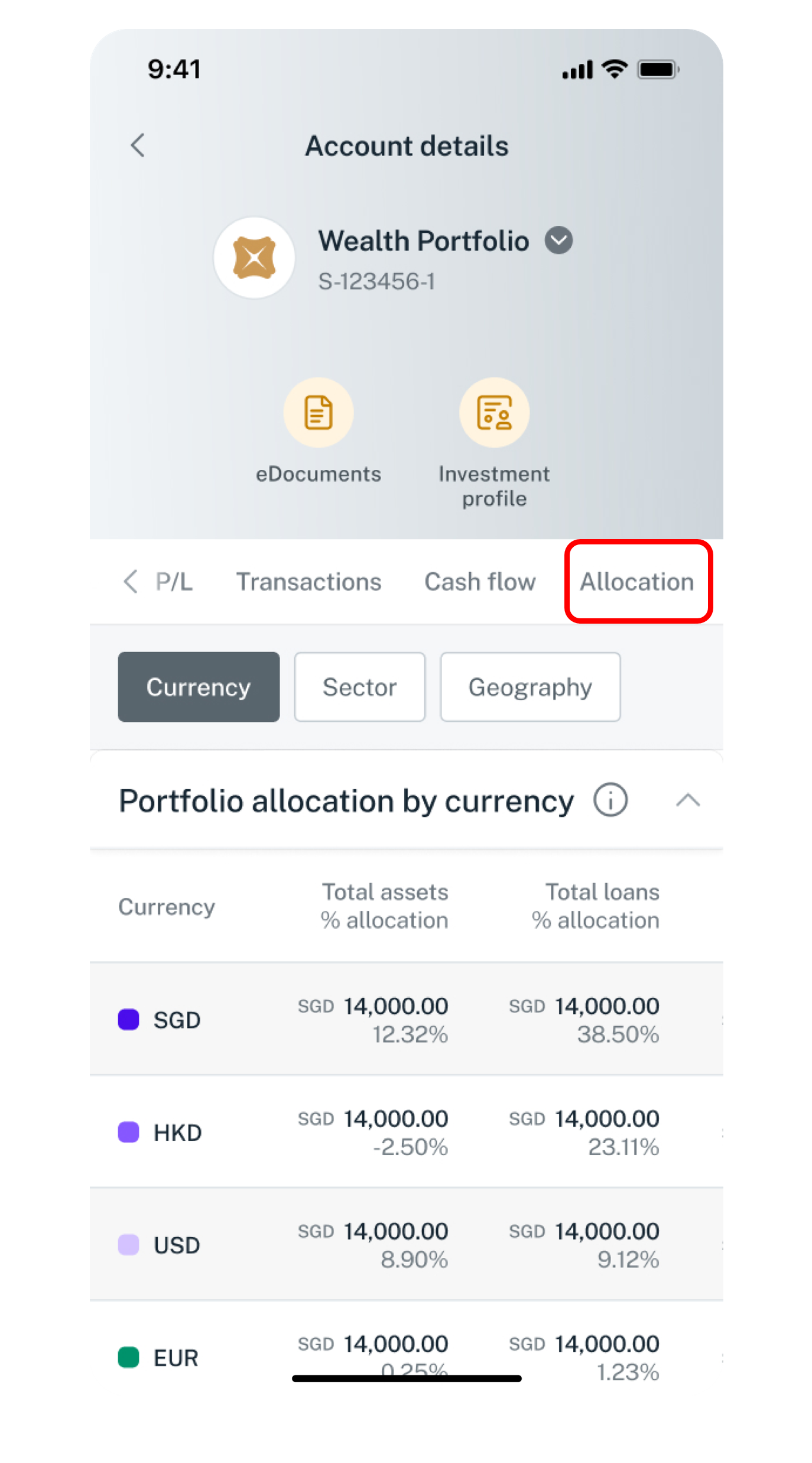
Tap on Allocation to analyse your Wealth Portfolio across currencies, sectors and geographies.
Get the latest DBS digibank mobile app now!

laptop
slider
slider
slider
slider
slider
slider
slider
slider
1
Step 1
Log in to digibank online with your User ID & PIN.
2
Step 2
Complete the Authentication Process.
3
Step 3
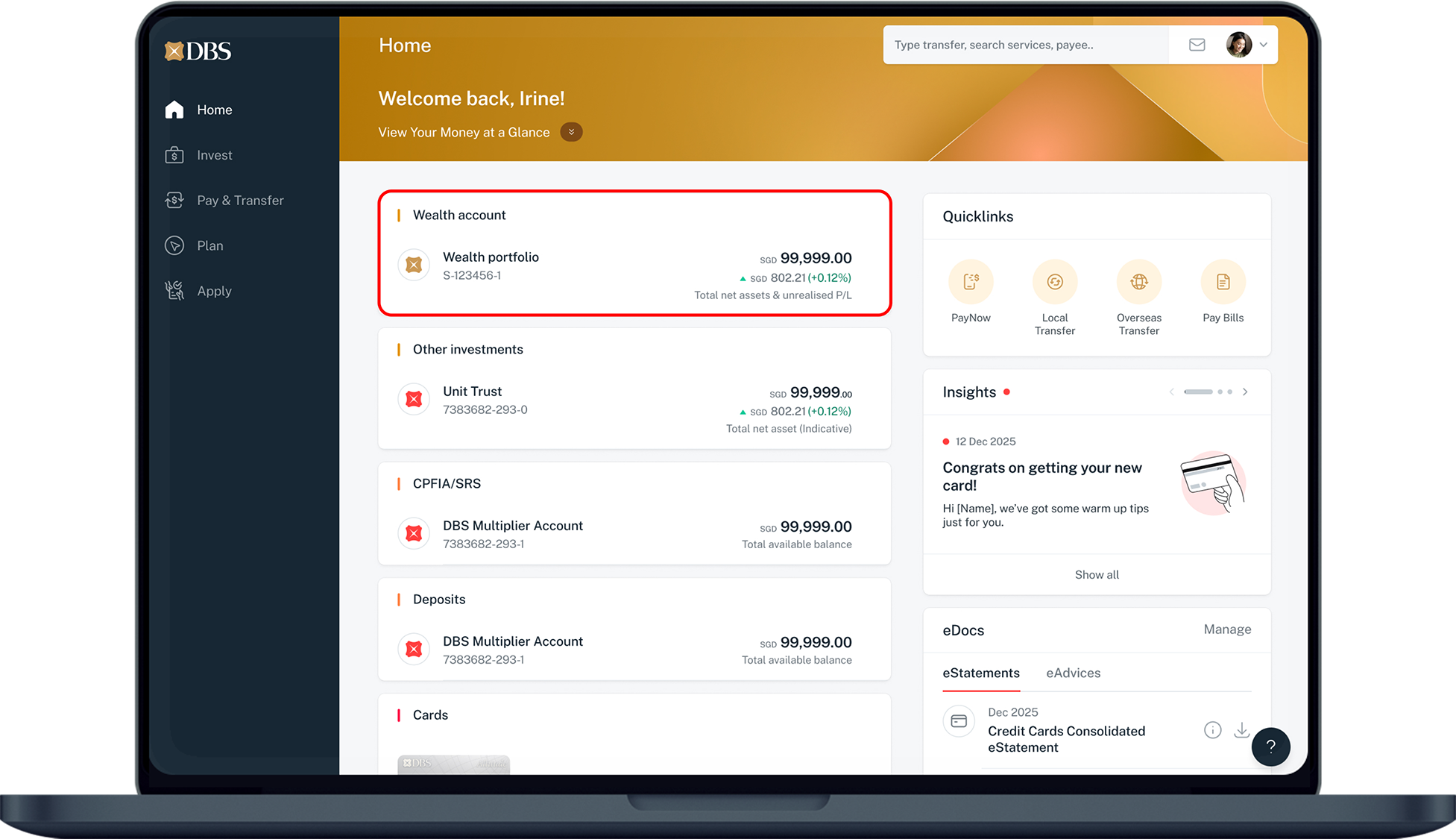
Under Home, select the portfolio you would like to review.
4
Step 4
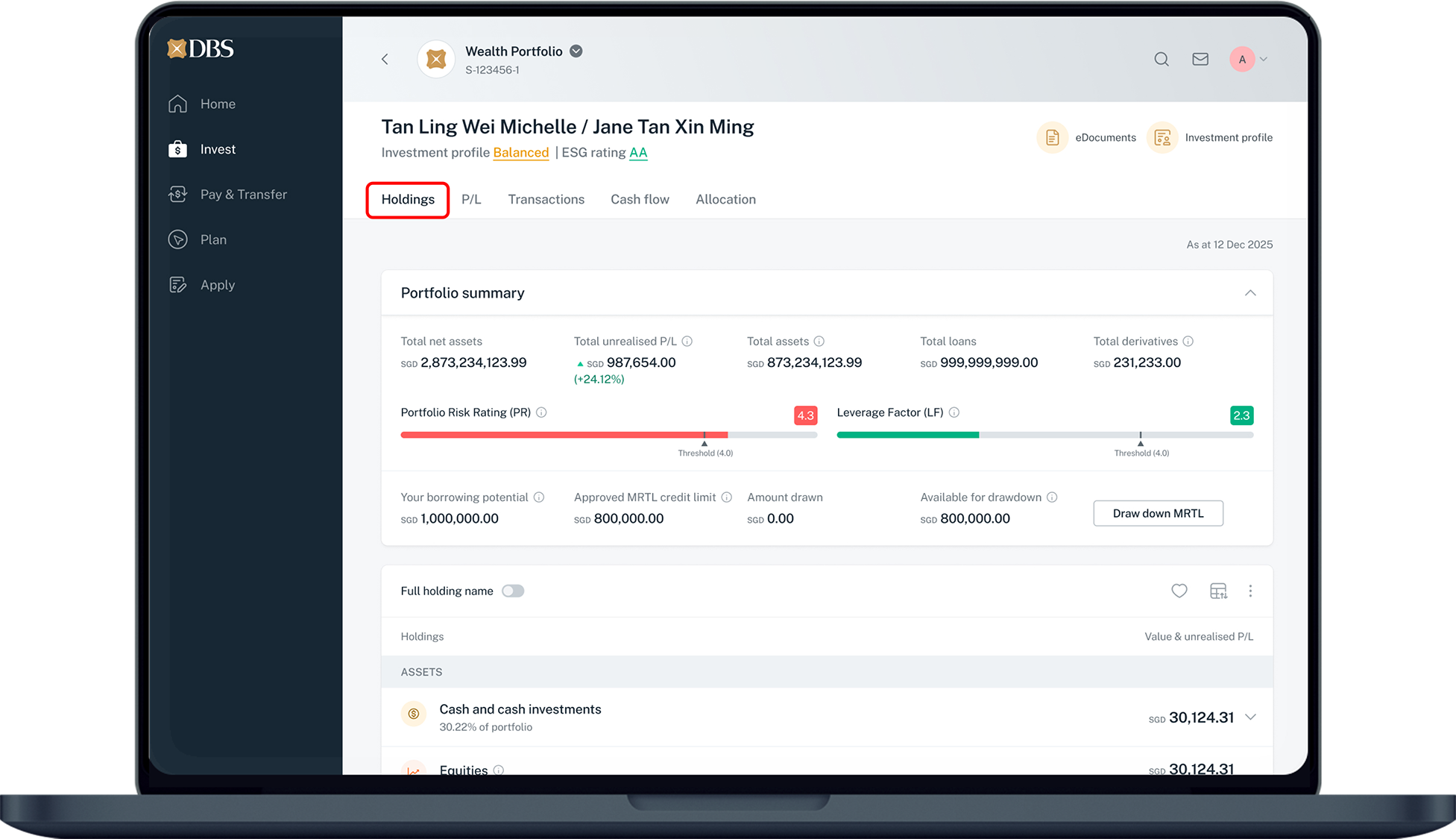
Click on Holdings to see your portfolio summary and a detailed breakdown of your current holdings.
5
Step 5
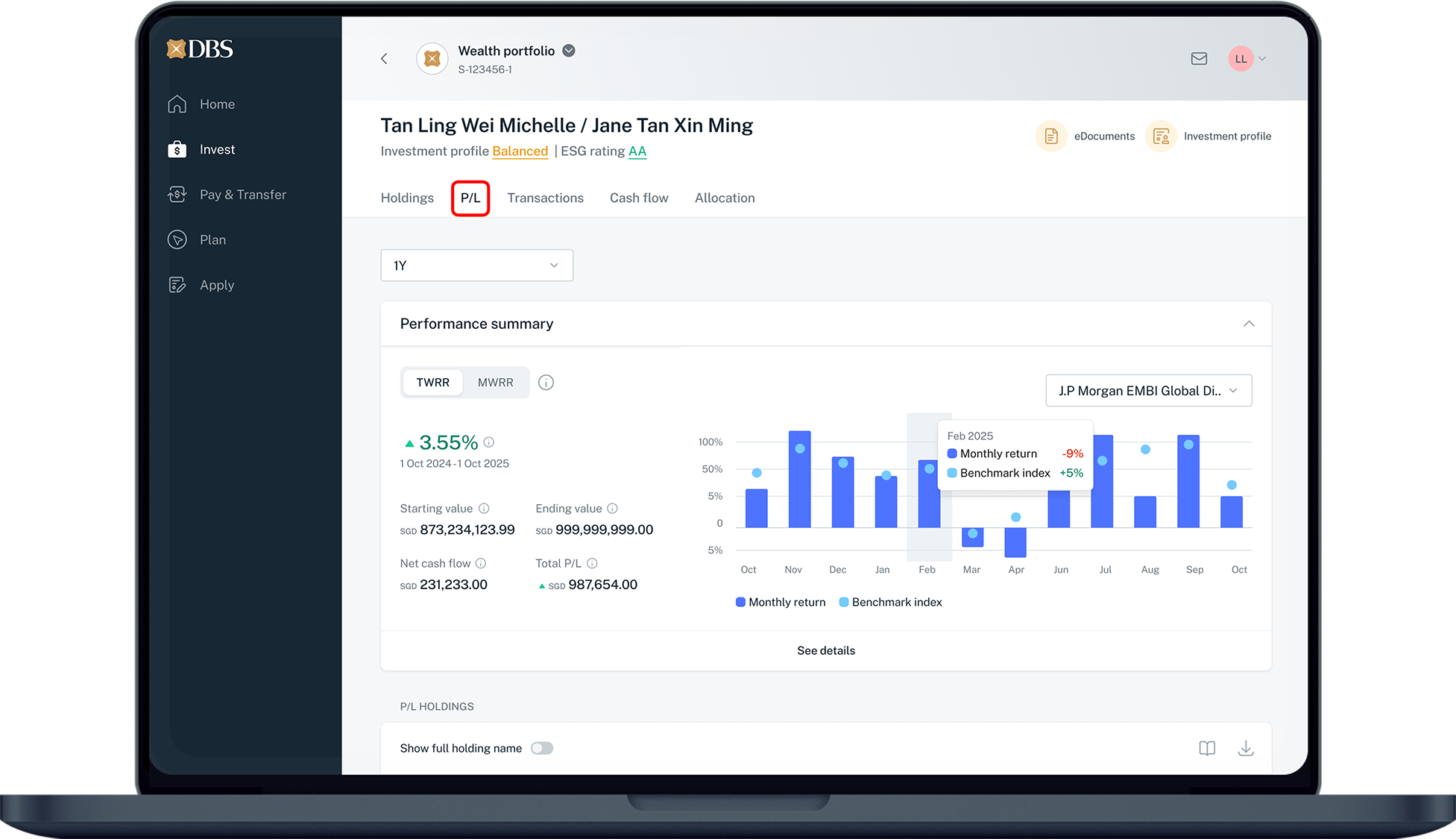
Click on P/L to analyse your Wealth Portfolio performance across various metrics (e.g. MWRR, TWRR, Realised P&L, Unrealised P&L, Total P&L) and time ranges.
6
Step 6
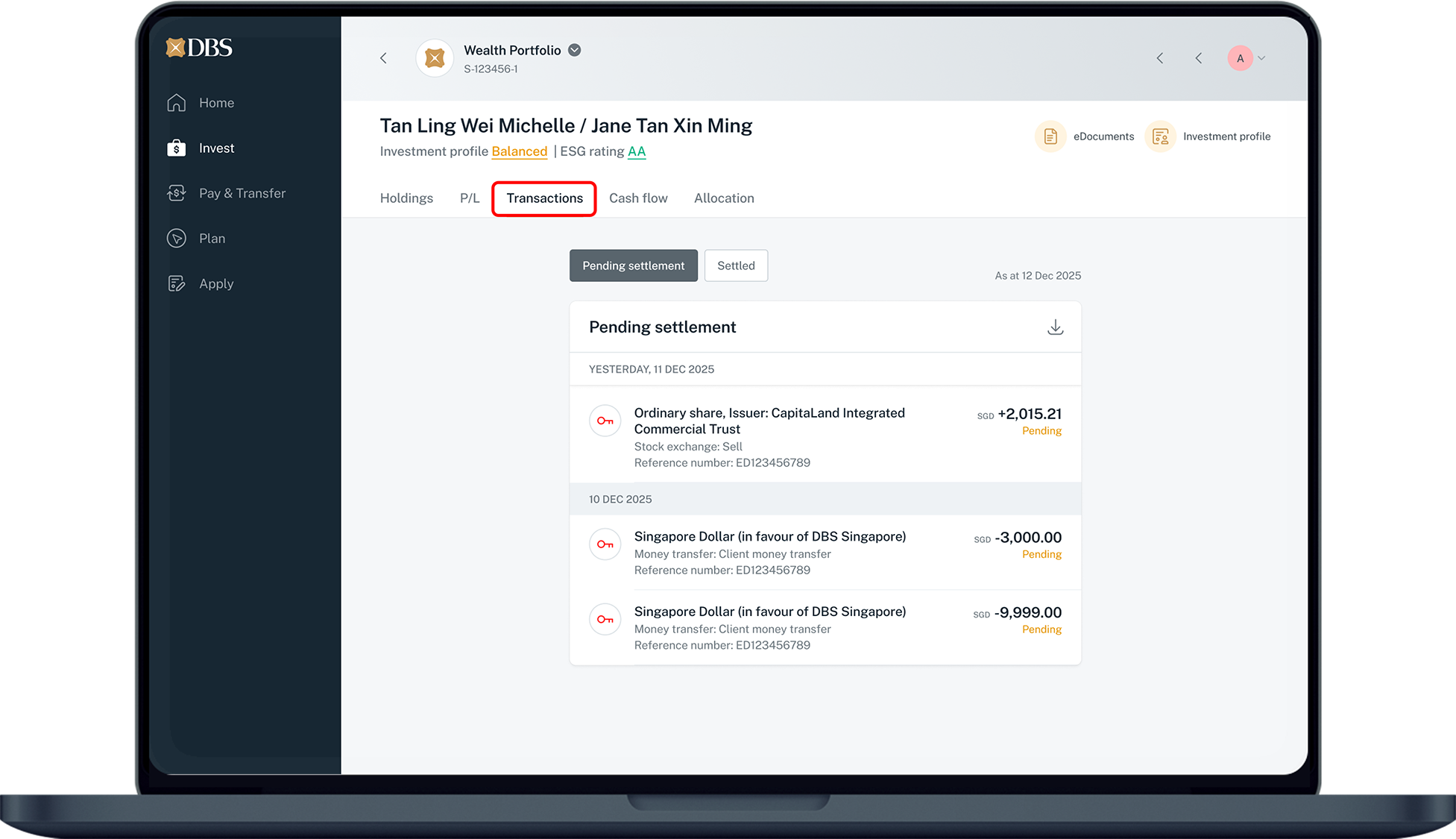
Click on Transactions to access past investment transaction records.
7
Step 7
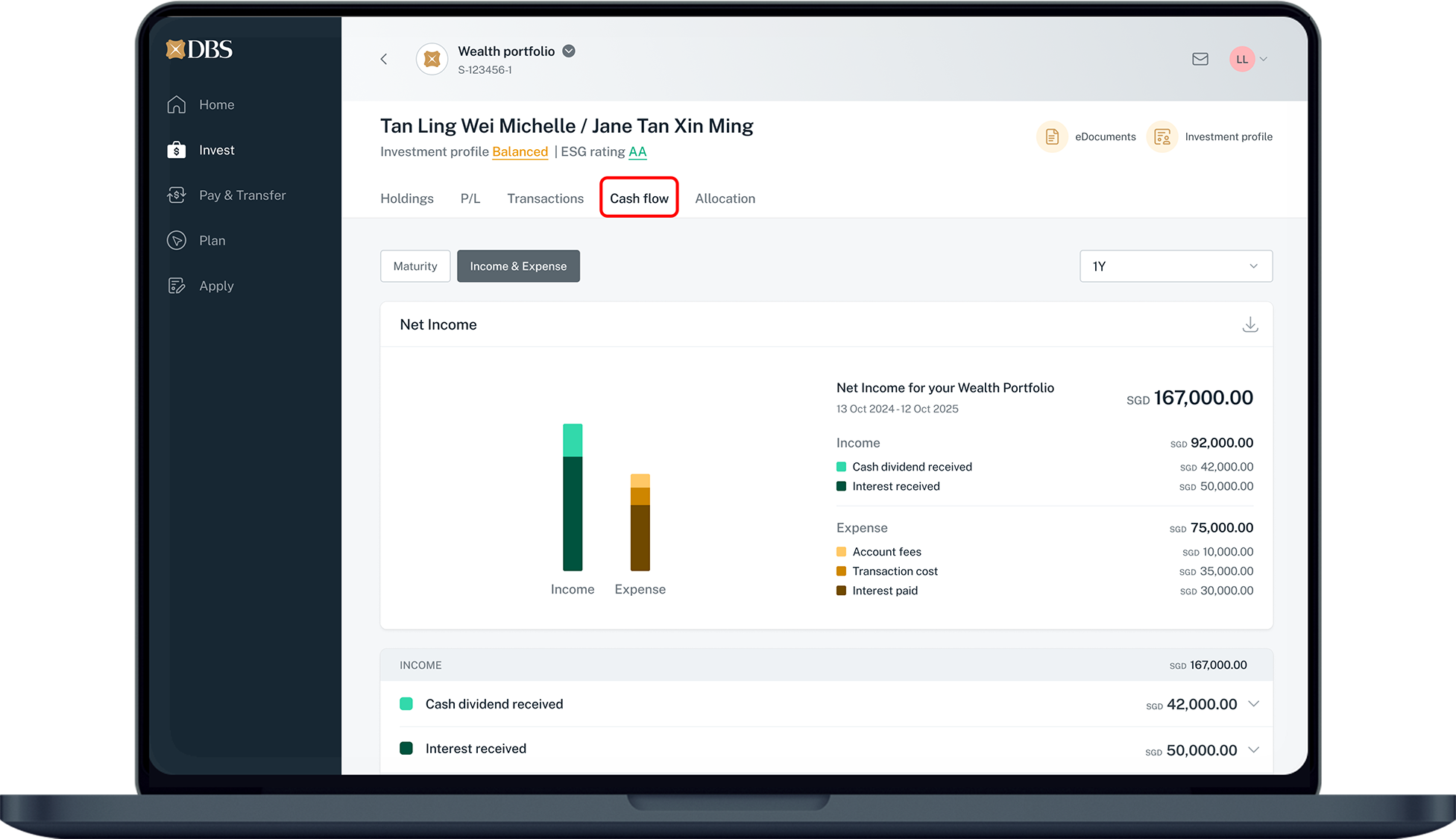
Click on Cash flow to monitor your cash flow from dividends, interest received, coupons, redemptions as well as fees and interest paid via the Maturity and Income & Expense tools.
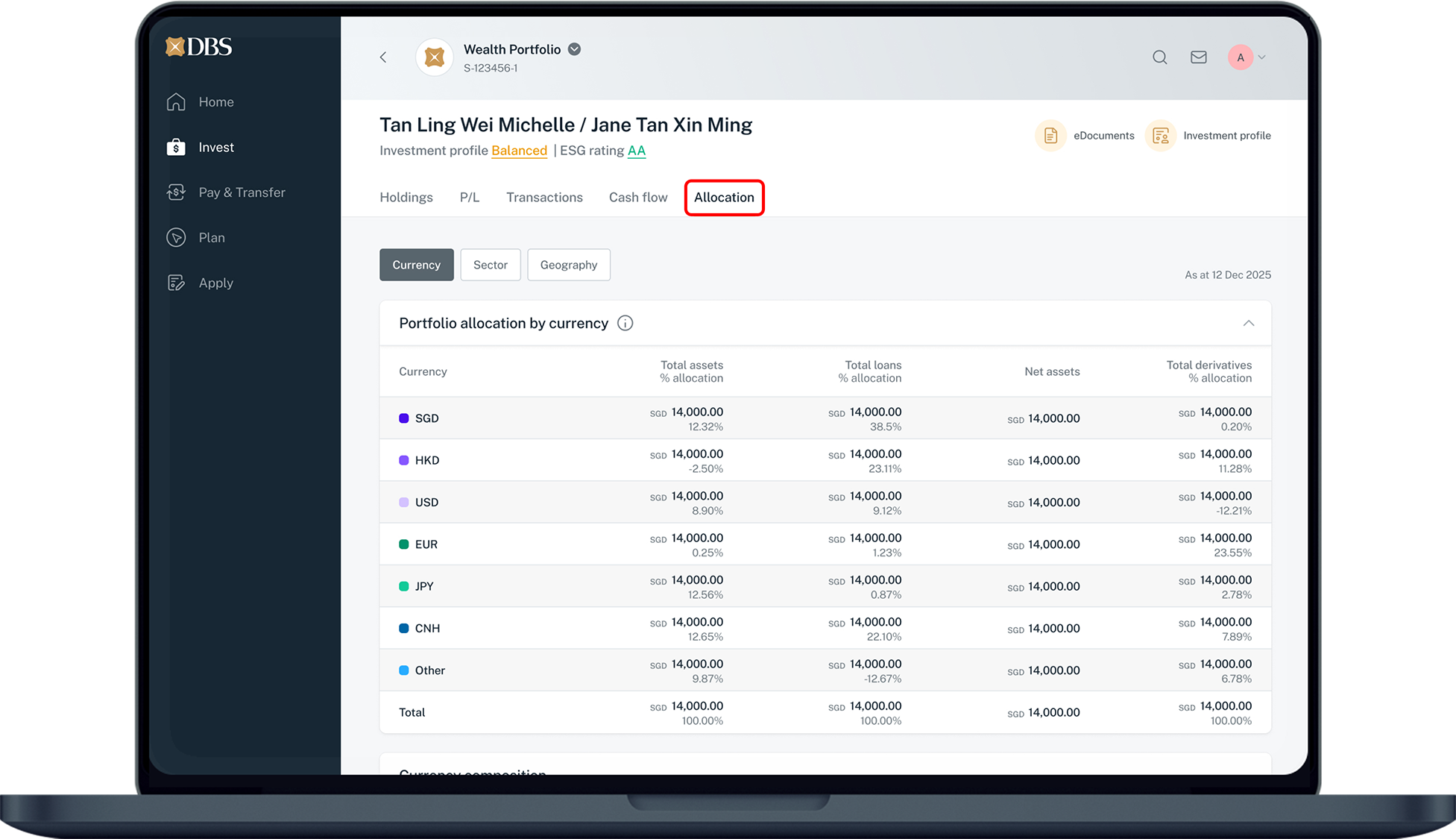
8
Step 8
Click on Allocation to analyse your Wealth Portfolio across currencies, sectors and geographies.

More information

  • After submitting an order for Online Funds Investment, the order status can be found under Invest > Funds / Unit Trust > Order Status.
  • After submitting an order for Online Equity Trading, the order status can be found under Invest > Equity > Order Status.
Was this information useful?

We welcome your feedback

Information is easy to understand and find
Information is useful to answer your inquiries completely