Manage your Cash Advance Spending Limits using Payment Controls

Learn how you can set cash advance spending limits for your credit cards using payment control via digibank.

How to set your Cash Advance spending limts

digibank mobile

phone frame
login
slider
slider
slider
slider
1
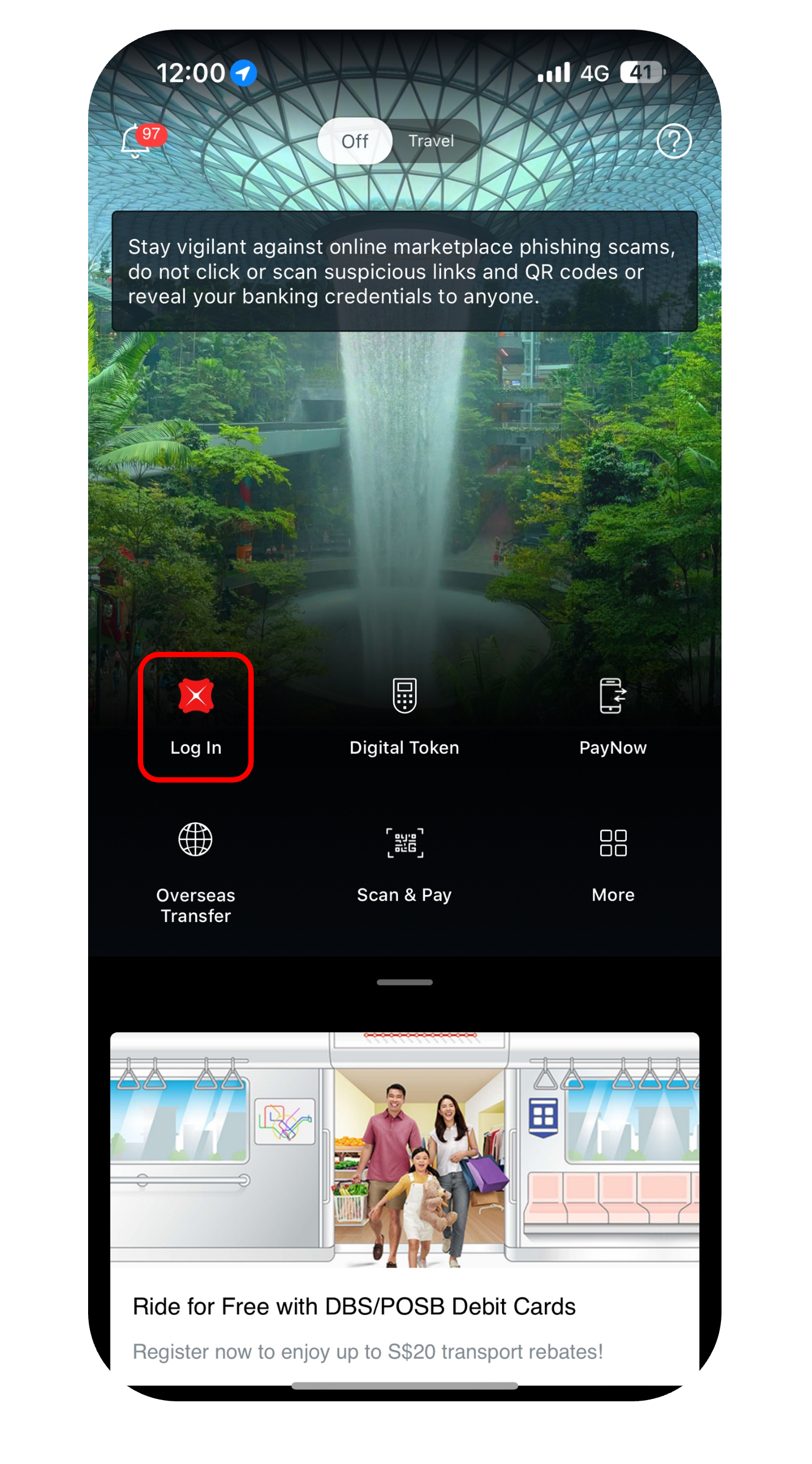
Step 1
Log in to digibank mobile with your Touch / Face ID or digibank User ID & PIN.
2
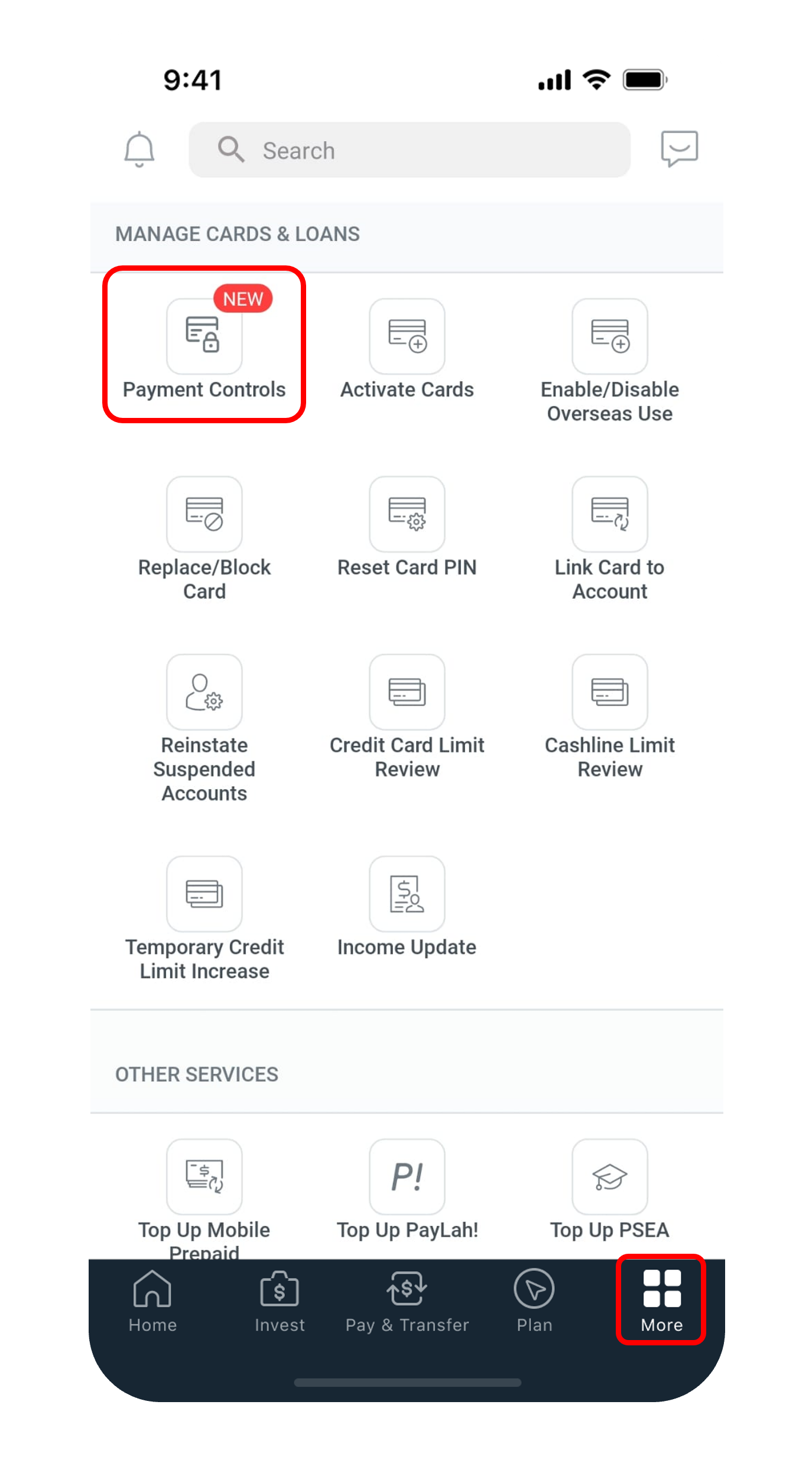
Step 2
Tap on More at the bottom, under Manage Cards & Loans, select Payment Controls.
3
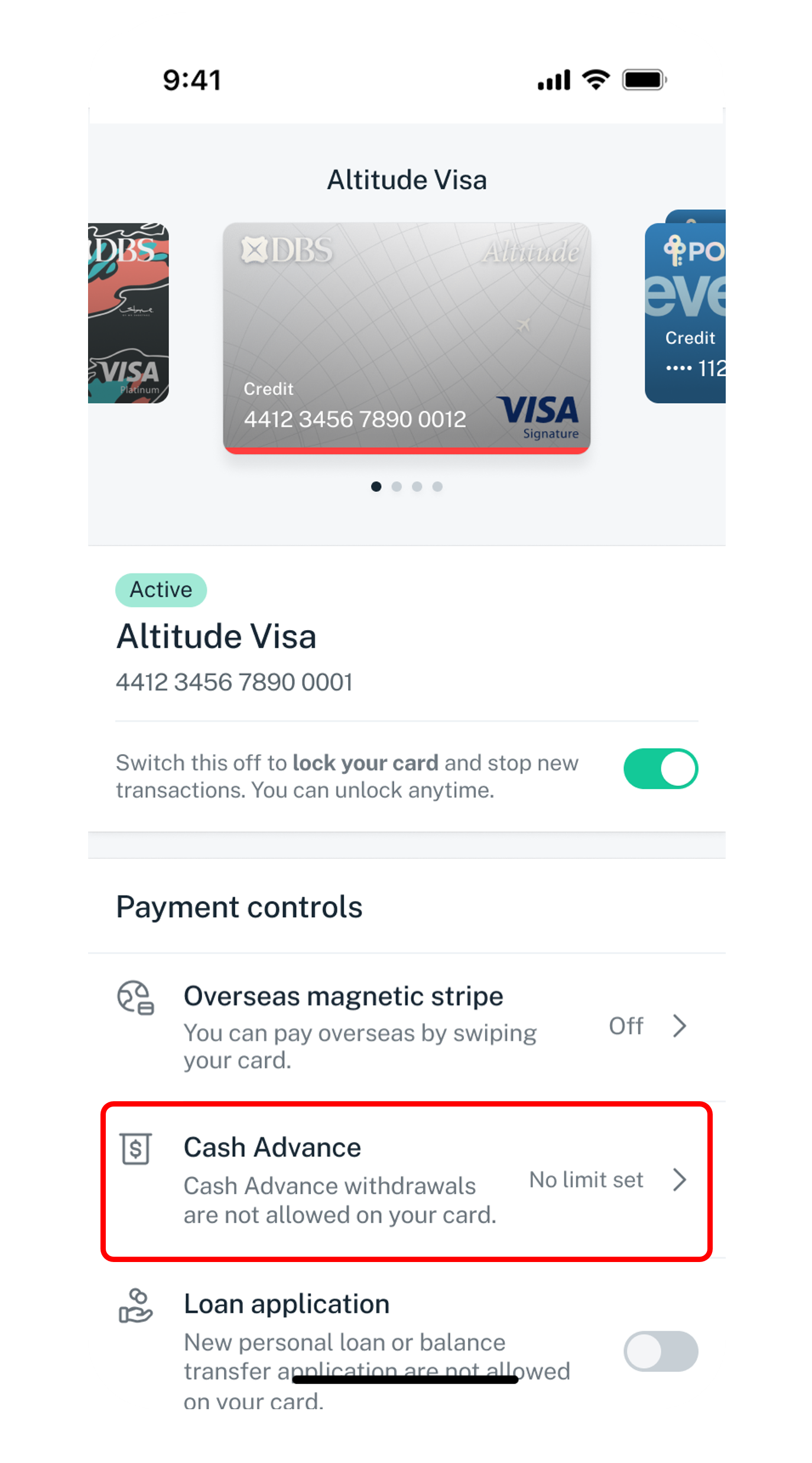
Step 3
Select the Card you wish to set the daily limit for and tap on Cash Advance to proceed.
4
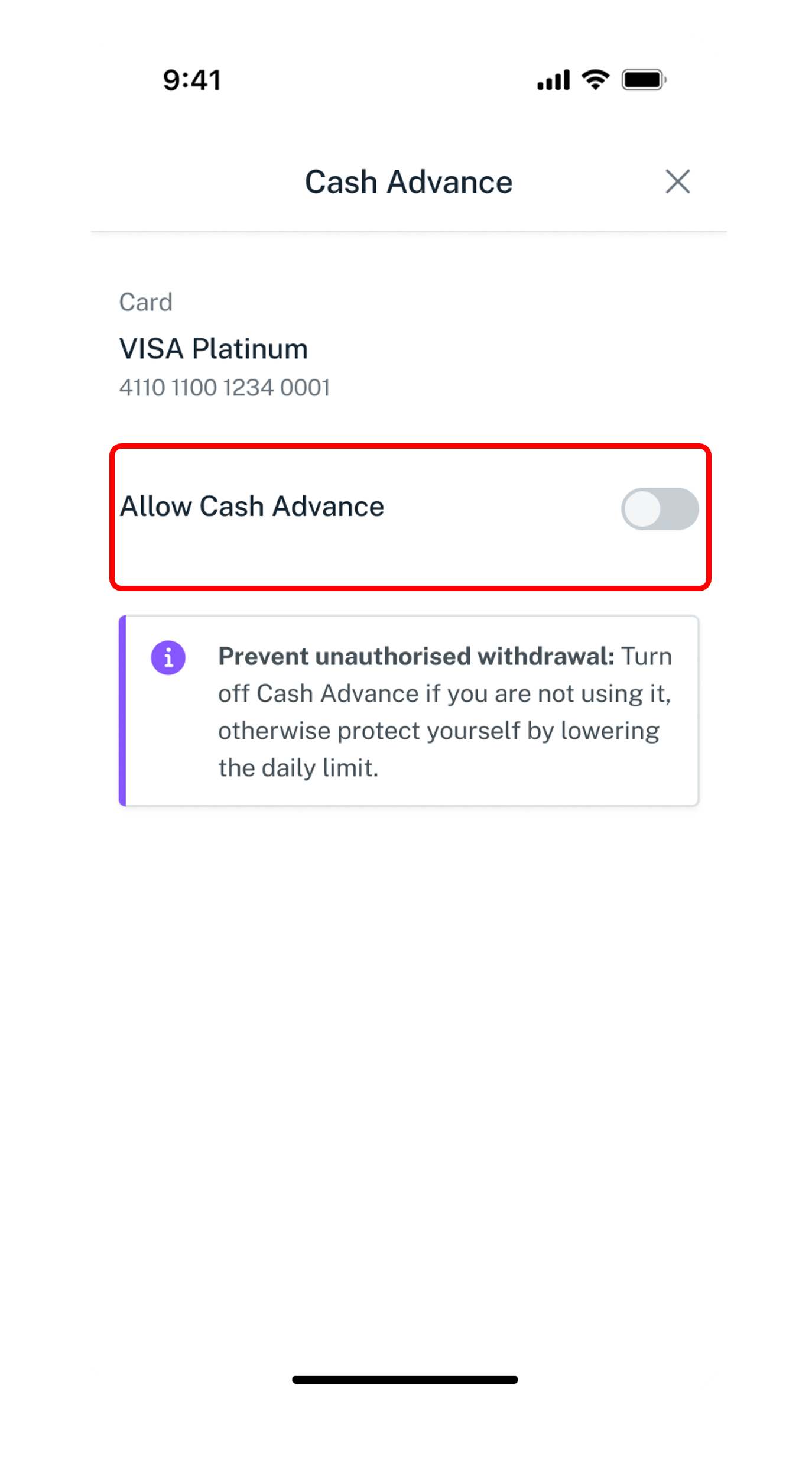
Step 4
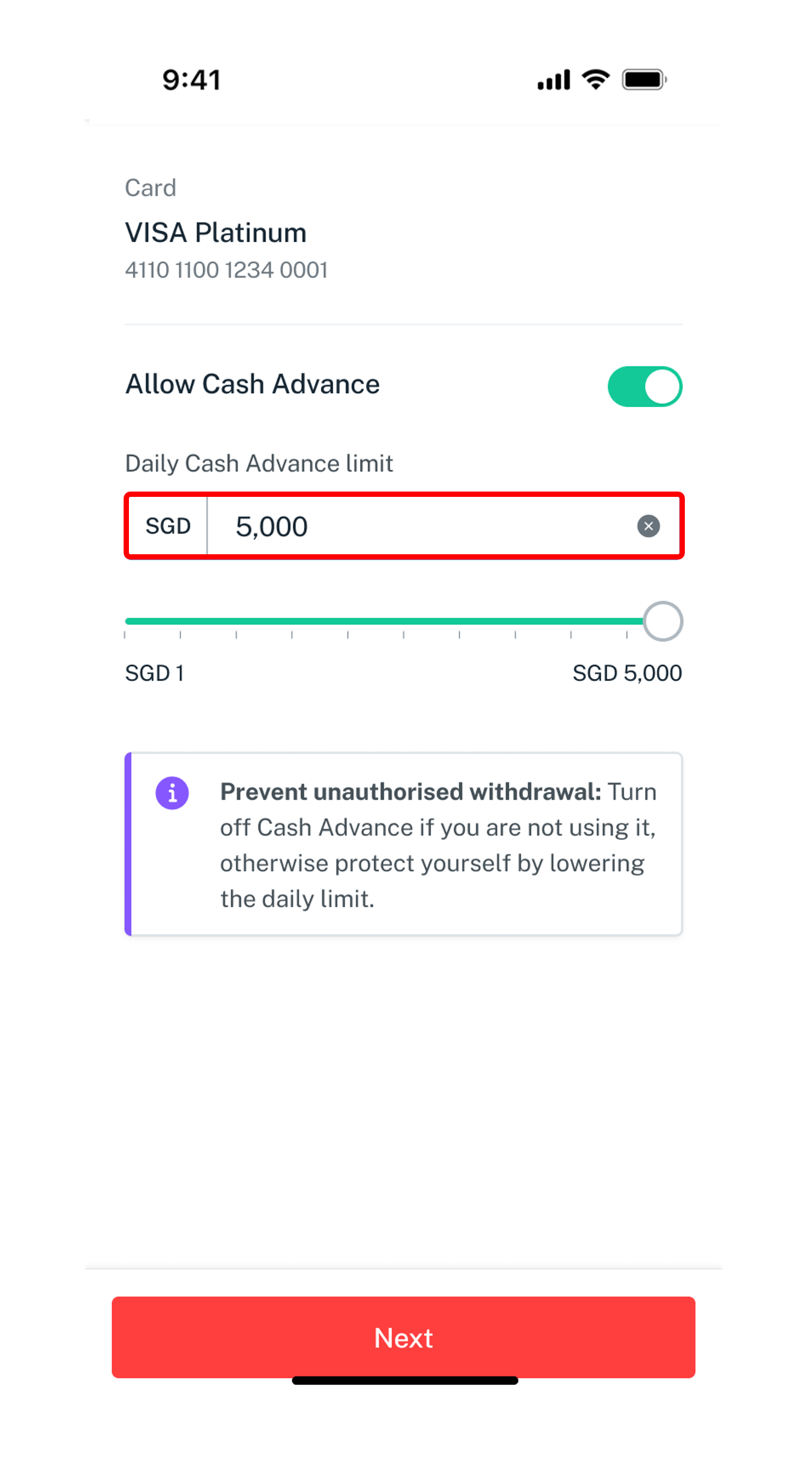
Tap on Allow Cash Advance.
5
Step 5
Set your Daily Cash Advance limit and tap on Next to confirm your daily limit.
Get the latest DBS digibank mobile app now!

Was this information useful?

We welcome your feedback

Information is easy to understand and find
Information is useful to answer your inquiries completely