Enable/ Disable Card For In Store Overseas Use
Learn how to enable / disable your card's overseas usage easily using digibank or at our DBS/POSB ATM.
Part of: Guides > Go Travel with DBS, Your Guide to Card Security
Important information
- For your security, magnetic stripe transactions for overseas point-of-sale and ATM access on all DBS/POSB cards are disabled by default to reduce the risk of unauthorized transactions. For eCommerce, EMV chip, and contactless transactions will remain enabled for overseas use.
- When travelling overseas, enable Overseas contactless and card chip control to allow in-store purchases. Overseas contactless and card chip payments use EMV chip technology, offering a more secure option through cryptographic processes.
- Overseas magnetic stripe is located within your Payment Controls dashboard. Turn it on only if absolutely required. We strongly recommend using contactless or chip methods. Magnetic stripe transactions are less secure and more vulnerable to fraud, like skimming and cloning. You'll still find magnetic stripe payments in some countries, such as the USA, South Korea, and Japan.
- You are advised to disable your overseas controls if you are in Singapore.
How to enable/ disable Card for in store overseas use
There are various channels which you may enable/ disable card for in store overseas use with us. The most convenient method would be via digibank mobile.
digibank mobile

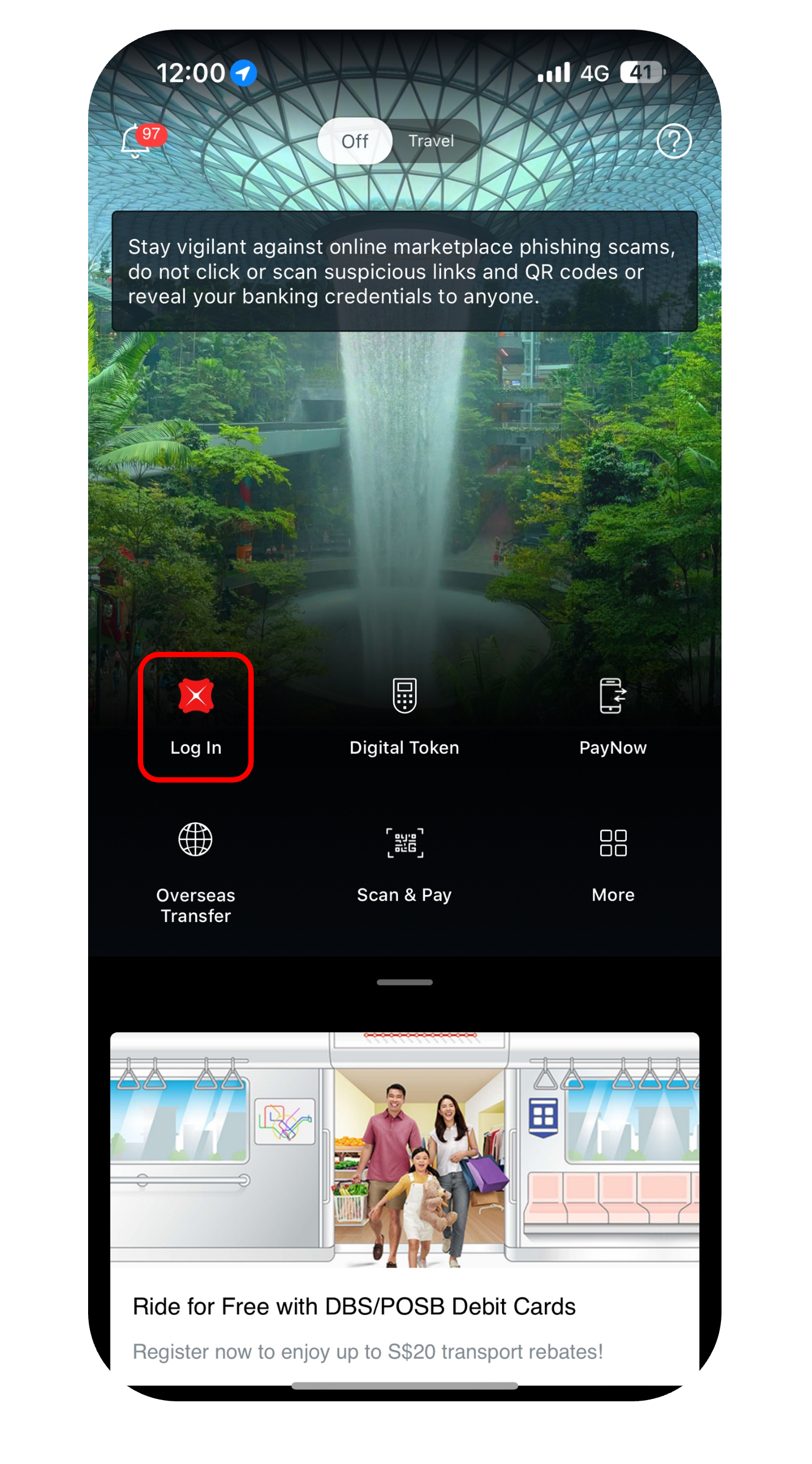
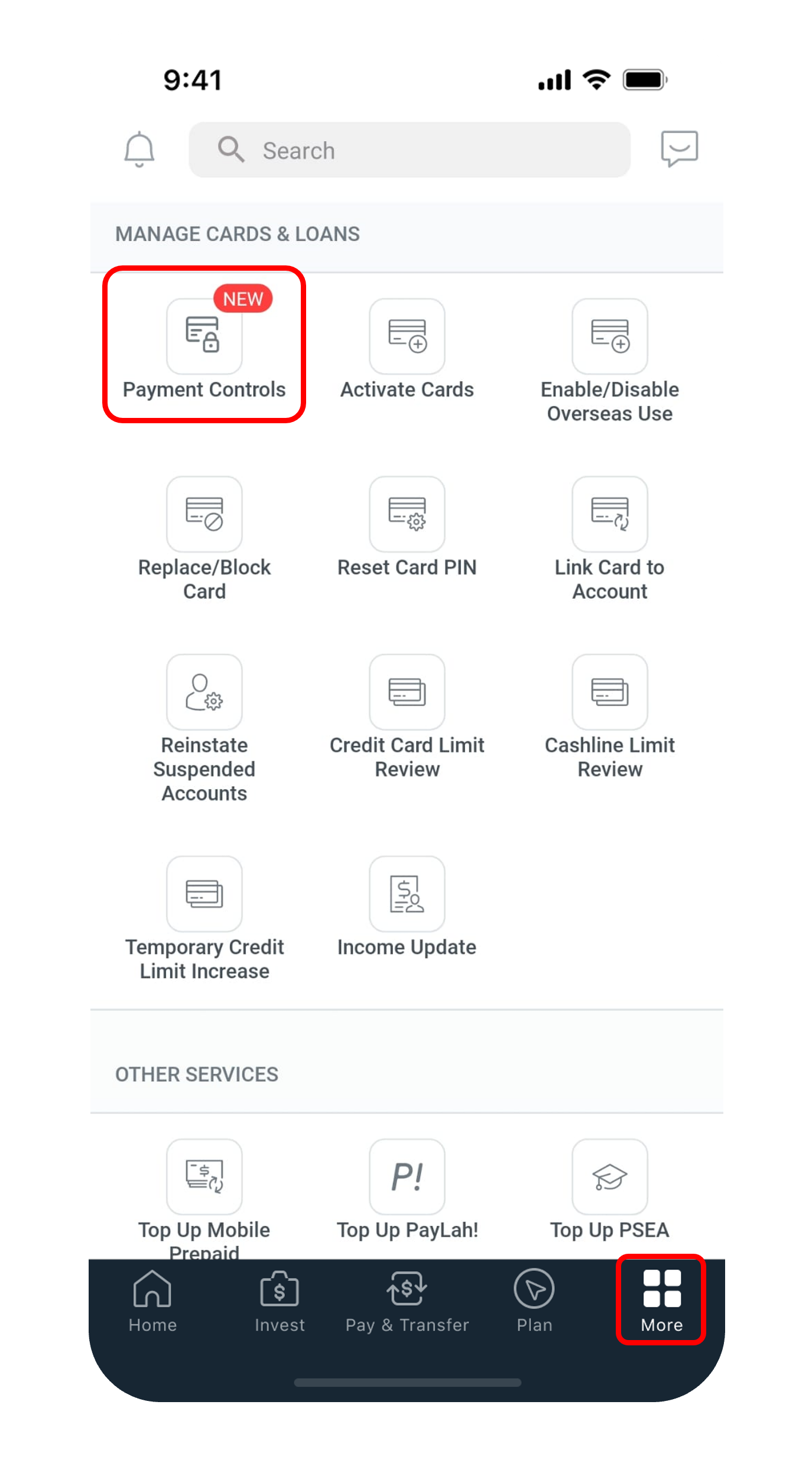
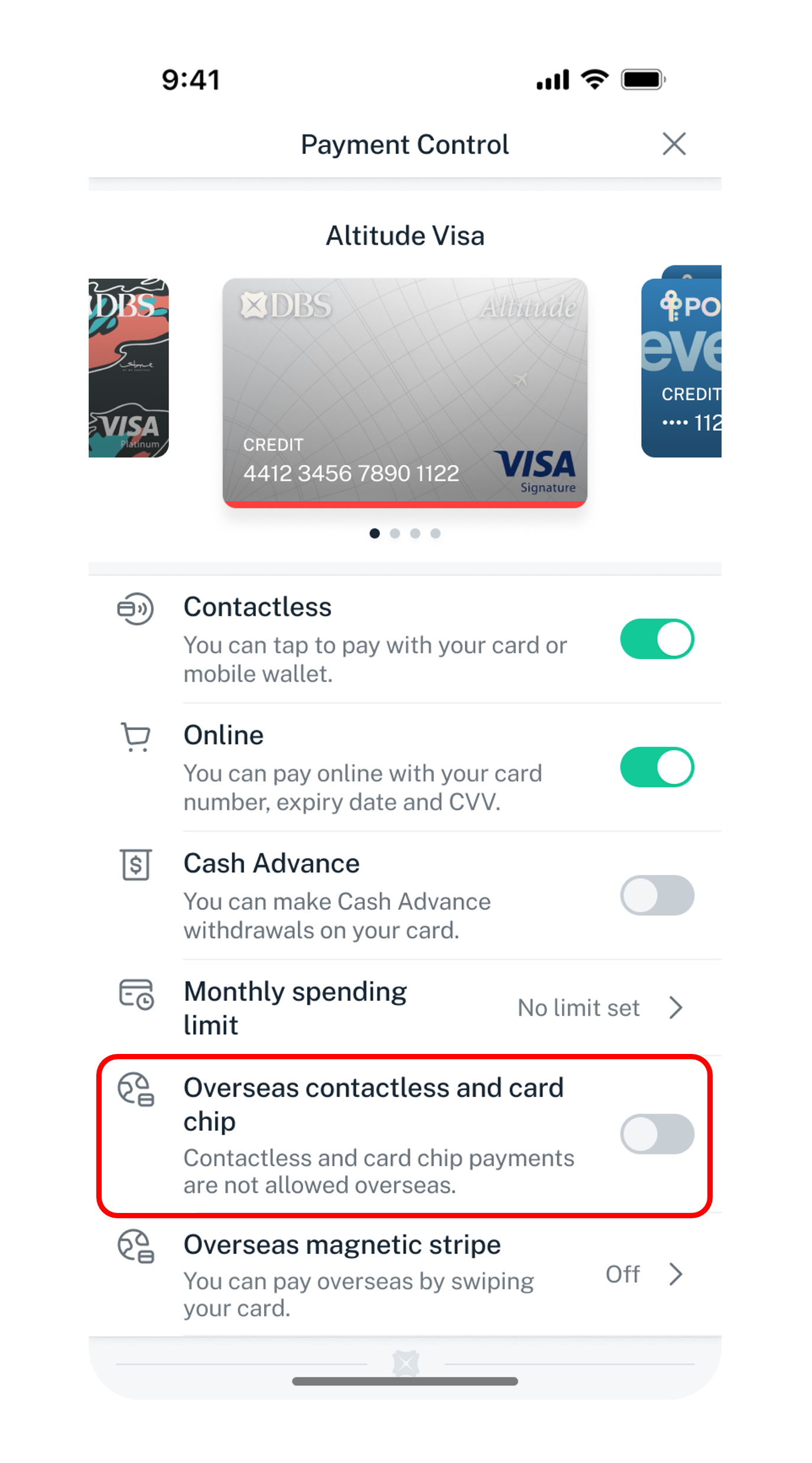
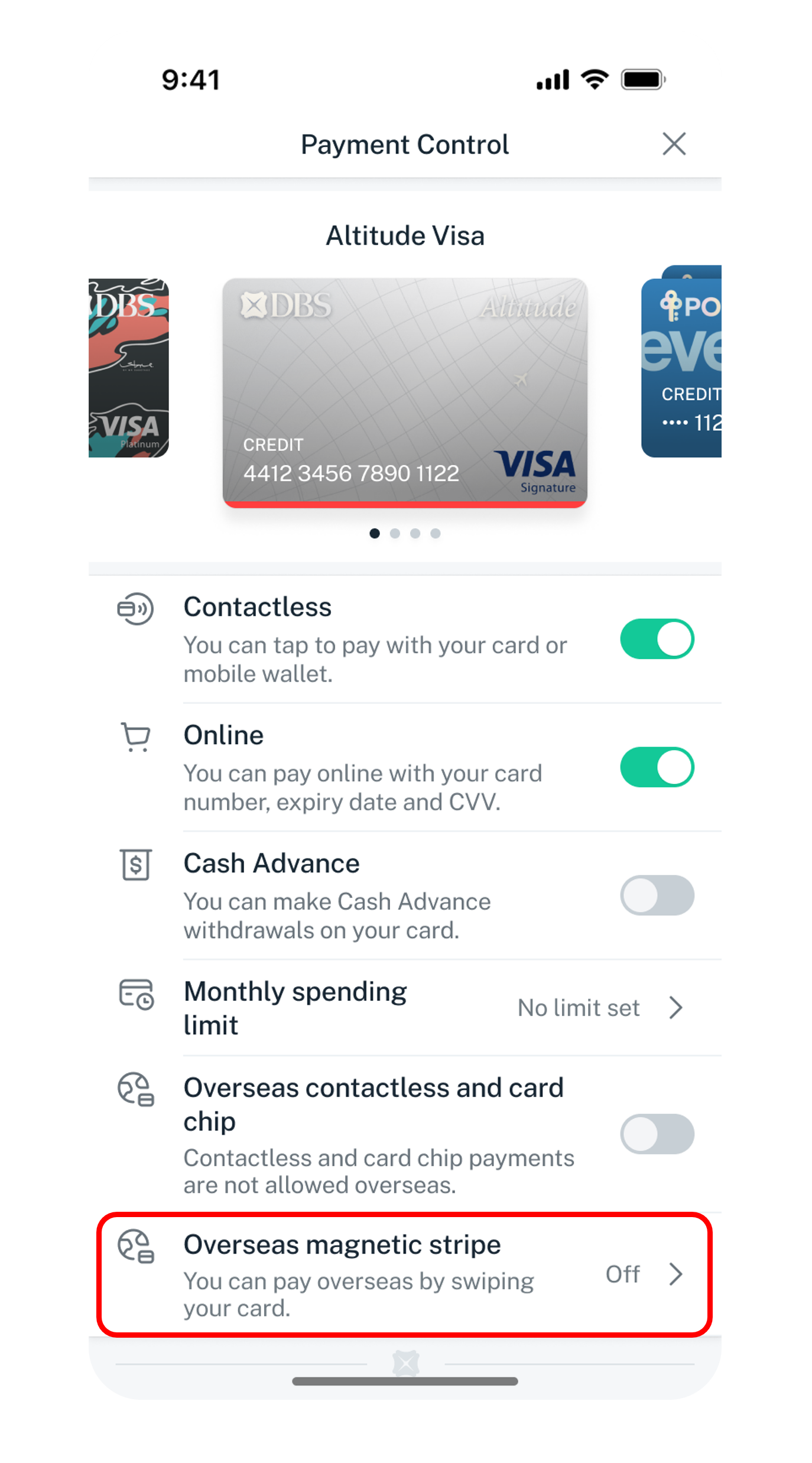
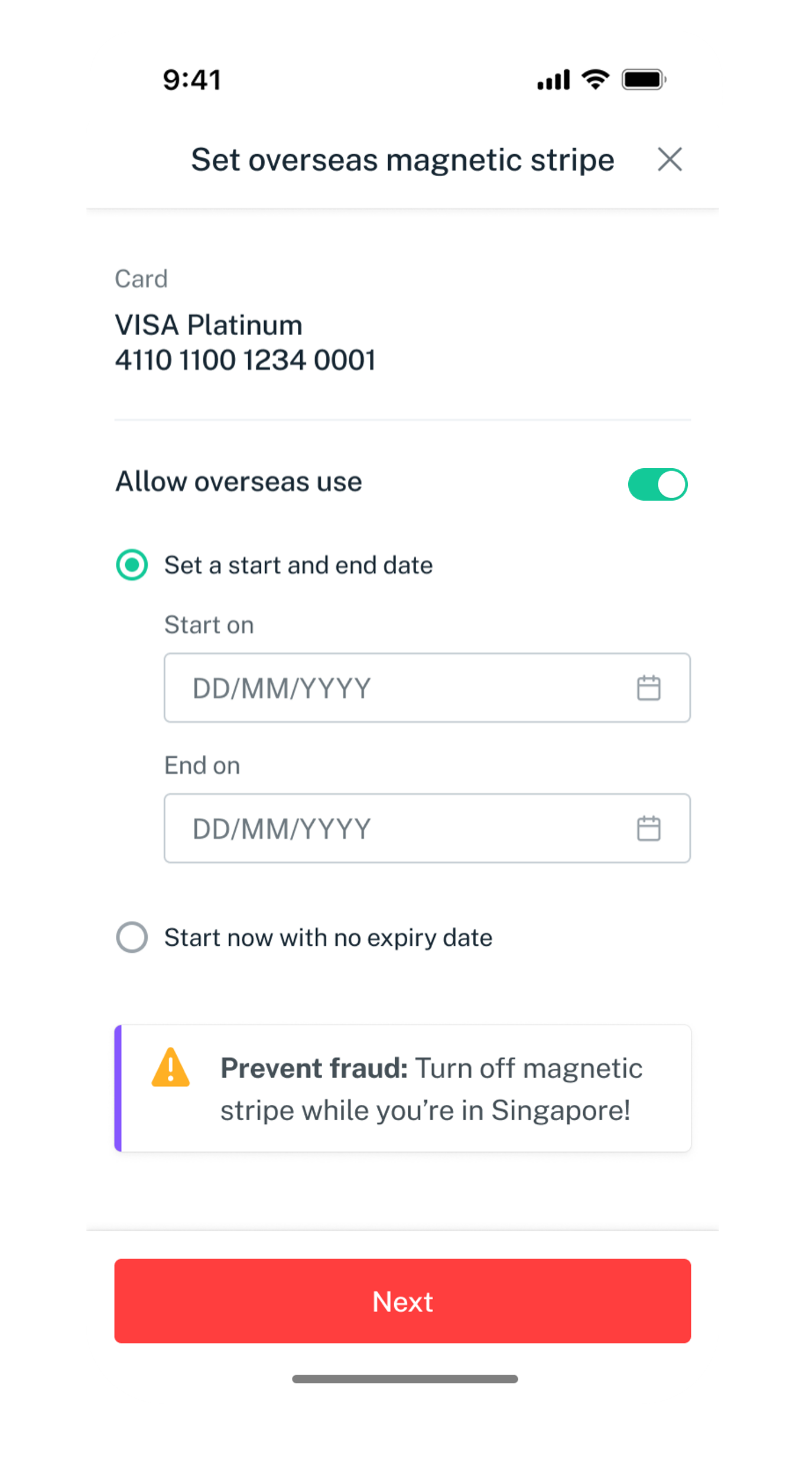
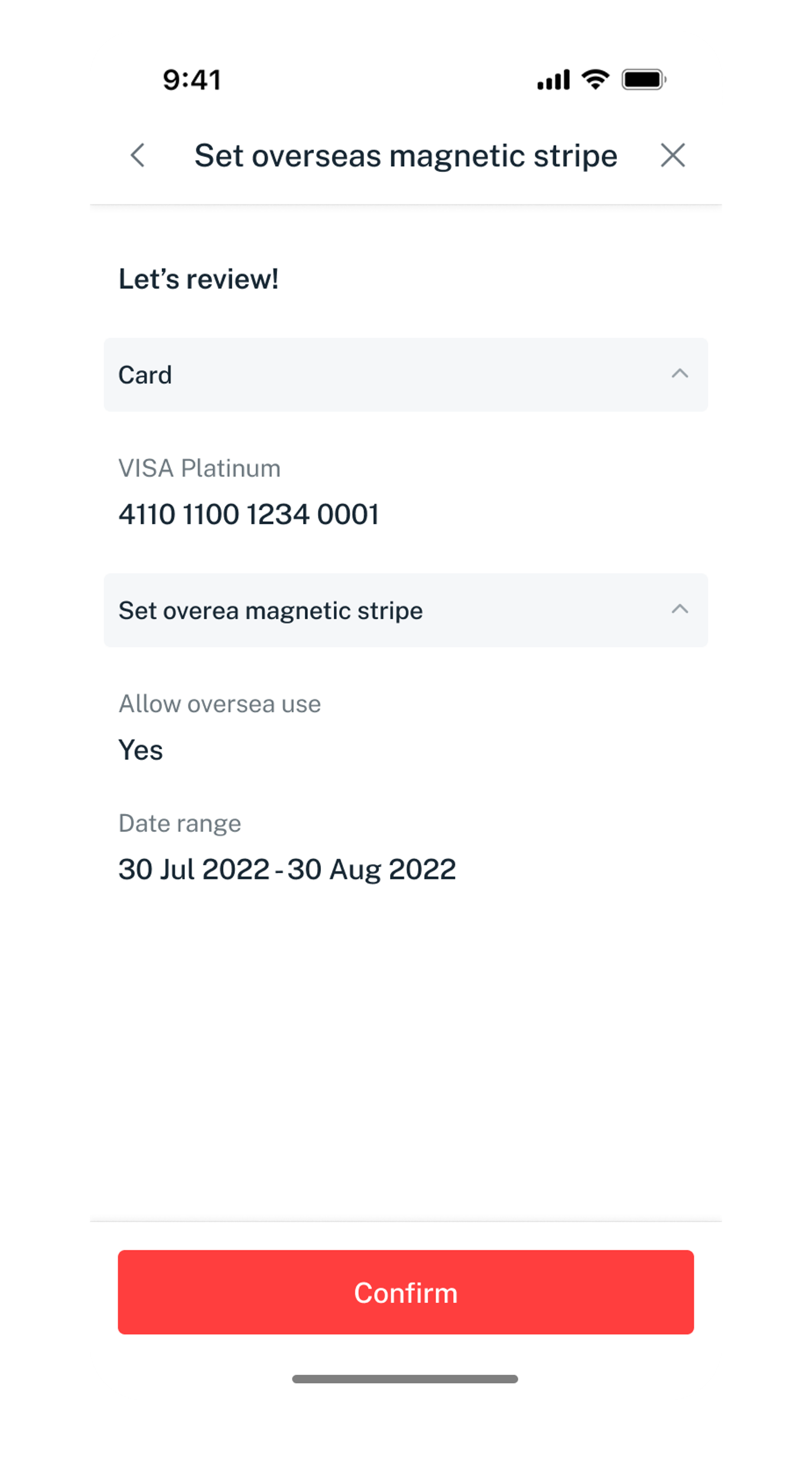
Get the latest DBS digibank mobile app now!



digibank Online



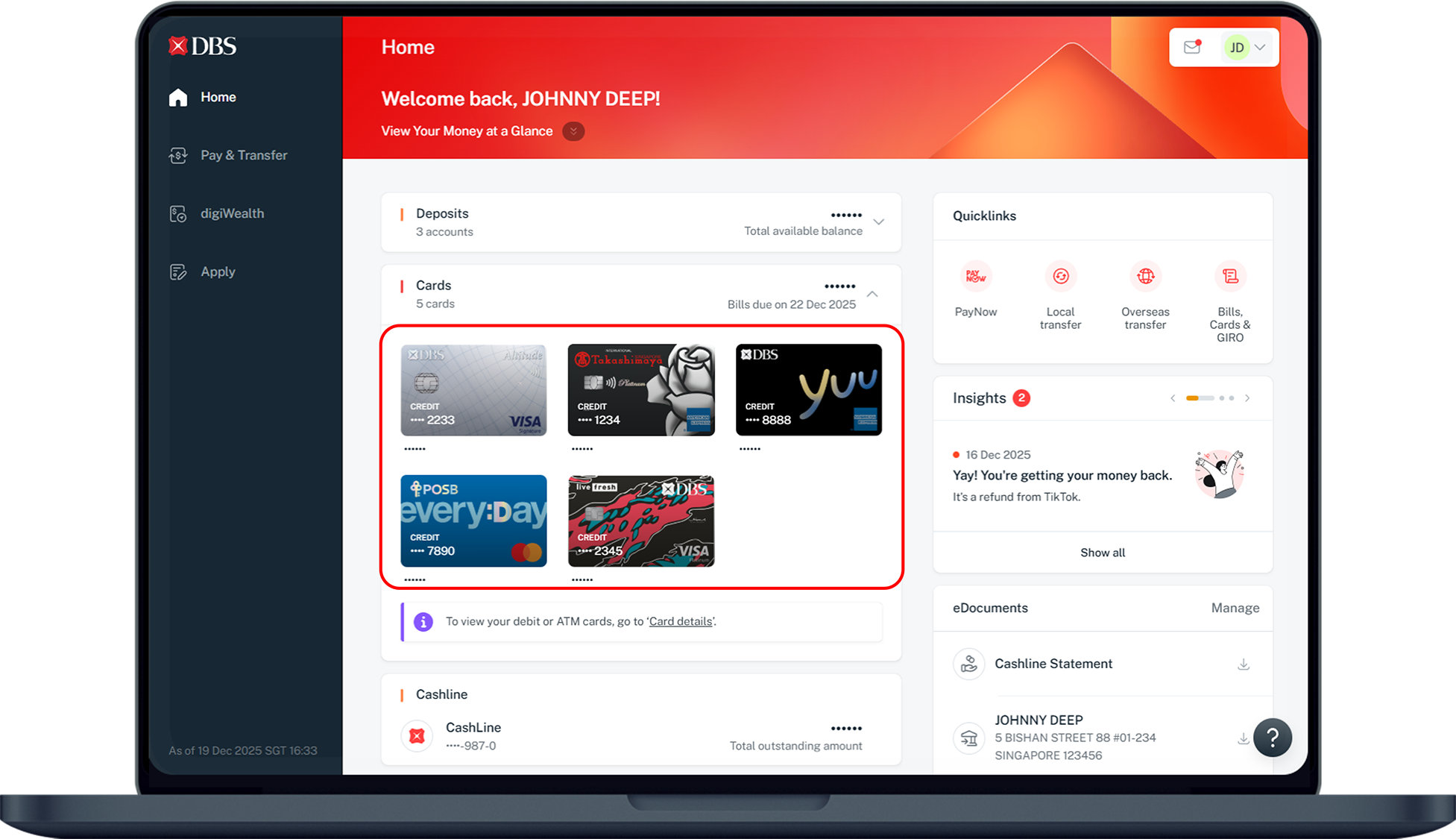
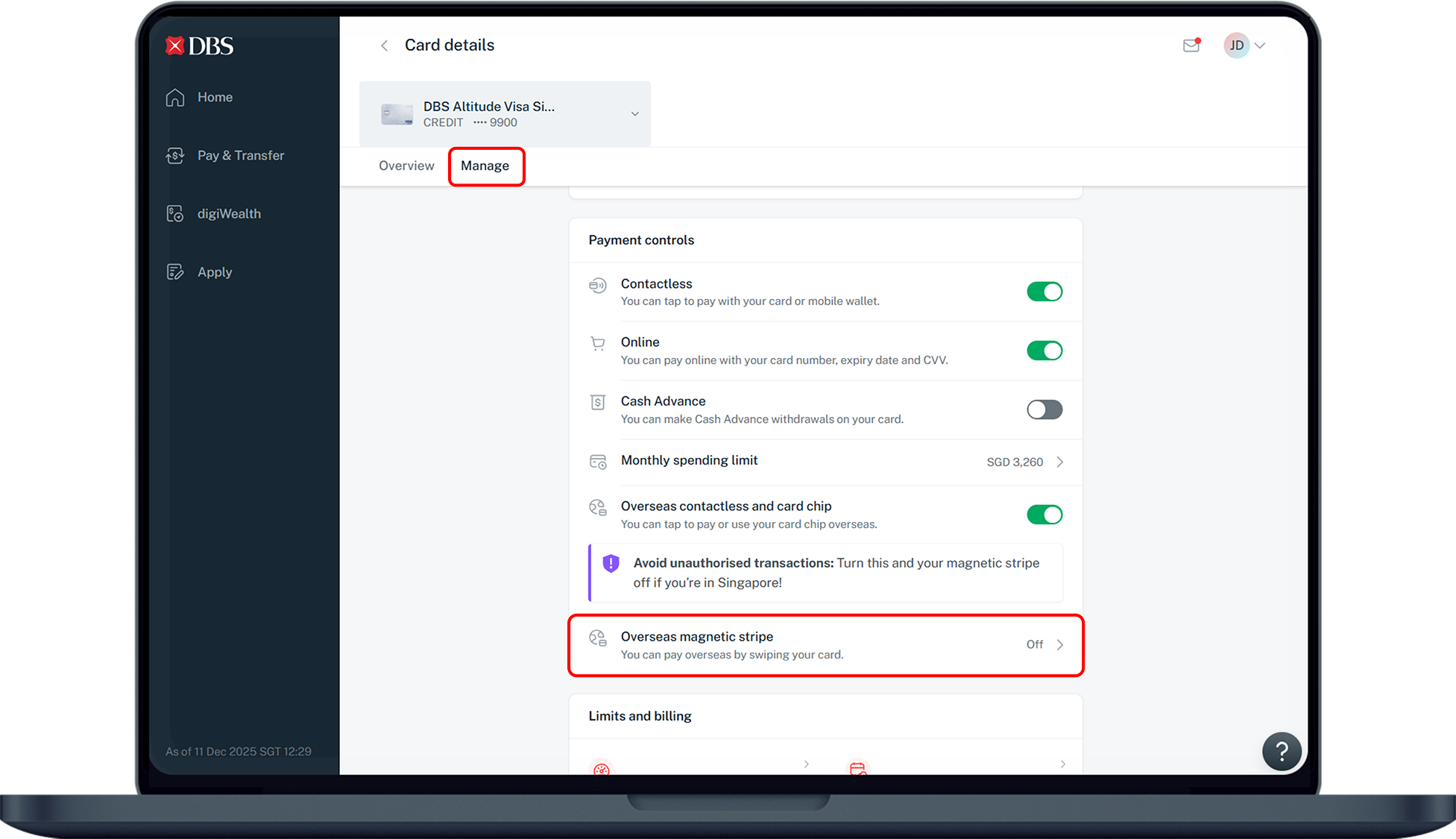
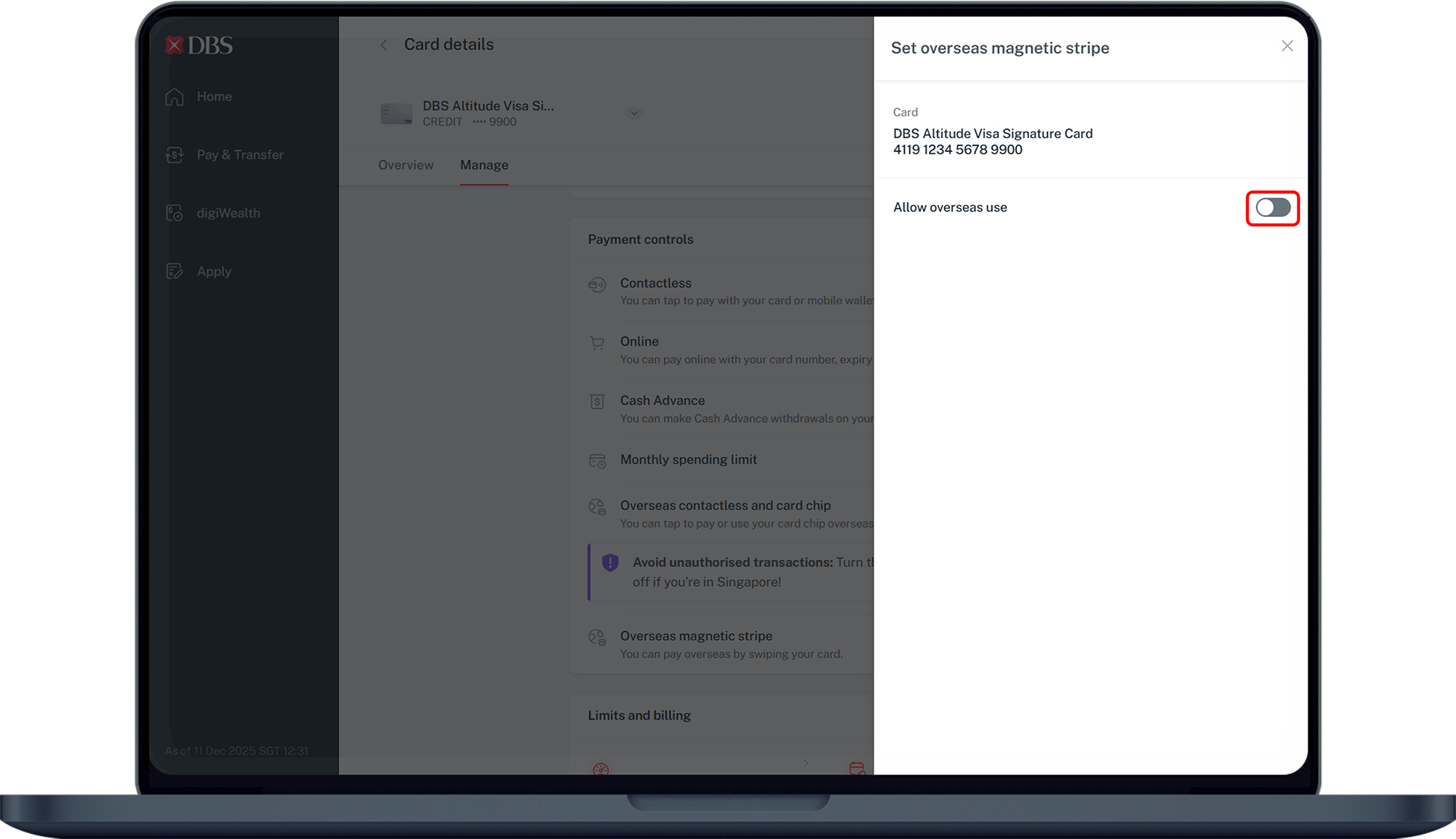
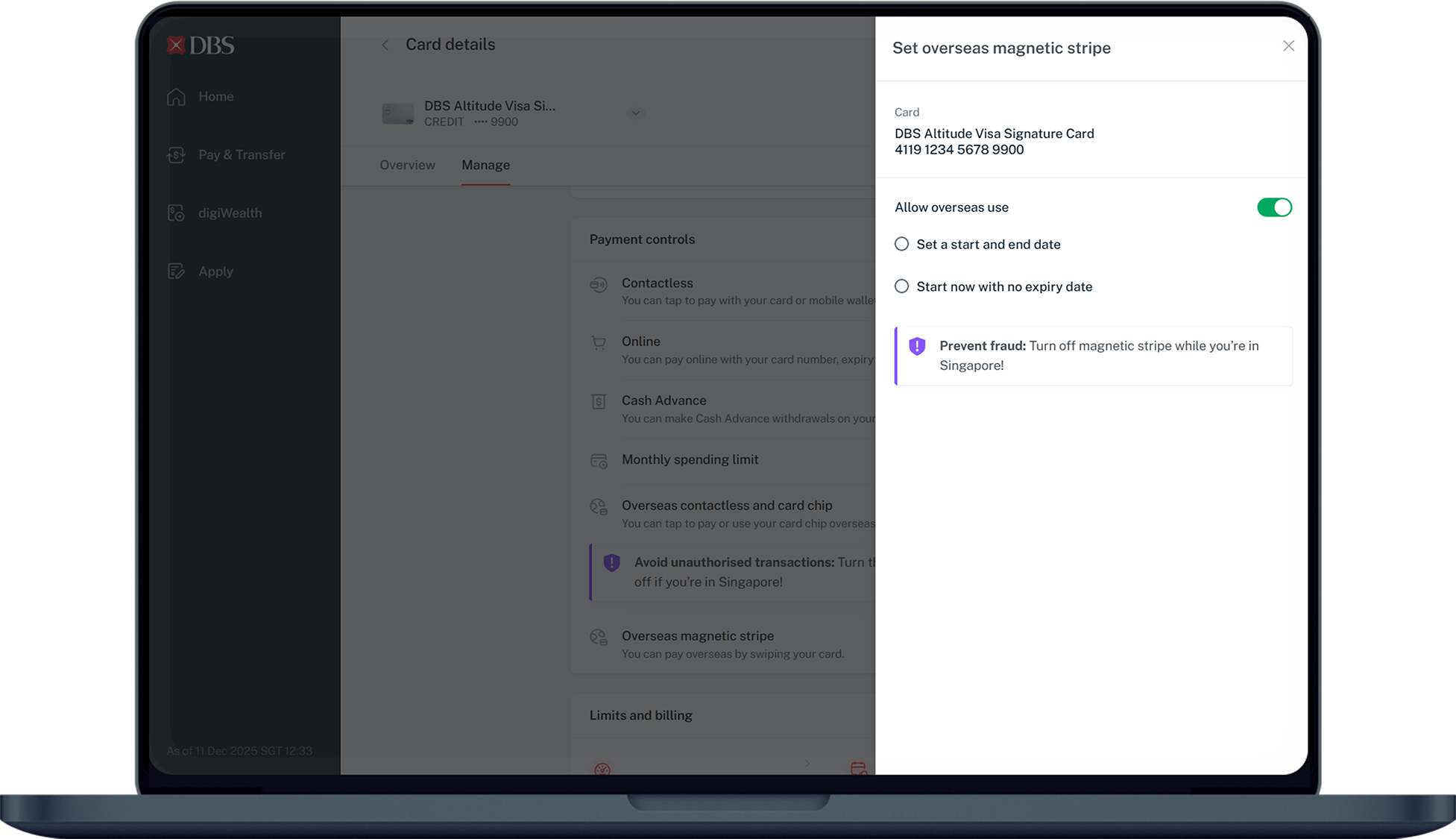
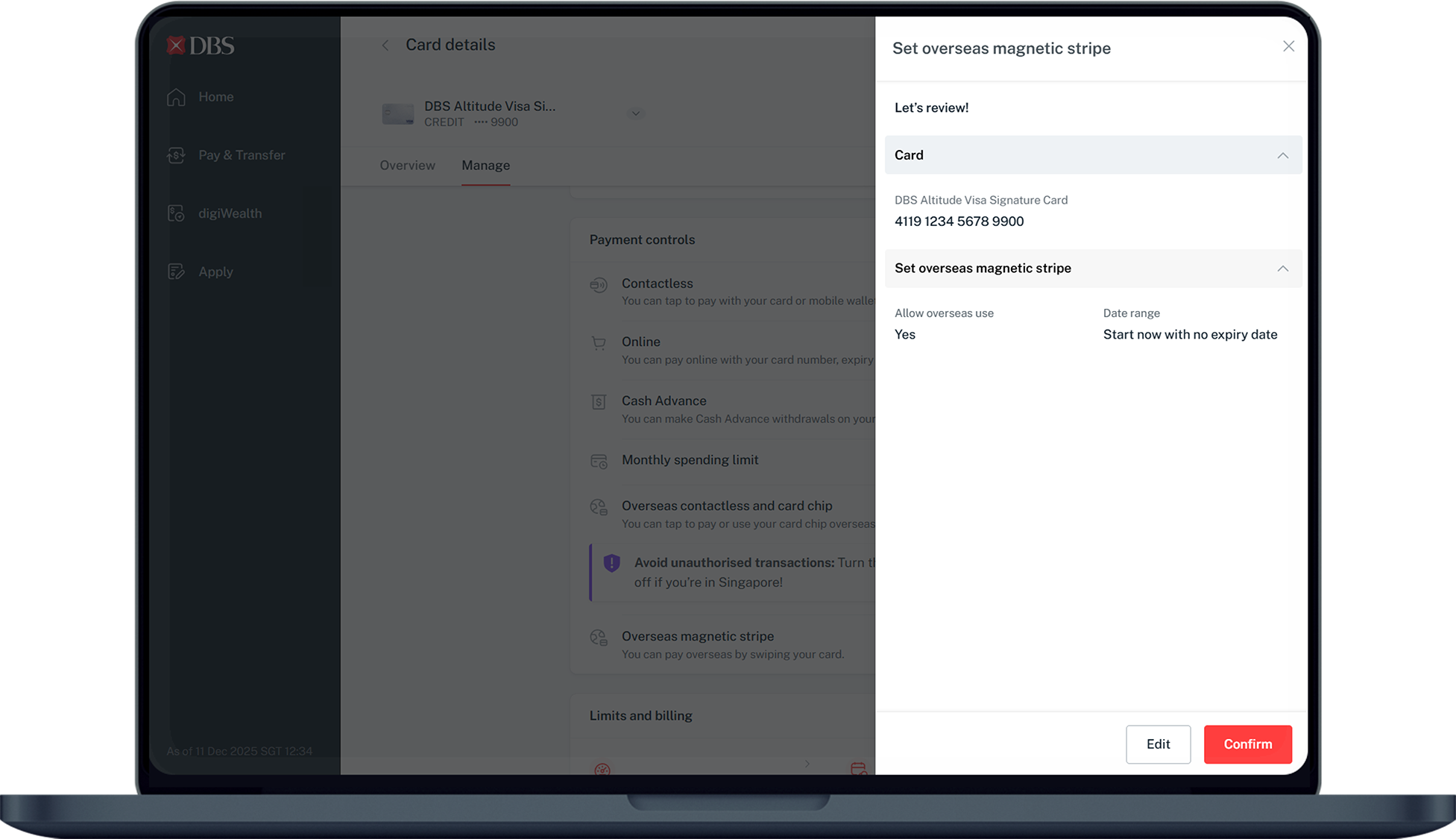
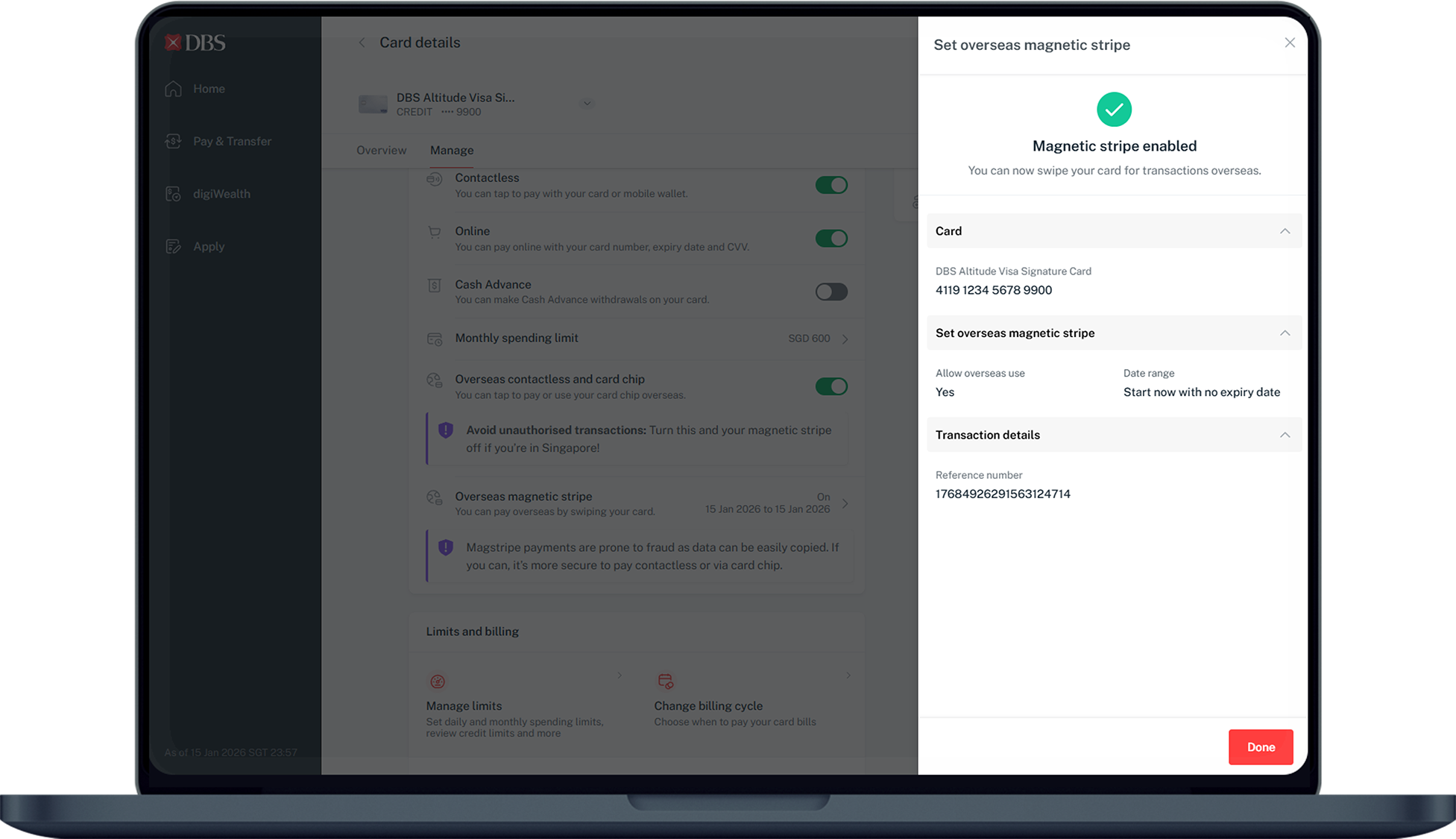
DBS/POSB ATM in Singapore
- Insert your DBS/POSB Card to access your account
- Key in your PIN
- Select More Services
- Select Card’s Magnetic Stripe for Overseas Use
- Select Continue
- Amend status of the overseas function of your Card's magnetic stripe to your preference
- Follow instructions on the ATM screen to complete Submission
Find the nearest ATM using our Locator.
Was this information useful?