Set up GIRO Payment for DBS/POSB Credit Card Bill
Set up a GIRO arrangement easily via digibank online to manage your Credit Card bill payments.
Important information
- GIRO arrangement applied via digibank Online for DBS/POSB Credit Card bill payment is only applicable for Full Payment.
- GIRO deductions will start from your next billing cycle once the GIRO setup is successfully completed. Until then, please continue making payments through your usual payment method.
- For Interbank GIRO set up (using other bank's debiting account), complete and mail in the Interbank GIRO Application Form.
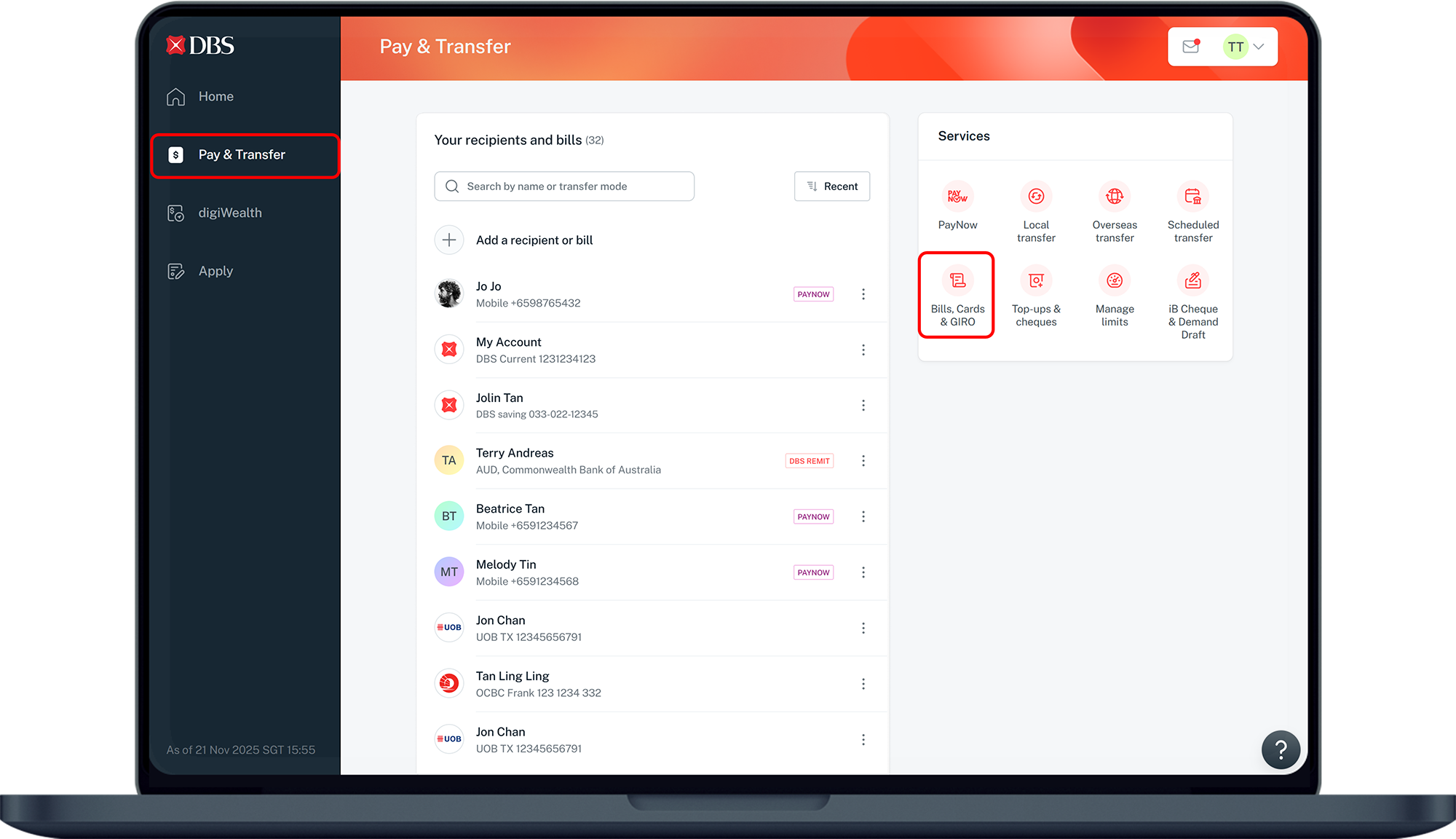
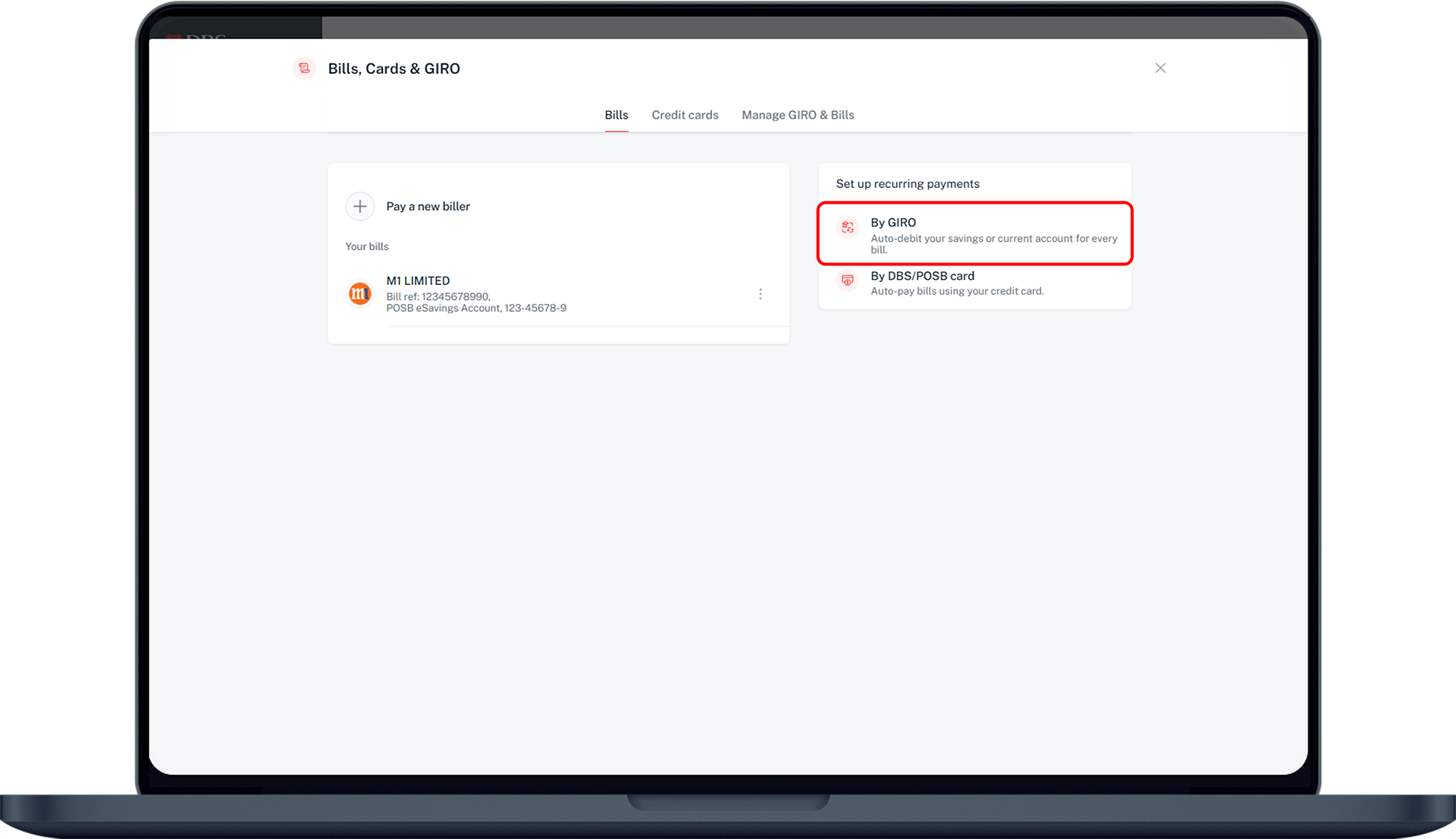
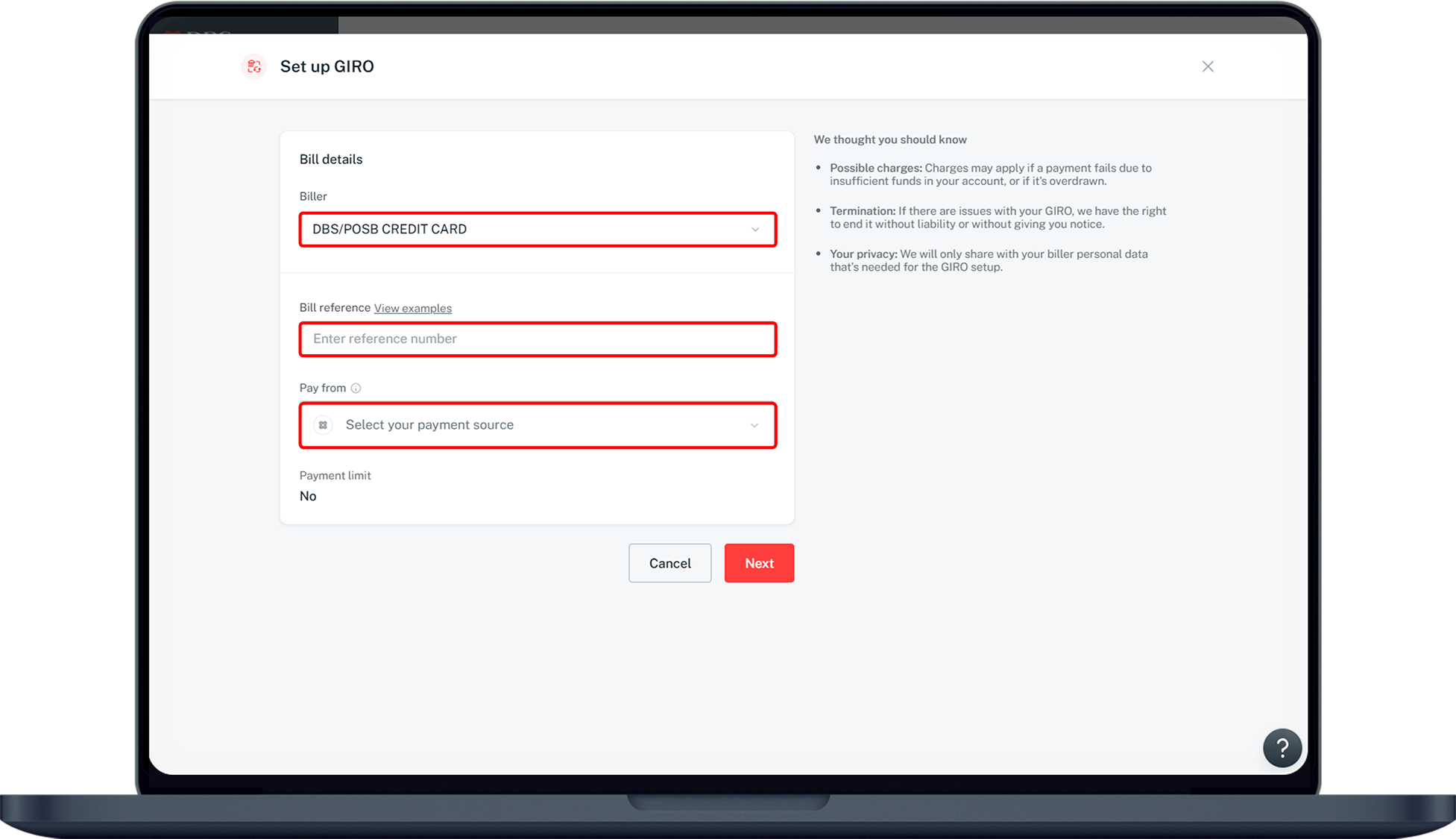
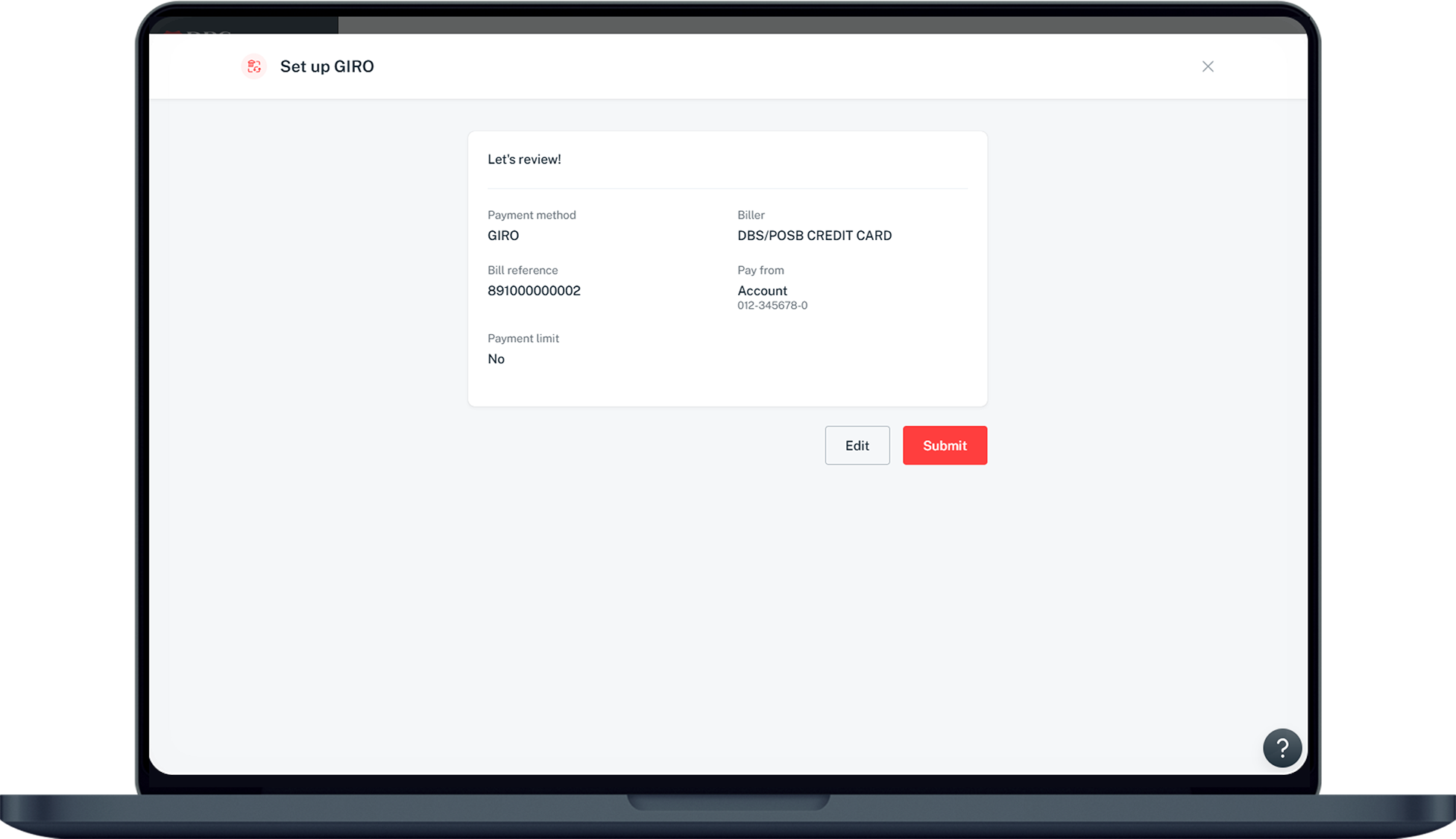
How to set up GIRO payment for DBS/POSB Credit Card bill
digibank online



More information
- Late payment charges may apply if the minimum payment is not received by the payment due date.
- Your payment and available credit limit will be updated on your credit card account(s) on the second working day (excluding Sundays and Public Holidays) following your due date.
- If you make an advance or partial payment via another payment method to increase your available credit limit, please do so at least five working days before the due date to avoid an additional GIRO deduction.
- If an advance or partial payment is made within five working days of your due date, the full GIRO deduction will still proceed.
Frequently Asked Questions (FAQs)
How long does it take to process GIRO applications?
GIRO applications are processed within 10 working days. You will receive a notification once your request has been successfully set up.
Do I need to continue making manual payments until my GIRO is set up?
Yes, please continue making manual payments through digibank until your GIRO arrangement is active. GIRO deductions will begin from your next statement cycle after the setup is completed.
Will I be notified when my GIRO arrangement is successful?
Yes, you will receive a notification once your GIRO arrangement has been successfully set up.
What happens if there is insufficient balance in my bank account?
If your bank account has insufficient funds, your GIRO payment may be unsuccessful, which could result in late payment fees. To avoid this, please ensure that sufficient funds are available at least 5 days before the deduction date.
I updated my GIRO arrangement details, and my current statement GIRO is unsuccessful.
If you have recently made changes to your GIRO arrangement details, the existing GIRO will be terminated. Please make manual payments during this period, as the new GIRO setup is still being processed.
Was this information useful?