Checking DBS Vickers Trading Limits

Check your trading limits before placing any trades to ensure a smooth trading experience.

Part of: Guides > Your Guide to DBS Vickers Online Trading Account

Important information

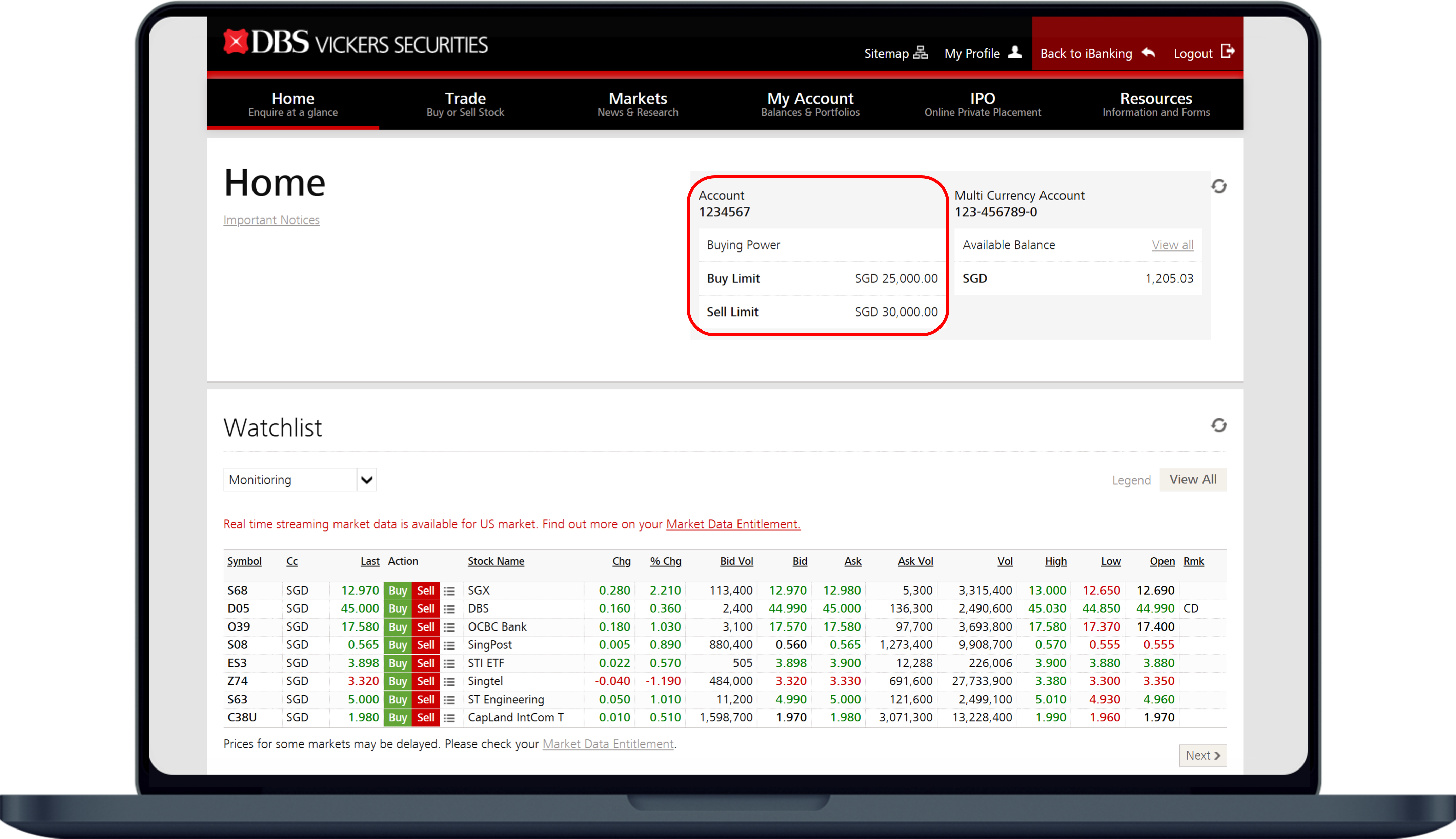
  • Your trading limit is also known as Buying Power. It has a buy limit and a sell limit.
  • To increase your trading limits click here.

How to check DBS Vickers trading limits

DBS Vickers Securities

laptop
slider
slider
slider
slider
slider
1
Step 1
Log in to digibank online with your User ID & PIN.
2
Step 2
Complete the Authentication Process.
3
Step 3
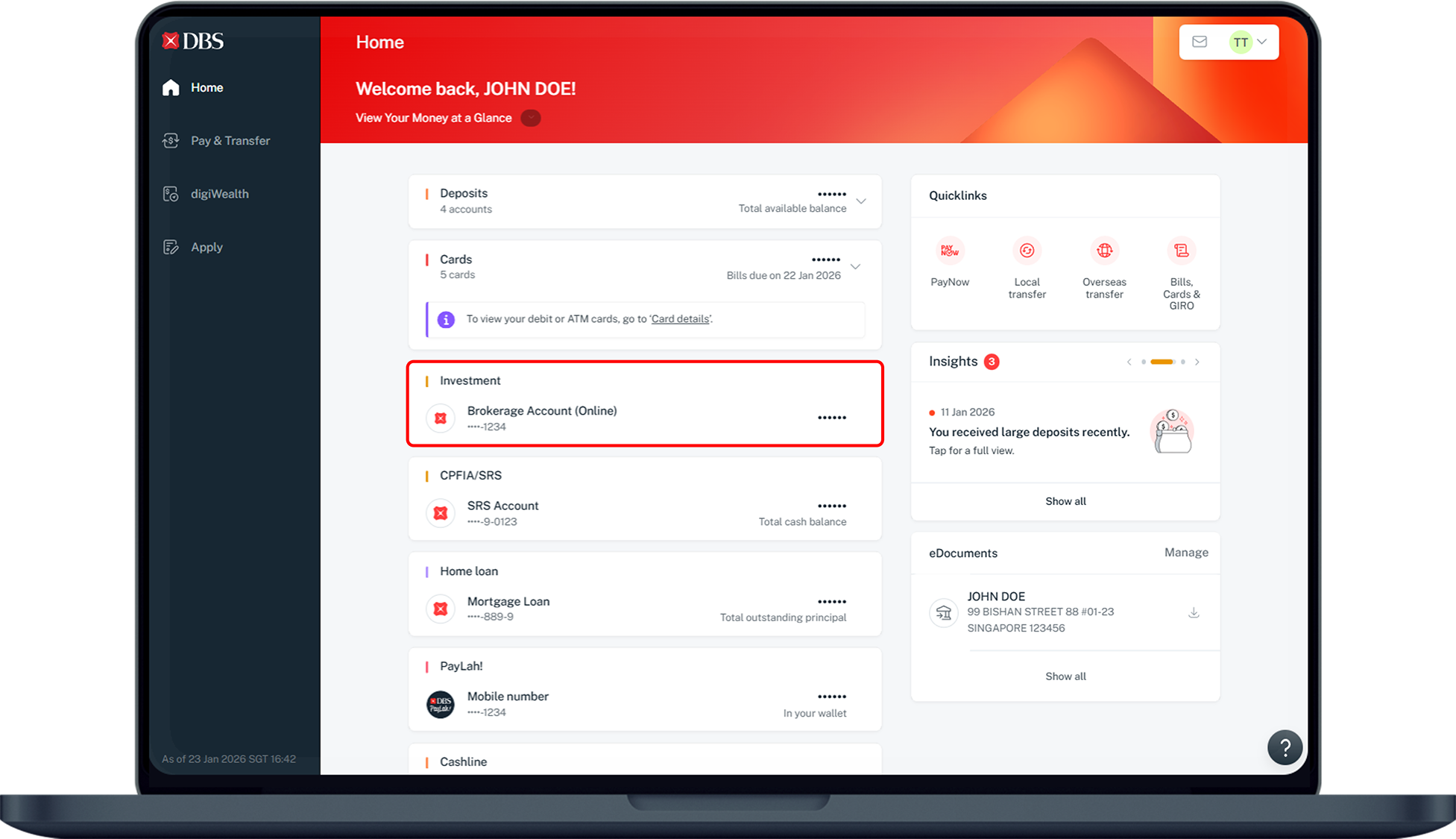
Under Home, select Investment and click on your Brokerage Account (Online).
4
Step 4
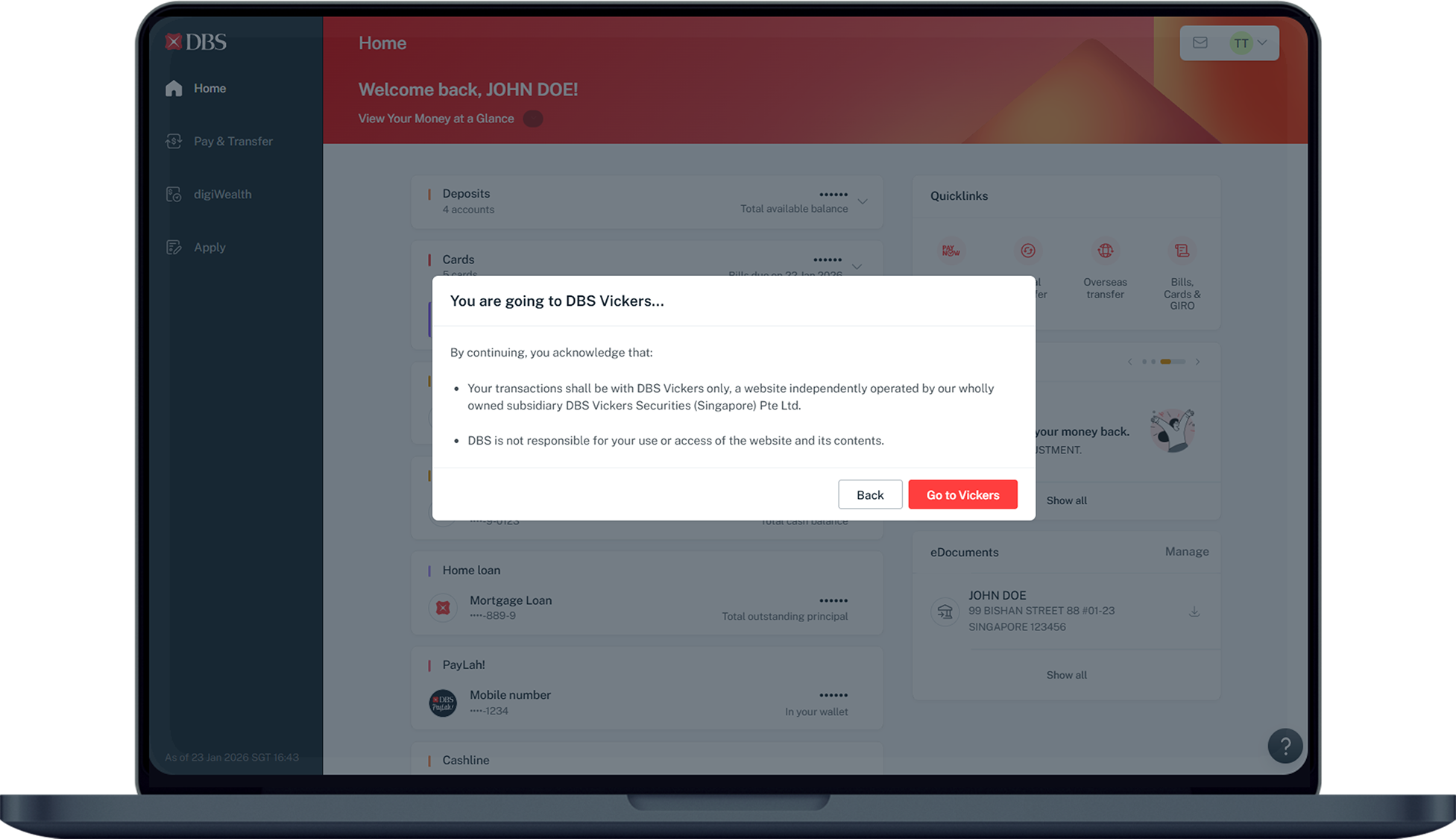
Click Go to Vickers to access to DBS Vickers Securities platform.
5
Step 5
Trading limits can be found on the top right of the screen.
Was this information useful?

We welcome your feedback

Information is easy to understand and find
Information is useful to answer your inquiries completely