Invest in Funds Online
Learn how you can invest in over 200 funds in 12 currencies on DBS digibank.
How to invest in funds online
There are various channels which you may invest in funds online with us. The most convenient method would be via digibank mobile.
digibank mobile

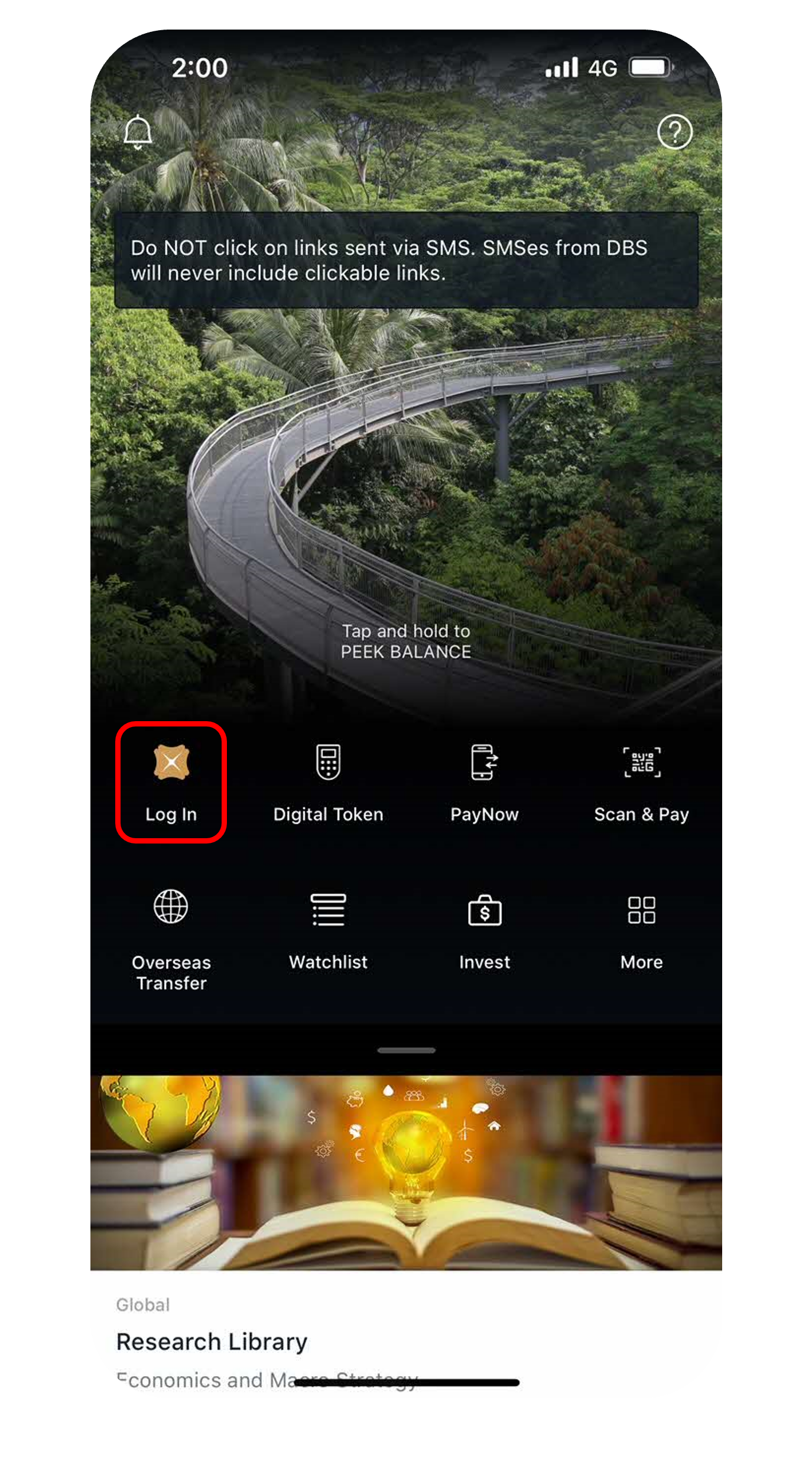
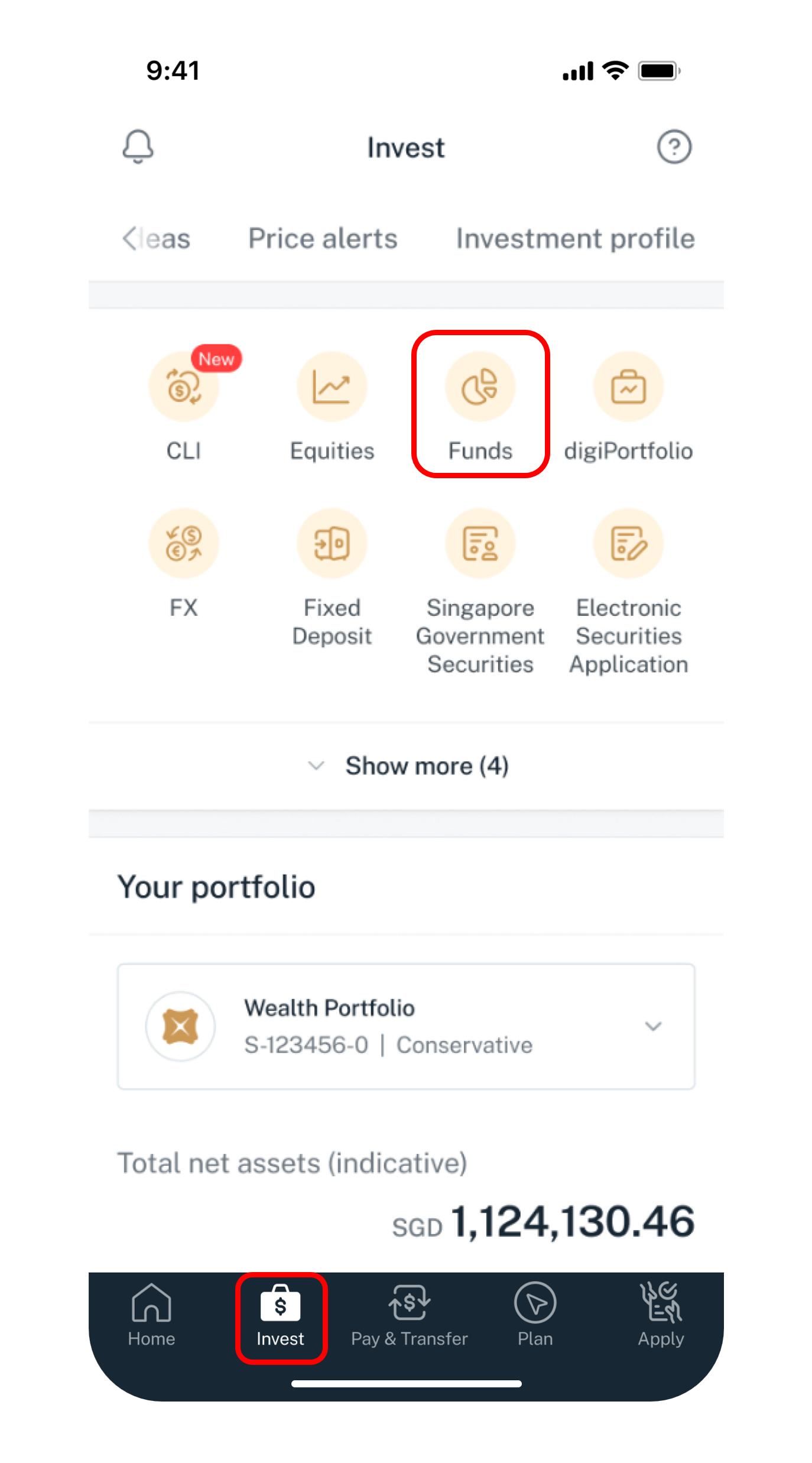
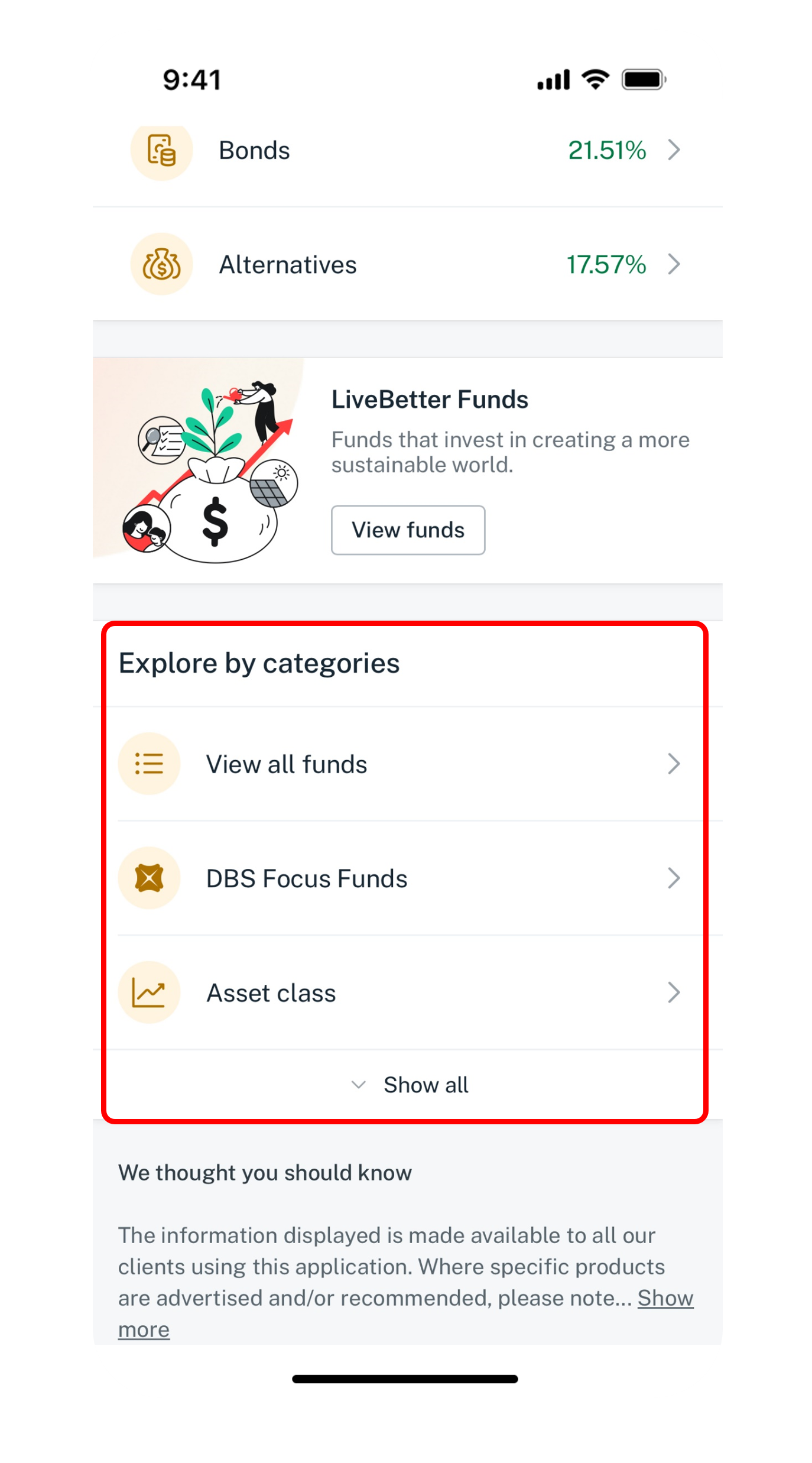
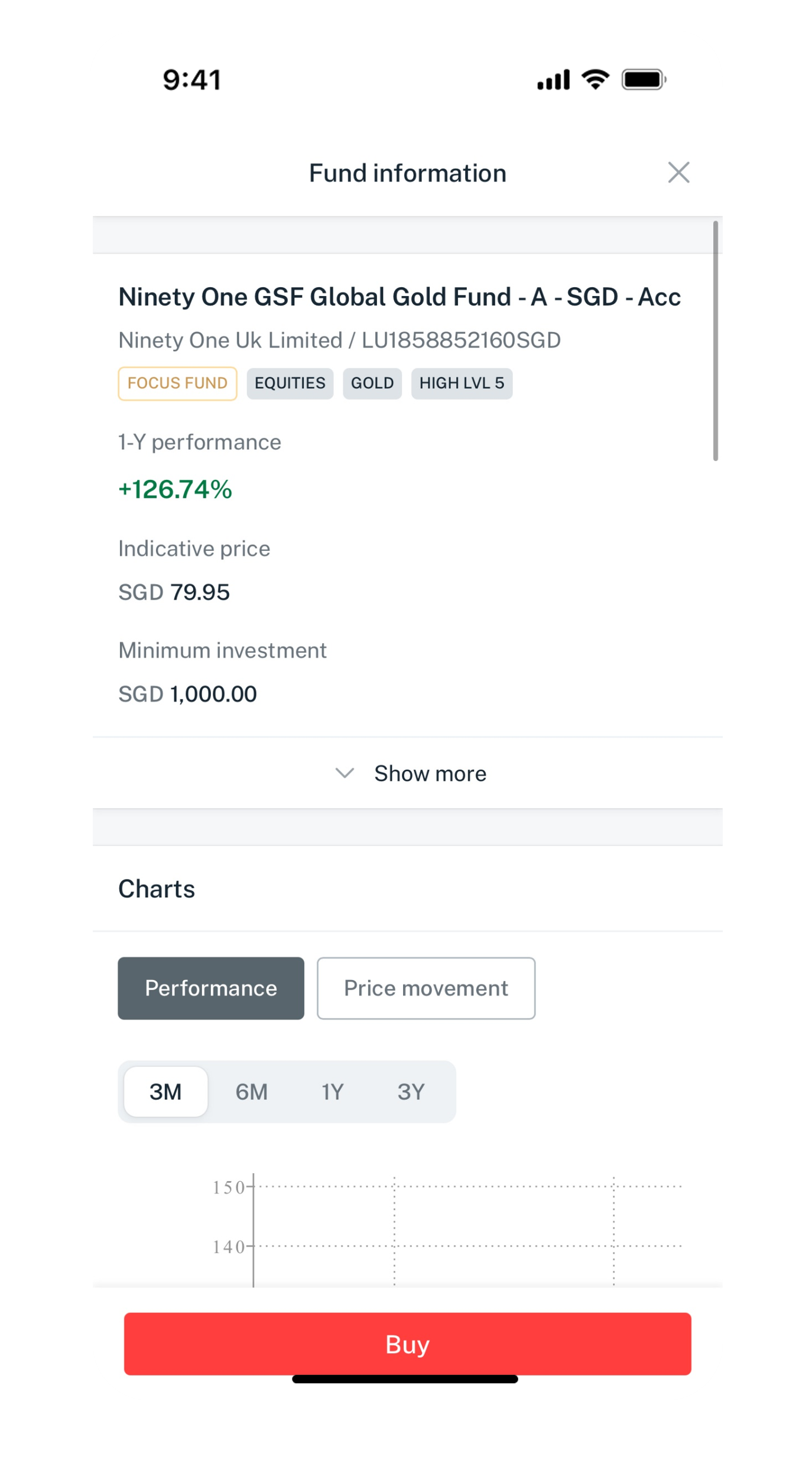
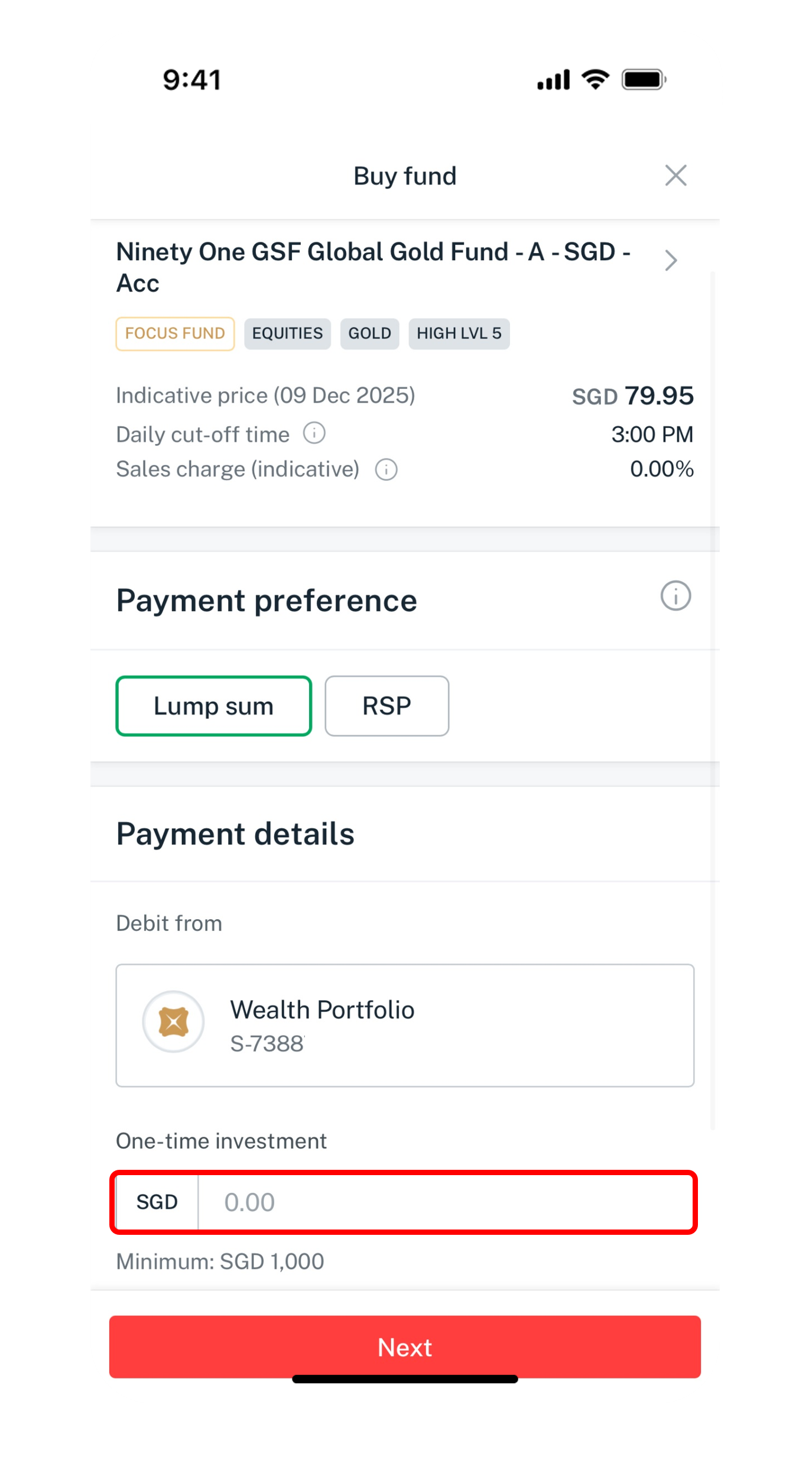
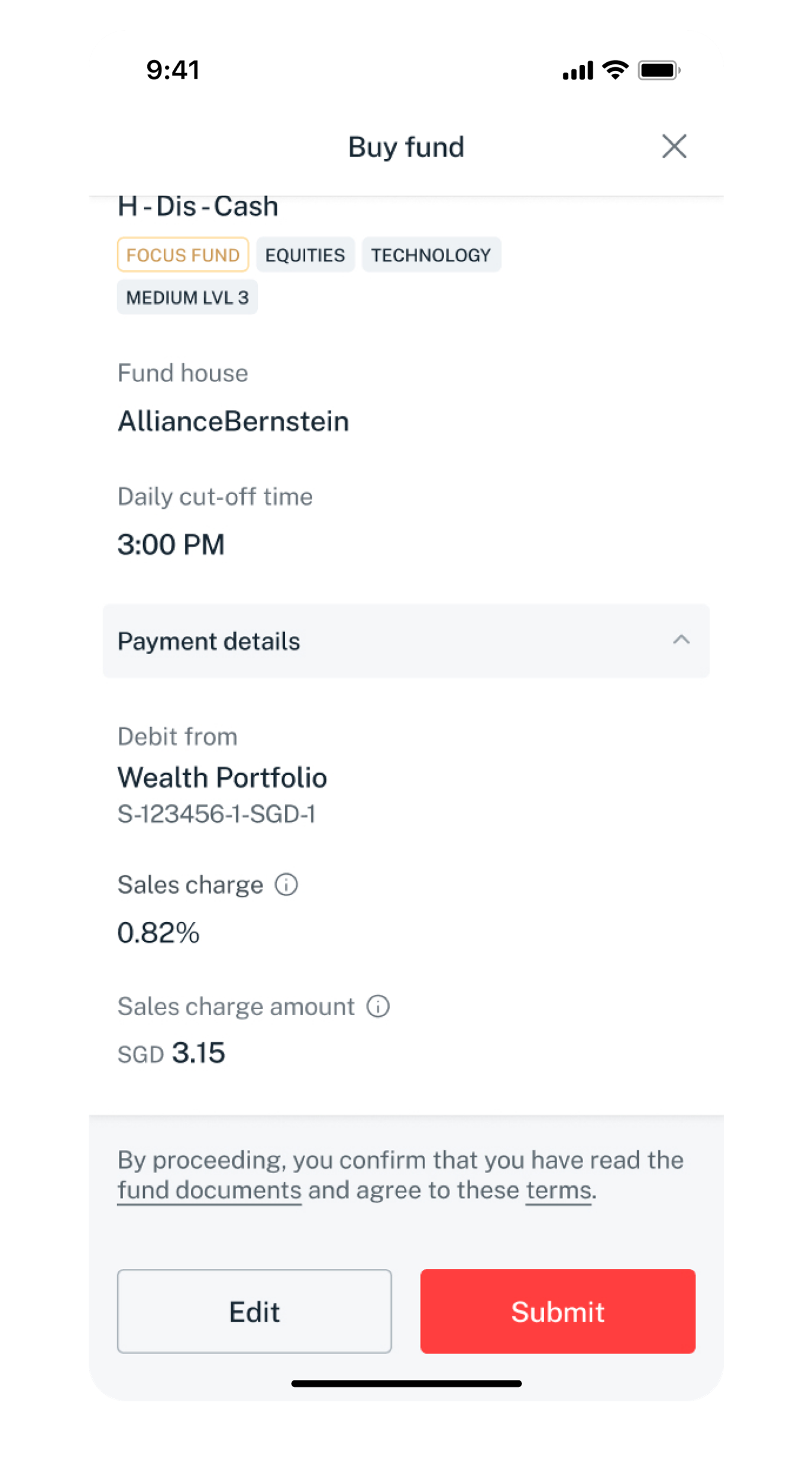
Get the latest DBS digibank(wealth) mobile app now!



digibank Online



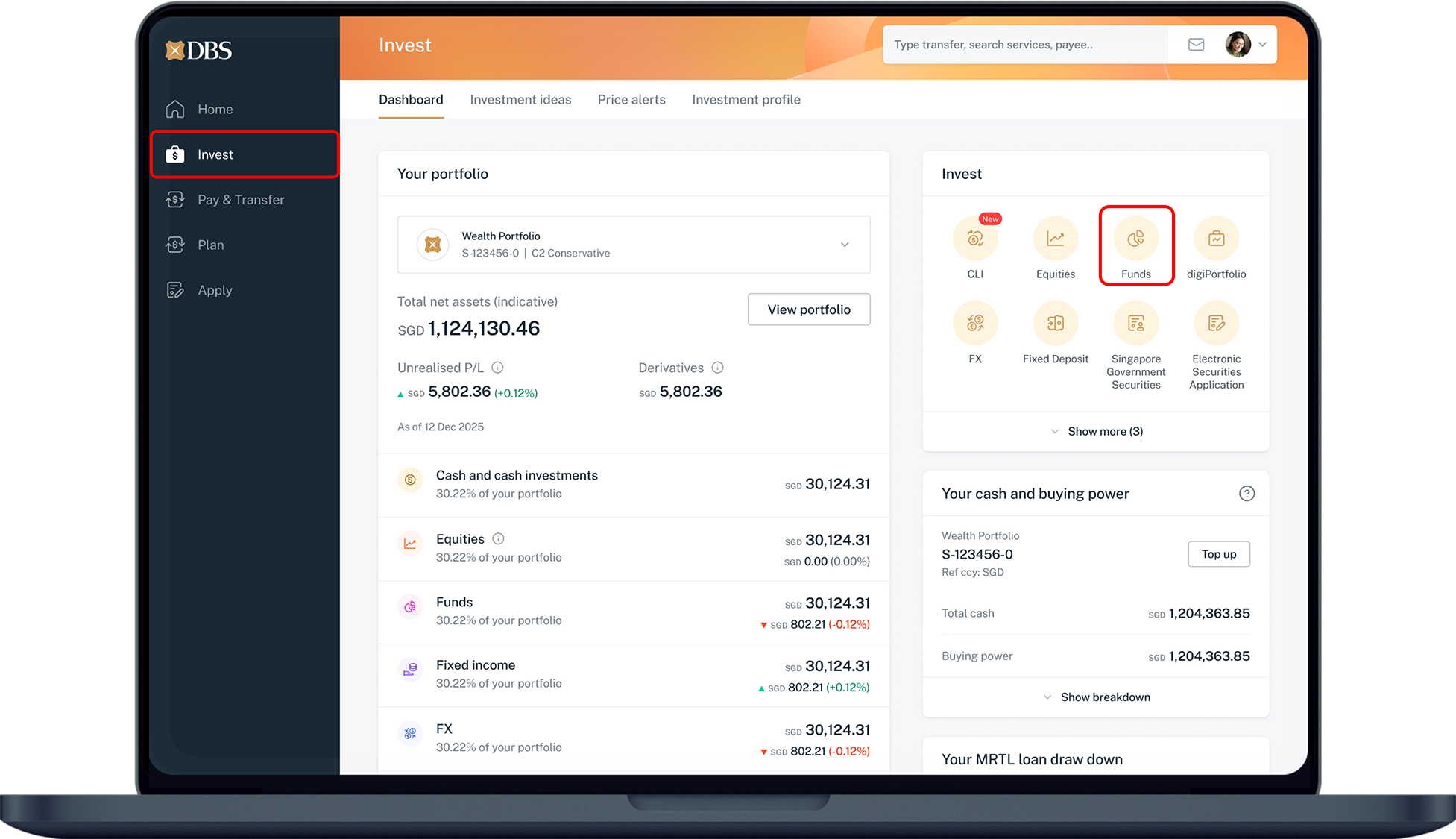
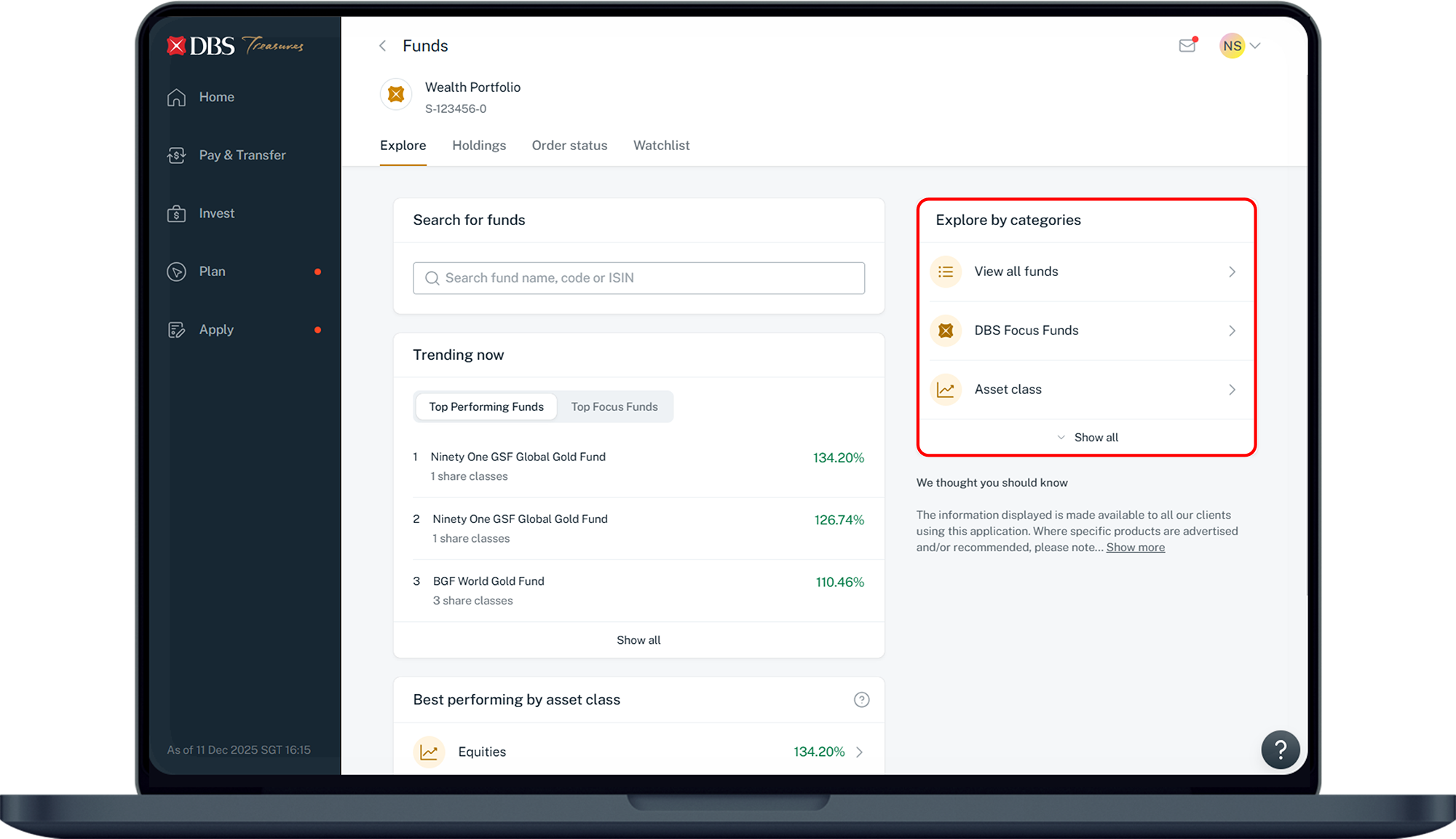
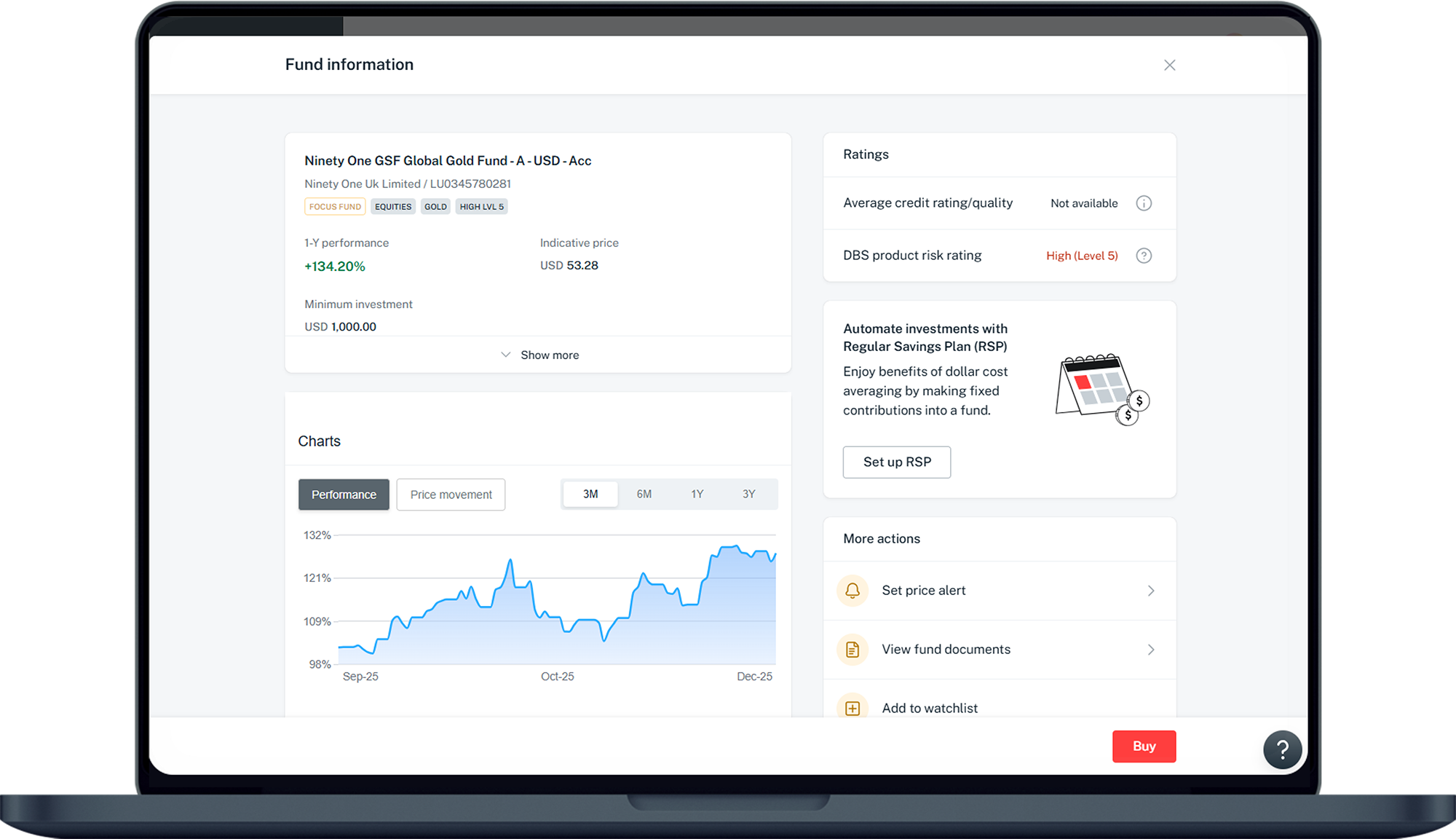
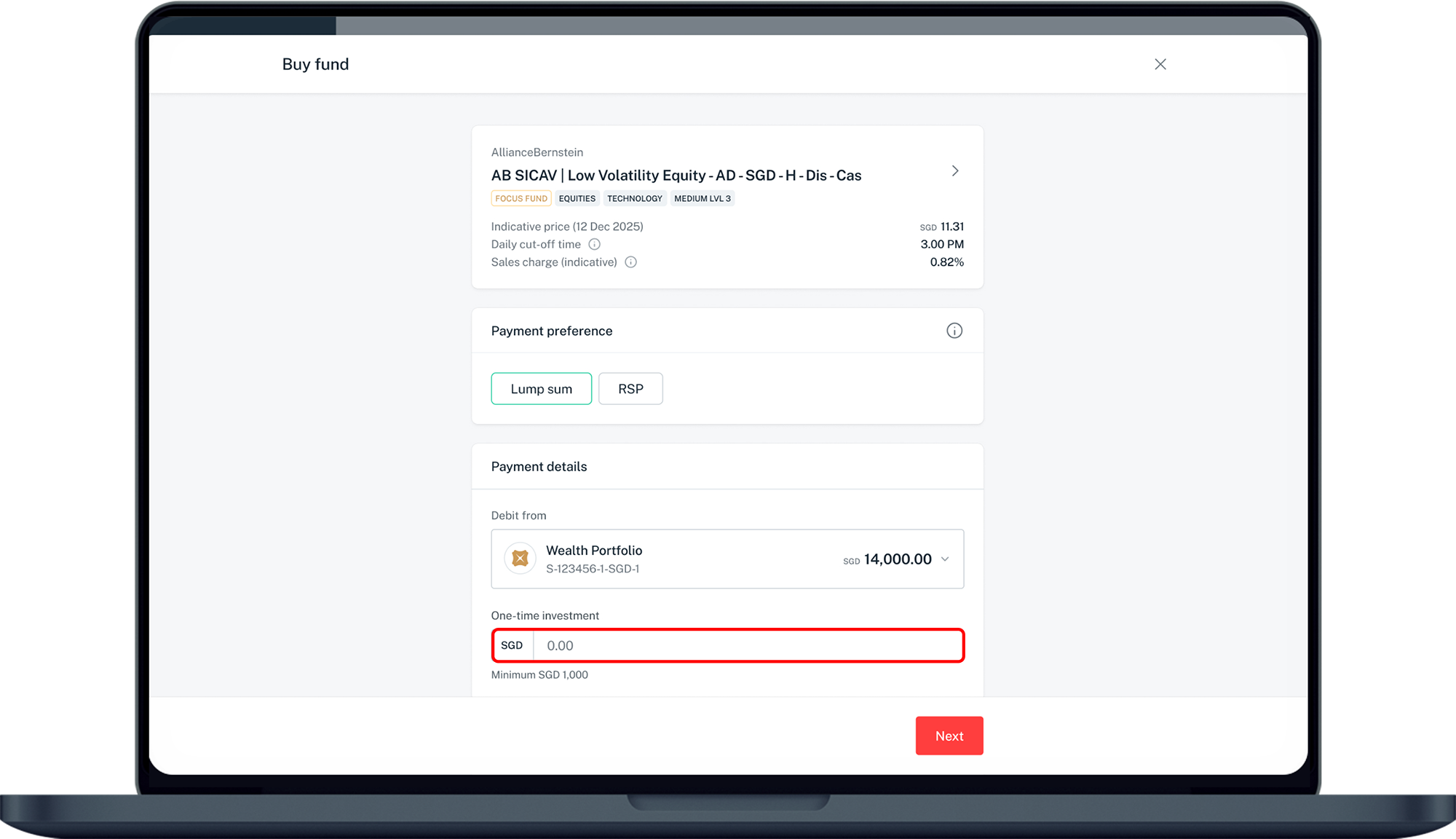
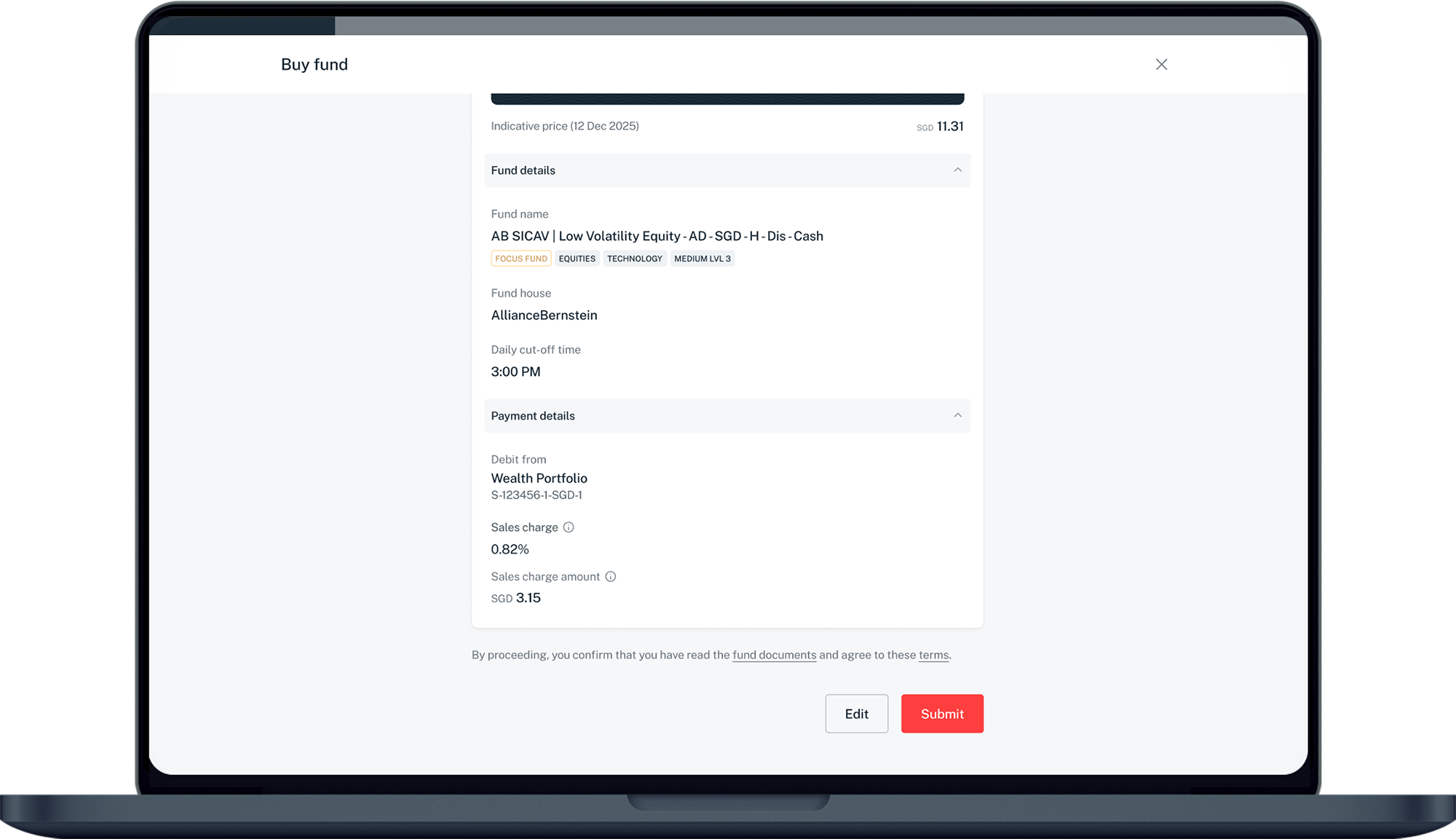
More information
- Invest funds in up to 12 different currencies: SGD, USD, AUD, EUR, GBP, CAD, CNH, CHF, JPY, HKD, NZD and SEK.
- Online Funds can only be purchased using cash option.
- After your purchase, you can check the order status under Invest > Funds > Order Status.
- Usually within 1 working day, the order status will be updated to Processing, when your order has been placed with the Fund House. Upon confirmation by the Fund House, you can check your transaction under Wealth Management > Portfolios > Transactions.
- Usually within 3 to 6 working days, your transaction will be settled and reflected in your Portfolio Holdings page.
- Only Treasures customers with Wealth Management Account who have passed the Customer Knowledge Assessment (CKA), or TPC/PB customers who are accredited investors can perform Online Funds Investment. Learn more about Customer Knowledge Assessment (CKA).
Was this information useful?