Terminate Standing Instruction for Local Funds Transfer

Terminate an existing recurring local funds transfer via digibank online.

Important information

  • For termination requests completed before 6:30pm, it will take effect the following business day. Request completed after 6:30pm, it will take 2 working days.

How to terminate Standing Instruction for local funds transfer

digibank online

laptop
login
authenticate
scheduled transfer
scheduled transfers
scheduled details
review
1
Step 1
Log in to digibank online with your User ID & PIN.
2
Step 2
Complete the Authentication Process.
3
Step 3
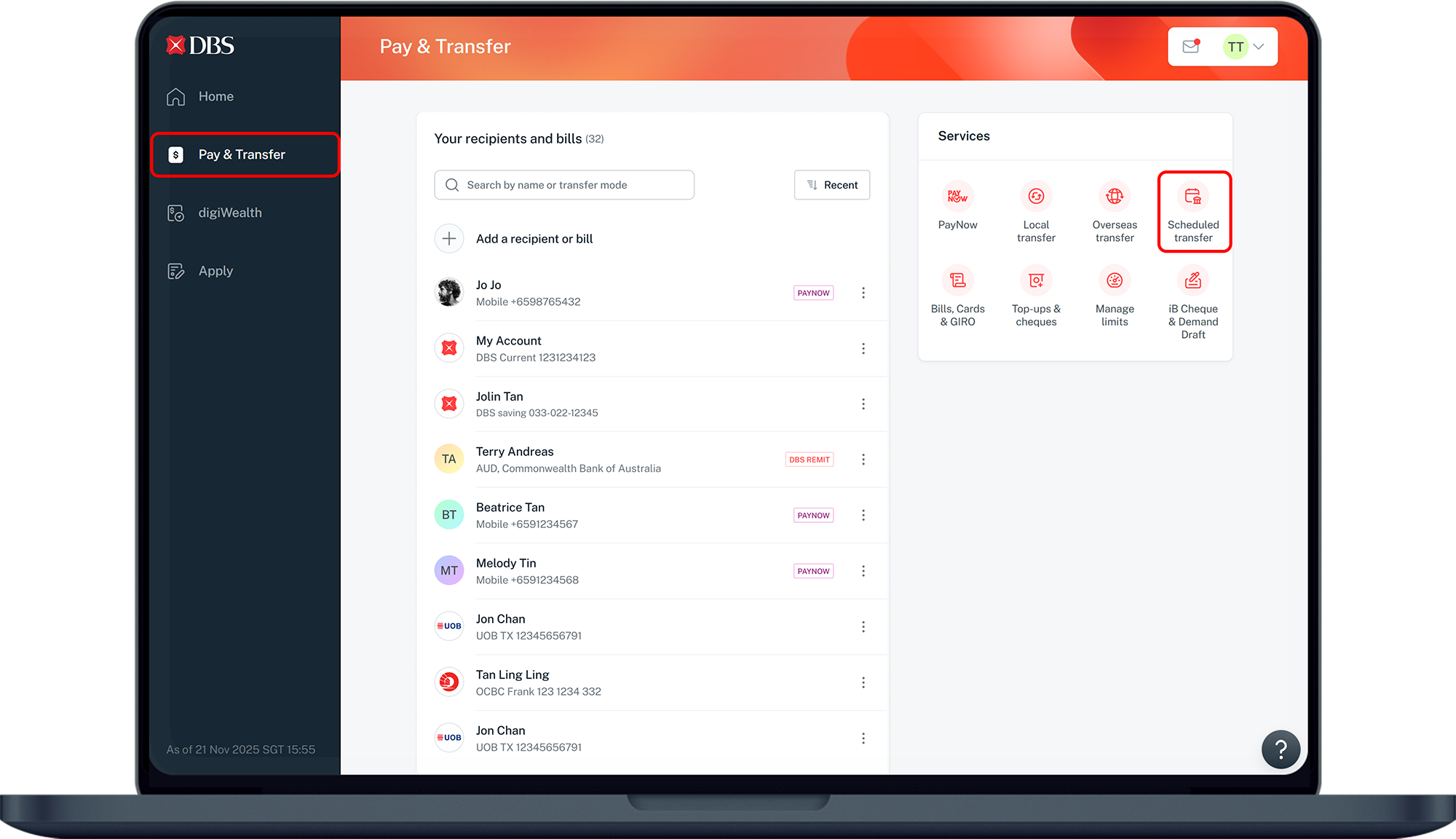
Click Pay & Transfer on the left menu and under Services, click on Scheduled transfer.
4
Step 4
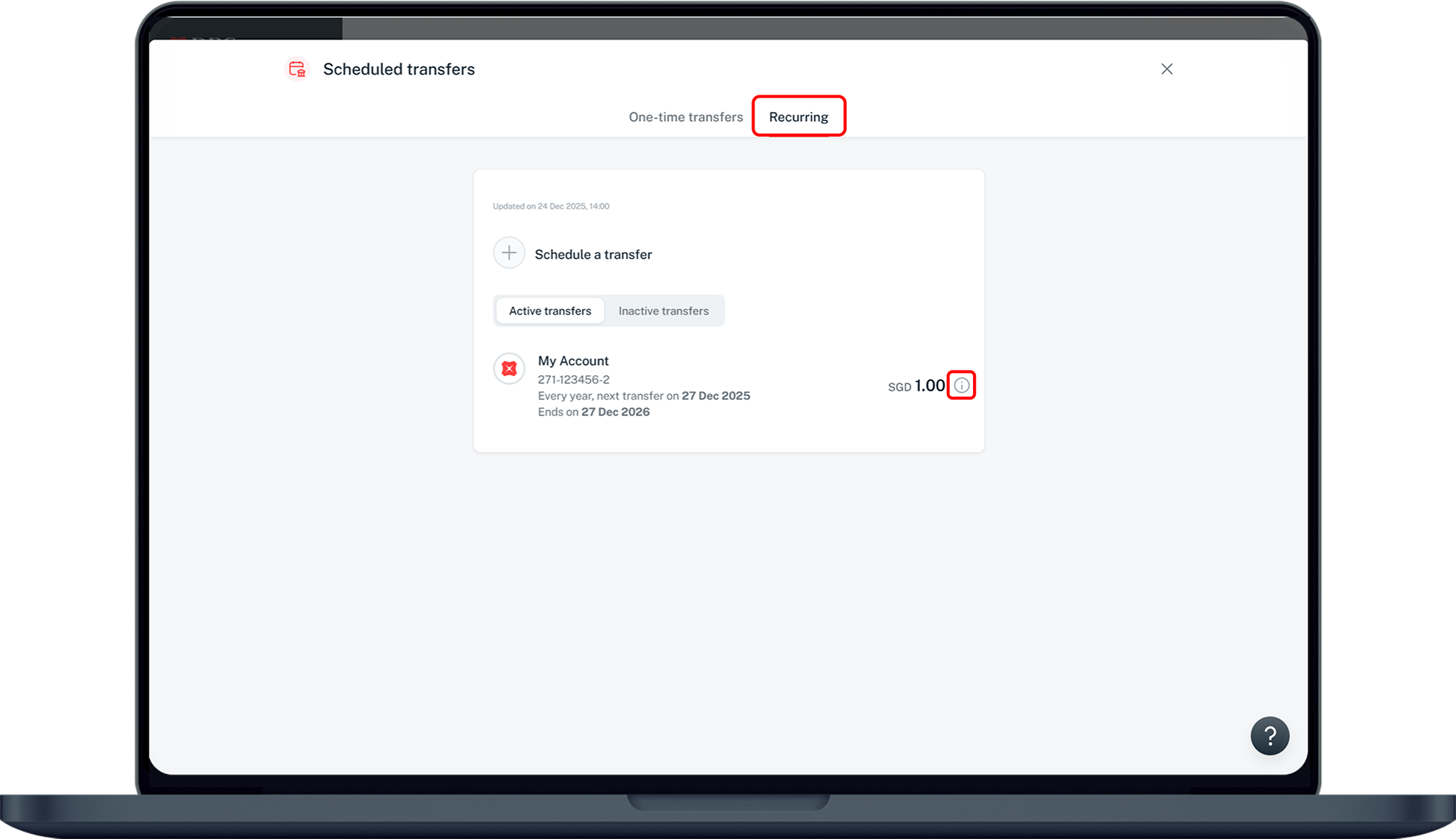
Under on Recurring, click on the icon on the right of the scheduled transfer you wish to delete.
5
Step 5
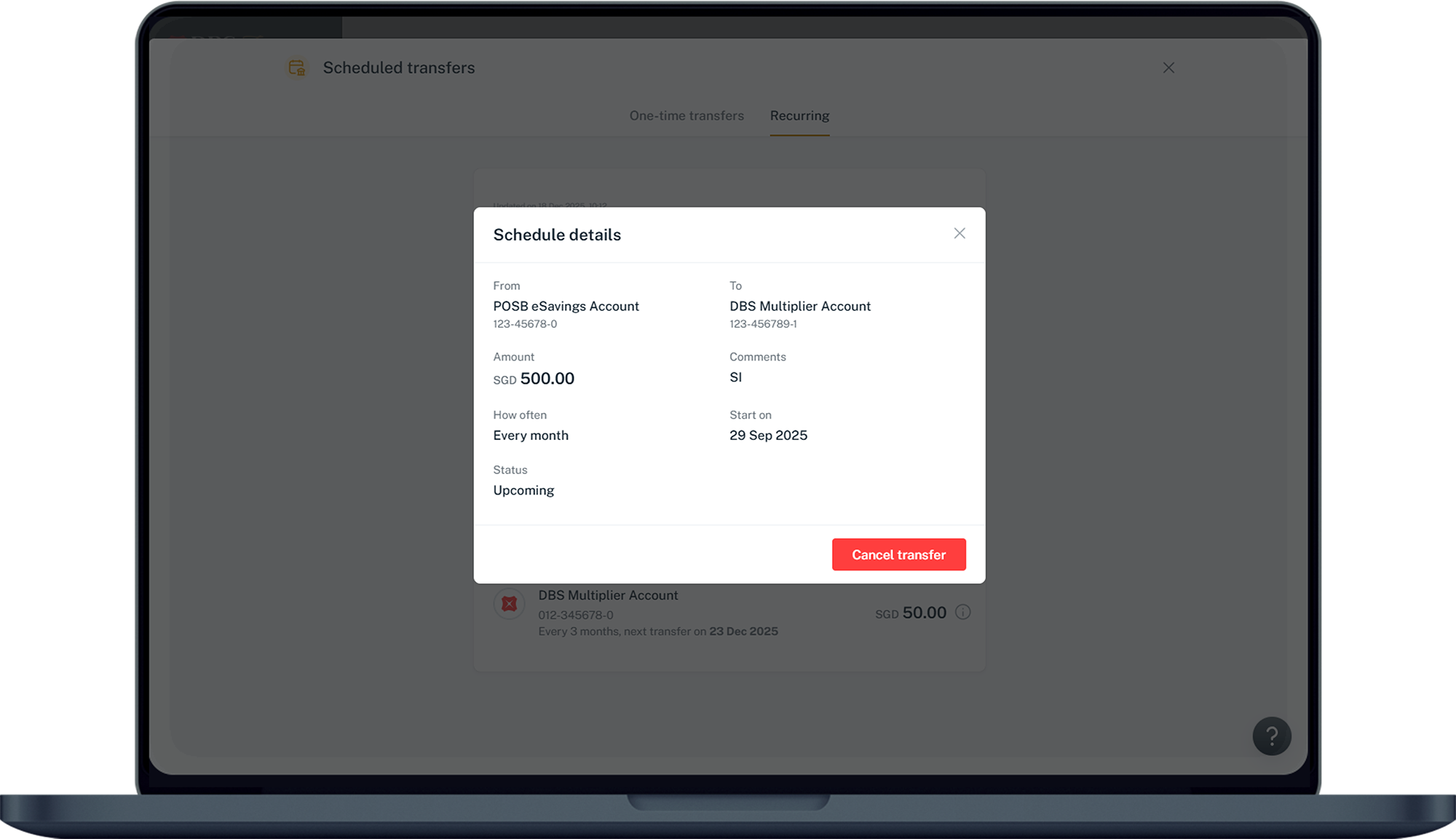
Your scheduled transfer details is displayed. Click on Cancel transfer.
6
Step 6
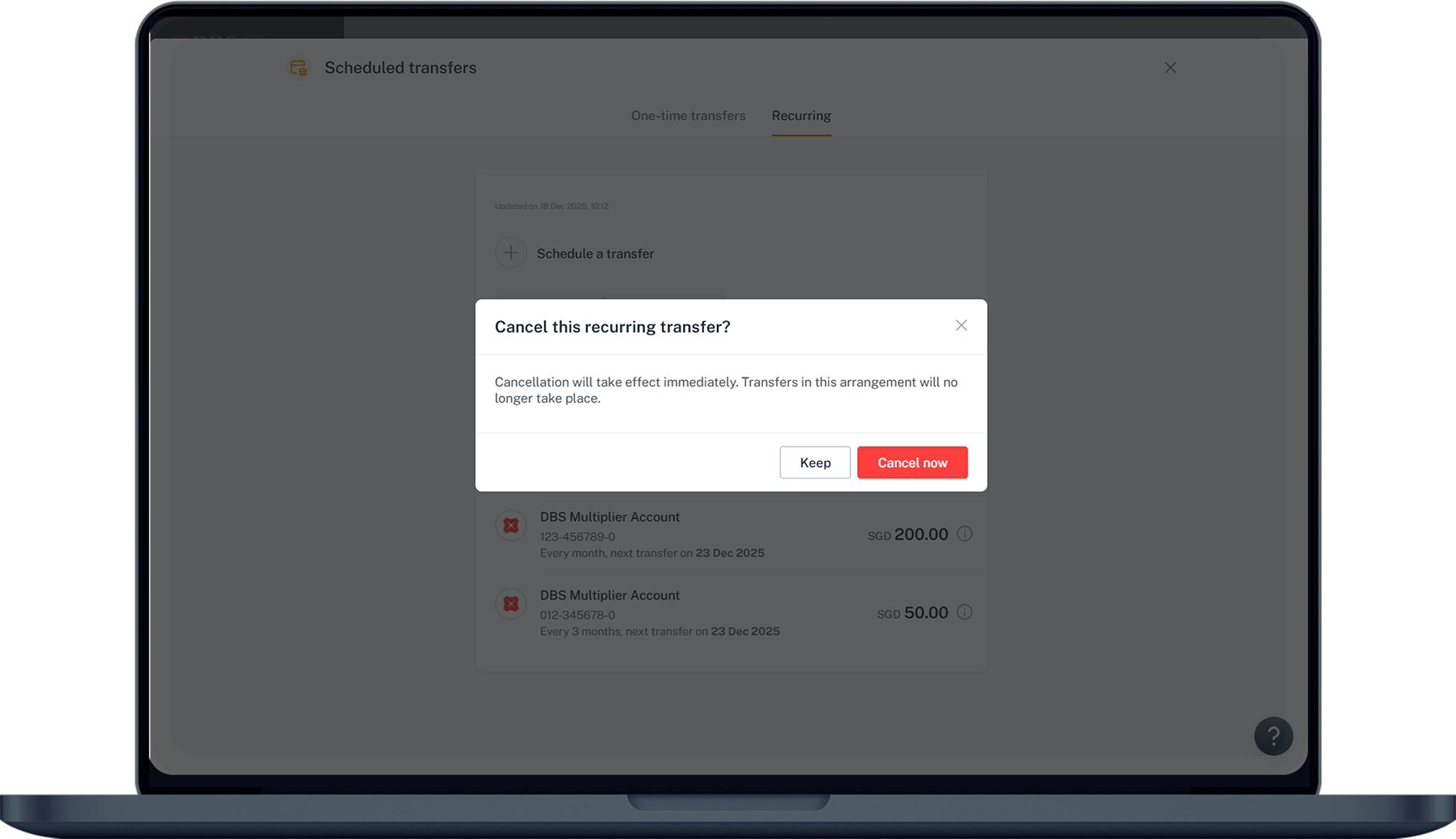
Click on Cancel now to confirm your deletion request.
Was this information useful?

We welcome your feedback

Information is easy to understand and find
Information is useful to answer your inquiries completely