De-enrol to eStatements and eAdvices
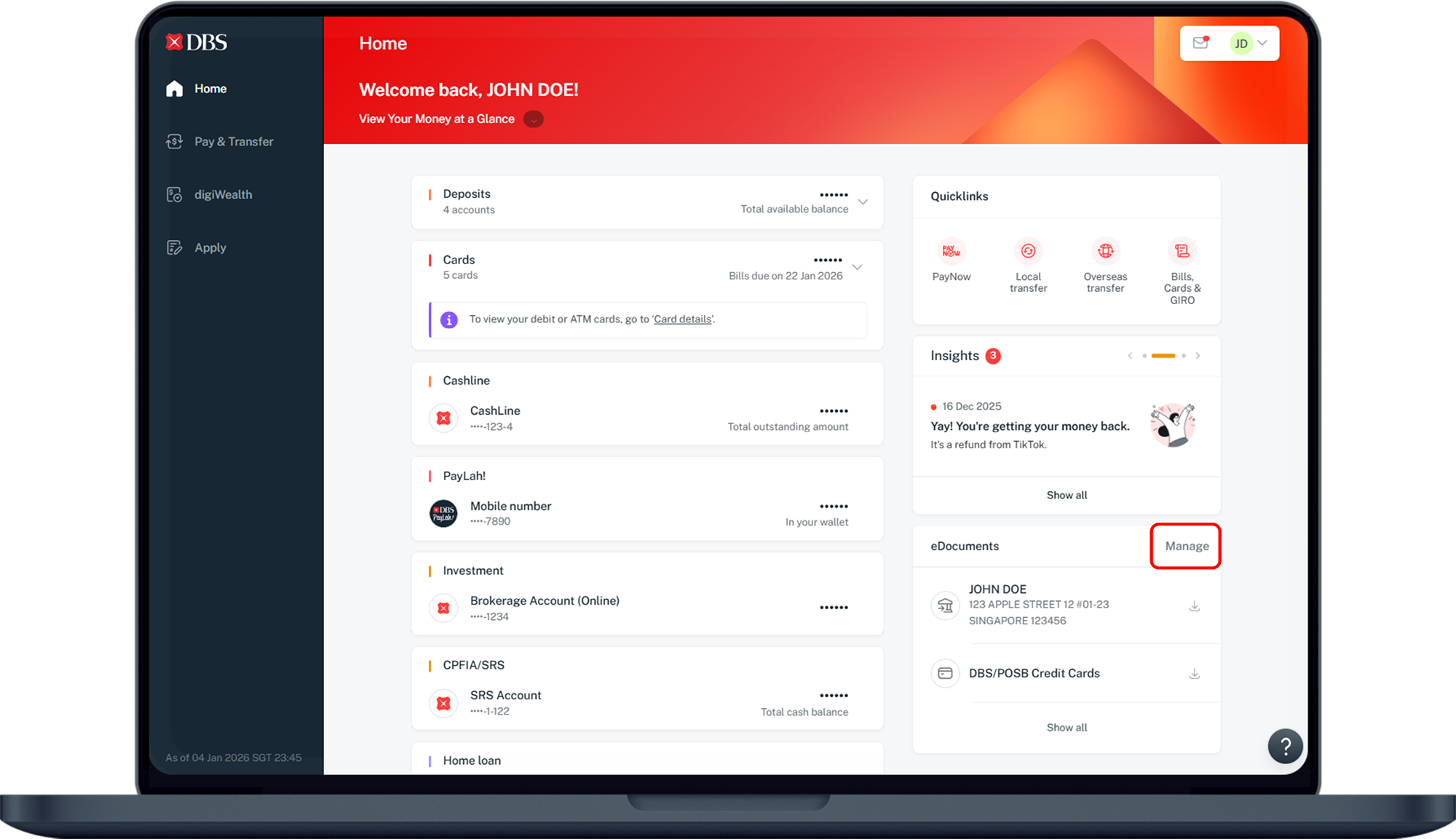
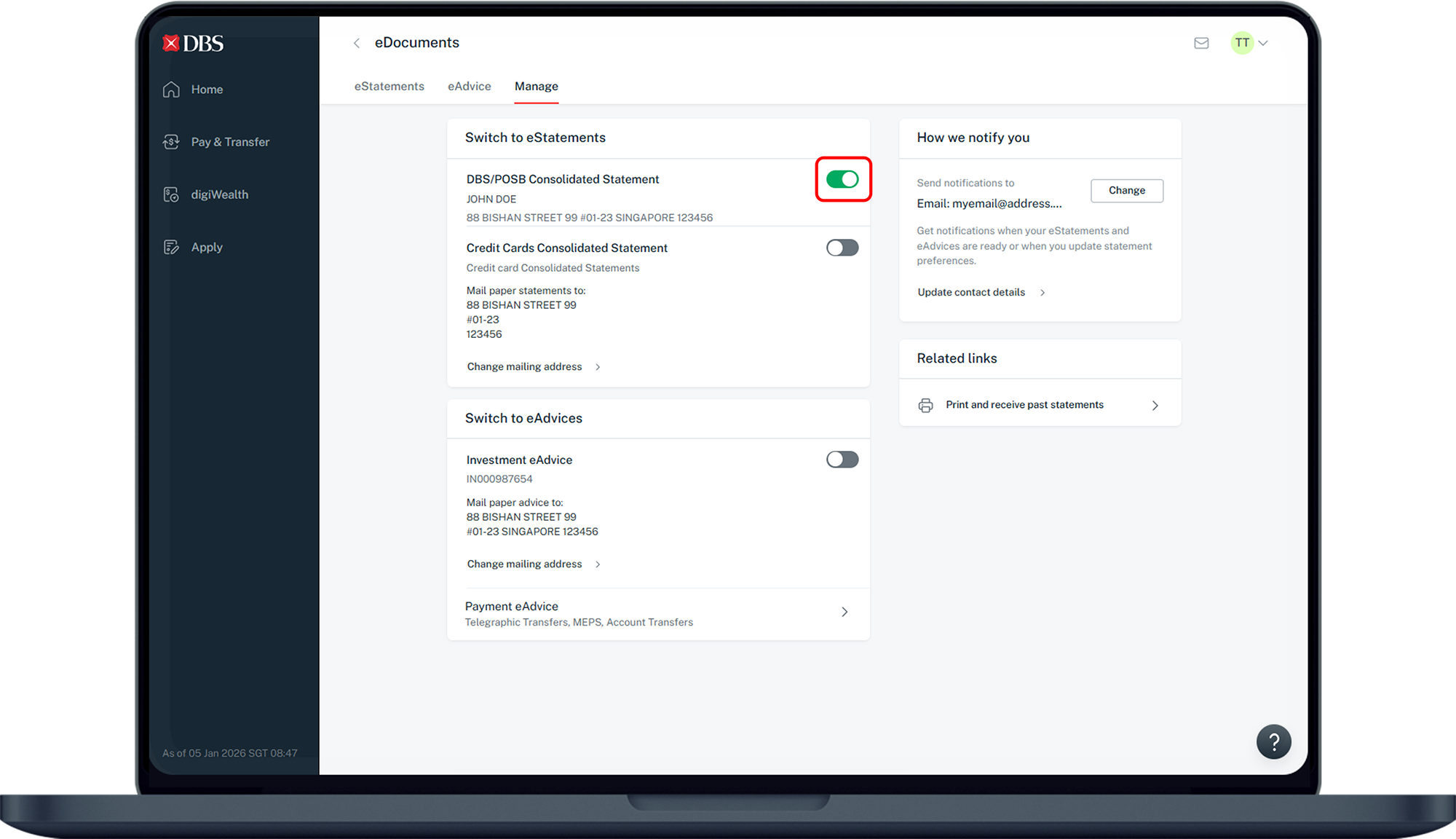
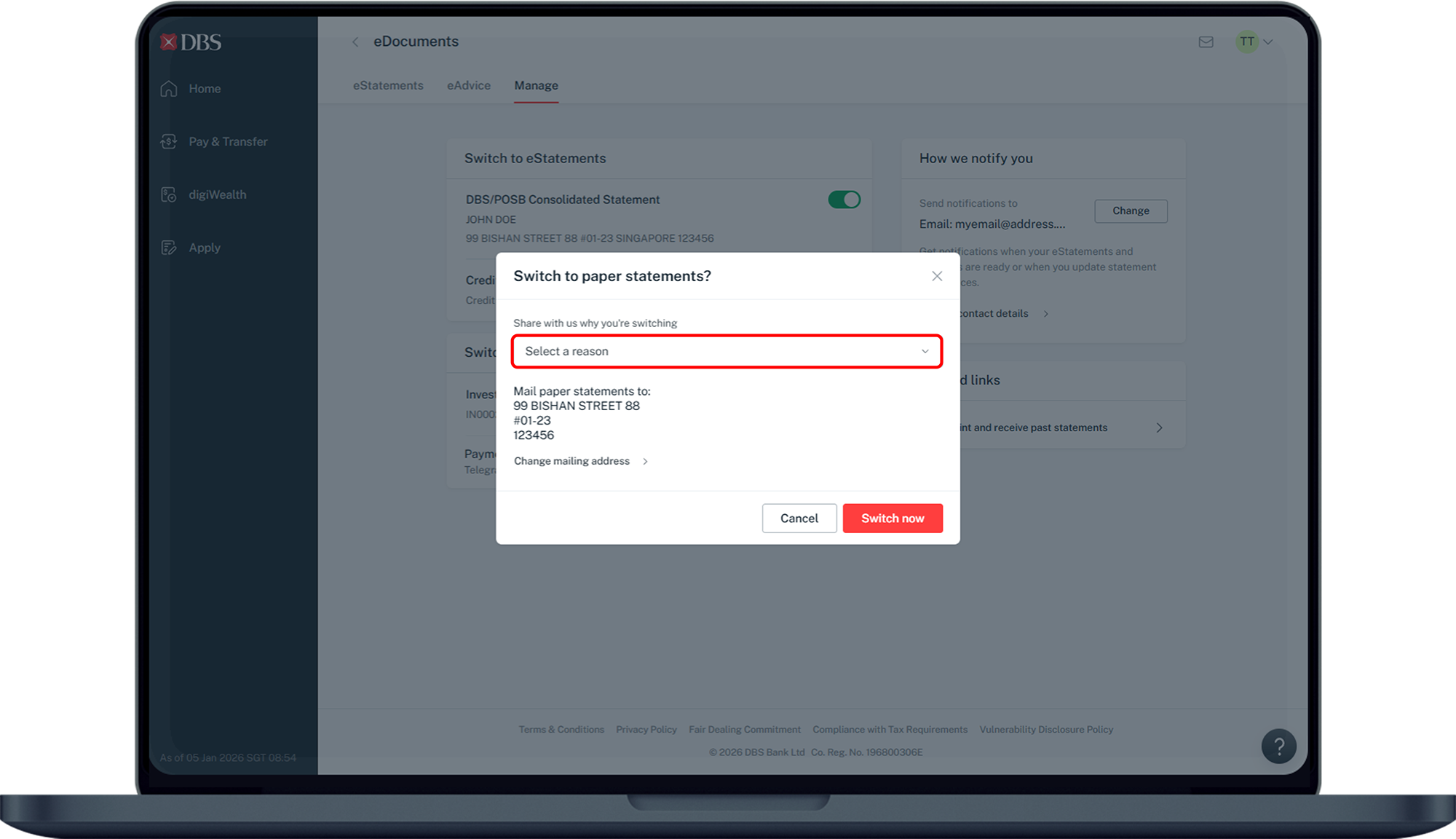
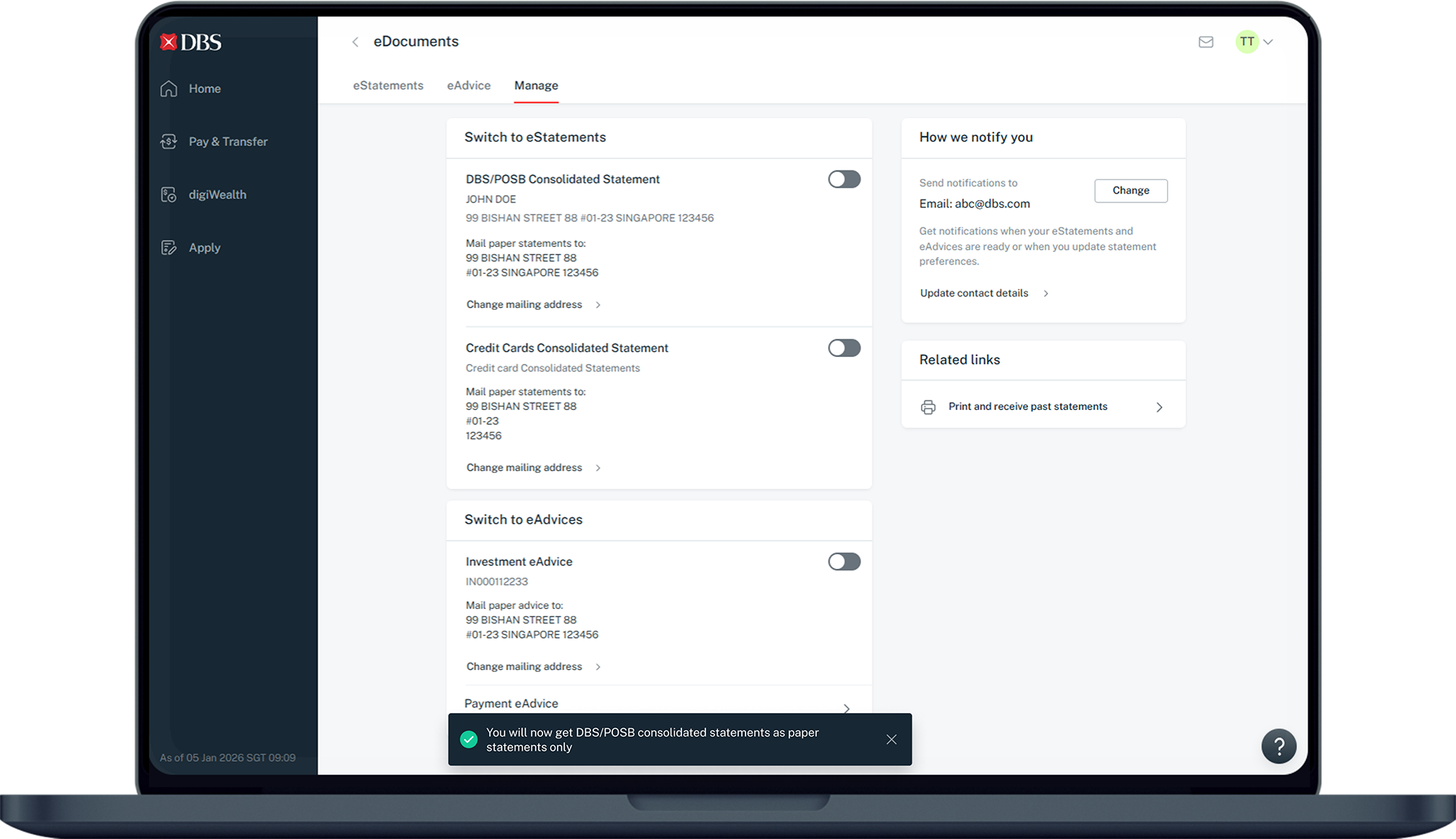
You may de-enrol from eStatements or eAdvices via digibank online and you will start receiving paper statements or advices from the following month onwards.
Part of: Guides > Your Guide to digibank
How to de-enrol to eStatements and eAdvices
digibank online



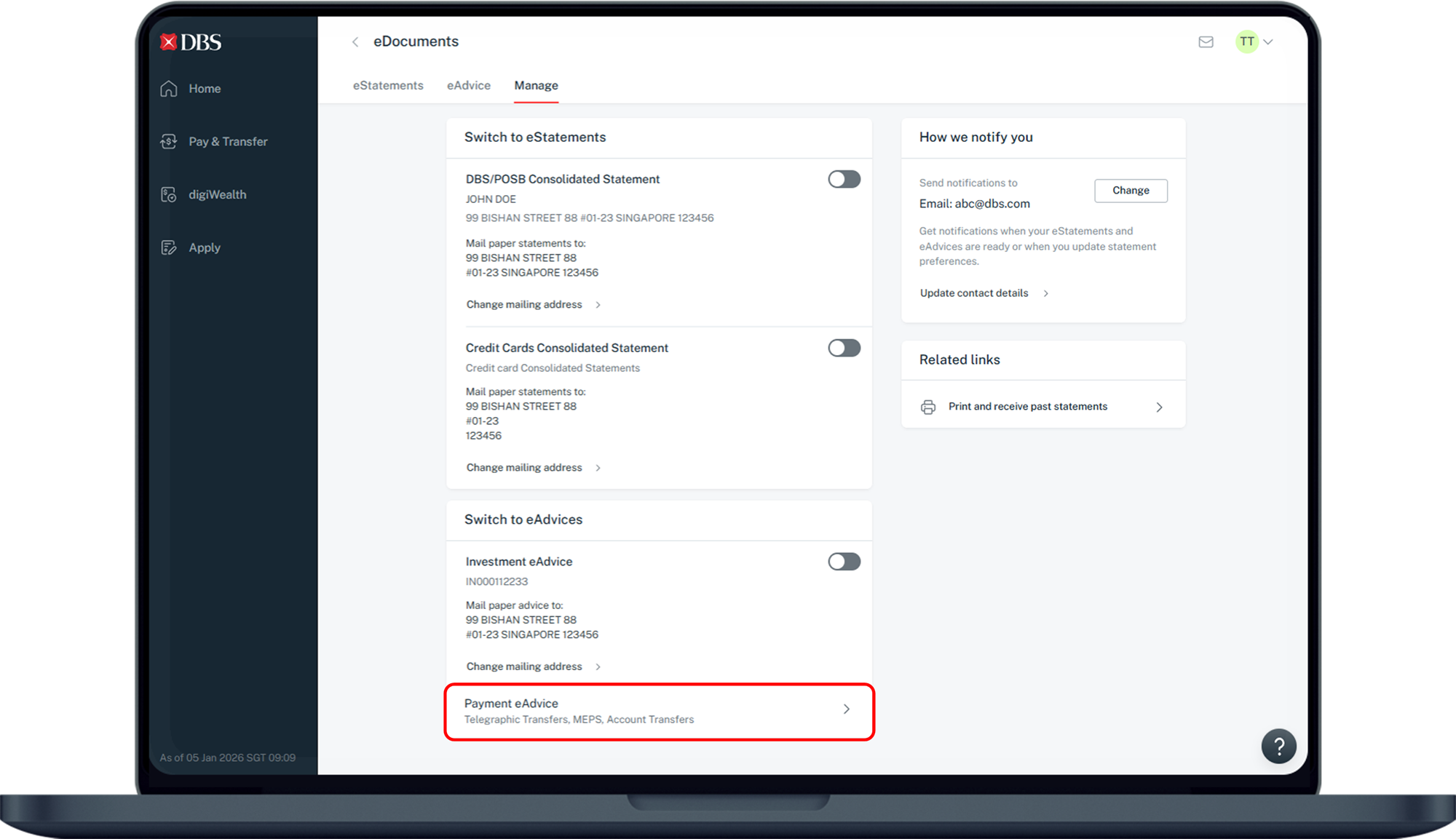
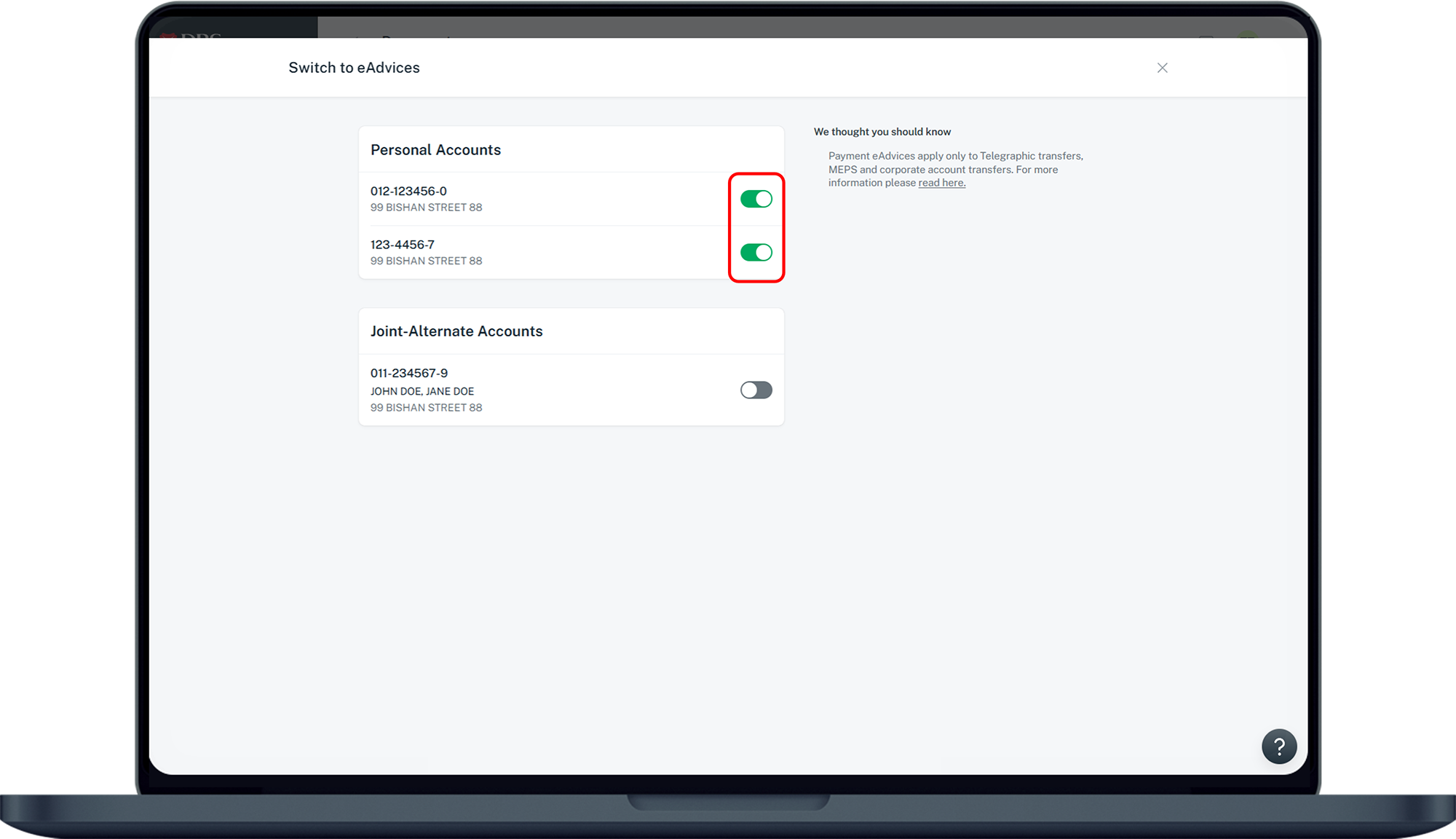
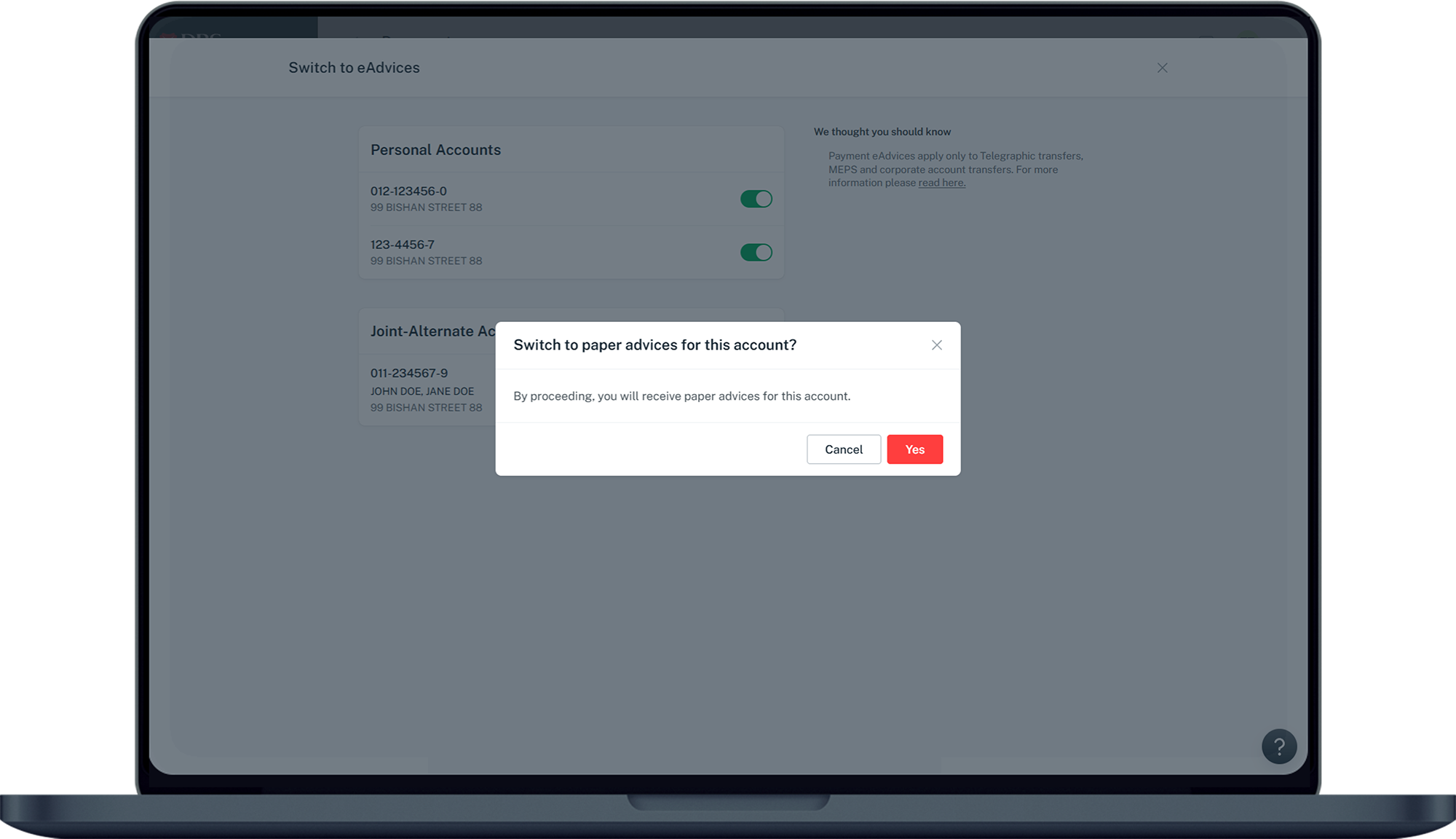
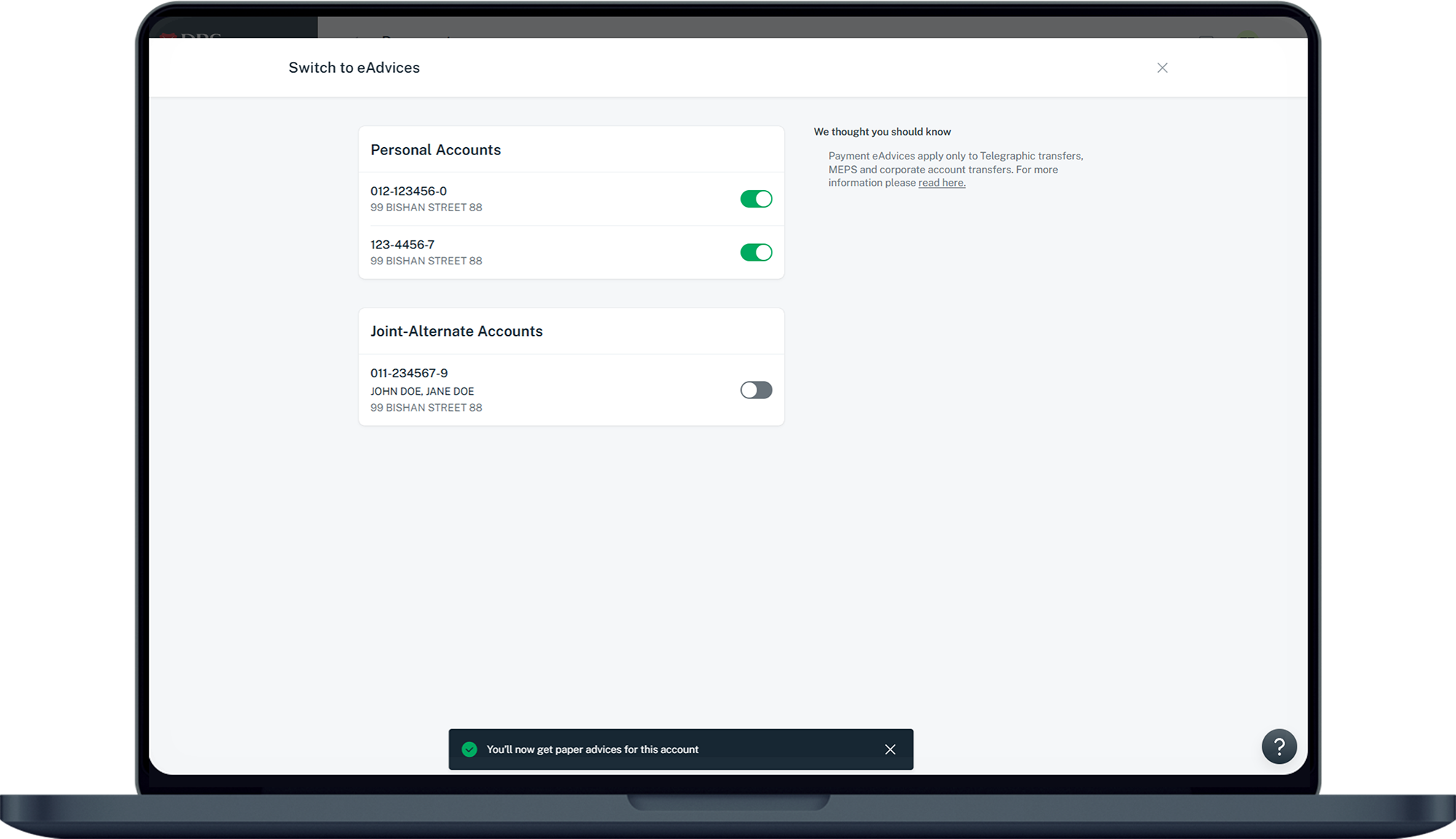
More information
- Notifications will be sent when your eAdvices/eStatements is ready for viewing or when you opt-in and/or opt-out of eAdvices/eStatements.
Note: SMS notification is not available for eAdvice. - Upon opt-out for eAdvice/eStatement, you will receive paper-based statements via mail from the next valid transaction/statement cycle onwards.
Was this information useful?