Your Guide to Submit Card Transaction Dispute
Found an unauthorised transaction on your DBS/POSB card? Learn how you can report it immediately via the digibank app or call the DBS hotline.
Note: If you would like to raise a transaction dispute with True Fitness or True Yoga, to assist you on behalf of the dispute submission, please provide your supporting documents through digibot.
Here's the steps:
Step 1: Click on the digibot icon on this page
Step 2: Enter "Leave us a message"
Required supporting documents are your membership contract, a record of your unused sessions, and proof of your attempt to resolve with merchant, such as emails, messages, or other correspondence.
1. Conduct self-verification before you raise a fraud dispute

Merchant name
Some organisations may use a different name for payment processing, which means you could be paying to the correct merchants for your goods and services.

Transaction date
The transaction date on your card statements may not occur on the same day of your transactions. This is not a cause of concern if the transactions were legitimate (i.e. merchant name and amount), as some overseas merchants may record your transaction with a different date due to the timezone difference.

Supplementary cardholder
Verify if the transactions were made by your supplementary cardholder or any family members whom you may have given your card details to before.
2. Learn more about transaction eligibility before your report a fraud submission
Before you raise for a submission, please take note that these transactions cannot be disputed and are not eligible for a chargeback request with Card Schemes (VISA/ MasterCard/ American Express/ UnionPay).
Non-Eligible Transactions

What is 3D Secure Transaction?

What is EMV Chip Transaction?An EMV chip transaction involves using a credit or debit card with an embedded chip for purchases, offering enhanced security by generating unique transaction codes. This method requires physical cards to be presented during your purchase, with the card inserted into a compatible reader, and authorization may require a PIN or signature. 
What is Contactless Transaction?Contactless transaction, including those facilitated through mobile wallets (Apple Pay, Google Pay and Samsung Pay), allows customers to swiftly and securely make card-present purchases by tapping their card, smartphone, or wearable device on a compatible terminal powered by RFID or NFC technology. 
What are Annual/ Monthly Membership and Subscription Transactions?Annual/Monthly Membership and Subscription Transactions refer to recurring payments made for services or memberships on a predetermined schedule charged by merchants, typically on an annual or monthly basis. You are encouraged to liaise directly with your merchants to check if these services are rendered or completed. 
What are the various types of Merchant Dispute?Types of Merchant Dispute involve disputes arising from problems with goods or services received, such as delivery failures or product defects. If you are facing a dispute with a merchant, communicate the issue directly with them before contacting us. |
3. Reporting fraud disputes
If you have established the transaction was not made by you, you may proceed to Report a Fraud via the following channels made available for you.
For Credit Card Transactions
Follow the steps below to report fraud immediately using your digibank mobile app.
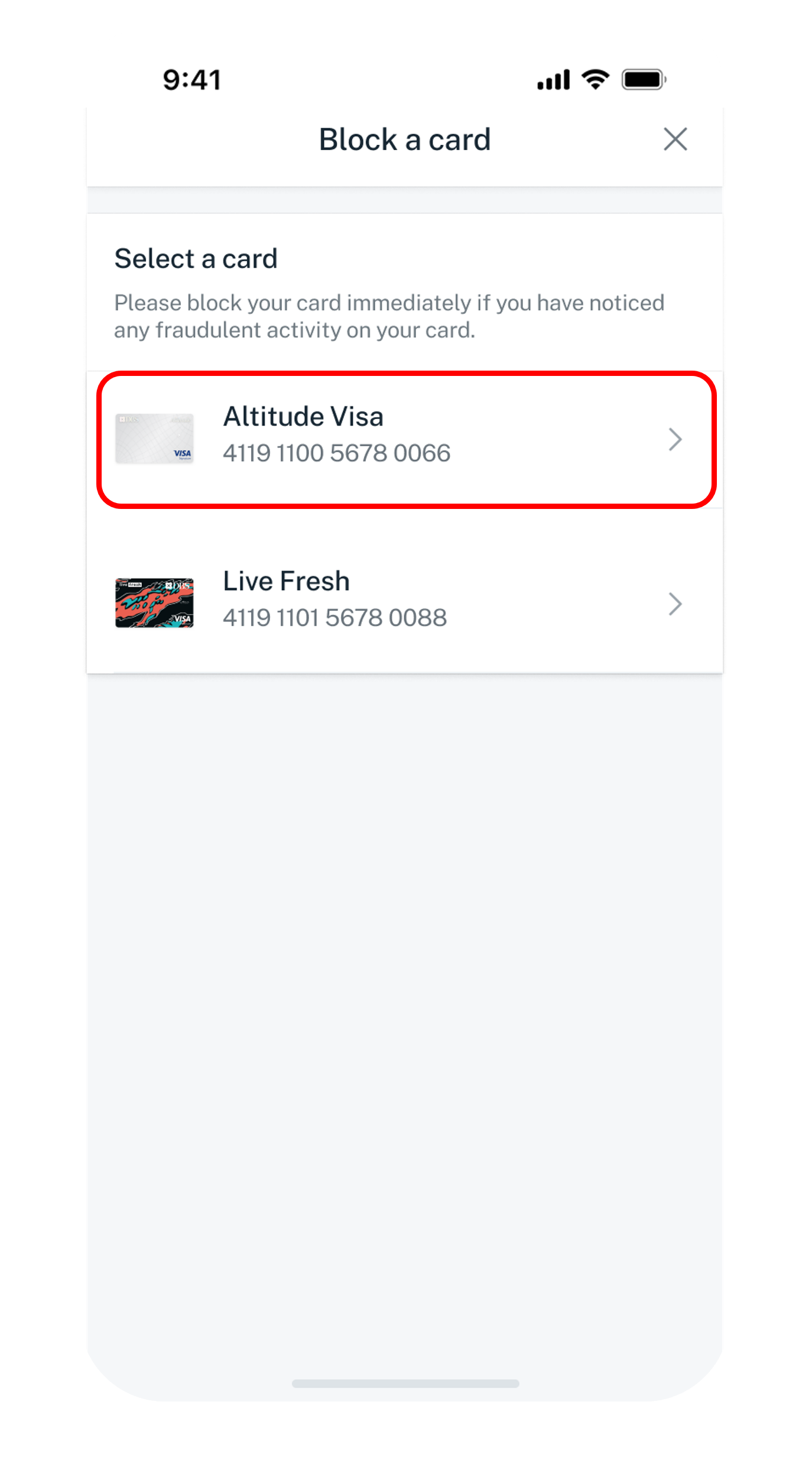
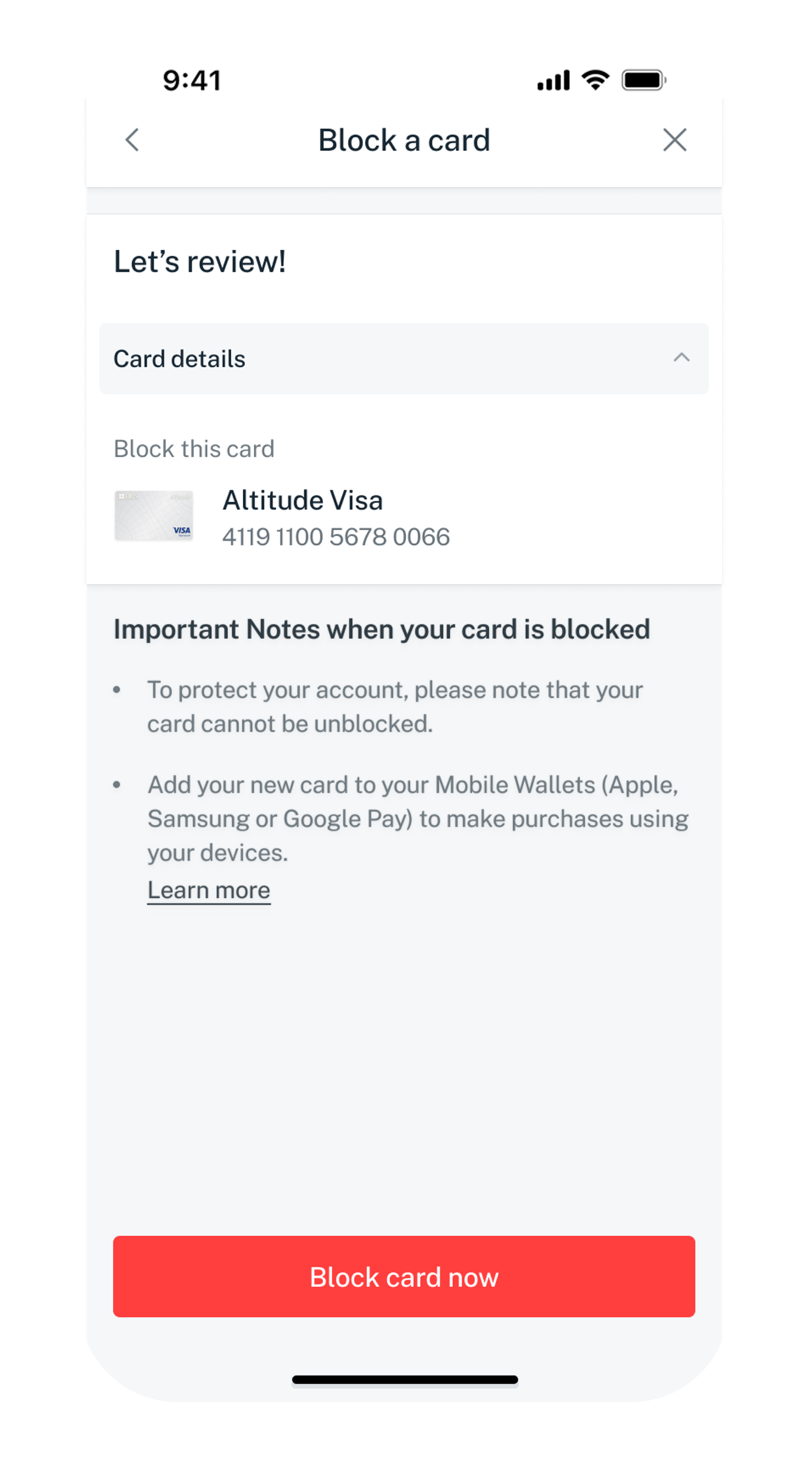
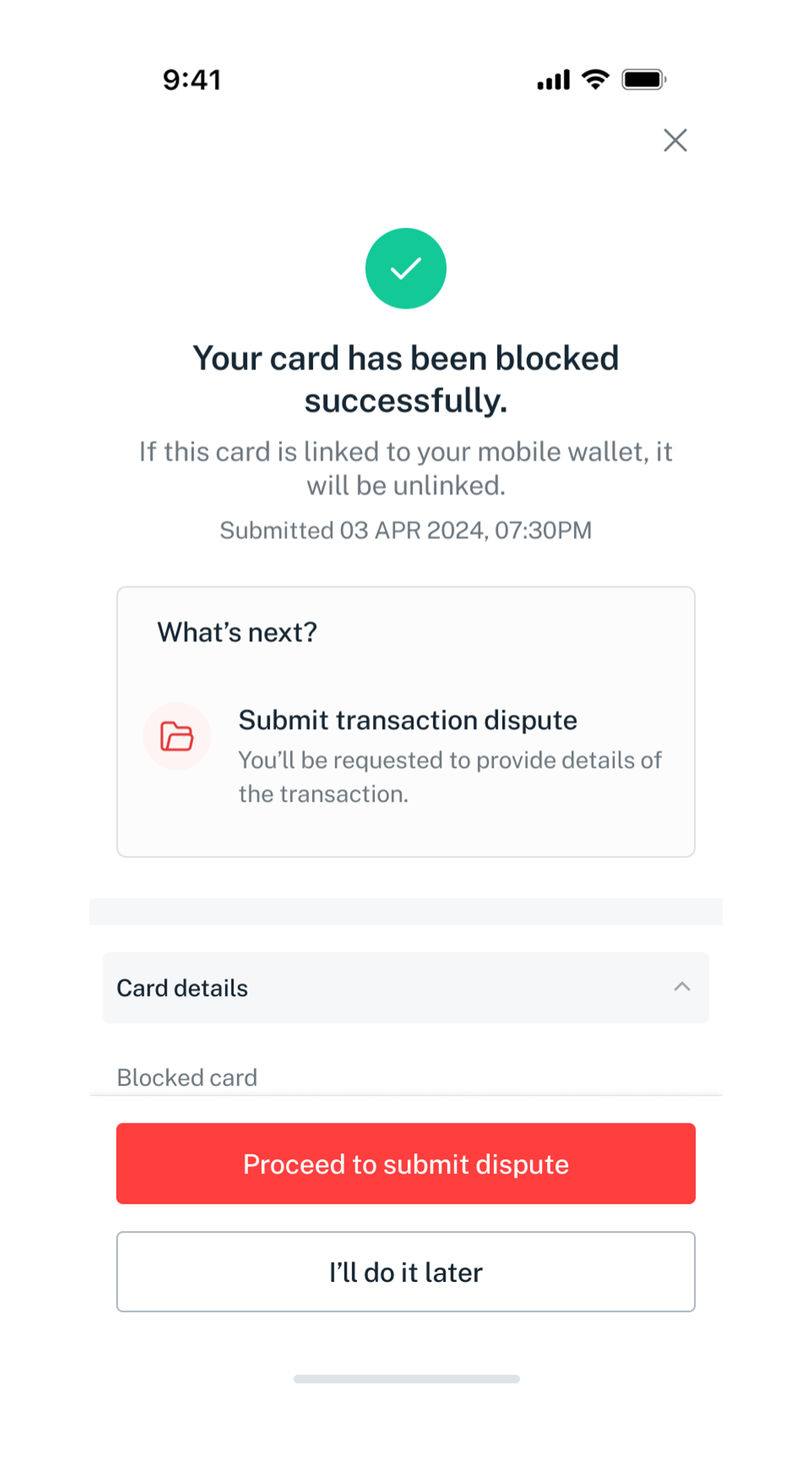
Block your card
Block your card immediately if notice you have an unauthorised transaction occurring on your card. Do take note that once you have blocked the card you will not be able to reverse it.

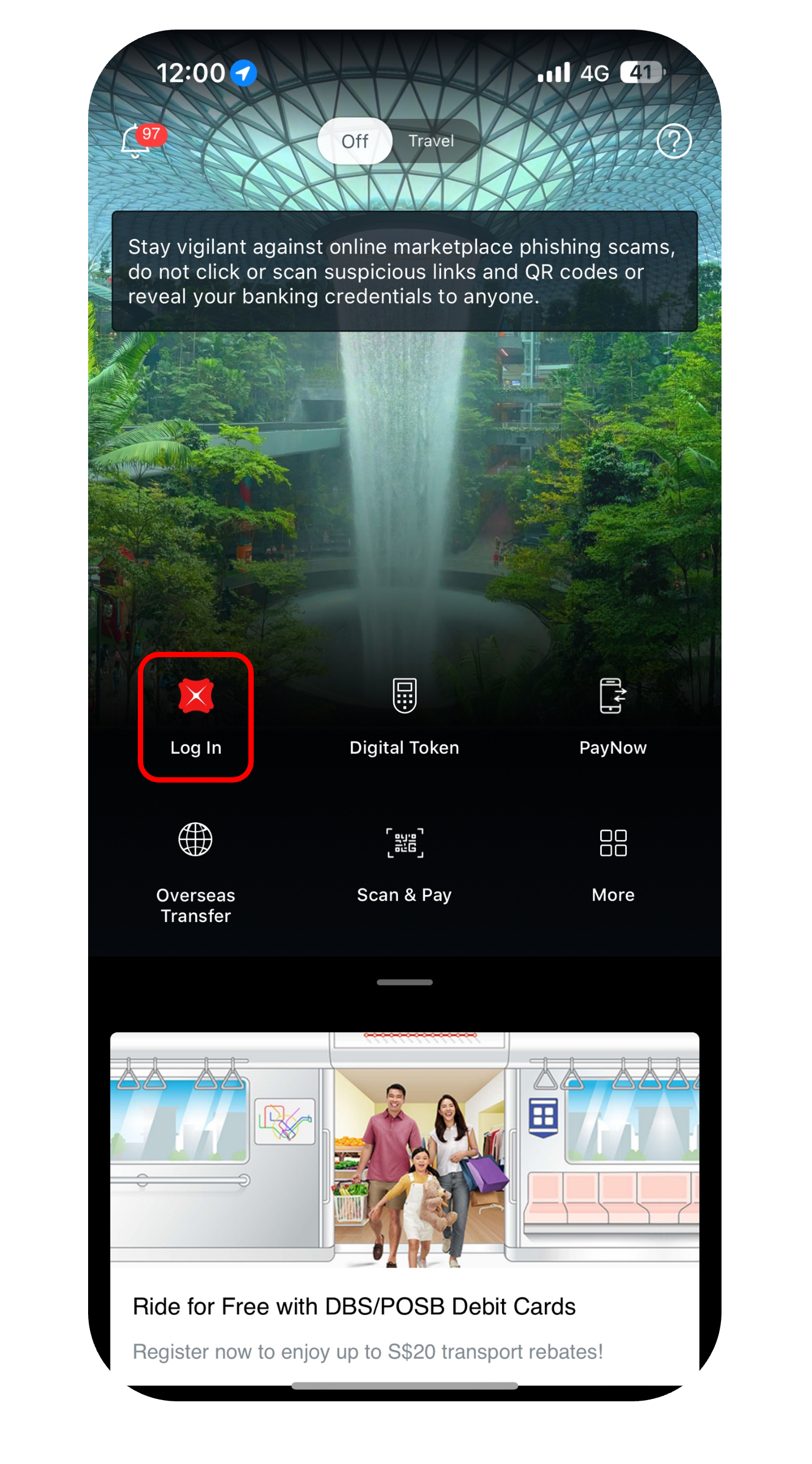
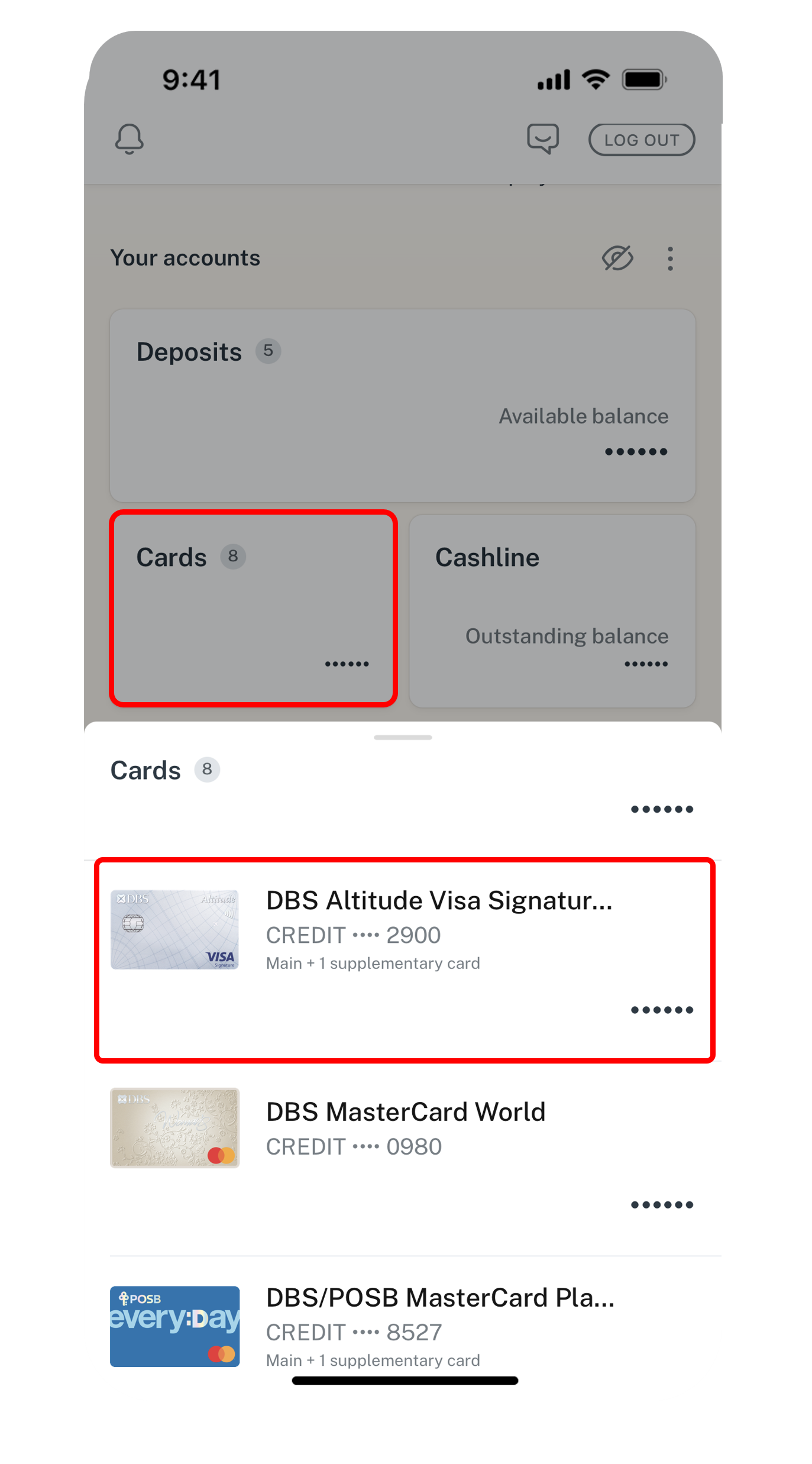
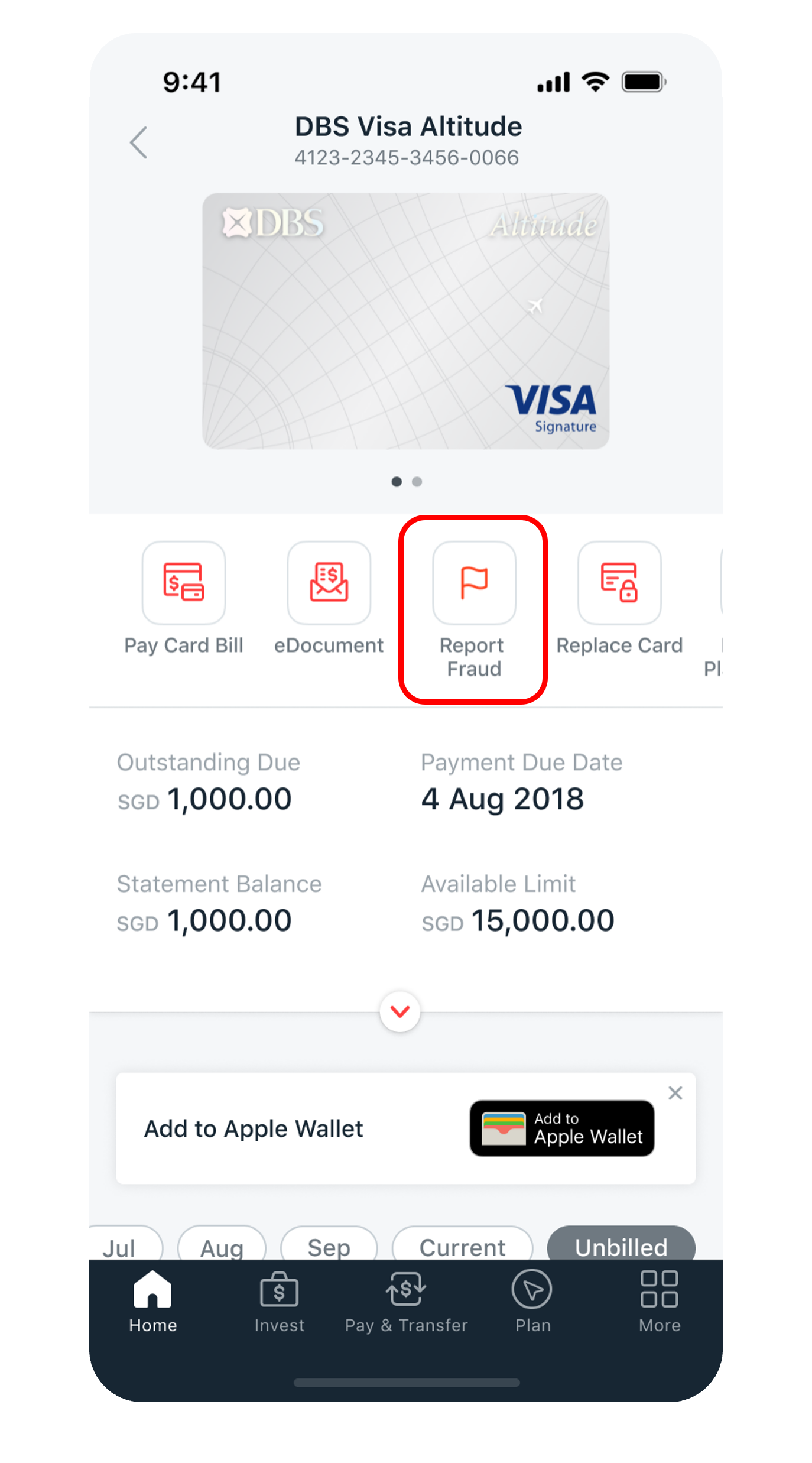
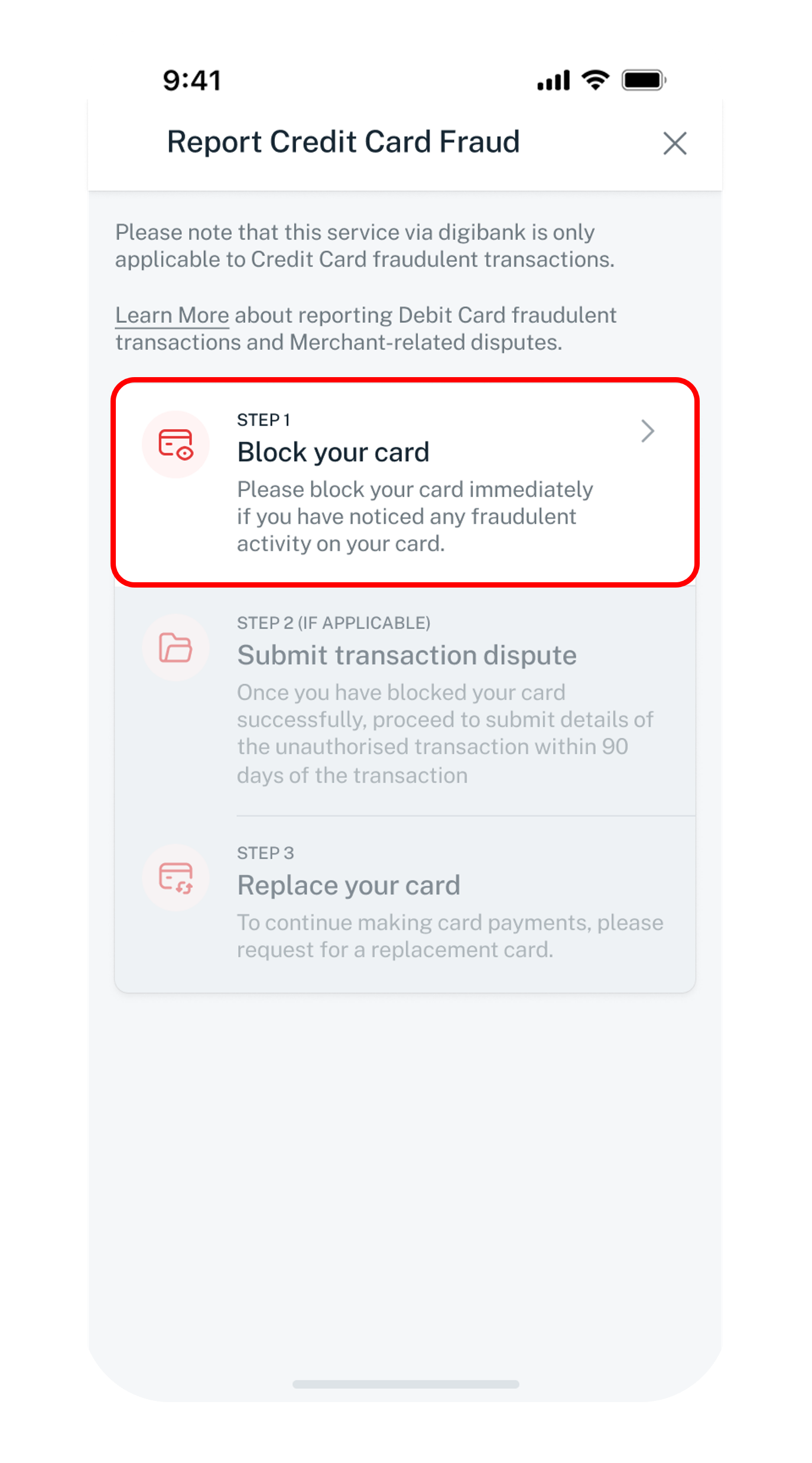
Get the latest DBS digibank mobile app now!



Submit a request for a fraudulent transaction
You may submit up to 15 transactions per submission. If you have more than 15 transactions, please submit a second submission for the same card before you replace.
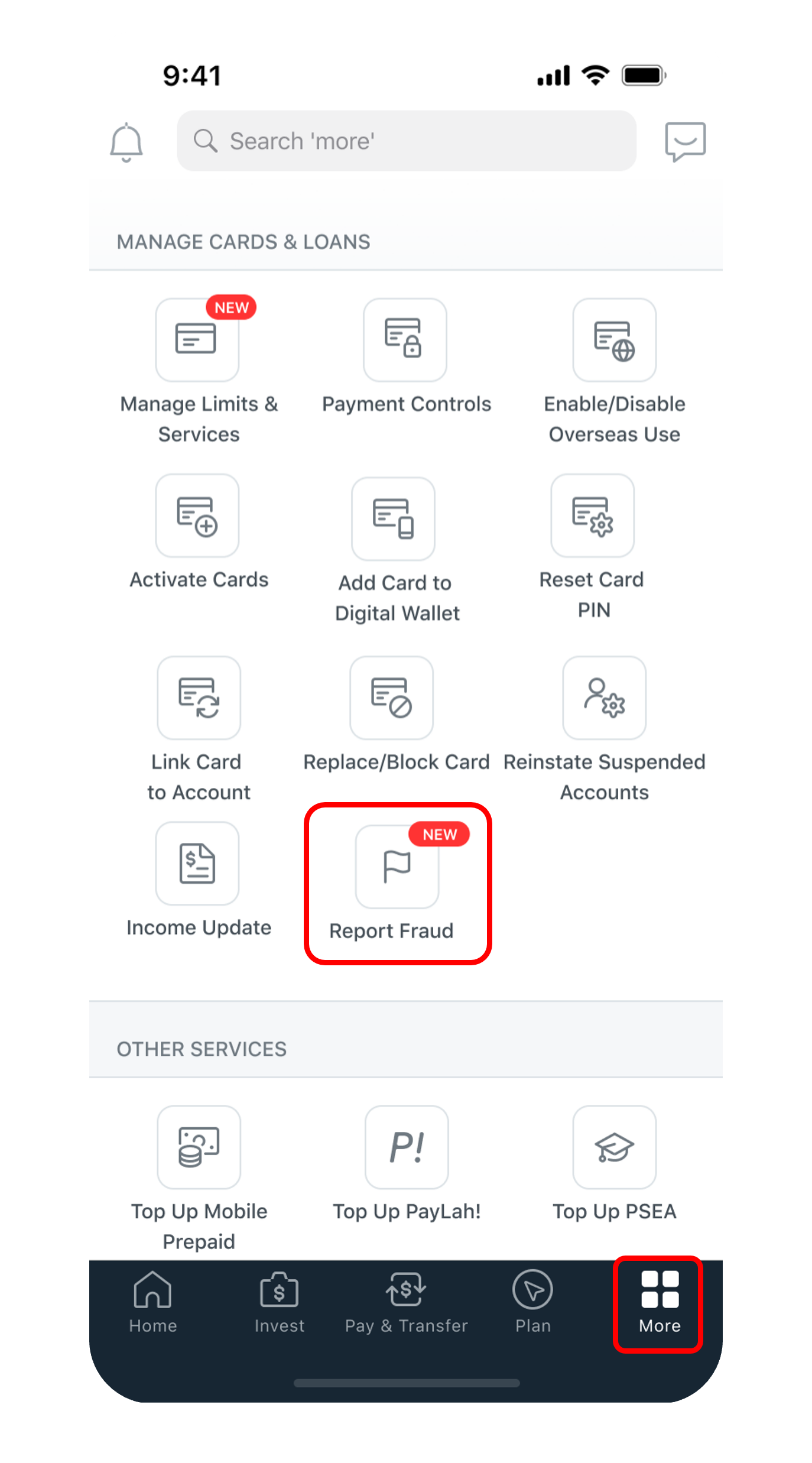
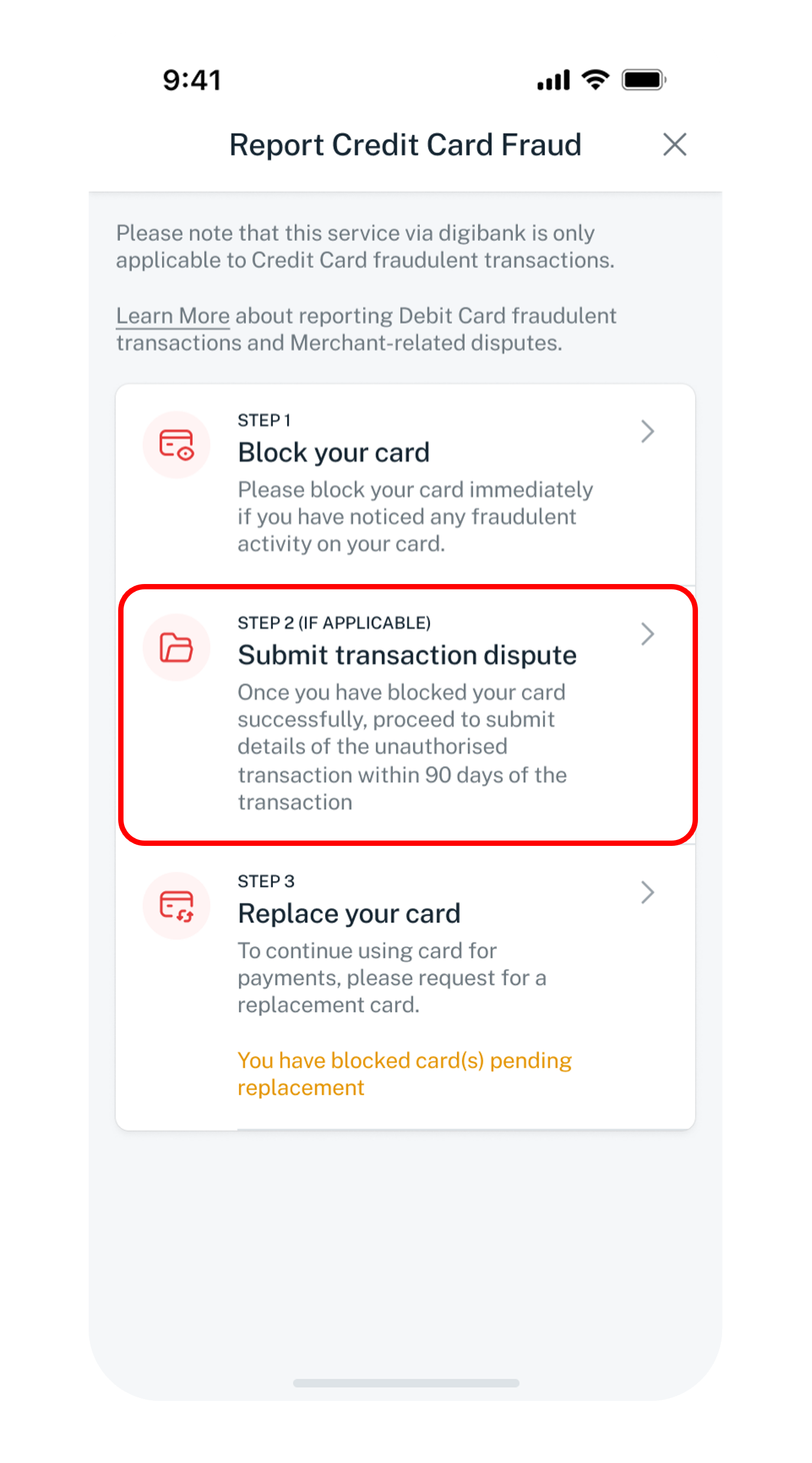
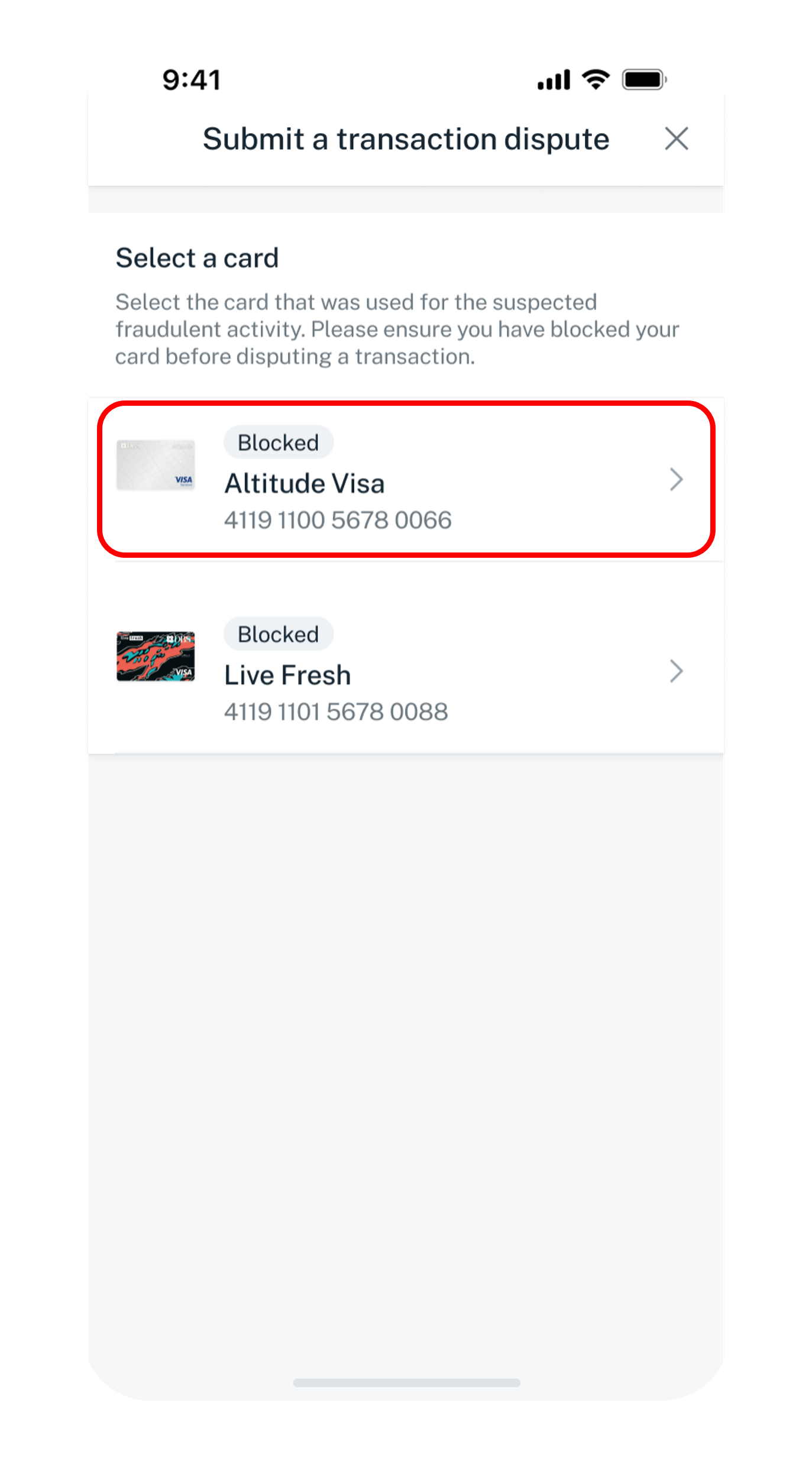
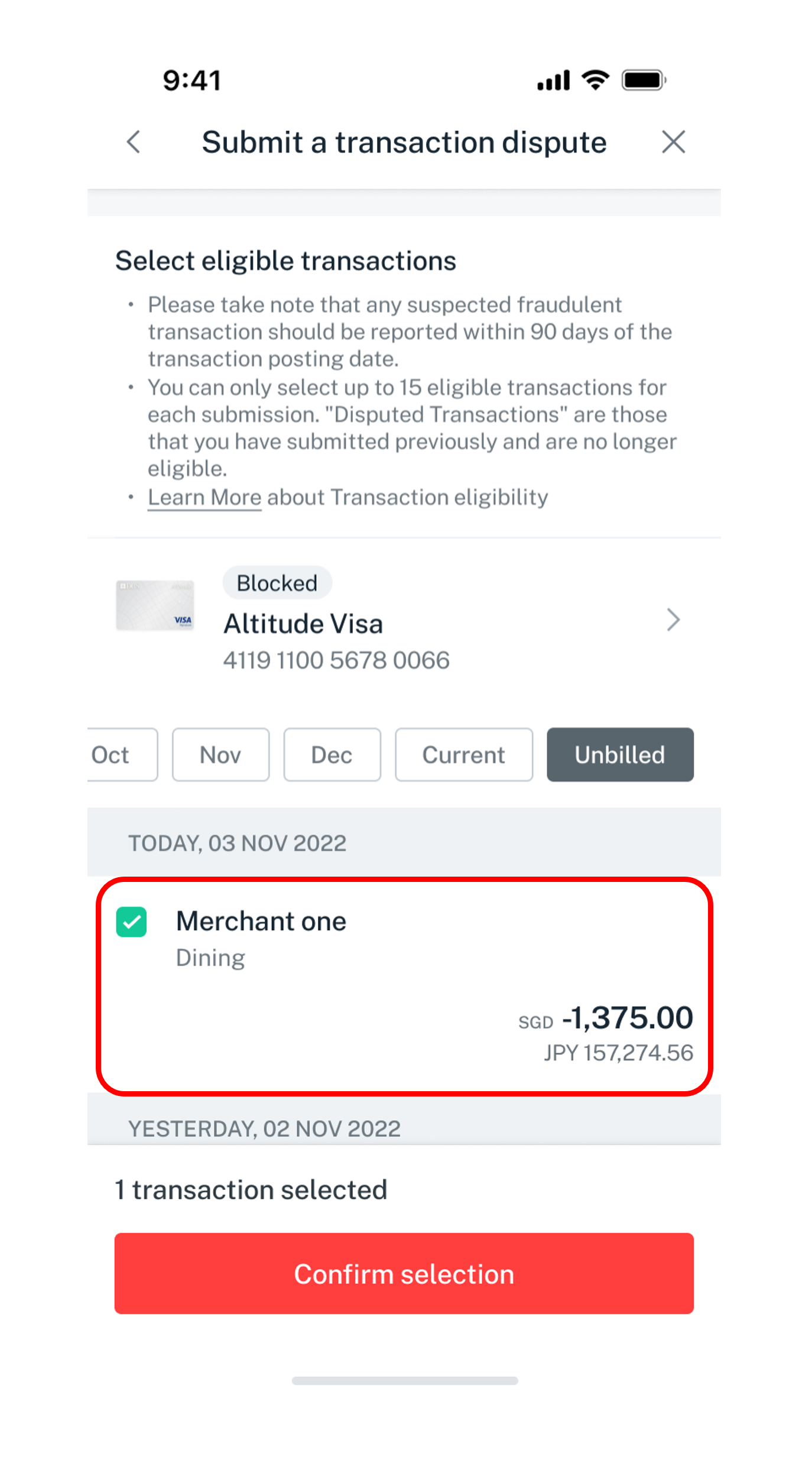
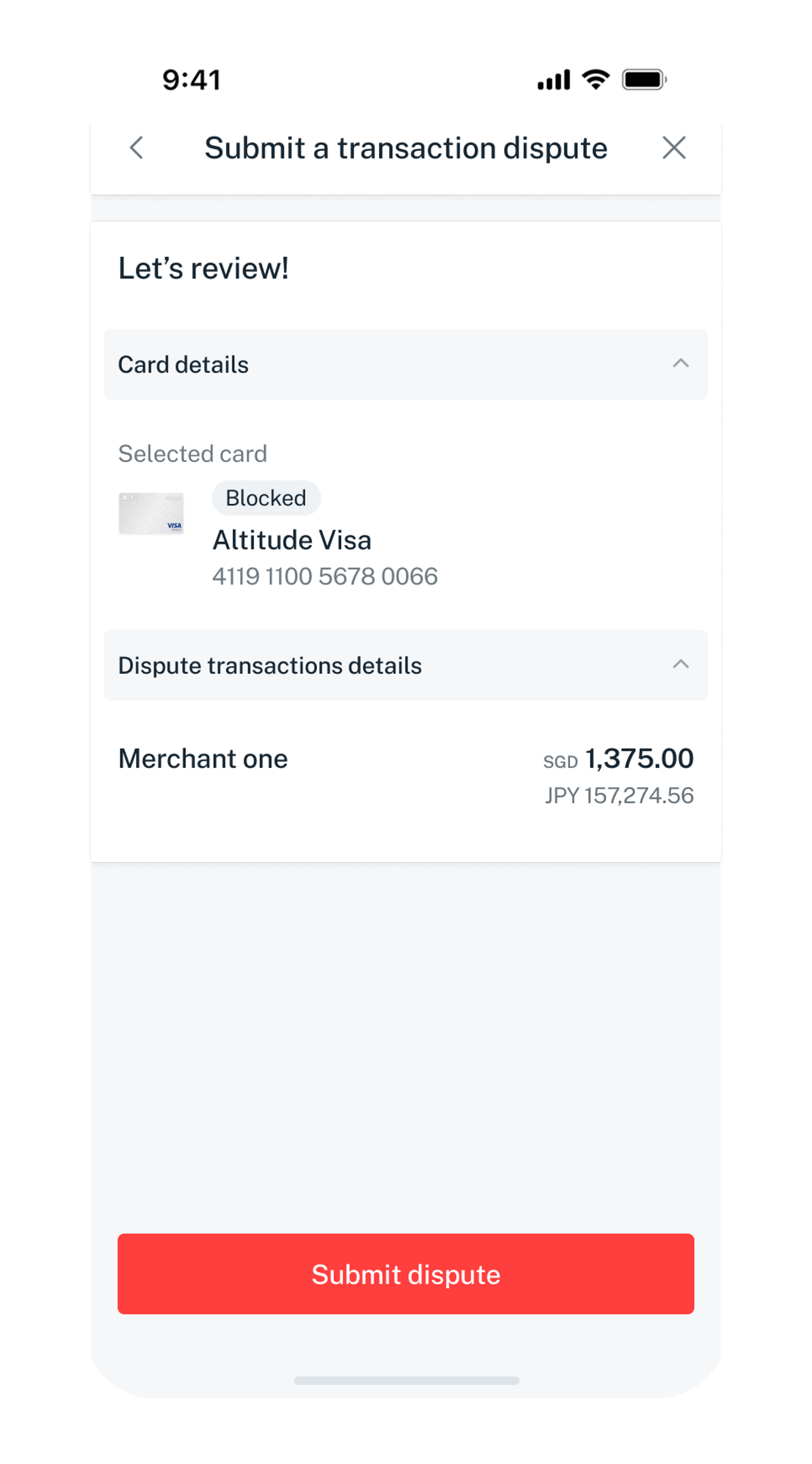
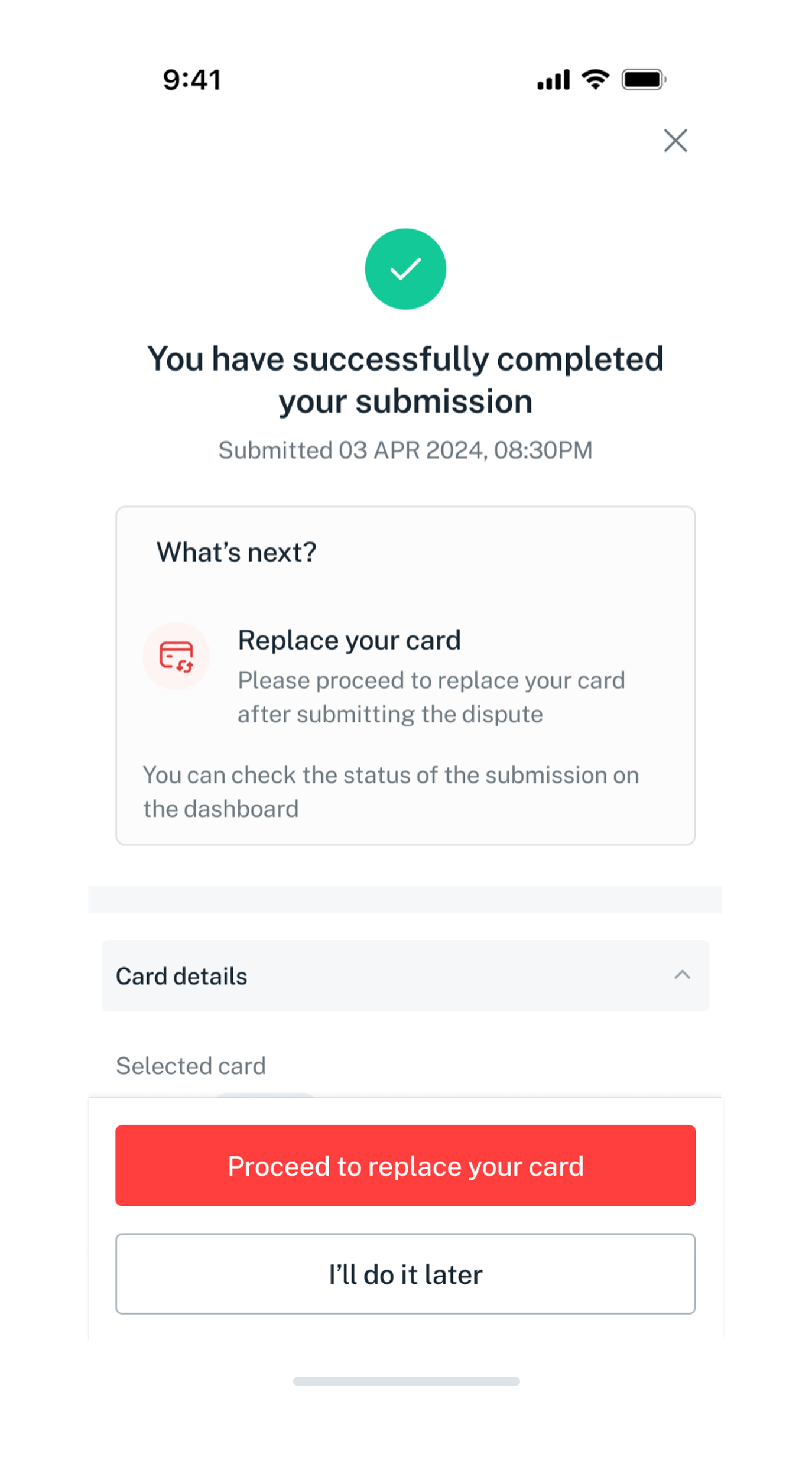
If you have blocked your card, to continue to raise a dispute, skip to step 5.
Get the latest DBS digibank mobile app now!
Replace a card
Once you have blocked your card and completed your fraudulent transaction dispute, you can proceed to replace your card. A new card will be mail to you within 3 to 5 working days. Do ensure your mailing address is accurate to avoid any unforeseen delay.
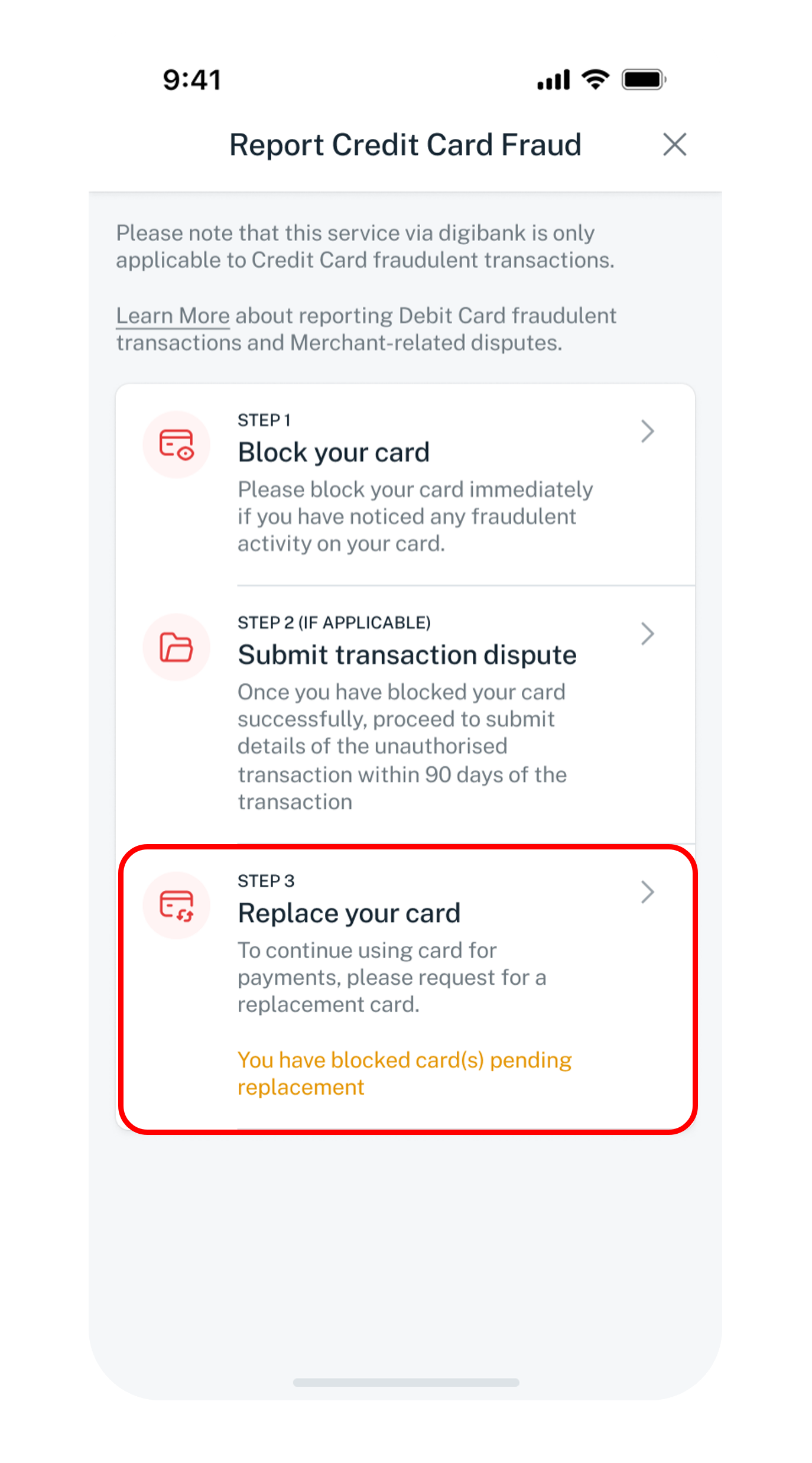
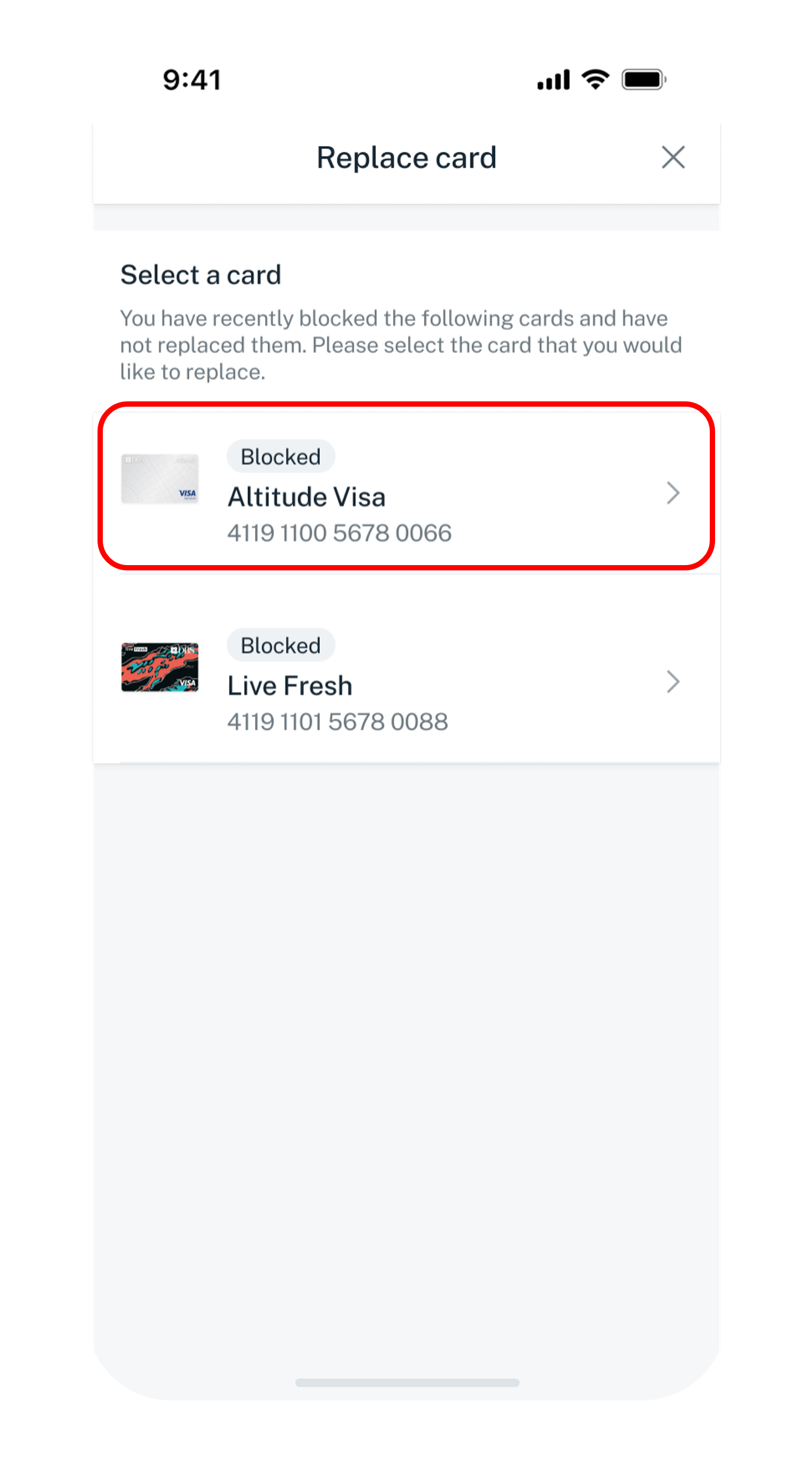
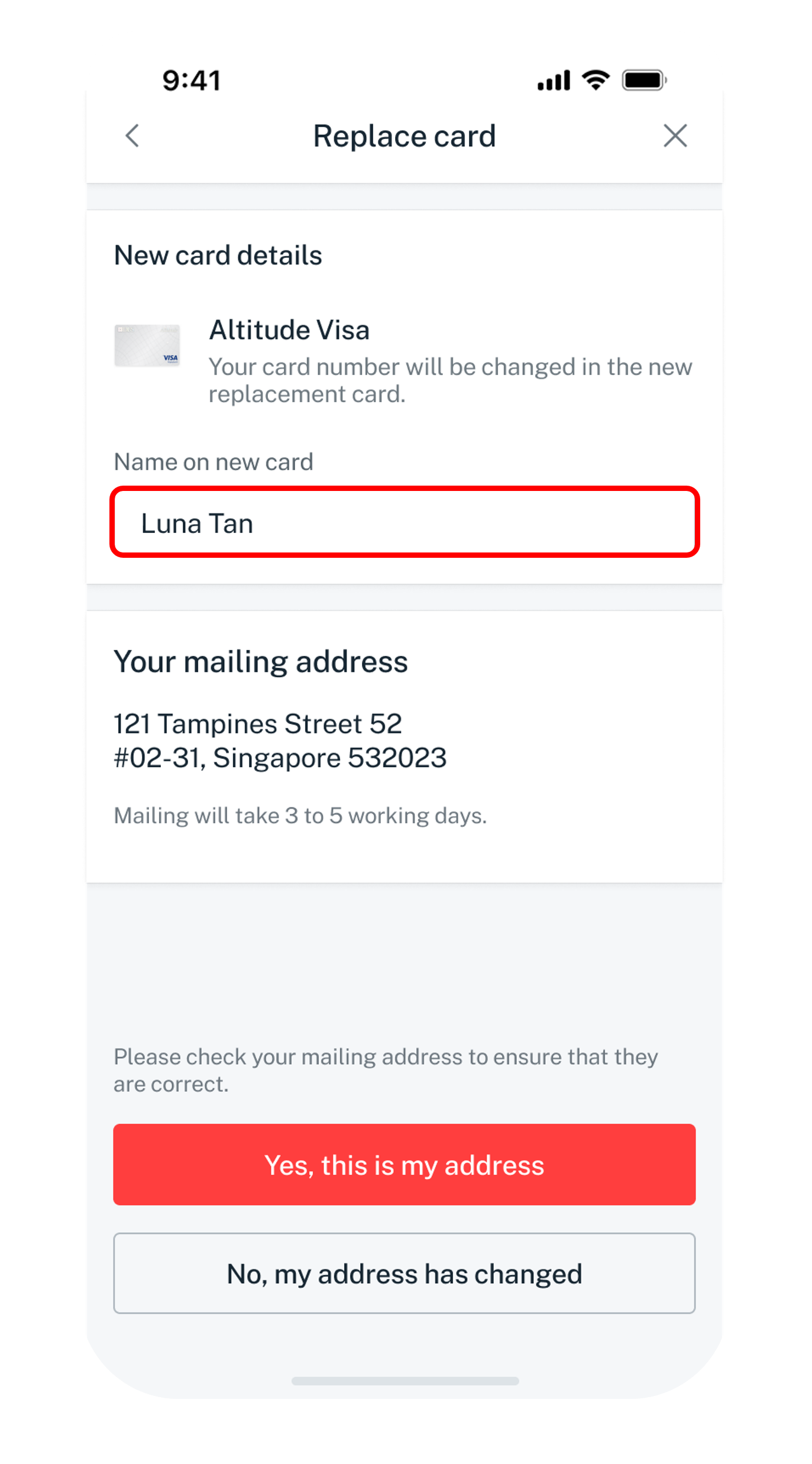
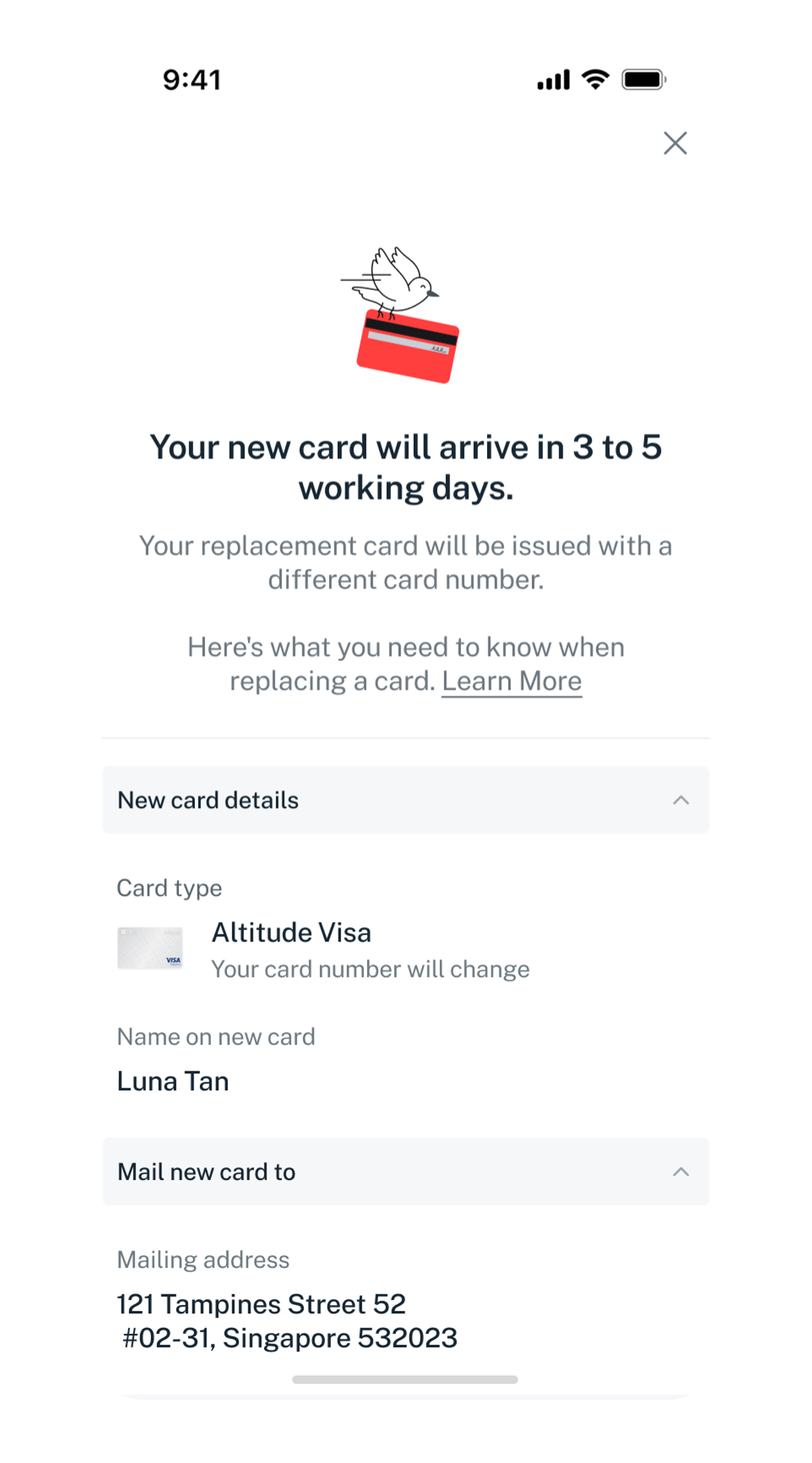
If you have completed your fraud dispute submission, to continue to replace a new card, skip to step 5.
Get the latest DBS digibank mobile app now!
Check your Dispute status
Follow the steps to view the status of your dispute.
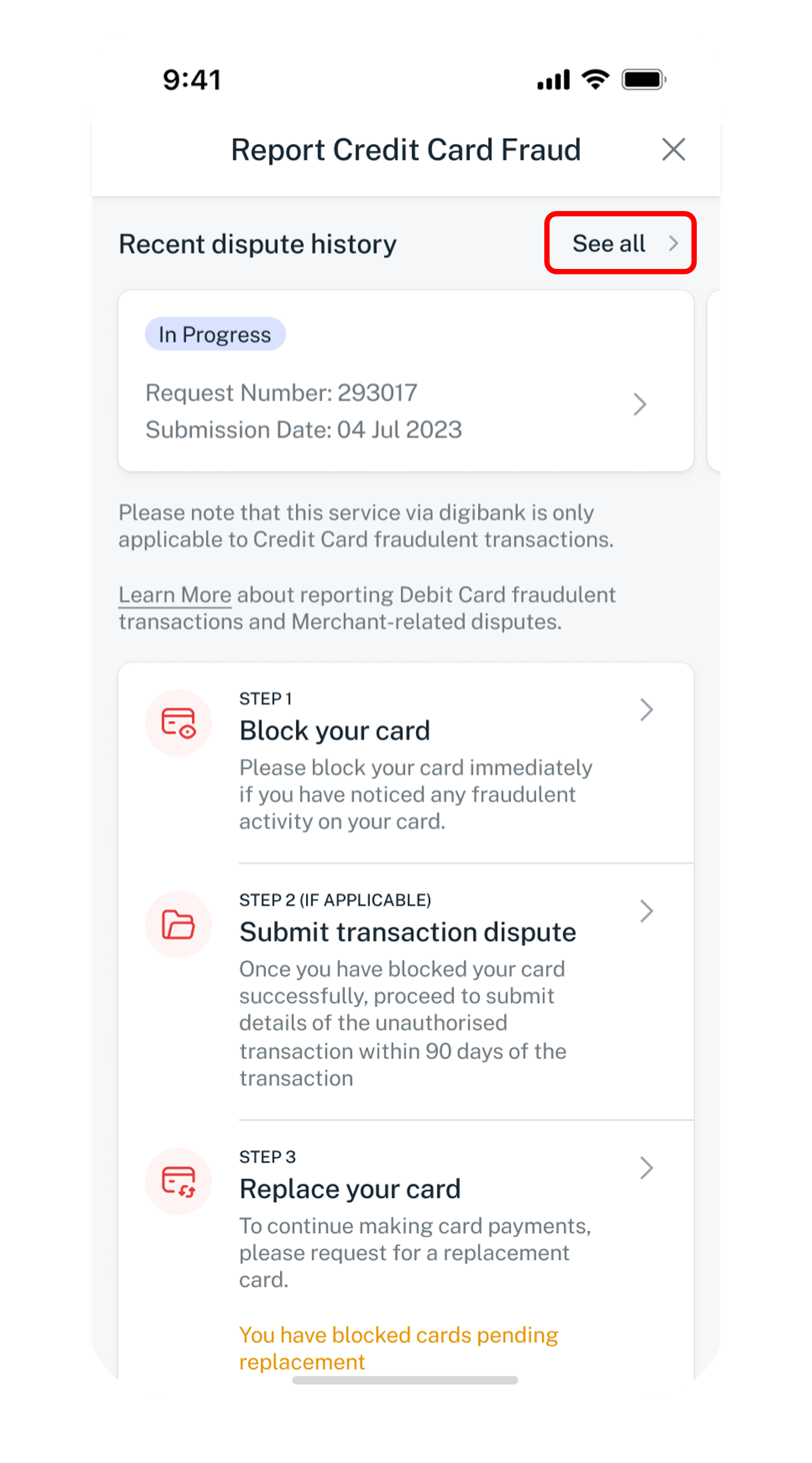
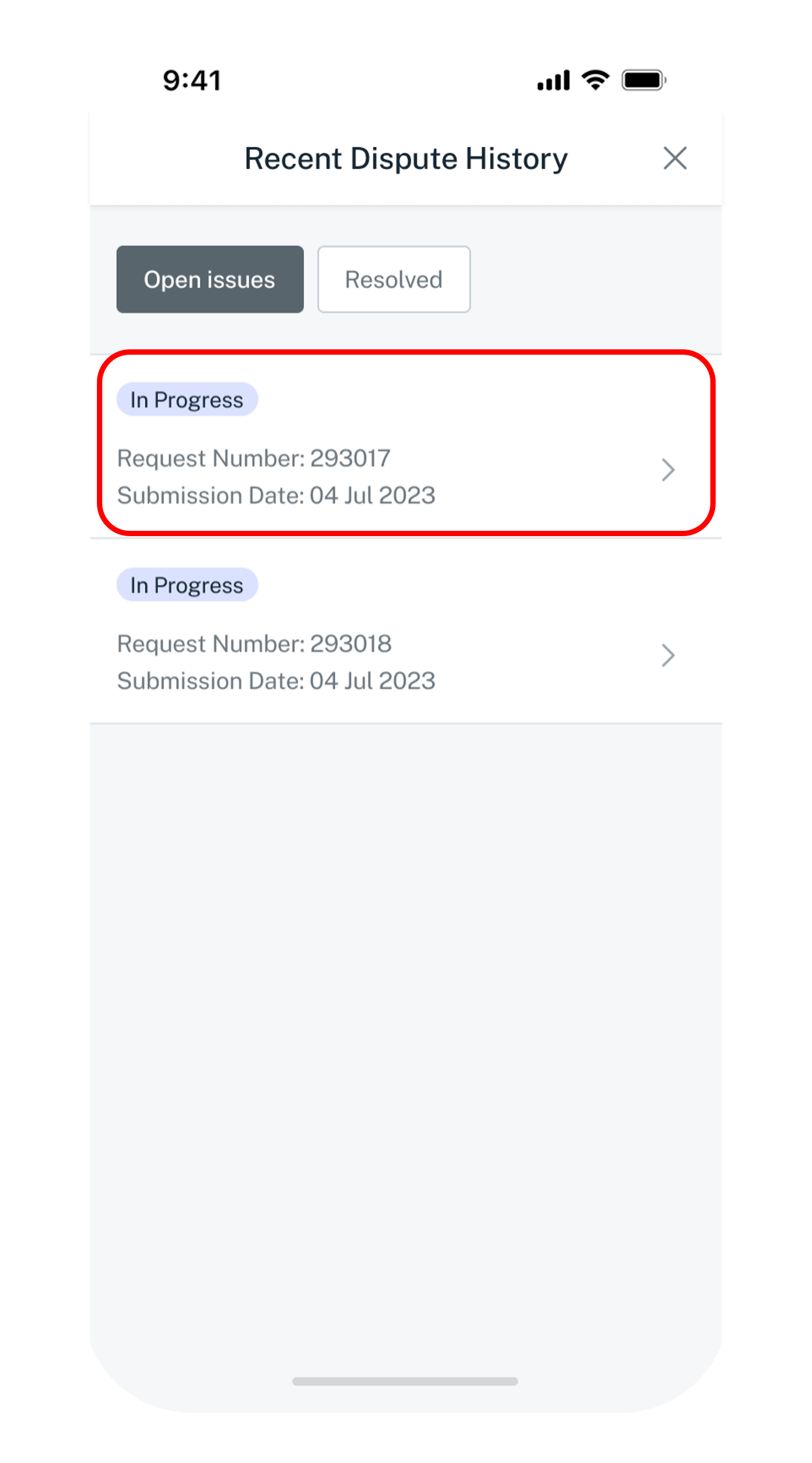
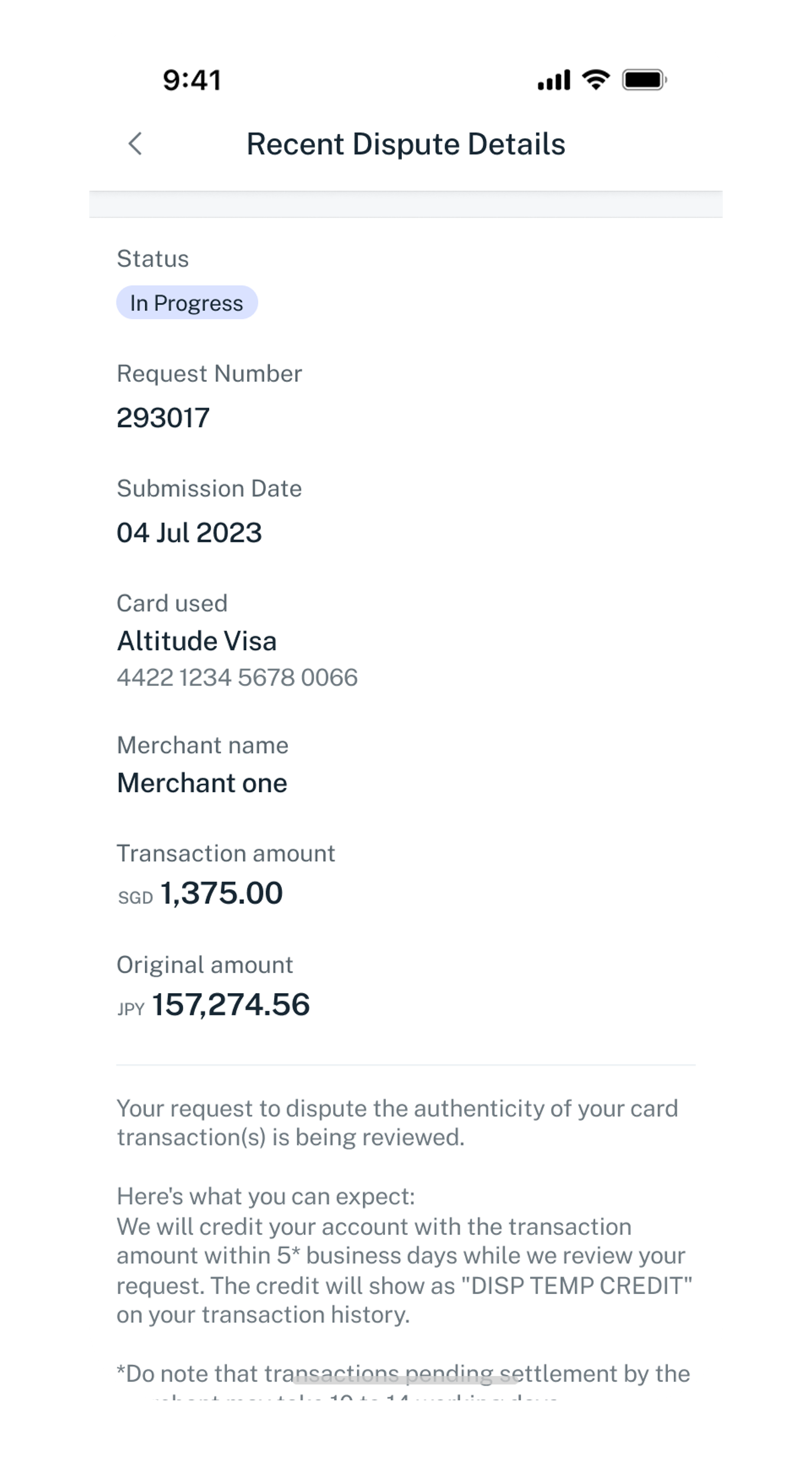
Get the latest DBS digibank mobile app now!
Learn more about the various statuses
- Your dispute is currently under review by our officer.
- Transaction amount will be credited to your account in 5 working days and it will be displayed on your transaction history as [Disp Temp Credit] while the investigation review is ongoing.
- Each investigation process may take up to 60 days.
- Upon completion of the investigation, we may reverse the credit if
- the merchant has refunded the disputed amount,
- the transaction(s) are found to be genuine made by cardholder.
- Your dispute is unsuccessful following our investigation. The transaction you indicated cannot be disputed as it falls under one of ineligible transaction.
- You may find the detailed illustration under Transaction eligibility above on this page.
- Your dispute for your card transaction is completed.
- No action is required from you.
For Debit Card Transactions
4. Understanding 'Pending' Transactions
When you make a purchase, the transaction first shows as 'pending' on your account. This means the transaction has been approved, and a temporary hold has been placed on your funds. The transaction becomes a final charge only after the merchant has officially completed the sale.
Pending transactions cannot be stopped or cancelled.
Once a transaction has been approved, the bank can no longer stop, cancel or withhold it. This is because card payments are designed so that merchants are guaranteed payment once approval is given, under the rules set by the card networks.
If you need to cancel a transaction, we recommend contacting the merchant directly for assistance. As long as the card is active and has sufficient available credit, the bank’s system will continue to approve the transaction.- Transaction Monitoring: We will actively monitor your reported transaction(s) and act once they are posted to your account.
- Final Charge: Once the pending transaction is posted, we will then start the fraud dispute process according to our standard fraud reporting procedures.
5. Possible Outcomes
- Transaction Not Yet Posted: If the transaction is still in 'Pending' status and doesn't get posted, you will not be billed for it.
- Transaction is Posted: If the transaction has already been posted to your account, the outcome of your dispute will depend on the transaction type:
Transactions Unlikely to Succeed (Authenticated Transactions):
- 3DS Transactions: Since these transactions require authentication (e.g., OTP), fraud disputes are unlikely to be successful.
- EMV Chip & Contactless Transactions: As these are card-present transactions, meaning your physical card was likely used, fraud disputes are unlikely to be successful.
- Mobile Wallet Transactions (Apple Pay, Google Pay, Samsung Pay): Transactions made through digital wallets are authenticated during the setup process, making fraud disputes for these transactions unlikely to be successful.
- Non-3DS & Card-Not-Present Transactions: These disputes will be reviewed. You will receive a temporary credit on your card account to cover the disputed amount (for credit cards, this offsets your outstanding balance; for debit cards, it refunds the amount).
- Merchant Disputes: If your dispute is related to a transaction, you authorized or participated in (e.g., issues with goods or services received), please contact the merchant directly for resolution.
The information above describes general scenarios. If you are certain these transactions were not made by you, please report them to us immediately.
6. How can Payment Controls help you?
Safeguard your Card with DBS Payment Controls. You can take control of your cards anytime, anywhere by customising its functions via digibank mobile app. Protecting your cards is easy with DBS Payment Controls.
Learn more on how to: