Check DBS Balance Transfer or Personal Loan Details

Check your Balance Transfer, Personal Loan or Payment Plan details for Cashline and/or Credit Cards instantly via DBS digibank mobile.

How to check DBS Personal Loan or Balance Transfer details

digibank mobile

phone frame
login
slider
slider
slider
slider
1
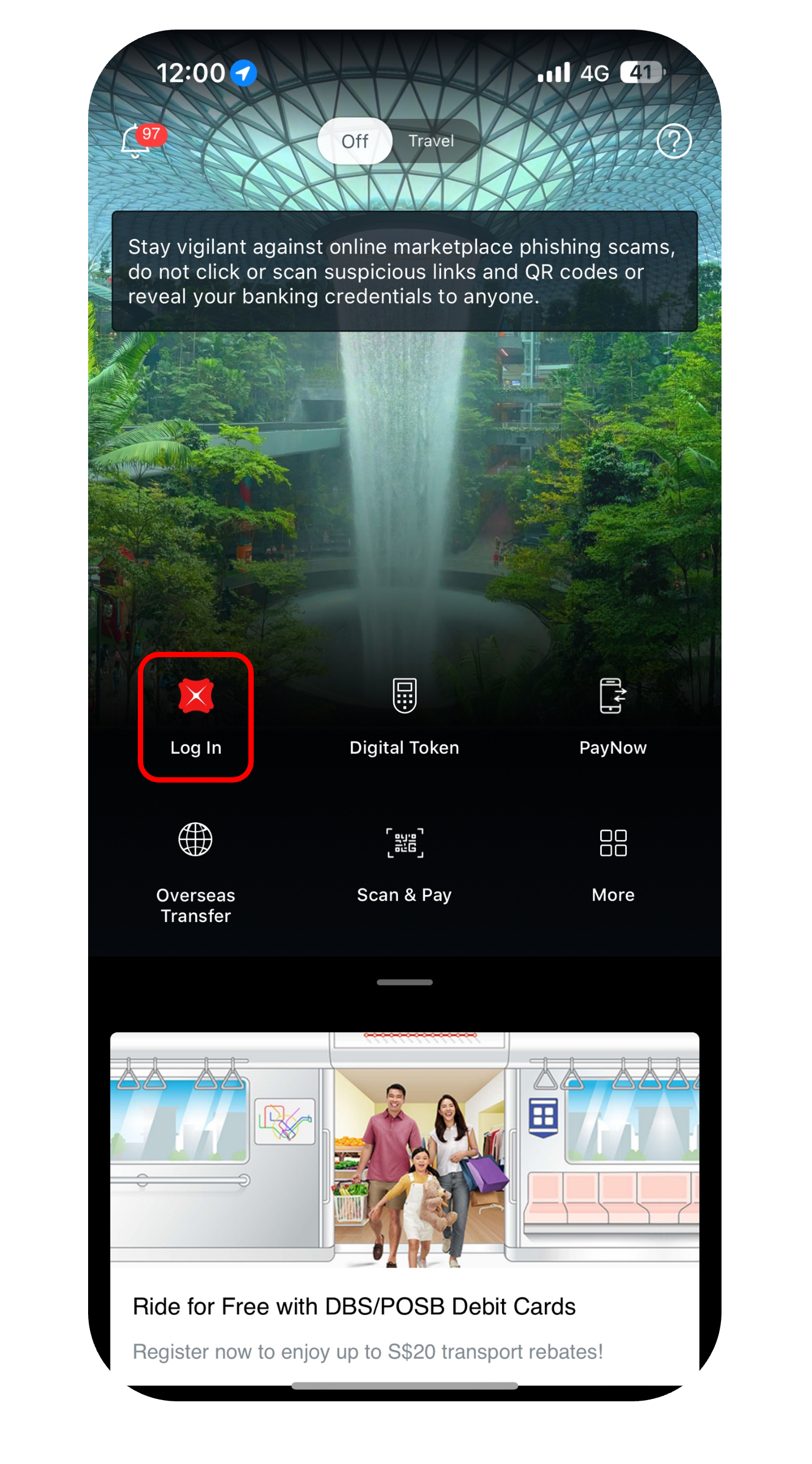
Step 1
Log in to digibank mobile with your Touch / Face ID or digibank User ID & PIN.
2
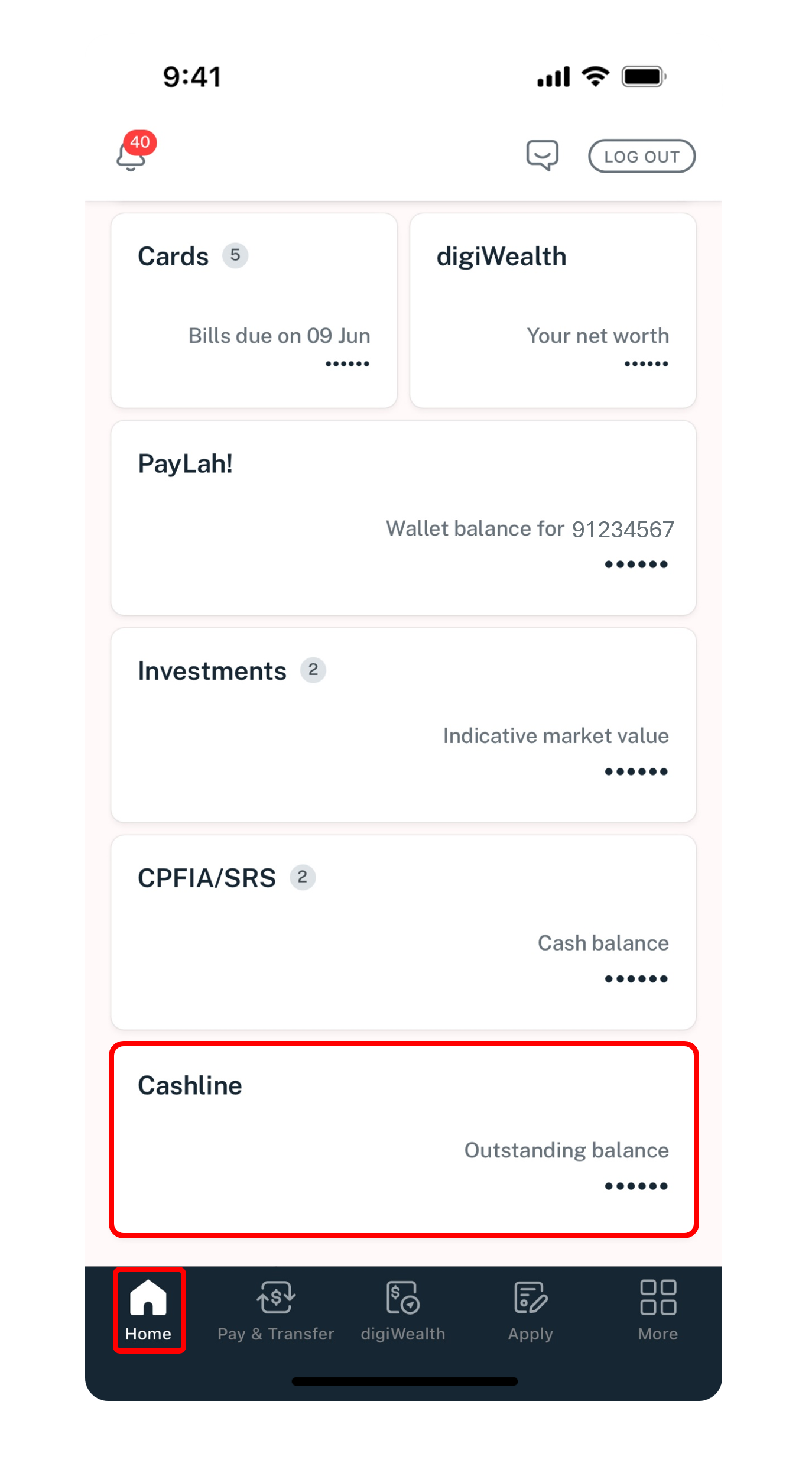
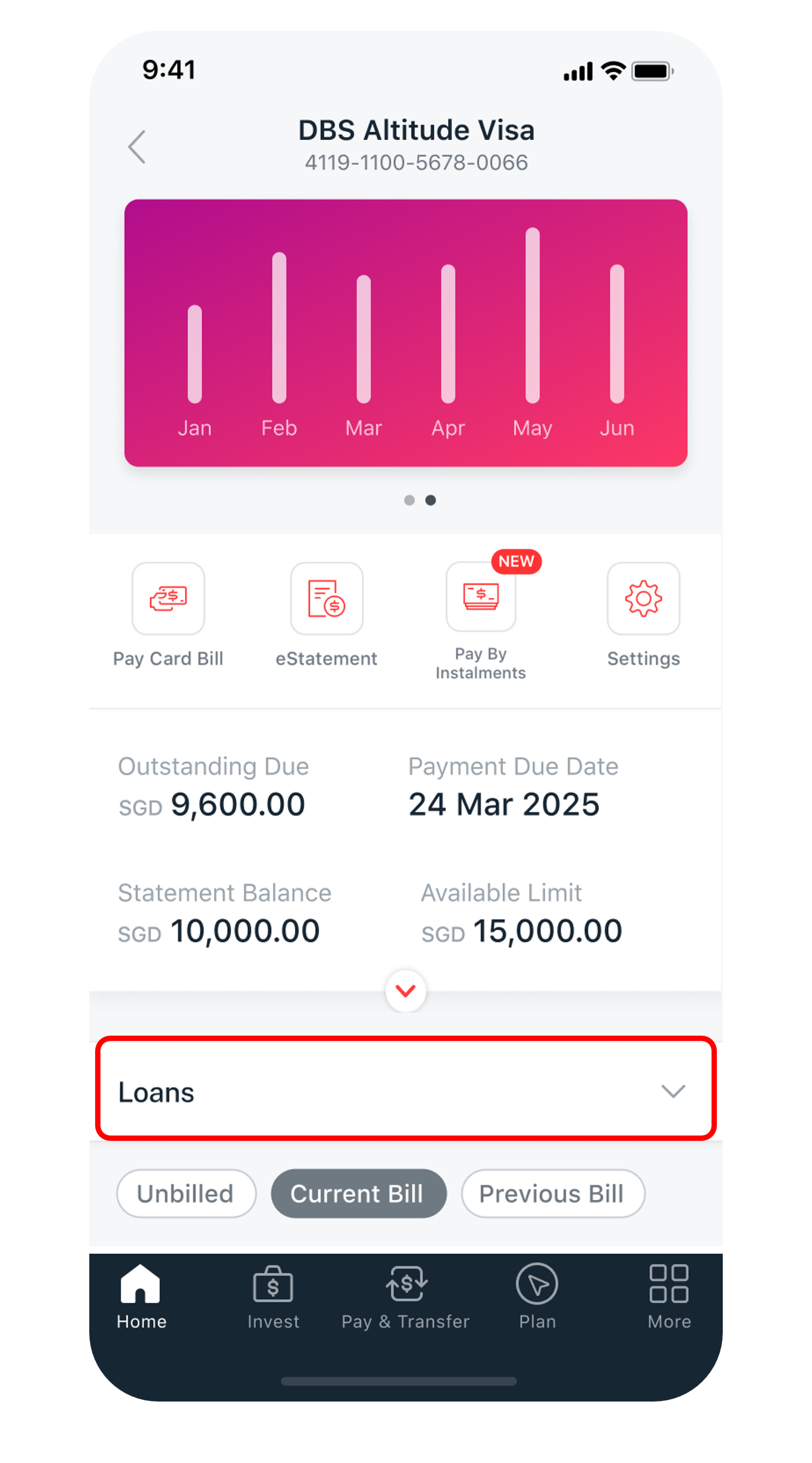
Step 2
Under Home, select your Cashline/Credit Card account.
3
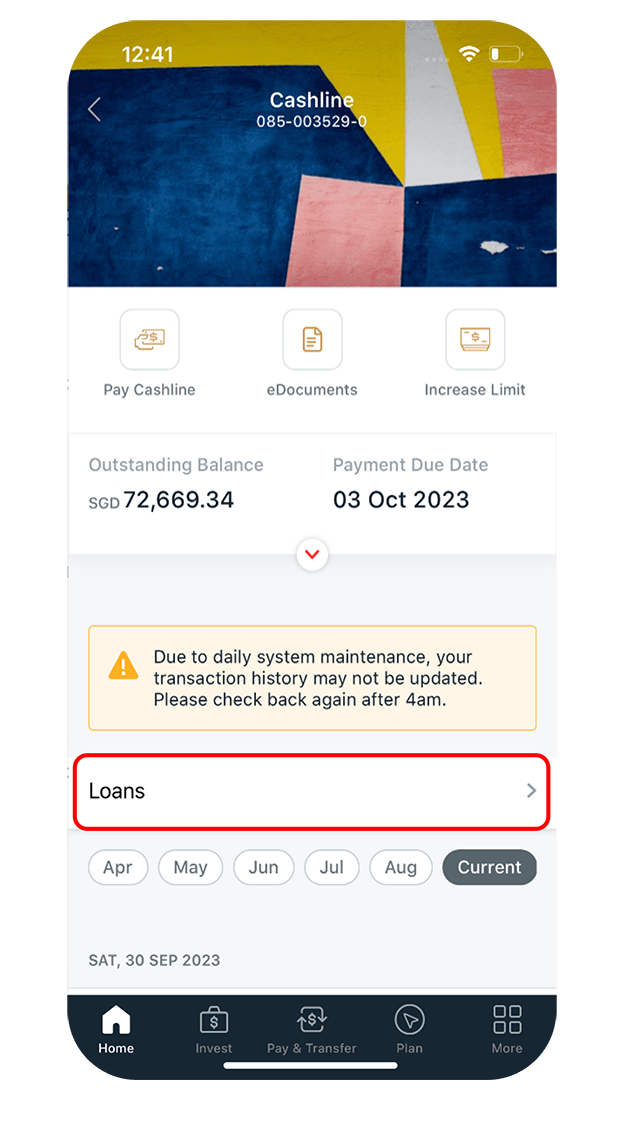
Step 3
Tap on Loans.
4
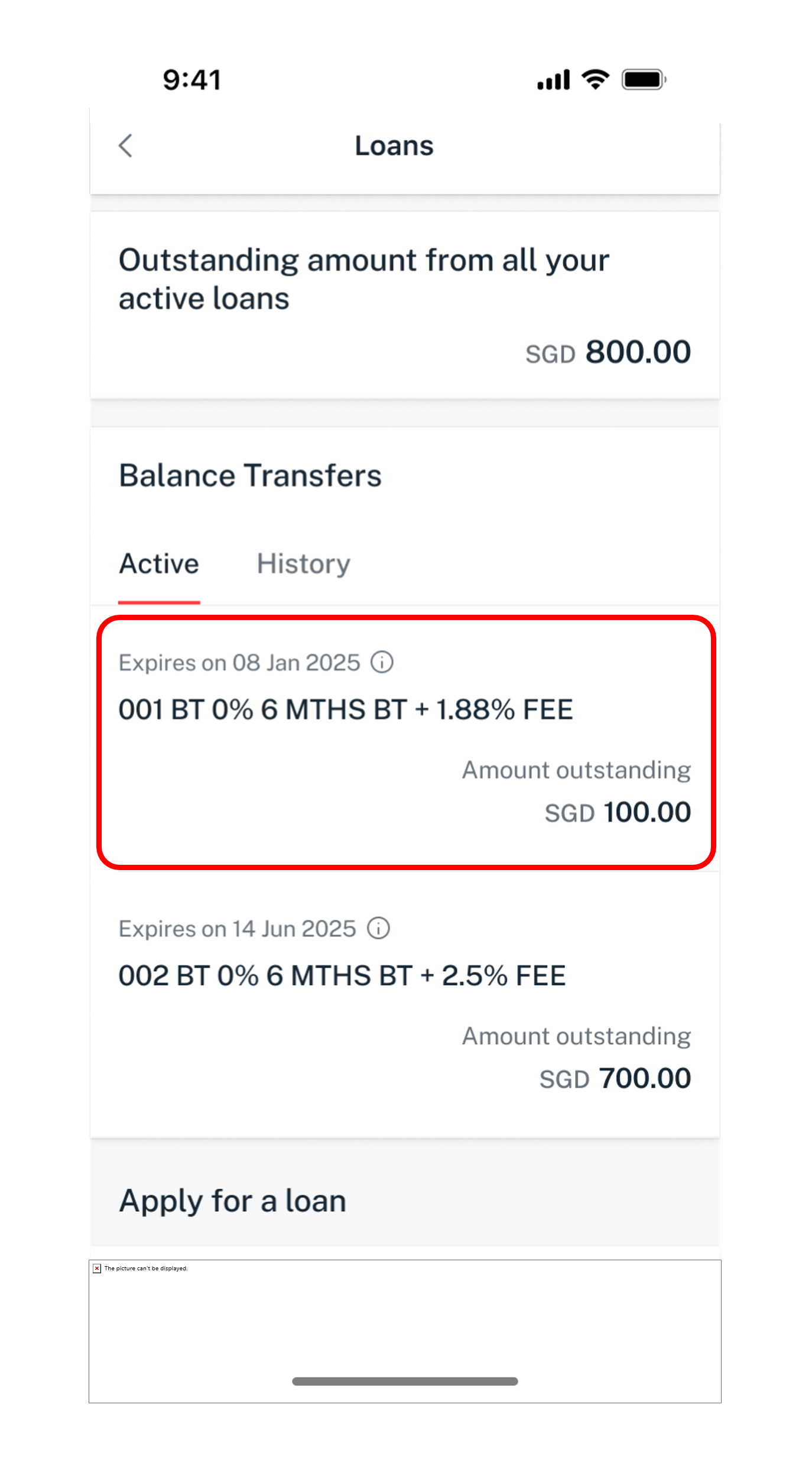
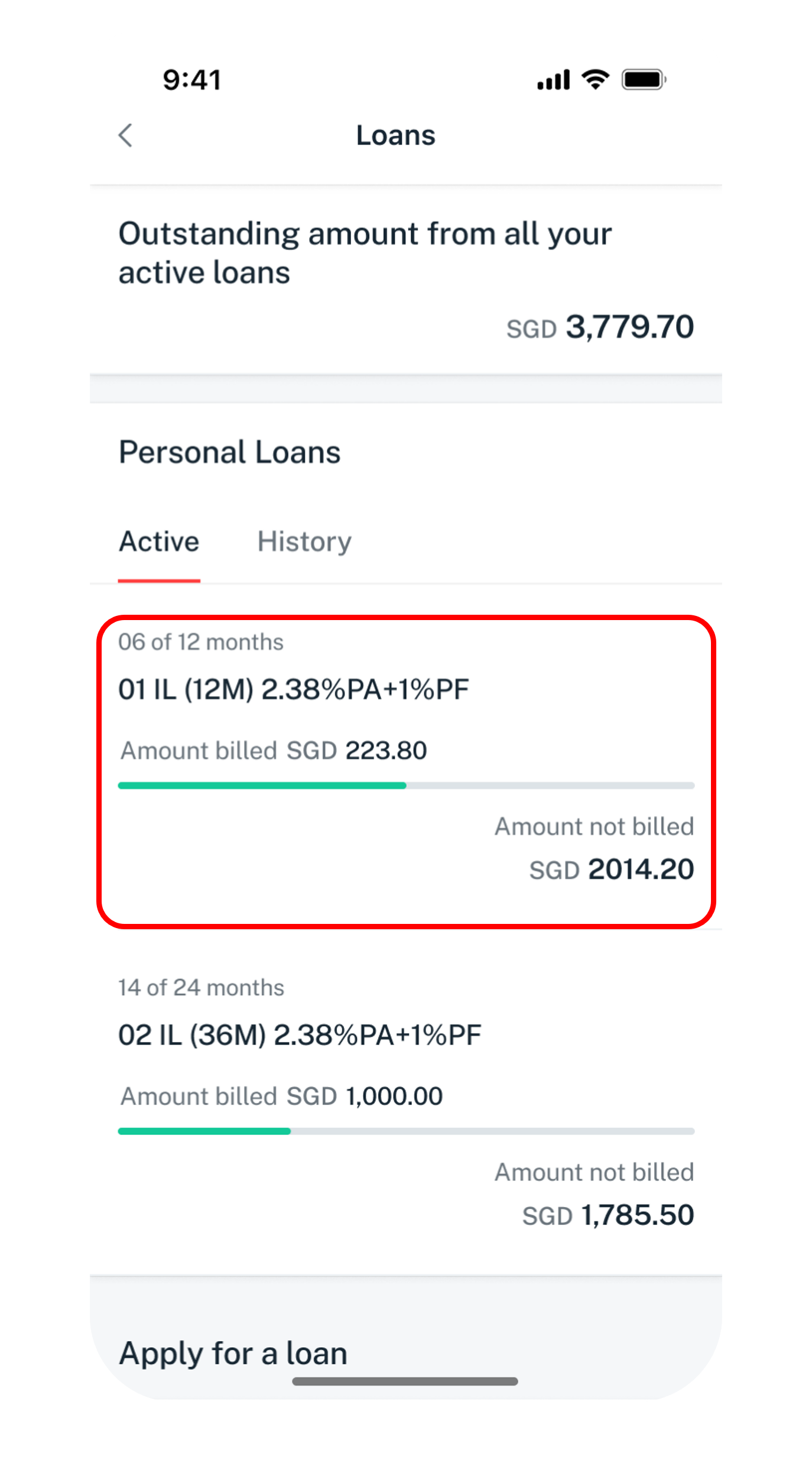
Step 4
Tap on your Balance Transfer to view more details.
5
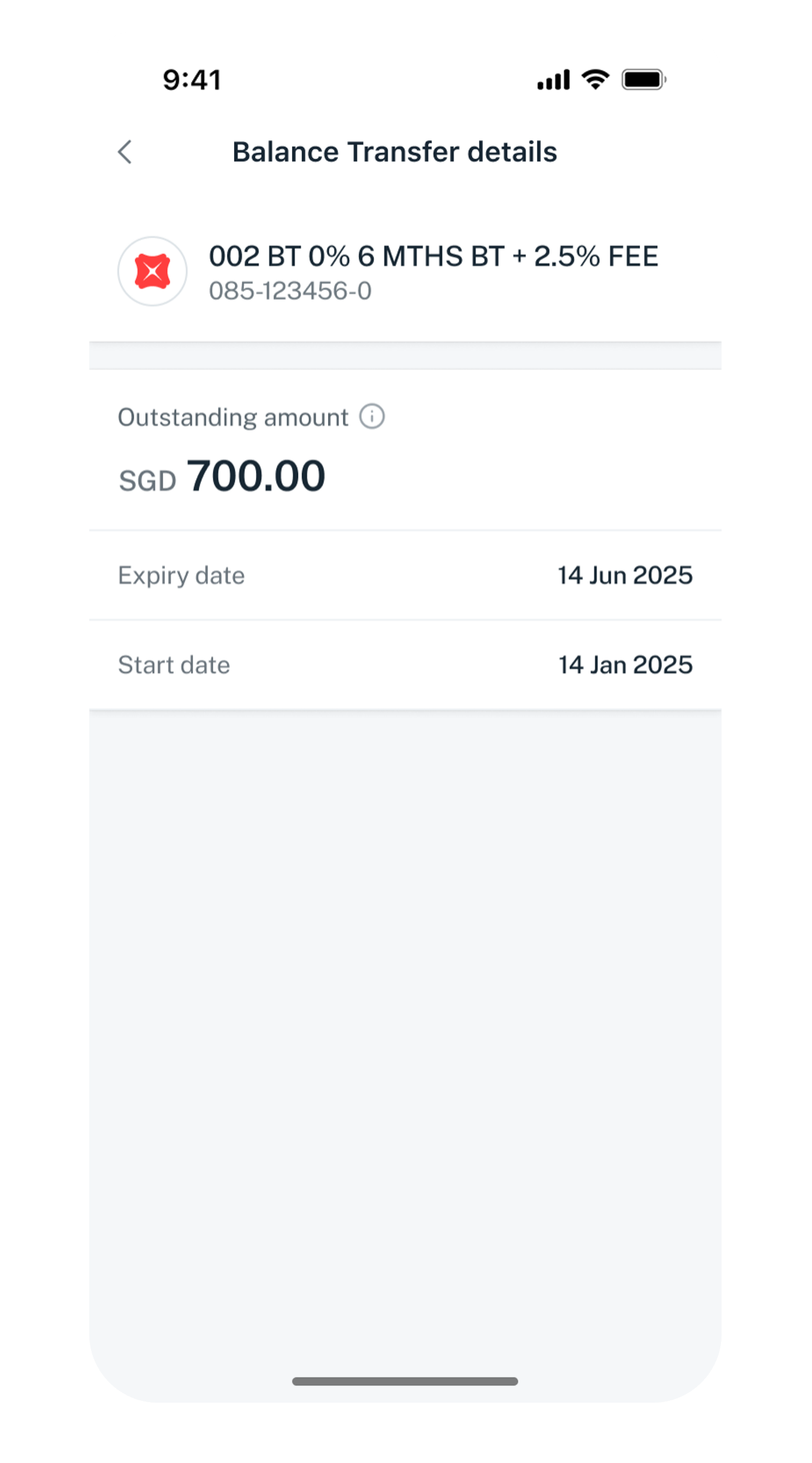
Step 5
Your Balance Transfer details will be displayed.
Get the latest DBS digibank mobile app now!

phone frame
login
slider
slider
slider
slider
1
Step 1
Log in to digibank mobile with your Touch / Face ID or digibank User ID & PIN.
2
Step 2
Under Home, select your Cashline / Credit Card account.
3
Step 3
Tap on Loans.
4
Step 4
Tap on your Personal Loan or Payment Plan to view more details.
5
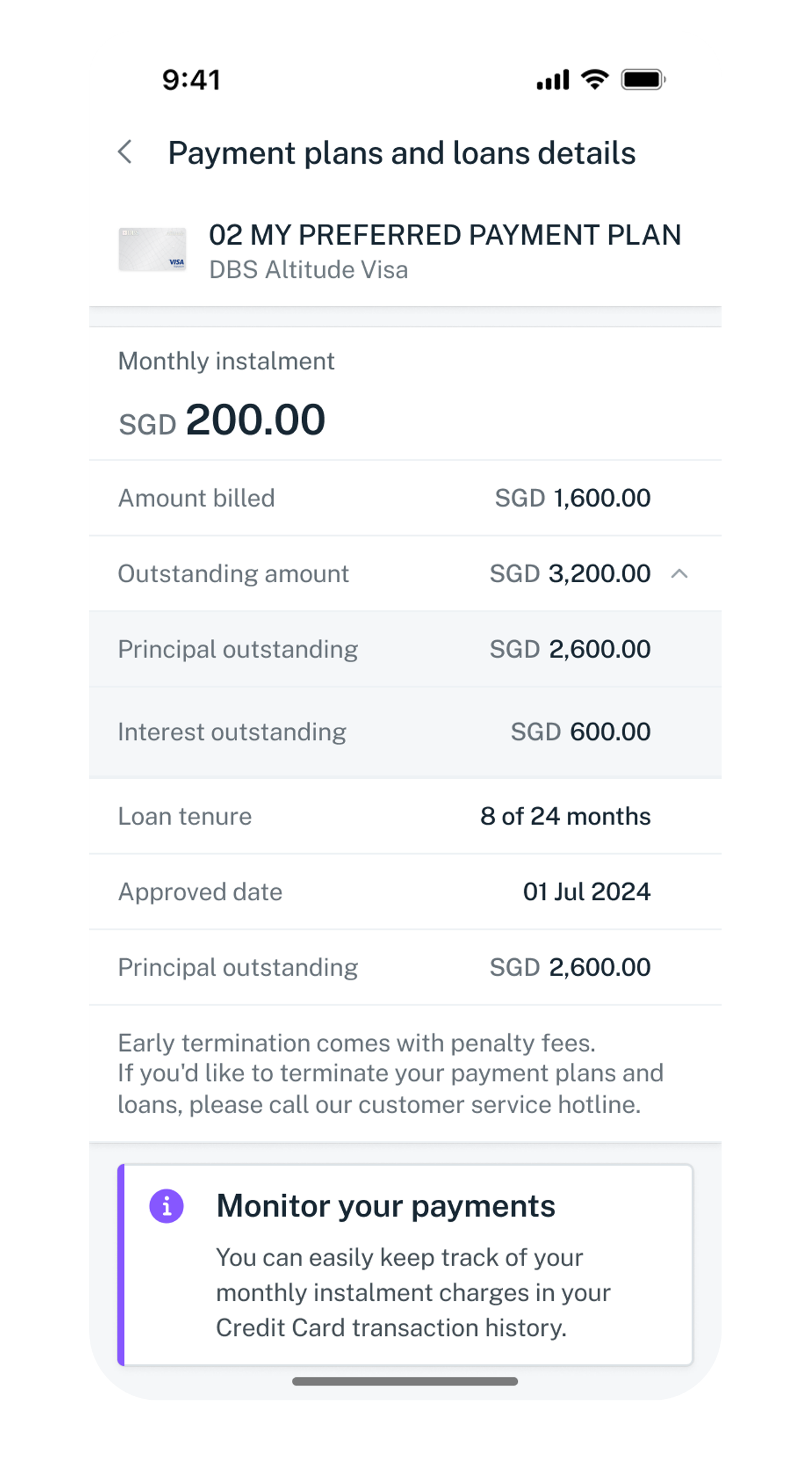
Step 5
Your Personal Loan or Payment Plan details will be displayed.

Note: Payment Plan details are only available on Credit Cards.
Get the latest digibank mobile app now!
Was this information useful?

We welcome your feedback

Information is easy to understand and find
Information is useful to answer your inquiries completely