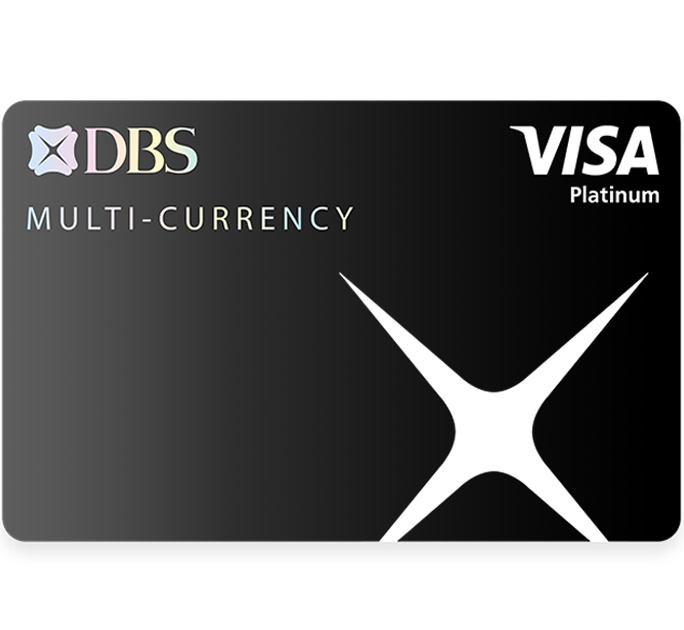
Before your next trip, make sure you primary link your DBS Visa Debit card to one of your multi-currency accounts.

Step 1
Launch your digibank app
Step 2
Select ‘More’ tab
Step 3
Select ‘Link card to account’
Step 4
Choose the DBS Visa Debit Card
Step 5
Select primary account to use
Step 6
Choose the Multiplier Account or My Account
Here's how to exchange currency without any fuss:

Step 1
Launch your digibank app.
Step 2
Select 'Pay & Transfer' tab.
Step 3
Tap on 'Exchange Currency'.
Step 4
Select the multicurrency account you wish to exchange from. Next, scroll and select the Transfer Currency and enter the Amount to be transferred.
Step 5
Review the exchange transaction and tap on 'Exchange Now'.
Step 6
Your foreign currency exchange is completed.





Save with up to 10% cash rebates with the POSB Everyday Card

Earn up to 10% cash rebates on your in-store spend in Malaysia – from dining, entertainment, groceries, shopping and everything else across the causeway!
- Valid with a minimum spend of S$800 per calendar month
- Cash rebates are capped at Daily$20 per month.
Save with up to 10% cash rebates with the POSB Everyday Card

- Earn up to 9% cash rebates or 5 miles per S$1 (in the form of 18X yuu Points) on everyday spend in Singapore and Malaysia
- Convert your yuu Points via the yuu App for immediate savings or accumulate miles to fuel your travel plans
- Charge a minimum of S$500 Qualified Spend per Qualifying Month at 5 or more merchants/categories
Plus, enjoy exclusive deals of up to RM30 on family favourites such as Din Tai Fung, Grab, Guardian, Lotus’s, Oriental Kopi, and Sephora.
T&Cs apply.
Enjoy up to 11% savings on spends in China with DBS UnionPay Platinum Debit Card

- Enjoy the highest 8% cashback in town PLUS a 3% transaction fee waiver via Alipay or WeChat Pay when you spend in China.
- Simply spend a minimum of S$400 per month to qualify. Cashback is capped at S$70 per month.
Plus, unlock a free lounge access with DragonPass! Simply pre-register on U Rewards via UnionPay APP and make eligible spending.
T&Cs apply.

You may enable/disable the magnetic stripe on your card(s) via digibank or any DBS/POSB ATM in Singapore:
The risk of unauthorised transactions occurring on the Card is higher when the magnetic stripe is enabled for overseas use, as the magnetic stripe information can be easily copied.
With Payment Controls, you can take manage your travel budget by managing your monthly card spending limit easily.

Step 1
Launch your digibank app
Step 2
Select More tab
Step 3
Under 'Manage Cards and Loans', select 'Payment Controls'
Step 4
Select your card and tap on 'Set a Monthly Spend Limit'
(Note: Spending limit is within each billing cycle)
Step 5
Toggle 'Switch On' to set limit
Step 6
Enter 'Preferred Monthly Spend Limit' and tap 'Confirm'
Step 7
You have set your monthly limit for this card
You can also set daily spending limits on your DBS Visa Debit Card effortlessly.

Step 1
Launch your digibank app
Step 2
Select 'More' tab
Step 3
Under 'Transfer Settings', select 'ATM/Debit Card Limits'
Step 4
Review details, and tap 'Change Daily Limit Now' to complete
Step 5
Select "Debit Card Limit'
Step 6
Select 'Card', and indicate the limit you wish to update, tap 'Next'
Step 7
Review details, and tap 'Change Daily Limit Now' to complete
You can change your Card’s primary account linkage to other Savings or Current Account. Find out more here.
If you prefer to only use your Visa, MasterCard or UnionPay Debit card(s) for PIN-based NETS and ATM transactions and would like to disable the contactless feature, you may do so on digibank. Find out more on how to customise your Card Functions here.
Disabling the contactless feature will not affect your NETS and ATM transactions.
Click here for other Card Enquiries.