Close a Current/Savings Account
Close your Current/Savings Account via digibank Online.
Important information
- Account closure is permanent, and cannot be reinstated.
- Eligible accounts can be closed via this service include all Current/Savings Accounts:
- Savings Accounts: DBS/POSB Savings Account, MySavings Account, POSB SAYE Account
- Current Accounts: DBS Multiplier, MyAccount, DBS eMulti-Currency Autosave
- Any DBS/POSB account linked to Paylah! cannot be closed. Learn more on how to Update DBS PayLah! Linked Account.
How to close a personal or joint alternate account
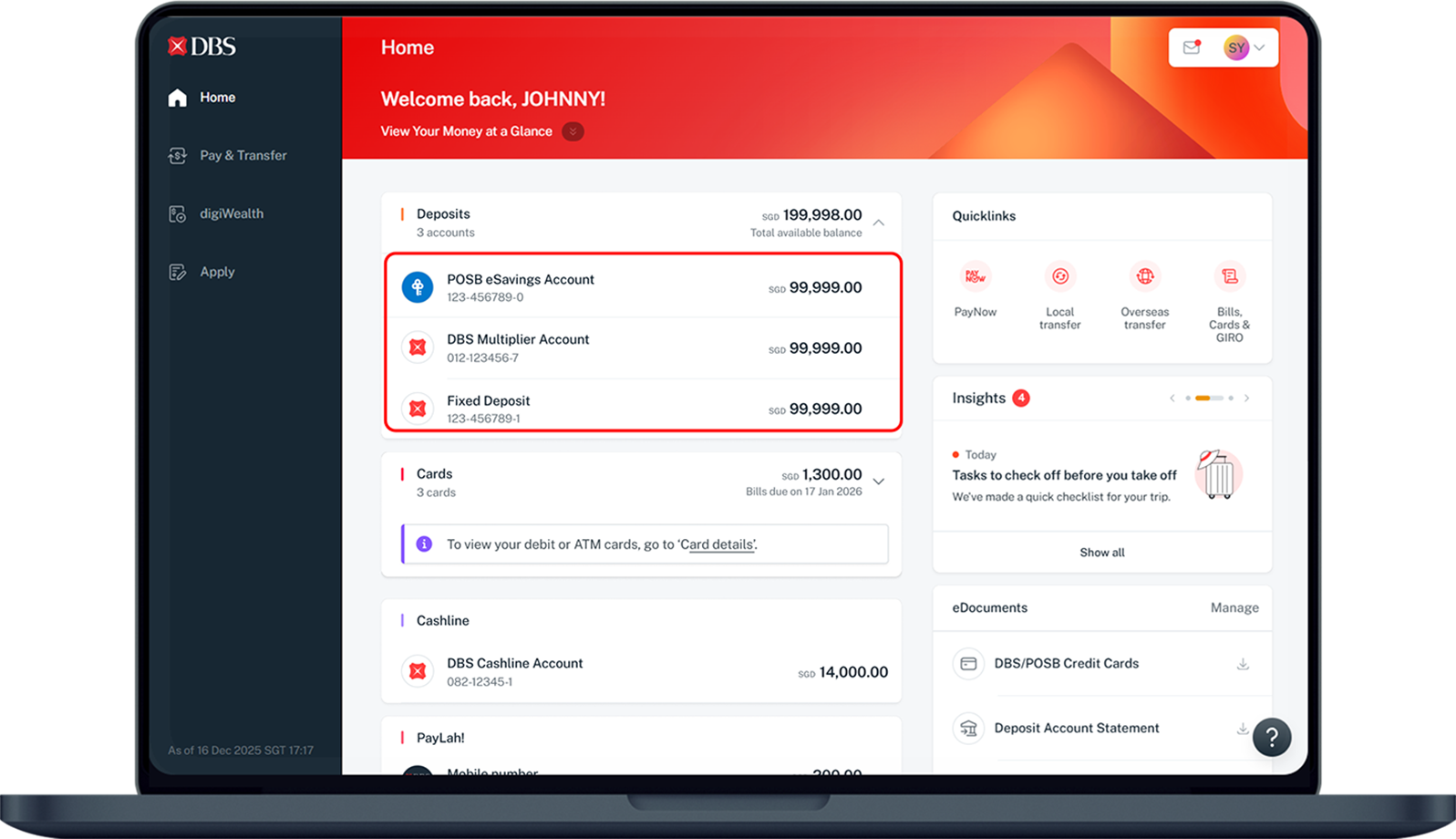
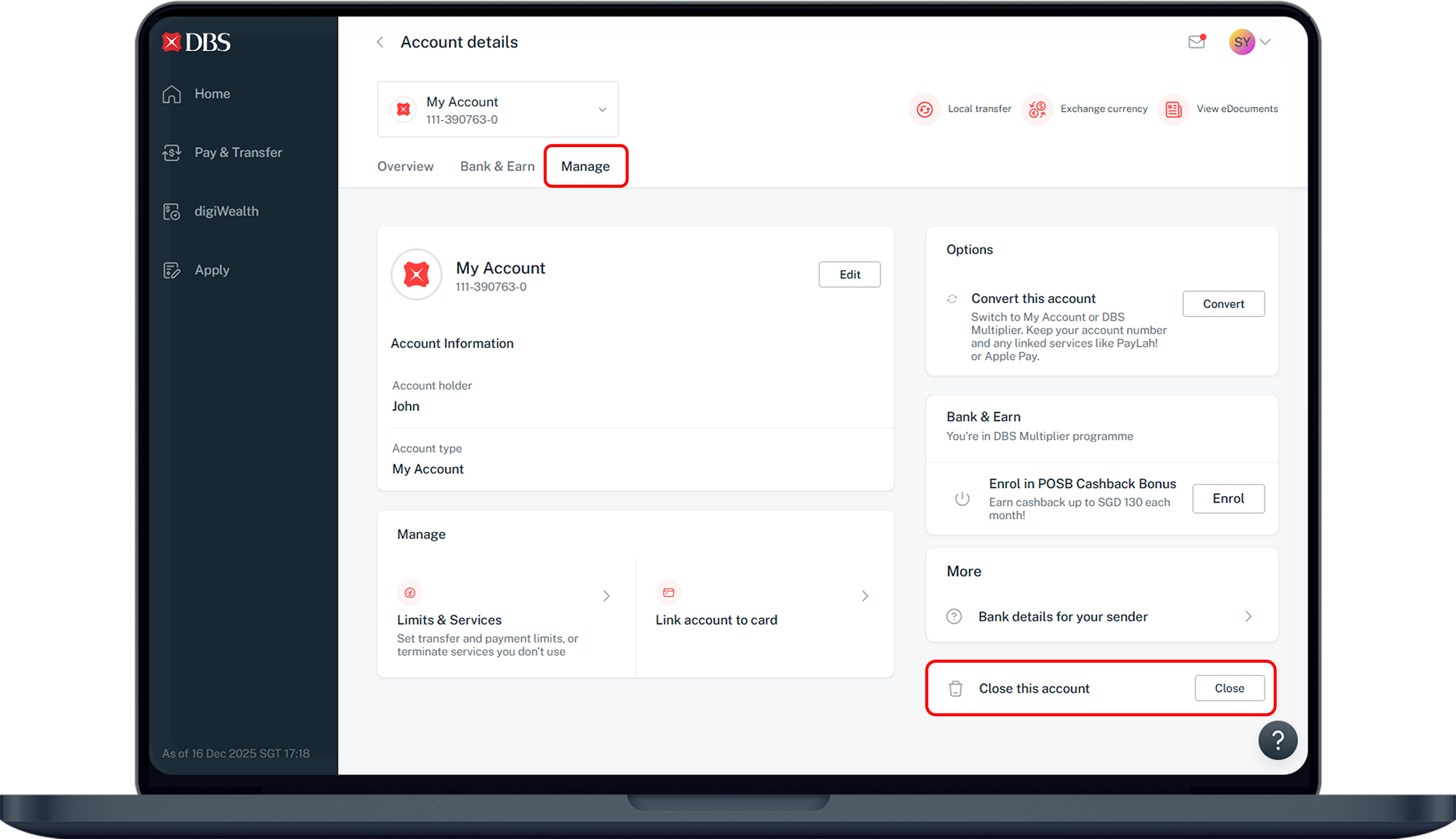
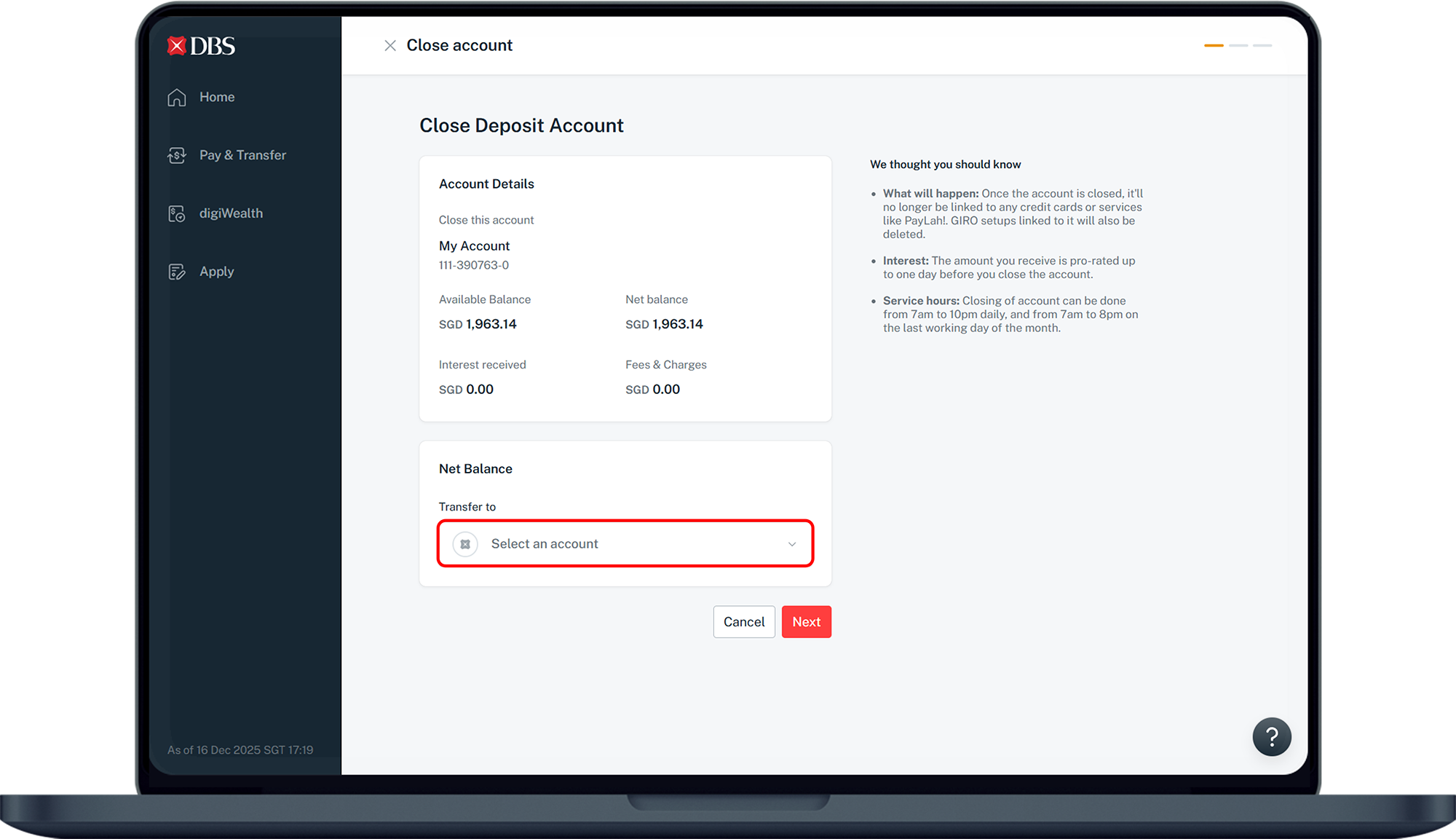
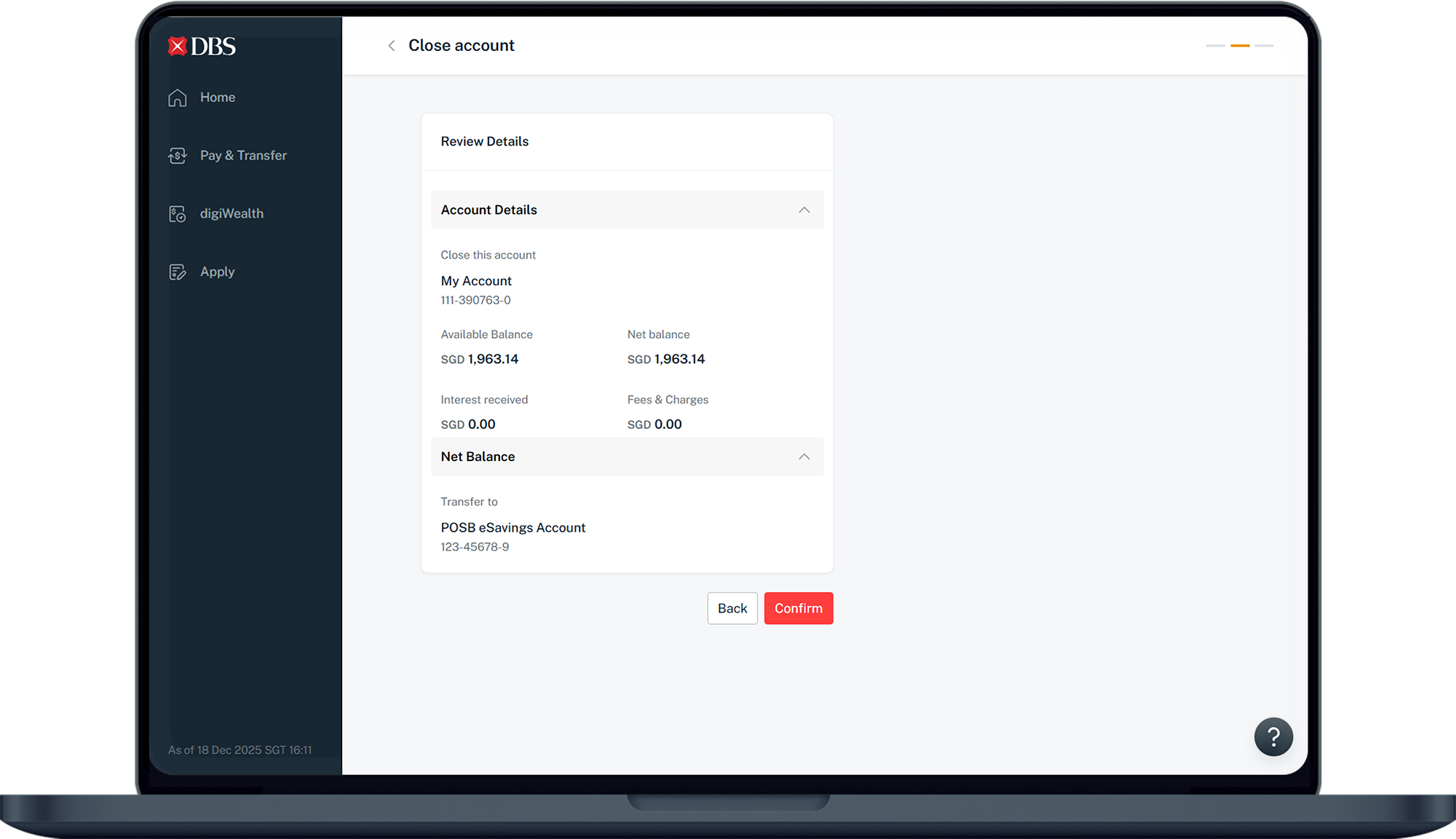
There are various channels which you may close a personal or joint alternate account with us. The most convenient method would be via digibank Online.
digibank Online



Frequently Asked Questions
How can I make sure my account balance is zero before closing it if it's negative, below $1, or holding/earmarked any funds?
When you close your account, you will have the option to transfer any remaining balance to another account you hold with us. If you wish to transfer your remaining balance to an overseas account, another local bank, or if you don't have another DBS/POSB account, simply use DBS remit, overseas transfer, or local funds transfer option in digibank before submitting your account closure request.
If the balance is negative or below $1, top up to at least $1 and transfer the money out of your account before closing the account.
For holding/earmarked balance, wait for a few days until the transactions are settled and ensure your available balance is zero before closing the account.
If the balance is negative or below $1, top up to at least $1 and transfer the money out of your account before closing the account.
For holding/earmarked balance, wait for a few days until the transactions are settled and ensure your available balance is zero before closing the account.
What happens to the payment facilities linked to my closed account?
All your ATM/Debit Cards and GIRO facilities linked to the closed account will be terminated upon account closure
Will I be able to retrieve my transactions that have not been posted to my account upon account closure?
Any transactions that may not have been posted to your account upon closure will not be retrievable or provided via statements.
Can I request for a mail-in form to close my account?
We no longer accept account closure requests by mail. Refer to our step by step guide above to close your account online.
Why is my account unavailable for account closure online according to the step-by-step guide above?
Only Personal or Joint Alternate Account can be closed online.
The accounts listed below are not eligible for online account closure. Please visit a DBS/POSB branch to close the accounts.
The accounts listed below are not eligible for online account closure. Please visit a DBS/POSB branch to close the accounts.
- Joint-All Account (both account holders are required to be present at a DBS/POSB branch)
- Deceased / Estate Account
- CDA / Trust Account
- Last Account with the bank
- Loan Servicing Account
- Fixed Deposit Account / Cheque Book Account / CPF Investment Account / DBS IDEAL Account / DBS Investment Account
How do I close an account for a deceased person?
You may refer to this page for more information.
Was this information useful?