Update ATM/Debit Card Limits

Learn how you can update your ATM/Debit Card's NETS, Withdrawal and 3rd Party Funds Transfer limit instantly via digibank.

How to change NETS, ATM withdrawal & 3rd party fund transfer limits

There are various channels which you may use to change your ATM/Debit card limits. The most convenient method would be via digibank mobile.

digibank mobile

phone frame
slider
transfer setting menu
card type selection screen
card limits selection screen
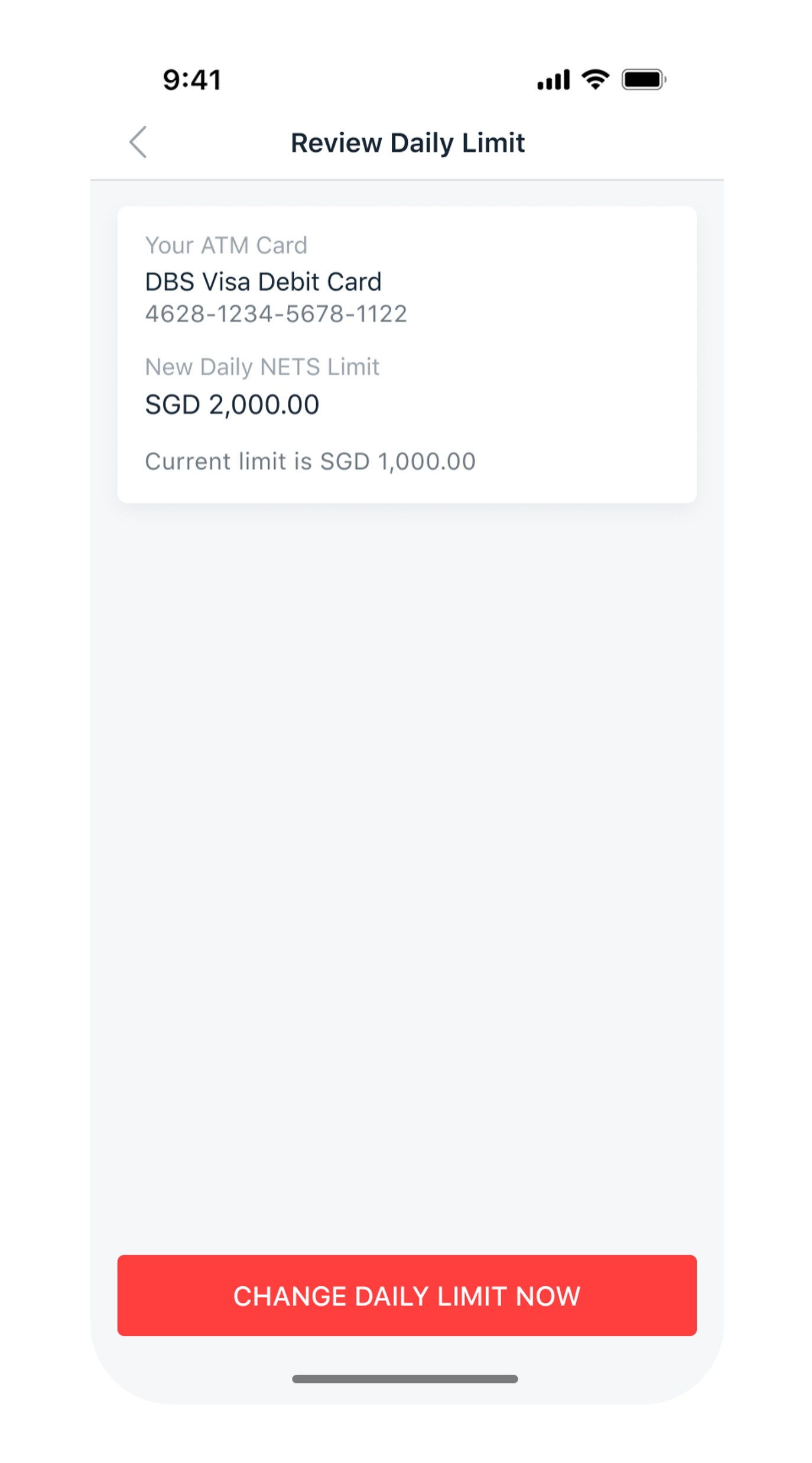
review card limit amendment screen
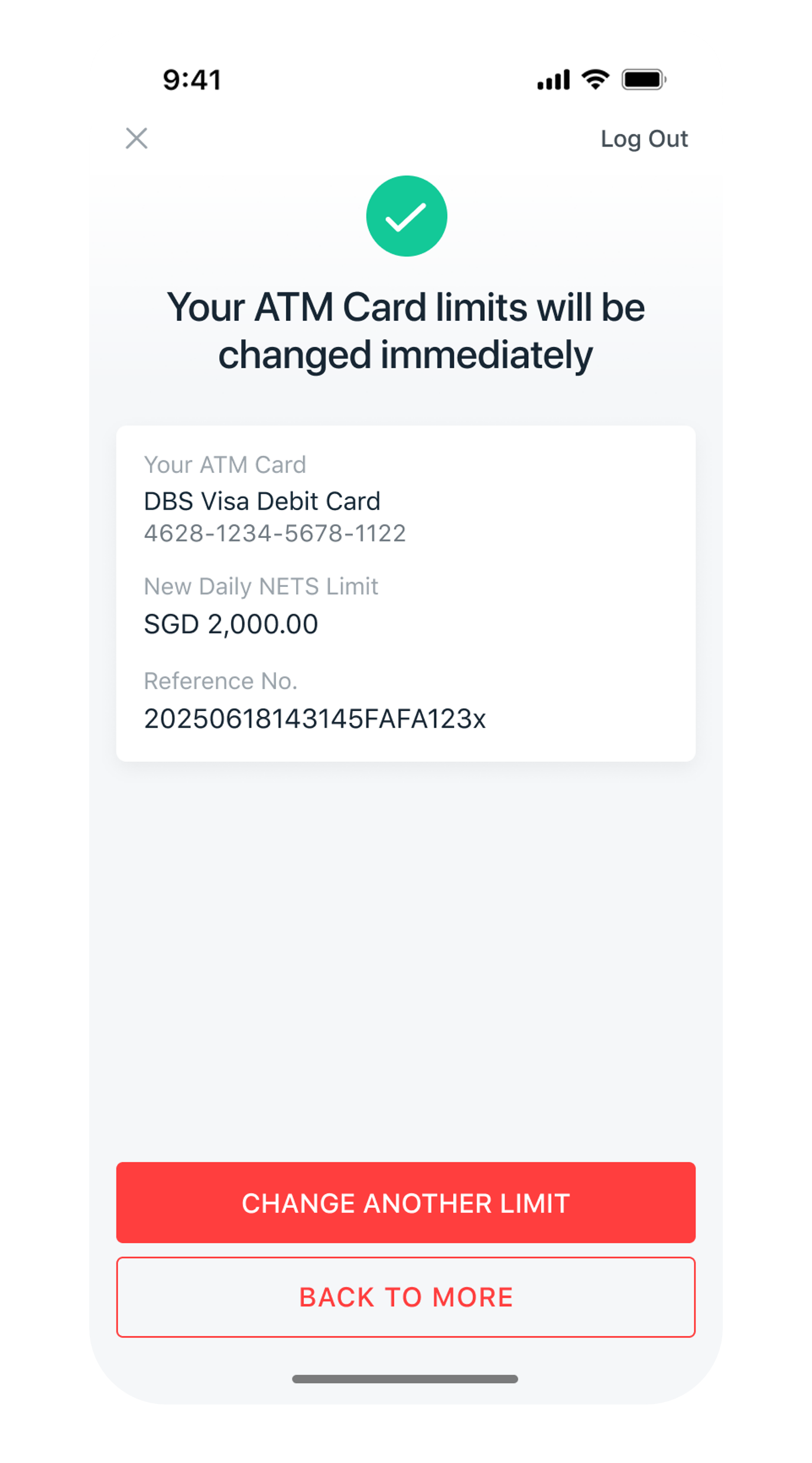
successful screen
1
Step 1
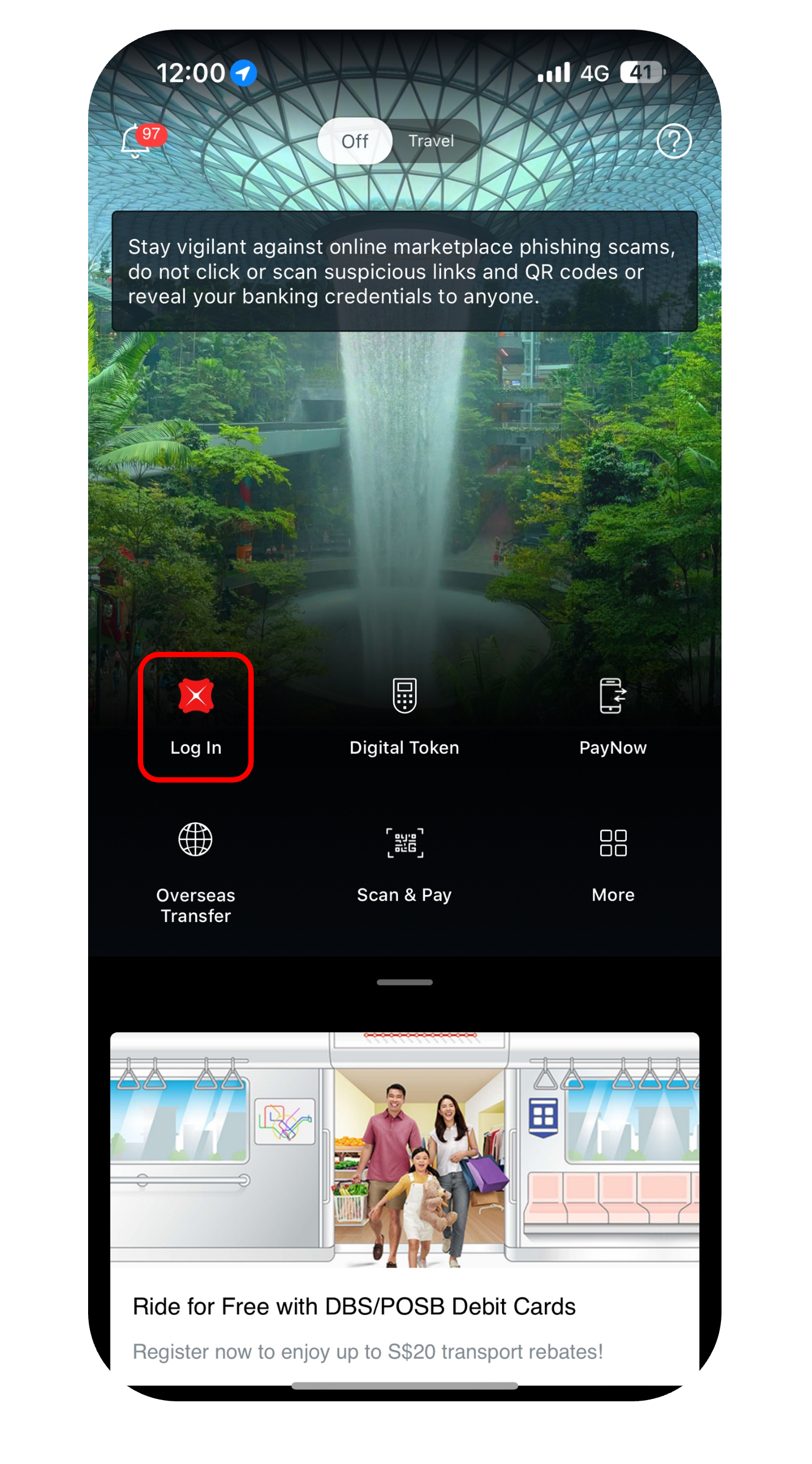
Log in to digibank mobile with your Touch / Face ID or digibank User ID & PIN.
2
Step 2
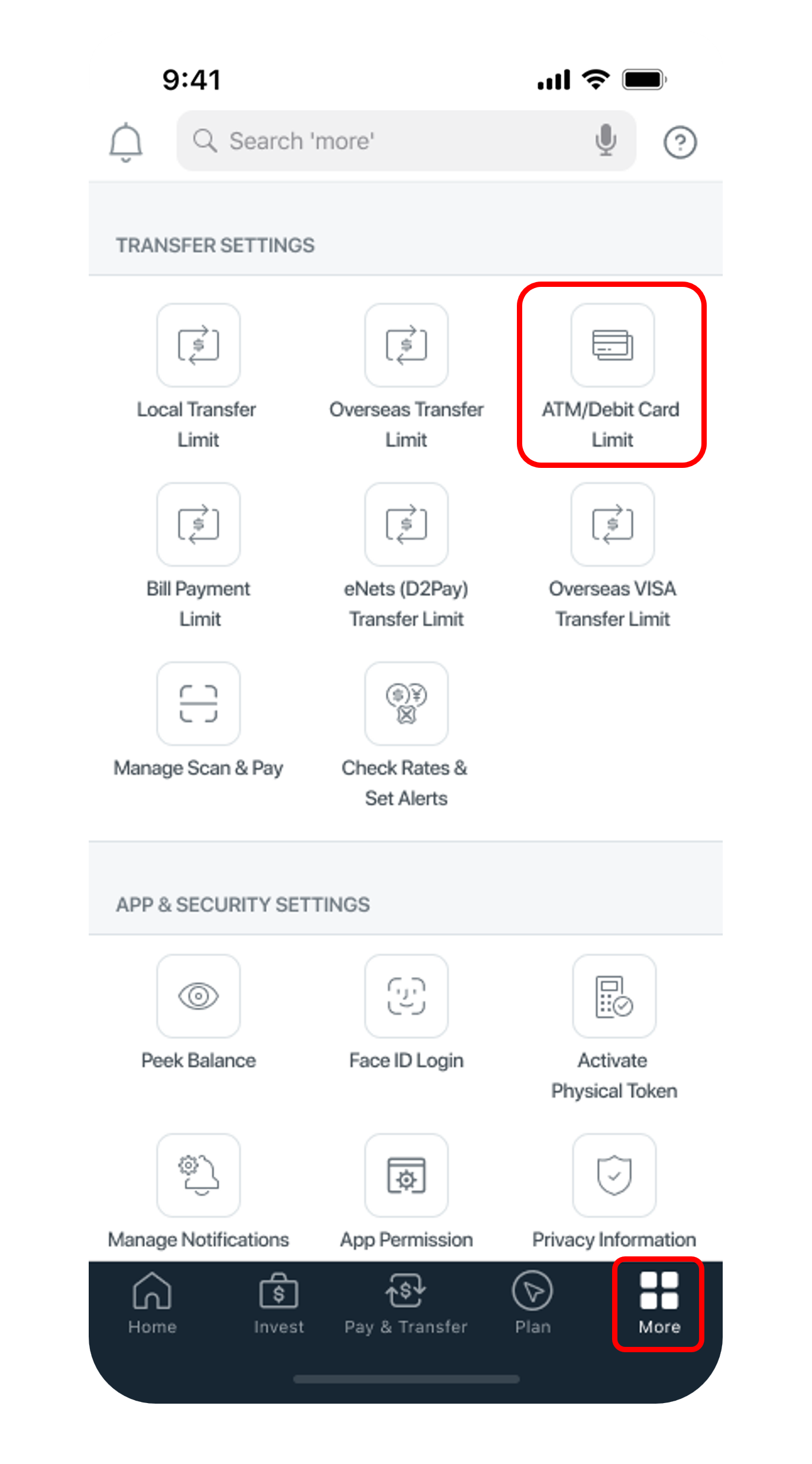
Tap on More at the bottom navigation bar. Scroll down under Transfer Settings, tap ATM/Debit Card Limit.
3
Step 3
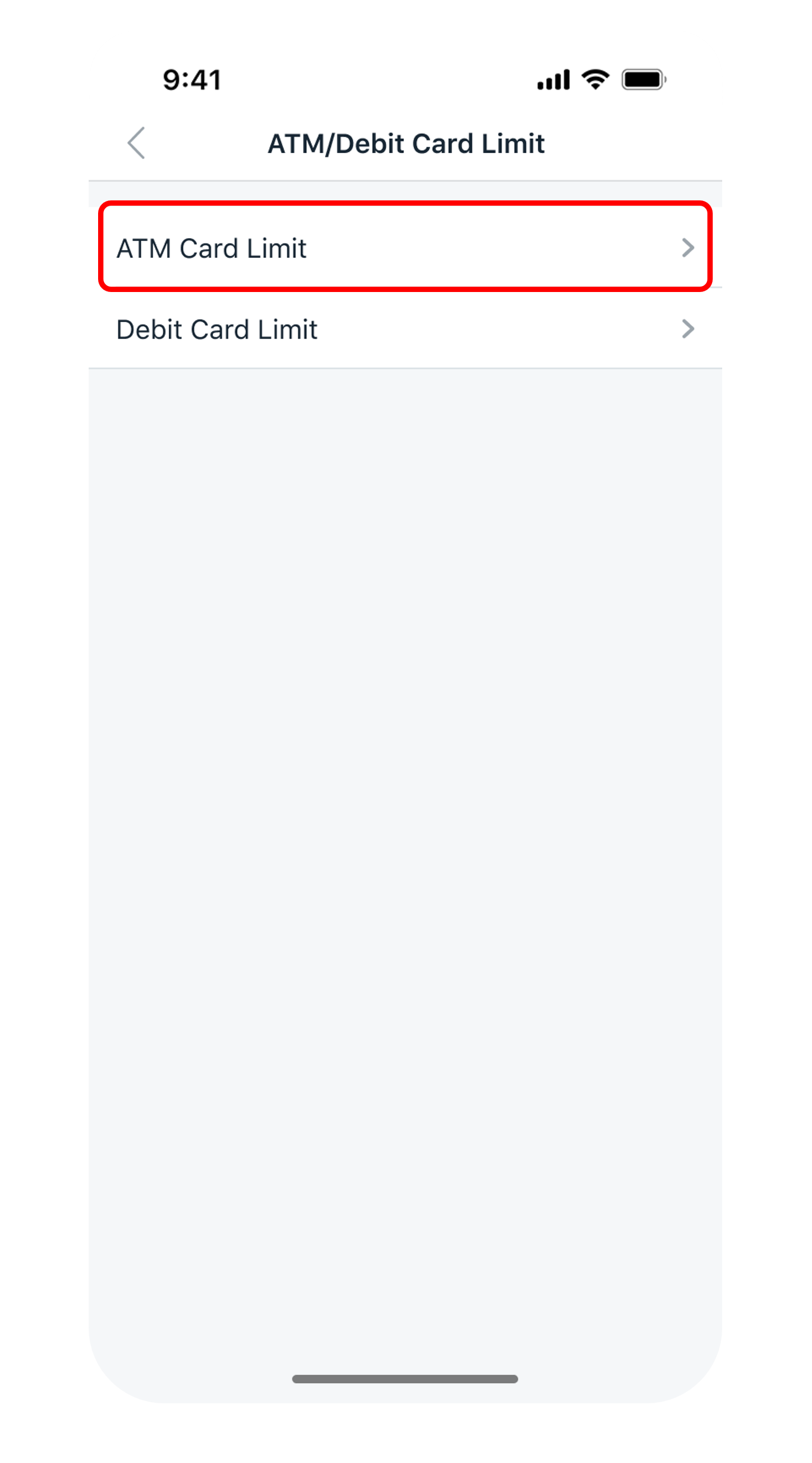
Select ATM Card Limit.
4
Step 4
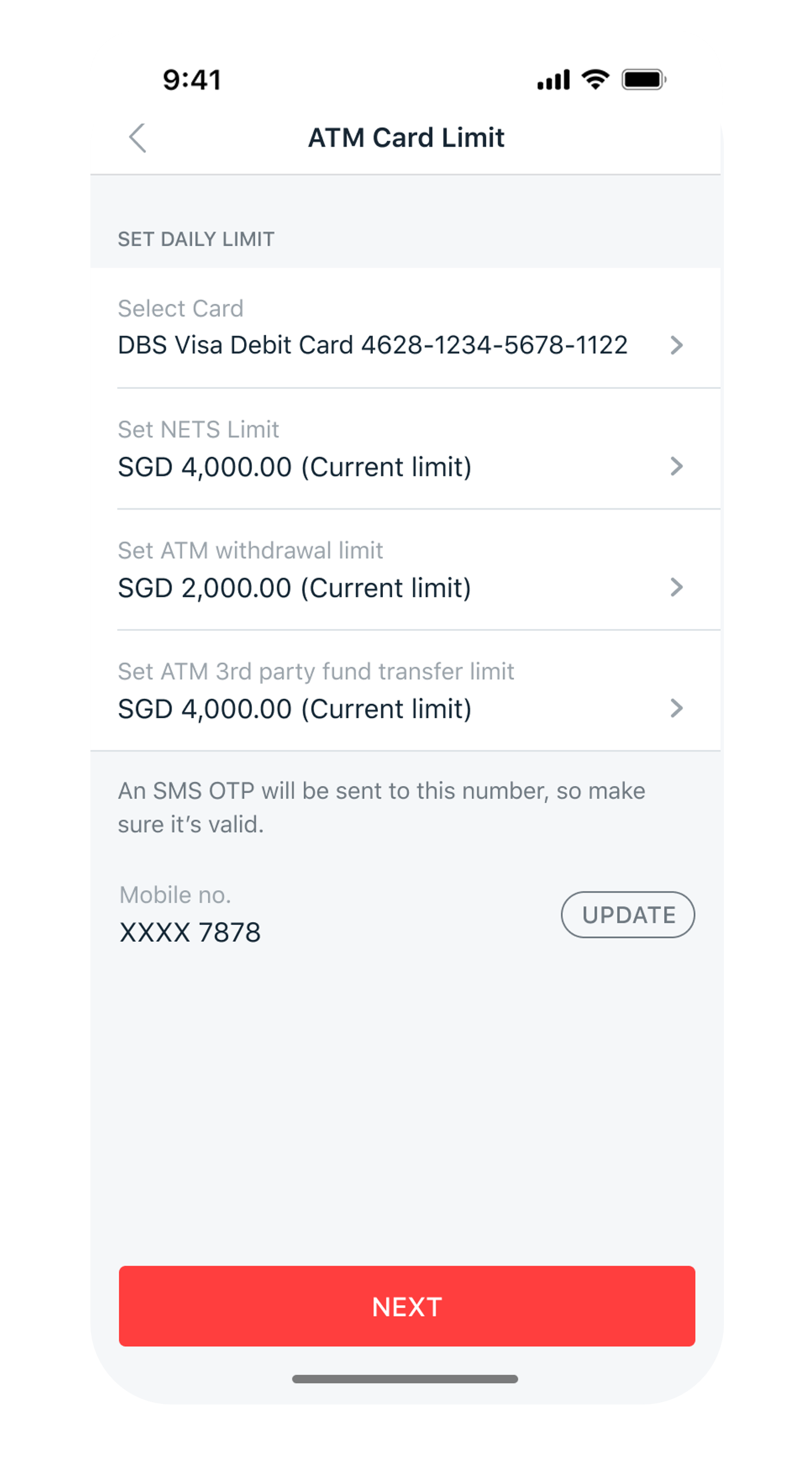
Select your Card, select the new Limit(s) you wish to update and tap Next.
5
Step 5
Verify the details and tap Change Daily Limit Now to complete the request.
6
Step 6
You have successfully change your card limit.
Get the latest digibank mobile app now!

laptop
slider
slider
slider
slider
slider
slider
slider
1
Step 1
Log in to digibank online with your User ID & PIN.
2
Step 2
Complete the Authentication Process.
3
Step 3
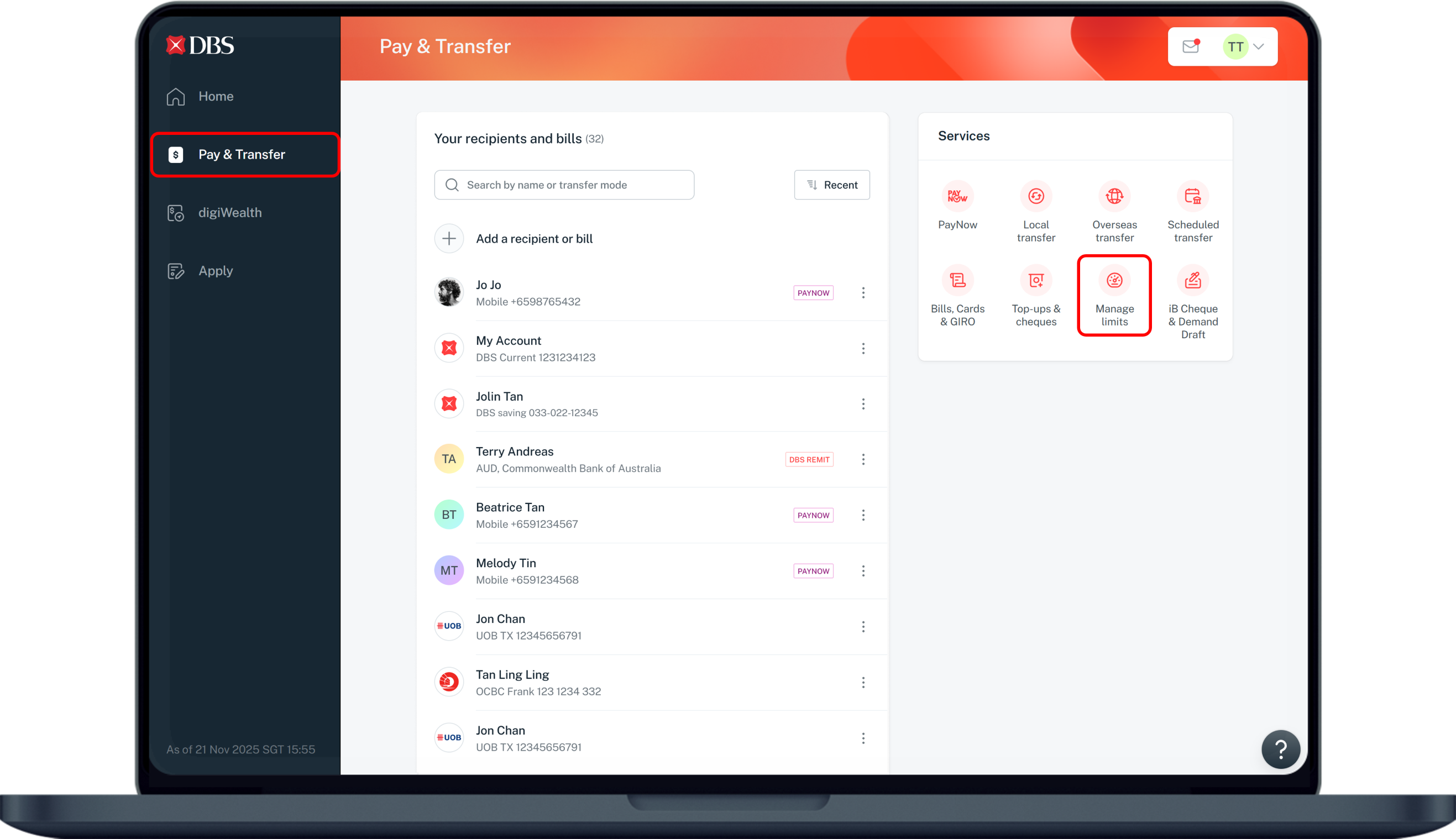
Click on Pay & Transfer on the left menu and under Services, select Manage limits.
4
Step 4
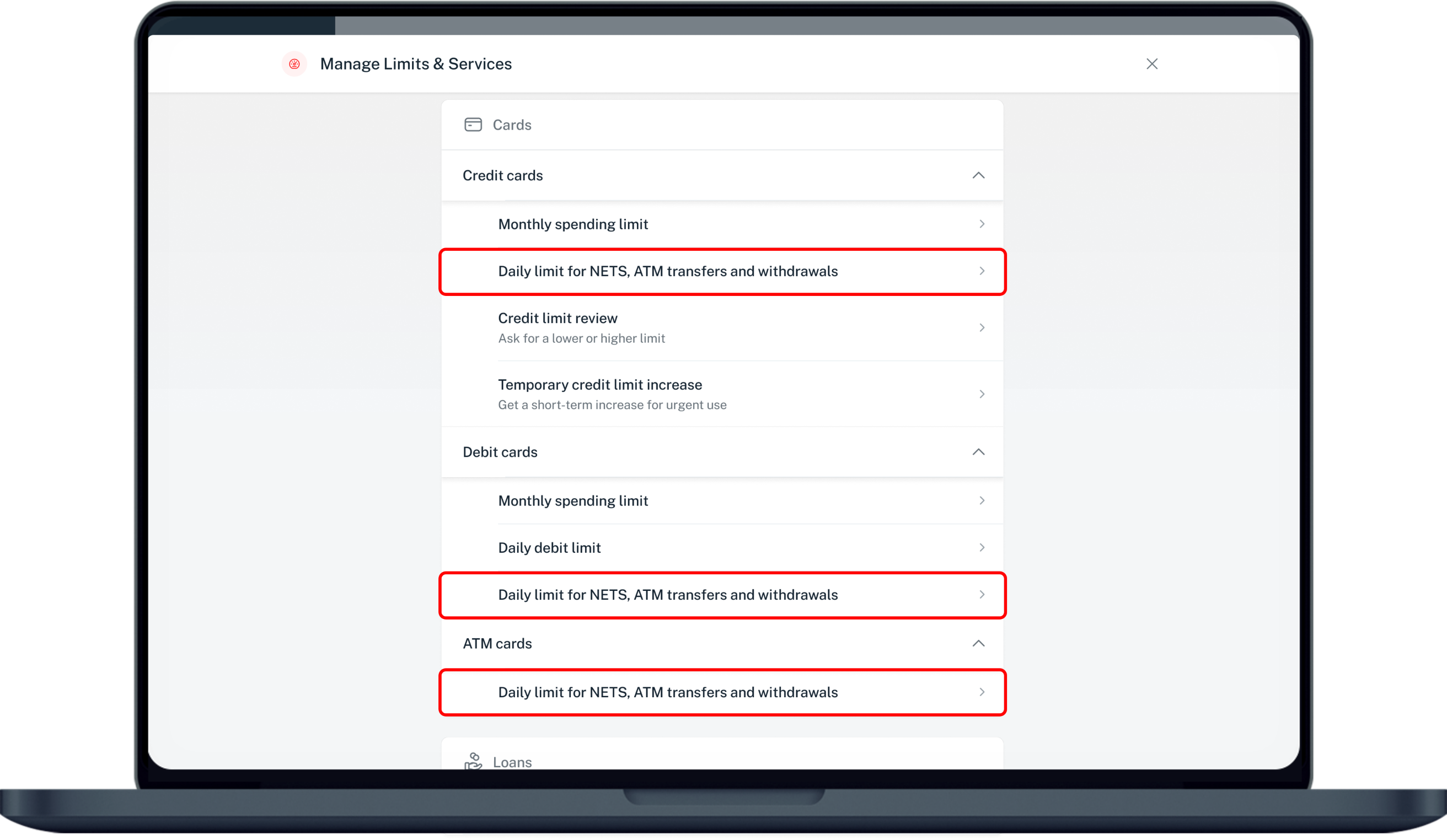
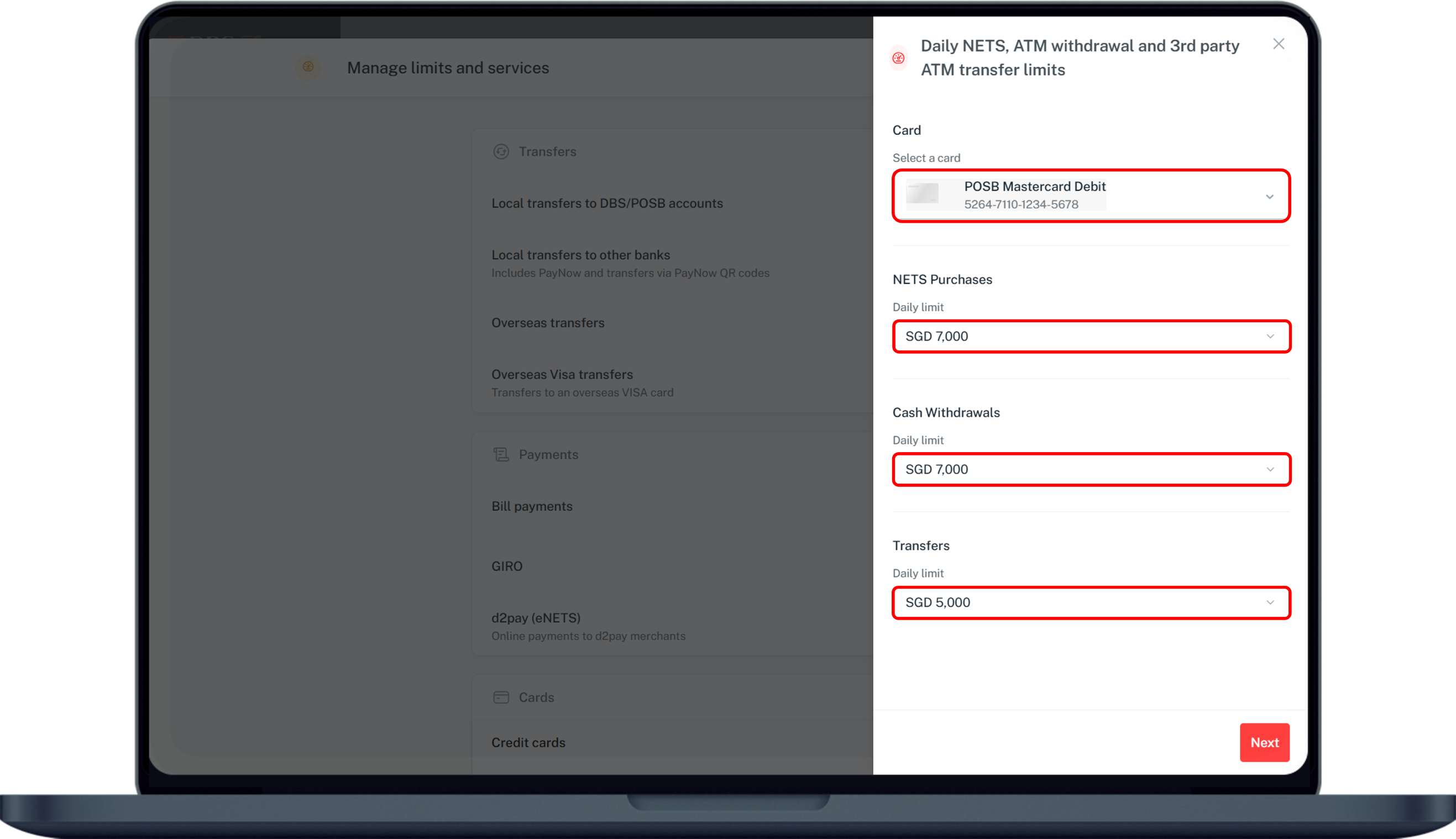
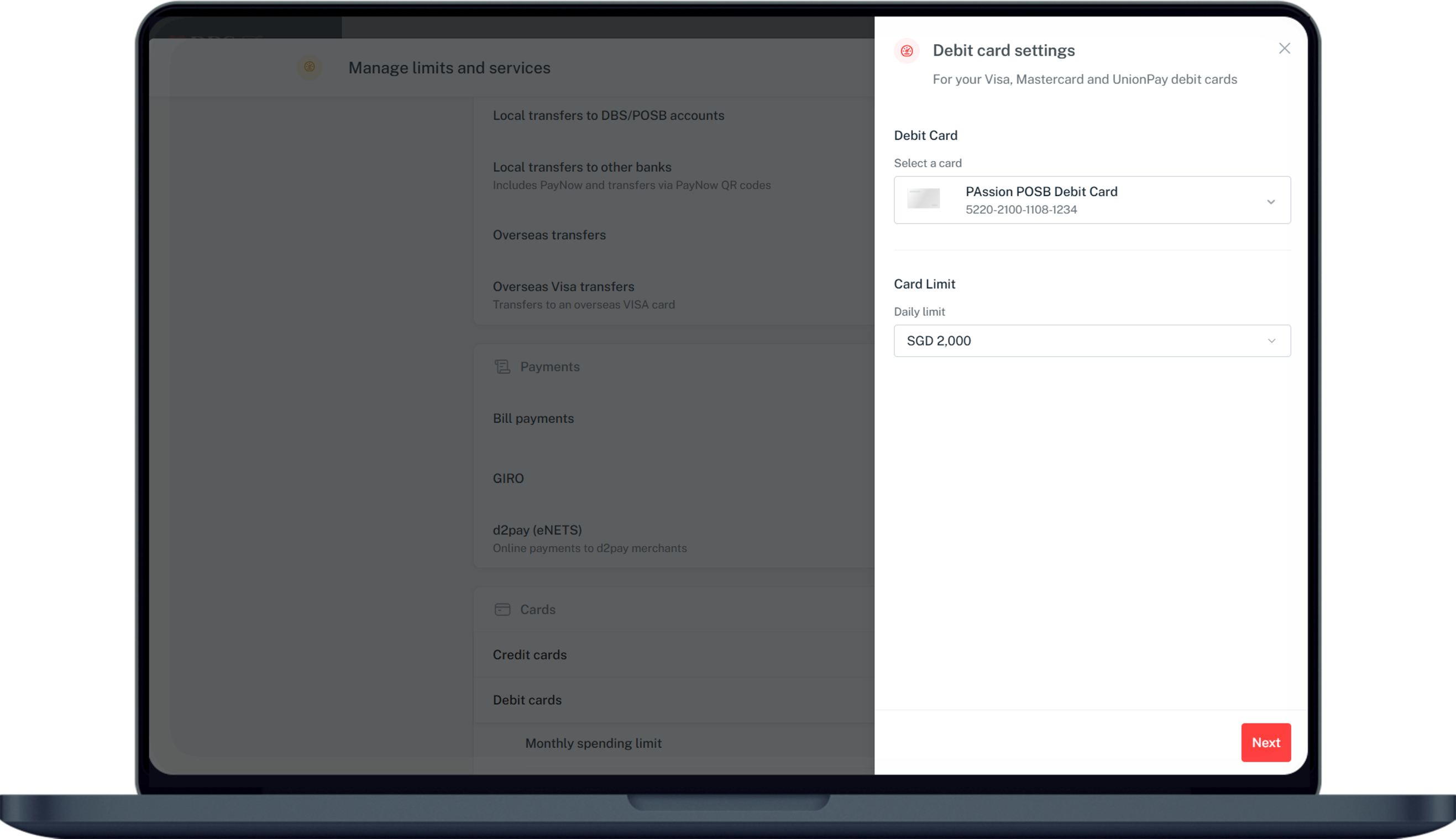
Under Cards, select Credit cards/ Debit cards or ATM Cards and click on Daily Limit for NETS, ATM transfers and withdrawals.
5
Step 5
Select your Card and indicate the Limit(s) you want to update before clicking Next.
6
Step 6
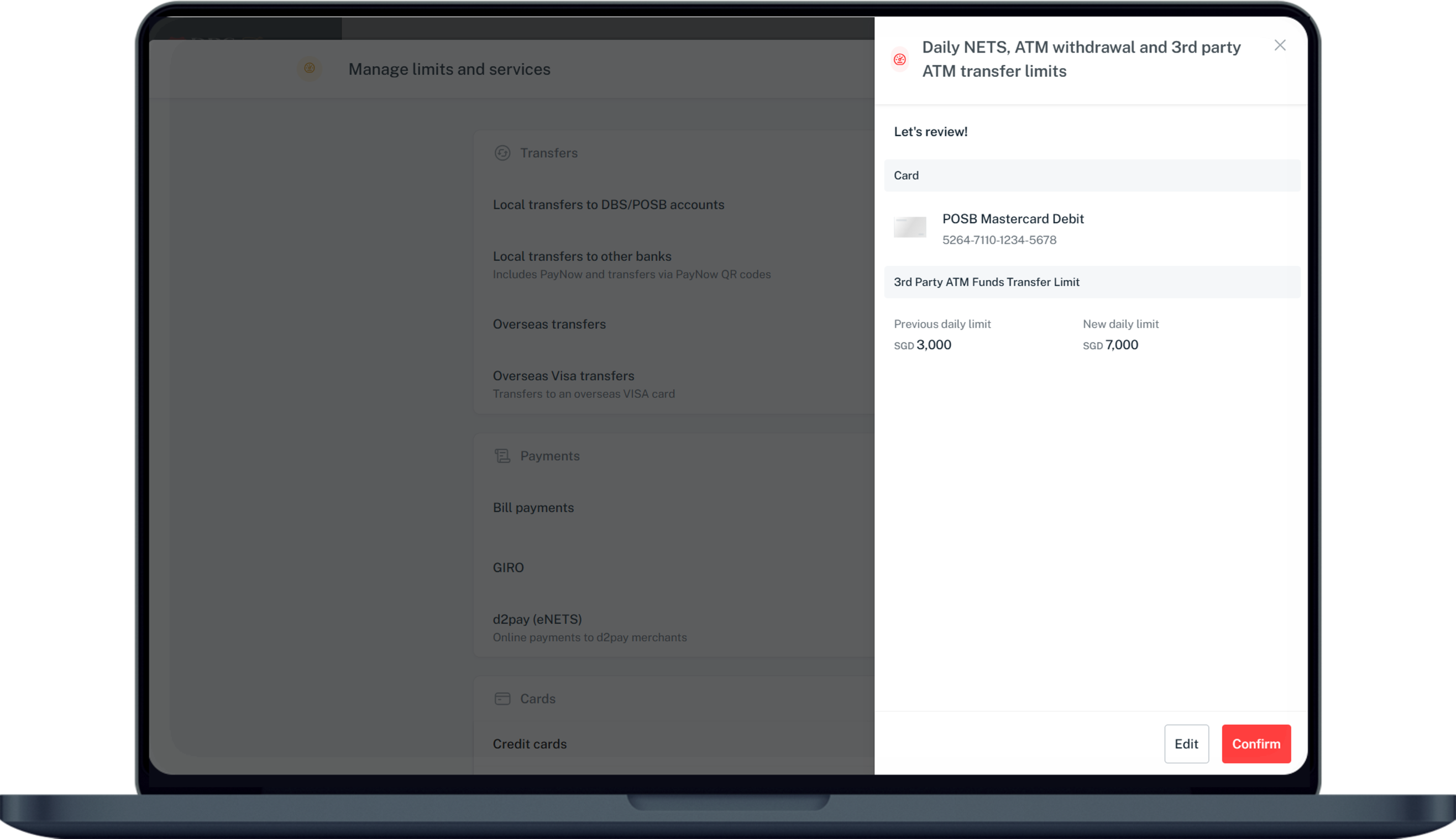
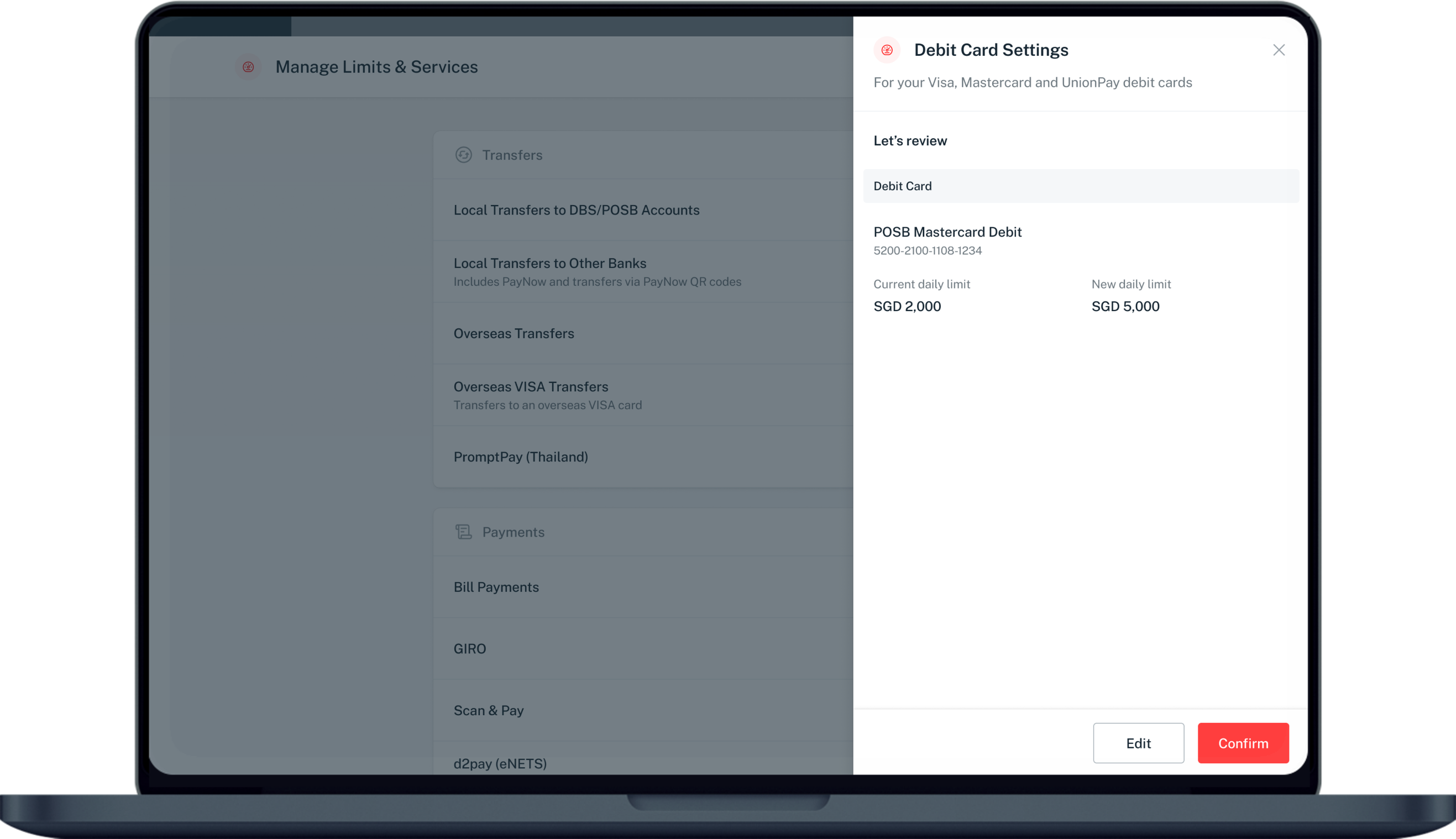
Verify your changes, click on Confirm and complete the 2-Factor Authentication to change your limit.
7
Step 7
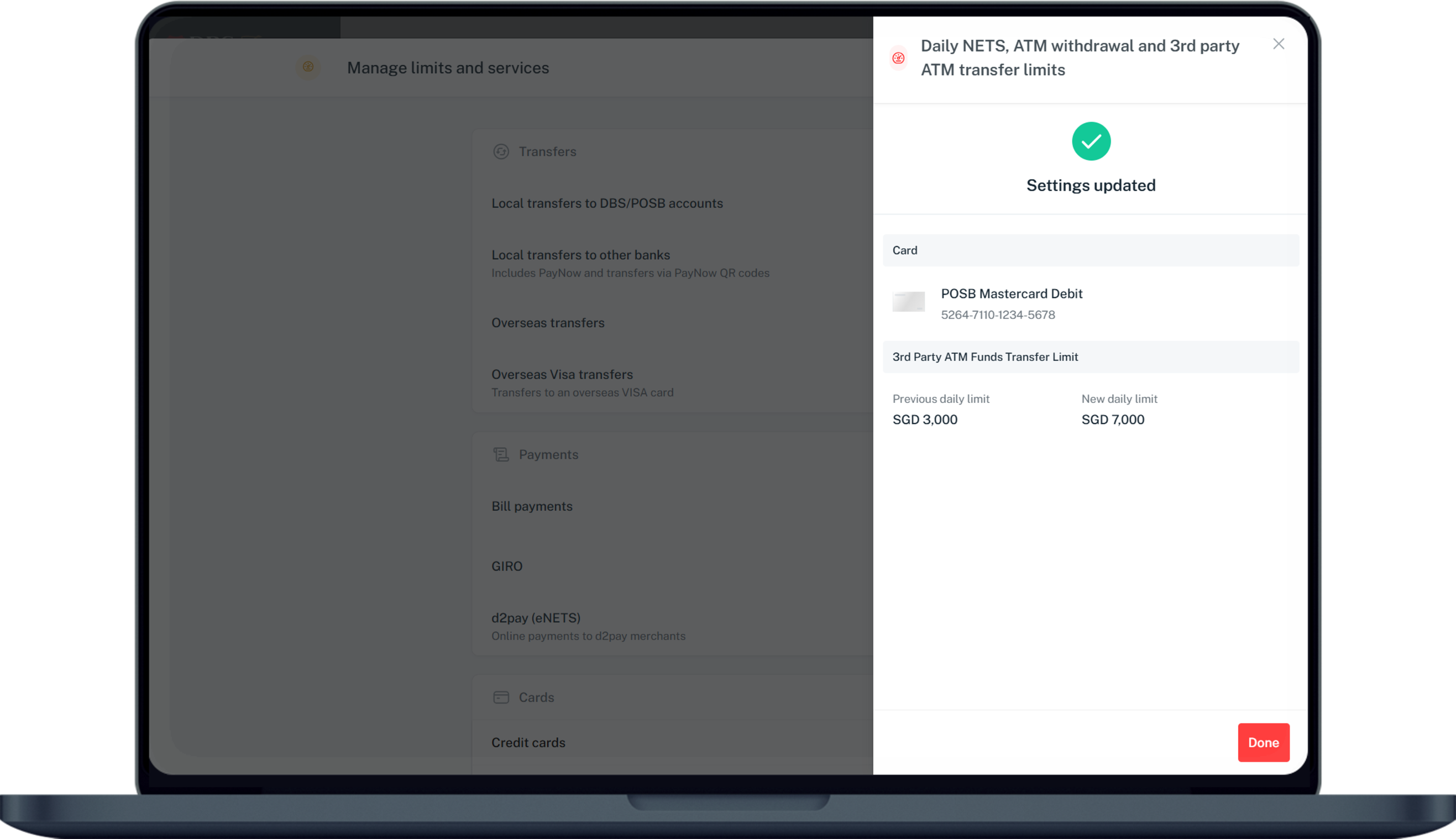
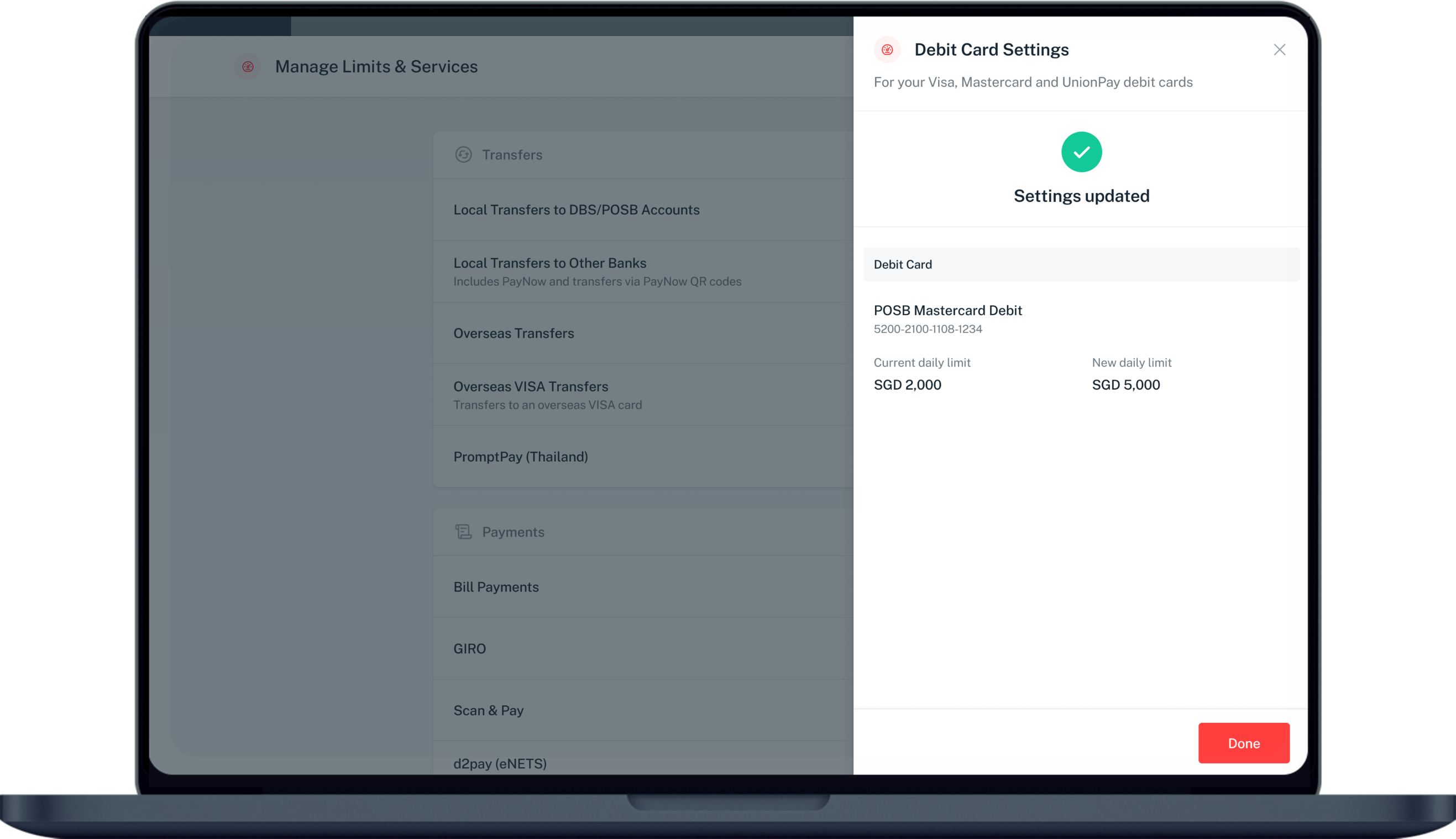
Your card limit has now been updated.


How to change Debit Card spending limit

digibank mobile
phone frame
slider
transfer setting menu
card type selection screen
card limits selection screen
review card limit amendment screen
successful screen
1
Step 1
Log in to digibank mobile with your Touch / Face ID or digibank User ID & PIN.
2
Step 2
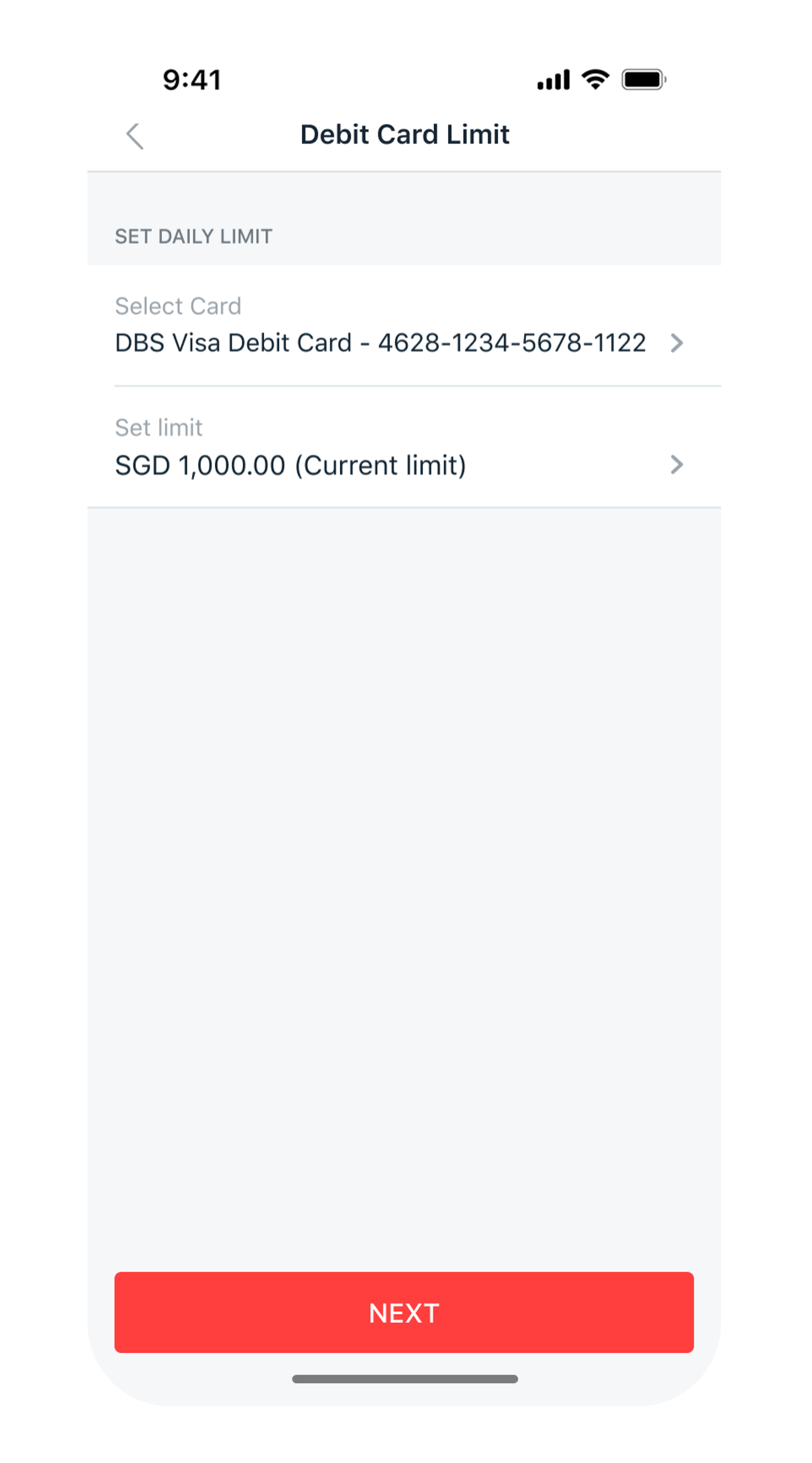
Tap on More at the bottom navigation bar. Scroll down under Transfer Settings, tap ATM/Debit Card Limit.
3
Step 3
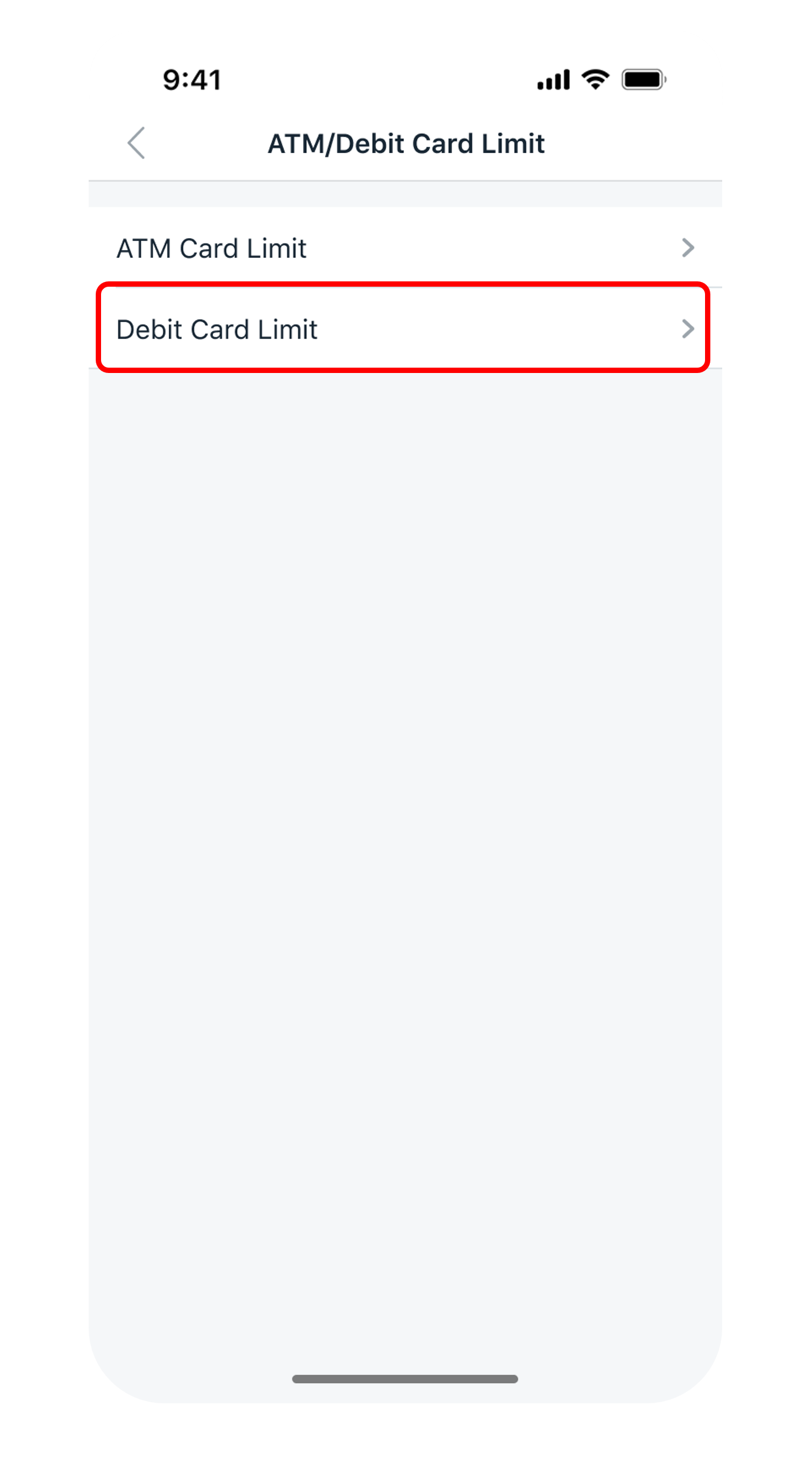
Select Debit Card Limit.
4
Step 4
Select your Card, select the new Limit you wish to update and tap Next.
5
Step 5
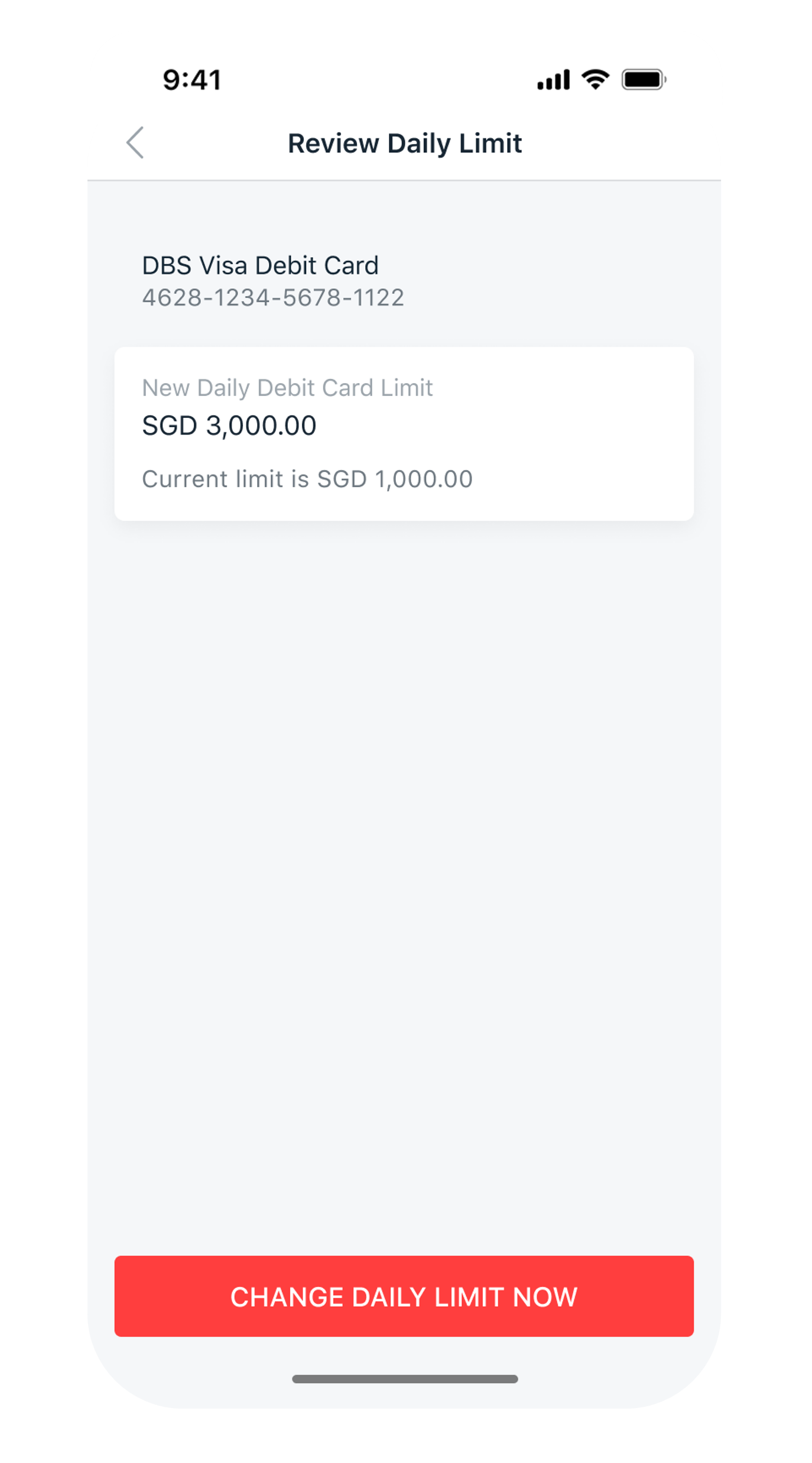
Verify the details and tap Change Daily Limit Now to complete the request.
6
Step 6
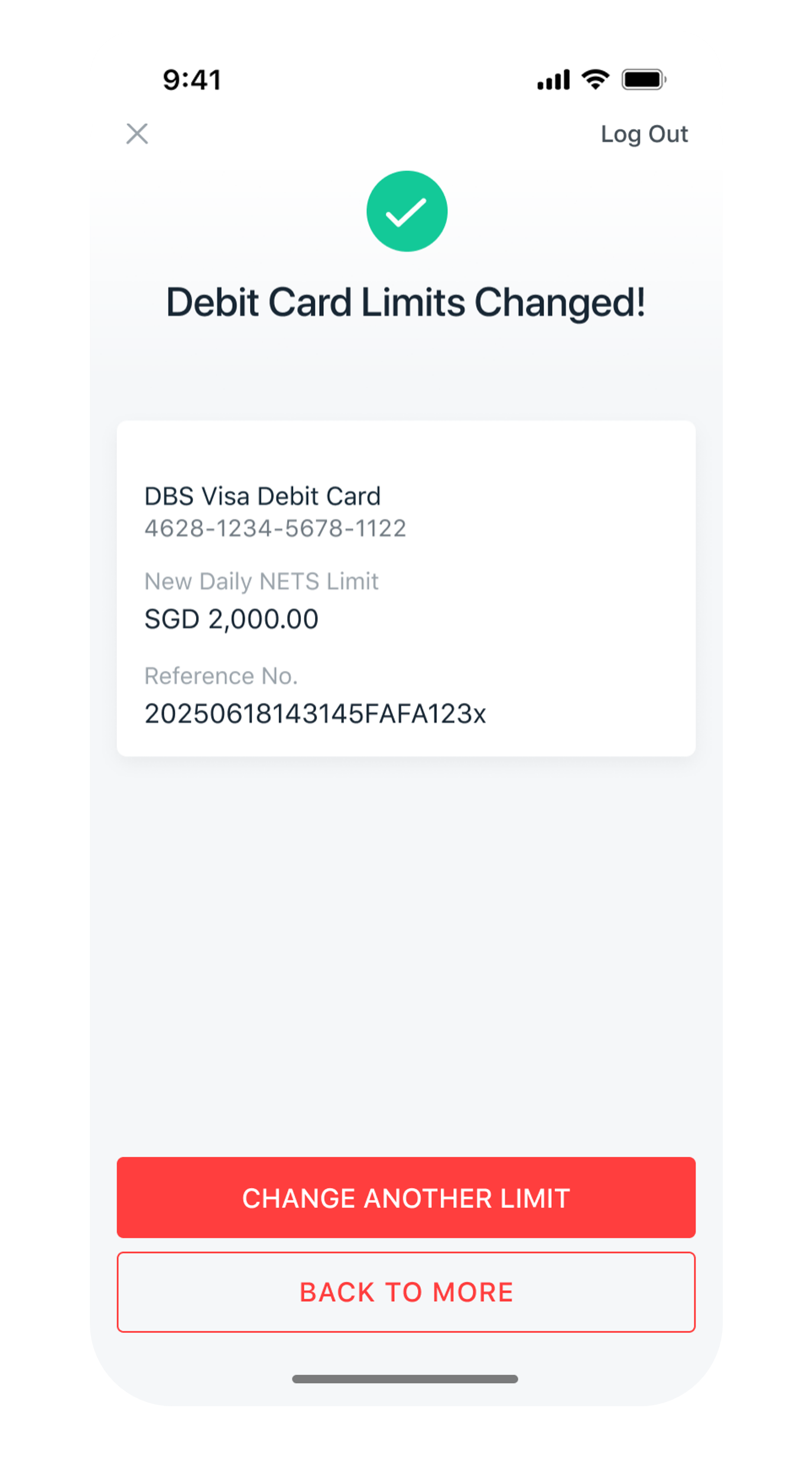
You have successfully change your debit card spending limit.
Get the latest digibank mobile app now!

laptop
slider
slider
slider
slider
slider
slider
slider
1
Step 1
Log in to digibank online with your User ID & PIN.
2
Step 2
Complete the Authentication Process.
3
Step 3
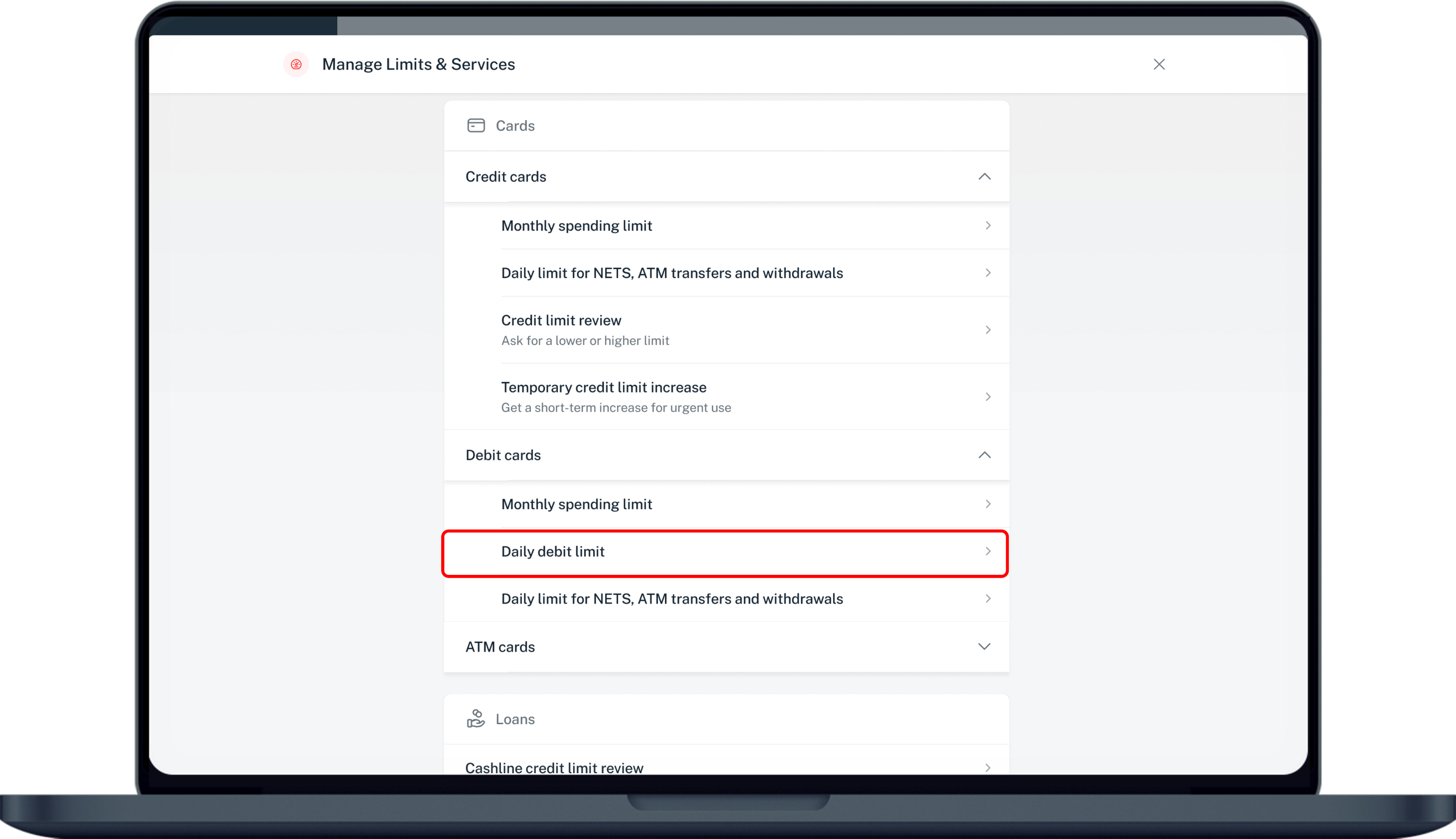
Click on Pay & transfer on the left menu and under Services, select Manage limits.
4
Step 4
Under Cards, select Debit cards and click on Daily debit limit.
5
Step 5
Select your Card and the Daily limit you wish to update. Click Next.
6
Step 6
Verify your changes, click on Confirm and complete the 2-Factor Authentication to change your limit.
7
Step 7
Your new daily debit limit has now been updated.

More information

  • The Debit Card spending limit is the maximum threshold you can charge to your card via Visa/Mastercard/UnionPay; you will need to ensure sufficient balance in your linked account for the transactions to go through. The Debit Card spending limit will reset daily to default limit.
  • The total amount of cash that you can withdraw per day at both local and overseas ATMs is capped. This daily cash withdrawal limit applies regardless of the number of cards you have. Learn more.
Was this information useful?

We welcome your feedback

Information is easy to understand and find
Information is useful to answer your inquiries completely