Reset/Retrieve digibank User ID and/or PIN
You can reset or retrieve your User ID and reset your PIN using our digital channels.
Part of: Guides > Your Guide to digibank
Important information
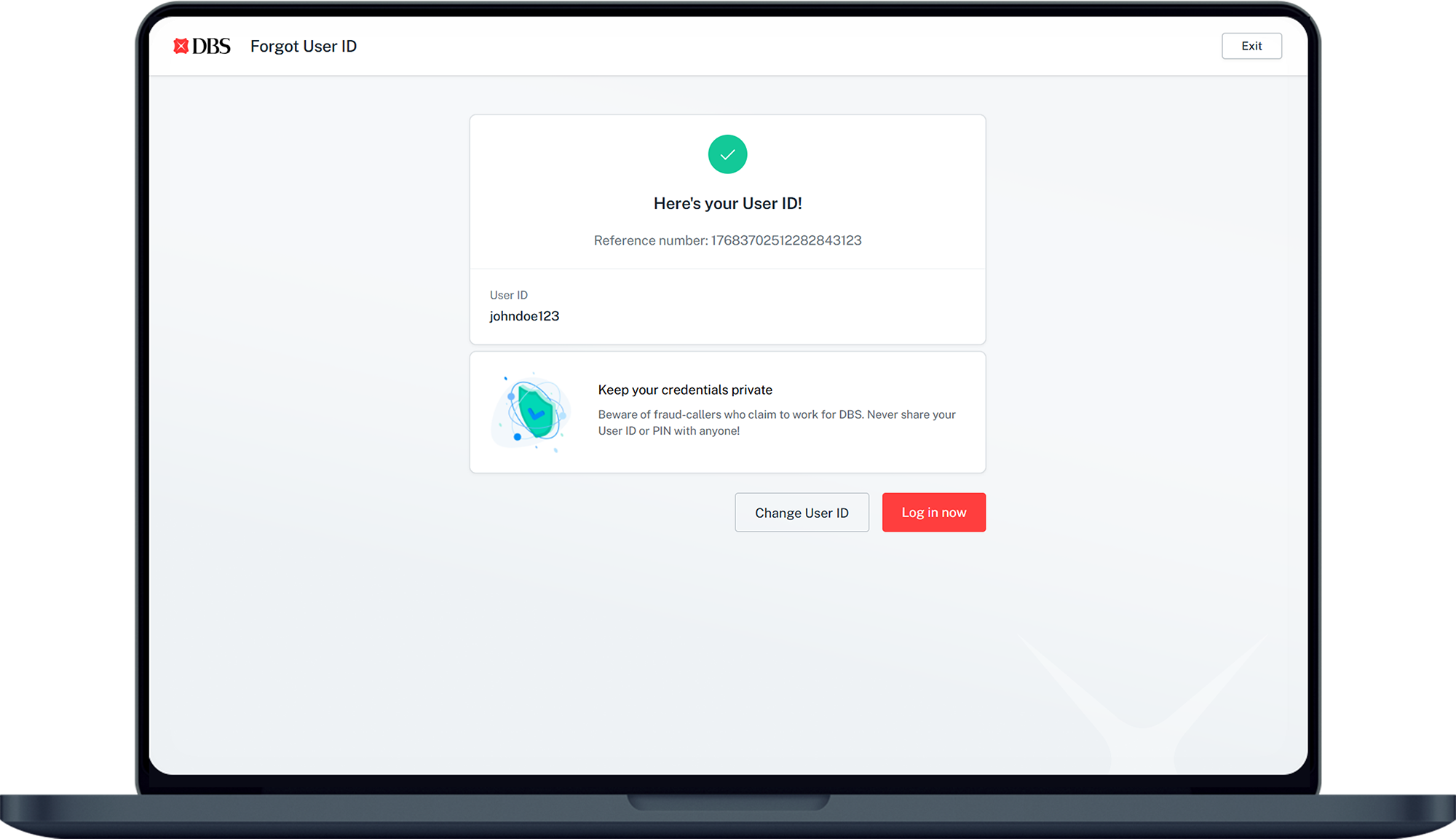
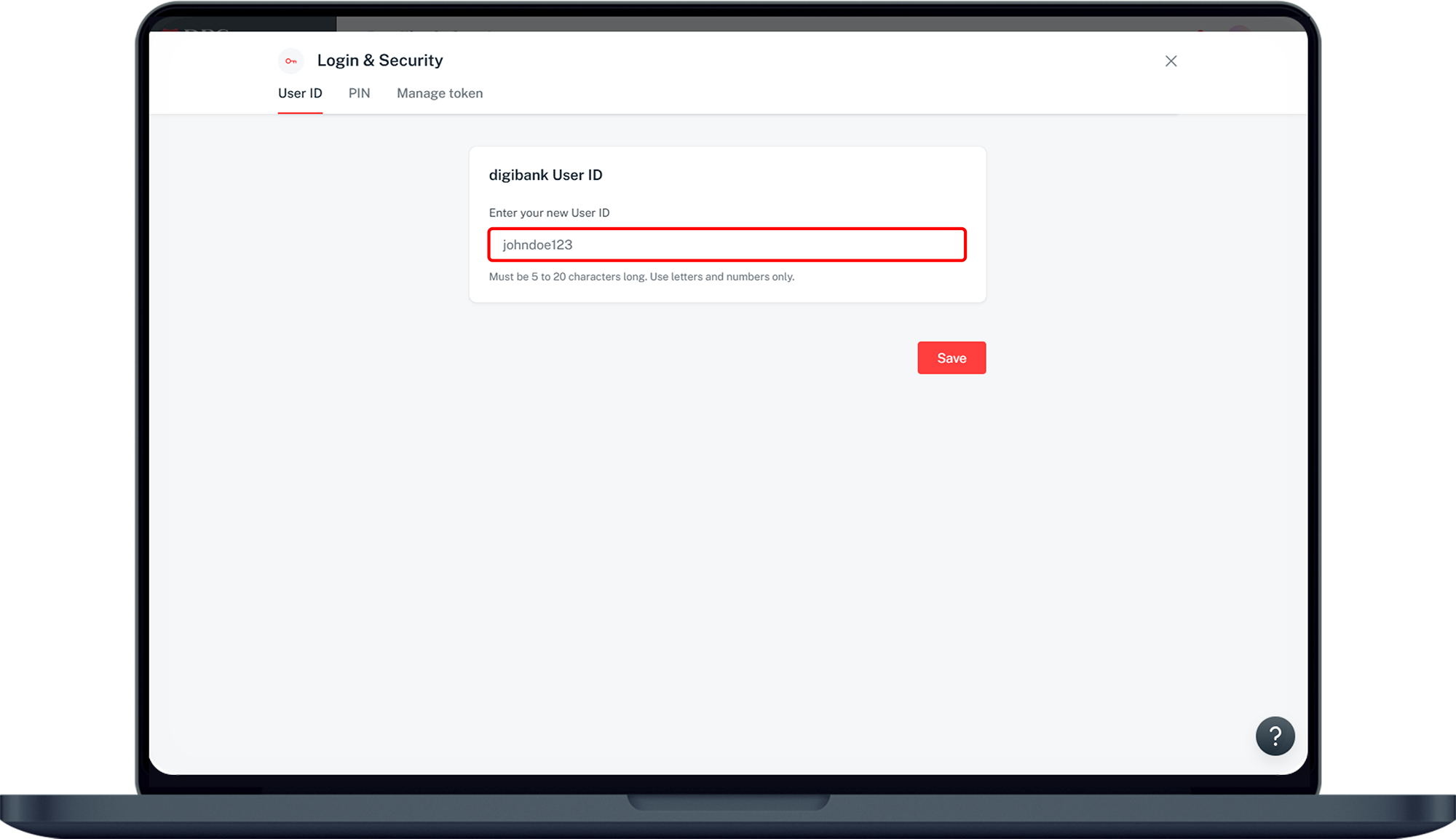
- digibank User ID must be between 5 to 20 characters and contains letters and numbers only.
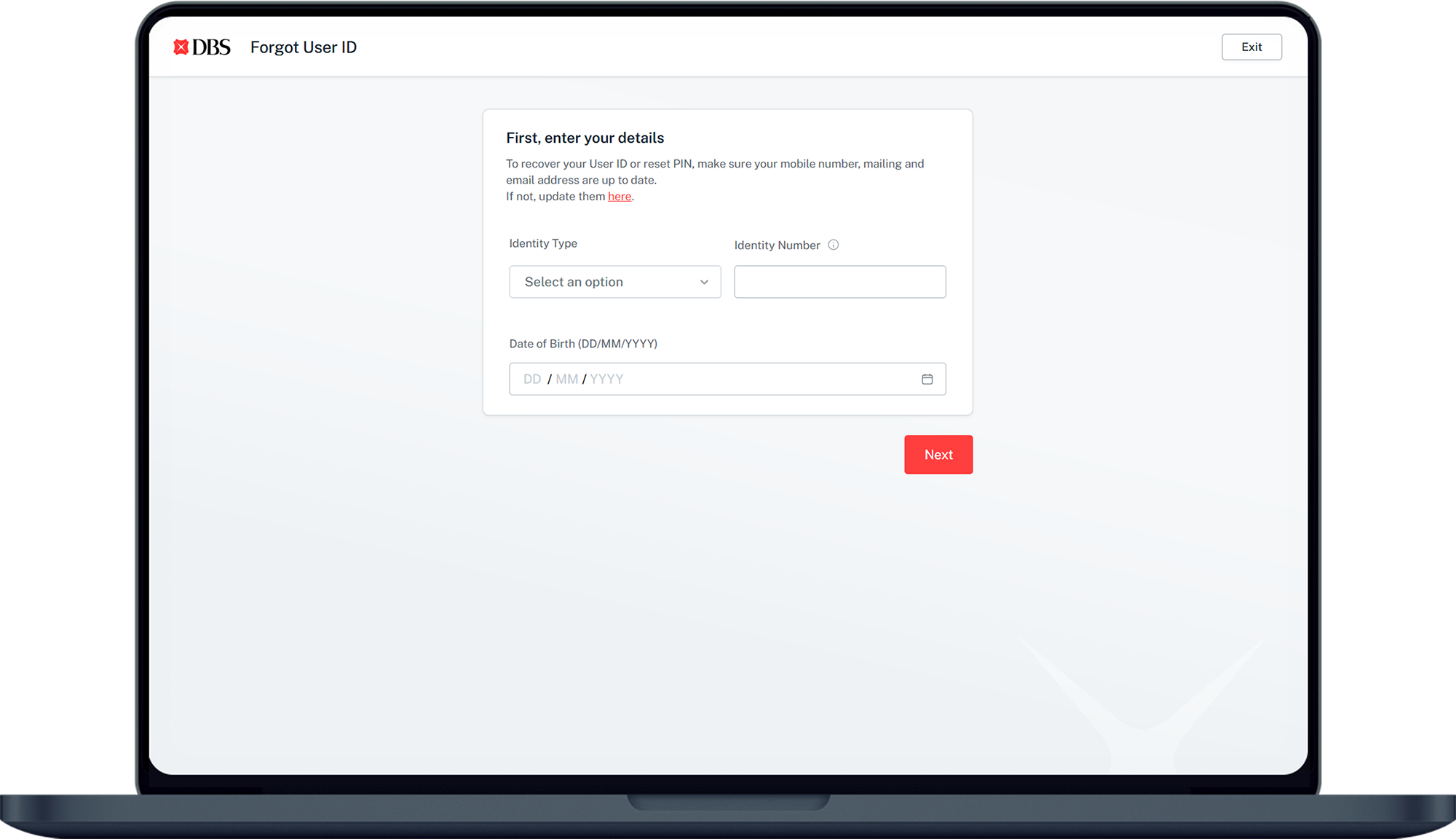
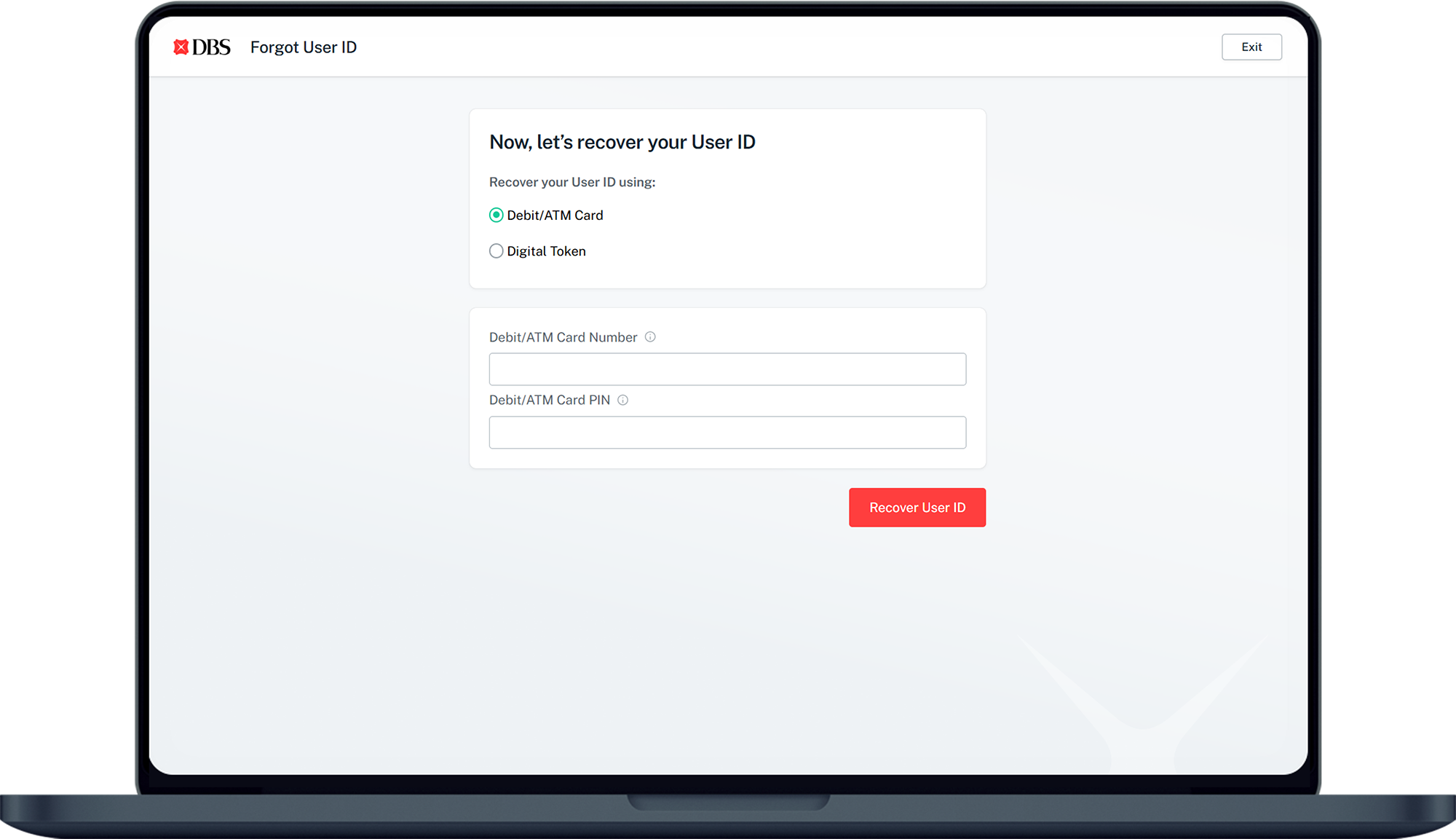
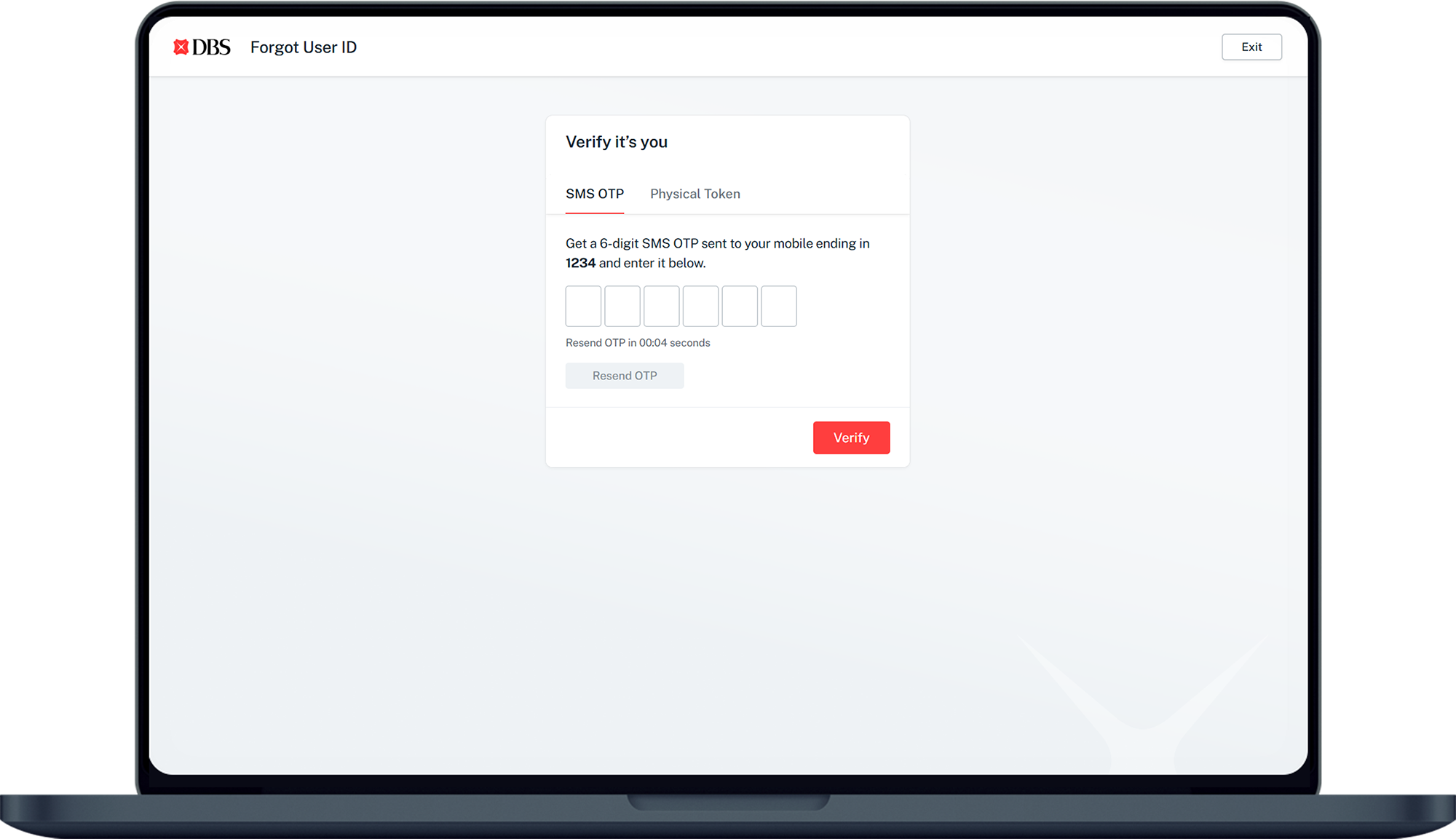
- To retrieve your digibank User ID online, you need to have a registered iB Secure Device or registered mobile to receive SMS One-Time-Password (OTP).
- digibank PIN must be between 6 to 9 digit numbers.
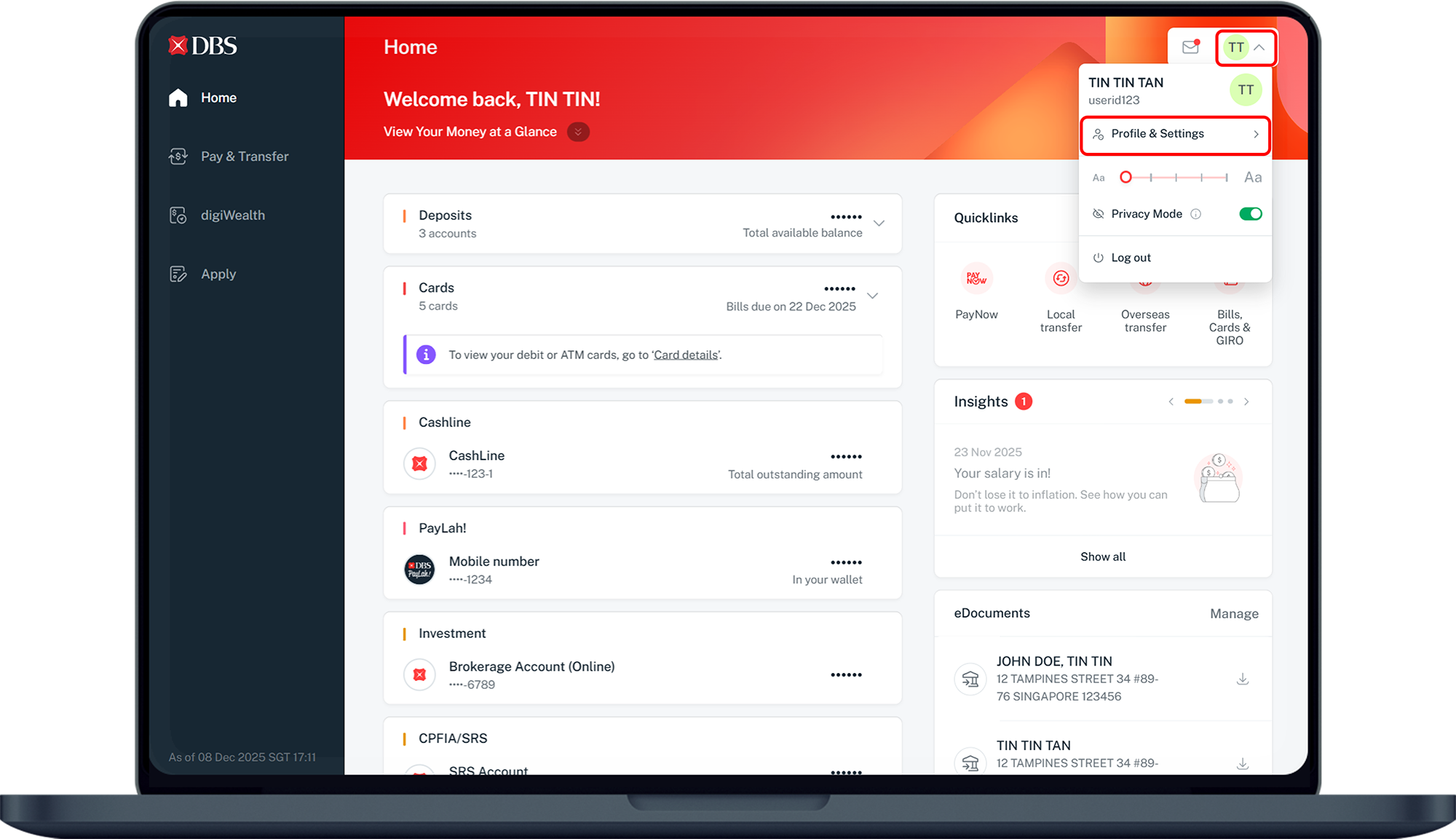
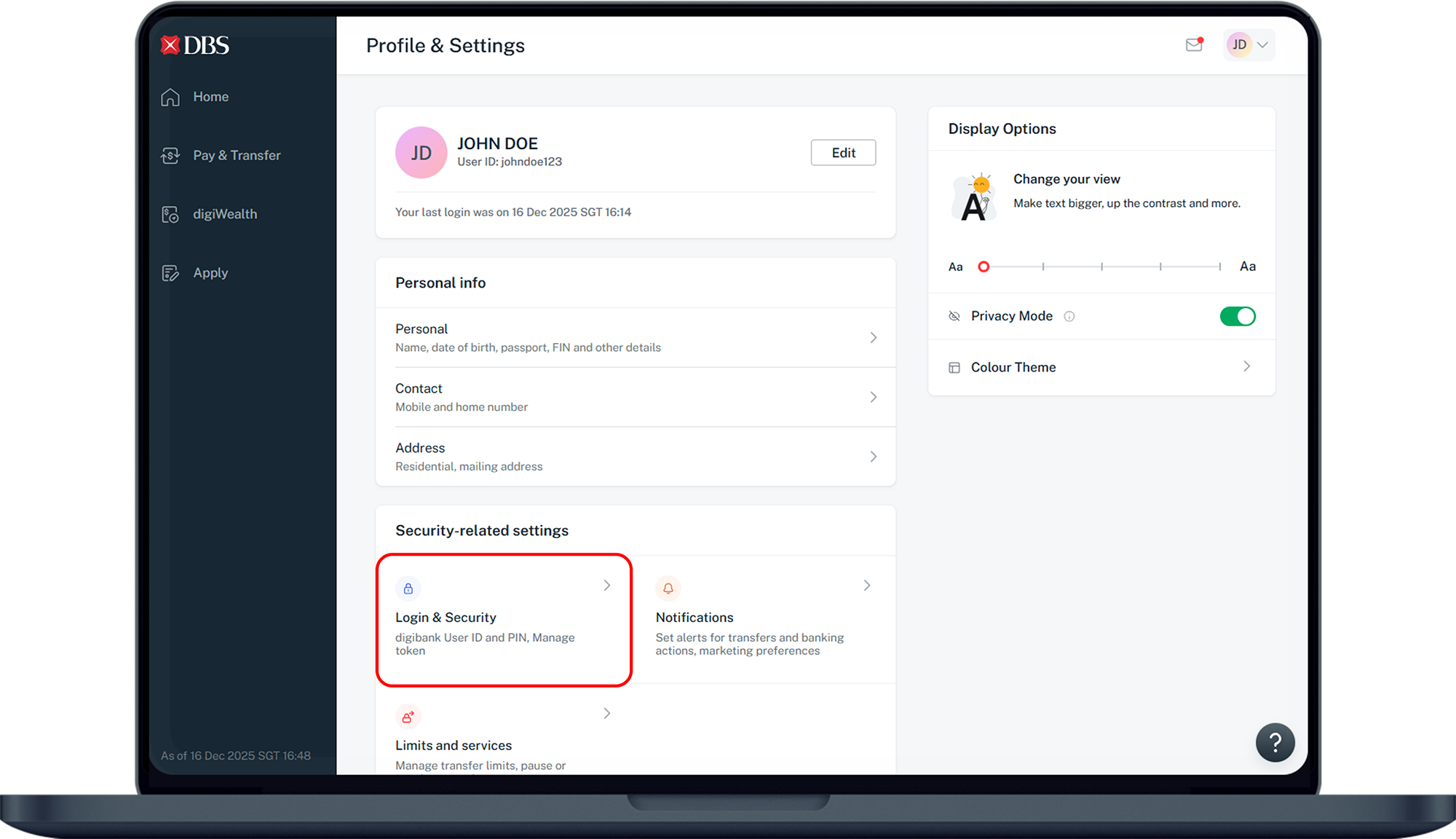
How to change/ retrieve digibank User ID
DBS Website (Retrieving your forgotten digibank User ID)


digibank mobile

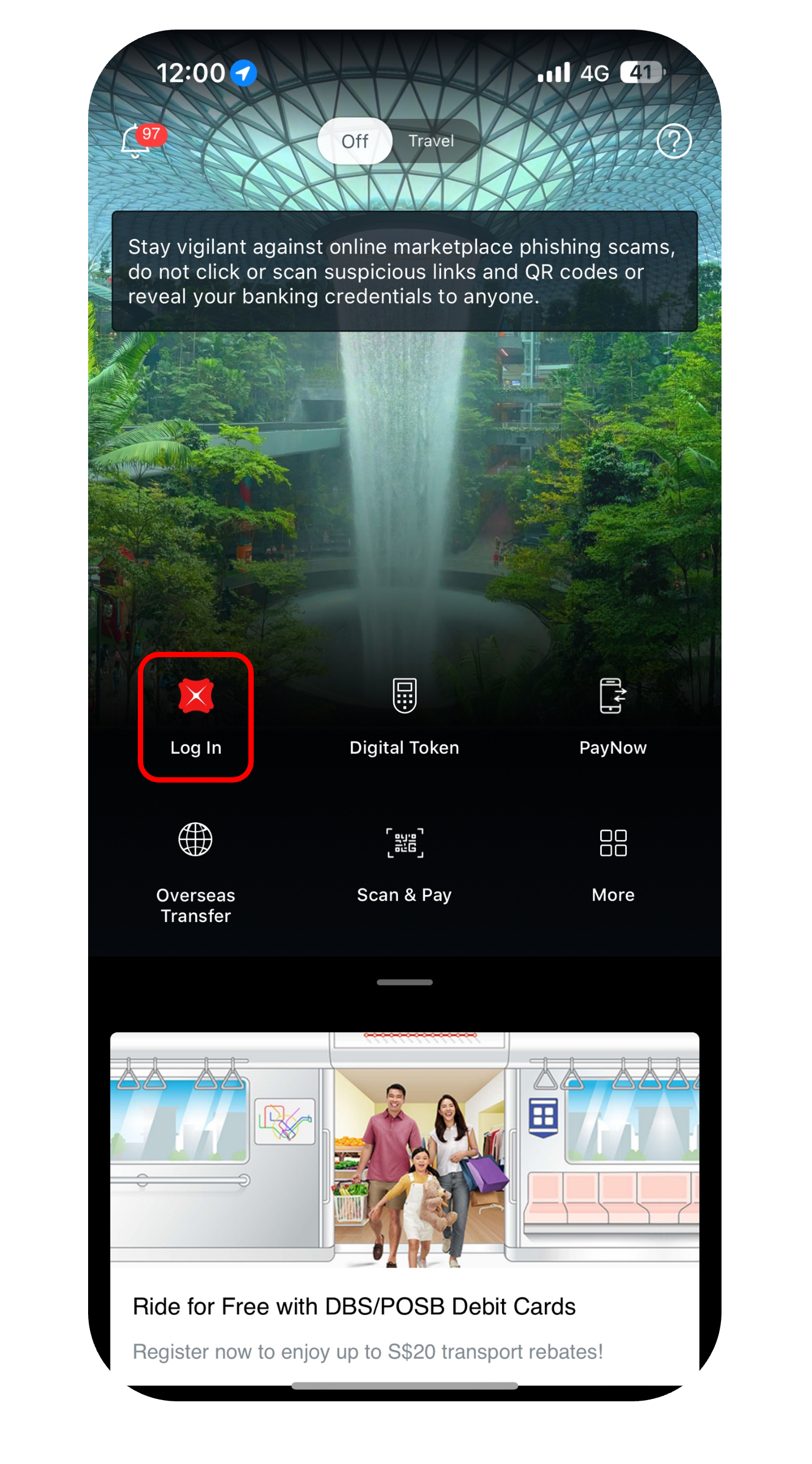
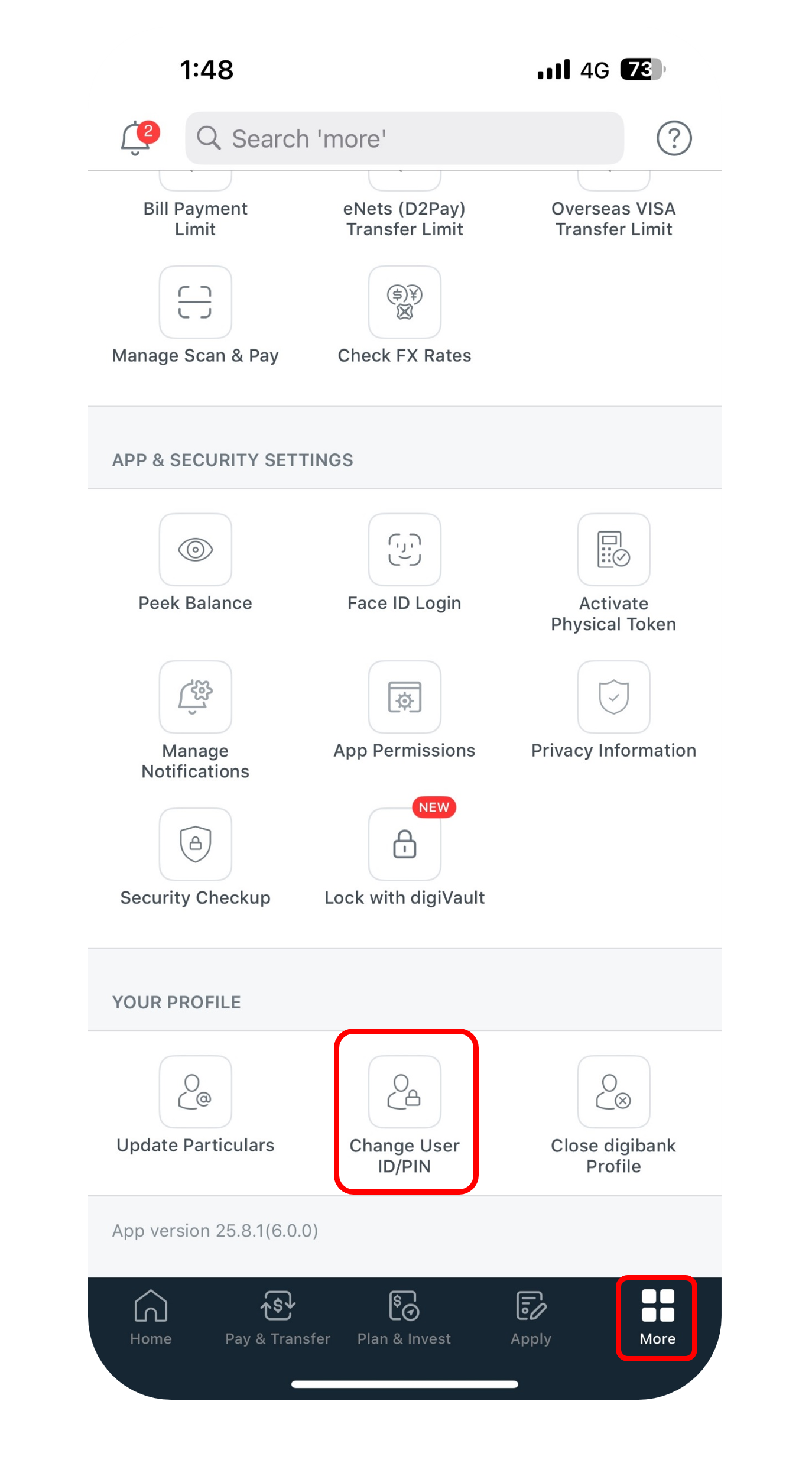
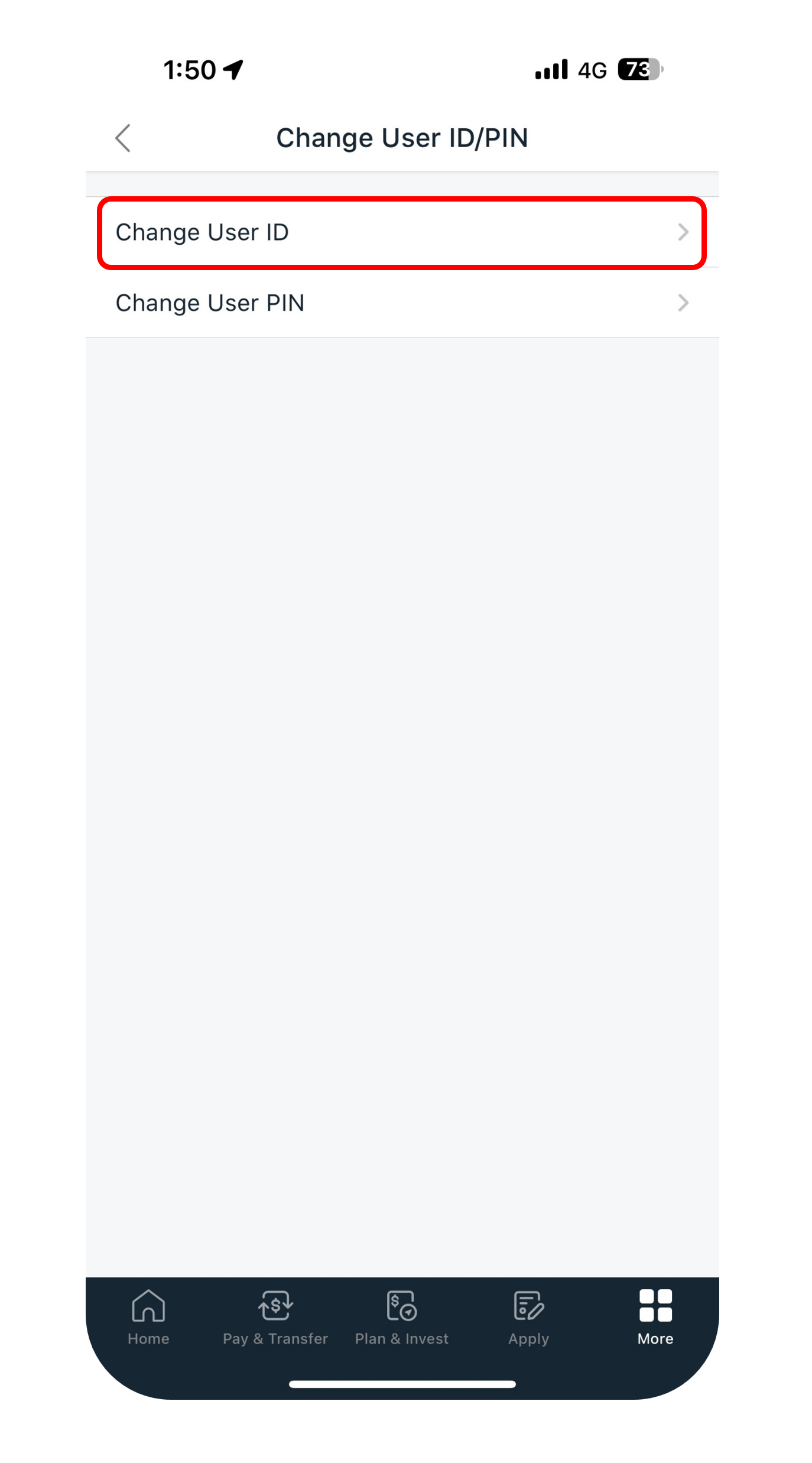
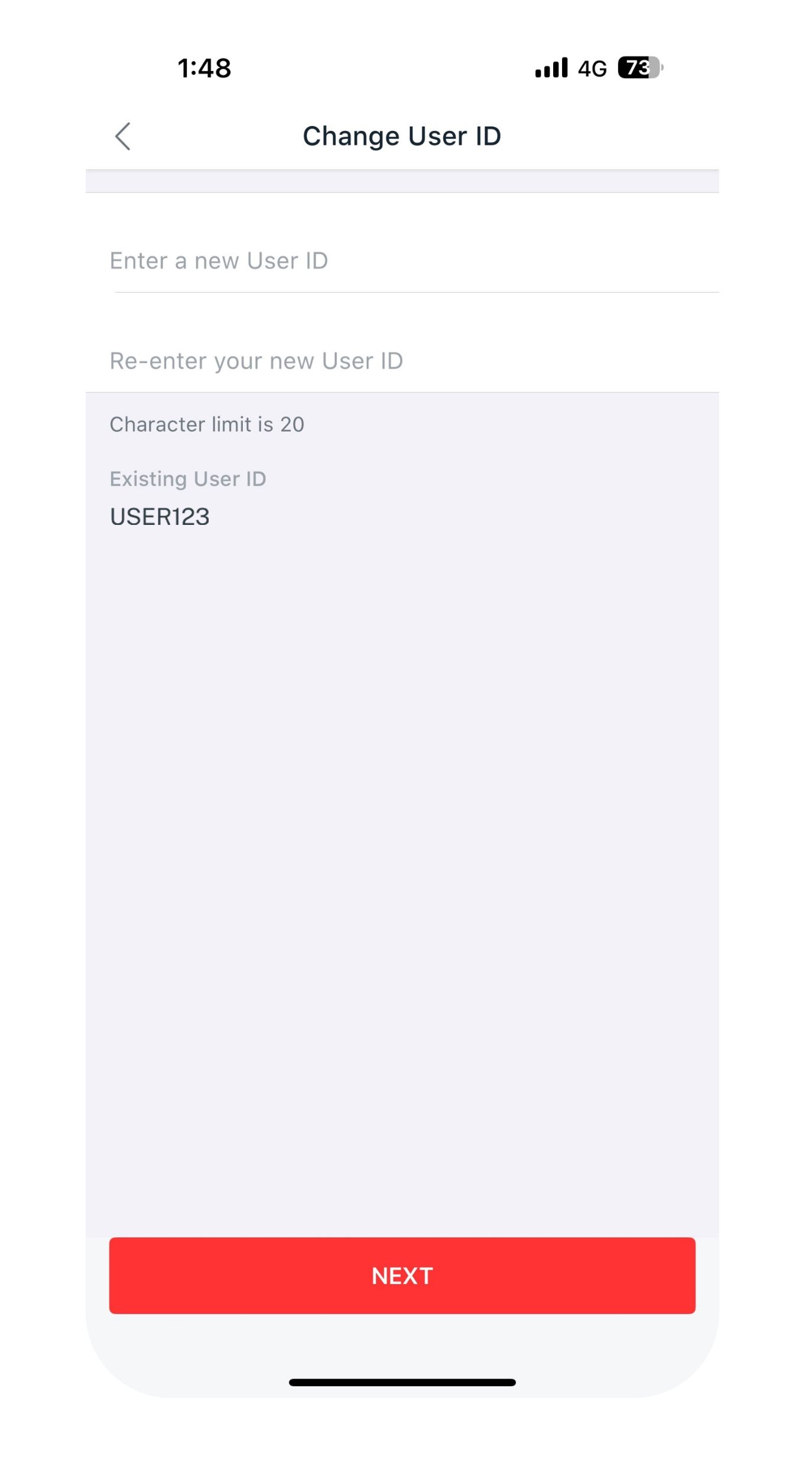
Get the latest DBS digibank mobile app now!



digibank Online

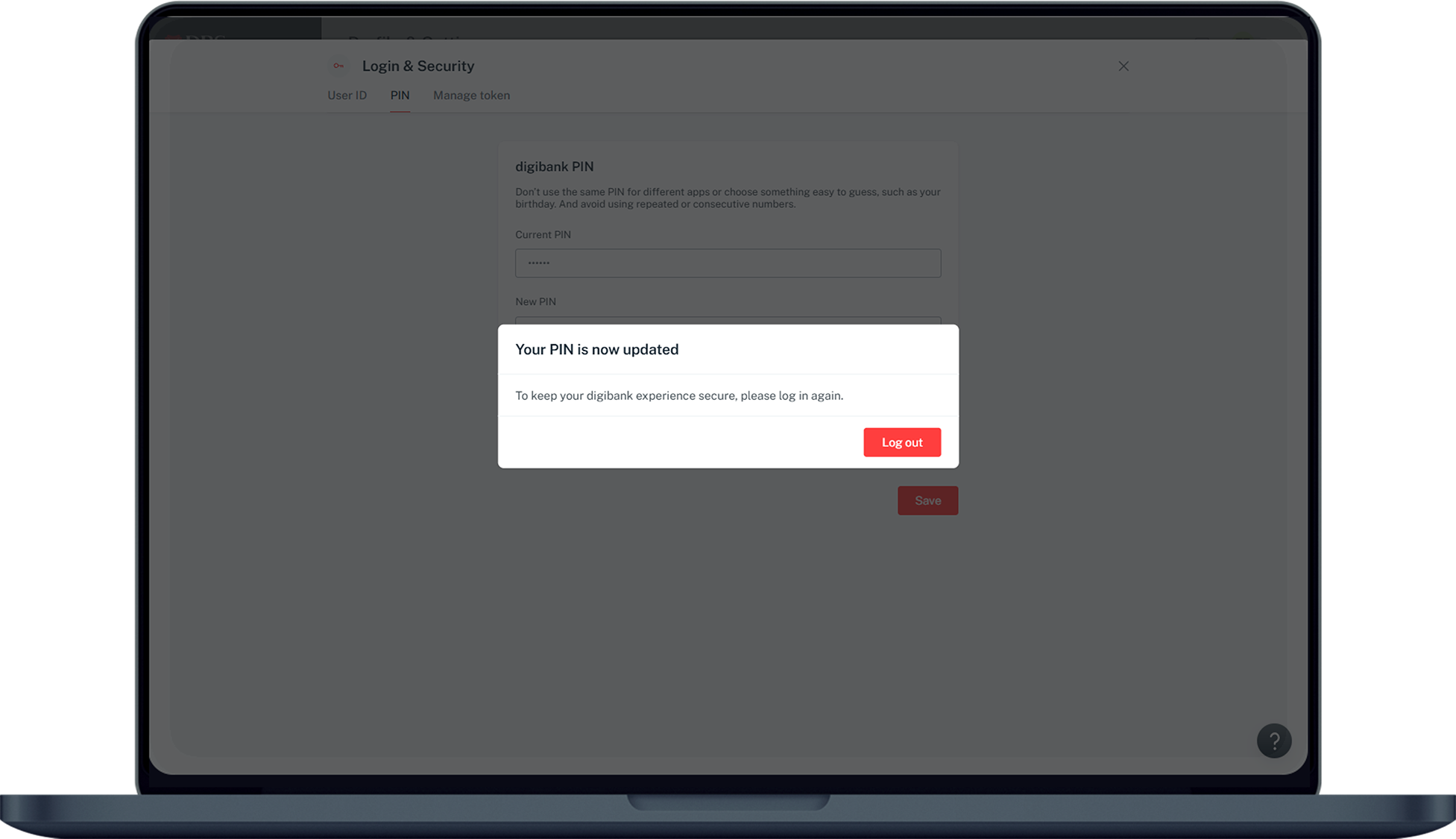
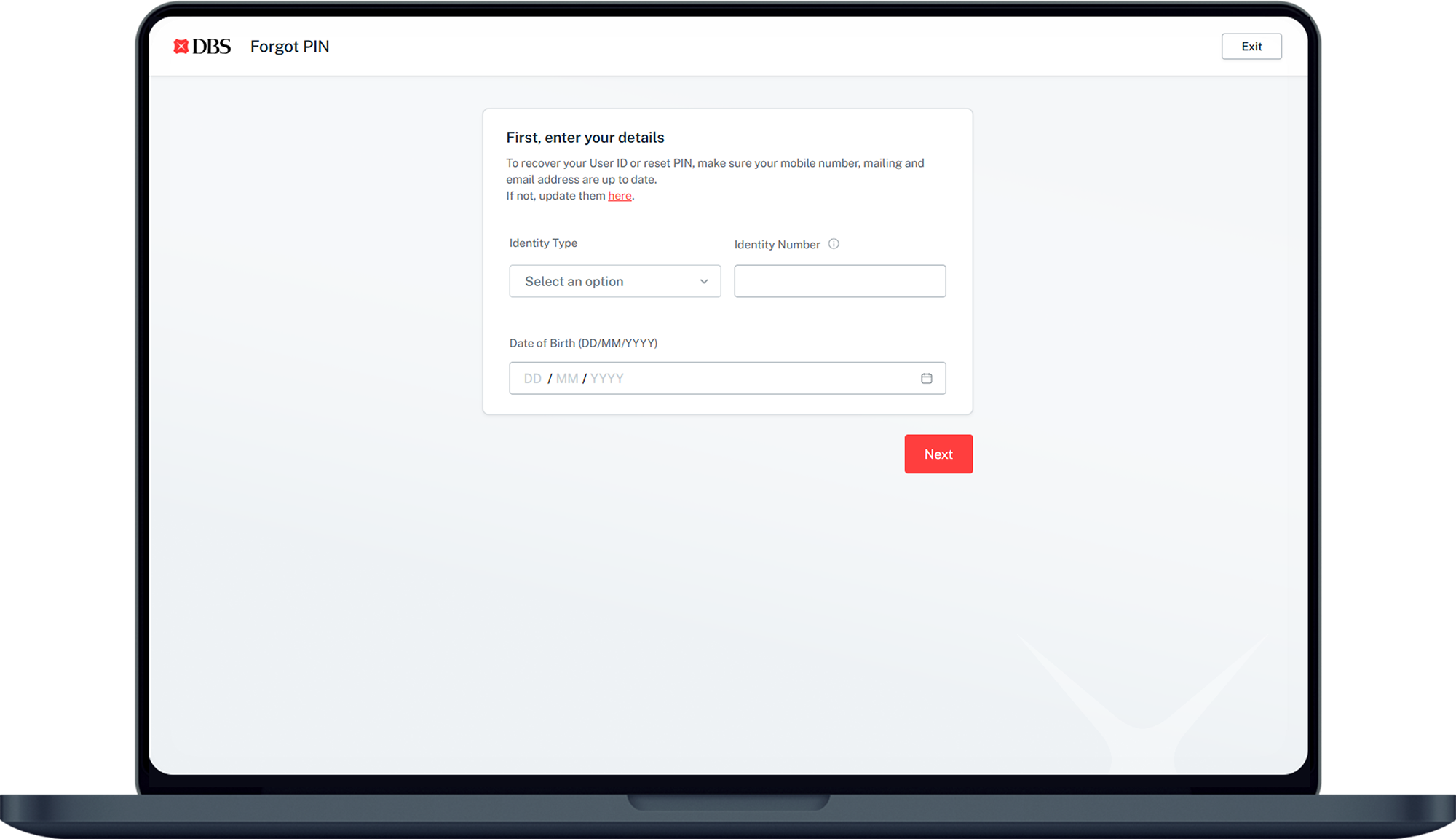
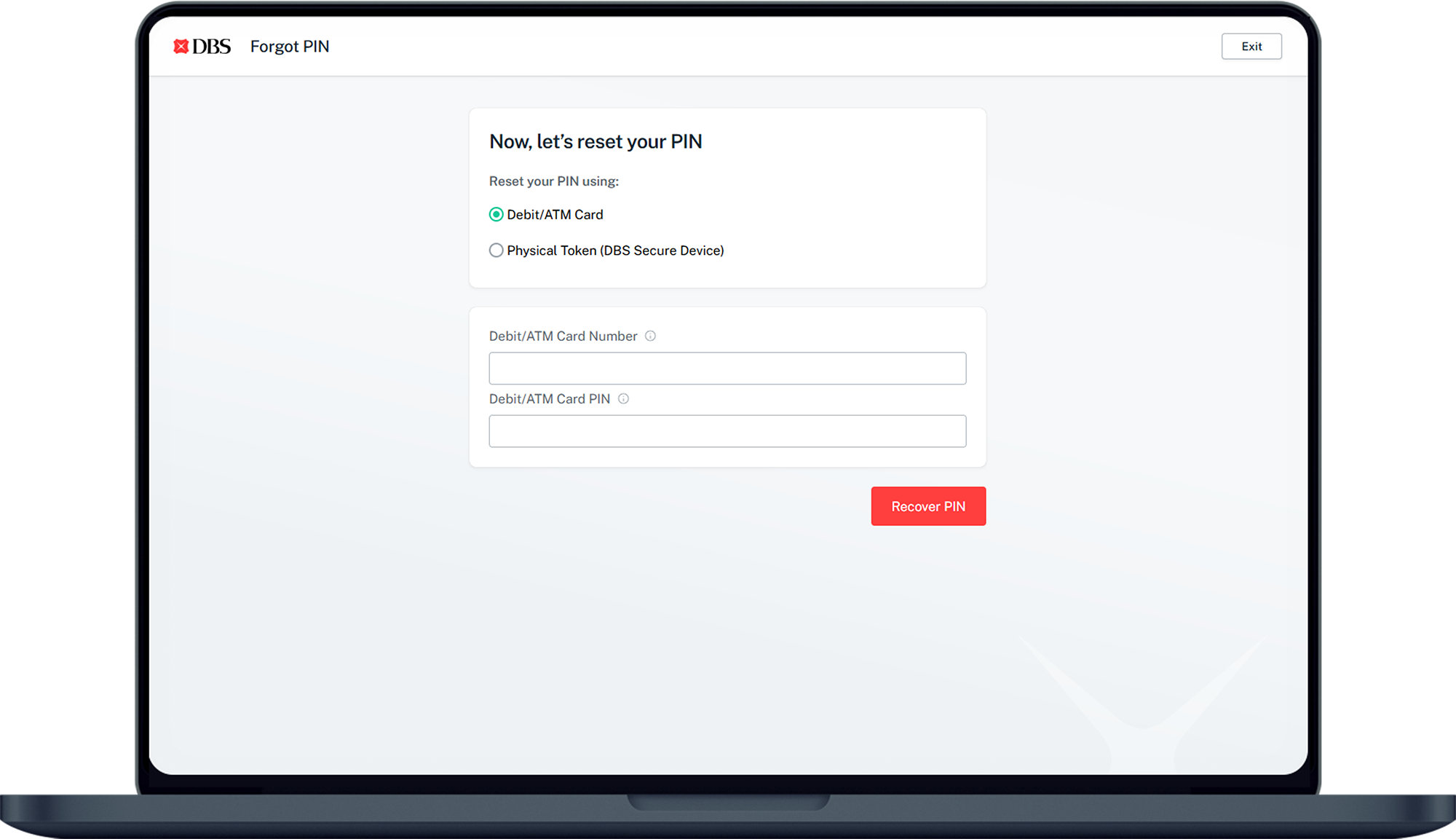
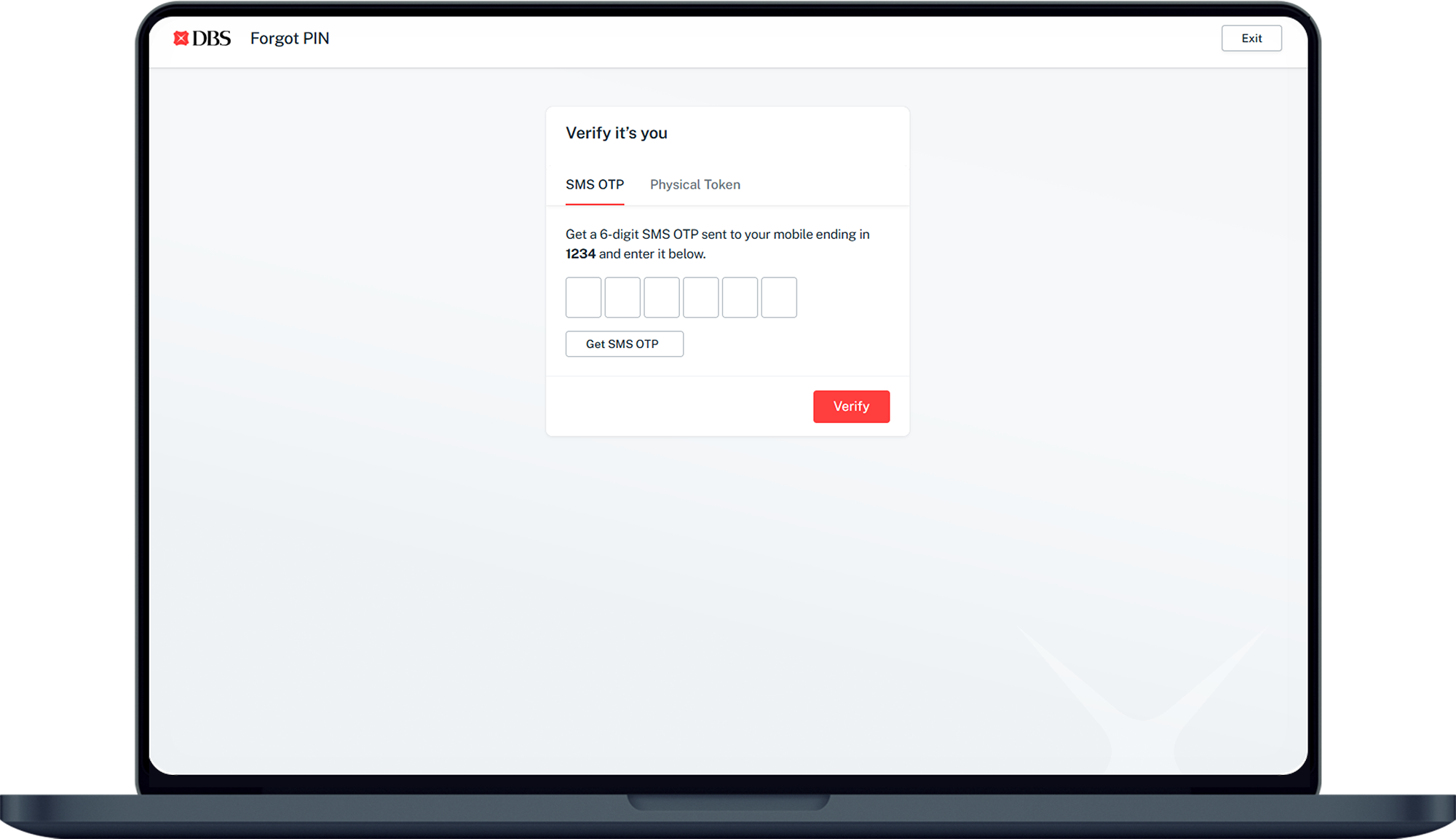
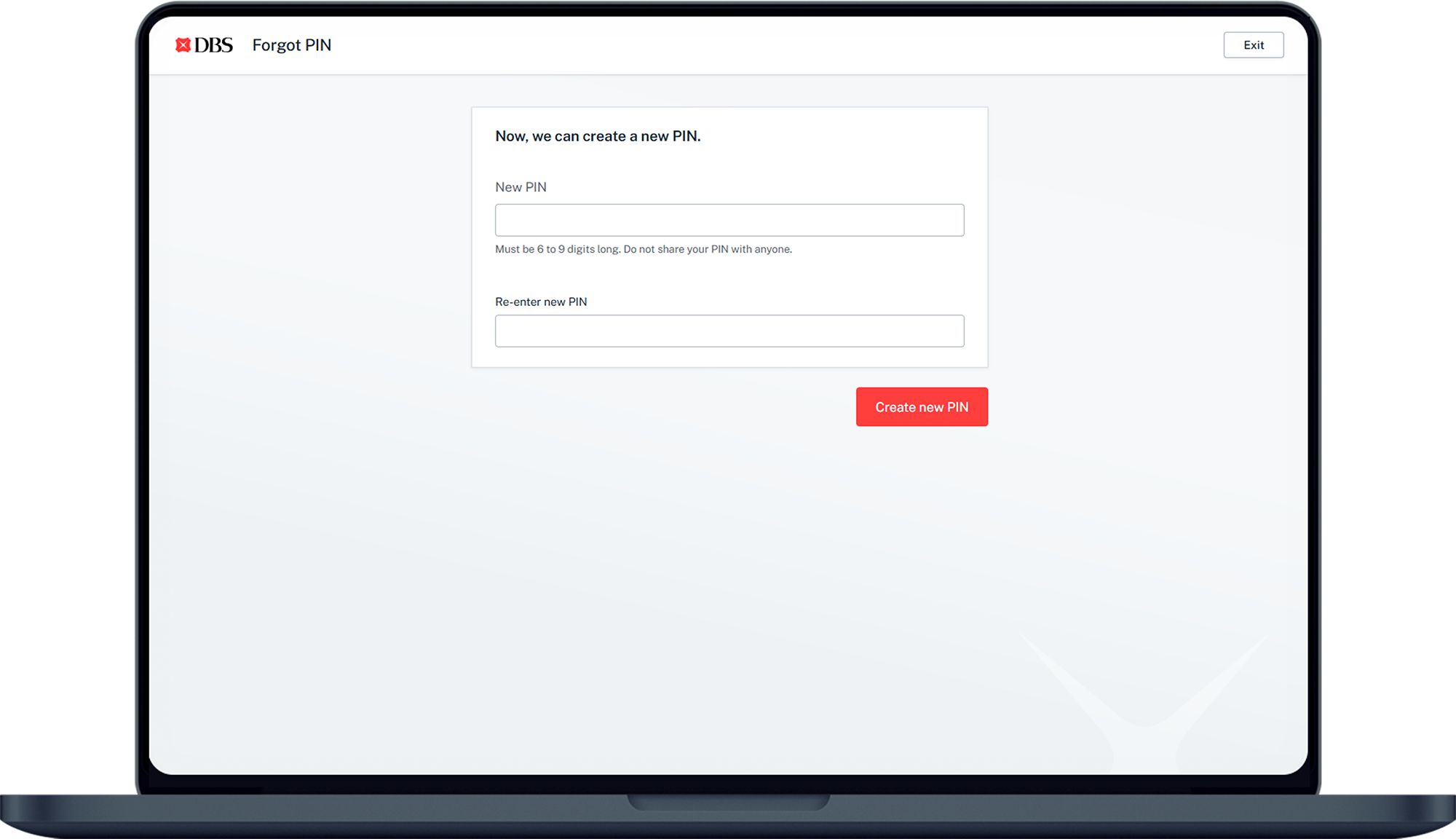
How to reset digibank PIN
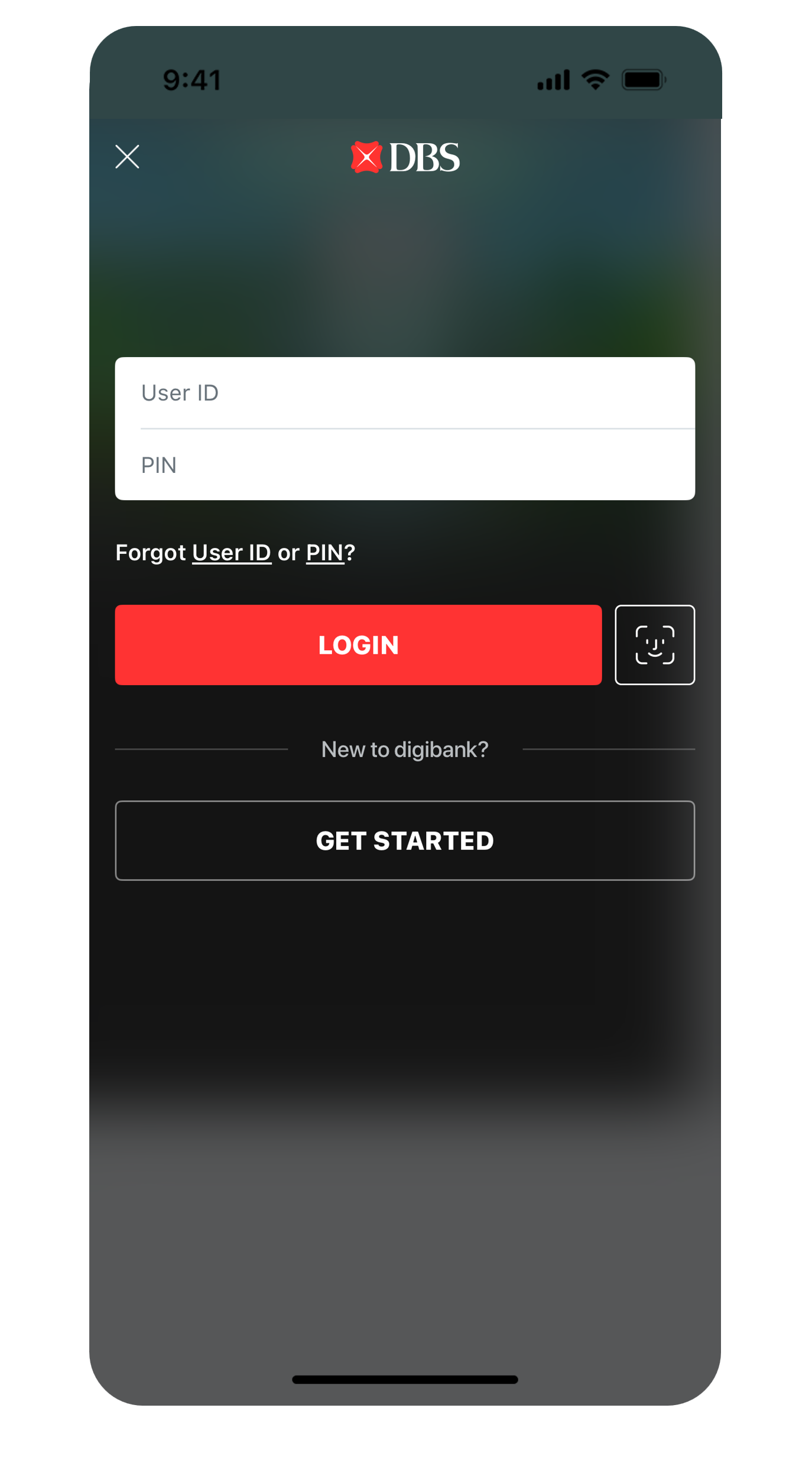
There are various channels which you may reset your digibank PIN with us. The most convenient method would be via digibank mobile.
digibank mobile
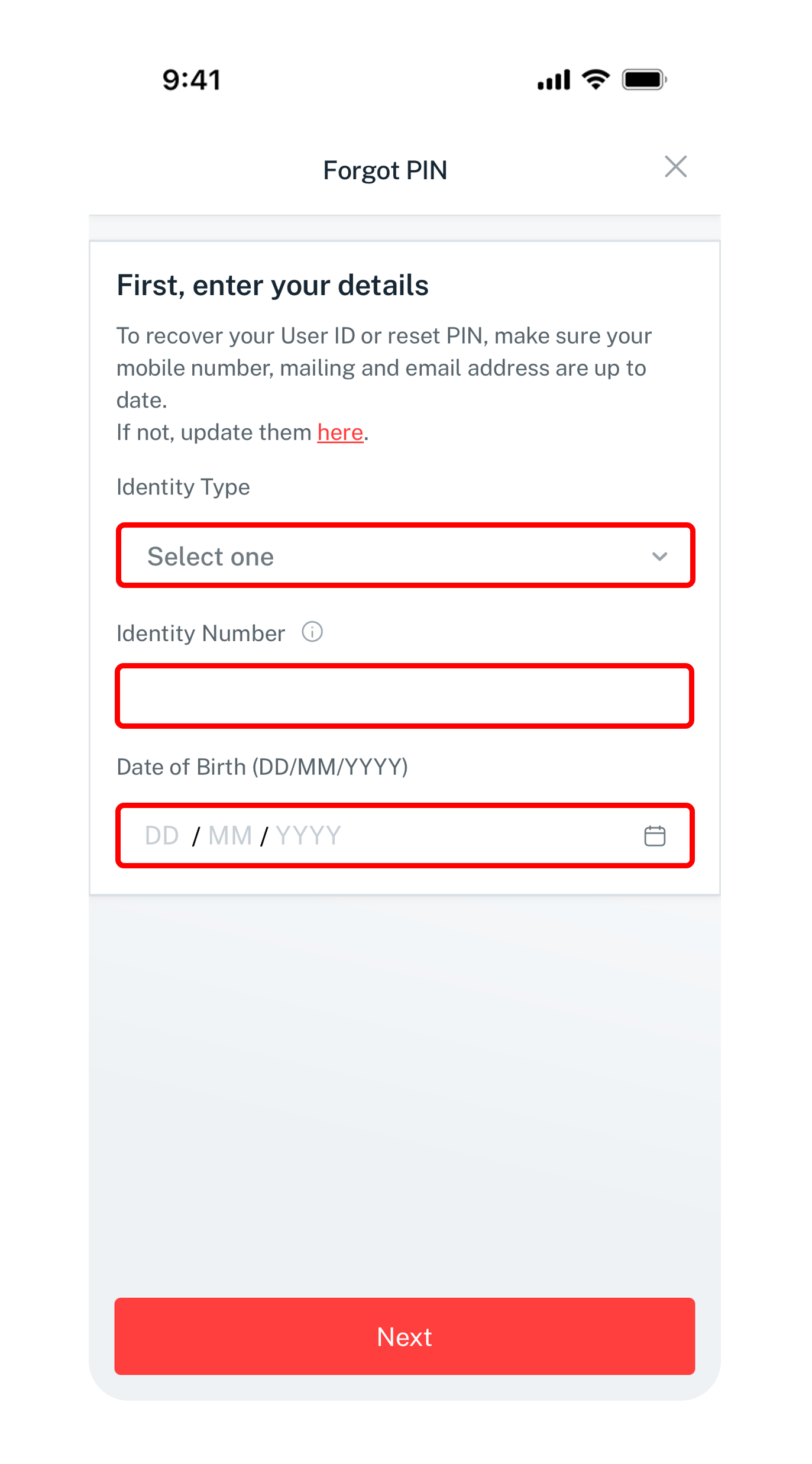
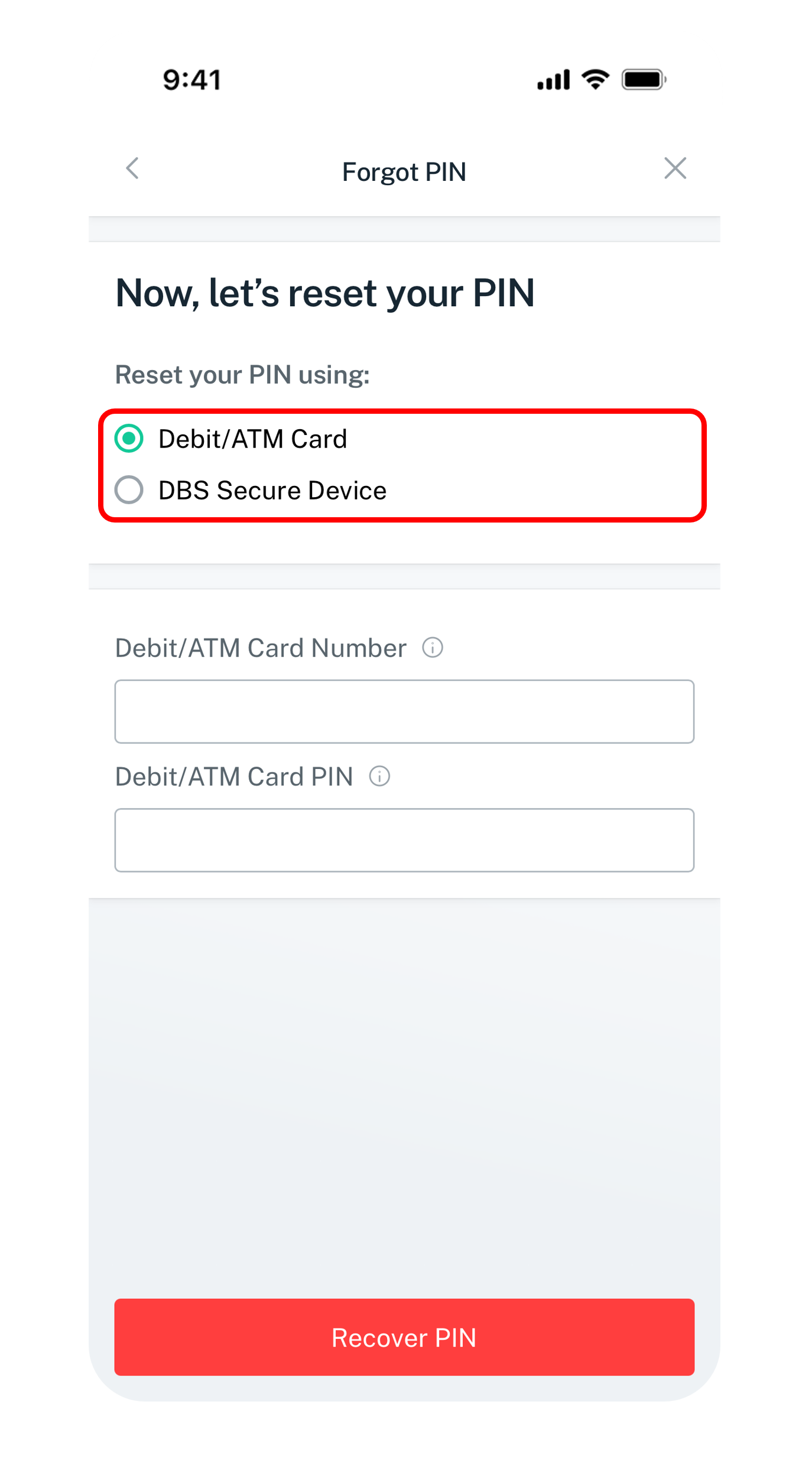
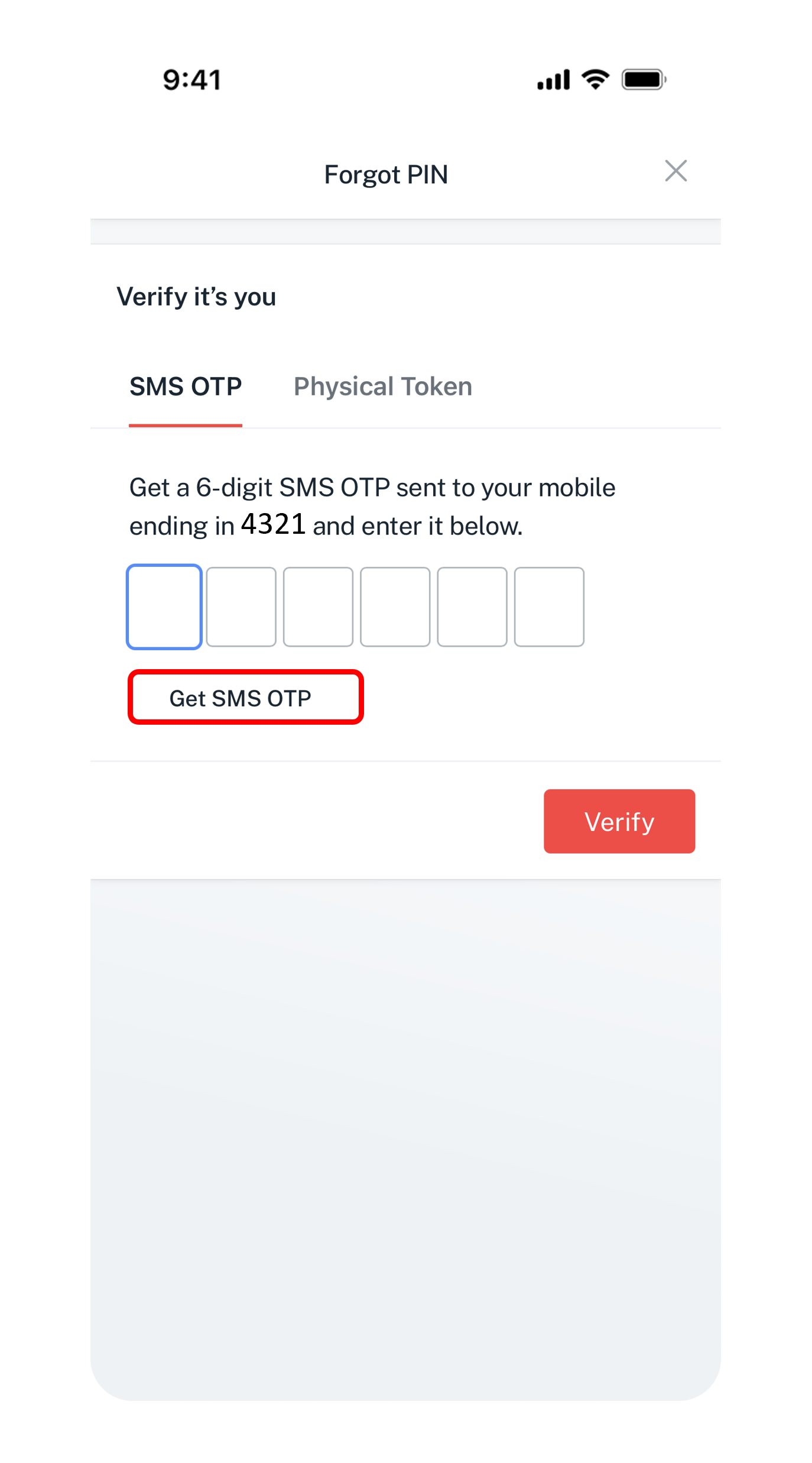
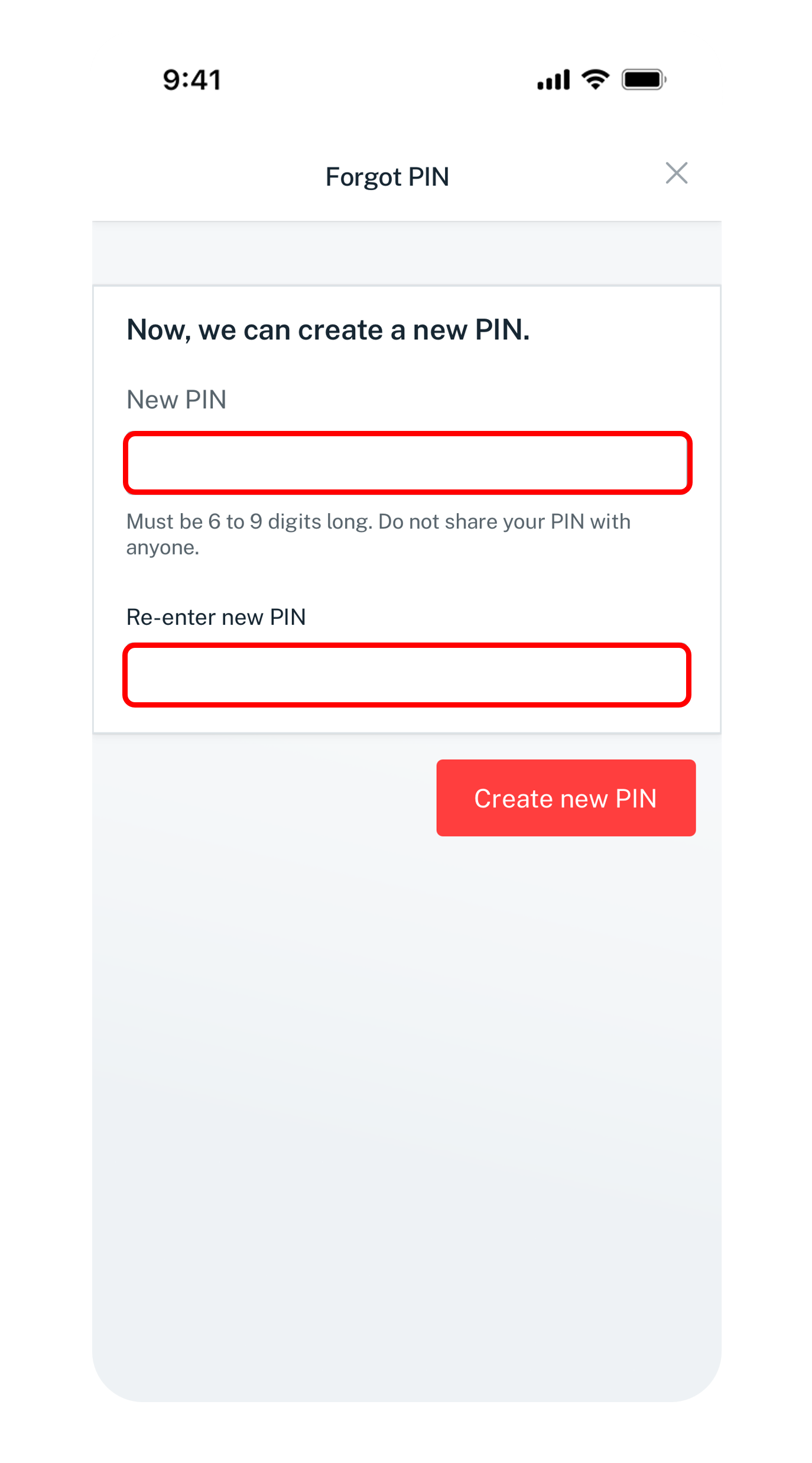
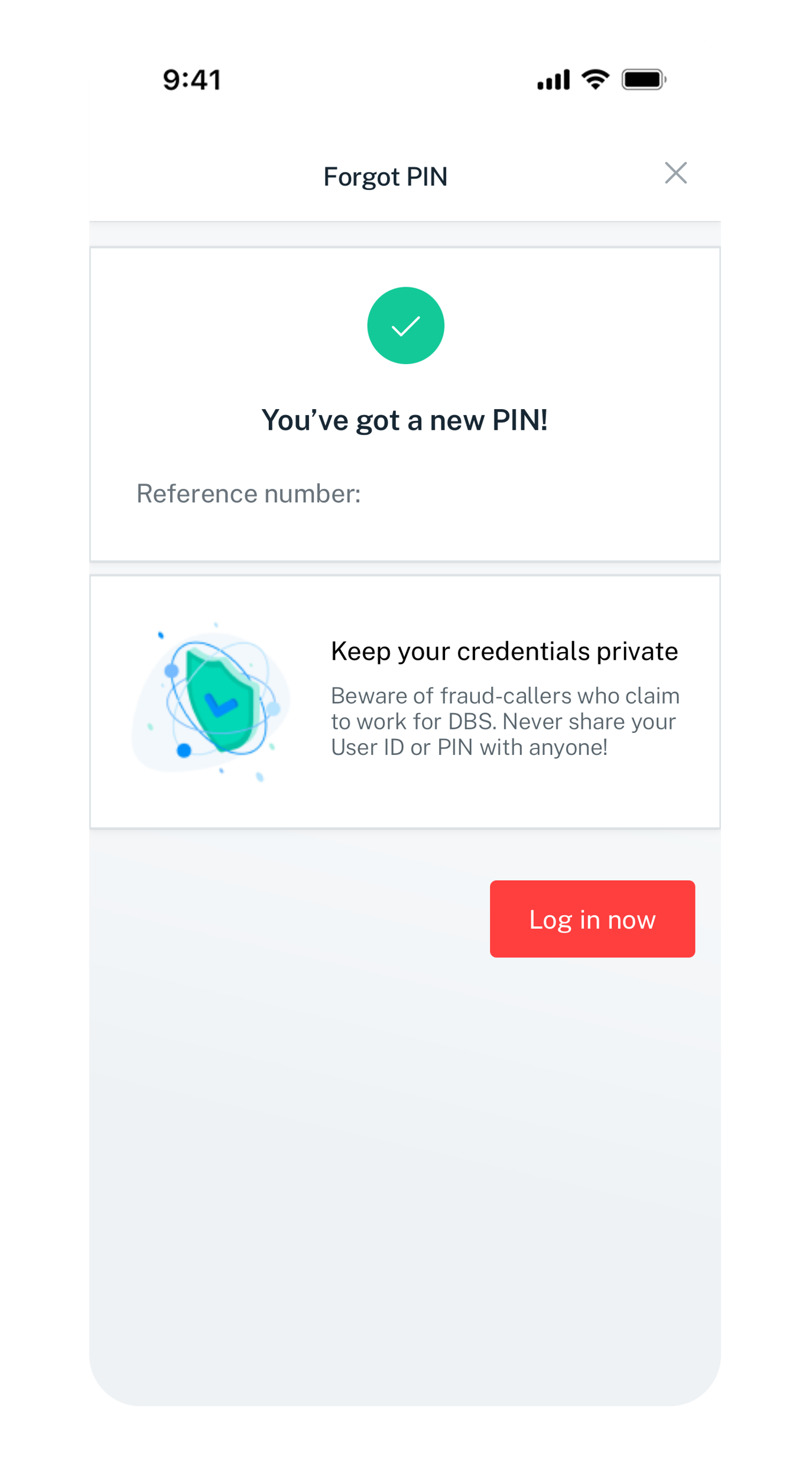
Get the latest digibank mobile app now!
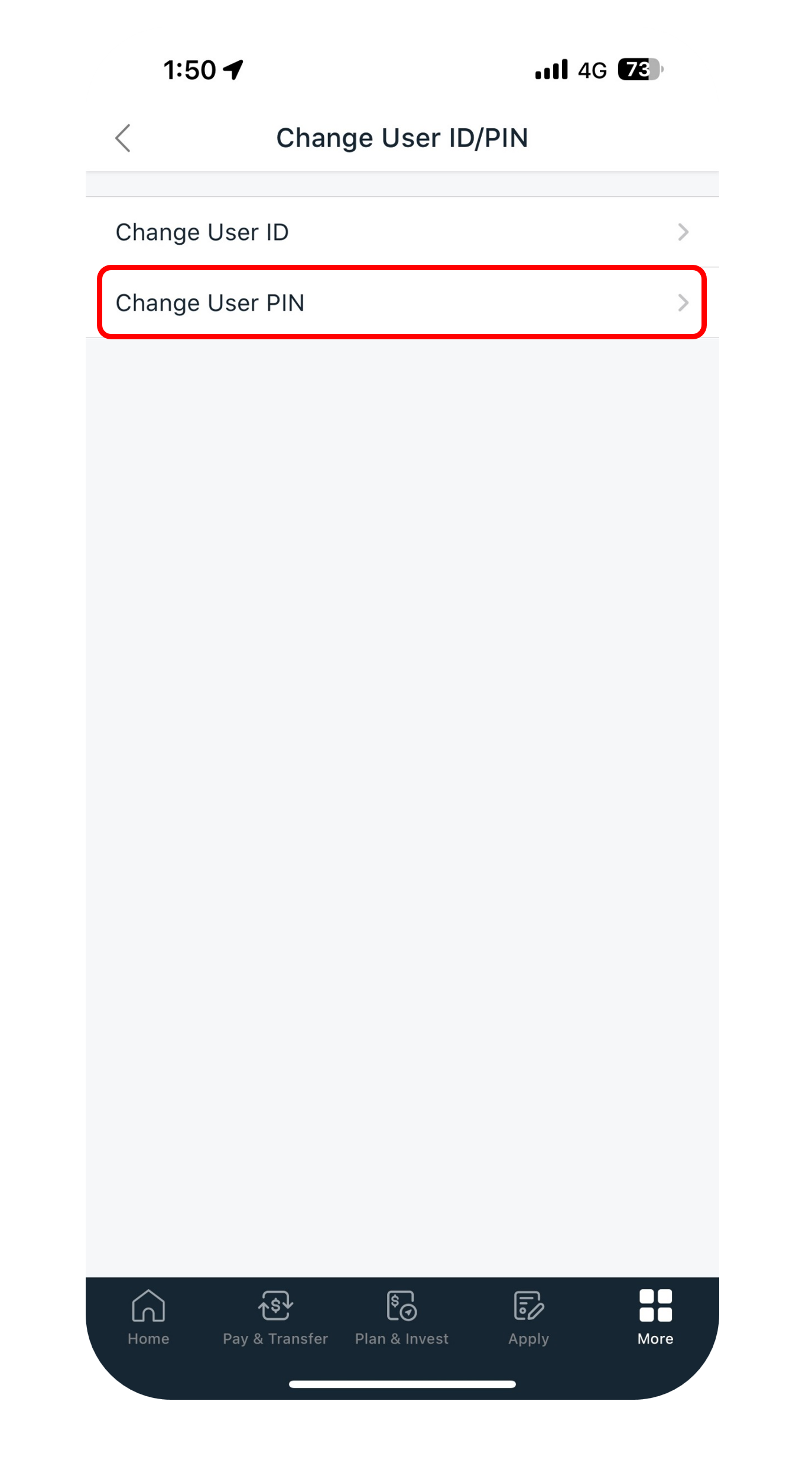
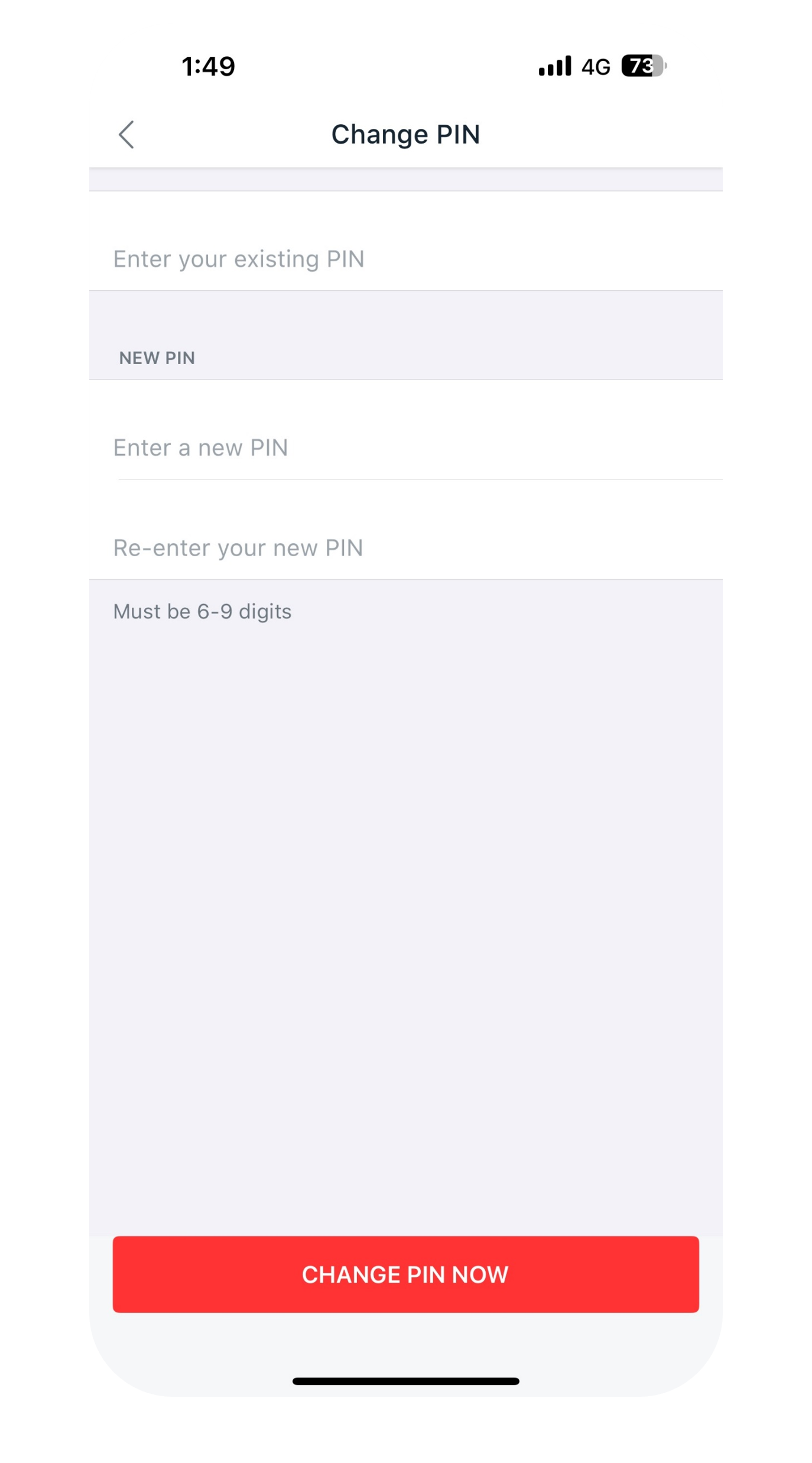
Get the latest digibank mobile app now!
digibank Online
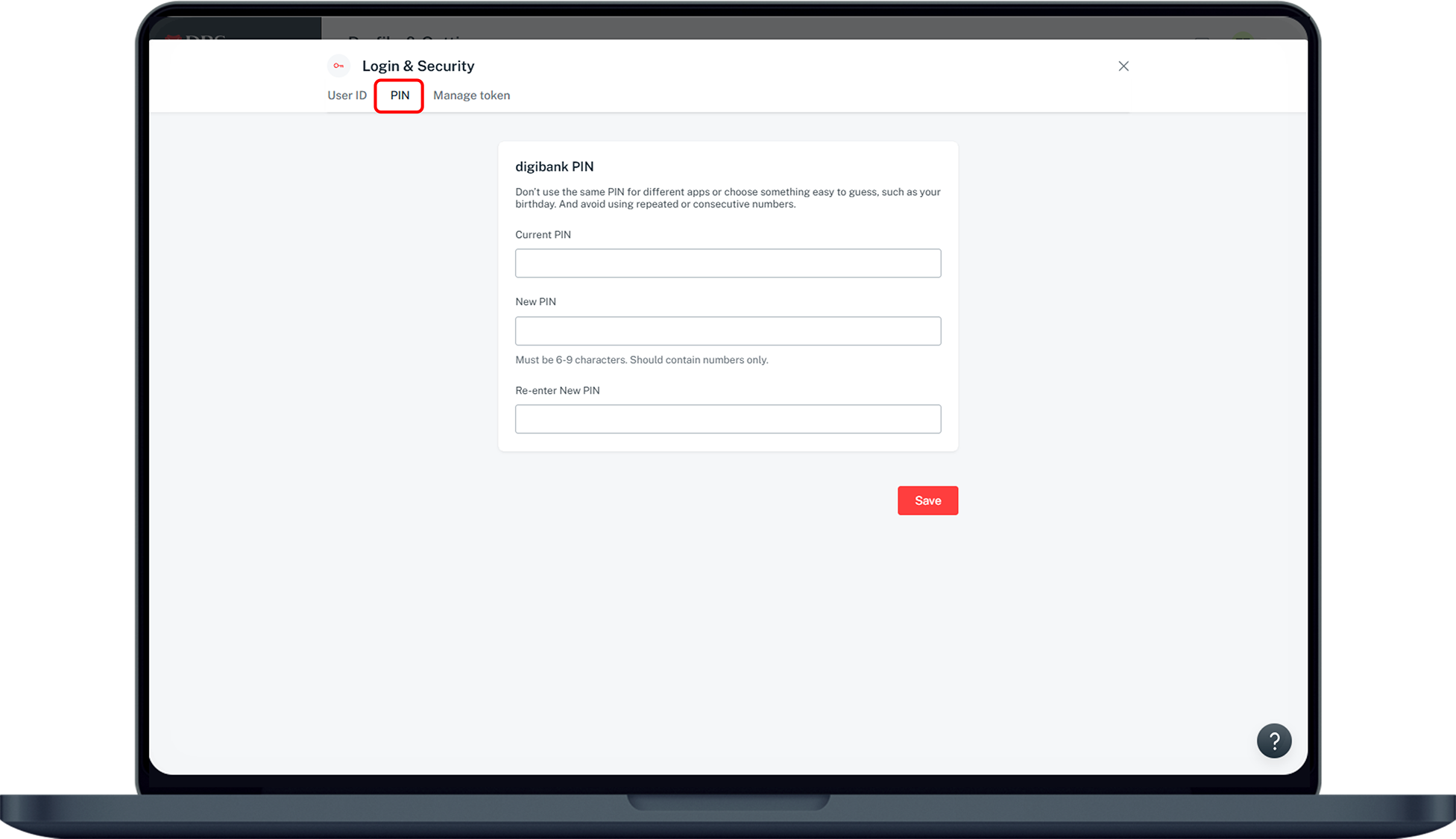
DBS Website
Was this information useful?