Replace Credit/Debit/ATM Card

Holding on to a damaged, worn out or lost your card? Request for a card replacement instantly using our self-service options.

Part of: Guides > Card Replacements, Go Travel with DBS, Digital Services


Important information

  • Ensure that your address is updated before requesting for a card replacement. Need to update your address? Learn More.
  • Take note of these information for card replacement.

How to replace Credit/Debit/ATM Card

There are various channels which you may replace your Credit/Debit/ATM card with us. The most convenient method would be via digibank mobile.

digibank mobile

phone frame
slider
slider
slider
slider
slider
slider
slider
slider
1
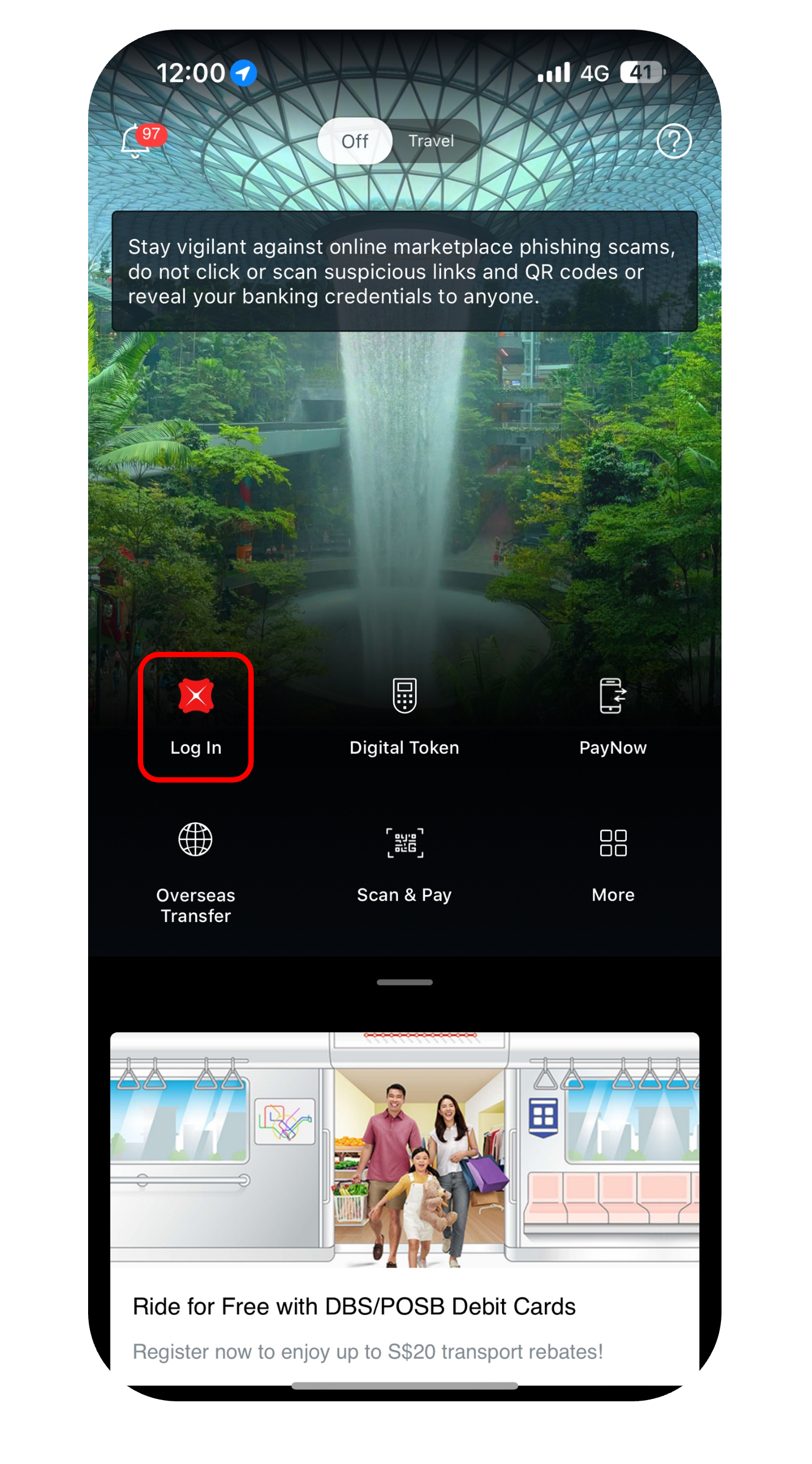
Step 1
Log in to digibank mobile with your Touch / Face ID or digibank User ID & PIN.
2
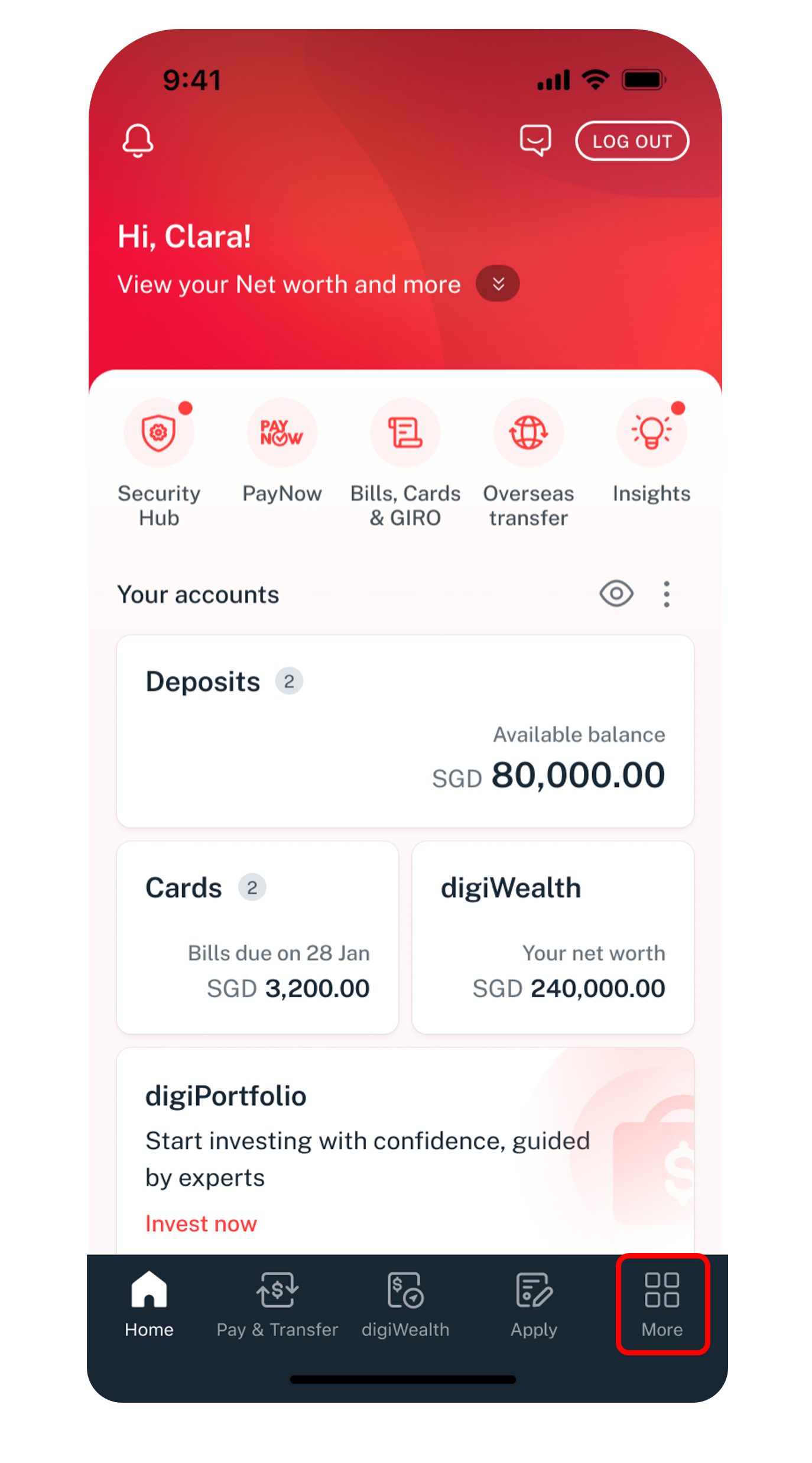
Step 2
Tap on More.
3
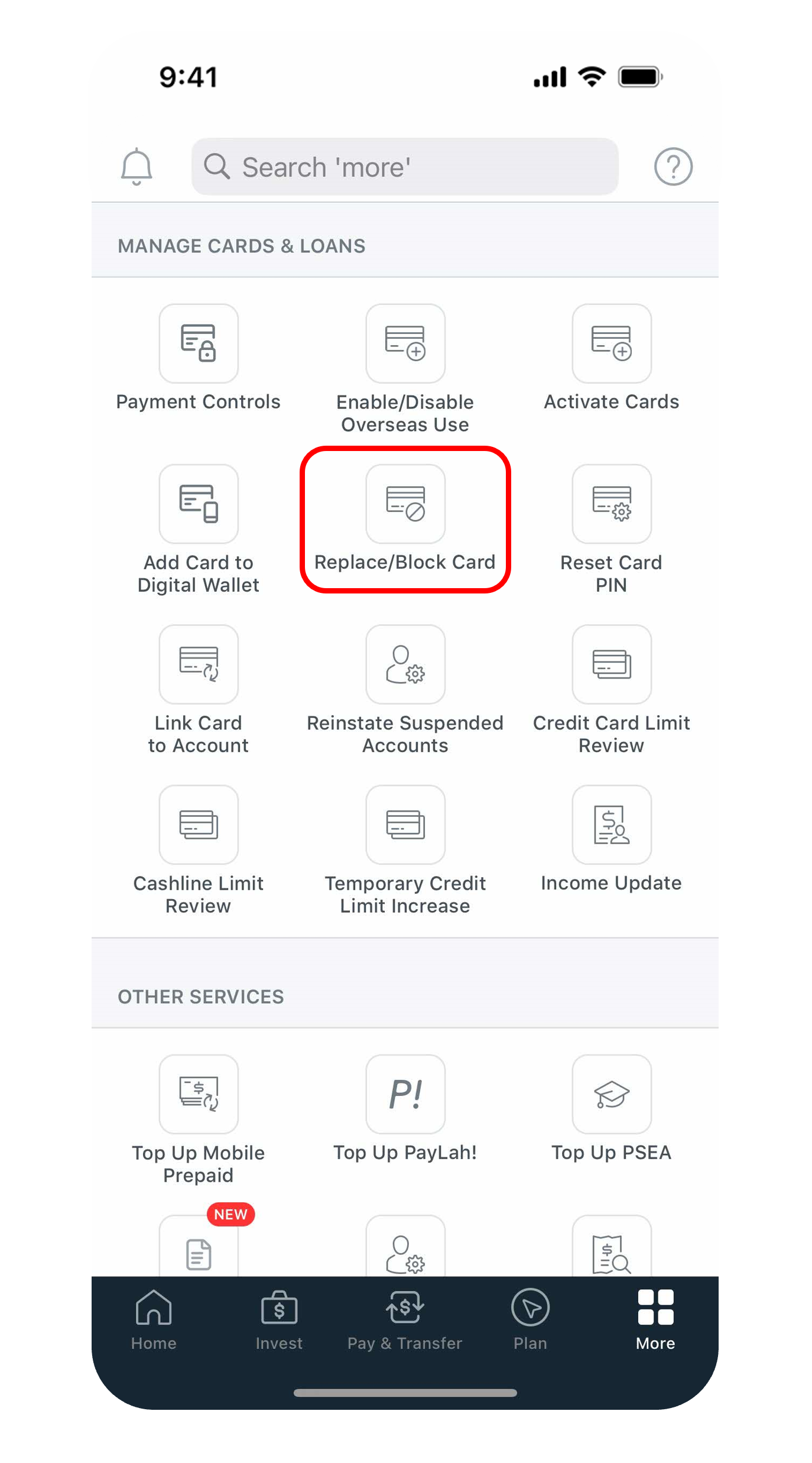
Step 3
Under Manage Cards & Loans, select Replace/Block Card.
4
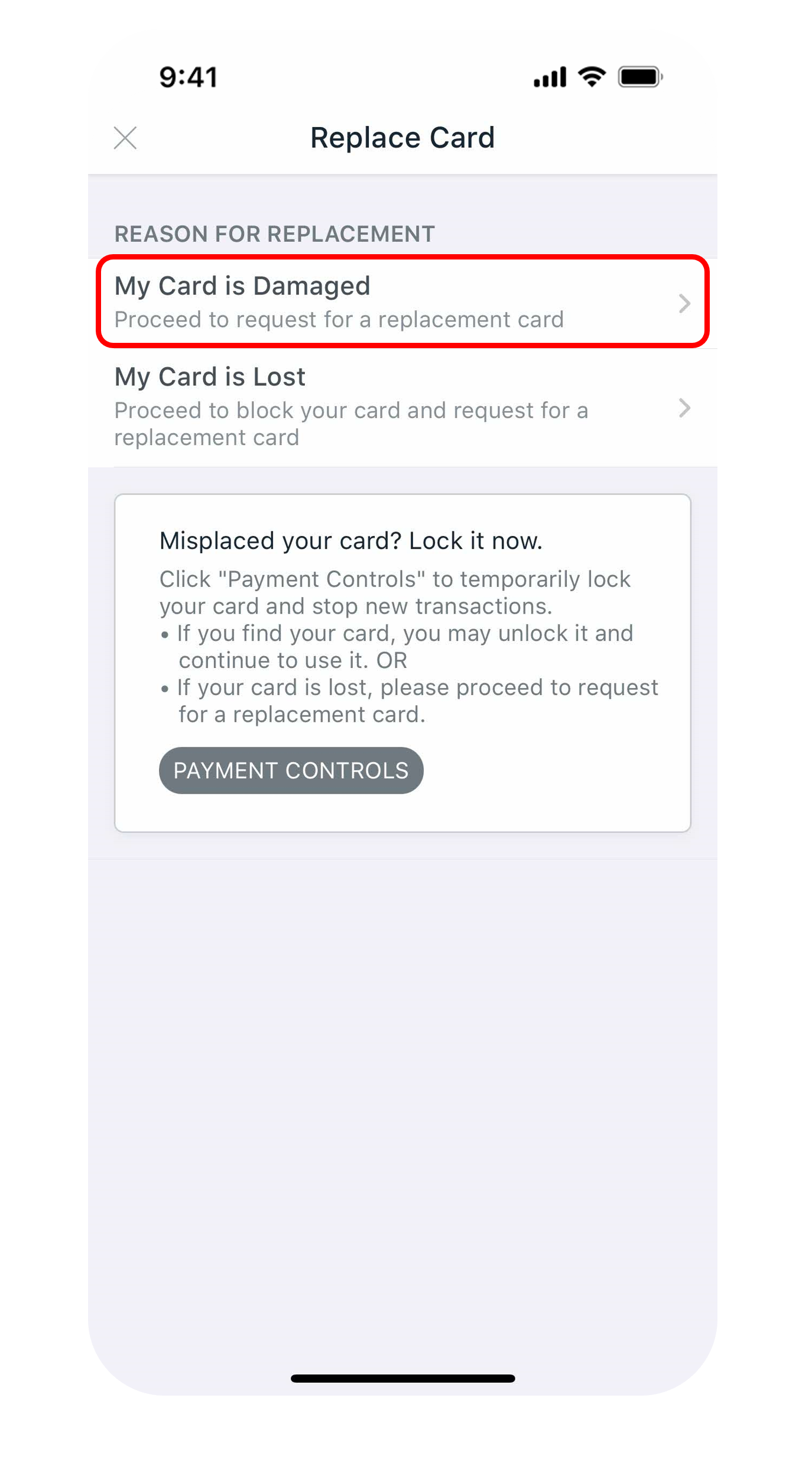
Step 4
Select the Reason for Replacement.
5
Step 5
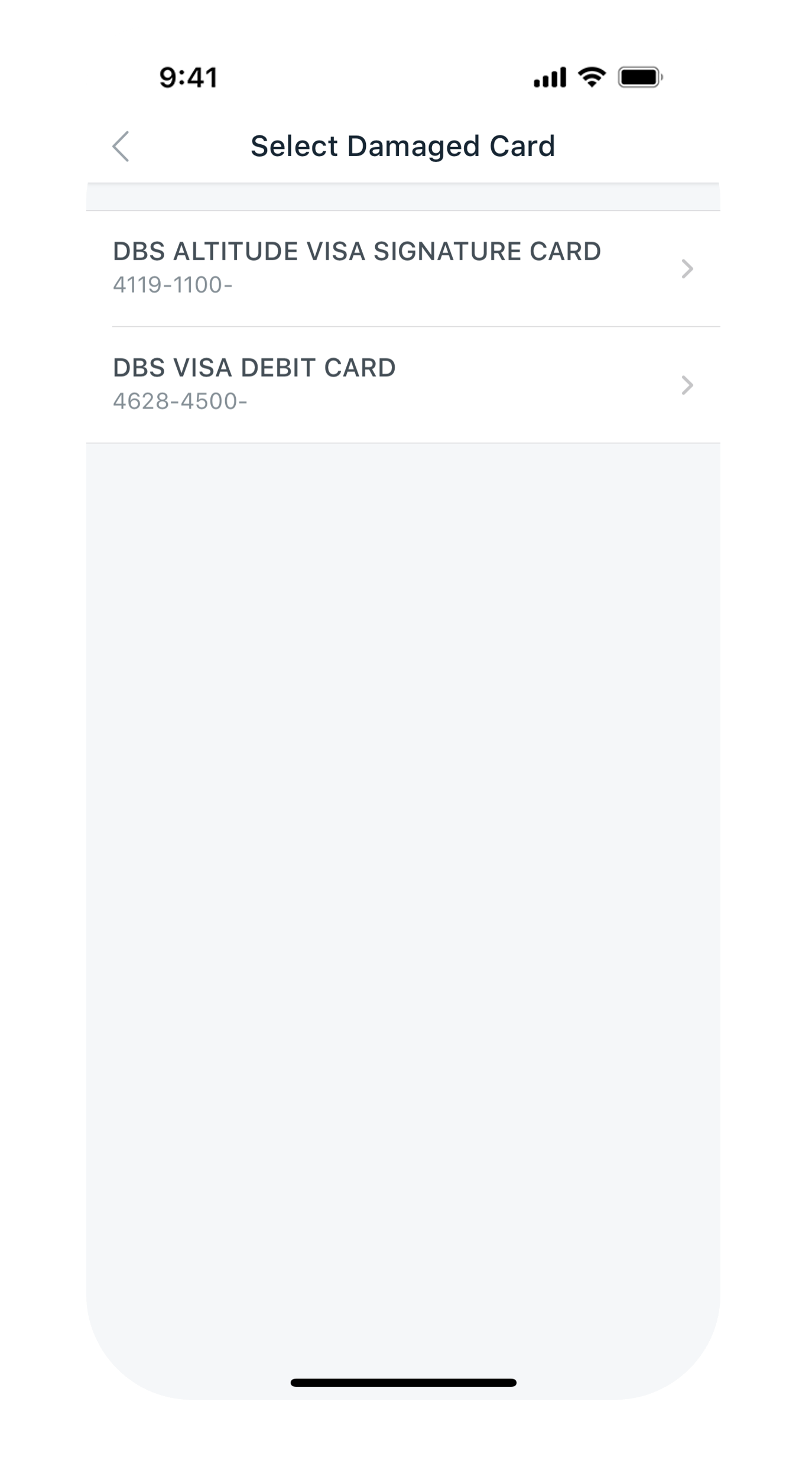
Select the Card you wish to replace.
6
Step 6
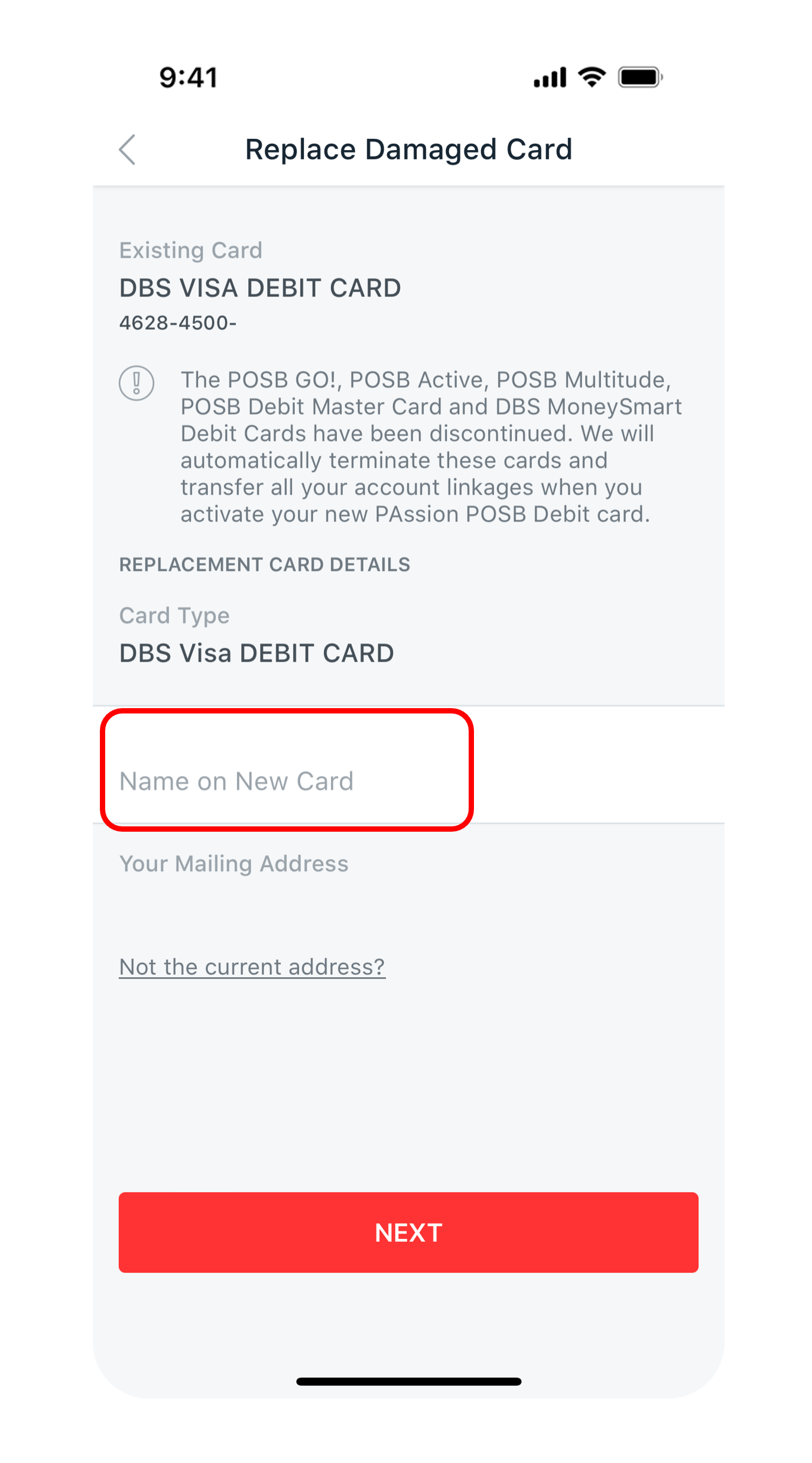
Enter Your Name to appear on the card. The name should not exceed 19 characters and it should not include any special symbols. Once done, tap on Next.
7
Step 7
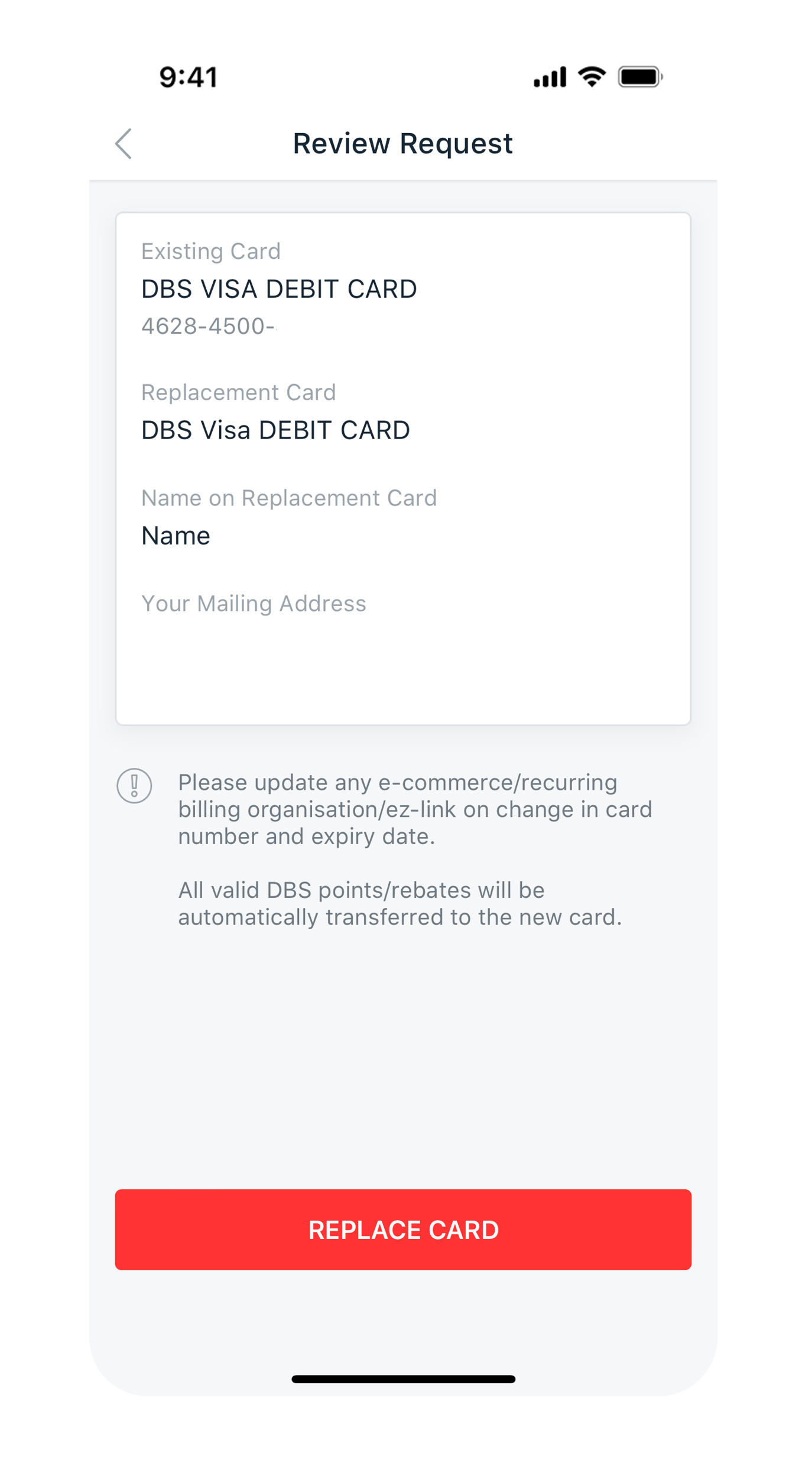
Review your request and tap Replace Card.
8
Step 8
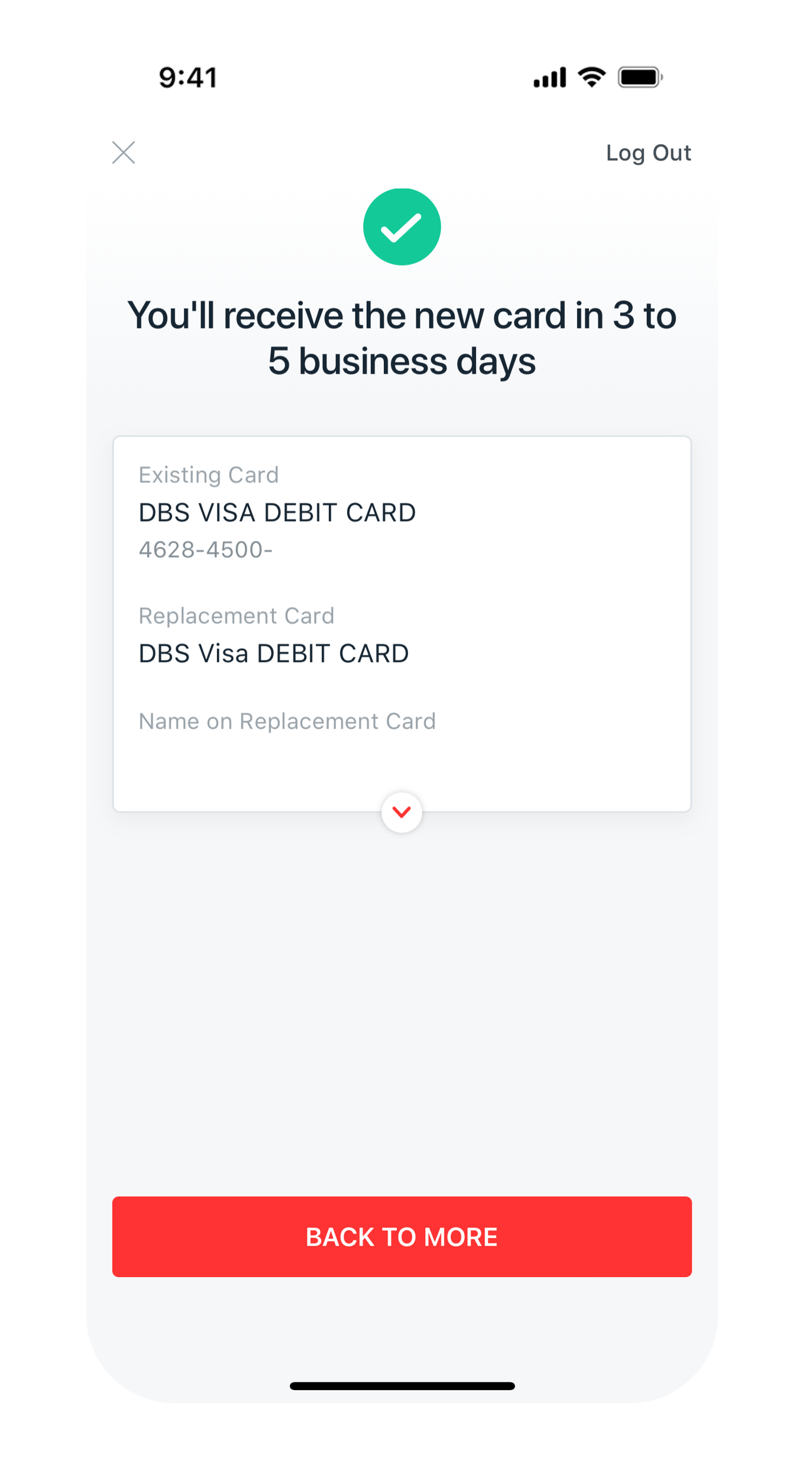
You will receive your new card within 5 working days for Singapore addresses and at least 14 working days for overseas addresses.
Get the latest DBS digibank mobile app now!

laptop
slider
slider
slider
slider
slider
slider
slider
slider
slider
slider
1
Step 1
Log in to digibank online with your User ID & PIN.
2
Step 2
Complete the Authentication Process.
3
Step 3
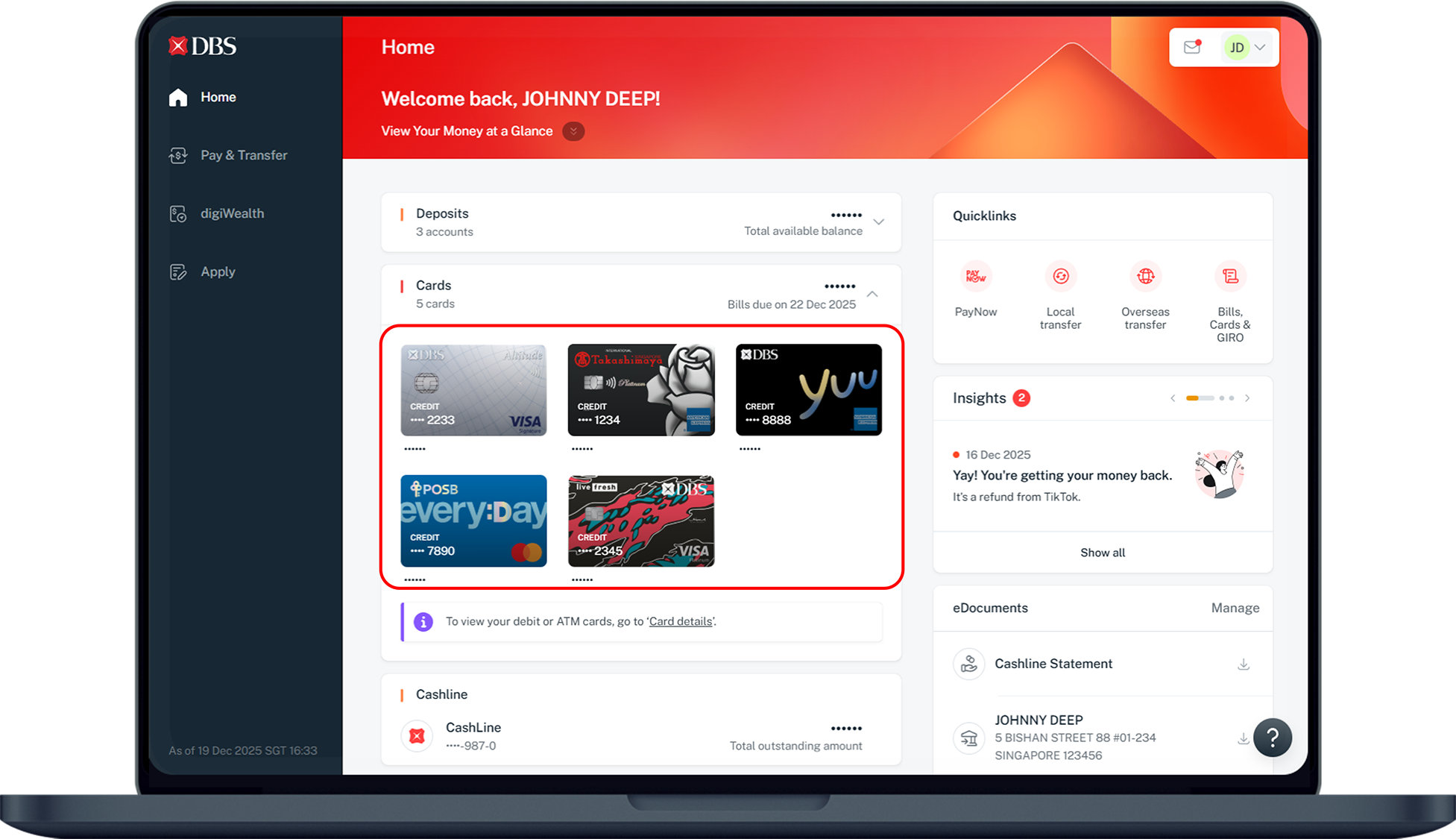
Under Home, click on Cards and select the Card that you would like to replace.
4
Step 4
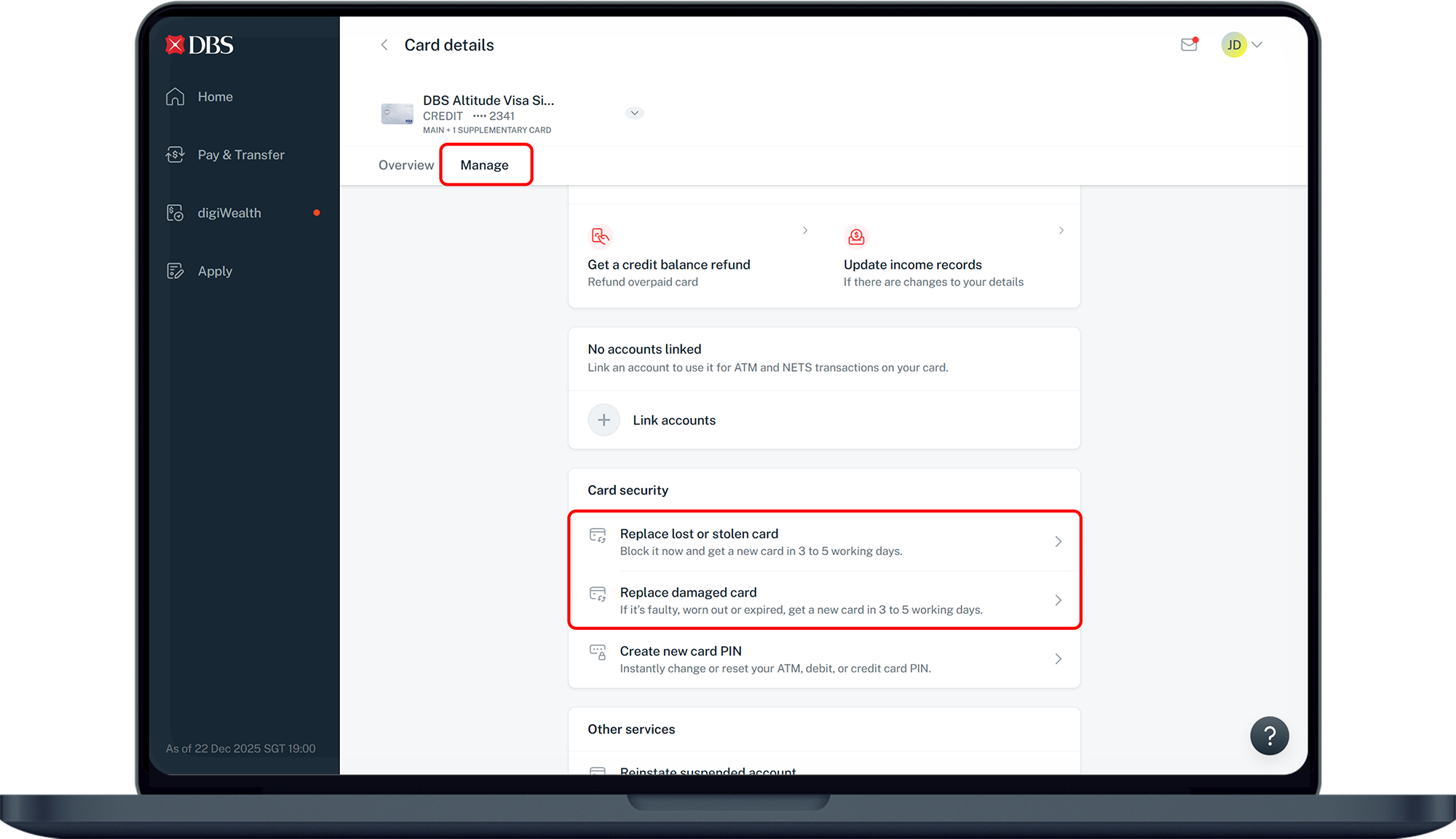
Under Card details, click Manage and select Replace damaged card.
5
Step 5
Select Credit Card or Debit Card.
6
Step 6
Select the card to be replaced.
7
Step 7
Confirm your mailing address for the card replacement and click Yes or No.
8
Step 8
Enter your name to appear on the card.
9
Step 9
Review your request and click Proceed.
10
Step 10
Your card has been replaced successfully. You will receive your new card within 5 working days for Singapore addresses and at least 14 working days for overseas addresses.
phone frame
slider
slider
slider
slider
slider
slider
slider
slider
slider
1
Step 1
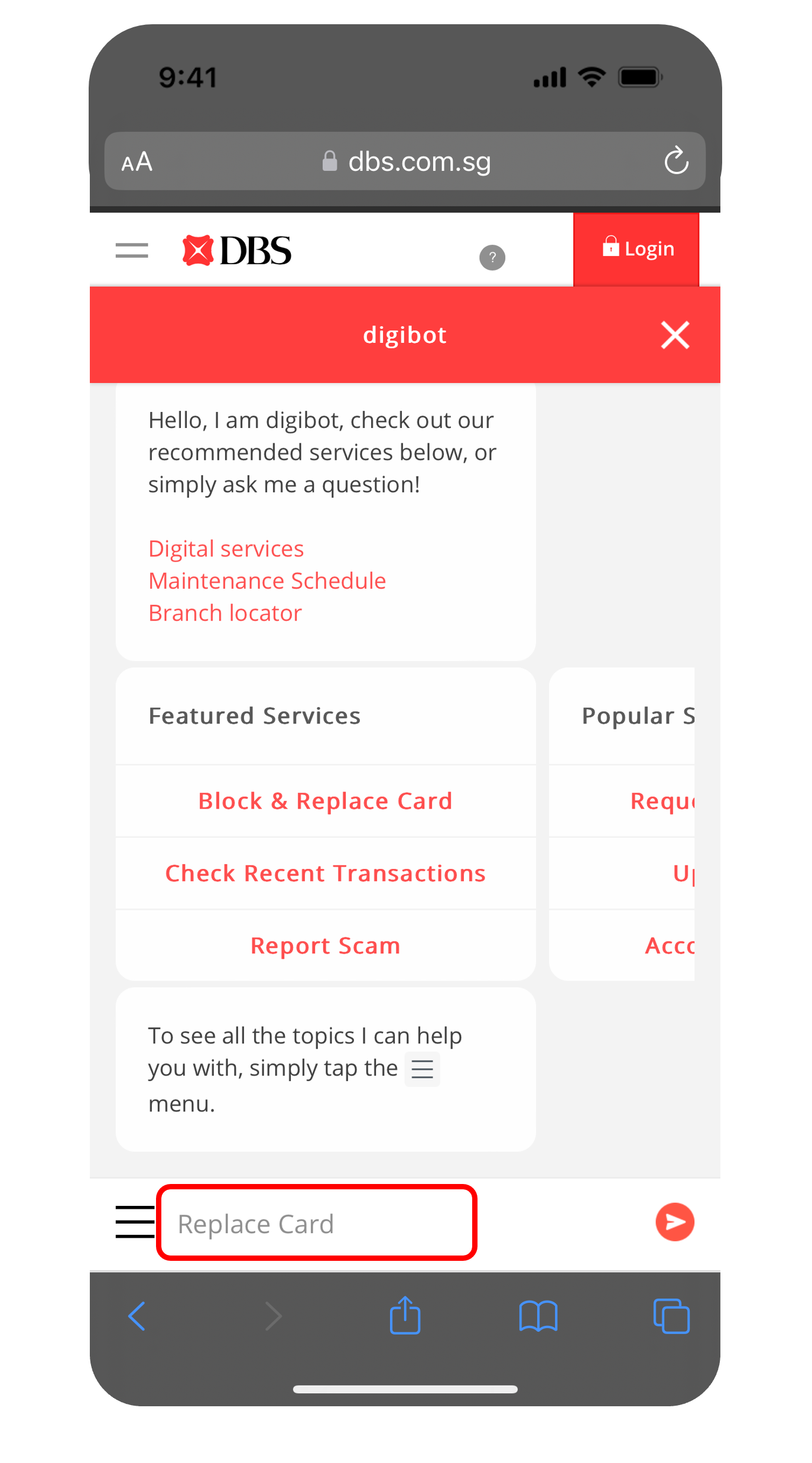
Click on Digibot Icon    located at the bottom right.
2
Step 2
Type Replace Card.
3
Step 3
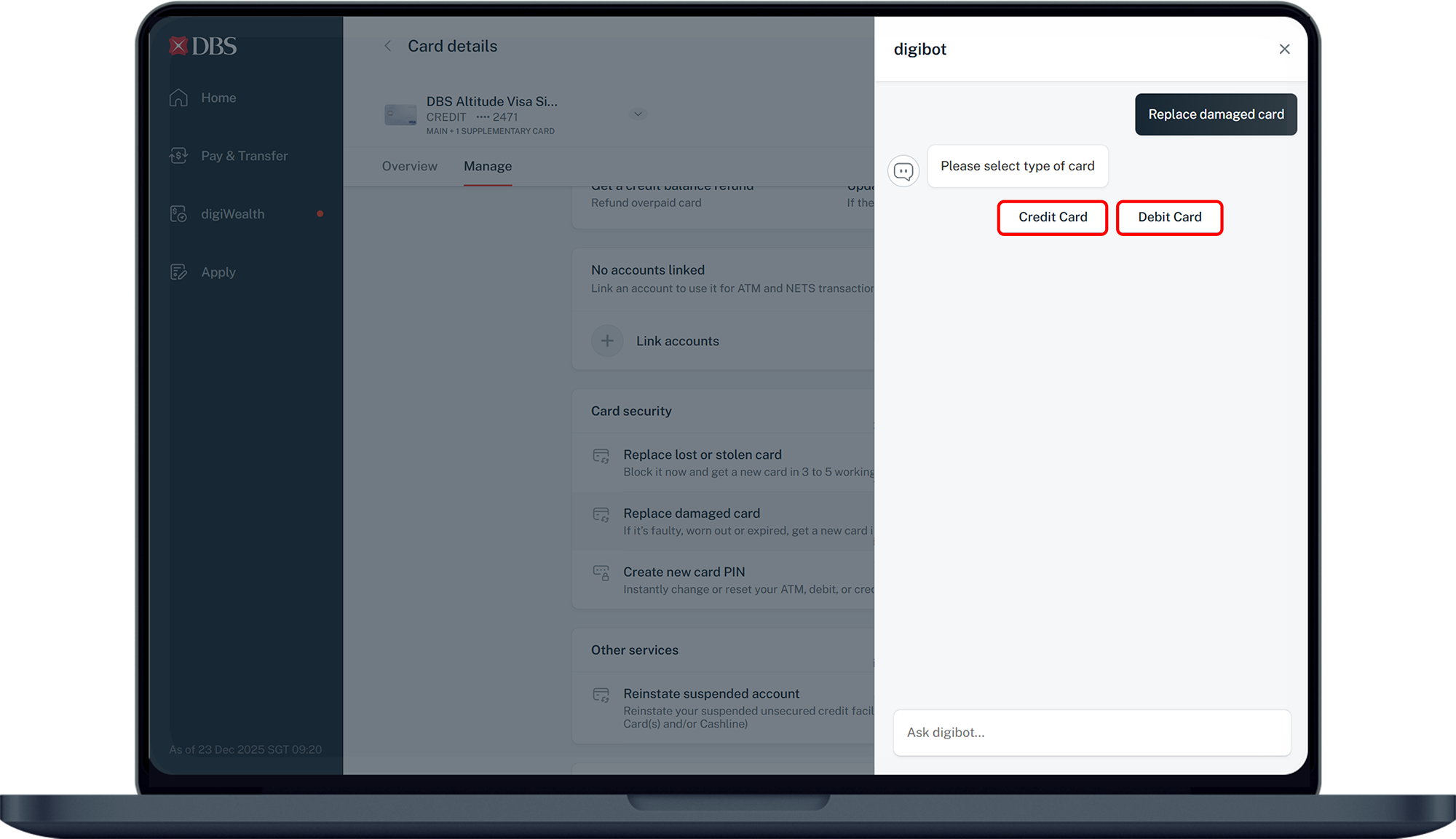
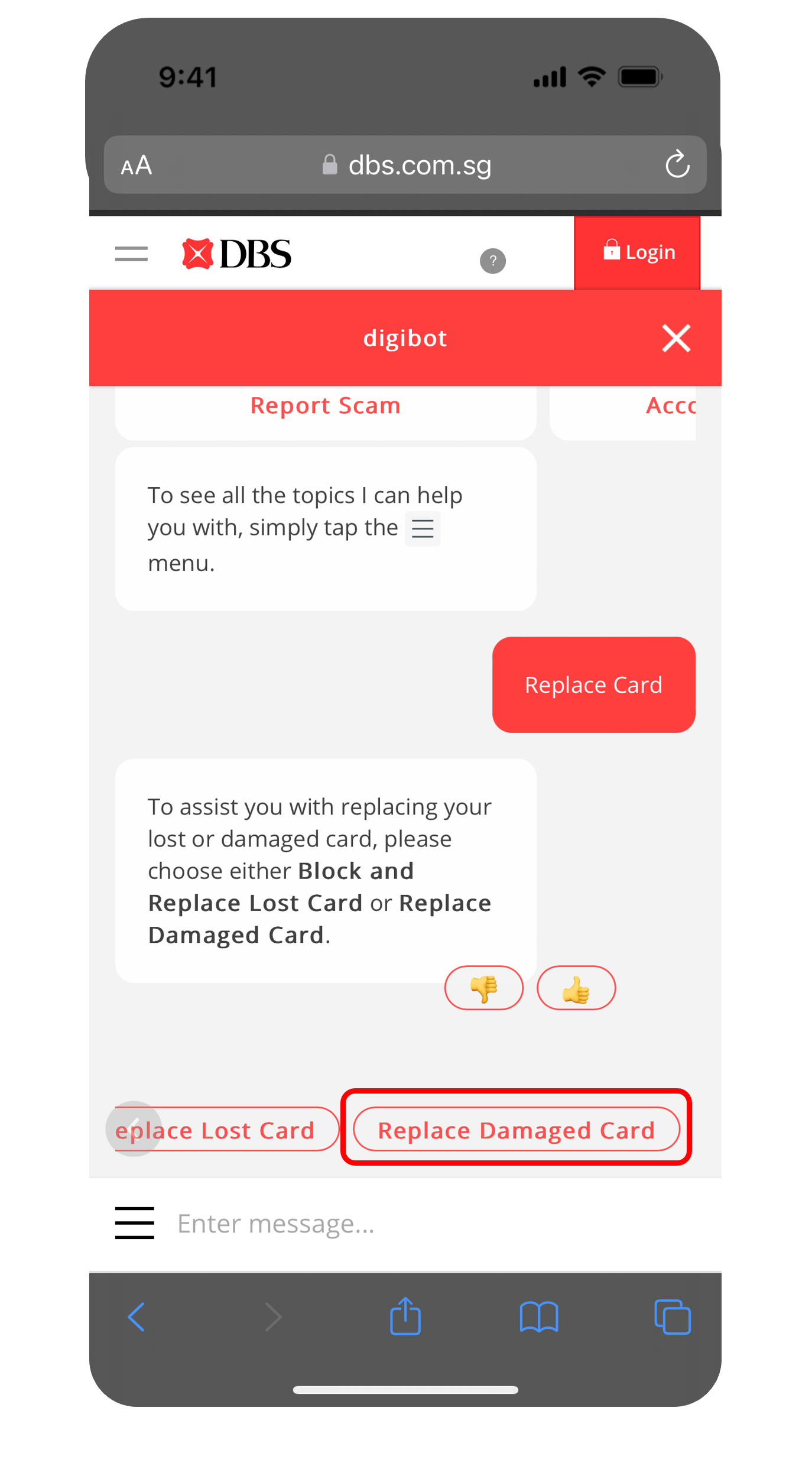
Select Replace Damaged Card.
4
Step 4
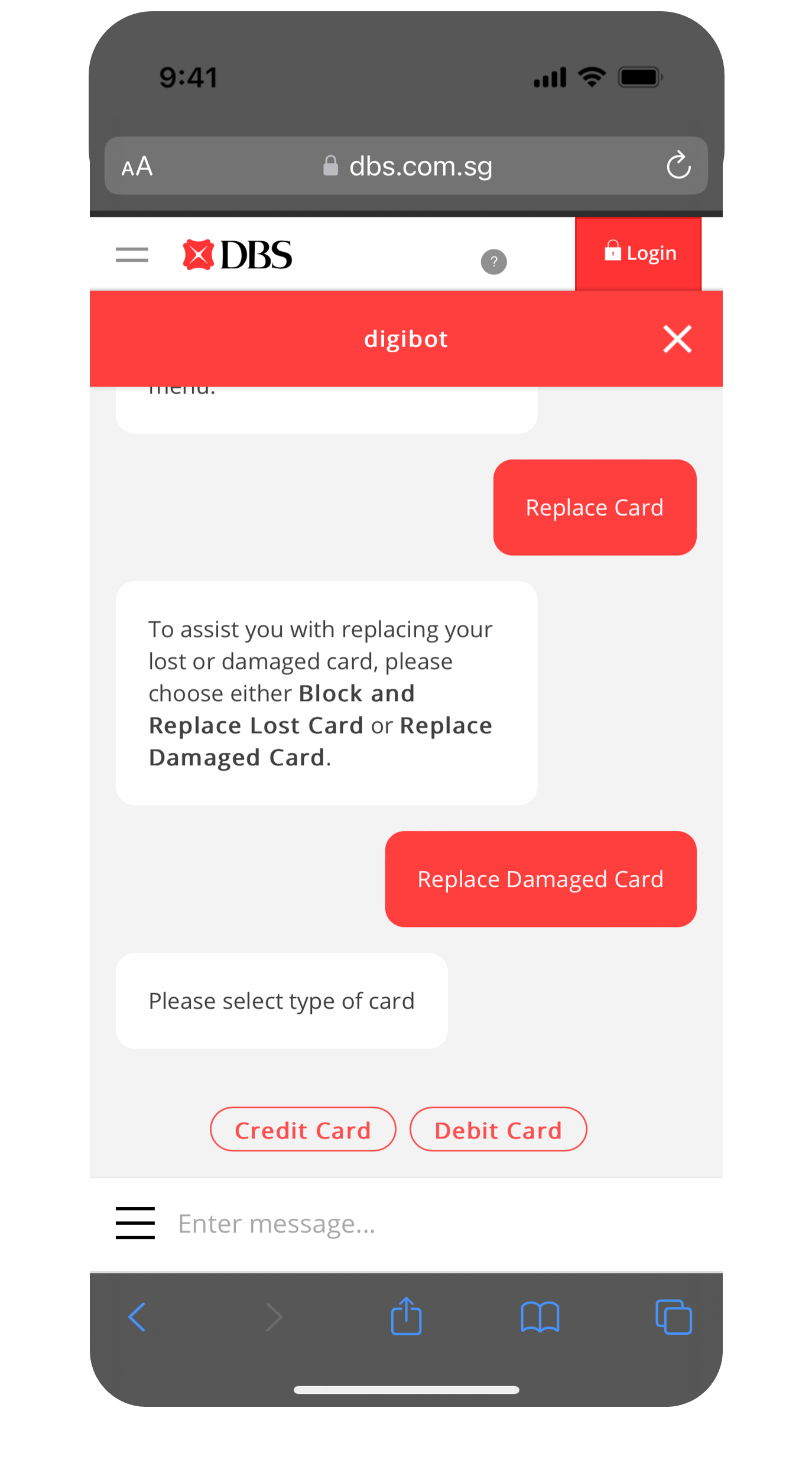
Select Type of Card for replacement.
5
Step 5
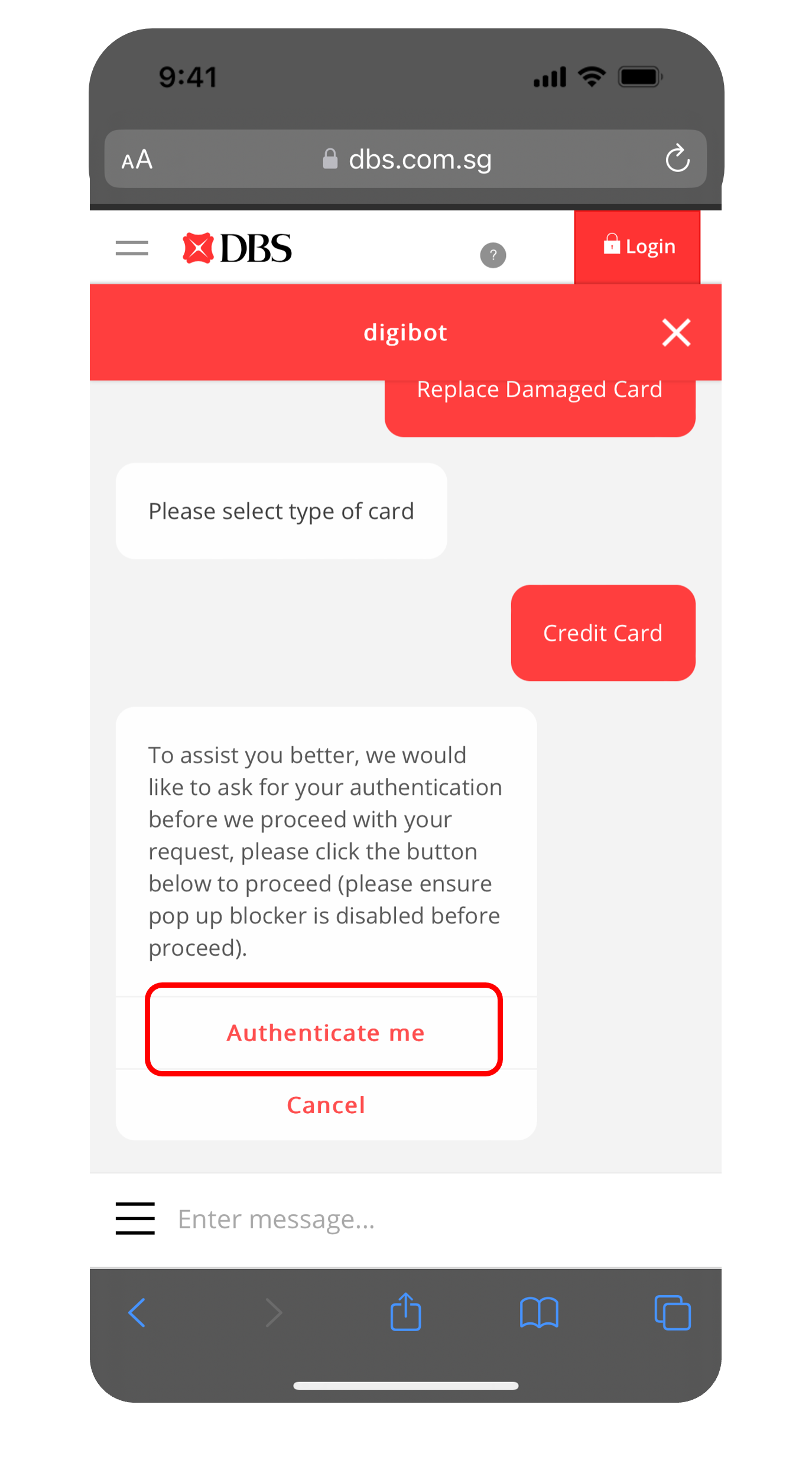
Click Authenticate me to complete the authentication using either your iBanking Login or Card & PIN.
6
Step 6
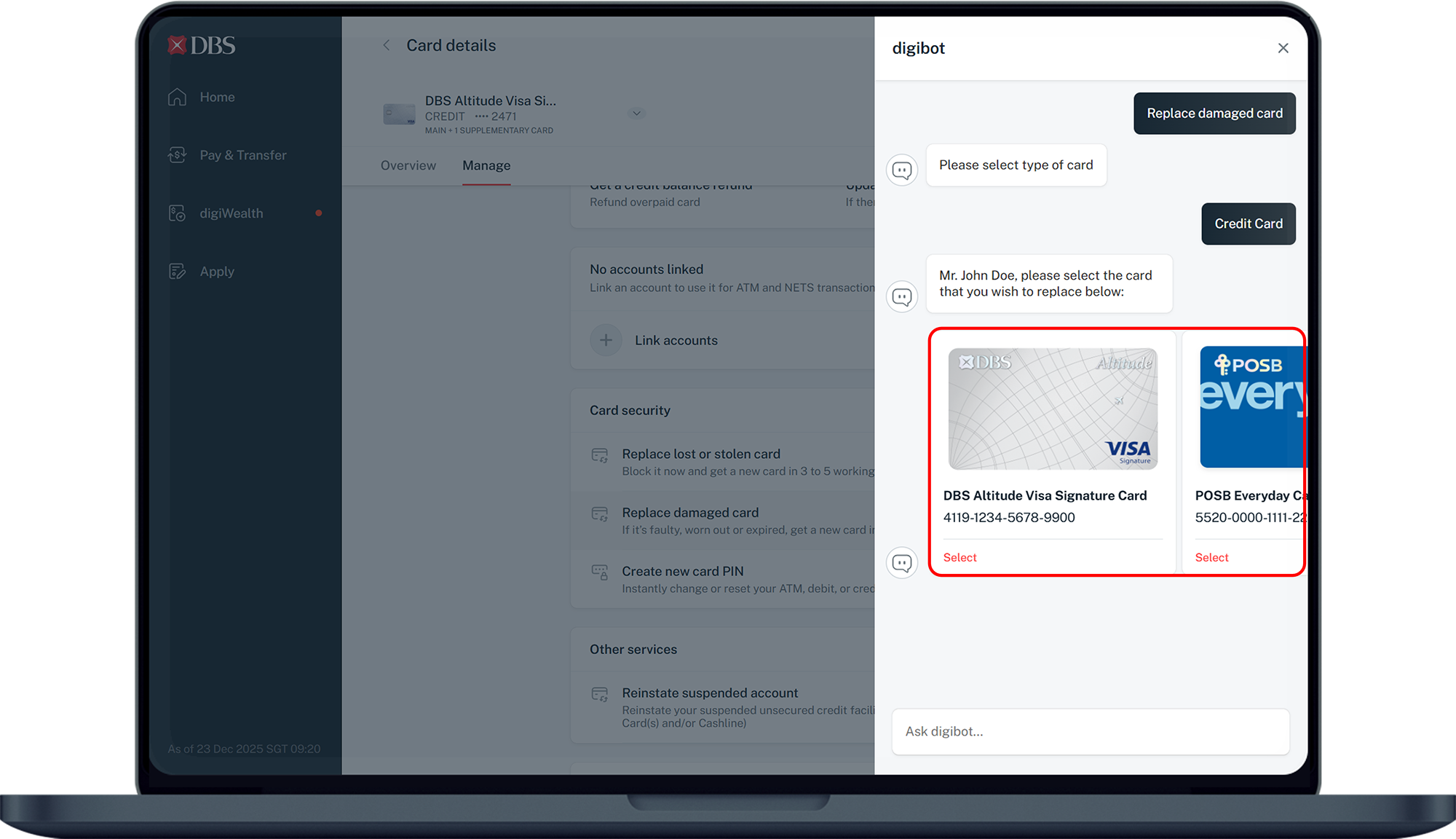
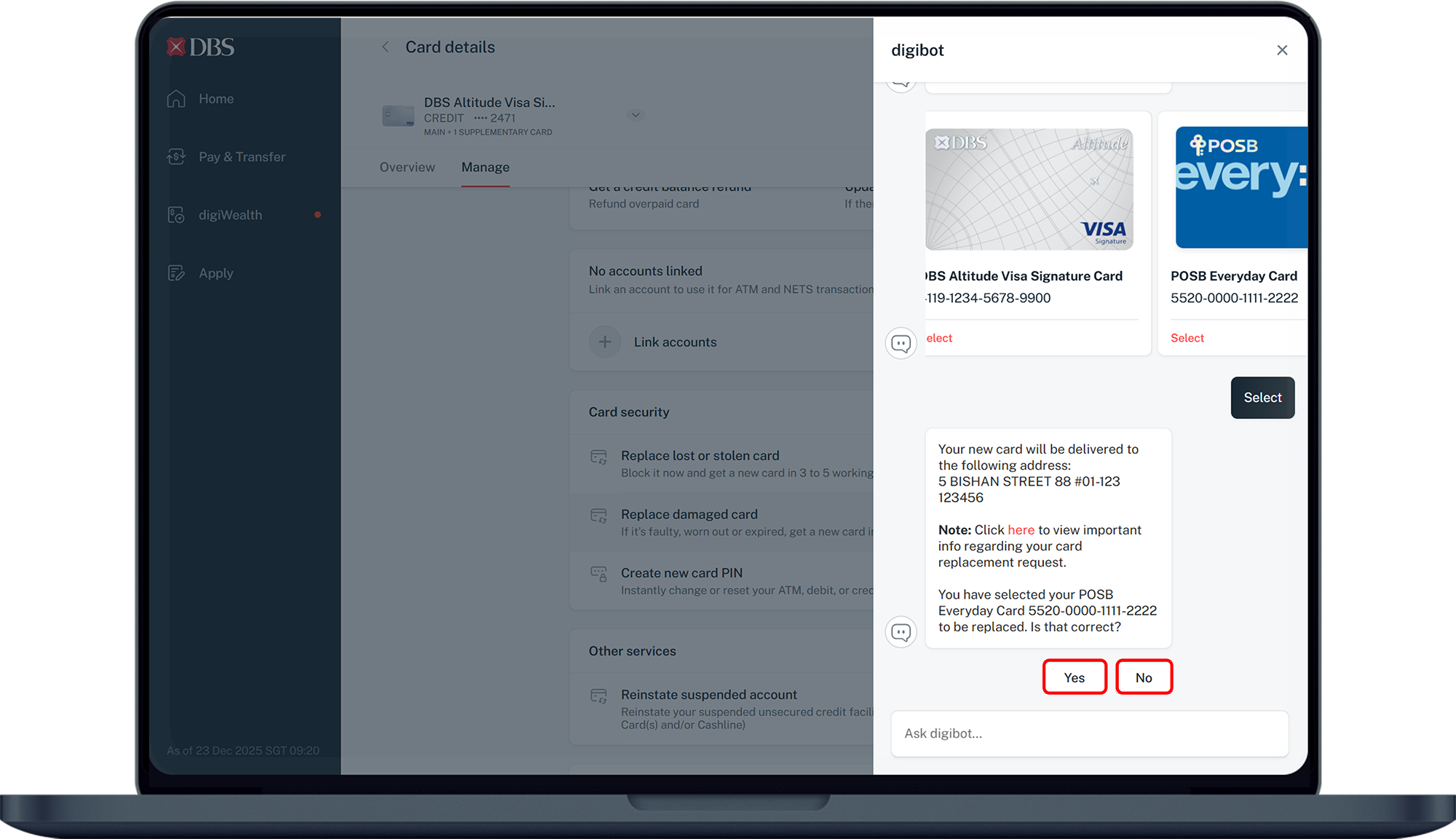
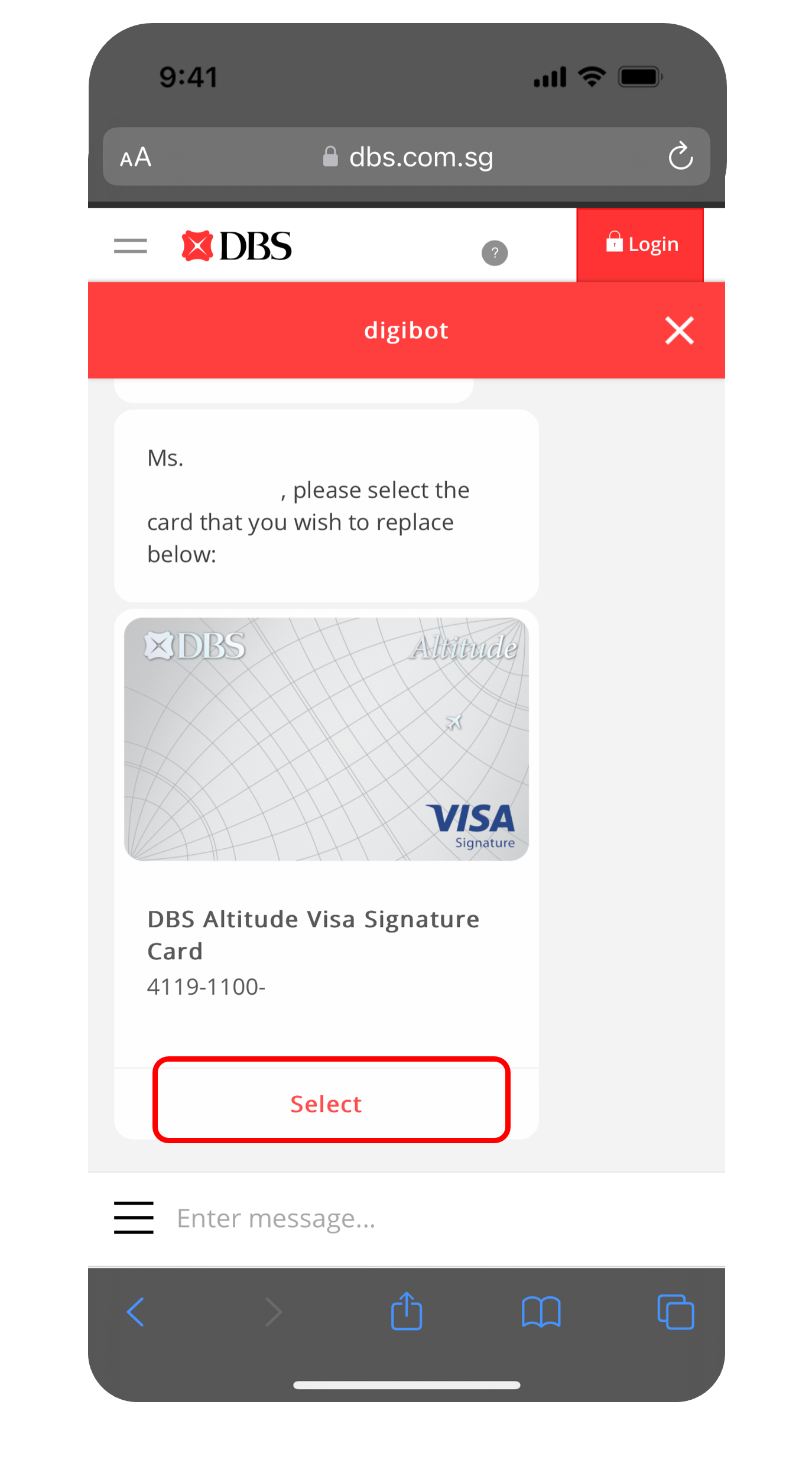
Select the Card you wish to replace.
7
Step 7
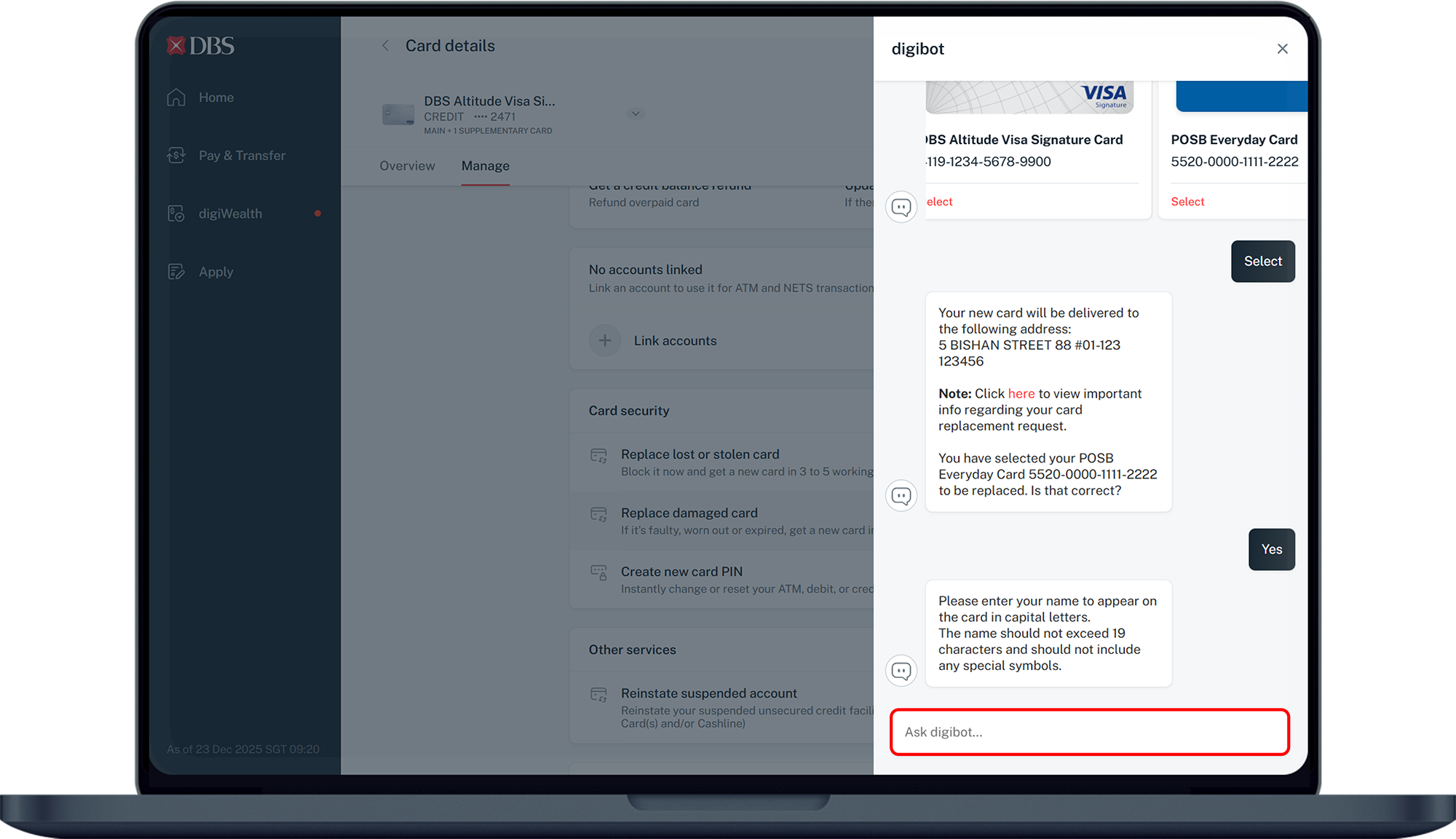
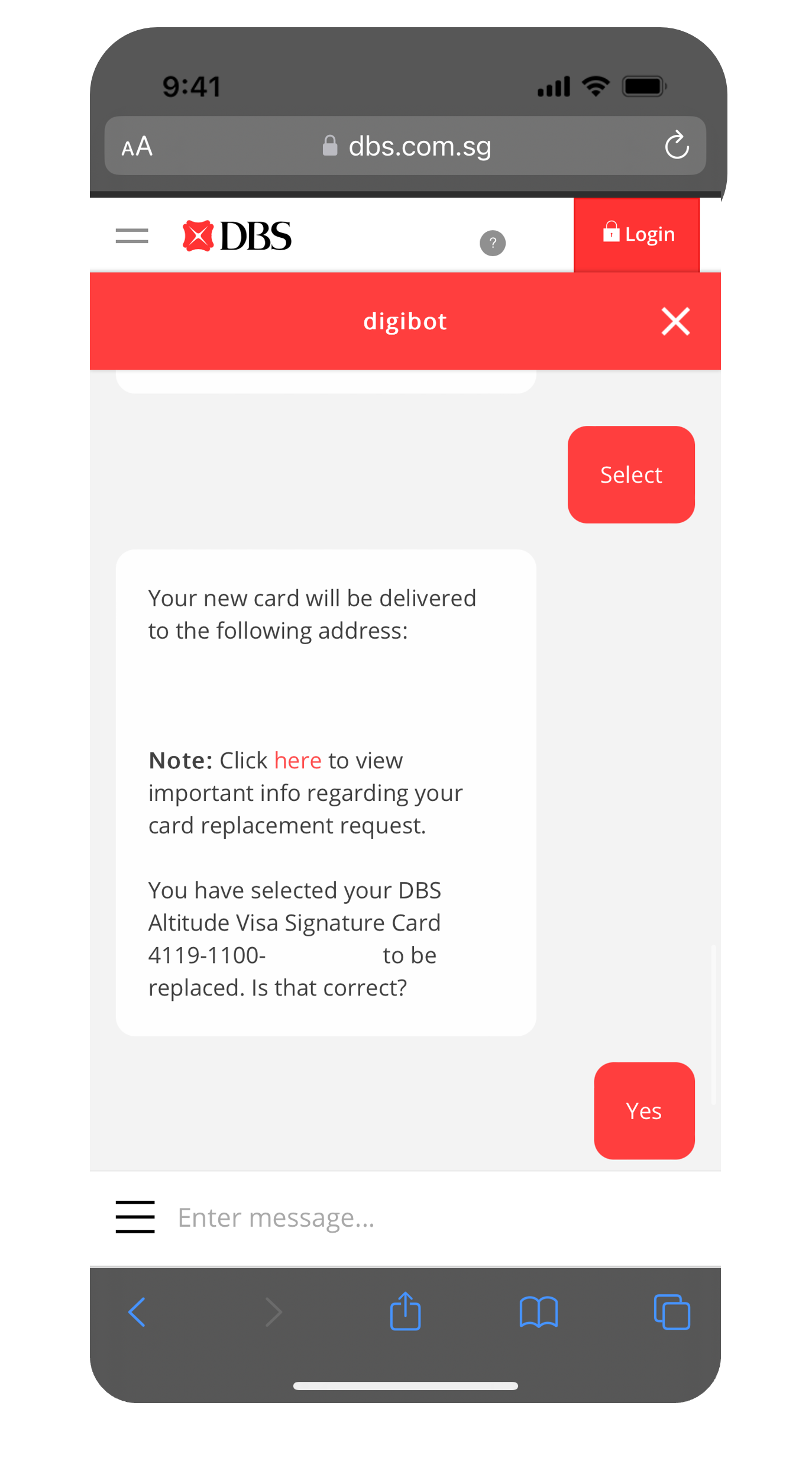
Confirm your Mailing Address.
8
Step 8
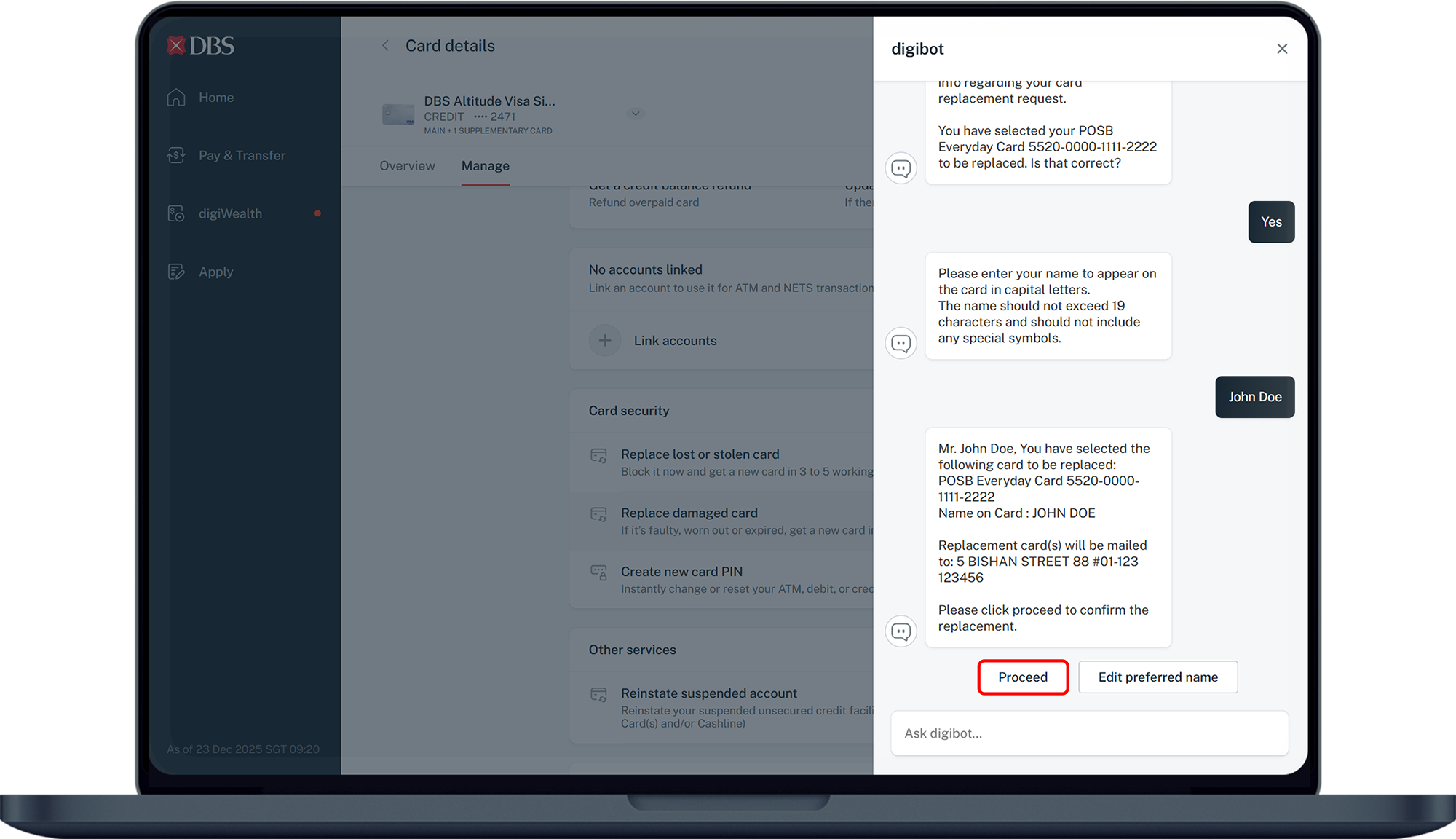
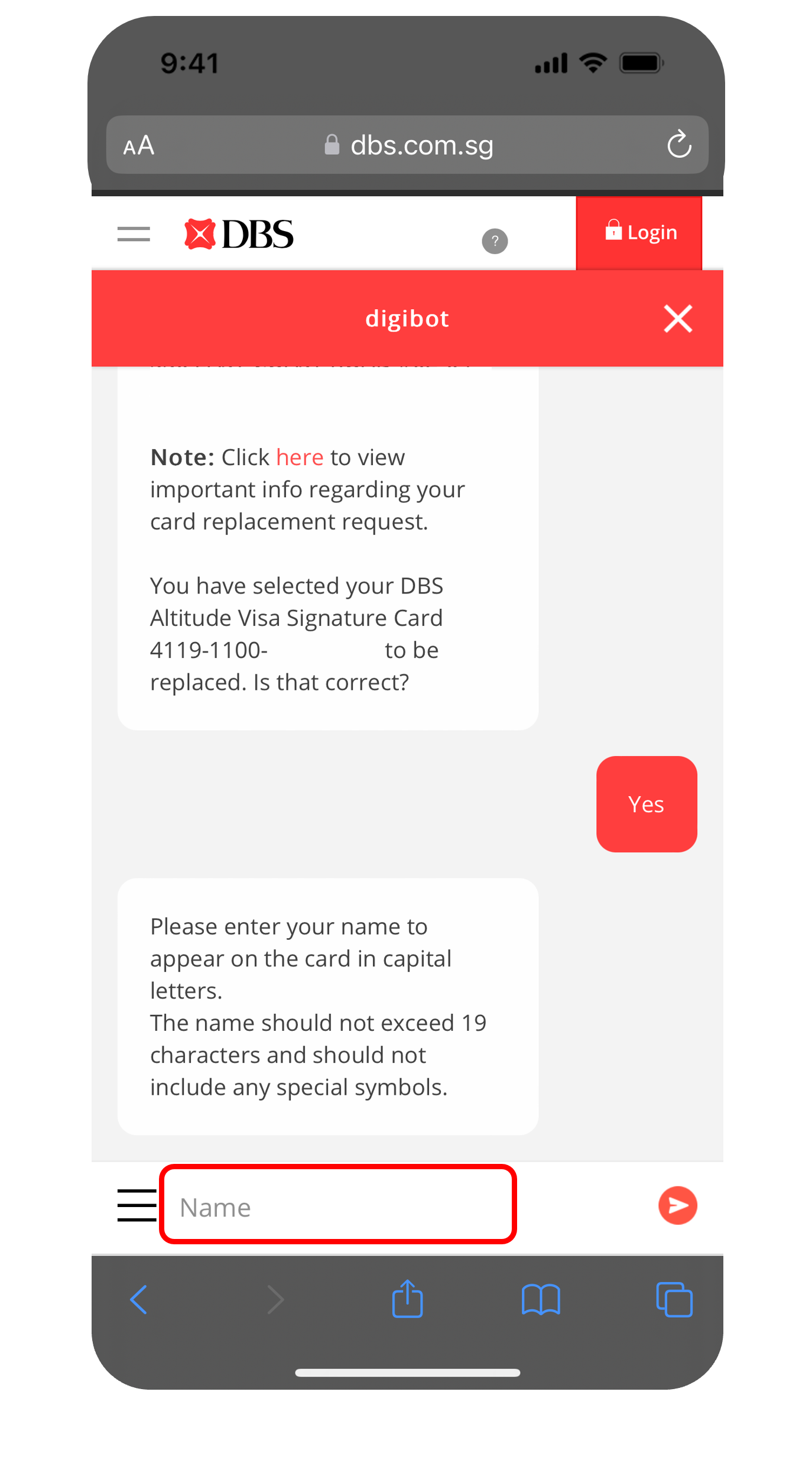
Enter Your Name to appear on the card. The name should not exceed 19 characters and it should not include any special symbols.
9
Step 9
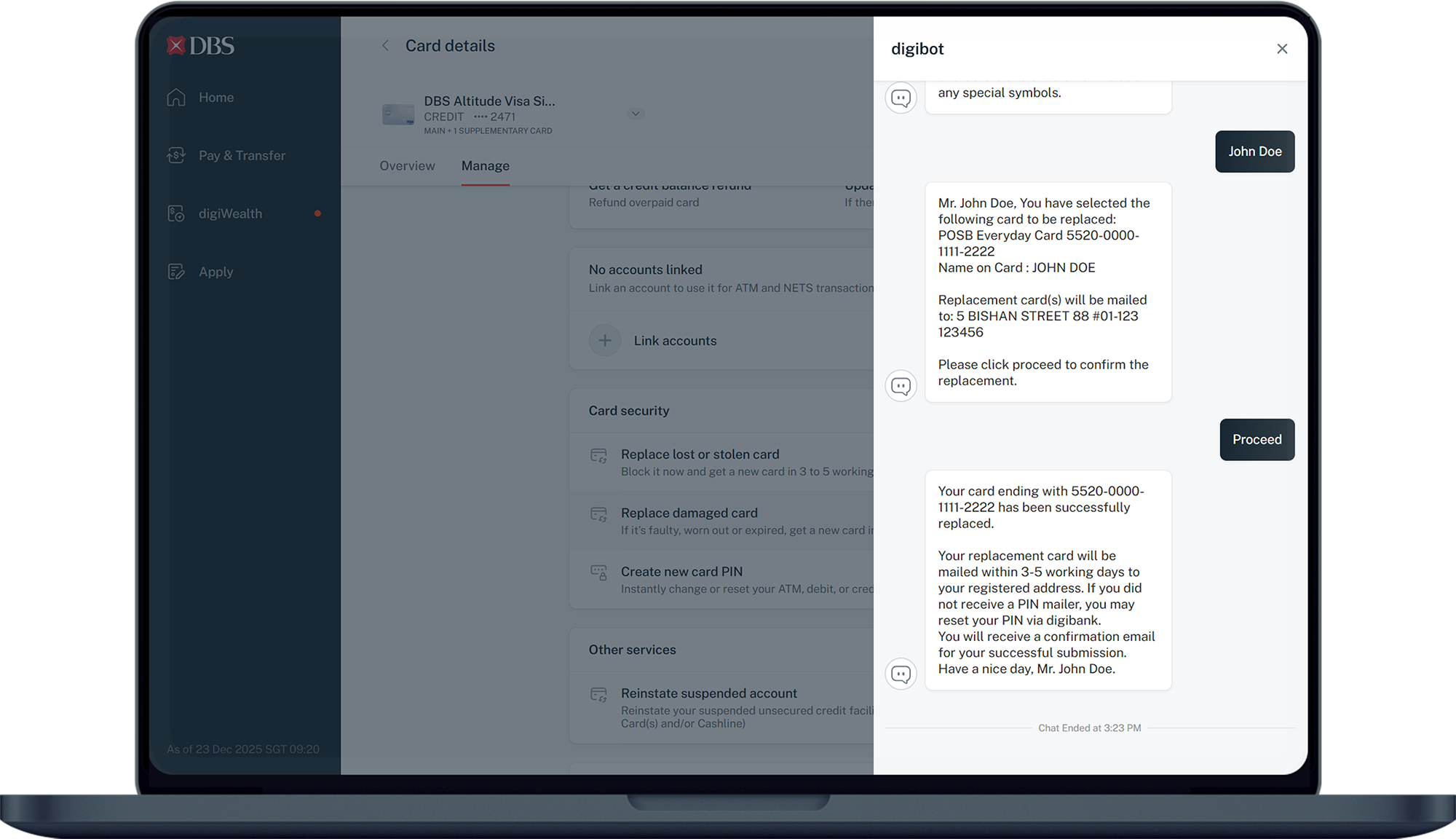
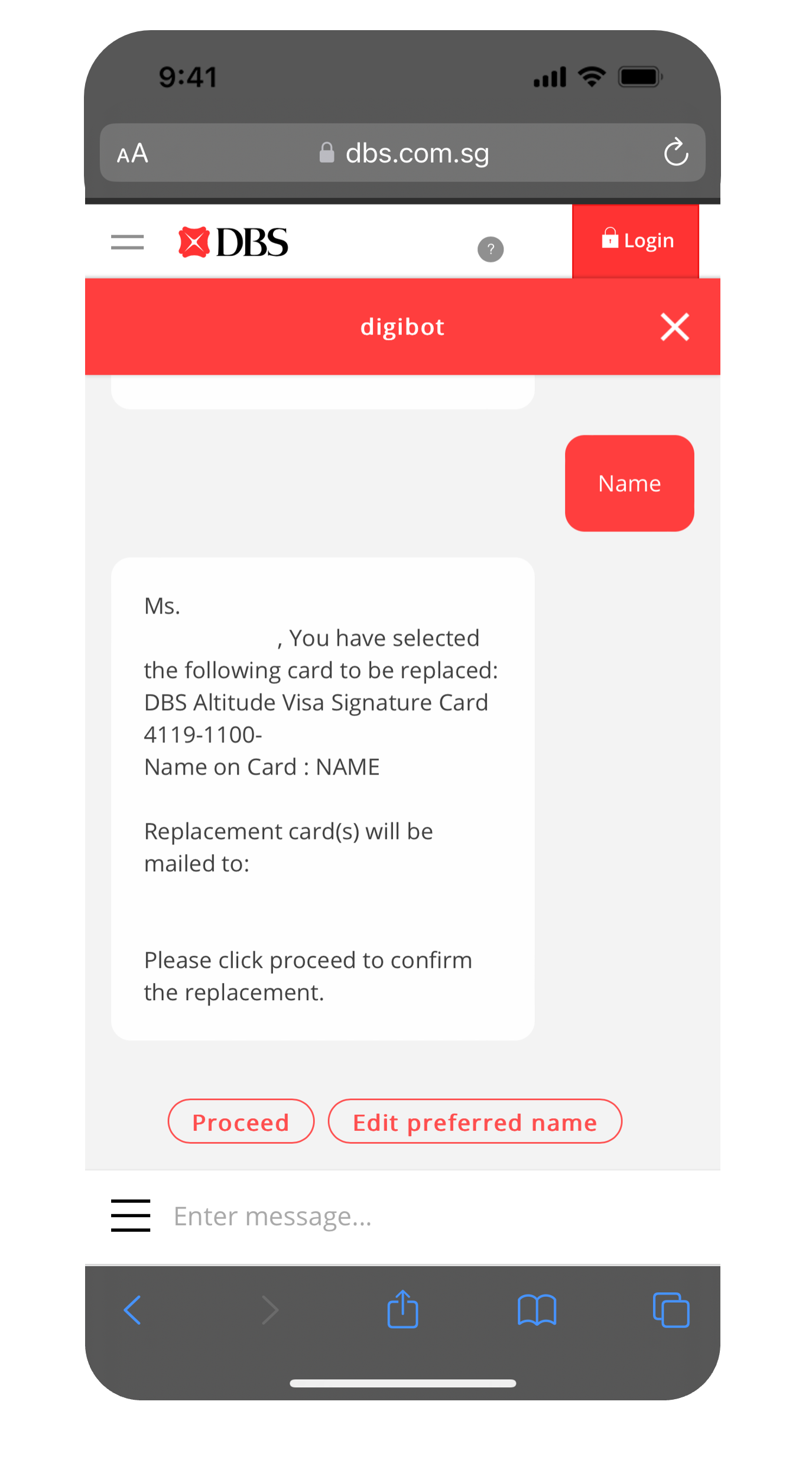
Click Proceed to submit your request. You will receive your new card within 5 working days for Singapore addresses and at least 14 working days for overseas addresses.

More information

  • You will receive your replacement card & PIN (if any) separately within 5 working days for Singapore addresses and at least 14 working days for overseas addresses from the requested date.

    Note:
    • For activation of renewal card or damaged card replacement, use the same PIN as your previous card, or the PIN you have created upon online application.
    • If you have received a PIN mailer, enter your PIN accordingly.
    • If you did not receive a PIN mailer or have forgotten your PIN, you may activate your replacement card and reset your PIN instantly via digibank. Find out how you can Reset Card PIN.
  • A replacement ATM/Debit/Credit Card is mailed to you 2 months prior to its expiry date, if you did not receive or had misplace your replacement card after its expiry date, please perform a manual replacement.
Was this information useful?

We welcome your feedback

Information is easy to understand and find
Information is useful to answer your inquiries completely