Set up a GIRO Arrangement
Find out how you can set up a GIRO arrangement easily using digibank.
Part of: Guides > Your Guide to Bill Payment
Important information
- GIRO is an electronic bill payment option to facilitate automated payments to Billing Organisations, which reduces the hassle of performing ad-hoc payments when you receive your bills.
- GIRO is not allowed for DBS Trust Minor/POSBkids Trust/POSBkids (personal)*/My Account*/SAYE Accounts.
*GIRO payment arrangement set up is not allowed if account holder is below 16 years old (by birth year). Special exception for MOE GIRO deductions, where account holder 12 years old & above can apply. - For Joint All Accounts, all joint parties will need to be present at the branch or signed on the form for the GIRO set up. Subjected to Billing Organisations terms and conditions.
How to set up a GIRO arrangement
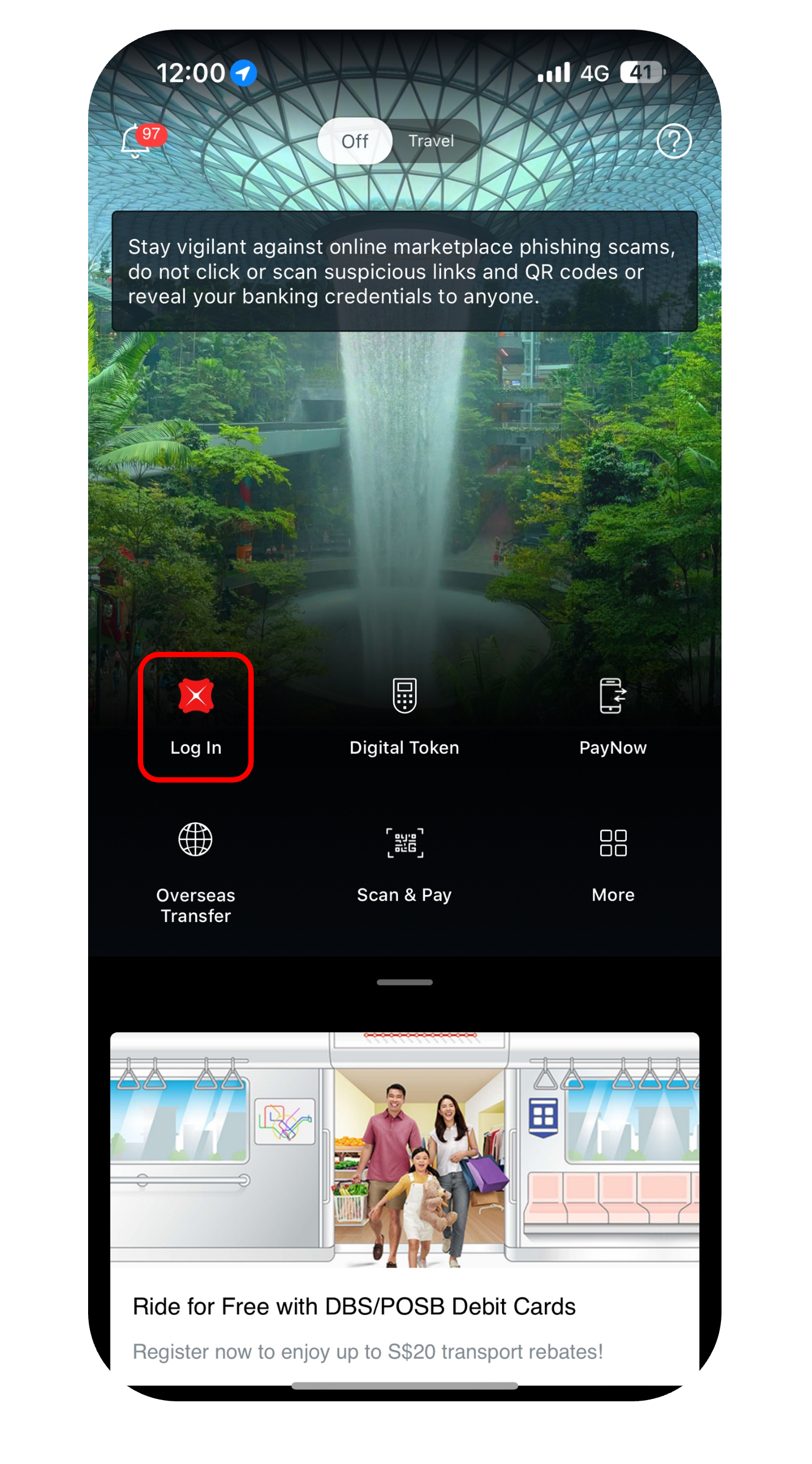
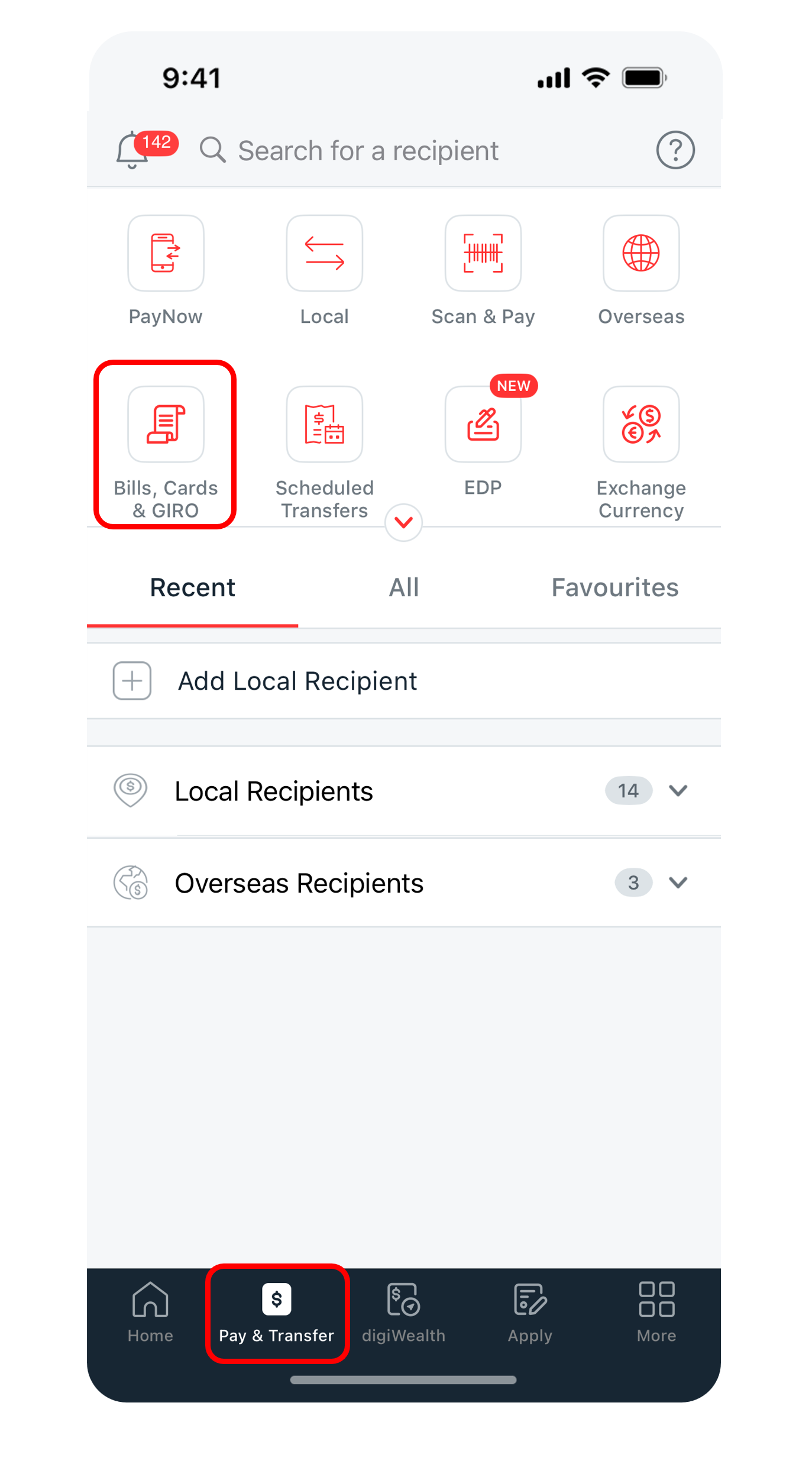
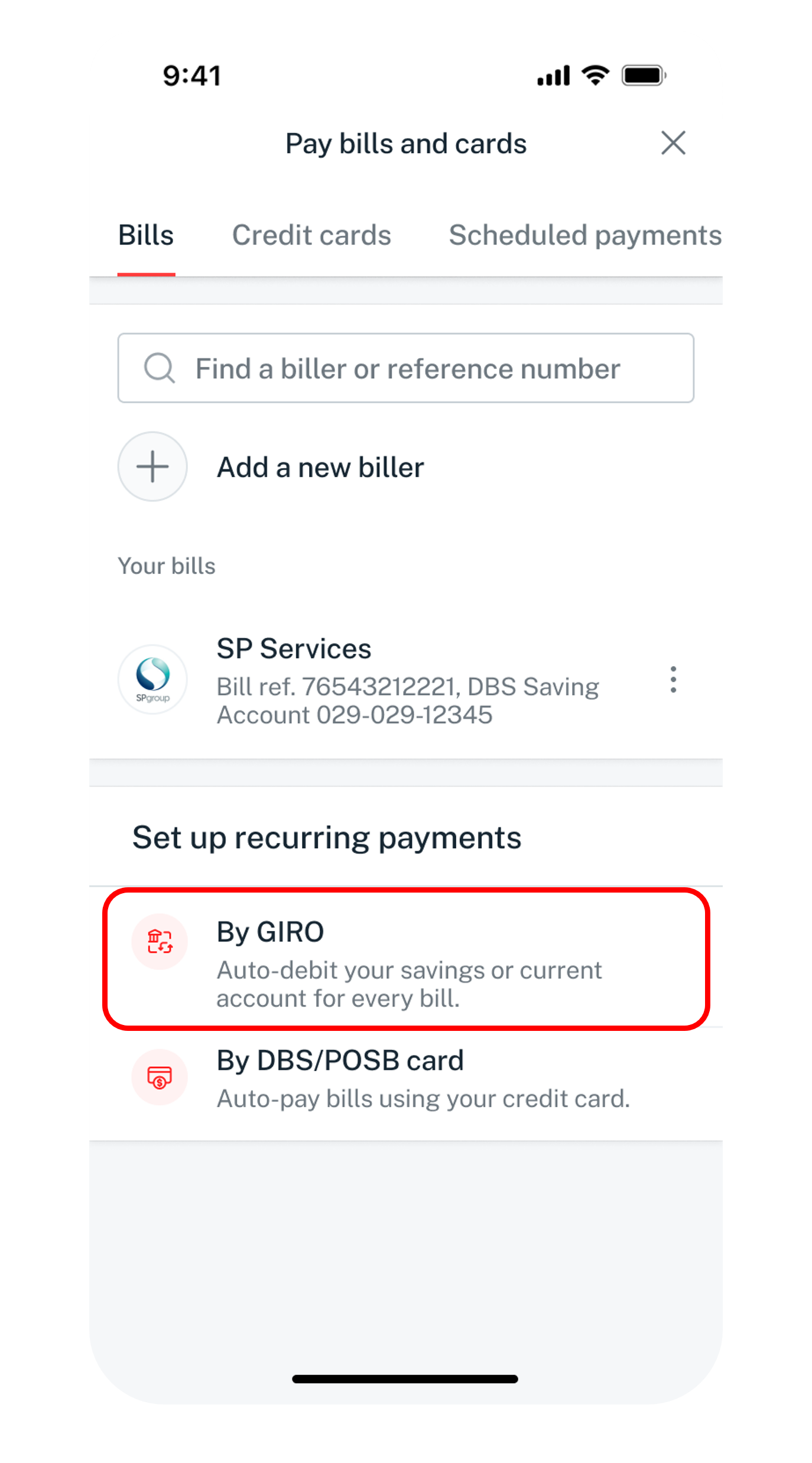
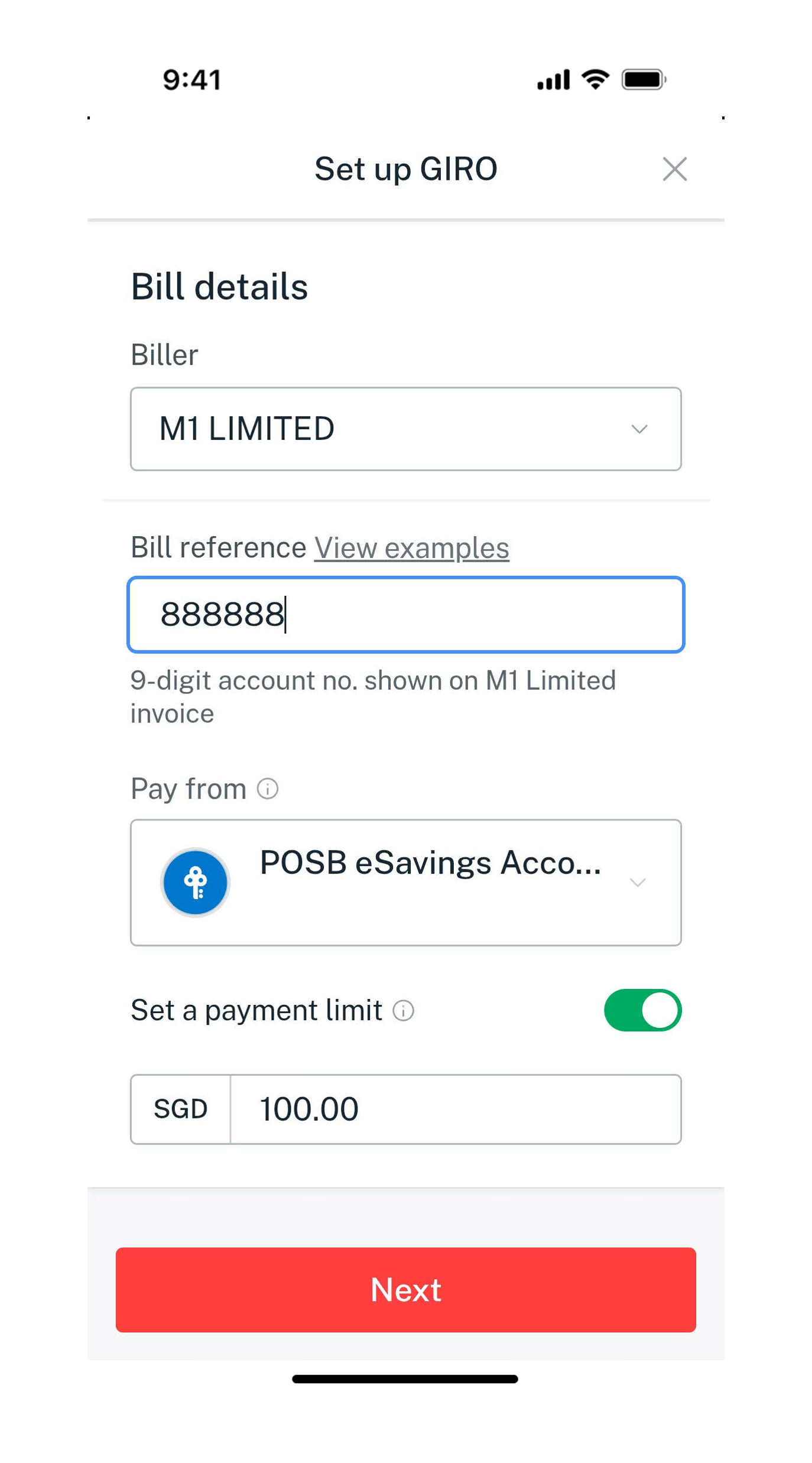
There are various channels which you set up a GIRO arrangement. The most convenient method would be via digibank mobile.
digibank mobile

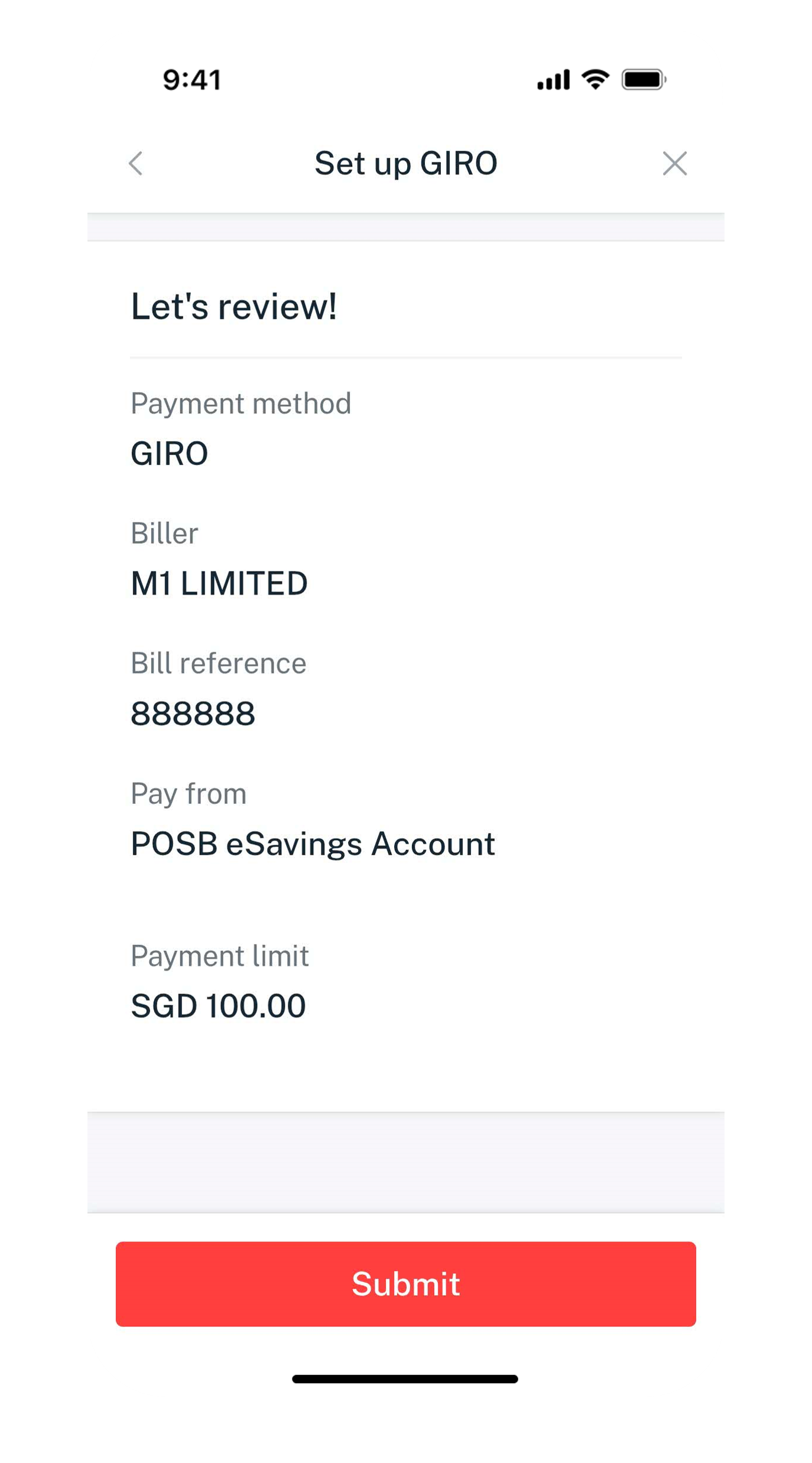
Get the latest DBS digibank mobile app now!



digibank online



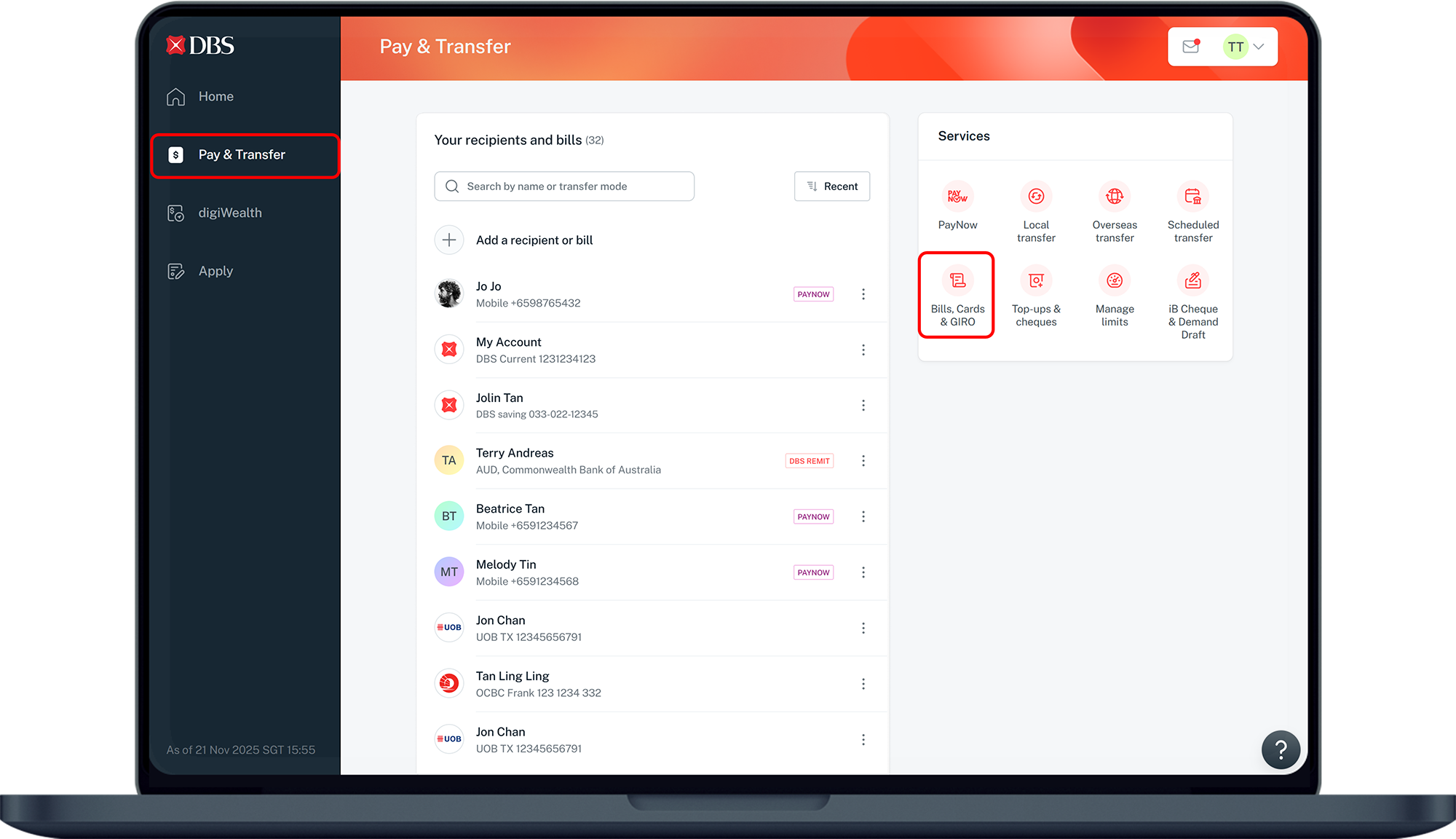
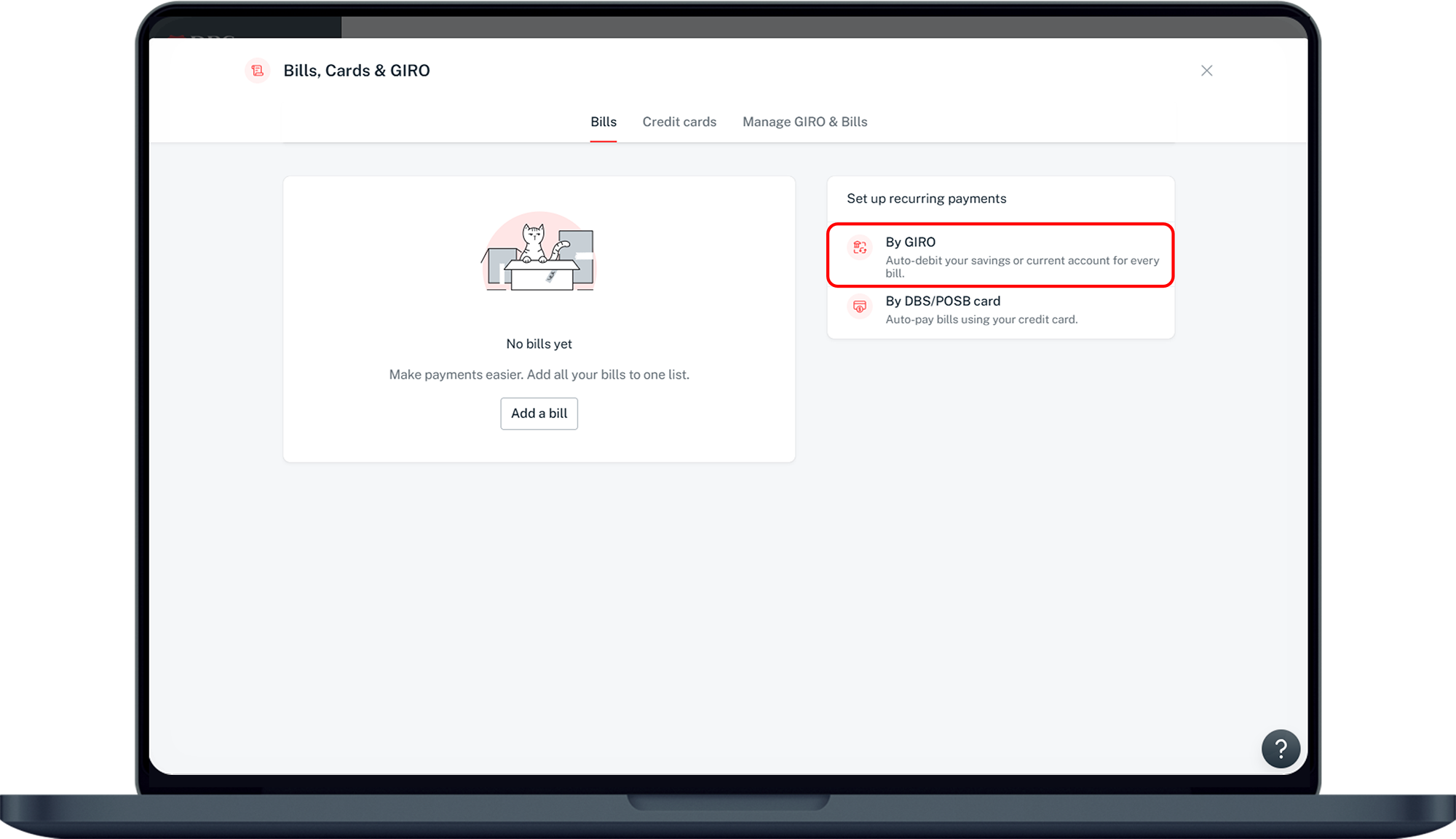
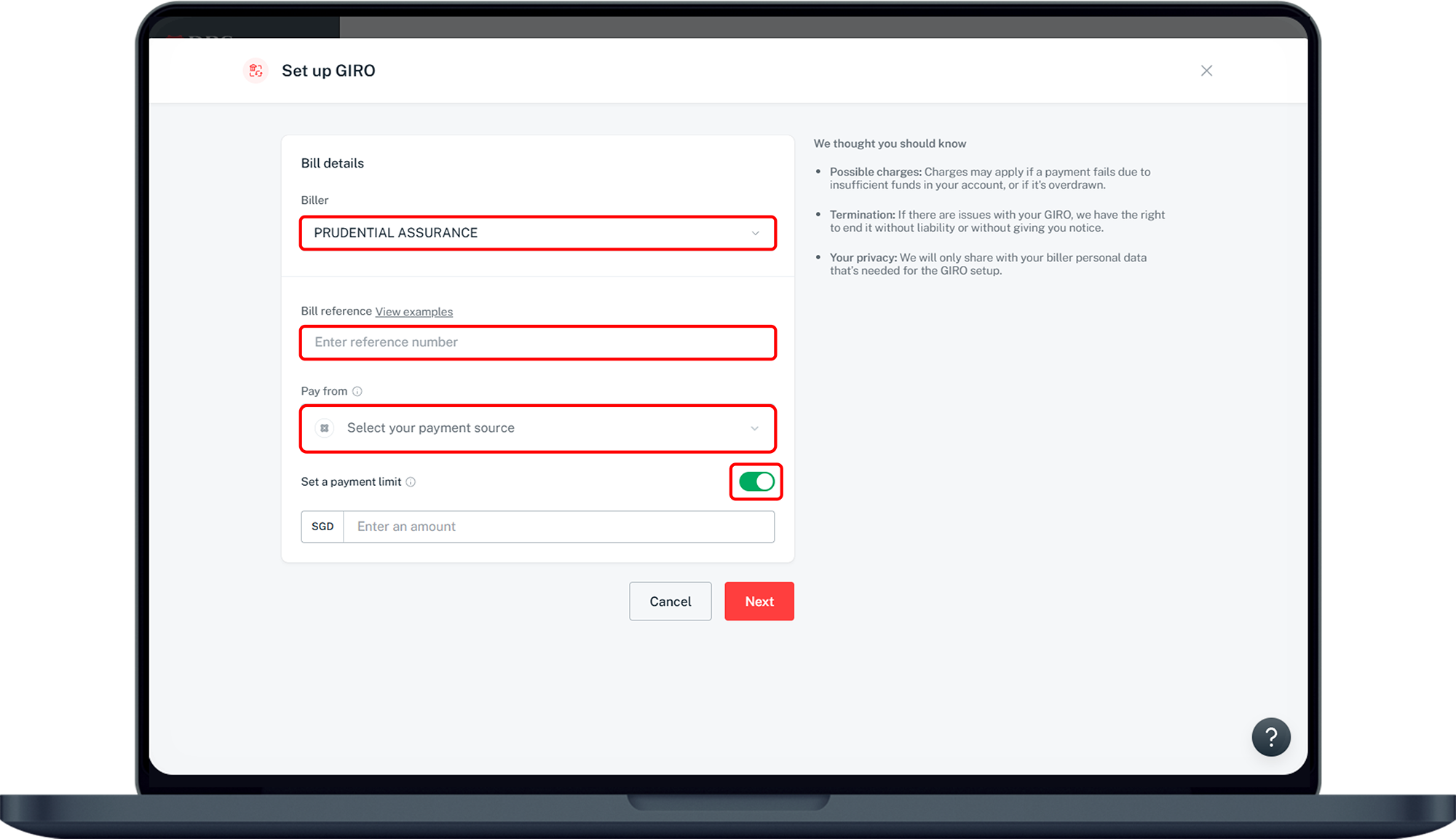
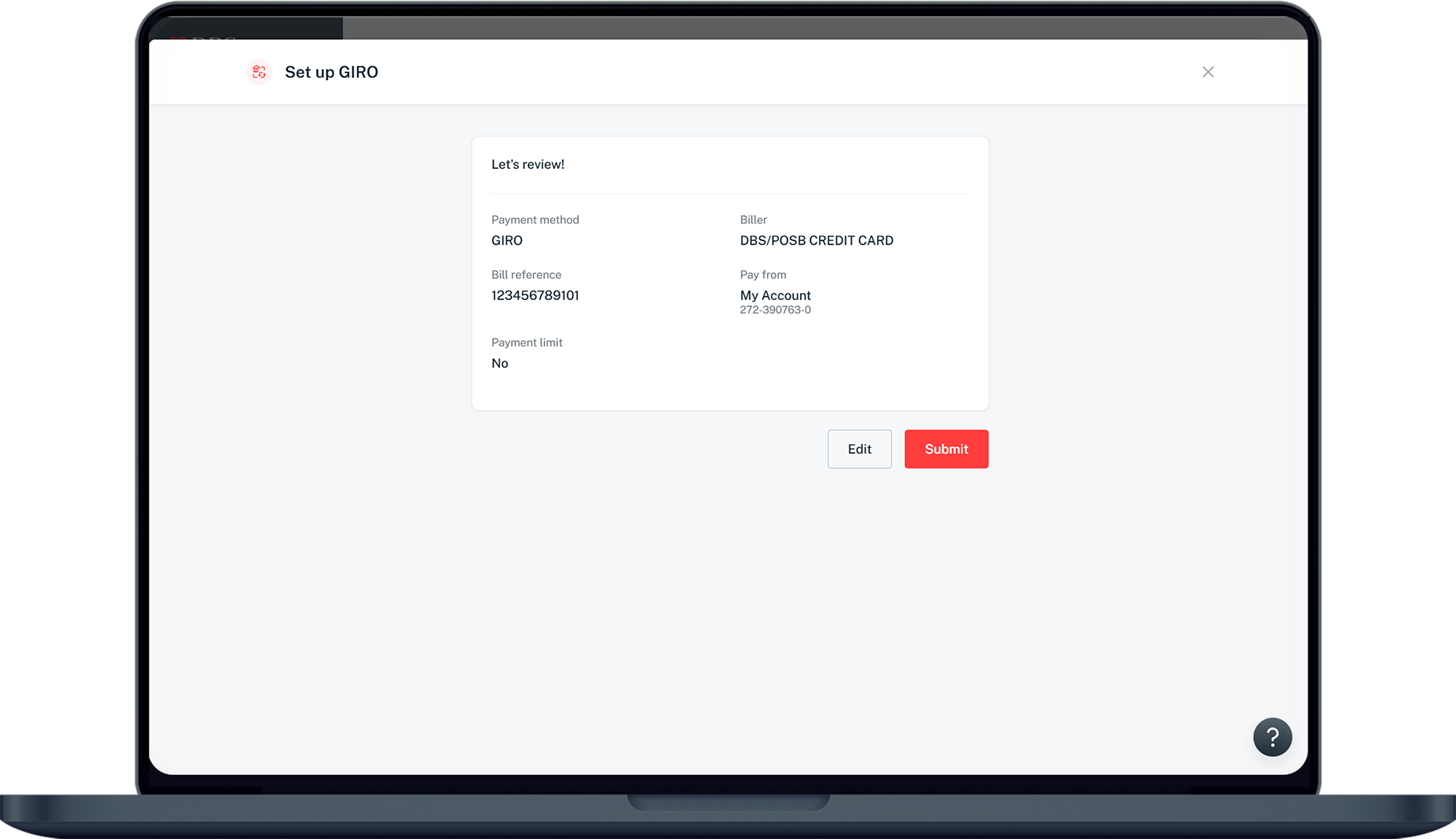
Respective Billing Organisation
- Alternatively, you may wish to obtain a GIRO Application form from the Billing Organisation, fill it up and submit directly to the Billing Organisation.
More information
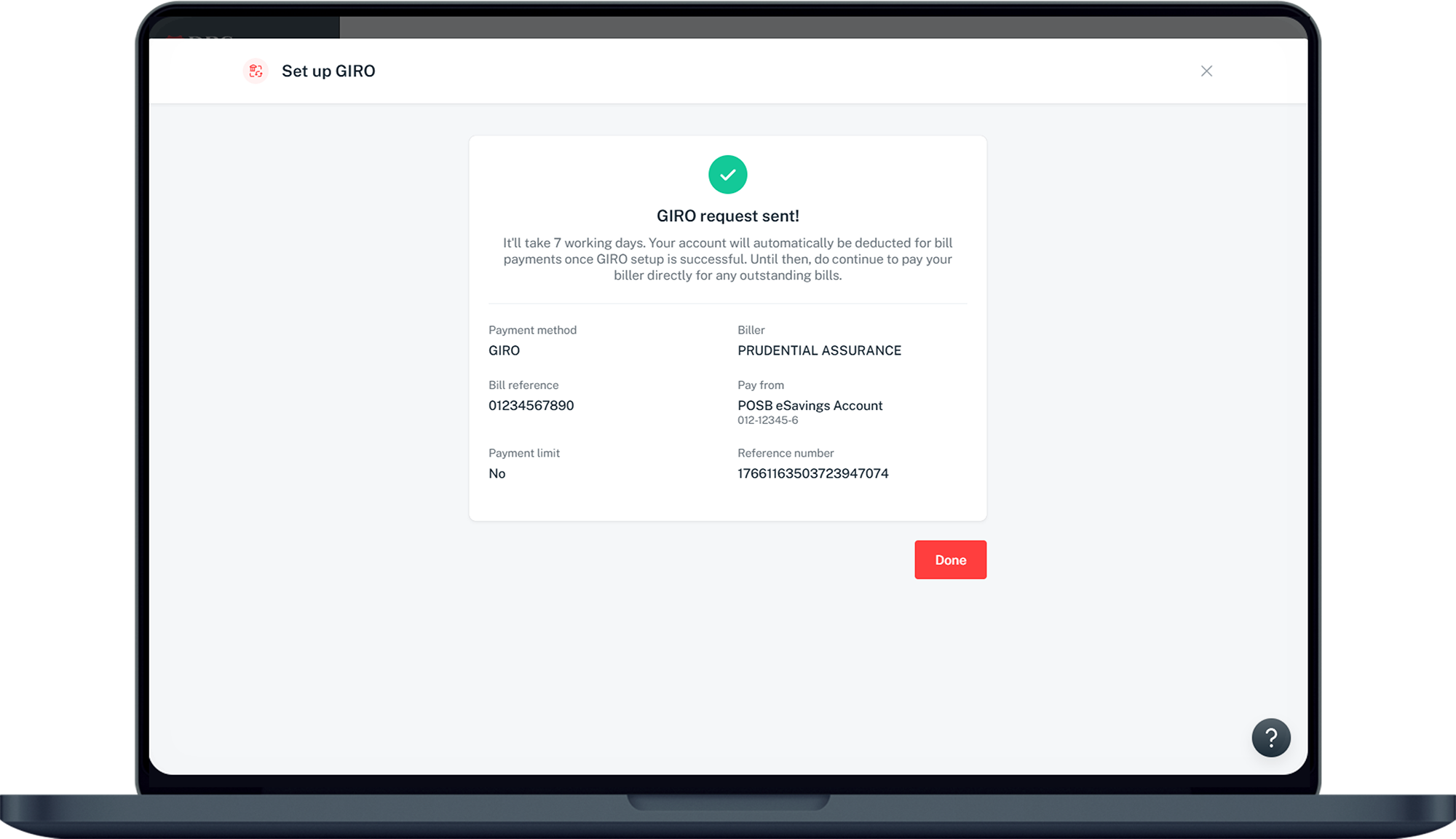
- Your application will be verified by the Bank instantaneously and forwarded to the Billing Organisation(s). For submissions made via your Billing Organisation, we will process the application within 7 days from the date of receipt from your Billing Organisation.
- Contact your Billing Organisation(s) to check on the status of your GIRO Arrangement. The Bank will also send all the bank account holders an email or SMS to the registered email address or local mobile number registered with us, if you have applied for this service.
- Meanwhile, continue to pay your bills via an alternative payment option until you have been notified by your Billing Organisation that your GIRO application has been approved.
Was this information useful?