Apply for Temporary Credit Limit Increase
Apply for a credit card temporary limit increase via digibank.
Part of: Guides > Go Travel with DBS, Go Shopping with DBS
Important information
-
Temporary credit limit increase are only allowed for the following purposes:
- Travel
- Wedding
- Hospitalization
- Funeral
- For travel purpose temporary limit increase request, indicate the country of travel and travel period.
- A confirmation letter on the temporary limit increase application will be sent to you.
How to apply for temporary credit limit increase
There are various channels which you may apply for temporary credit limit increase with us. The most convenient method would be via digibank mobile.
digibank mobile
- Log in to digibank mobile with your Touch / Face ID or digibank User ID & PIN.
- Tap More, under Manage Cards & Loans select Temporary Credit Limit Increase.
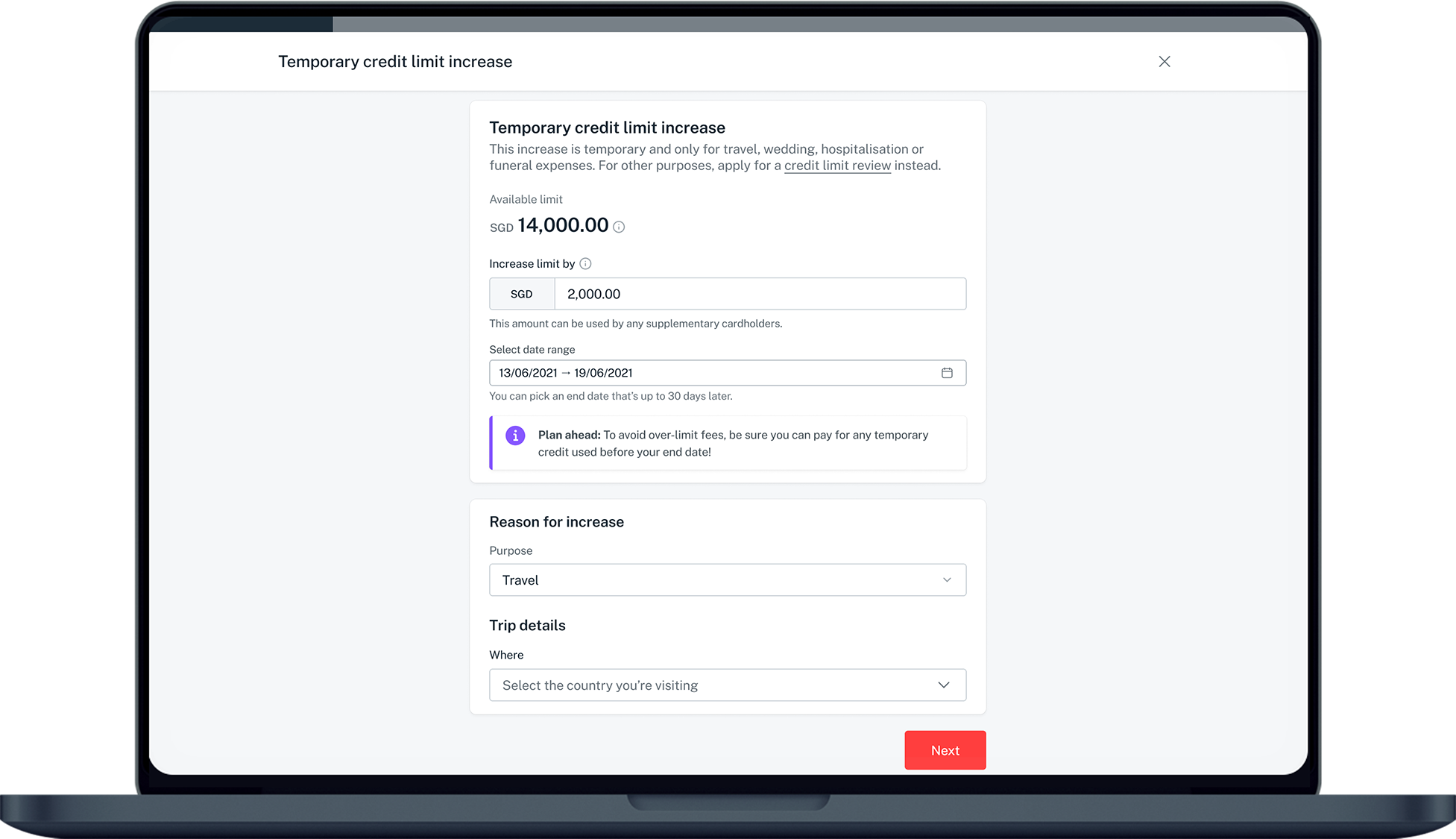
- Indicate the Additional Credit Limit you are requesting for (up to a maximum of S$4,000).
- Set the Temporary Credit Limit Increase Duration (maximum of 30 days).
- Select the Purpose of the Temporary Credit Limit Increase and tap Next.
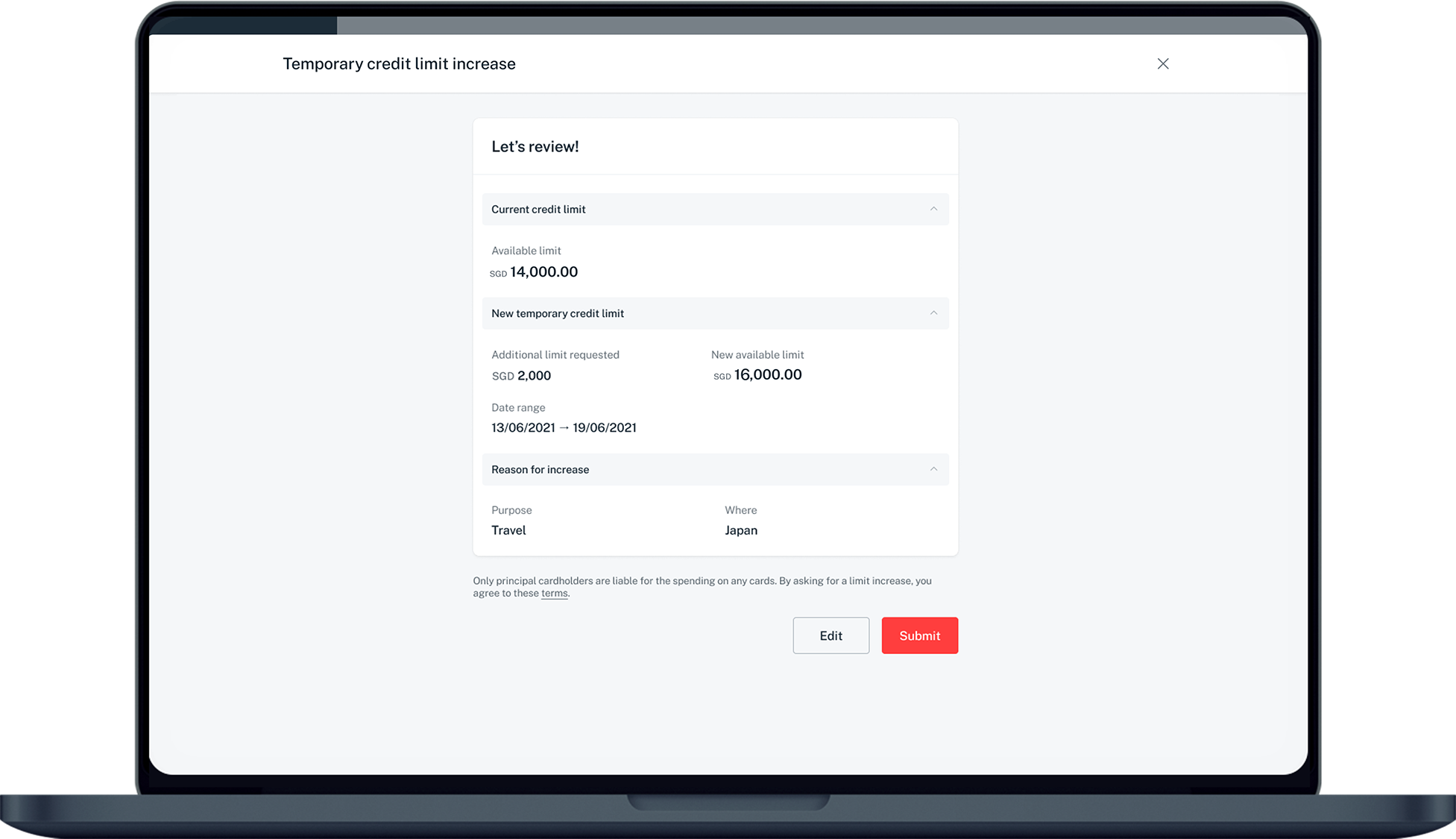
- Verify the details and click Confirm to complete the application.
Don't have digibank?
Get the latest digibank mobile app now!



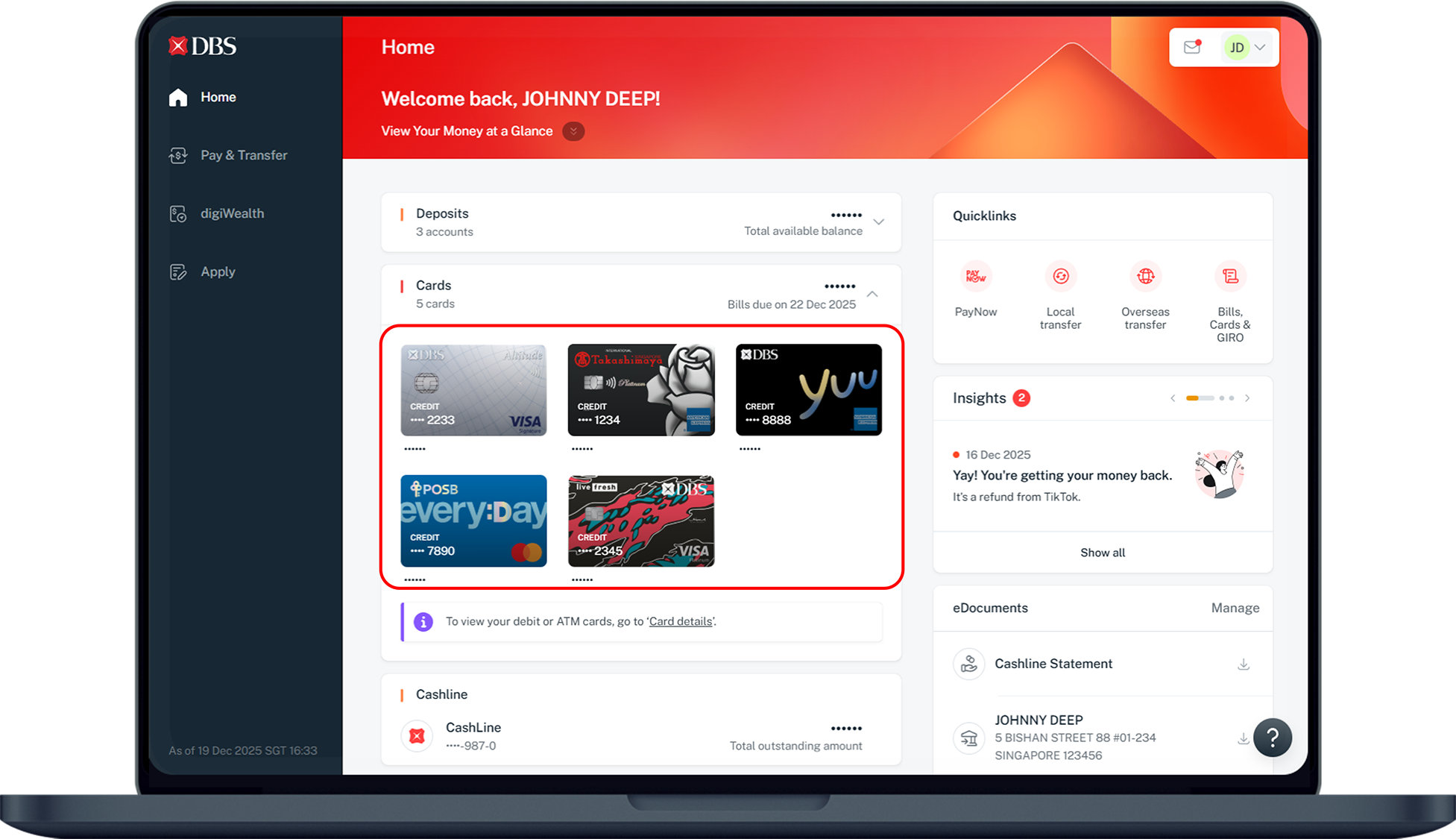
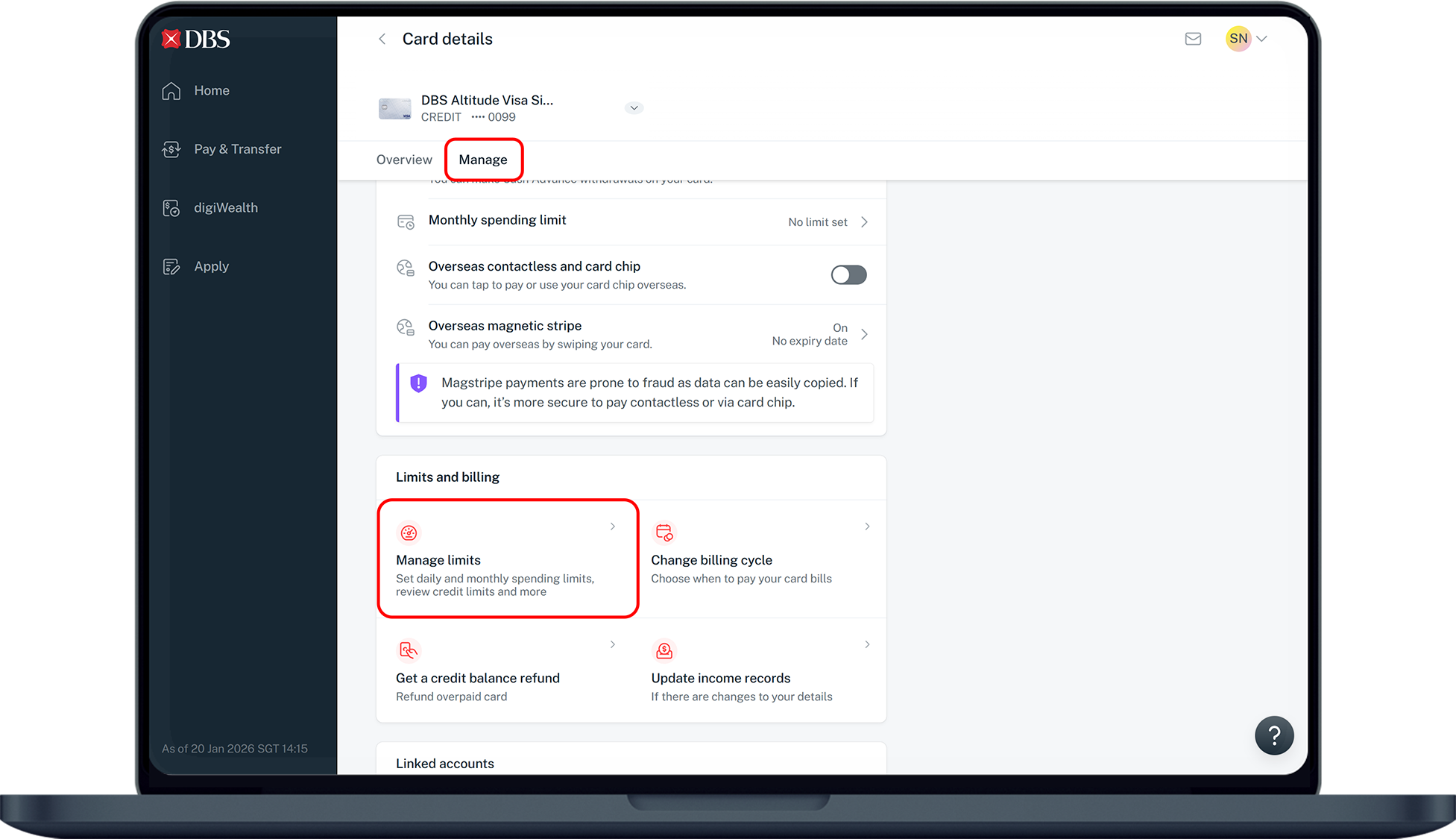
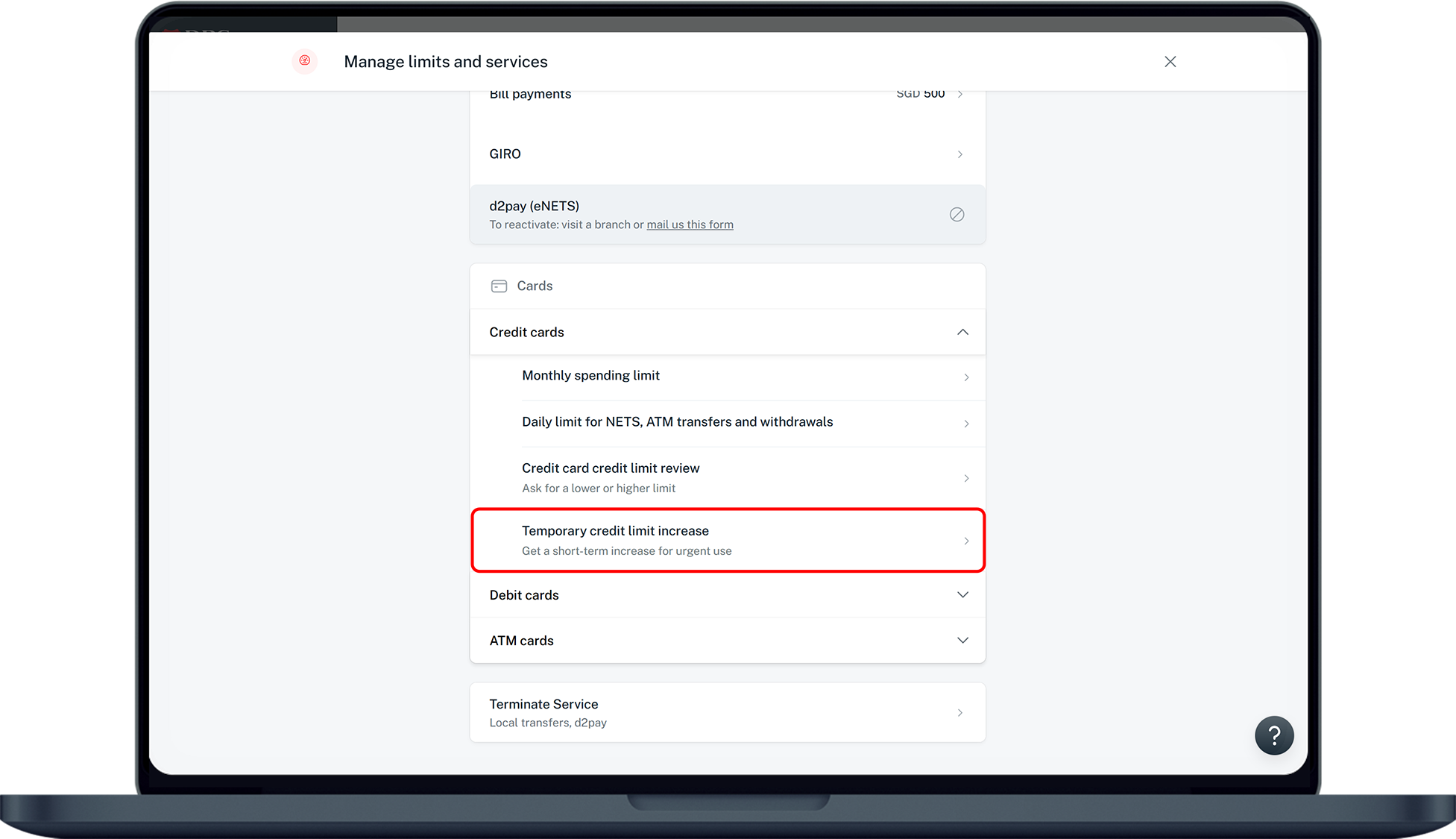
digibank online



Was this information useful?