
How Can Businesses Collect Payments More Efficiently in Singapore?
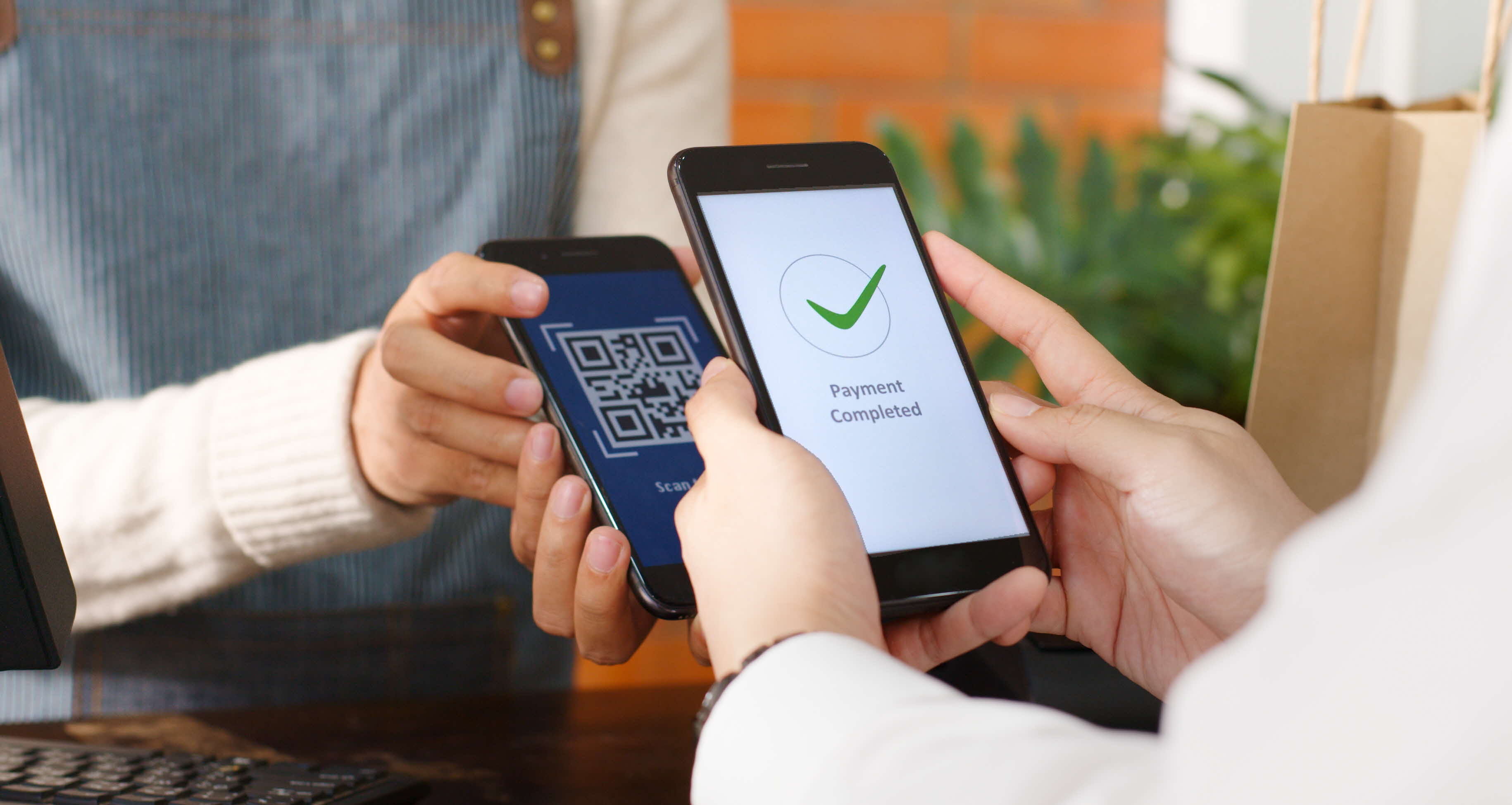
- As consumers in Singapore increasingly adopt cashless payments for speed and convenience, businesses in Singapore can improve their payment collections from customers by offering a range of cashless payment methods, such as QR collections via PayNow, PayLah!, card payments, and eGIRO for recurring collections.
- The right collection method depends on the payment need: QR and card payments support fast in-store collections, eGIRO collections and internet banking Direct Debit Authorisation (DDA) support recurring payments, while online checkout or payment links support digital and remote transactions.
- DBS MAX and eGIRO help businesses manage collections across their storefronts, offline and online to improve transaction visibility and support smoother reporting and reconciliation.
For businesses in Singapore, collecting payments efficiently is an important part of delivering a smooth customer experience and keeping day-to-day operations running well.
As customers pay across more channels, businesses need domestic collections methods that are fast, secure, convenient, and easy to manage, from QR and card payments to GIRO, payment links, and online checkout, which can be supported by solutions such as DBS MAX offering a suite of collection modes that businesses can select from.
Understanding Domestic Collection Methods for Businesses and How to Select the Right One for Your Business
Businesses today often need more than one collection method.
The right setup depends on how your customers pay, how often you collect payments, and how quickly your team needs confirmation.
| Payment need | Common use cases | Suitable collection methods |
|---|---|---|
| One-off payments | Retail, F&B, service counters, e-commerce, invoices, and online orders | QR payment via PayNow, wallets such as PayLah!, cards, online checkout, and payment links |
| Recurring payments | Education, healthcare, memberships, subscriptions, and instalments | eGIRO, internet banking DDA. |
| On-the-go collections | Events, pop-ups, delivery teams, mobile service providers, and temporary payment points | PayNow QR, SGQR, DBS Max App which accepts both cards and PayNow. |
| Remote collections | Invoices, deposits, quotes, remote orders, and assisted sales | Payment links, online checkout, and QR payments |
| Multi-channel collections | Omnichannel businesses, multi-outlet retailers, e-commerce, and service providers | DBS MAX offers a suite of collection modes:
|
1. QR Collections for Real-Time Collection of Payments
QR collections are a practical way for businesses in Singapore to accept digital payments. They are especially useful when your business wants a simple, familiar, and cashless payment method that customers can use quickly.
For many businesses, QR payments can support both fixed and flexible collection points, from retail counters to mobile events.
How QR Codes Help Businesses Collect Payments In-Store and On the Go
With PayNow QR, customers can scan a QR code and pay through a participating banking app or a payment wallet. This allows your business to accept cashless payments without requiring customers to key in account details manually.
For businesses with walk-in customers, QR codes can help reduce cash handling while providing customers with a familiar payment option.
For businesses that collect payments outside a fixed location, QR payments can make it easier to collect payments outside a traditional cashier setup.
How Real-Time Payment Confirmation Supports Smoother Customer Checkout
Payment confirmation is important when your team needs to verify that a payment has been completed before releasing goods, confirming a booking, or closing an invoice. This can reduce the need for your team to rely on your customers’ screenshots which can be susceptible to fraud.
Real-time or near real-time payment confirmation can help your business:
- Reduce uncertainty at checkout
- Shorten queues during busy periods
- Avoid relying only on customer screenshots
- Help staff verify completed payments more efficiently
- Improve payment visibility and transaction tracking
- Support smoother reconciliation after the sale
With the DBS MAX App, businesses will receive a real-time notification of all incoming payments. DBS MAX App also supports instant refunds for QR payments, helping businesses handle exceptions efficiently and deliver a smoother customer experience.
2. Card Collections Through POS, Kiosks, and the DBS MAX App
Card payments remain important for businesses that serve customers in person or online.
Many customers expect to pay by debit card, credit card, or contactless card payment methods, especially for retail, dining, service, and higher-value transactions.
How POS Card Collections Support In-Store Payments
POS terminals are suitable for businesses with fixed checkout counters. They allow customers to pay using familiar card payment methods while helping your staff process transactions in a structured way.
For example, a retail store may use POS terminals for card payments at the cashier, while also displaying a QR code for customers who prefer PayNow QR.
How Kiosk Payments Help Businesses Manage Self-Service Collections
Kiosk payments can support businesses that want customers to complete transactions independently. This can help reduce queues, improve order flow, and allow staff to focus on service or fulfilment.
For customers, kiosks offer convenience and control. For businesses, they can help streamline operations during peak periods.
How Tap-to-Phone on the DBS MAX App Supports Mobile Card Acceptance
Tap-to-Phone on the DBS MAX app can help eligible businesses accept contactless card payments using a compatible smartphone.
This is useful when your team needs to collect payments away from a fixed POS terminal, giving your business more flexibility across different locations and customer touchpoints.
3. Online Checkout and Payment Links for Digital Collections
Digital collection methods are important for businesses that sell through websites, apps, invoices, chat, or remote sales teams.
These methods are especially useful for e-commerce, omnichannel businesses, professional services, and businesses that handle remote orders.
How PayLah! Express Checkout and Card Payments Fit into Digital Sales
Online checkout allows customers to pay directly through a website, app, or hosted payment page.
By offering familiar options such as PayLah! Express Checkout and card payments, your business can make digital transactions more convenient.
How URL Payment Links Help Businesses Collect Payments Remotely
Payment links allow your business to send customers a secure URL to complete payment.
This can be useful when a full checkout experience is not required or when payment is linked to a specific order, invoice, quote, or service request.
For example, a service provider can send a payment link after confirming a quotation, while a retailer can use payment links to collect payment for remote orders or assisted sales.
Matching Domestic Collection Tools to Different Business Needs
Different businesses have different collection needs. The best payment setup should reflect your operating model, customer behaviour, and payment volume.
- Retail, F&B, and service counters
QR and card collections can support walk-in customers, high transaction volumes, faster checkout, different payment preferences, counter payments, and mobile or temporary payment points. - Education, healthcare, and membership payments
eGIRO collections can support recurring fees, subscriptions, instalments, and other regular payments without requiring customers to initiate manual transfers each time. eGIRO supports the digital setup of recurring payment authorisations, helping to simplify onboarding for recurring payment arrangements and minimise payment errors. - E-commerce and omnichannel businesses
Online checkout and payment links can support payments across websites, apps, invoices, customer service channels, quotes, appointments, and assisted orders.
Using DBS MAX and eGIRO to Manage Collections
DBS offers merchant solutions that can help businesses accept, manage, and reconcile collections across different payment channels.
- DBS MAX: Supports cashless collections across online and offline channels.
- DBS MAX Portal on DBS IDEAL (DBS’ Corporate Digital Banking platform): Helps businesses manage the set-up of new outlets and users, collection modes, transaction reports, and reconciliation seamlessly on one platform.
- eGIRO and internet banking DDA: Supports digital setup for recurring direct debit arrangements.
These solutions can help businesses build a more connected collections workflow, especially when payments come from multiple channels.
How the DBS MAX Portal Helps Businesses Manage Collection Methods and Reports
The DBS MAX Portal available on DBS IDEAL, DBS’ Corporate Digital Banking platform, can support businesses that need visibility across collection methods and payment channels.
The DBS MAX Portal can help with:
- Transaction visibility
- Collection reporting
- Payment tracking
- Reconciliation across channels
- Merchant service management
- Access to collection-related reports
This is especially useful when your business collects payments from multiple storefronts, online and offline, across a range of payment modes from Cards to QR payments.
How to Log In to DBS MAX Through DBS IDEAL
For existing DBS SME Banking or Corporate Banking customers, DBS MAX login is accessed through DBS IDEAL.
A typical access flow may involve:
- Logging in to DBS IDEAL
- Accessing merchant services module to the DBS MAX Portal
- Viewing or managing transaction reports, collection methods, and relevant merchant services
Manage Domestic Collections More Efficiently with DBS
An effective collections strategy should make it easy for customers to pay while helping your business manage, track, and reconcile incoming funds more efficiently.
Whether you collect payments in-store, online, through recurring arrangements, or across multiple channels, the right combination of collection tools can help support a smoother customer experience and more efficient operations.
Explore DBS domestic collections, DBS MAX, DBS MAX Portal, merchant solutions, and eGIRO to find the right setup for your business.
