Update Mailing and Residential Address
Change your mailing and residential address with us easily via digibank or using Singpass.
Important information
- Changes made between 8am and 8 pm on a working day (Monday to Saturday) will be updated immediately.
- If the bank needs clarification on the updates, customer will be contacted within 2 working days from the effective date.
- If you are overseas or do not have any access to digibank Online or the AXS machine, you may get in touch with us.
- For Joint-All Account, authorisation from all parties is required.
How to update your address details
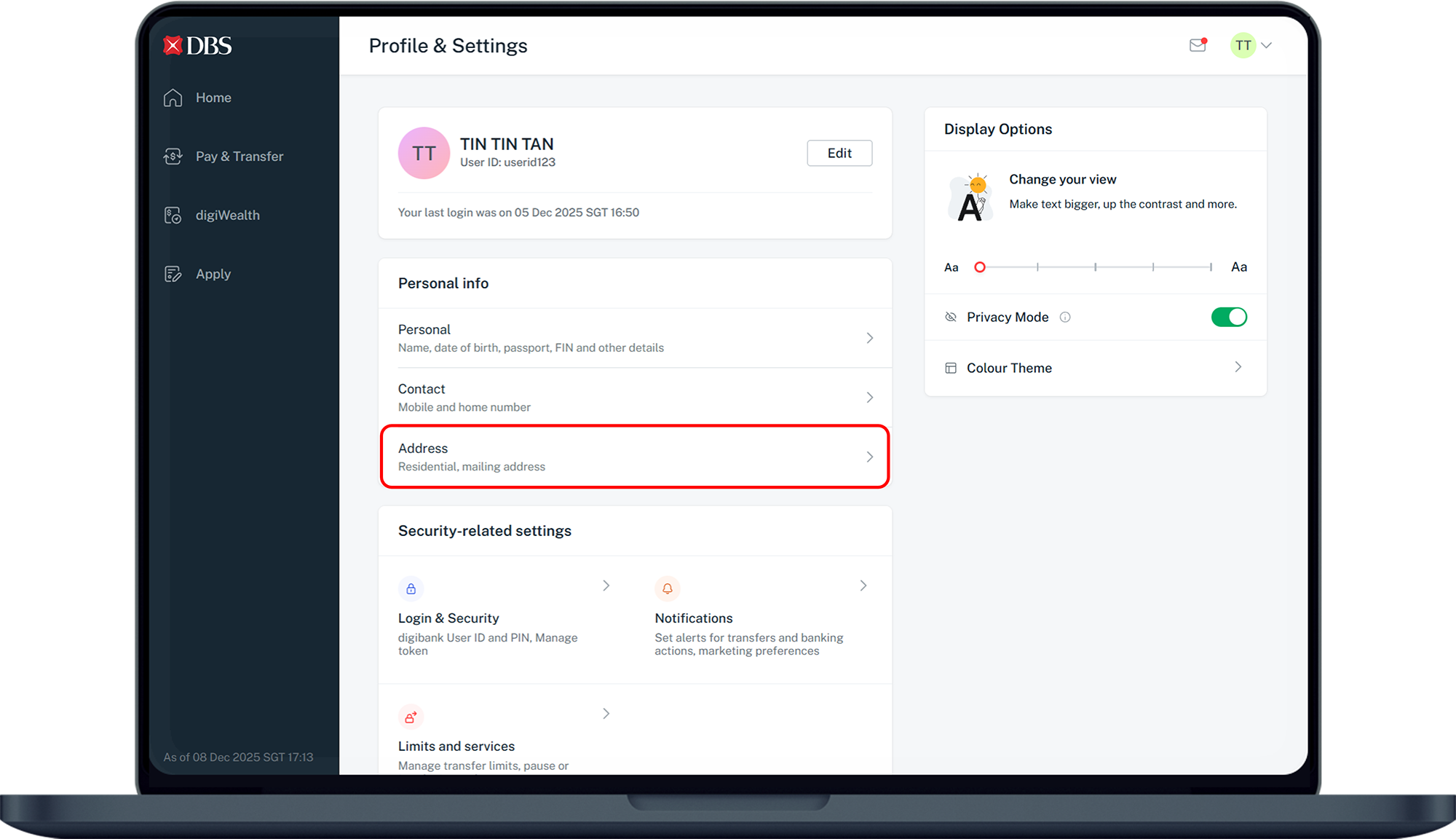
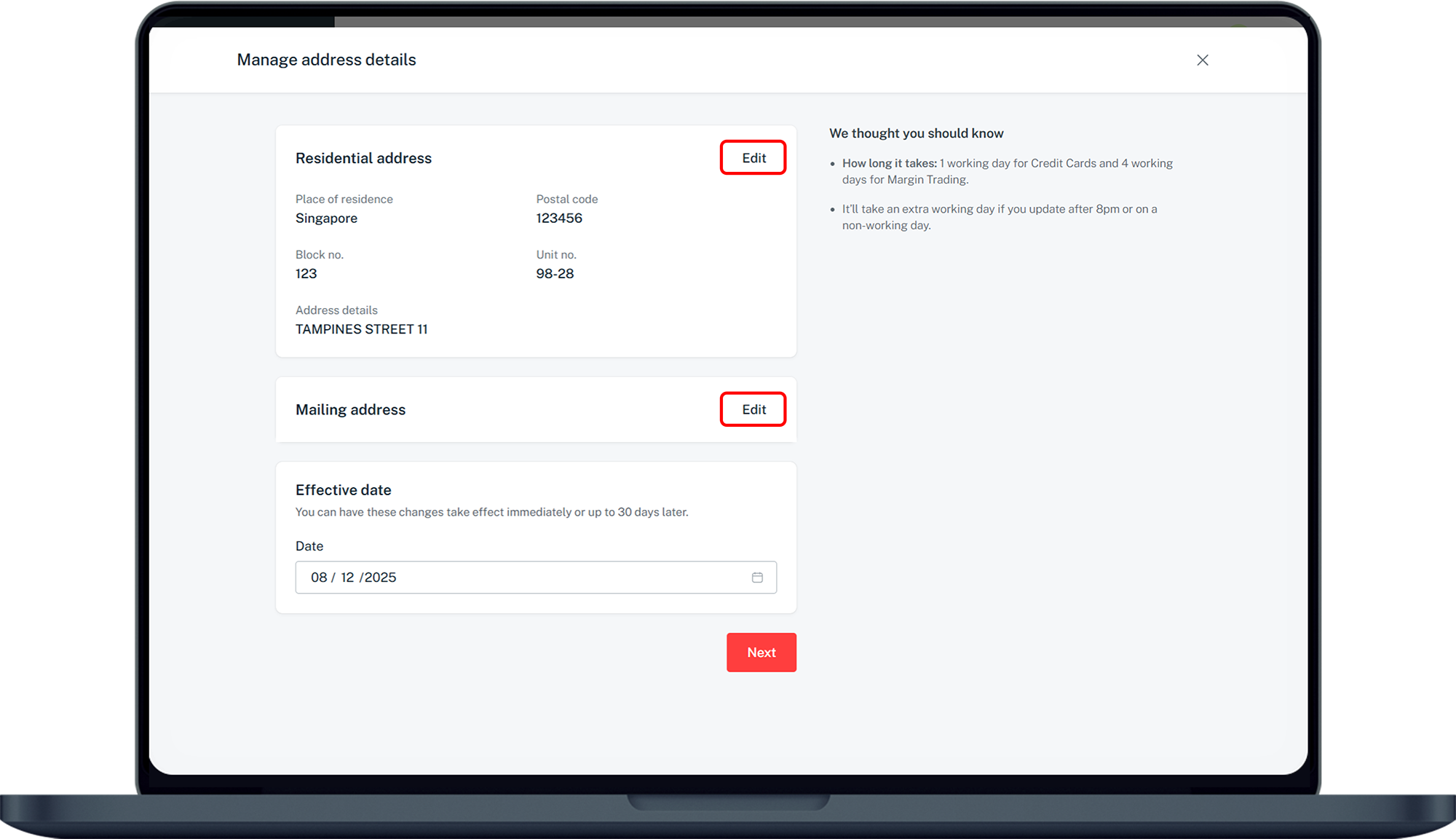
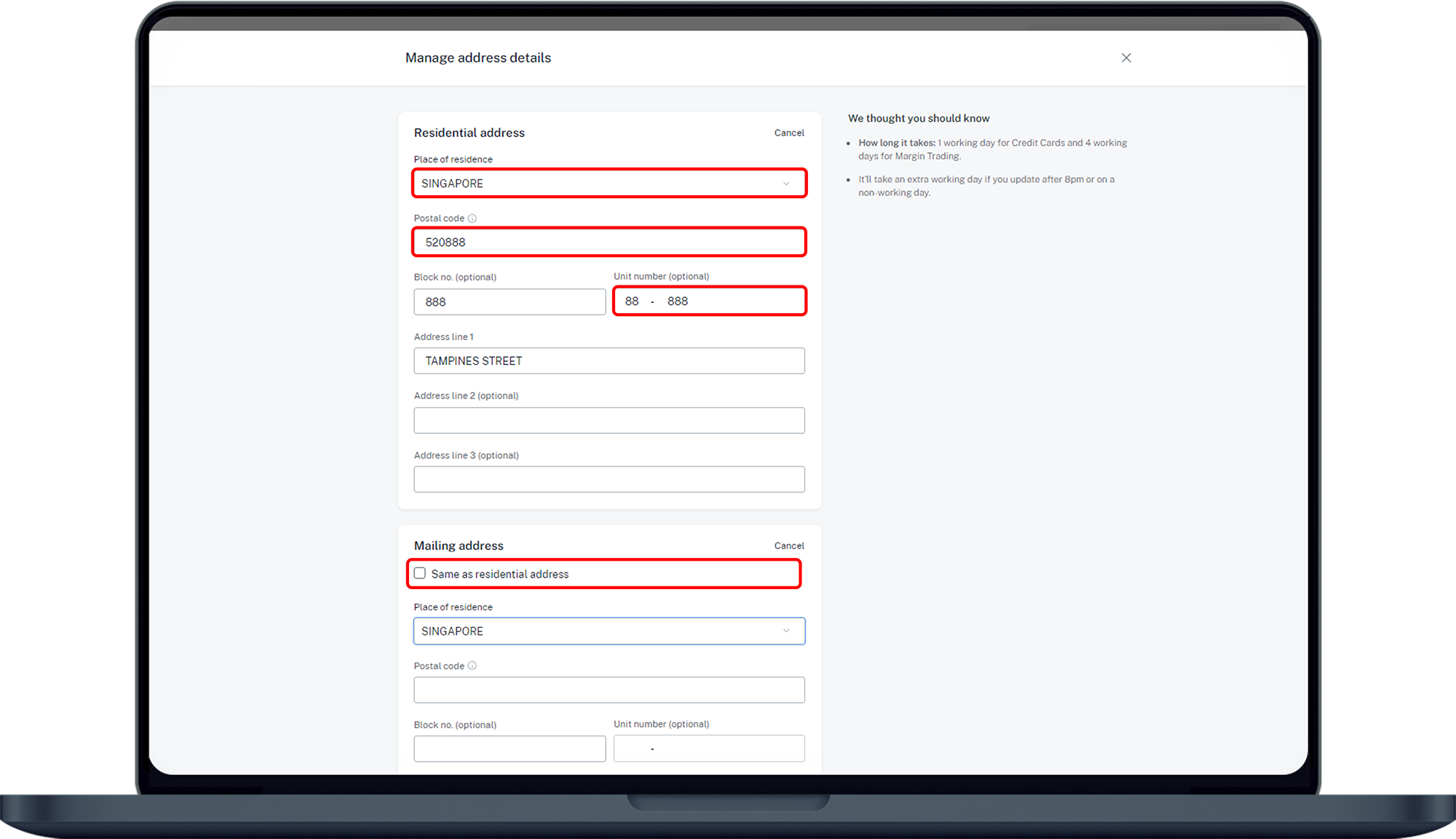
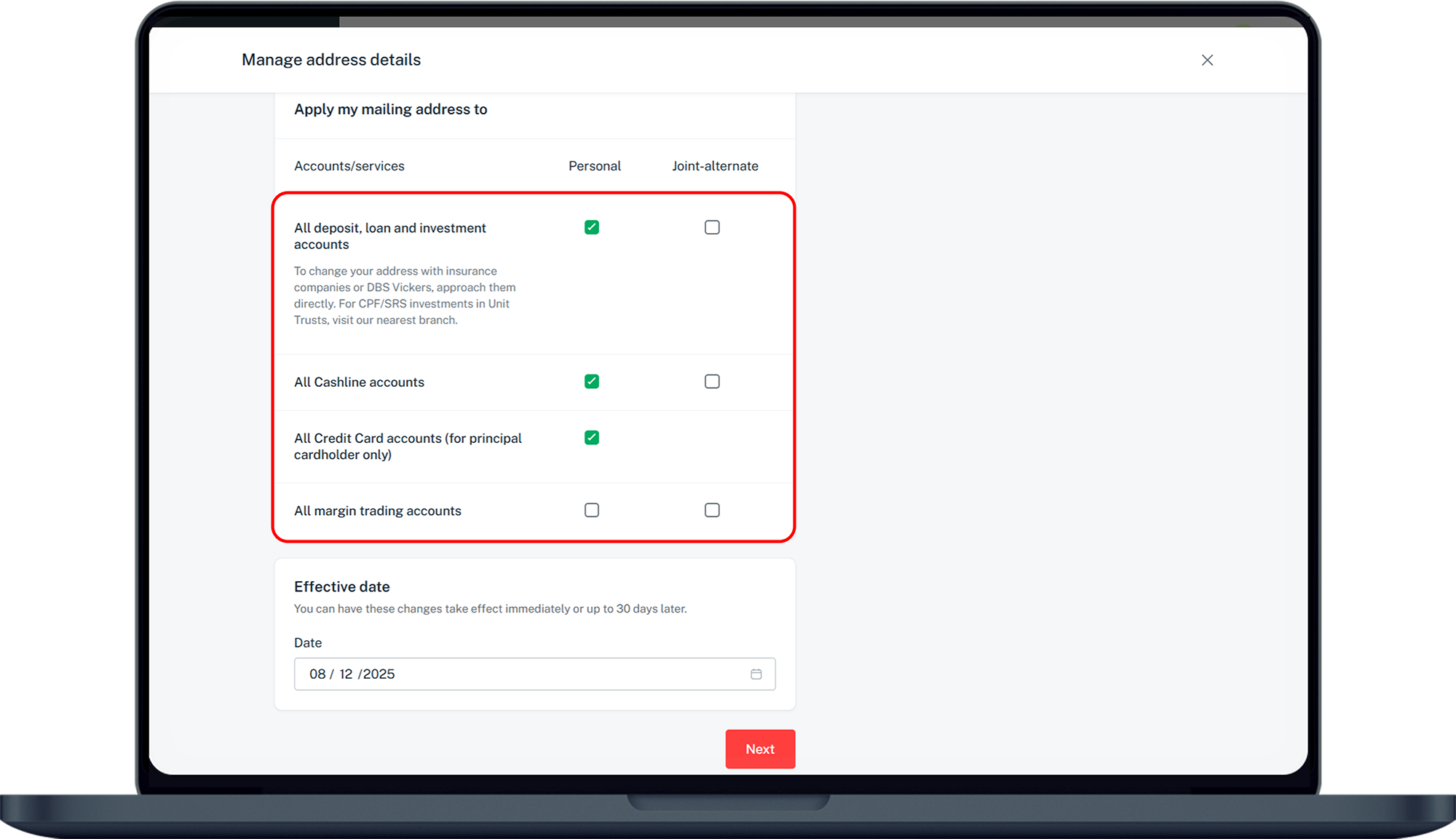
There are various channels which you may update your address details with us. The most convenient method would be via digibank mobile.
digibank mobile

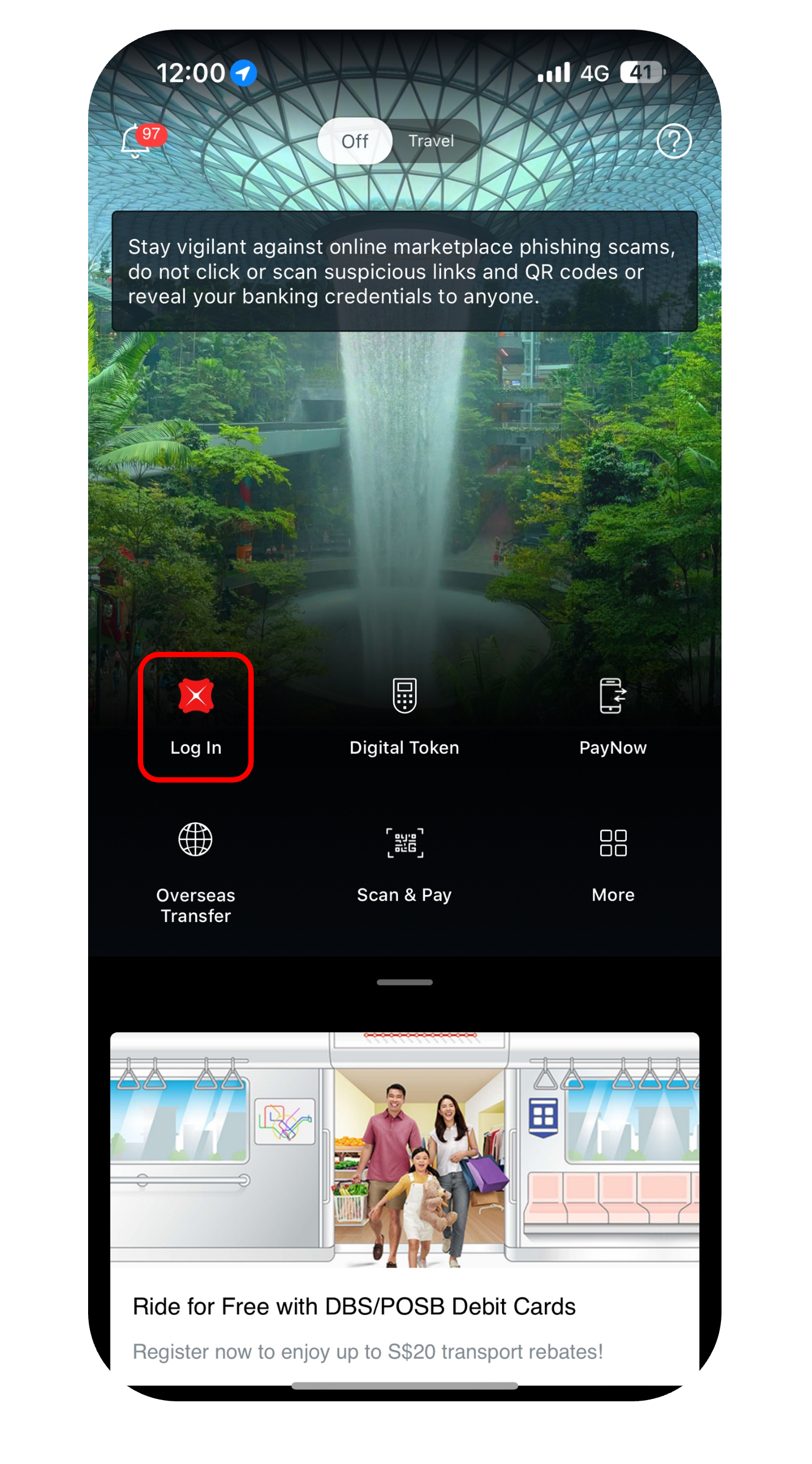

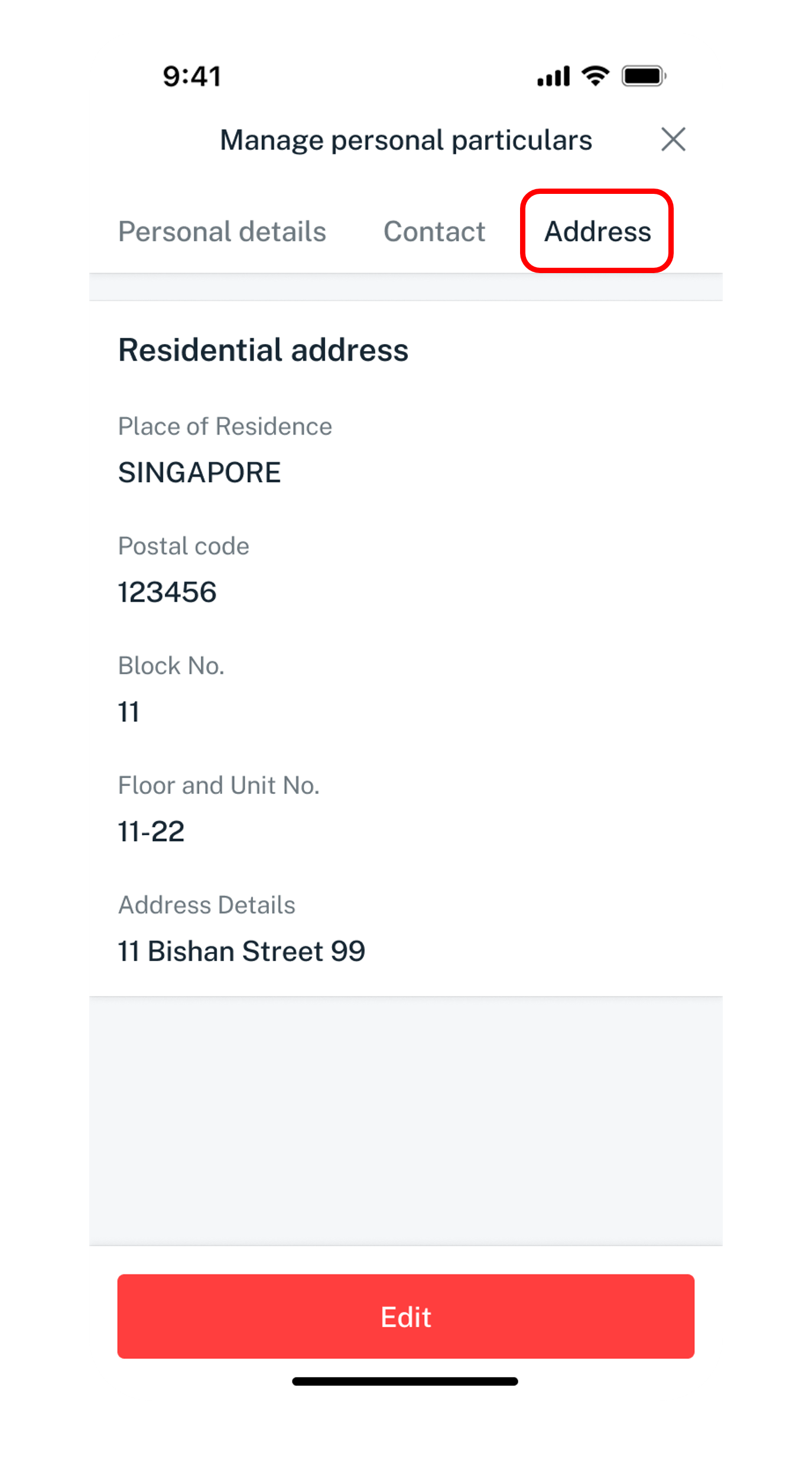
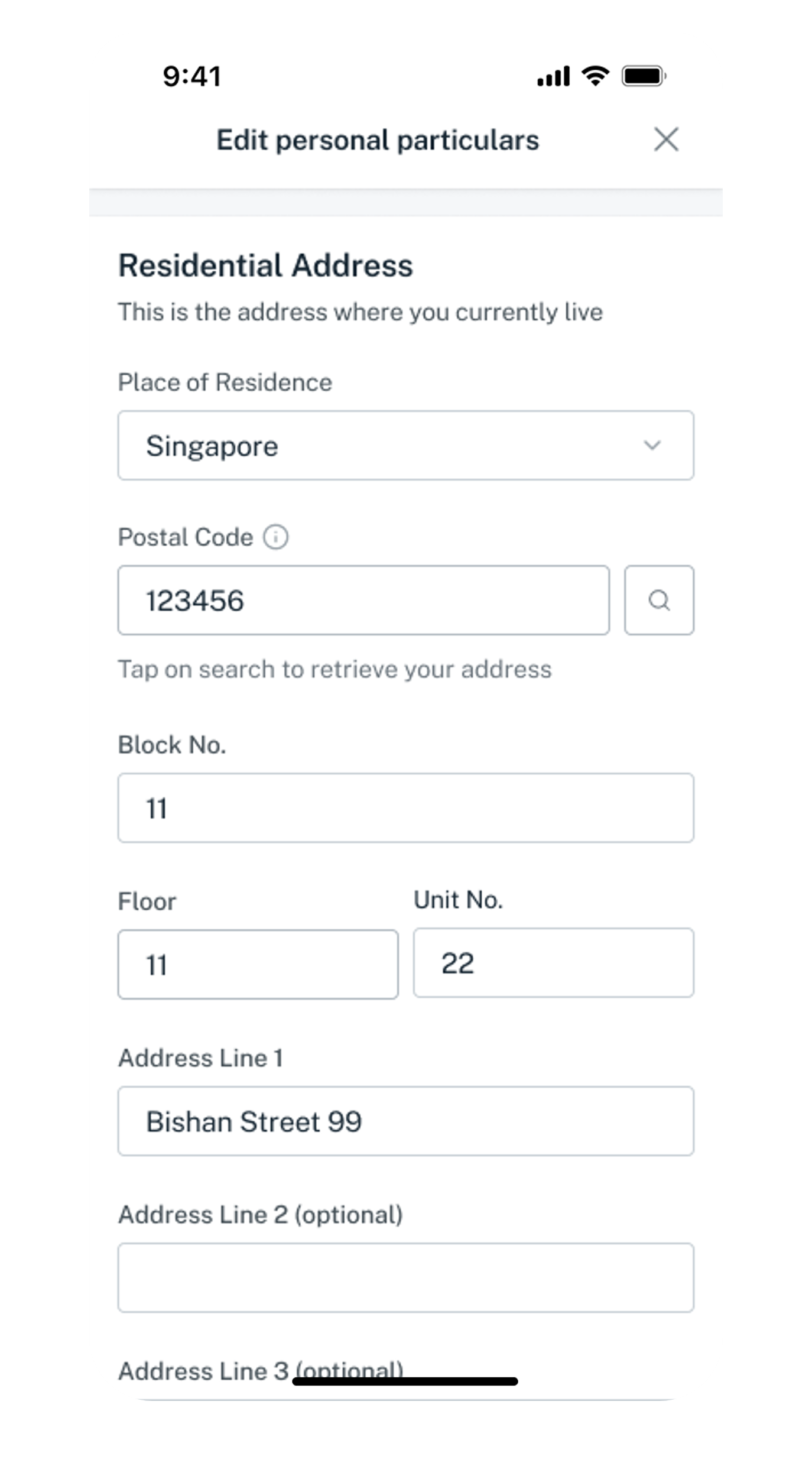
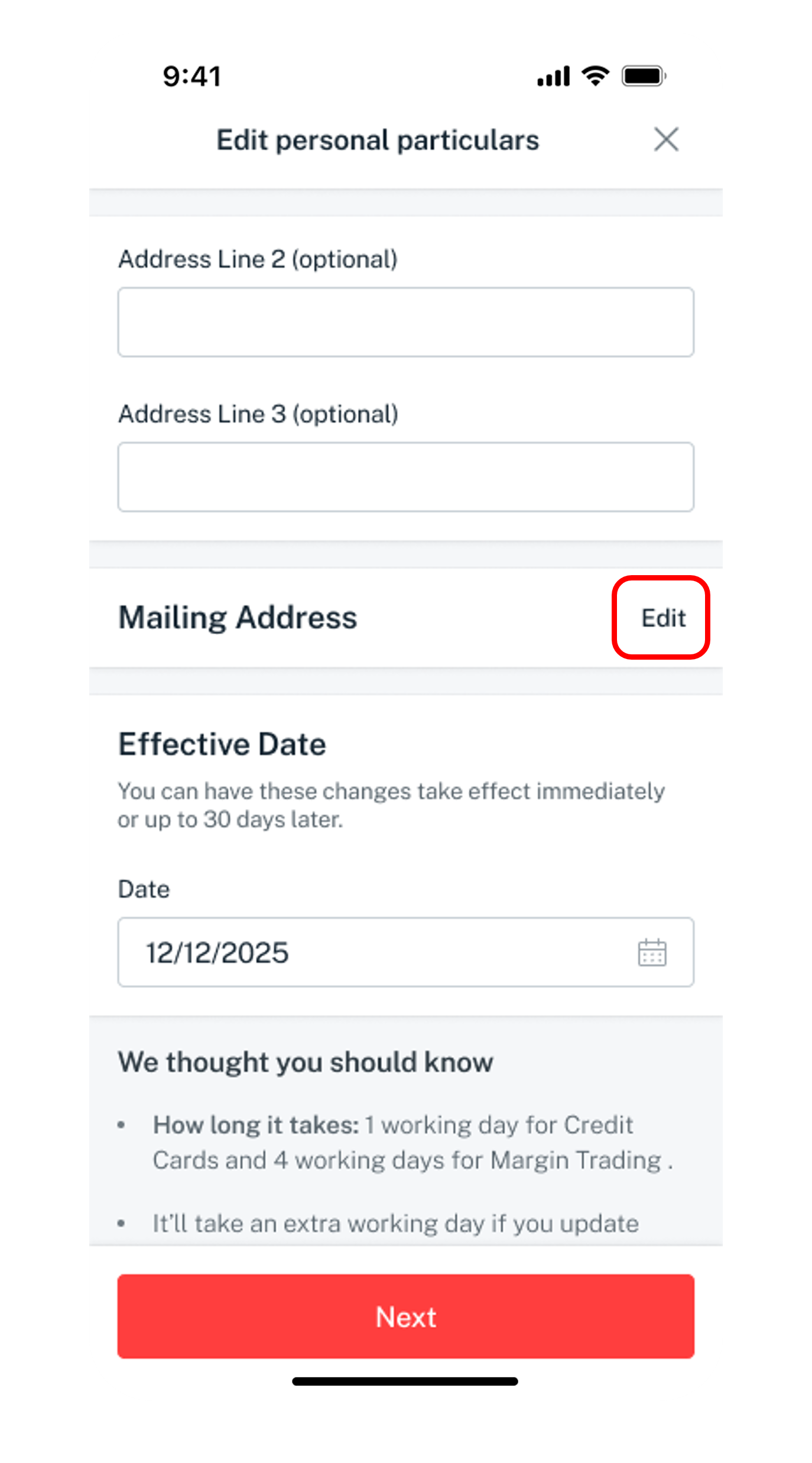
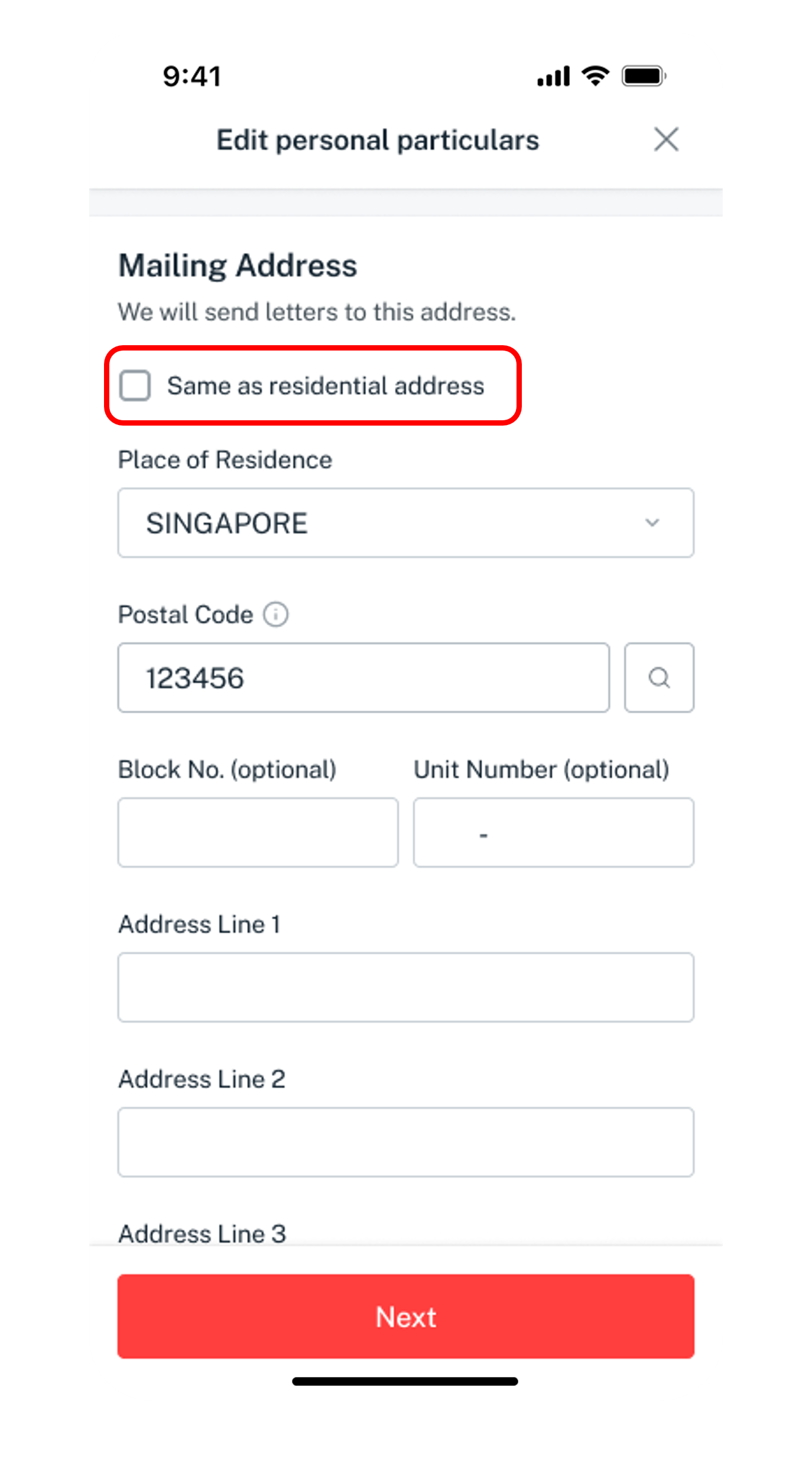
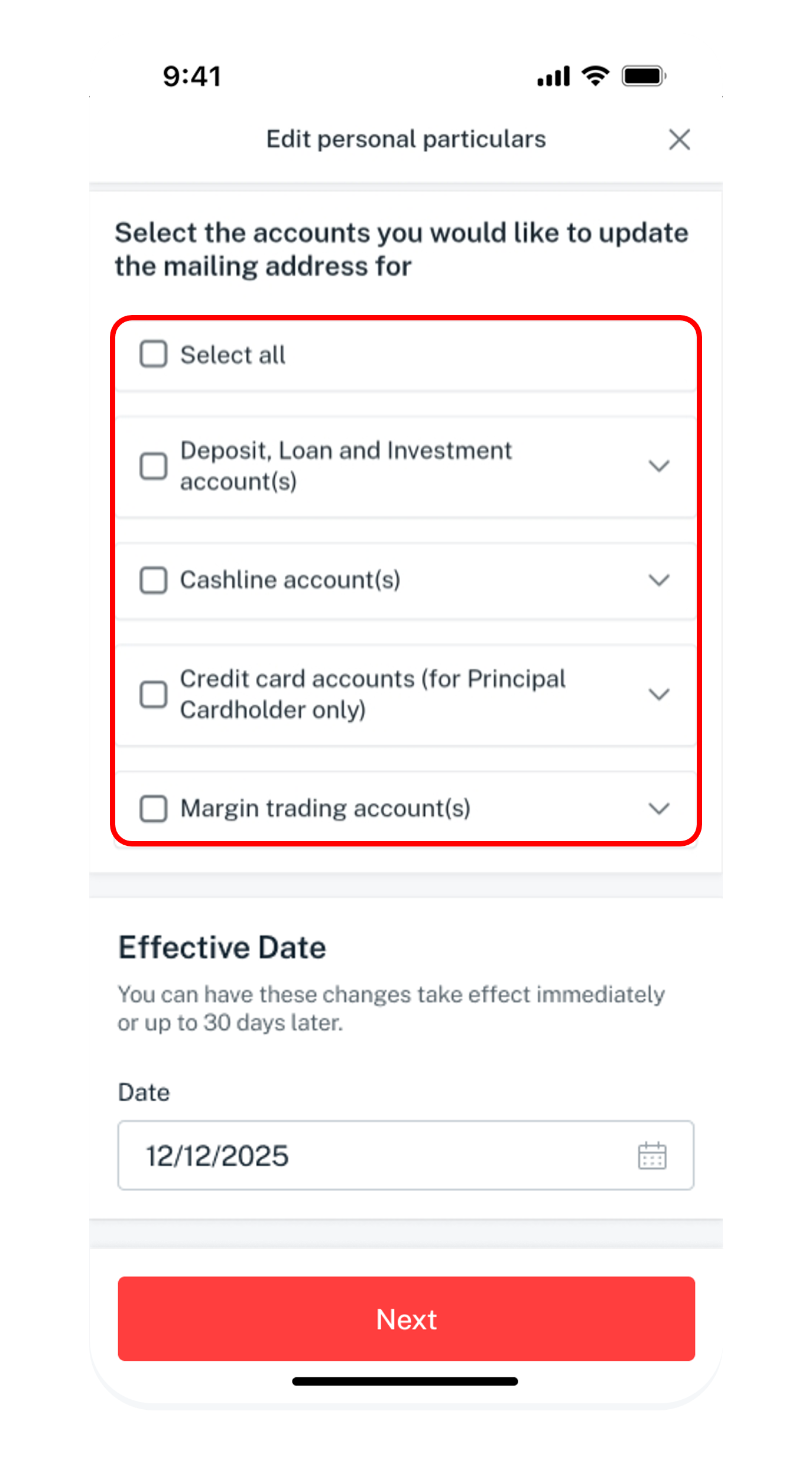
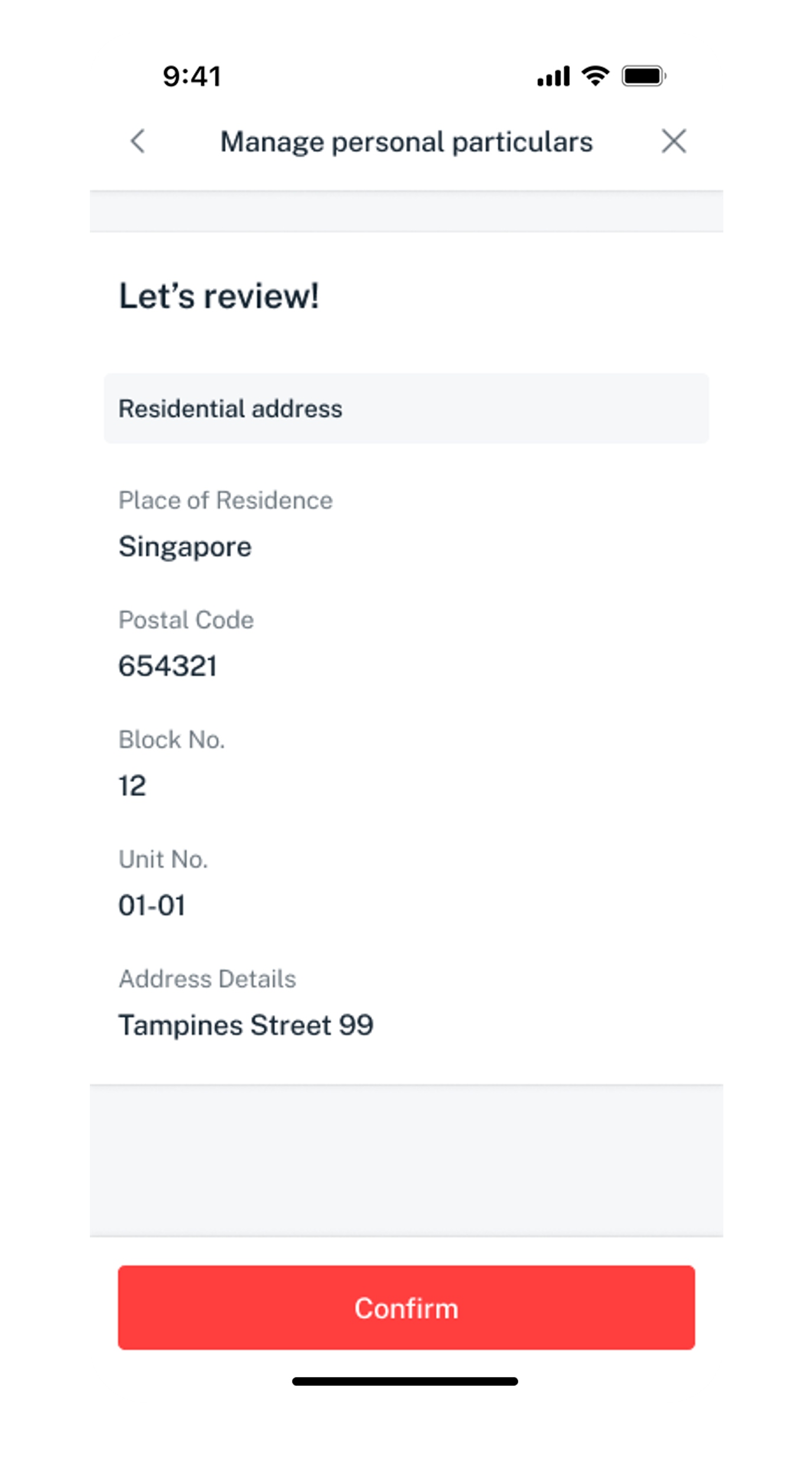
Get the latest digibank mobile app now!



digibank Online



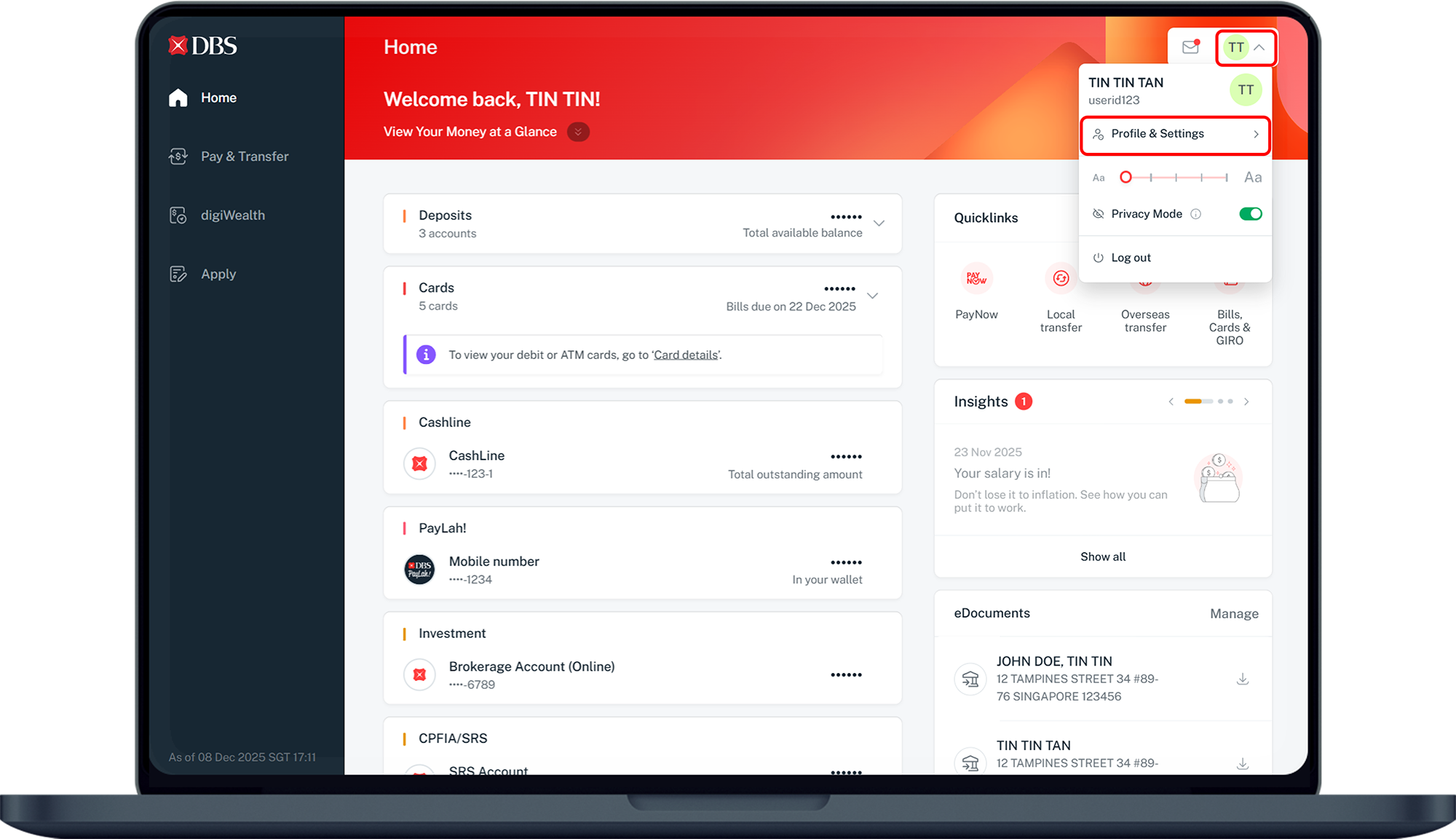
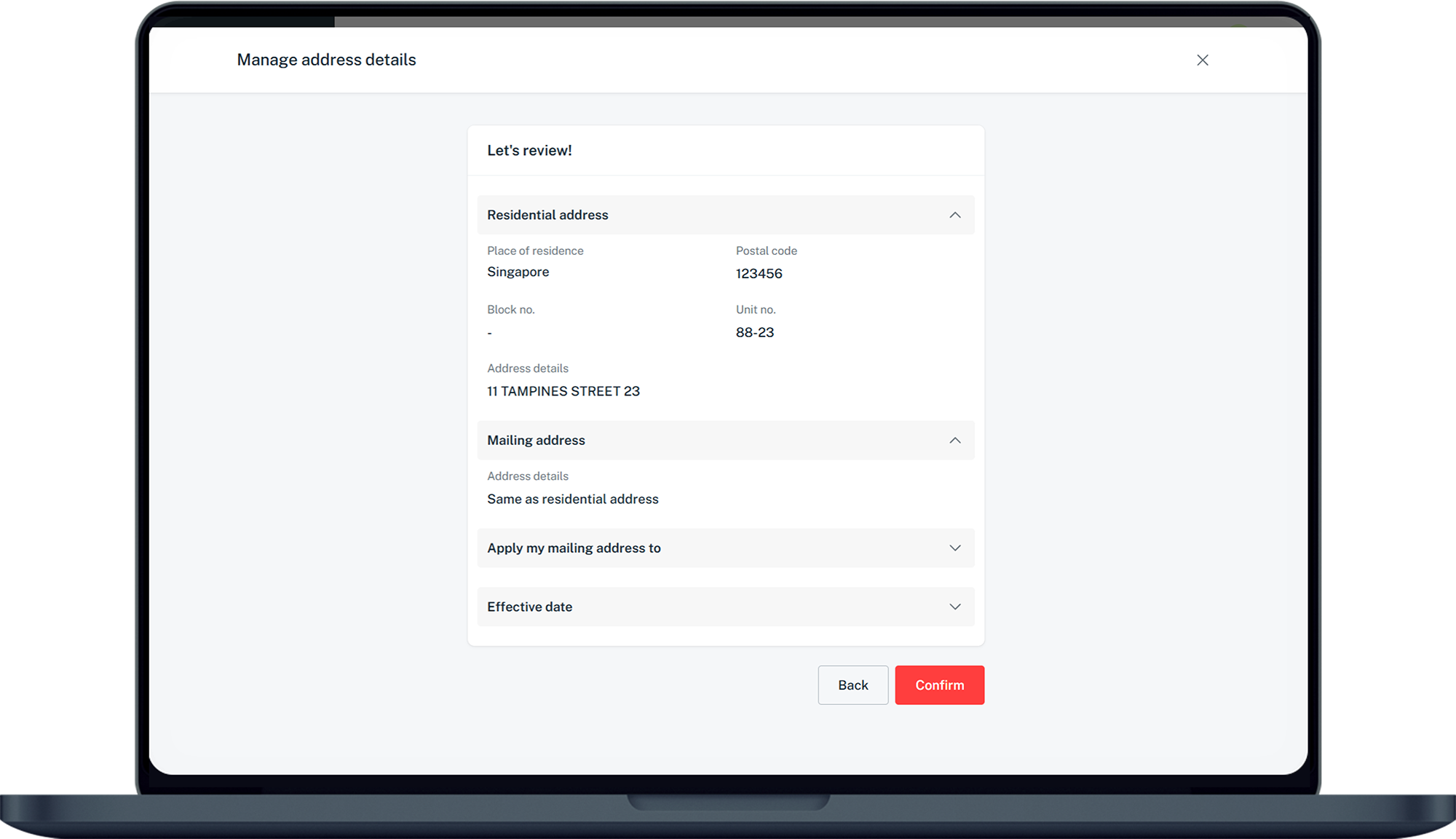
ATM/Debit/Credit Card & Singpass
Do ensure that your residential address is updated on Singpass first.
If you do not have Singpass, register online. You can refer to the Singpass Instructional Guide.
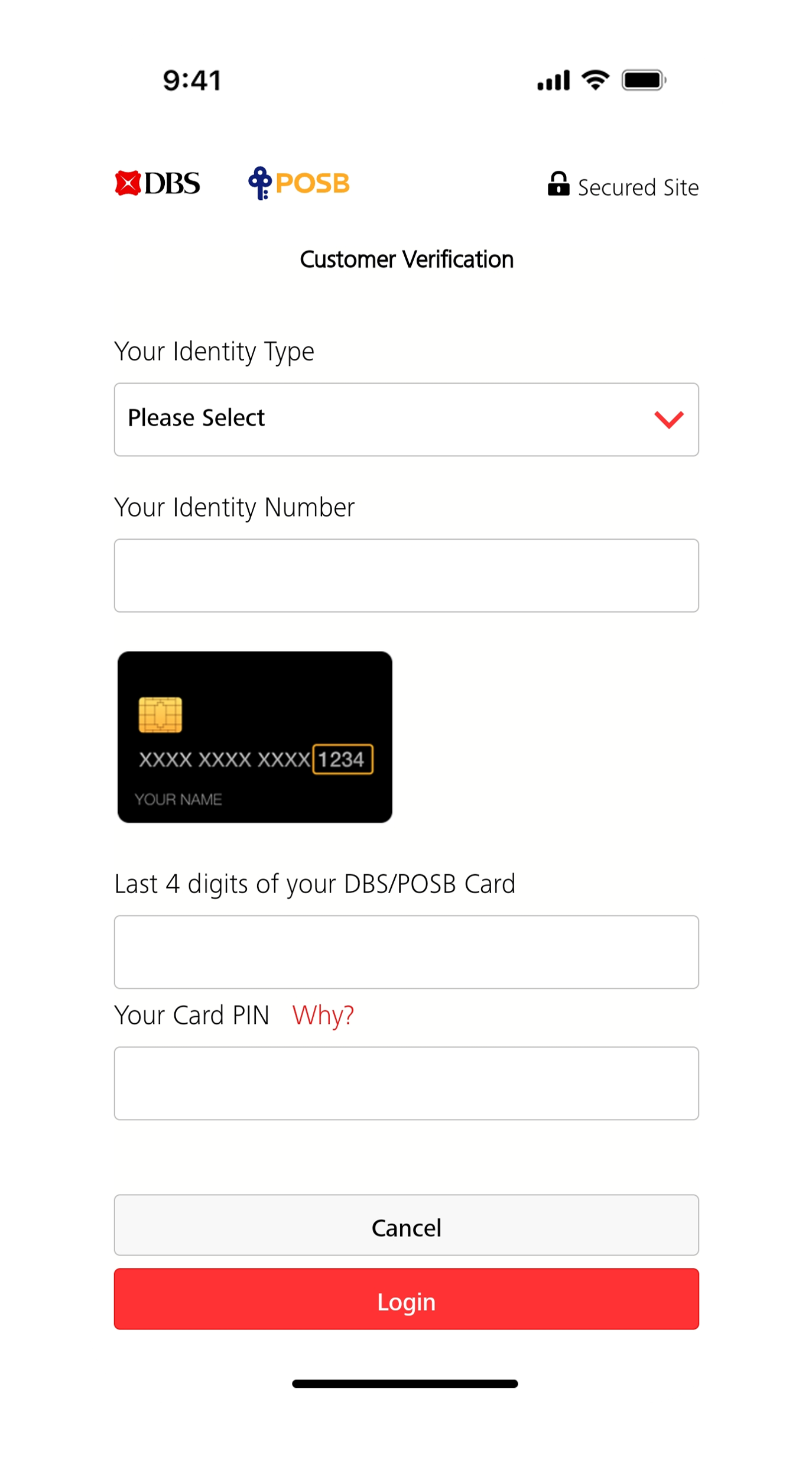
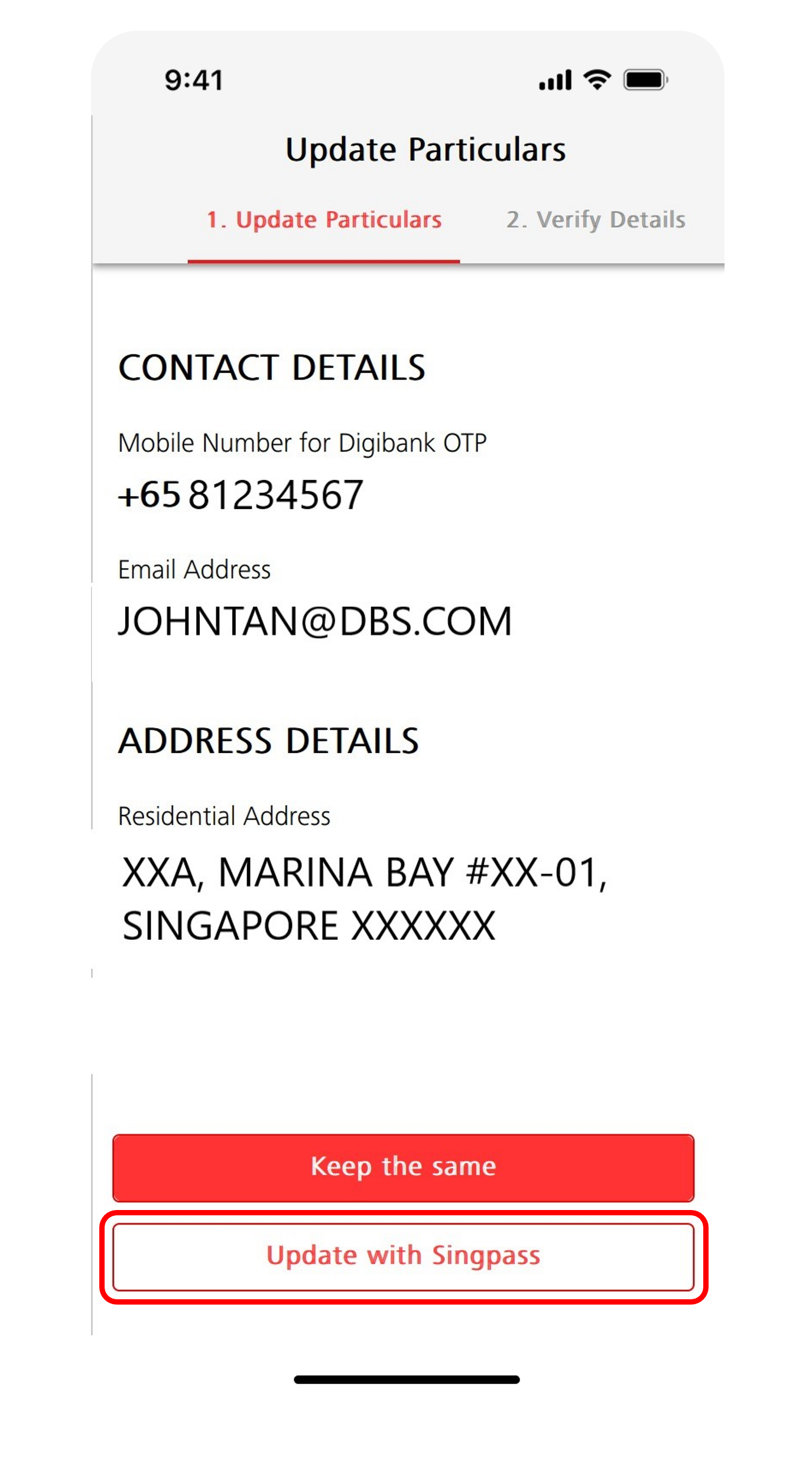
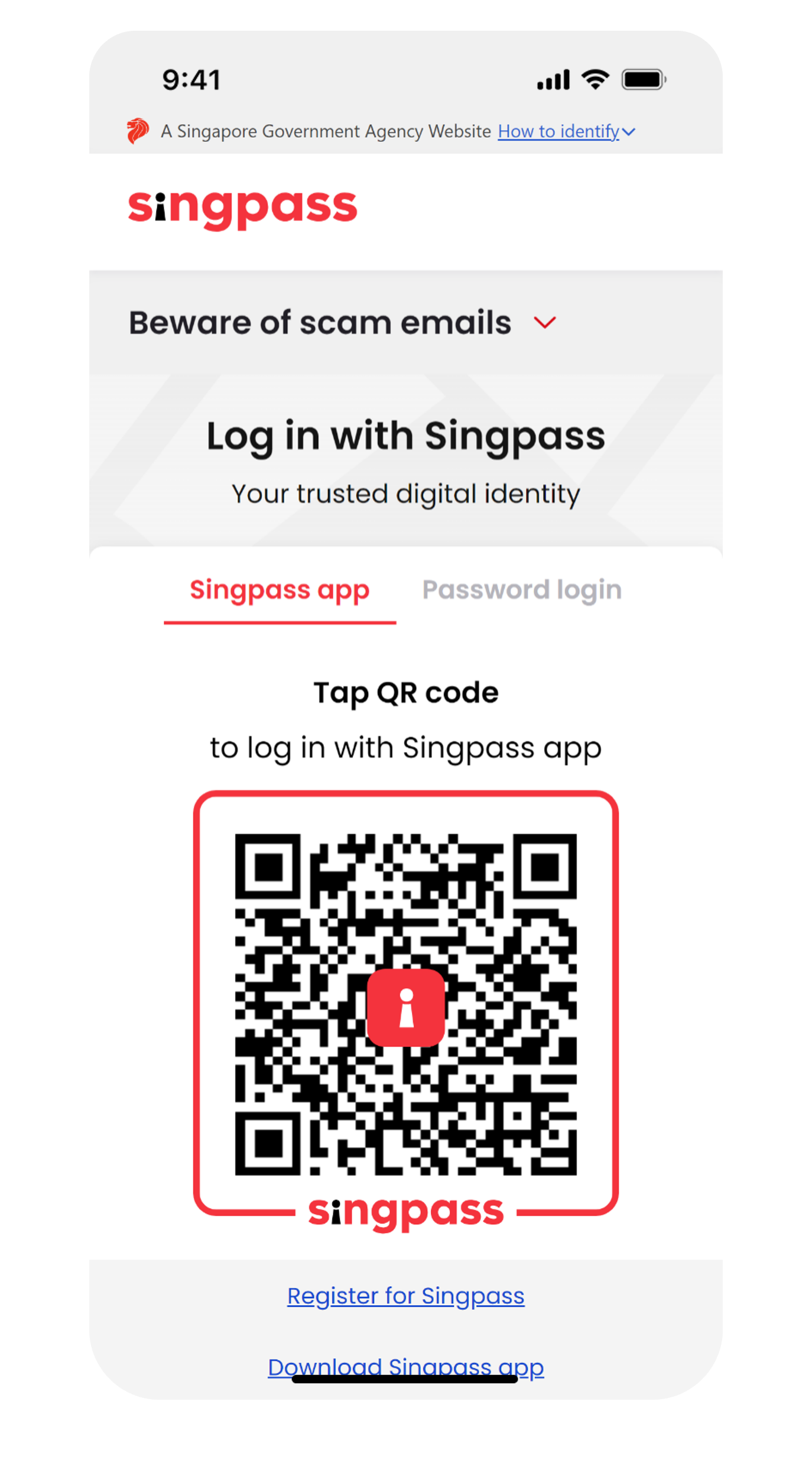
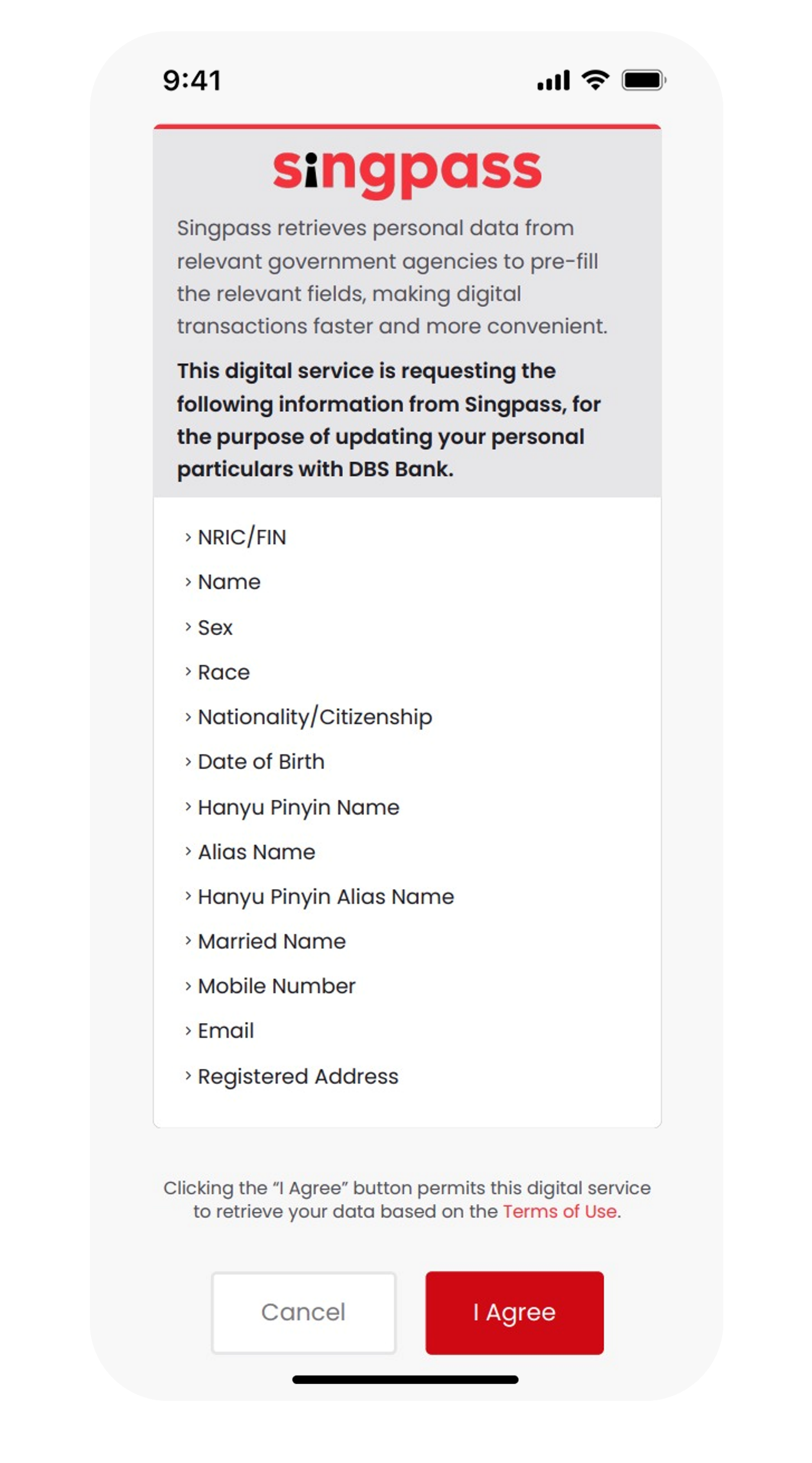
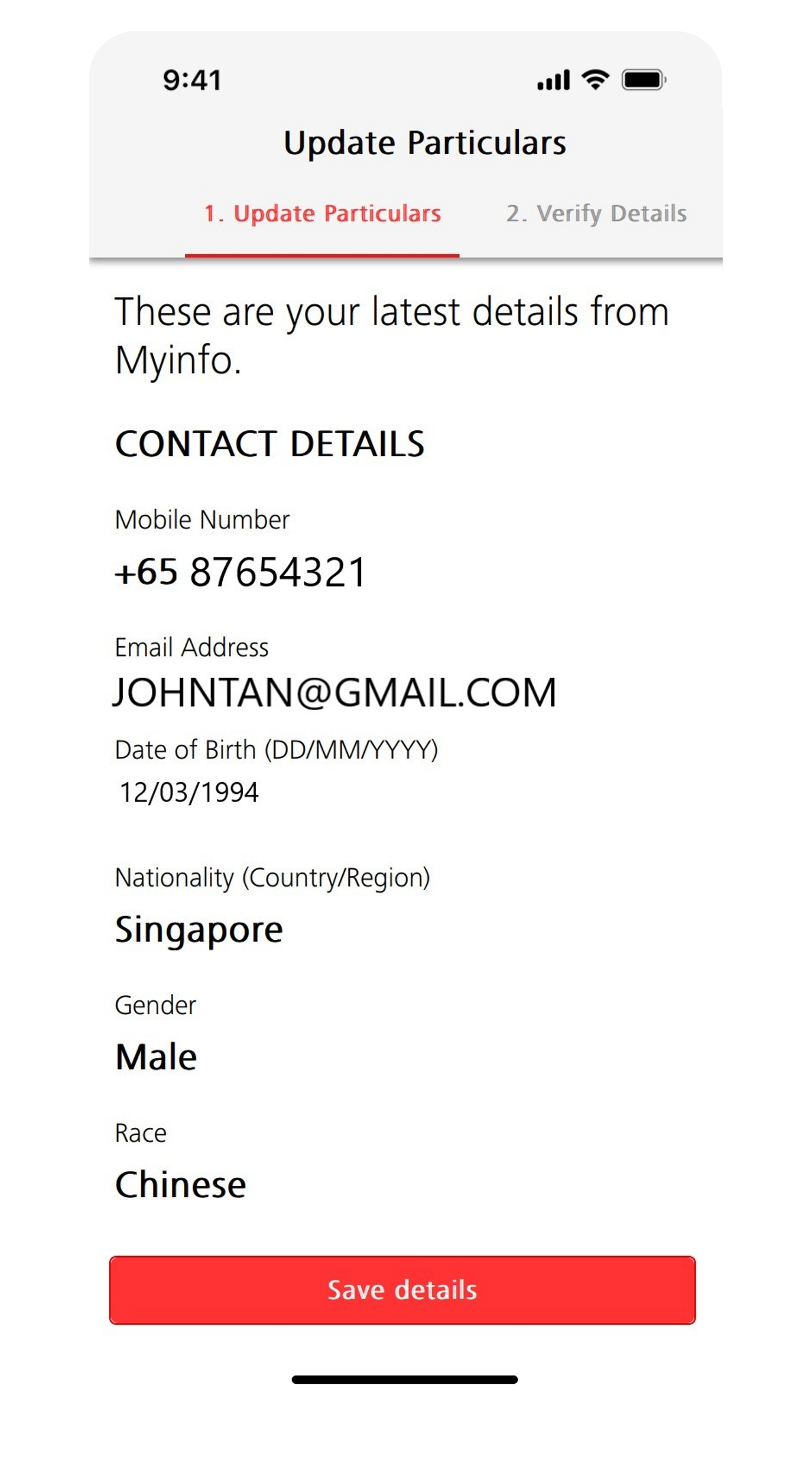
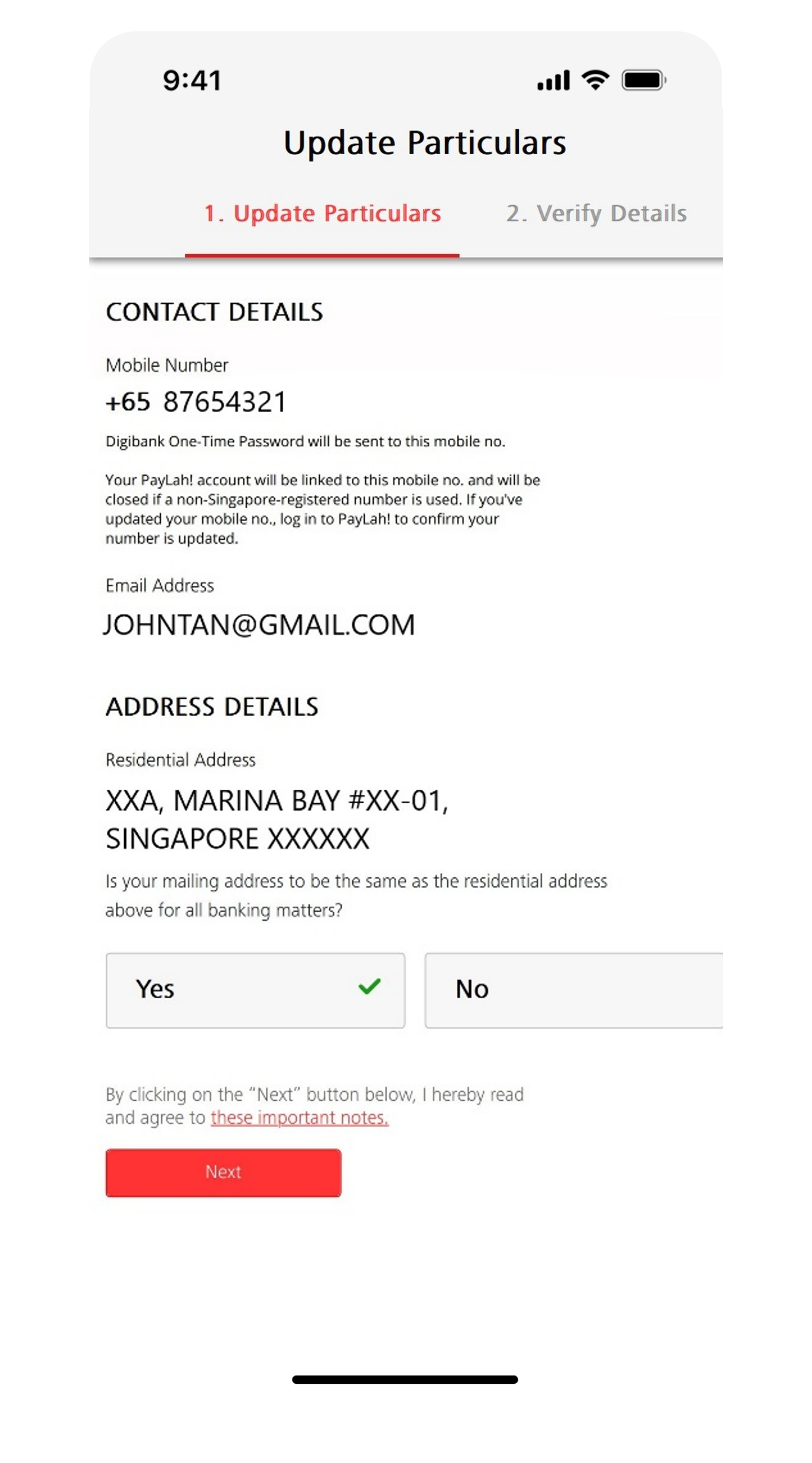

If you do not have Singpass, register online. You can refer to the Singpass Instructional Guide.
AXS Station
Important: Updating your Address via the AXS Machine requires you to have an Active DBS or POSB ATM/Debit/Credit Card.
To update your address through AXS, follow these steps:
Note:
To update your address through AXS, follow these steps:
- Select DBS Bank Ltd
- Select Address Update
- Indicate if your new Address is in Singapore or Overseas
- If Singapore Address is indicated:
- Indicate Postal Code and Unit No.
- Indicate if your Residential address is the same as your mailing address entered
- Indicate the Type(s) of account to update
- Click Continue, then Confirm
- Insert and remove your ATM Card swiftly from the AXS
- If Overseas Address is indicated:
- Indicated your New Address and Country
- Indicate if your Residential address is the same as your mailing address entered
- Indicate the Type(s) of account to update
- Click Continue, then Confirm
- Insert and remove your ATM Card swiftly from the AXS
Note:
- The update of address will take effect immediately for updates done from 0800 hours to 2000 hours (Mondays to Saturdays)
- All updates after 2000 hours on a working day (Monday to Saturday) will be taken as the following working day's transaction
- Transactions received on a Sunday will be updated at 0800 hours on Monday
Frequently Asked Questions
How to update my mailing/residential address online if I forget my user id and pin, and I do not have a Singapore-registered mobile number?
If you are based overseas, you should reset your User ID and PIN first before trying to update your address.
Learn more about how to reset or retrieve digibank User ID and/or PIN.
Learn more about how to reset or retrieve digibank User ID and/or PIN.
I’ve encountered error while updating my address. Why is that so?
Ensure that you have keyed in the address with the correct format to avoid any errors. Alternatively, you may update your address via ATM/Debit/Credit Card & Singpass.
I’ve updated my address but the system still reflects my old address and I still receive mails at my old address. Why is that so?
Mailing address is the address that you wish to receive your mails from DBS. Ensure that you have updated your new address under mailing address section and you have selected the products that you wish the new address is applied to.
Can I help my child who is a minor aged below 16 years old, to update their address?
-
Yes, you may visit any DBS/POSB Branches to update their address.
You are not required to bring your child. However, please make sure to have the following documents during your visit:- Parent/Legal Guardian ID Documents
- Proof of Relationship (e.g birth certificate)
I have been notified that my bank statement/letter was returned as my mailing address is invalid. What do I do?
Please update your latest mailing address with the bank to receive timely updates from the Bank. There are various channels which you may update your address with us. You may follow the Step-by-Step indicated in the section above to update your mailing address.
Can I request for a mail-in form to update my mailing/residential address?
No, mail-in forms are no longer available. Any letters or mail-in forms will be strictly rejected. Please update your address on your mobile app.
How do I update my mailing/residential address if I do not wish to do it online?
Please visit your nearest Video Teller Machine (VTM) to update your address.
For self-service, please remember to bring your ATM/Debit/Credit Card and your mobile phone with a registered number with the bank for verification to update your address smoothly.
If you do not have the above items, you will need to bring along your NRIC or updated passport during office hours (9am-6pm) to update your address.
If you do not have your ATM/Debit/Credit Card and an updated passport, please visit the nearest branch.
If you are located overseas, please Get in Touch with Us.
For self-service, please remember to bring your ATM/Debit/Credit Card and your mobile phone with a registered number with the bank for verification to update your address smoothly.
If you do not have the above items, you will need to bring along your NRIC or updated passport during office hours (9am-6pm) to update your address.
If you do not have your ATM/Debit/Credit Card and an updated passport, please visit the nearest branch.
If you are located overseas, please Get in Touch with Us.
Was this information useful?